


There are many different browsers on the market, each with its own focus—some prioritize privacy, while others emphasize simplicity and multitasking. I’ve considered switching to a different browser, but after every attempt, I always end up coming full circle and returning to Google Chrome. Although Chrome has some aspects that can be infuriating, with just a few simple settings, you can greatly alleviate those most annoying issues.

Chrome Can Be Annoying, But You Still Love It—These Settings Can Help Ease the Most Irritating Issues
Why Is Chrome Still My Favorite?
Currently, Google Chrome remains the default web browser for the vast majority of users, myself included, and there’s a reason for that. While I believe brand recognition plays a significant role, the main reason for its continued dominance isn’t necessarily just speed or aesthetics. In my view, the key lies in the unprecedented seamless integration within the Google ecosystem. For those who use Docs, Google Drive, and Gmail in Google Workspace every day, Chrome operates less like an application and more like an operating system. Synchronization remains its killer feature—opening your laptop, tablet, or phone and immediately accessing the same open tabs, browsing history, and passwords is a level of convenience that competitors struggle to match with the same reliability.

The Chromium rendering engine has effectively become the de facto standard for modern web browsers. Not only does Chrome itself use it, but many other browsers also rely on the Chromium engine as their foundation, which is why browsers like Edge share many similarities with Chrome. Today, web developers prioritize Chrome compatibility, which means that while browsers like Safari or Firefox perform exceptionally well, Chrome is likely the only browser that can guarantee all websites will render and function exactly as intended without any adjustments.
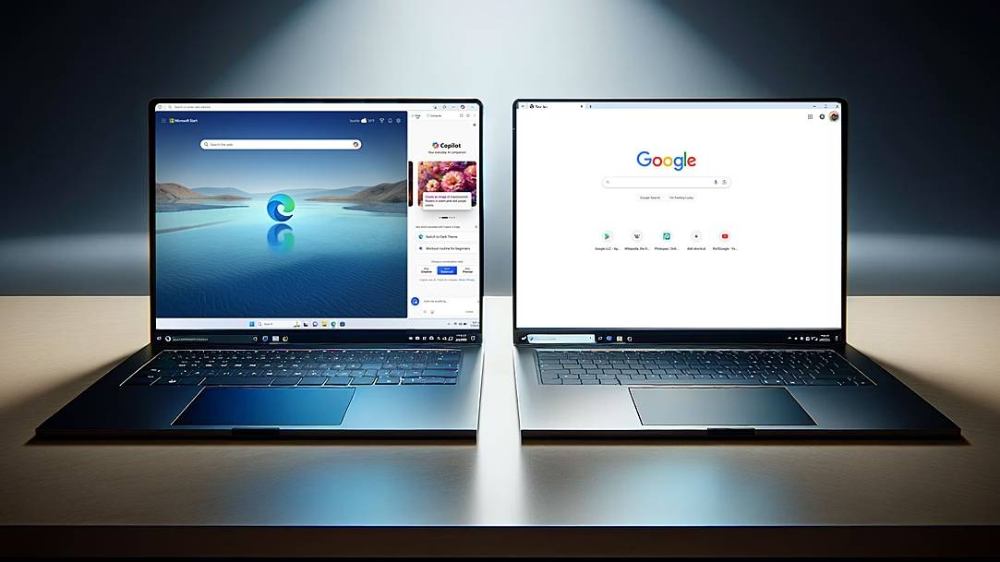
This reliability extends to the browser’s vast library of extensions, which—despite some controversy—remains the most powerful in the world. Chrome has a massive developer support base, meaning that if there’s a tool designed to boost productivity, write code, or edit content, it will perform best on Chrome. And because it’s arguably the most popular browser today, it’s available on multiple platforms, including the soon-to-be-retired Classic Windows 10.
Chrome does have its drawbacks
Chrome isn’t perfect—and it’s still a long way from it—with its memory usage remaining the most common source of complaints. Although modern computers typically have more memory than ever before, Chrome’s multi-process architecture—which isolates each tab and extension—can still cause high-end machines to accumulate dozens of open tabs if users aren’t disciplined enough. Of course, this is an issue across all Chromium-based browsers, as they are inherently RAM-intensive, but many other browsers actually include RAM management tools that Chrome lacks.
Another complaint I have about Chrome is the shift to Manifest V3, which fundamentally changes how ad blockers work and limits extensions’ ability to dynamically filter web requests. For power users who rely on fine-grained control over web scripts to block tracking and ads, the browser now feels more restrictive, prioritizing Google’s advertising business model over user autonomy.
In addition, while third-party cookies have largely been phased out, they have been replaced by the Privacy Sandbox and the Topic API. This system moves user data analysis directly into the browser itself, categorizing browsing history into interest groups and sharing it with advertisers. Although technically more private than third-party cookies, it still represents a surveillance feature built into the tools used to access private information. The interface has also become increasingly cluttered, filled with features that users would not actively request—such as shopping insights, visual search overlays, and even AI—making it much more bloated compared to Chrome’s original minimalist experience.
How can I alleviate these problems?
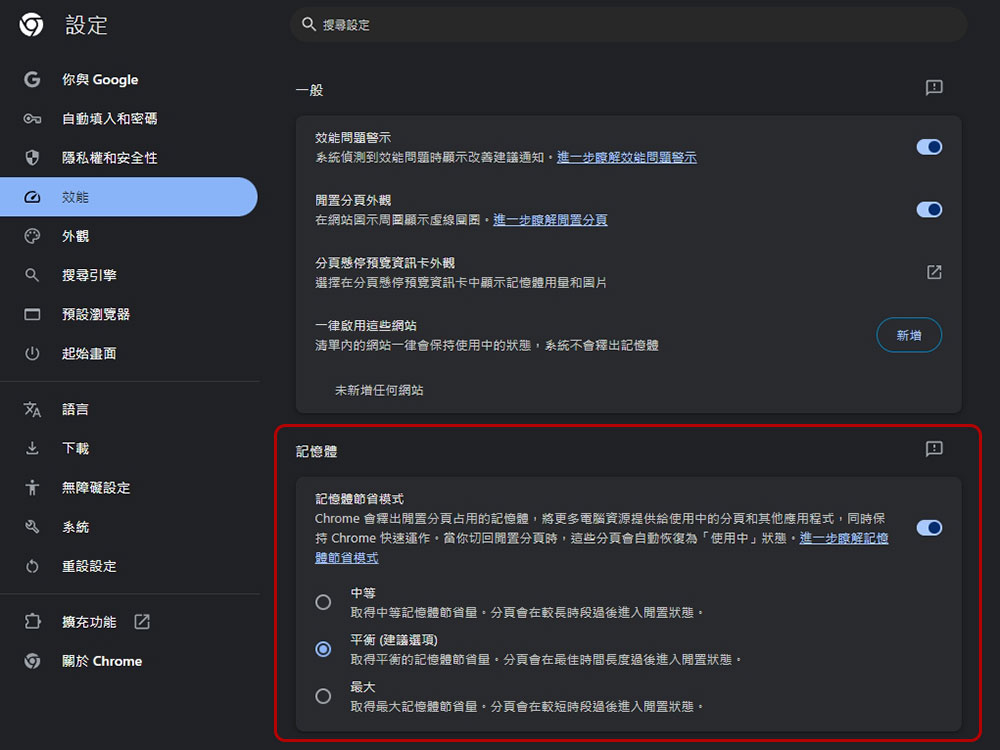
Fortunately, you can work around the issues mentioned above. To resolve the notorious memory usage problem, the first step is to start with the Performance menu:
- Open “Settings” in the Chrome browser.
- Click “Performance” in the left sidebar.
- Enable “Memory Saver Mode” in the “Memory” section.
- Set the workflow to “Medium” or “Maximum.” This will force the browser to freeze inactive tabs more quickly.
When it comes to privacy and ad blocking, you have several options:
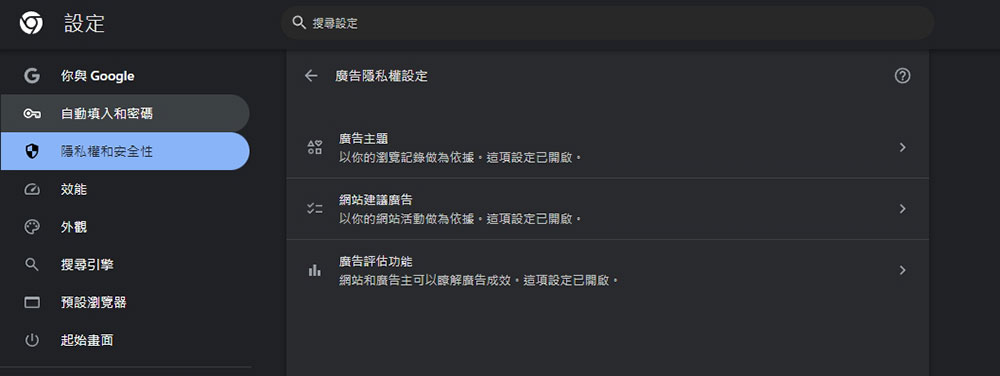
- Go to “Privacy and Security” settings, then go to “Ad Privacy Settings.”
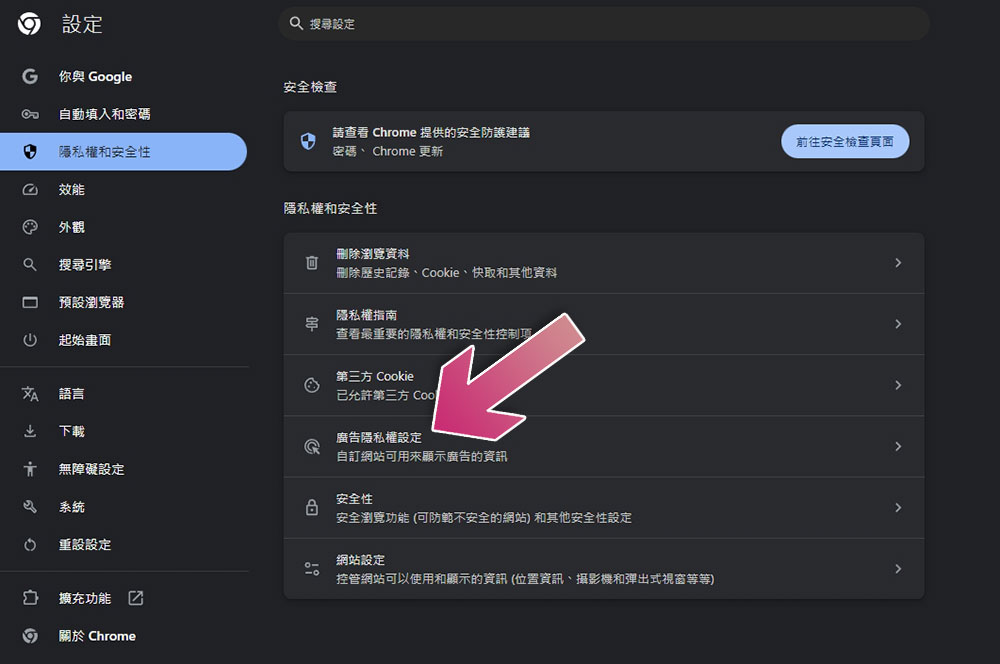
- Manually navigate to each of the three items and disable them one by one to prevent the browser from creating an advertising profile based on your local browsing history.
To work around the limitations of Manifest V3, users should switch to a “Lite” version of an ad blocker optimized for the new declarative API standard, such as uBlock Origin Lite. Although their performance is slightly lower than that of previous versions, they are still effective at general blocking and do not slow down the browser. For those who need stricter control, implementing a DNS-level blocker like NextDNS at the operating system level can filter out ads and trackers before they reach Chrome, completely bypassing the limitations of browser extensions.
Finally, to tidy up the interface, you can right-click on the toolbar to remove unnecessary sidebar icons and disable features you don’t use—such as shopping lists and price tracking—in the Sync and Google Services settings, restoring the browser to a cleaner state.
Source: KOCPC Chinese