


Nowadays, many people want to run their own YouTube channels, hoping to become YouTubers one day. As the number of creators continues to grow, so does the demand for video editing. To make it easier for creators to edit and upload their videos, Google recently launched a brand-new video editing app for creators called YouTube Create. Not only is it completely free to use, but it also comes with a wide variety of filters, effects, transitions, and a library of royalty-free music. Once your video is finished, you can upload it directly to your YouTube channel.
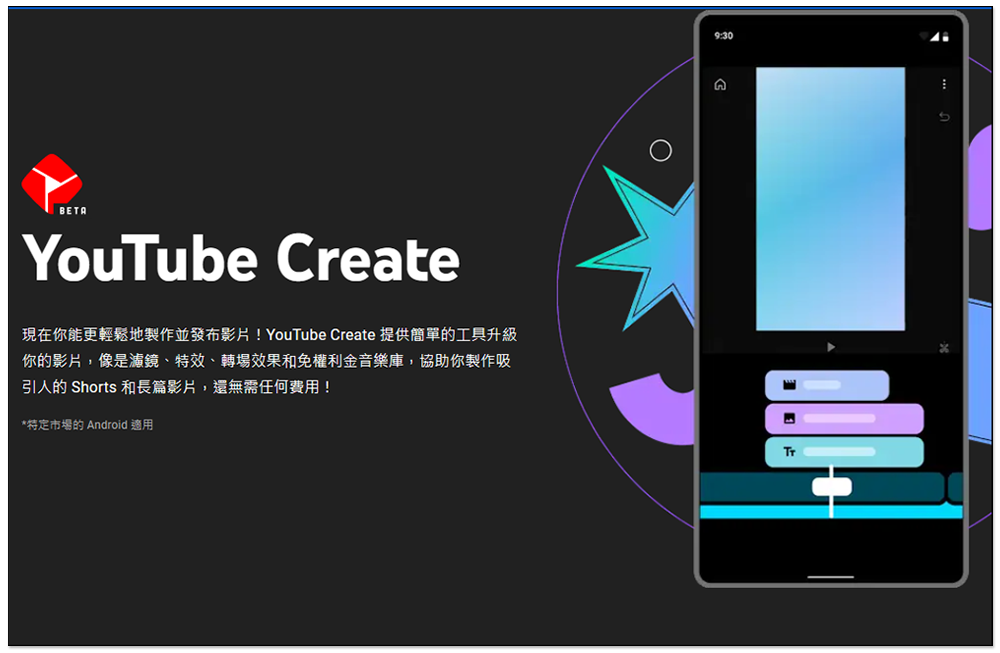
Google Launches YouTube Create, a Free Video-Editing App for Creators
Note:Available only in select markets for Android; available in Taiwan
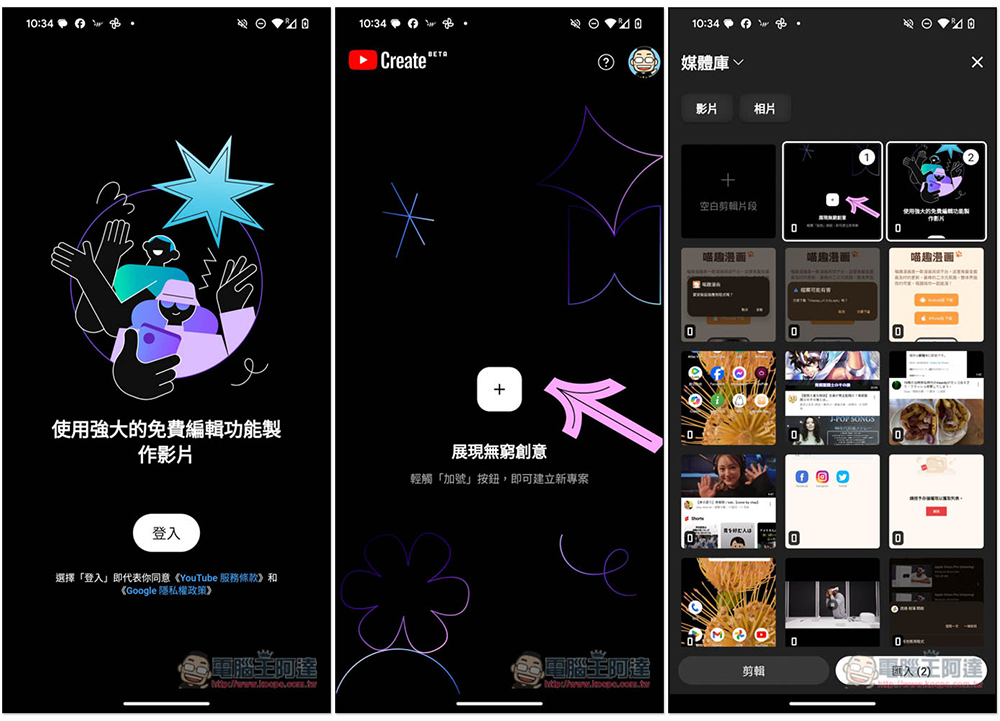
Using YouTube Create is very simple. After opening the app, tap “Sign In” to log in to your YouTube account. Once you’ve granted access to your media library, you can import the footage you want to edit:
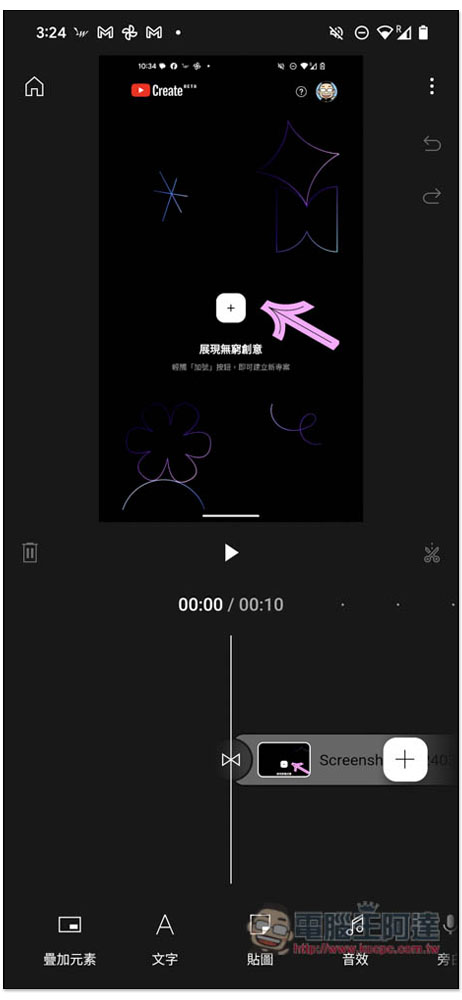
You’ll then be taken to the editing interface, where the menu at the bottom includes options such as overlays, text, stickers, sound effects, and voice-overs:
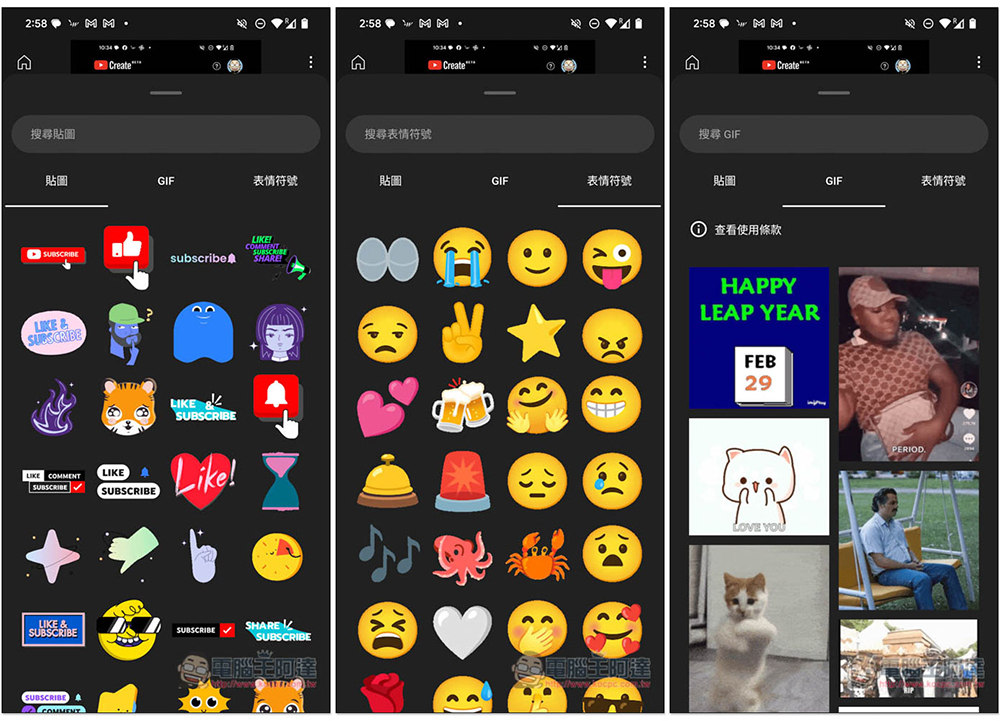
The stickers section is further divided into stickers, GIFs, and emojis, with a huge selection of each. It includes popular features that many people use frequently, such as YouTube integration and the “Like” button. It supports a search function, and everything is free—unlike other video editing apps that require payment to unlock additional content:
The music and sound effects section is arguably the most useful feature. When creating videos, creators are often concerned about which music they can use without facing copyright claims that could result in lost revenue. All the music provided by YouTube Create is royalty-free, so you can use it with complete peace of mind and focus entirely on your creative work. The music is also categorized by genre. If you’re concerned about licensing, you can check the “View License” section:
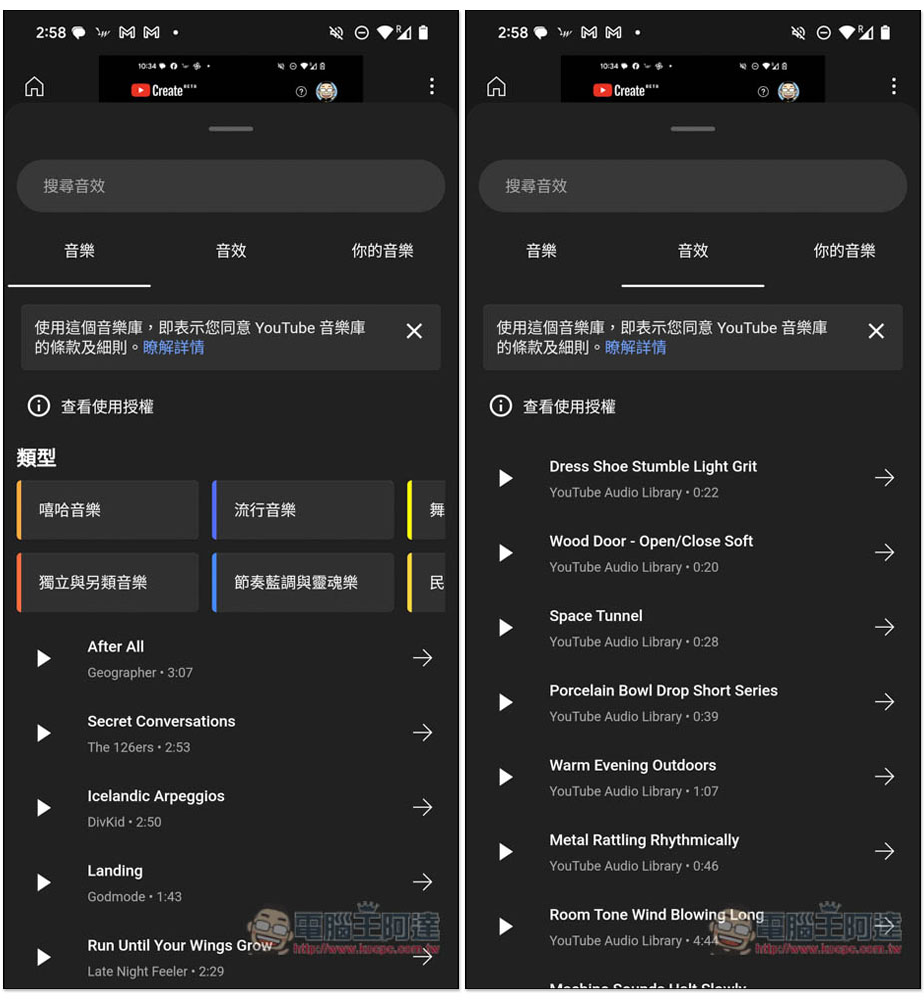
YouTube Create also features a built-in “Beat Matching Tool” that helps users sync video clips to the rhythm and beat of music more quickly—simply click “Find Beat.”
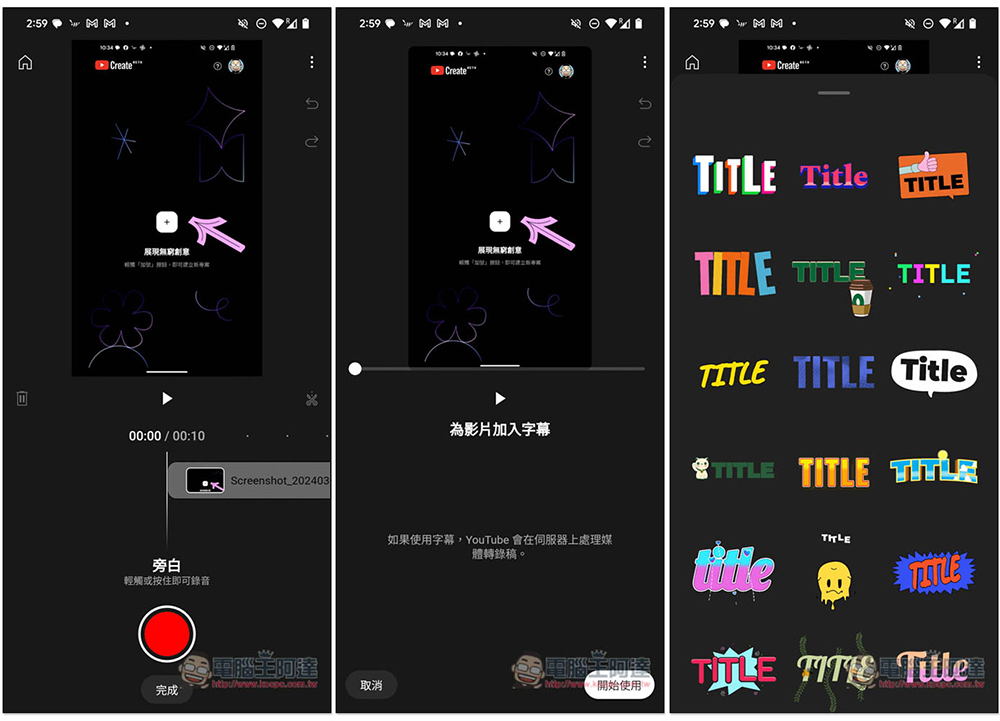
Of course, you can also record your own voice, add subtitles to your videos, and use special-effect fonts:
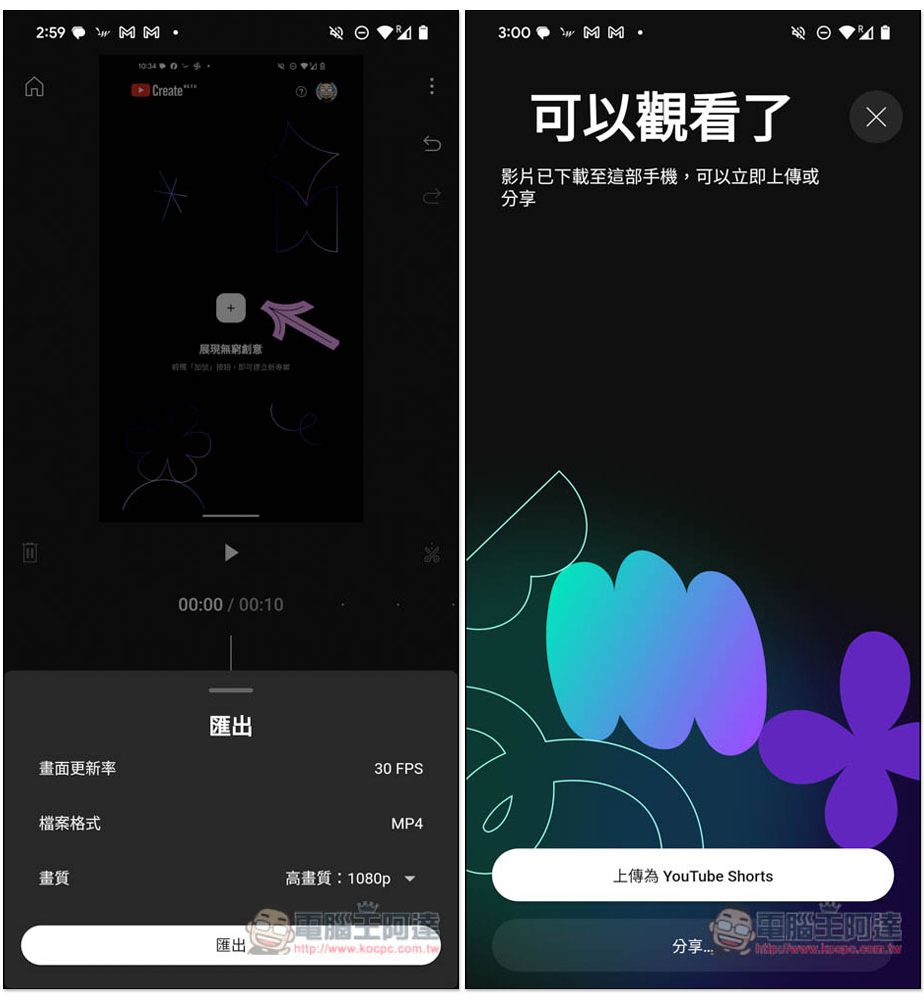
Once you’re done editing, just click “Publish” to upload it directly to your YouTube channel, but the resolutionIt looks like the maximum resolution supported right now is 1080p.4K video output is now supported:
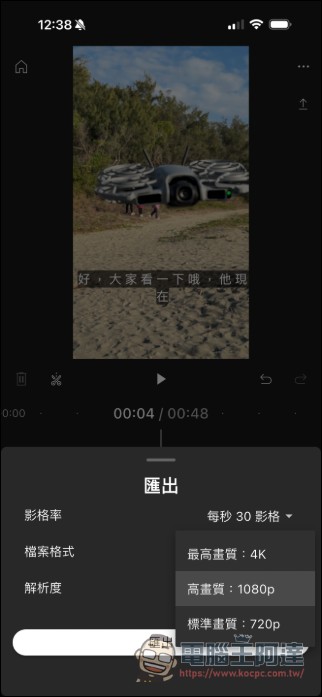
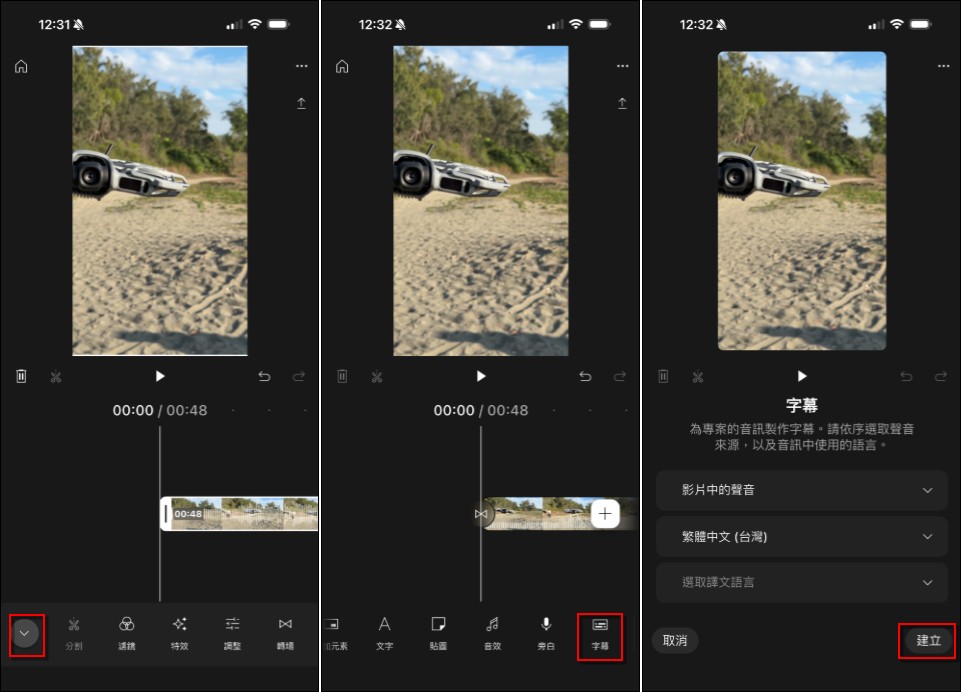
In addition, YouTube Create now includes an AI-powered automatic captioning feature. Click the “﹀” icon next to the main features to access the “Captions” option, where you can select the language to be recognized, choose which captions to display, and even get translations.
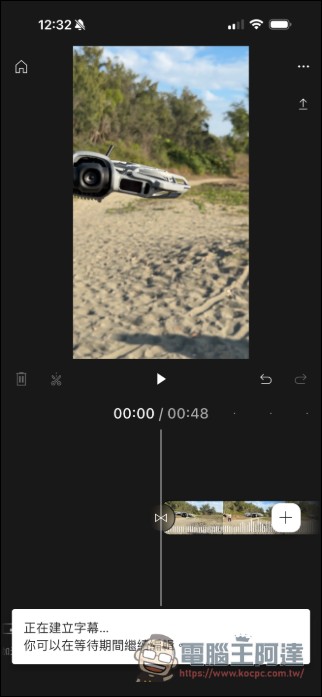
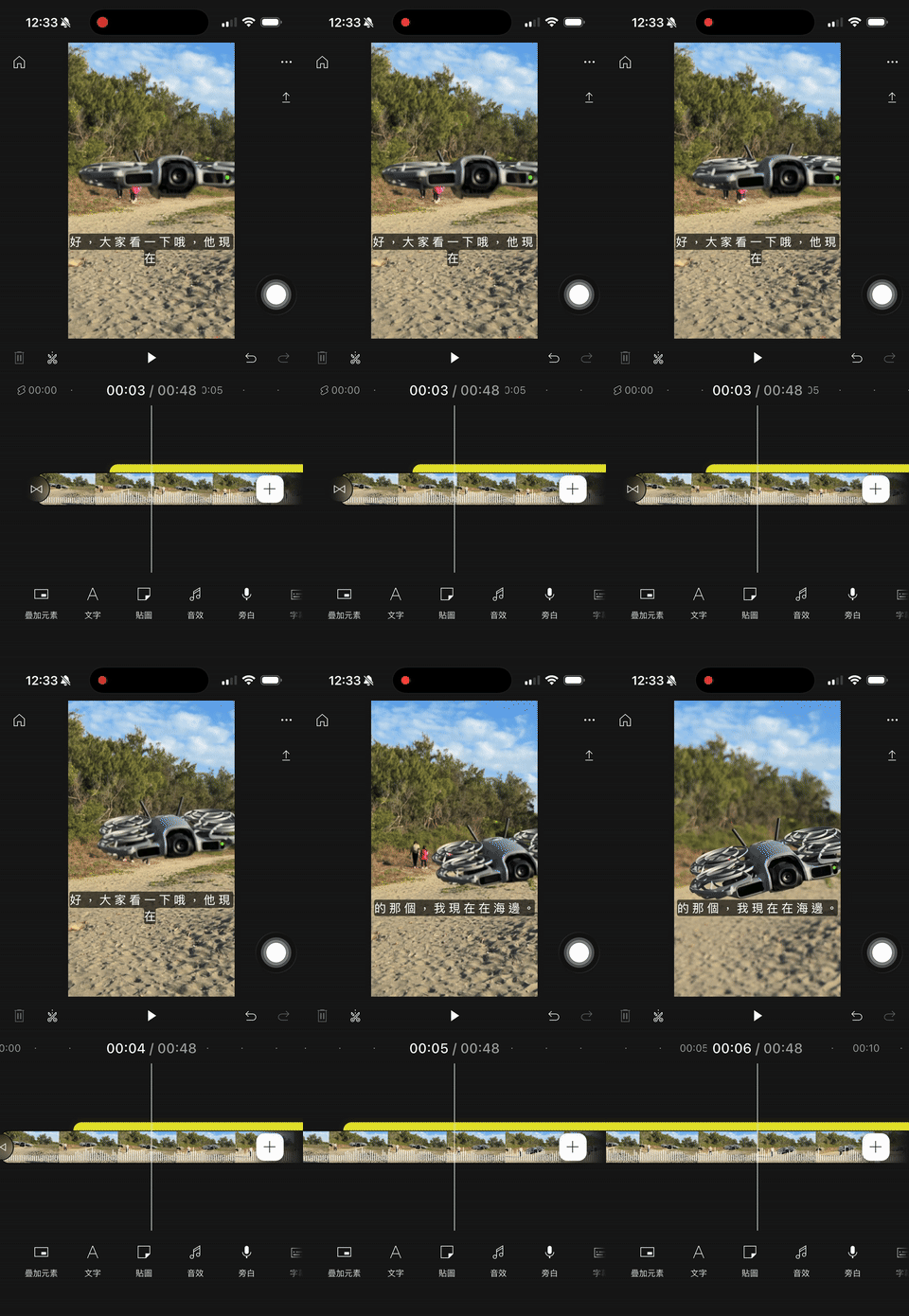
Please wait a moment—the subtitles are almost done, and they’ll be exported directly in Traditional Chinese:
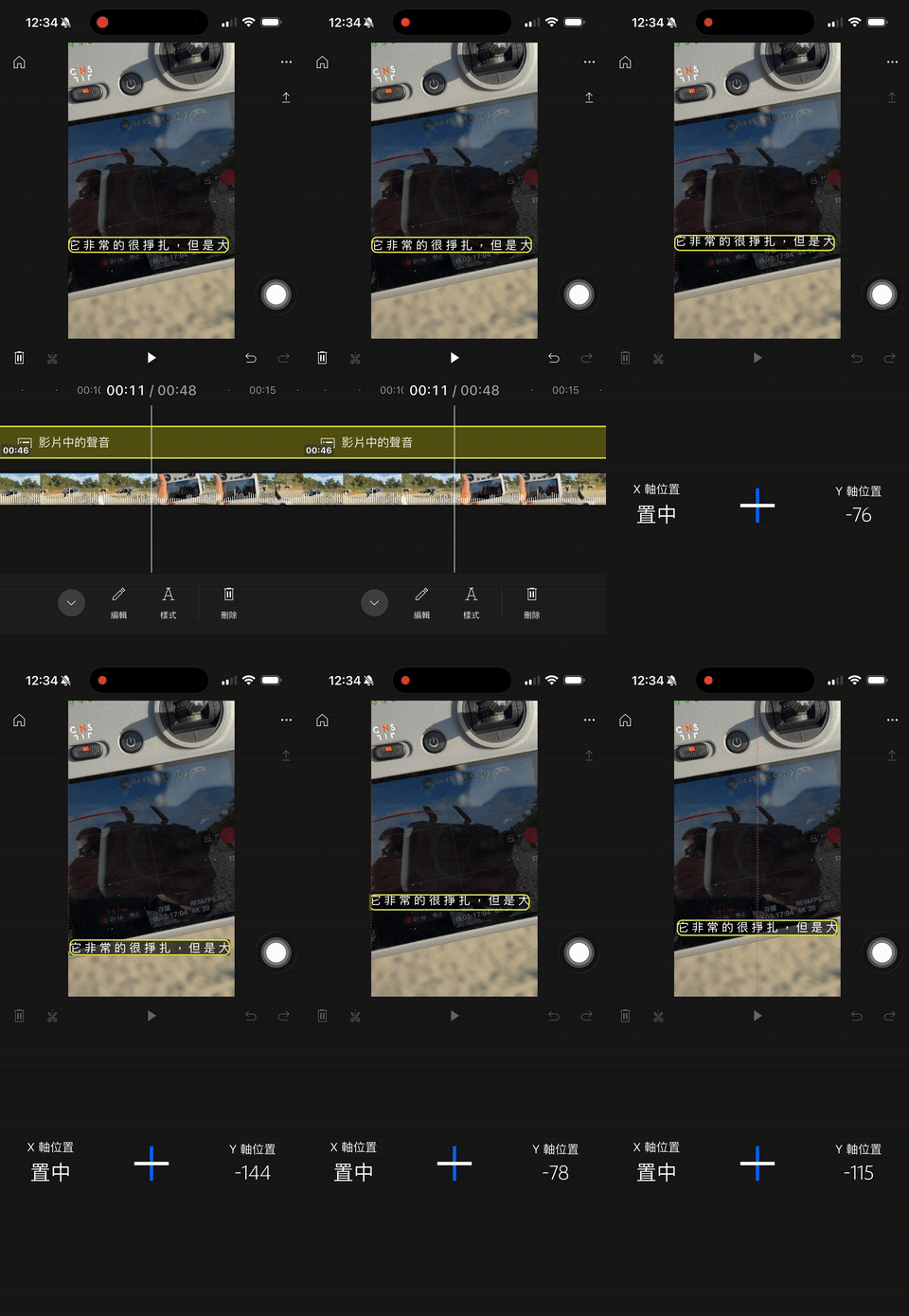
You can also adjust the subtitle position and other settings. If you don’t want to purchase a VIP subscription to JinYing just to generate subtitles, it’s also very convenient to edit your video in JinYing first and then import it here for processing:
YouTube Create is currently still in the testing phase, so we can look forward to more useful editing features being added in the future—especially those that incorporate AI capabilities, such as music generation. Personally, I’d love to see a desktop version; that would make it perfect. We’ve all been struggling with JinYing for far too long.
Below is the official promotional video:
Source: KOCPC Chinese