


If you’ve ever visited the settings page in Google Maps for Android, you’ve probably noticed how cluttered and confusing it is—which is one of the biggest complaints from users. Now, Google has finally responded to user feedback and rolled out a completely redesigned settings page for Google Maps on Android.

Google Maps Redesign Addresses One of the Biggest Pain Points for Android Users
Previous versions of Google Maps settings looked cluttered and disorganized; Google simply piled all the options and controls into a long list. Now, things are different—it’s a huge improvement over the old interface. The updated settings page organizes Google Maps settings into the following categories. You can access these options by tapping your profile picture in the top-right corner of Google Maps, scrolling down, and selecting “Settings”:
- Apps and Display: For themes, map controls, and accessibility settings.
- Navigation: Scenarios related to driving, walking, and public transportation.
- Your Vehicle: Lists settings related to the engine type and the vehicle.
- Location and Privacy: Primarily settings related to the timeline, map history, and profile.
- Offline Maps: Includes download options and map updates.
- Notice: Administrative Reminders and Recommendations.
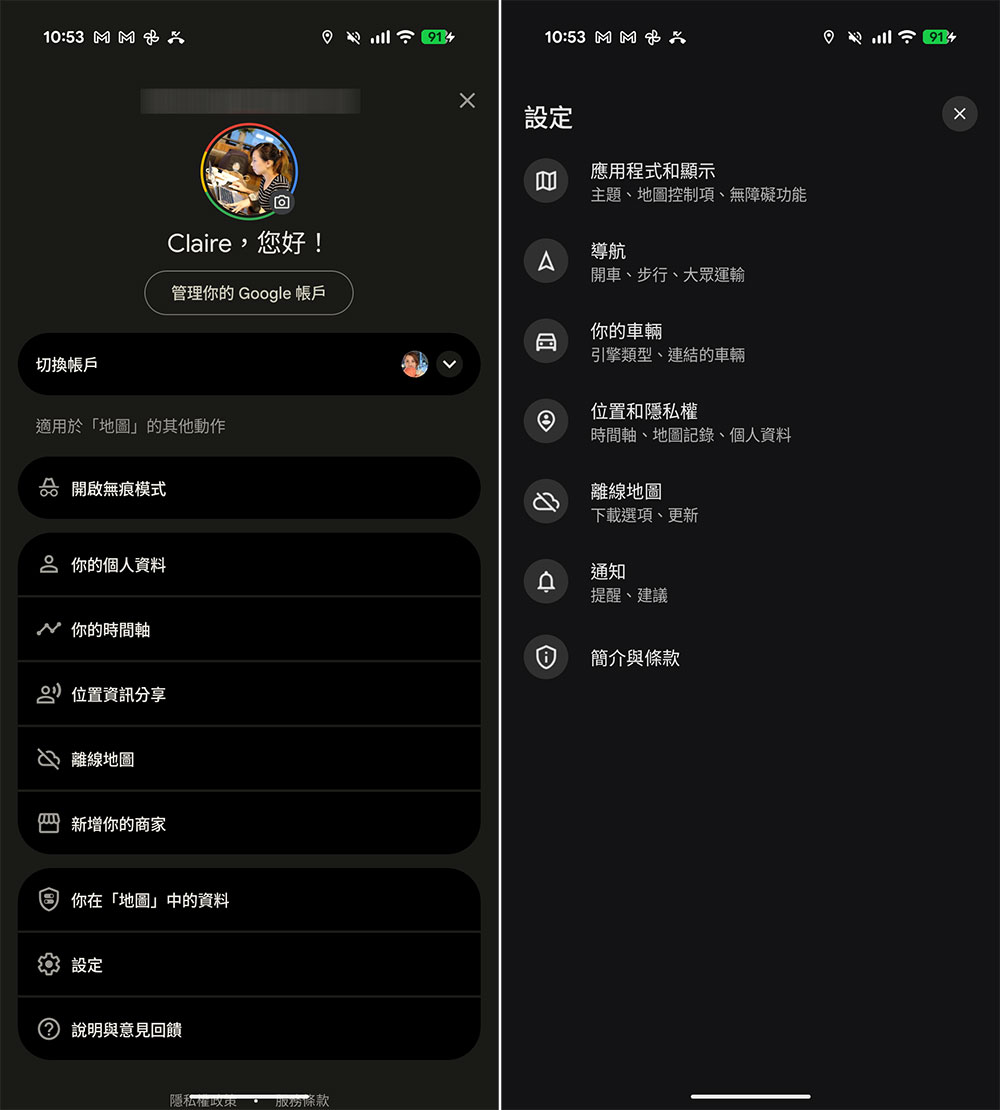
Foreign media 9to5Google discoveredThe user interface now resembles that of the Google app, with left-aligned menus and an “x” in the upper-right corner to close the menu. While the submenus for your vehicle, navigation, and offline maps remain largely unchanged, you may notice differences in other menus. The report mentions that the new Google Maps update will be rolled out via a server-side update as part of version 25.9 on the stable channel.

The redesigned settings page will also be rolled out gradually to the iOS version of Google Maps, with a look and feel nearly identical to that of the Android version. However, this may not be as important in terms of reducing clutter, since iOS already has a relatively clean user interface.
Source: KOCPC Chinese