


Every year, Steam has various sales events, such as summer sales, winter sales, or various publisher discount seasons. Every time I see the attractive “-75%” and “-90%” green labels, I can’t help but click Add to Cart and check out. Although I thought I would definitely play it at the moment, I have been buying it for a long time, and the number in the Steam game library has continued to rise, from dozens of games to over a hundred or even over a thousand. There are so many games that you may not know which one to start with, or even forget which game you were 100% sure to play before. If you have encountered this problem, then Dustpile, which I will introduce in this article, is a very good auxiliary free tool. It cleverly combines the left swipe and right swipe mechanism of Tinder dating software to help you quickly clean up and find the Steam games you want to play.

Introduction to Dustpile, a free tool that lets you find the next game you want to play, just like swiping through Tinder
Dustpile is a free web tool created by independent developer tolgatr0n. It is called “Tinder exclusive to Steam game library” and is designed to solve the “hoarding” pain point commonly faced by modern PC players. During every Steam seasonal sale or after purchasing various charity packs, the game library will unknowingly accumulate dozens or even hundreds of games that have never been installed. And when we actually have free time and sit in front of the computer, faced with this huge library of games, we often don’t know where to start.
In order to solve this serious difficulty in choosing, Dustpile introduced the most classic “left and right swipe” matching mechanism of Tinder dating software. There is no need to register to use it. Just paste your public Steam profile link, and Dustpile will automatically analyze your game library and convert those games that have “never been played” or “played for a very short time (such as less than two hours)” into intuitive cards. On these cards, you can see at a glance the key information to decide whether to play, including the game cover, genre label, Metacritic media score, Steam player review summary, HowLongToBeat estimated completion time, and even game trailers and actual screenshots.
Then, you just need to follow your intuition: “swipe right (I want to play)” if you see something you like and want to play, and “swipe left (skip)” if you are not interested.
Through this gamified and interesting filtering step, we can reduce your burden of facing a large number of game lists and ultimately produce an accurate “to-play list” for you. Not only will this list be automatically classified according to game type, it can also be exported to JSON/CSV format, or a unique link can be generated to share with friends.
Main features
- Turn unplayed games into cards, swipe right to add them to the list, swipe left to skip them, and make decisions with minimal effort.
- The game card integrates the cover, reviews, clearance time, trailers and screenshots, eliminating the trouble of frequently switching to the Steam store page to check information.
- You can filter skit games based on how much free time you have tonight (e.g. 60, 90, 120 minutes).
- Supports in-depth filtering based on release year, game type, whether Steam Deck is supported, single-player or multi-player cooperation, etc.
- In addition to managing your existing inventory, you can also import Steam wishlists to help you eliminate games that you have long lost interest in.
- Analyze the total value and type distribution ratio of unplayed games, and build in a fun achievement system to add a sense of interactivity.
After clicking the link above to enter Dustpile, you will see several options. The top is where you paste your Steam profile URL, and it also supports Steam autofill (you need to connect your Steam account). Select the direction you want to organize below, including “My To-Play List”, “My Wish List”, “My Game Library” and “Explore”. If you select “My To-Play List”, and then which games you want to display, you can set never played, less than 2 hours, or 10 hours:

Otherwise, the options below will also change:

There are also play together and family/merged game library functions at the bottom:

After pasting your profile URL, be sure to press Search to see if your correct Steam ID appears below:

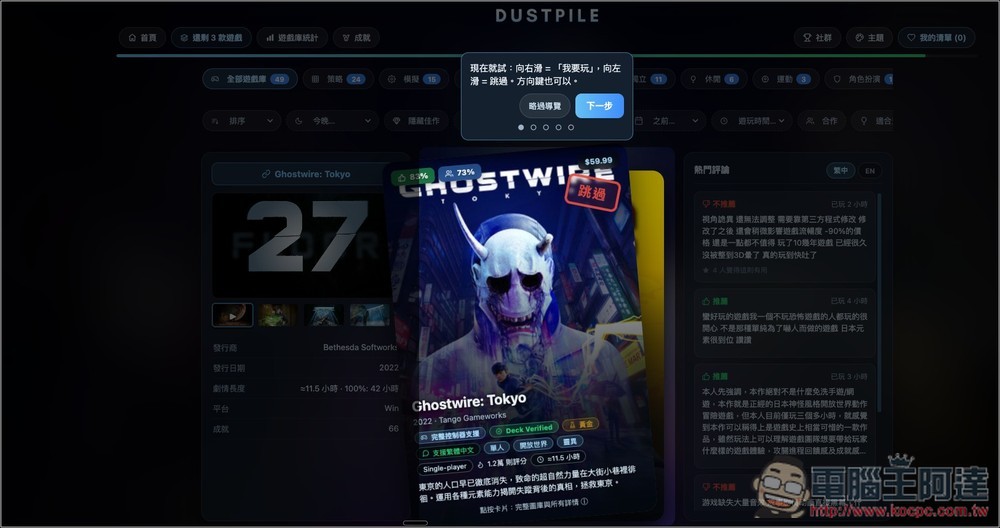
After loading the game library, you will see this screen. There will be an operation guide at the beginning. It is recommended to take a look:
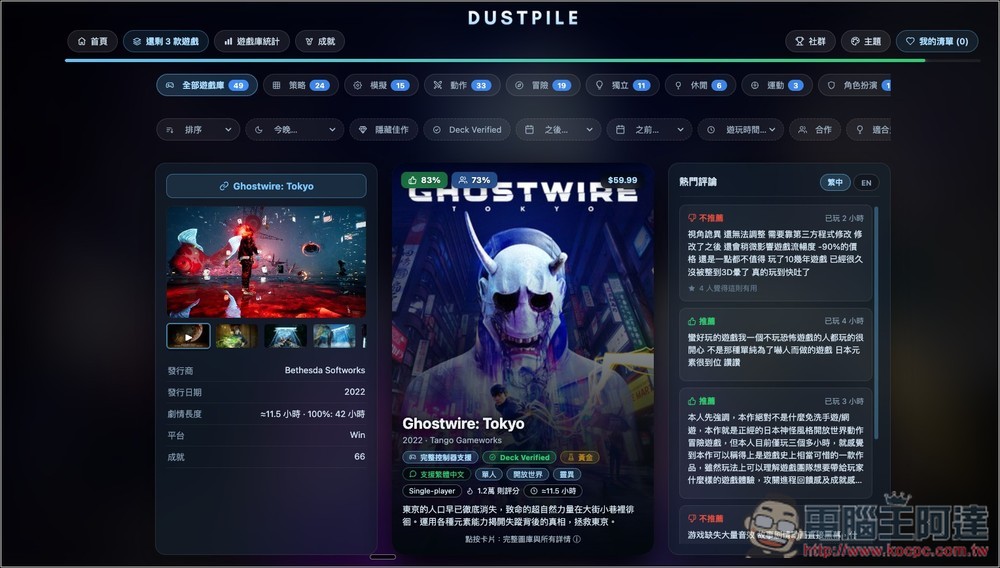
Each game card has very rich content. The left side is the game release information, the middle is a brief introduction and main features, and the right side is Steam’s popular reviews, allowing you to quickly read and decide whether you should play this game:
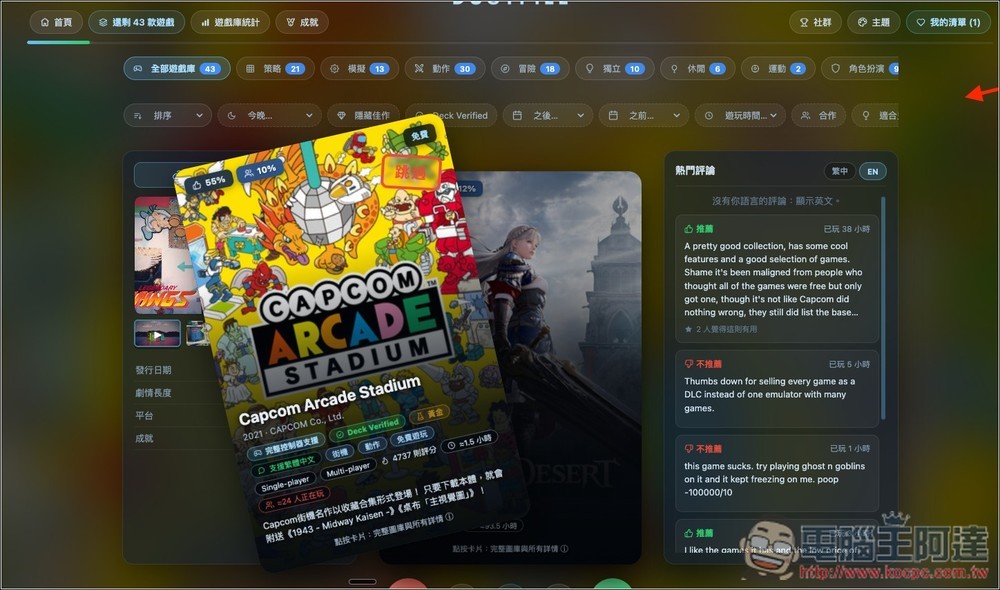
Swipe left to skip, swipe right to retain:
After you have made your selections, you will progress to a duel, where you will be asked to compare two games at a time and ask you which one you want to play more:

Select to the end, and there will be a complete ranking. From top to bottom is the order you should play:

In addition to filtering games, it also provides game library statistics, which will calculate how many games you have in total, how much time you play, the most commonly played game types, and dust ratings. Scroll down for more information:

I never thought I played strategy games the most and spent 137 hours on them:
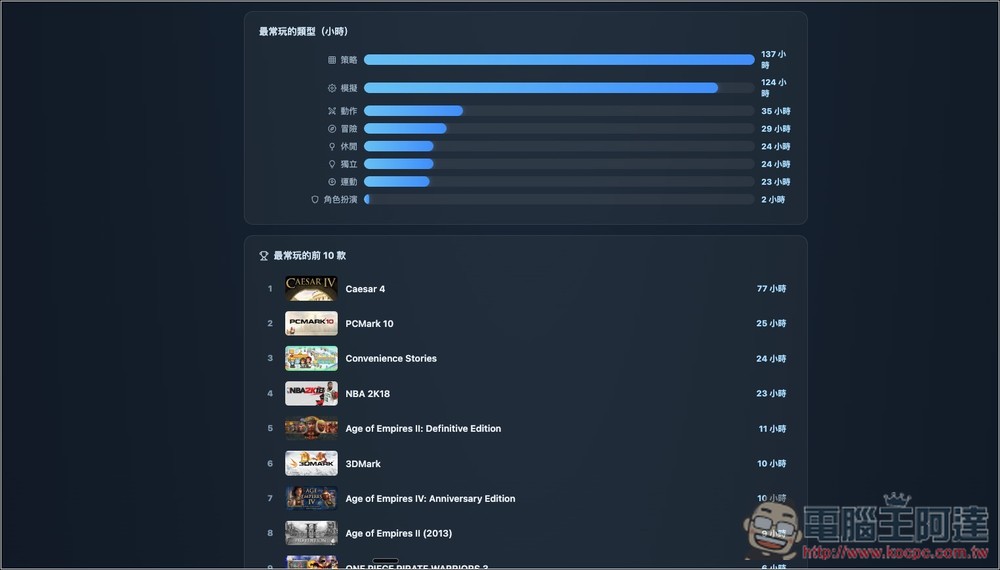
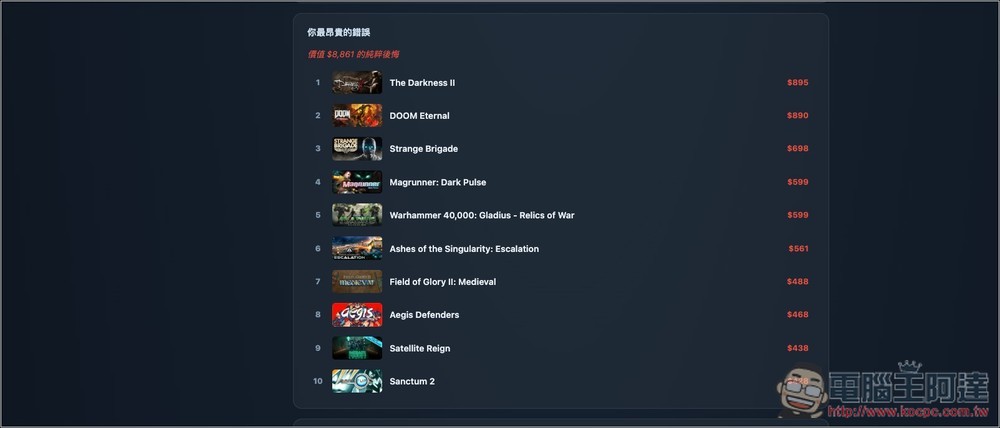
It will also count the games you spent money on in vain, that is, you didn’t play them after buying them. However, the list also includes limited discounts and freebies, so it’s not really all in vain. The functions of Dustpile are not limited to these. You can try more:
Source: KOCPC Chinese