


as Google publish TurboQuant Compression algorithms are now gradually seeing some practical applications emerge. Recently, I discovered the TurboQuant WASM open source project, where the developer created an online Prompt → Diagram tool that relies on Chrome WebGPU can run in the browser Gemma 4 E2B The model can generate Excalidraw diagrams, which means you can draw architecture diagrams, flowcharts, UML, ER diagrams, and more—all right in the browser, with fully local inference, no data leaving your device, no API key needed, and it’s actually quite fast.
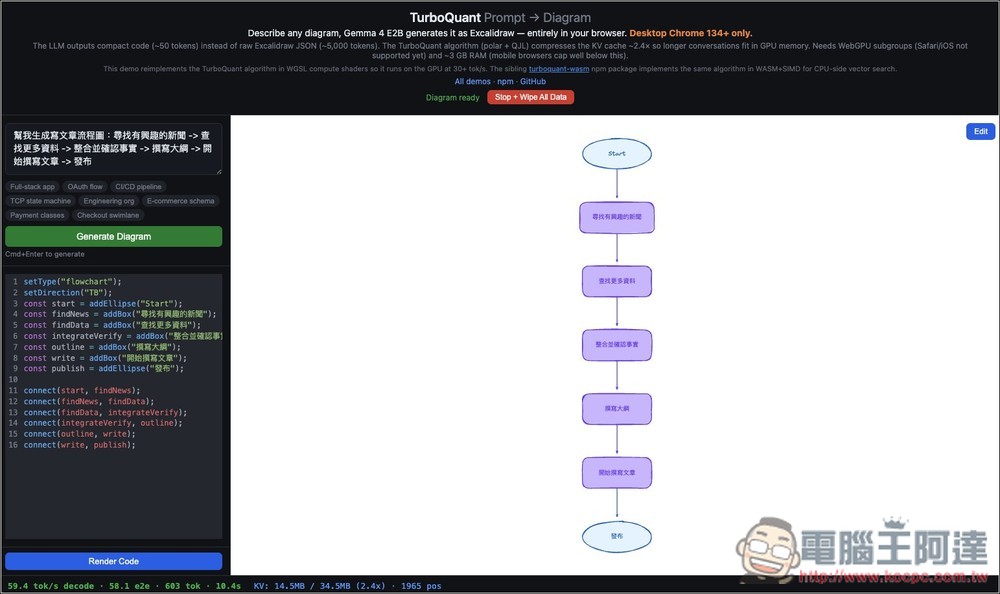
Prompt → Diagram: Introduction and Operation Tutorial
Diagram is an AI chart generation solution that focuses on completing the entire text-to-chart process directly in the browser. Users only need to input simple descriptions, such as system architecture, flowcharts, or API workflows. The Gemma 4 E2B model understands the text and converts the content into chart structures parseable by Excalidraw, then renders them into visual graphics in real-time. The entire process runs locally, accelerated by WebGPU inference, and no data is sent to the server.
Unlike traditional AI image generation tools, this tool produces “editable diagram structures” rather than images. After generation, users can still modify nodes, adjust flows, and even apply them directly to documents or presentations. This approach not only enhances practicality but also significantly reduces generation costs and error rates.
Technically, it uses the TurboQuant algorithm to compress model memory usage, enabling the model to run on standard computers while maintaining smooth generation speed.
The only thing to note is that it currently only supports Chrome 134 and above on desktop.
Key Features
- Runs entirely in your browser locally, no data upload needed, high privacy
- Enter text to generate various diagrams including flowcharts and architecture diagrams
- Adopting the Gemma 4 E2B model for semantic understanding and structure generation
- Generate editable diagrams with Excalidraw instead of static images
- Supports WebGPU acceleration for smooth generation experience
- Using TurboQuant Technology to Reduce Memory Requirements and Computational Load
- Generated content can be freely modified, suitable for documents and presentations
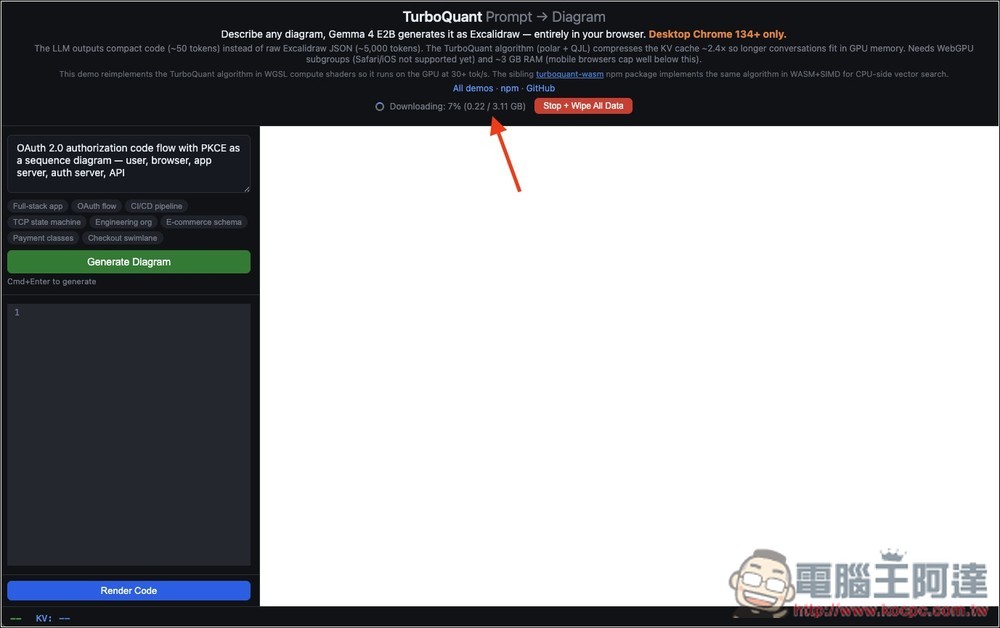
It’s very simple to use—just click the link above to go to Prompt → Diagram, and the Gemma 4 E2B model (about 3.11GB) will download automatically. If you no longer want to use it in the future, you can click the “Wipe All Data” button next to it to delete it.
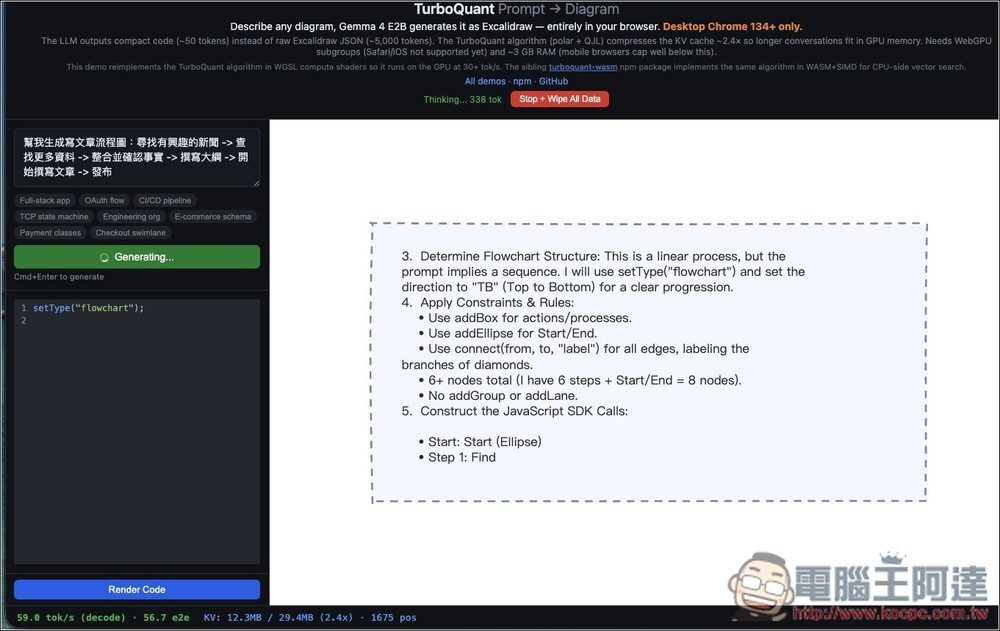
After the download is complete, you can enter the chart prompts you want to generate into the box on the left and click generate. The right side will then start running, and Gemma 4 E2B will list the steps:
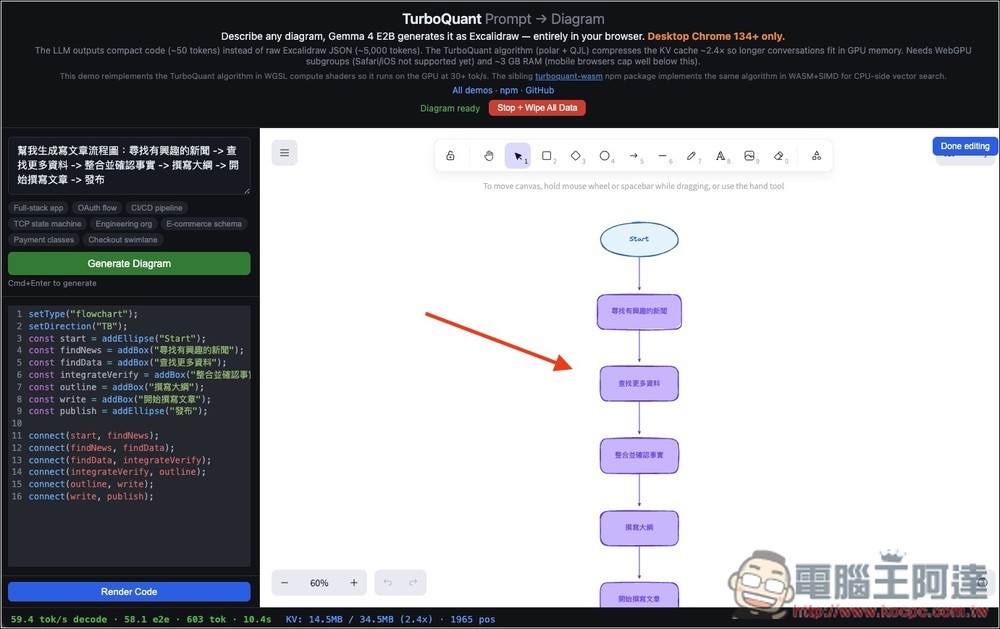
I generate article flowcharts, then it generates the specified process based on my requirements. If there are any parts you’re not satisfied with, you can also modify them through the toolbar above. After completing, press Done editing in the upper right corner to view the complete chart.
Source: KOCPC Chinese