


While Google’s AI search features (AI Mode and AI Overviews) continue to gain users, they’ve sparked a major controversy: people are now just reading the AI summaries and never actually clicking through to websites, causing a sharp decline in traffic for many sites and prompting pushback from publishers.
And to solve this problem, this time Google Adds 5 Major New Features to AI SearchBeyond improving the visibility of website links, it also provides users with richer information.

AI Search Gets More Practical: Google Launches 5 AI Modes and Upgrades AI Overviews, Links Now Clearer and Sources Easier to Trace
1. AI responses now end with “Further Reading,” helping you find in-depth content from different perspectives
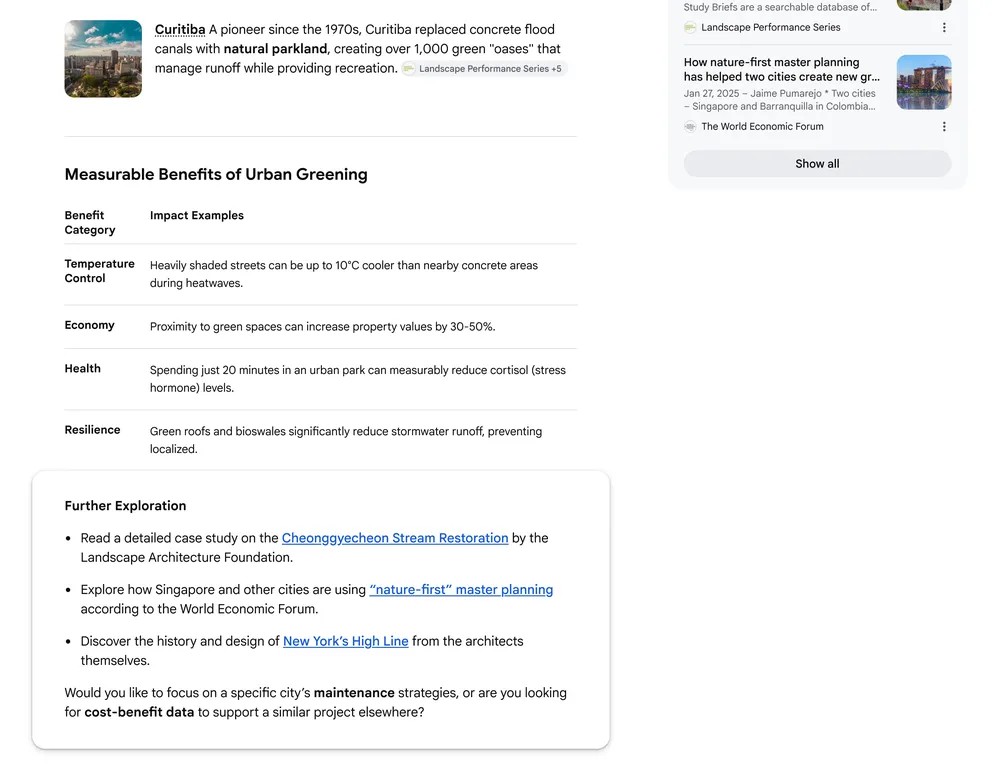
Extended Exploration
After AI Mode and AI Overviews provide their answers, a new section now appears below, listing several in-depth articles, case studies, and reports that approach the topic from different angles.
Take searching for “how to increase green space in cities” as an example. Previously, AI would just give you a summary explaining common urban greening approaches and that was the end of it. But after the update, it now shows links below like “Seoul Stream Restoration Case Study” and “New York High Line Park Design Report.” Each article takes a different angle, letting you continue exploring cases from different countries and at various scales.
2. Media you’ve subscribed to will be tagged with a “Subscribed” label, so you can easily spot them at a glance.
The second update is for people who subscribe to paid news media.
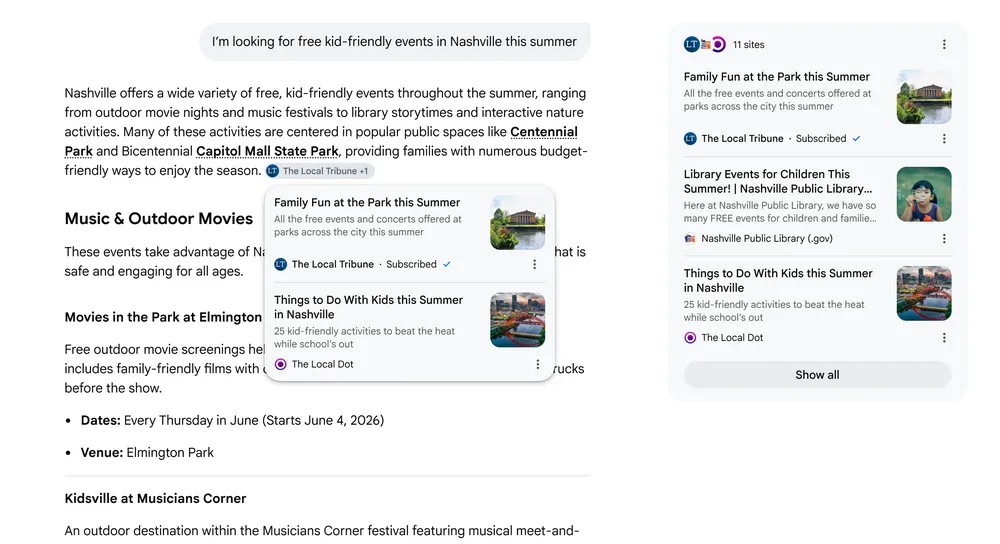
When AI Mode and AI Overviews display links, sources you’ve already subscribed to are marked with a “Subscribed” label, making it easier to find content from sources you trust.
Of course, that media outlet needs to have a link to Google.
Google also shared an early test result showing that users were significantly more likely to click on links with a “Subscribed” label.
Like in the image below, when searching for “Nashville family activities,” among the many articles listed by AI, if any come from a media outlet you subscribe to, that link will show a “Subscribed” tag, helping you quickly find trustworthy content.
3. AI responses include real user experience sharing, eliminating the need for separate community links
This should be the most noticeable update for most users.
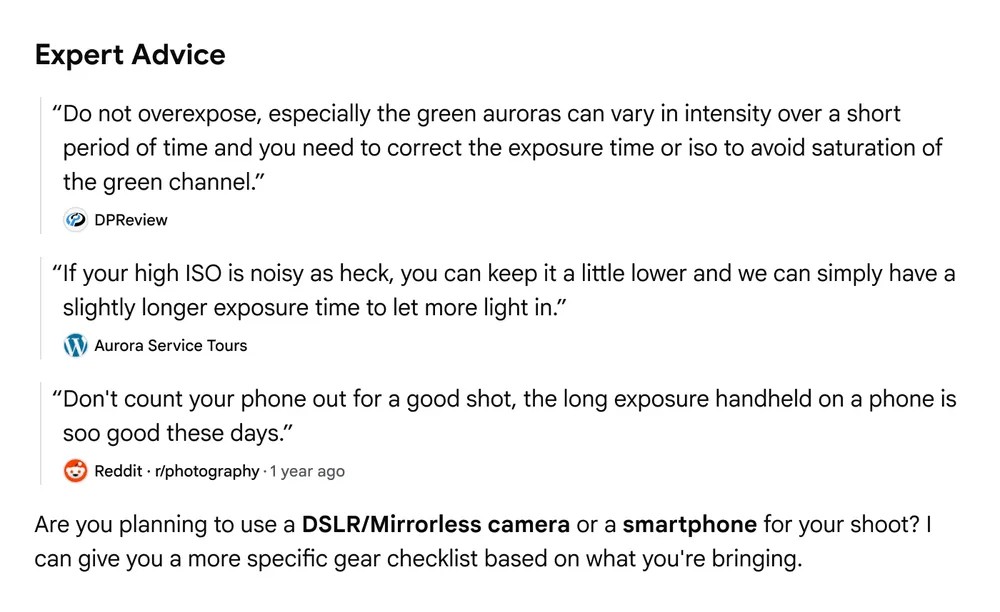
This feature is called “Community Perspectives,” and AI answers will now embed real human perspective previews from public forums, communities, social media, and creator posts.
When searching for “how to capture beautiful auroras,” the AI response will include a specific recommendation about exposure time from a photographer on an aurora photography forum, along with observations from an aurora tour company. Each quote will be labeled with the creator’s name, account name, or community name, and can be clicked to view the full discussion:
Searching for “weeding” shows practical advice from two gardening websites:

4. Each key point has a corresponding link right next to it, making it easy to dig deeper into any sentence.
The fourth item is changing how links are placed.
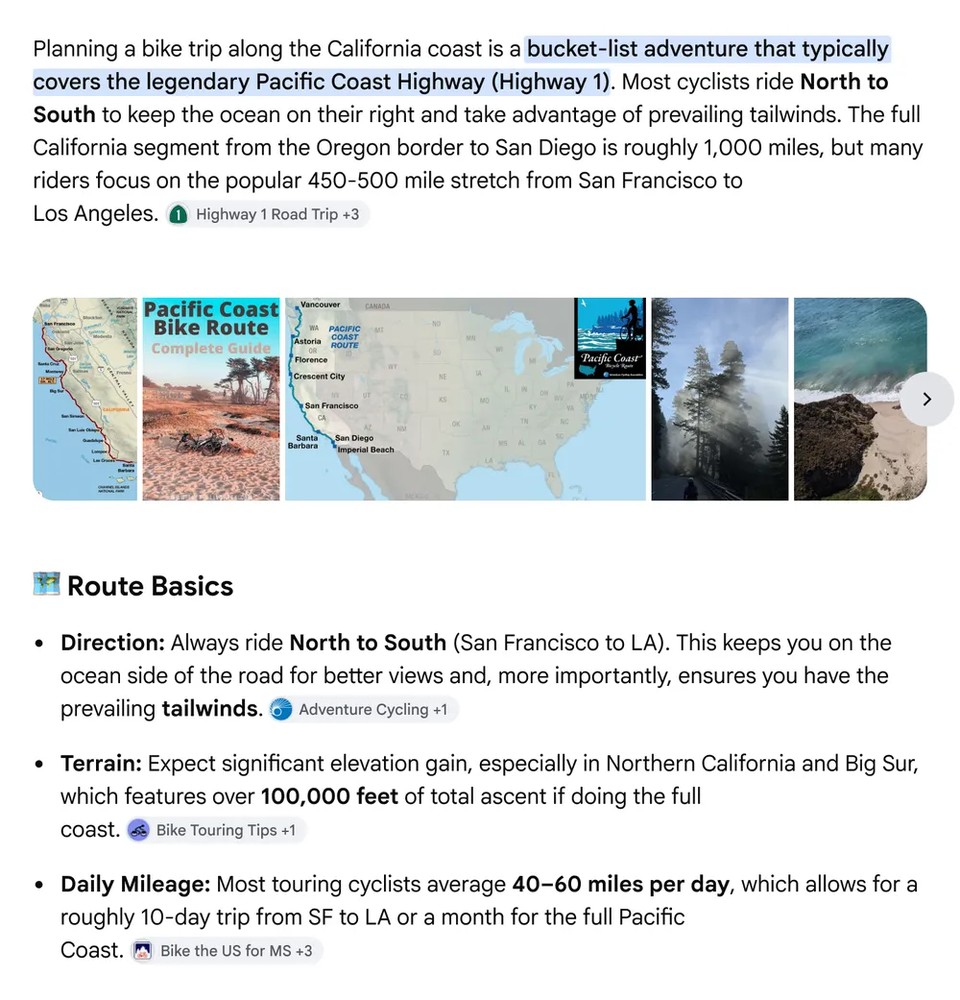
Previously, links in AI Overviews were usually placed at the end of the response or clustered in a right sidebar, so when you wanted to check the source of a particular point, you’d often have to cross-reference for a while, unsure which sentence corresponded to which source. After the update, links in AI responses are placed directly next to the corresponding line of key points.
Like searching for “California coast cycling trip,” AI will list several key points explaining the route, and next to the “terrain along the route” item, it will directly include a link to the Pacific Coast Bike Guide. Next to the “daily mileage recommendation” item, it will attach a link to a training plan blog post.
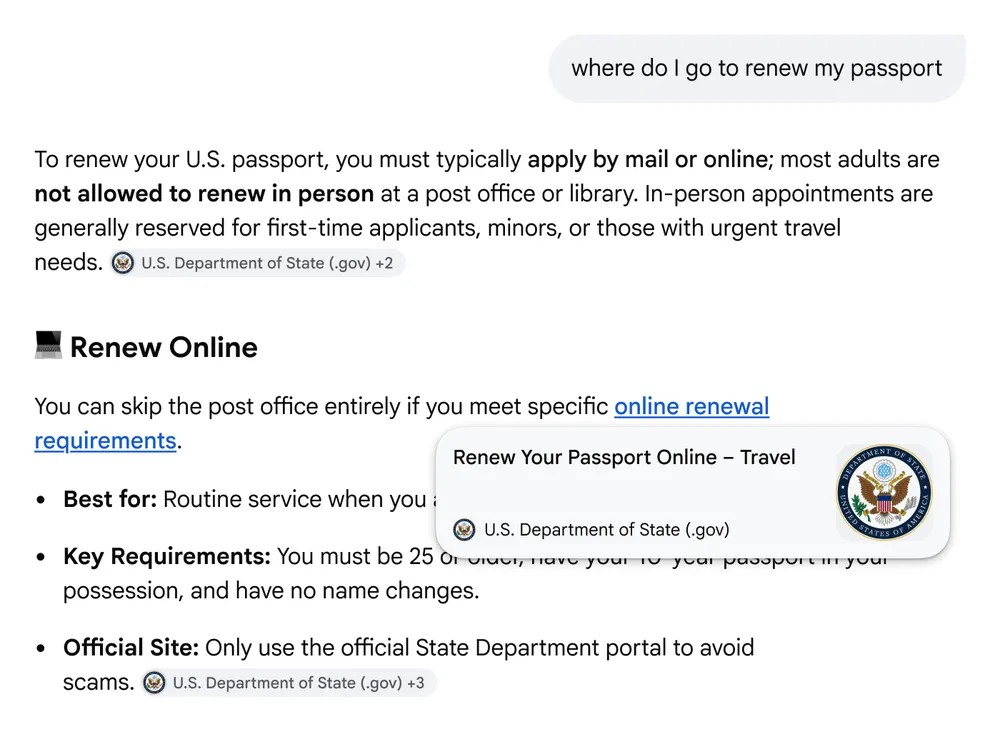
Hover over a link to see a preview of the website before clicking.
The last item is exclusive to the desktop version.
Links in AI responses now show a small preview card when you hover over them with your mouse, displaying the website name, page title, and other preview information so you can get a general idea of what you’ll see before clicking.
The image below shows search results for “US passport renewal.” When hovering the mouse over a link, a card displaying the site’s name and page title appears. Google also explained the design rationale: “If users aren’t sure where clicking will take them, they often just don’t click. The preview card is meant to resolve that hesitation.”
Google has only said these 5 updates will be rolled out gradually, so the timing may vary depending on your region and account. You may want to keep an eye out when using it recently.
Source: KOCPC Chinese