


As major AI companies race to release models with hundreds of billions of parameters while cloud API costs remain high, an interesting question emerges: what can those old graphics cards sitting in old computers at home actually do? The answer might be more than you think! Recently, a tech enthusiast overseas took an 8-year-old NVIDIA GTX 1060 6GB – specs that would be considered outdated even for basic office use in 2026 – paired with an i3-8100 processor and 24GB DDR4 RAM, and ran a 35B parameter Qwen 3.6 Mixture of Experts (MoE) model. Incredibly, it ran stably at 17 tokens per second with a 256K token ultra-long context, using just five llama.cpp startup parameters.

Qwen 3.6 35B A3B: A MoE Model Built for Low VRAM Scenarios
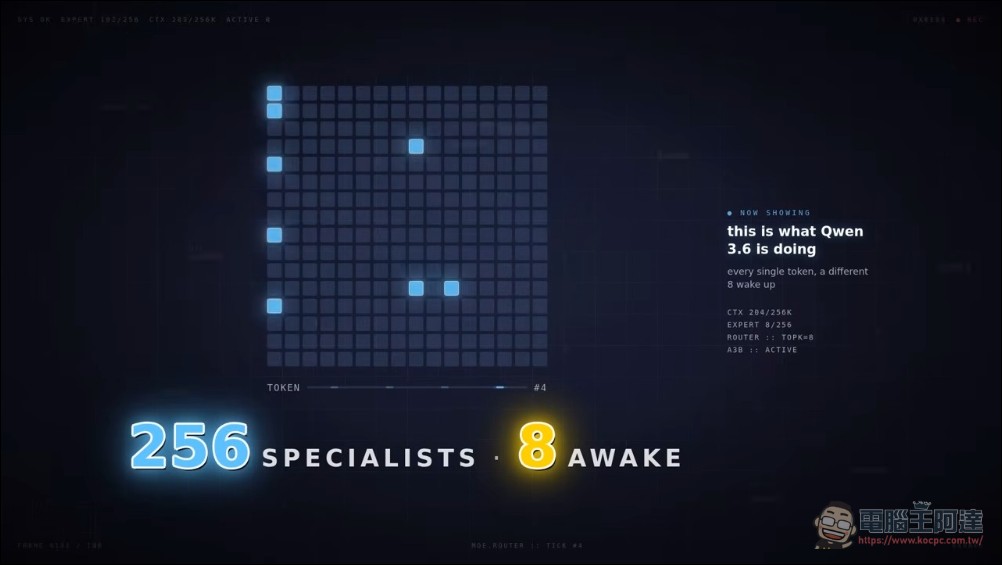
Let’s meet the protagonist: Qwen 3.6 35B A3B is an open-weight model released by Alibaba’s Qwen team in April 2026. Though it has up to 35 billion total parameters, it uses a Mixture of Experts (MoE) architecture: among 256 small expert networks, only 8 are activated per token processed, making the actual computation roughly equivalent to 3 billion parameters. This means most of the model weights are actually “asleep.”
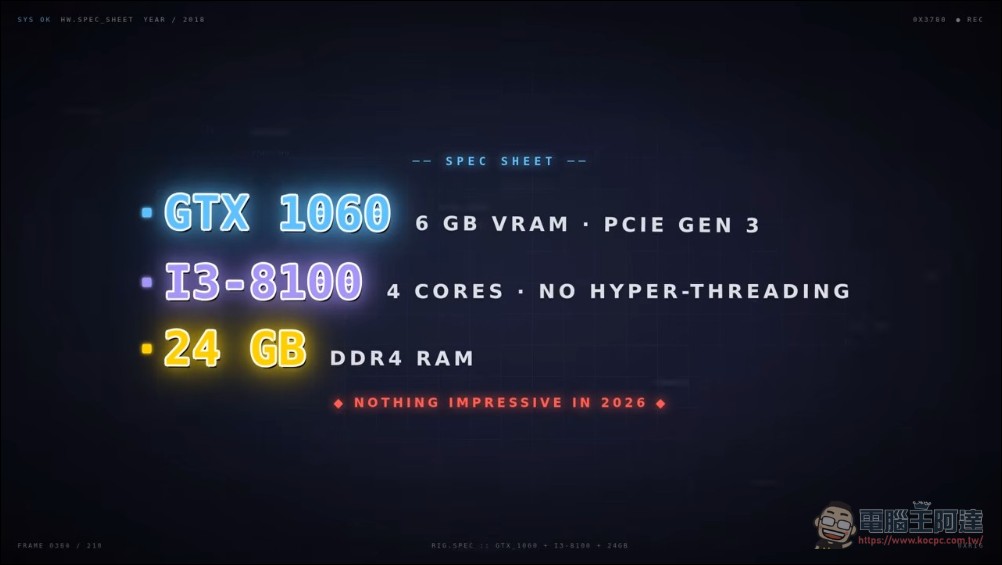
The video creator chose a “worst-case test rig”: an 8-year-old GTX 1060 6GB (PCIe Gen 3), an 8-year-old i3-8100 (4 cores, no hyper-threading), and 24GB DDR4 memory. If your setup is better than this, then in the vast majority of cases your speeds will only be faster.
Default: ngl 20, 3 tokens per second
The traditional approach is intuitive: split the model in half, put the upper layers on the GPU, and the lower layers on the CPU (via `–ngl` The result is approximately 3 tokens per second, with a single sentence taking 20-30 seconds to appear—developers call it the “satellite phone experience.”

Key Insight: MoE Models Shouldn’t Be Split This Way
The problem stems from dense model thinking: when a layer is assigned to the CPU, all expert weights contained in that layer also stay on the CPU, requiring every token to transfer massive amounts of data over the PCIe bus. But the nature of MoE models is that expert blocks make up the majority of the weights, while only a few experts are activated at a time. The correct approach is to:Always-On Small LayerStay on GPU,A large expert that’s dormant most of the timePush to CPU.
First argument: –cpu-moe 41, 230% speed increase
llama.cpp has a parameter specifically designed for MoE:--n-cpu-moeSet to 41, meaning all experts in each layer are pinned to the CPU, while the rest is sent to the GPU.
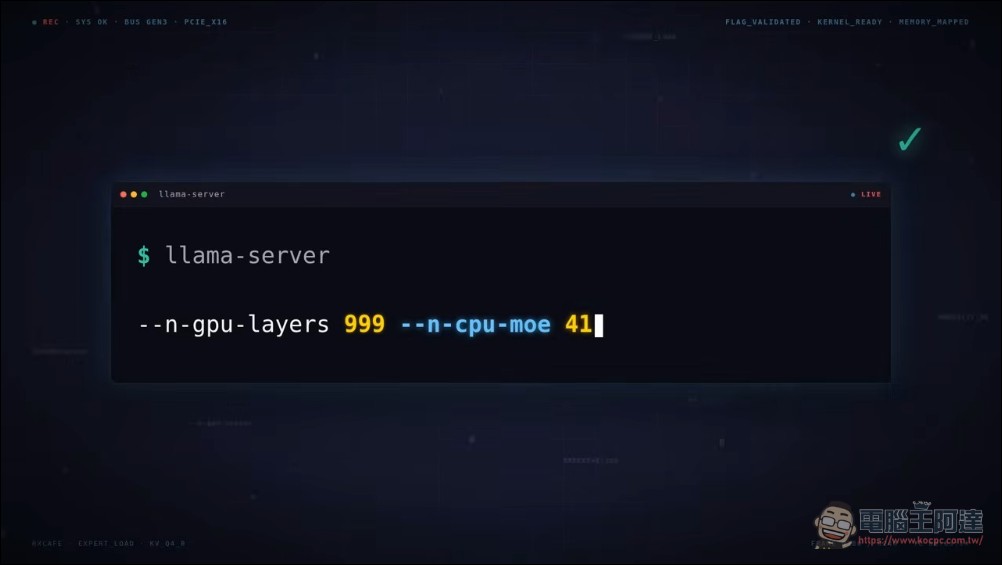
Same machine, same model, only one parameter changed—the speed jumps from 3 tok/s to 10 tok/s.Increase by 230%。

Second parameter: Don’t let the OS be clever (no-mmap)
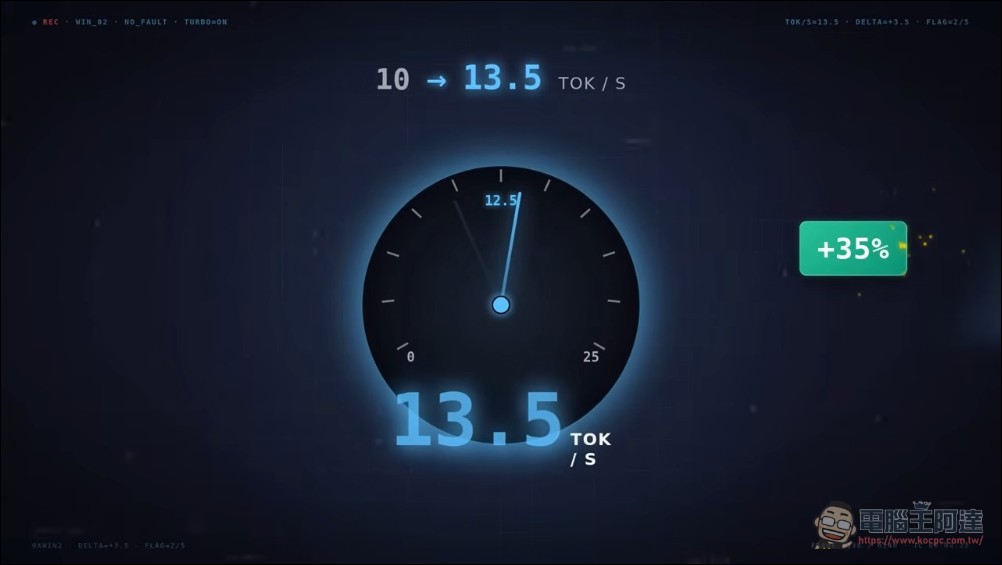
By default, llama.cpp uses memory mapping (mmap), making it appear the entire model file is in RAM when it actually remains on disk, loaded by the OS on demand through paging. Sounds clever, but every few tokens, the model requests an expert that hasn’t been loaded yet: disk reads, waiting, token latency.--no-mmap This parameter instructs llama.cpp to load the entire 20GB model into RAM at once during startup. Once the load is complete, all experts are available at any time, with no disk access during inference. Speed increases from 10 tok/s to 13.5 tok/s.Another 35% gain。
Third parameter: Adjust n-cpu-moe to 35, breaking through 17 tok/s
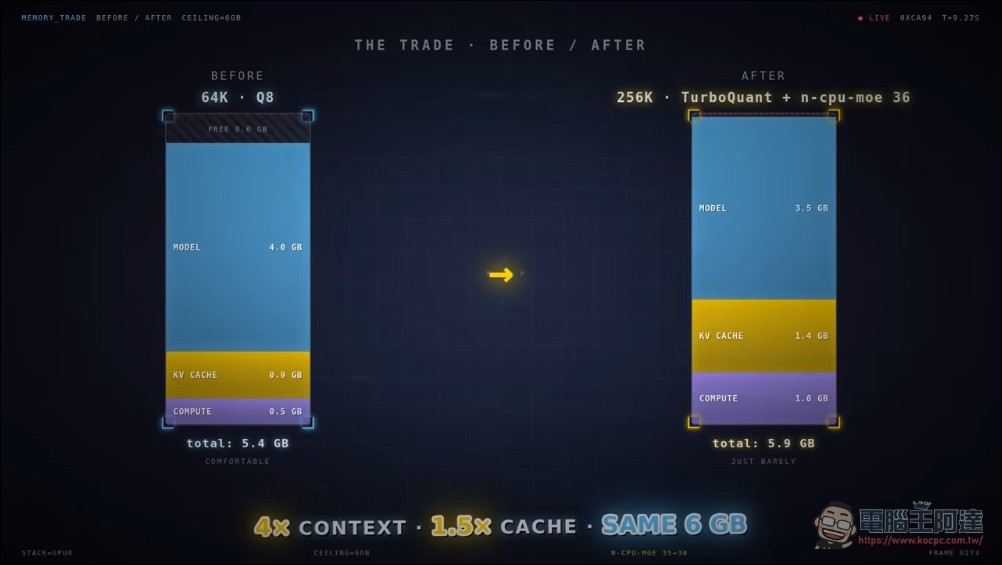
At this point, the GPU hasn’t been maxed out yet, with 2GB of VRAM still sitting idle. --n-cpu-moe From 41 down to 35, bringing the 6-layer expert back from CPU to GPU, more work done on GPU, less data crossing PCIe. VRAM usage increased from 4GB to 5.5GB, speed jumped from 13.5 to 17 tok/sBut there’s a trade-off: the more GPU memory you use, the less space you have for the context window. The context shrinks from 100K tokens to about 64K tokens. That’s enough for regular conversations, but not quite enough for feeding in an entire codebase.


Fourth and fifth parameters: Turbo Quant compression, painlessly reclaim 256K context
Context windows consume VRAM because the model needs to store two sets of numbers (Key and Value) for each token, and this KV cache grows linearly with the context. Developers were already using Q8 quantization (nearly lossless), but when compressing further to Q4 or Q3, the answer quality noticeably degrades.
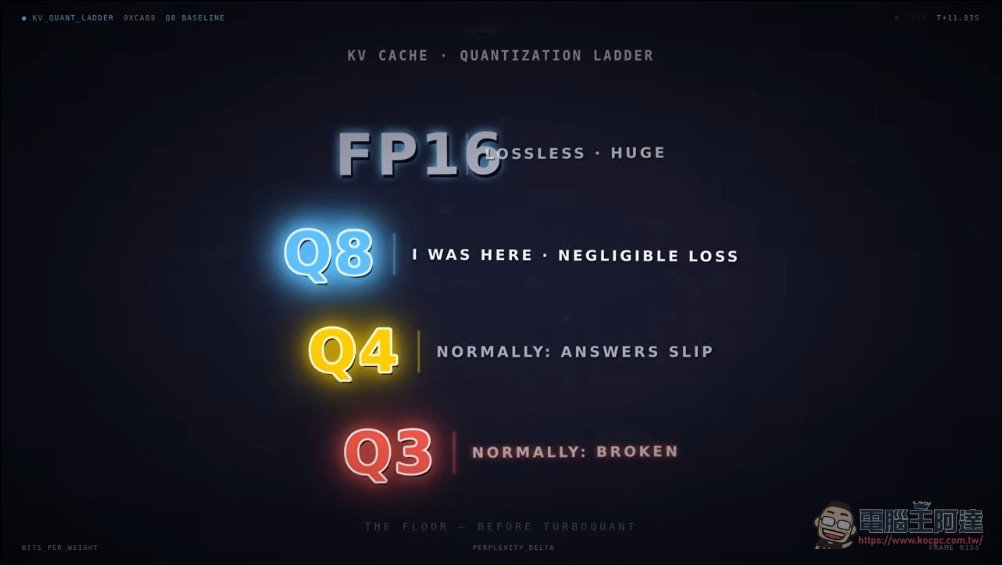
The solution comes from a paper published earlier this year by Google DeepMind called Turbo Quant: random rotation combined with aggressive quantization—Key using 4 bits, Value using 3 bits, but quality nearly identical to Q8. bash --cache-type-k q4_0 --cache-type-v q3_0 The results with these two parameters are stunning: Context pulled back from 64K to 128K, VRAM only 5.3GB, no OOM. Pushing further to 256K, moving one expert layer back to CPU (n-cpu-moe=36) precisely keeps it at the edge of 5.9GB/6GB.Speed remains constant at 17 tok/sWhat does 256K tokens mean? It’s equivalent to feeding in the content of a small book all at once — the model won’t forget what’s on page 1 by the time it reaches page 50 (mainstream models currently have context windows of around 200K).
Sixth parameter (production version): –mlock, lock memory
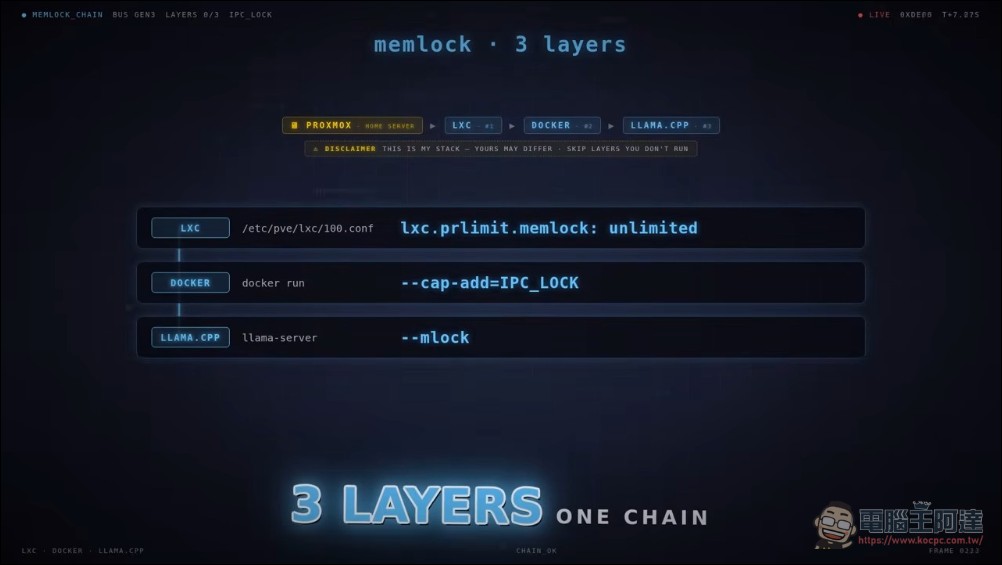
This is the most easily overlooked yet critical factor for long-term stability. After the server runs for a period of time, memory pressure or system idle states may cause some experts to be paged out to disk, triggering page faults during the next inference and resulting in random stuttering. The solution involves three levels: LXC containers require permissions, Docker needs IPC lock capability, and llama.cpp requires --mlock Parameters. All three are indispensable; otherwise, it will silently degrade. After implementing all three measures, mlocked reaches 16GBAll experts are pinned in memory. Running for a week without any slowdown—this is production-grade stability.
Why does speculative decoding fail on MoE?
The video creator also honestly shared a failed attempt: speculative decoding. The concept was elegant—use a small model to speculate the next 8 tokens, then have the large model verify them all at once. However, on Qwen 3.6 35B, the speed dropped from 17 tok/s to 11 tok/s.
There are two reasons: First, in MoE models, each token independently selects different experts, so a batch of 8 tokens may access 64 different experts, turning it into a memory storm rather than a batch; Second, the model uses state space layers (30 out of 40 layers are SSM), where each step depends on the previous step’s state, making parallel verification impossible.

Five parameters, one Docker command
Summarize the entire configuration:
--n-cpu-moe 41 → 35MoE expert routing, 3 → 10 → 17 tok/s--no-mmapPreload model to RAM, 10 → 13.5 tok/s--n-cpu-moe 36Fine-tuning GPU usage, reclaiming 256K context--cache-type-k q4_0 --cache-type-v q3_0Turbo Quant compression, 64K → 256K context--mlockLock memory to prevent swapping, ensuring long-term stability without performance degradation
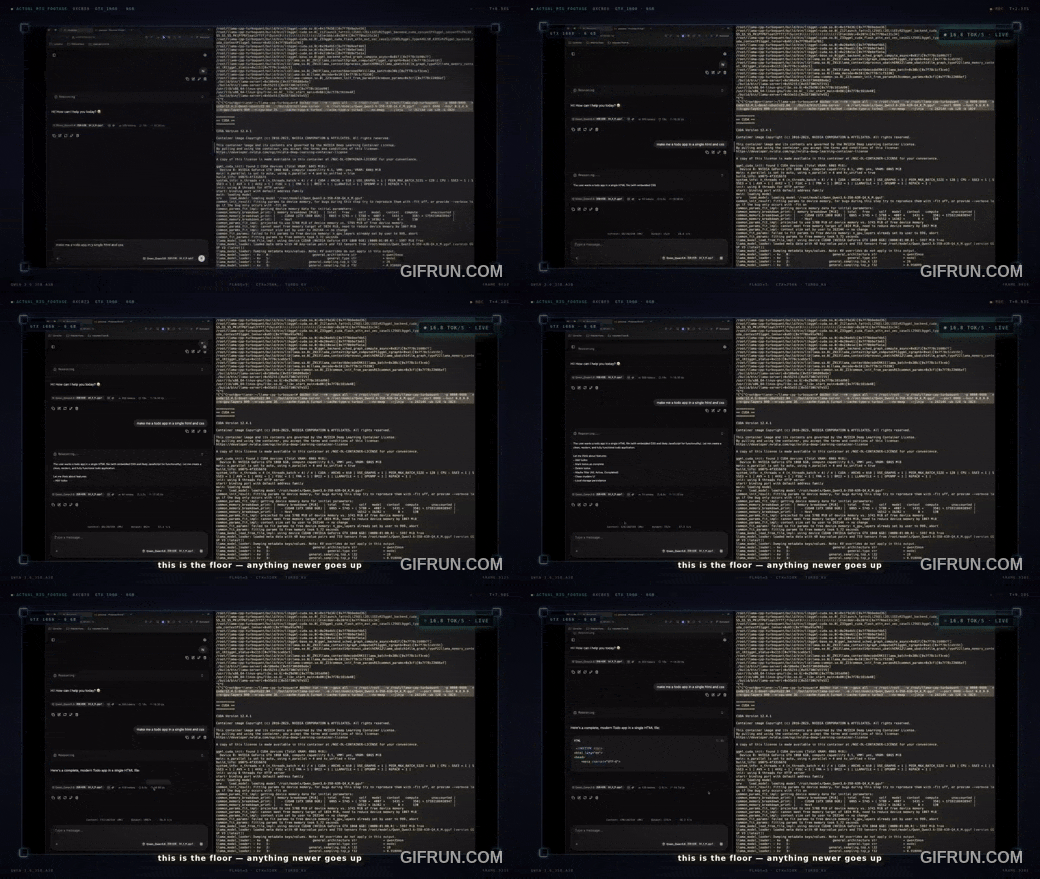
The core message this video conveys is:Hardware is no longer the bottleneck—defaults are.An 8-year-old GTX 1060, 8-year-old i3, and standard DDR4, with just five parameter adjustments, can smoothly run a 35B parameter model at reading speed with a context length of up to 256K tokens. Anyone with hardware from the last decade, a newer GPU, or faster RAM would only see better numbers. This highlights that when using AI models, choosing the right software combined with proper “tuning” might be far more important than blindly upgrading hardware. But honestly, this does present a certain barrier to entry for average beginners. Those who want to try are advised to do more research and consult experienced users—you can maximize results even with limited resources.
Friends who are interested can watch this video and try it out themselves:
Source: KOCPC Chinese