


As digital footprints continue to expand, personal data privacy has become one of the top concerns for modern technology users. Coinciding with “International Data Privacy Day,” tech giant Apple has once again reaffirmed the core philosophy behind its product design—namely, to minimize access to user data by external third parties and even Apple itself through innovative privacy protection technologies. In today’s tech ecosystem, the integration of hardware and software is no longer just about performance—it’s also about security. Based on the latest official information, we’ve compiled and thoroughly analyzed the top ten key privacy features Apple has implemented across the iPhone and its ecosystem.
10 Built-in Privacy Features in Apple You Need to Know for International Data Privacy Day
The Invisible Battle in Browsers: Breaking the Cross-Site Tracking Chain
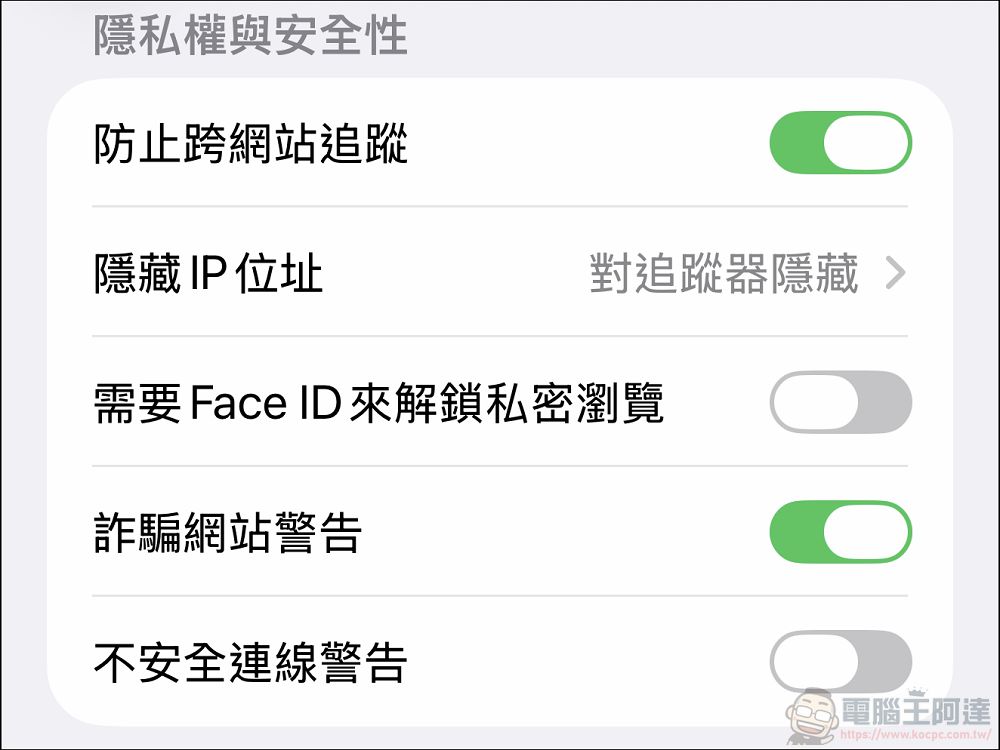
When it comes to the web browsing experience, “being tracked by ads” has become a common pain point for many users. After you browse a pair of sneakers on a shopping website, ads for that product immediately appear on every news site or social media platform you visit. The mechanism behind this is that third parties use tracking data to monitor users’ activities across different websites. To address this issue, Apple has implemented two main lines of defense in its Safari browser:
1. Intelligent Tracking Prevention
This feature demonstrates Apple’s capabilities in utilizing “on-device machine learning” technology. Unlike traditional blocking methods that rely on cloud-based blacklists, Safari’s “Smart Anti-Tracking” operates directly on the device, intelligently identifying and blocking trackers from loading on web pages. The key to this technology is that it blocks trackers while still allowing websites to function normally, ensuring that the user experience remains unaffected and helping users avoid unnecessary digital surveillance. (Official Description)
2. Advanced “Incognito” Mode
In addition to anti-tracking, Safari’s “Private Browsing” mode offers more thorough digital isolation. In this mode, the browser does not add the websites the user visits to their browsing history, nor does it remember search queries. More importantly, this browsing activity is completely isolated from the device itself, and information about visited websites is not shared with the user’s other Apple devices via sync. It’s worth noting that Apple has also taken “idle security” into consideration. When the user steps away or is not using the device, the Private Browsing window automatically locks; to access it again, the user must enter the device passcode or authenticate their identity. This means that even if the phone is lent to someone else while unlocked, the content in Private Browsing remains protected. (Official Website Description)

New Privacy Standards for Cloud Computing and AI
With the introduction of artificial intelligence (AI) capabilities, striking a balance between enjoying the convenience of AI and protecting data privacy has become a key focus for the industry. Apple has proposed a solution called “Private Cloud Compute” for its AI system, “Apple Intelligence.”
3. Private Cloud Computing: “Use-and-Destroy” Data
This technology extends the iPhone’s on-device privacy and security commitments to the cloud. When a user’s Apple Intelligence request requires cloud computing power, the system sends the data to dedicated “Apple chip servers” for processing. The core of this mechanism’s privacy protection is that “data never touches the ground.” Apple explicitly states that only data relevant to the user’s current request will be processed, and it will be immediately deleted upon completion. The system does not store any data, nor is it made available for internal access by Apple. In other words, this data is used solely to fulfill the user’s instructions and leaves no trace beyond that. (Official Website Description)
Digital Identity and Email Spoofing Techniques
Providing your personal email address when registering for a new account, subscribing to a newsletter, or shopping online is often the main cause of spam.
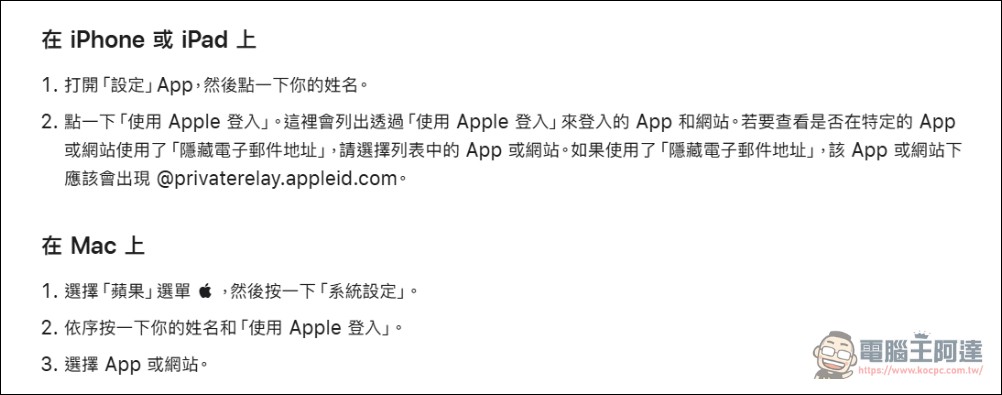
4. Hide My Email
To protect users’ real email addresses, Apple offers the “Hide My Email” feature. The system generates a unique, random email address for users to enter in apps or on websites. Emails sent to these random addresses are automatically forwarded to the user’s actual personal inbox. The advantage of this feature is that it puts control back in the user’s hands. Each random address is unique; users can read and reply to emails directly, while their real email address remains private and is never exposed throughout the process. (Official Website Description)
Hardware and Software Protection on the Device
In addition to your online footprint, the privacy of content on your physical devices is just as important. This is especially true when you need to lend your phone to someone else to view photos or make a call—how can you prevent sensitive apps from being snooped on?
5. Lock or Hide Apps
This is a practical feature designed for social situations. Users can choose to “lock” or “hide” specific apps (Click here to start the tutorial)。
-
Locking Mechanism: Locked apps can only be opened after authentication via Face ID, Touch ID, or a passcode.
-
Privacy Screening: Once an app is locked, its information will be “isolated” by the system and will not appear in notification previews, search results, Siri suggestions, or call logs.
-
Single-Player Limitations: It’s worth noting that this setting is “device-specific.” When you lock or hide an app on a particular device, that status isn’t synced to other devices via iCloud, ensuring that the user experience remains independent across devices.
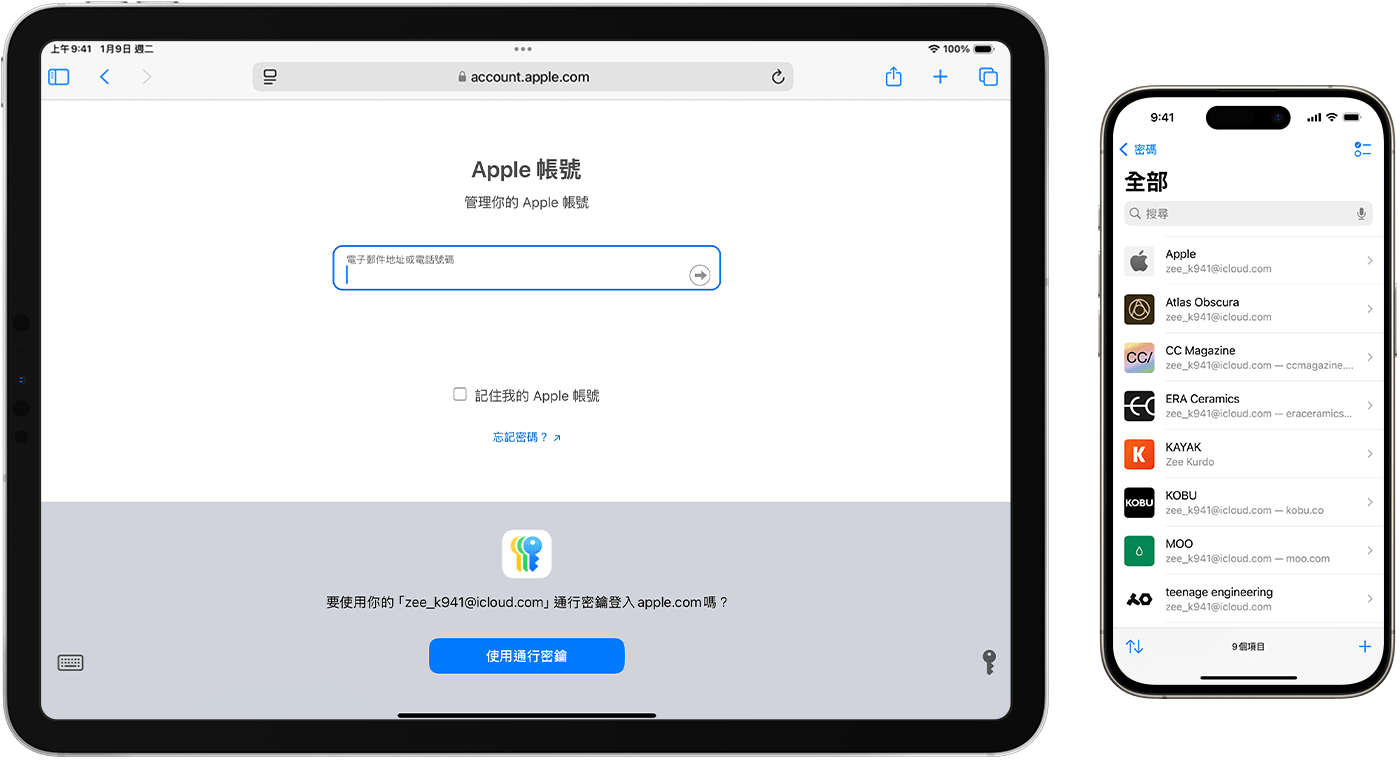
6. Password App: Centralized Management of Credentials
To replace the insecure practice of reusing passwords, Apple has launched a standalone “Passwords” app that consolidates account passwords, passkeys, Wi-Fi passwords, and verification codes. The app not only helps users manage their credentials across different devices via “iCloud Keychain,” but also features proactive detection capabilities that alert users if their current passwords may be insecure, thereby reducing the risk of account compromise. (Official Website Description)
Transparency Mechanisms: Leaving No Room for Surveillance to Hide
The final line of defense lies in the “right to know.” Apple has designed several mechanisms to require app developers to disclose how they use data and to allow users to see when their hardware is being used through the system interface.
7. App Store Privacy Statement Label
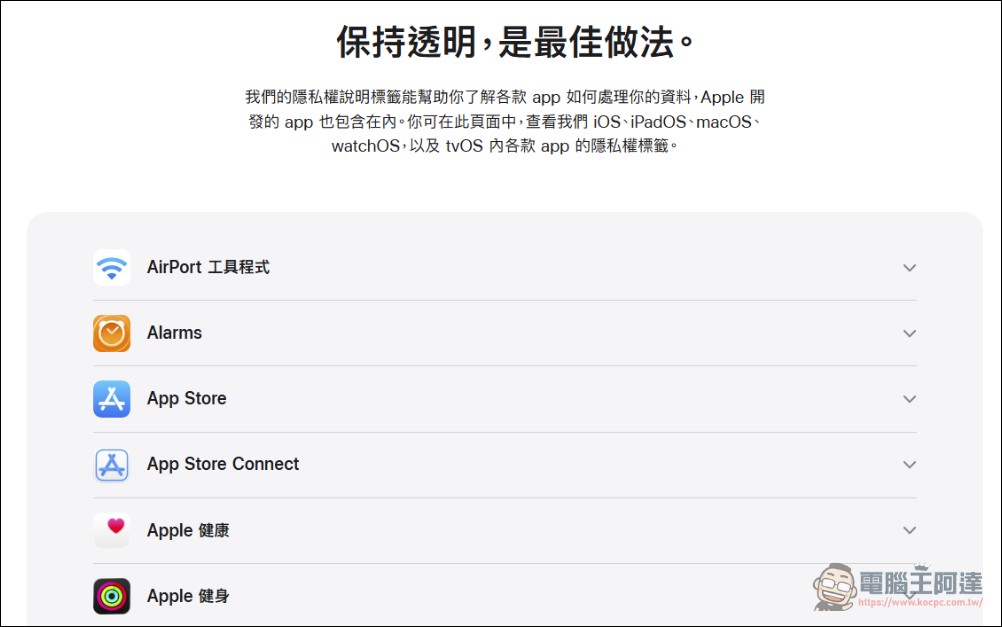
Before downloading an app, users have the right to know what the cost is. App Store product pages now include a “Privacy Summary” provided by the developers themselves. This label, similar to a food nutrition label, presents in a simple and easy-to-read format how developers collect and use your data (such as location, contacts, and browsing history). Apple emphasizes that it will continue to update this feature to ensure users make informed download decisions. (Official Website List)
8. Approximate Location
Not all apps need to know your exact location down to the “house number.” For tasks like checking the weather or searching for restaurants, Apple’s location services allow users to choose to provide only an “approximate location.” This range is approximately 26 square kilometers. This allows users to access localized services without having to provide their exact coordinates. Location services are not enabled by default, and users have full control over them.
9. Background Tracking Notifications
When users grant an app permission to access their location “at any time,” they often forget that the app may continue to run in the background. The iOS system periodically sends reminders and displays a map clearly showing which of your locations the app has recorded in the background. This mechanism gives users the right to “change their mind” and allows them to decide at any time whether to adjust the scope of their permissions.
10. Recording Indicator Light
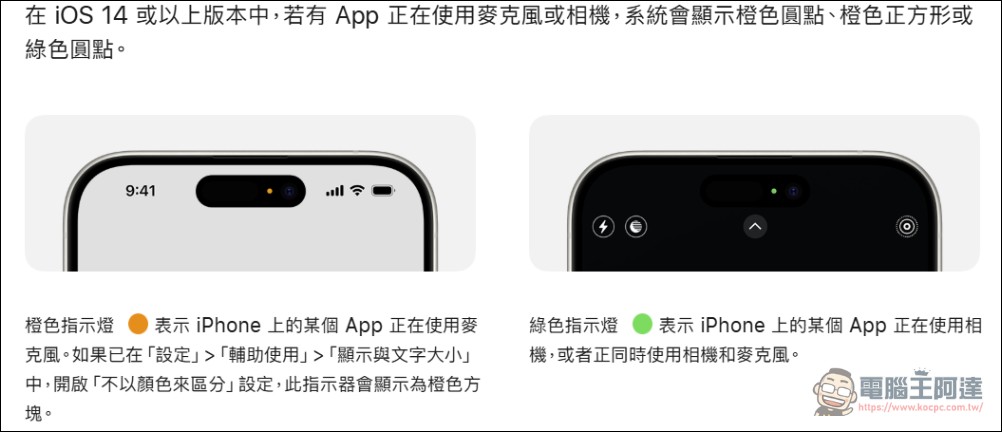
To prevent malware from secretly recording audio or video in the background, the iPhone status bar features an intuitive “recording indicator”:
-
Orange indicator light: Indicates that the microphone is in use.
-
Green indicator light: Indicates that the camera (or camera and microphone) is in use.
This allows users to see at a glance whether any apps are accessing the recording feature without authorization.
Summary
Looking at the ten features mentioned above, it’s clear that Apple’s privacy strategy isn’t simply about “blocking,” but rather emphasizes “transferring control” and “data minimization.” From Safari’s anti-tracking features to the no-log policy in Private Cloud Computing, on this International Data Privacy Day, we encourage readers to pick up their iPhones, go to “Settings,” and check whether the features mentioned above are enabled. After all, with algorithms becoming increasingly sophisticated, actively managing one’s digital footprint has become a must for every modern citizen.
Source: KOCPC Chinese