


Not surprisingly, OpenAI has followed Anthropic’s lead! Codex now officially supports remote control via phone. Meaning once you’ve paired it in ChatGPT, no matter where you are, you can remotely ask Codex to perform tasks like writing code, organizing computer files, creating documents, or even controlling browsers. The pairing process is quite simple too—I’ll demonstrate it below.
However, it’s important to note that Codex remote control is currently only available for Mac — Windows is not yet supported.
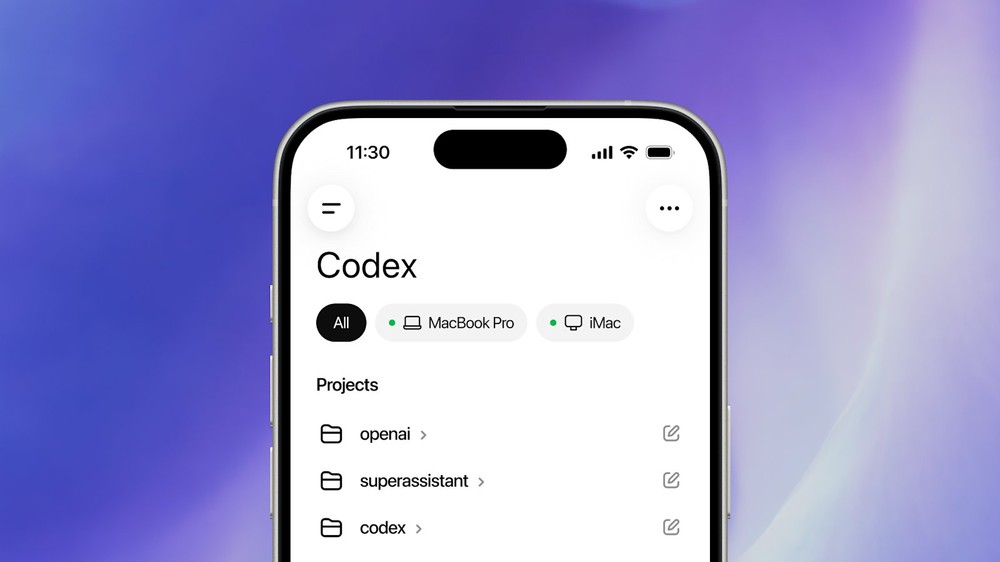
How do I pair Codex with the ChatGPT mobile app?
First, you need to make sure the Mac version of Codex is updated to the latest version. If there’s an update available in the top right corner, click on it and wait for the update to complete, then restart.
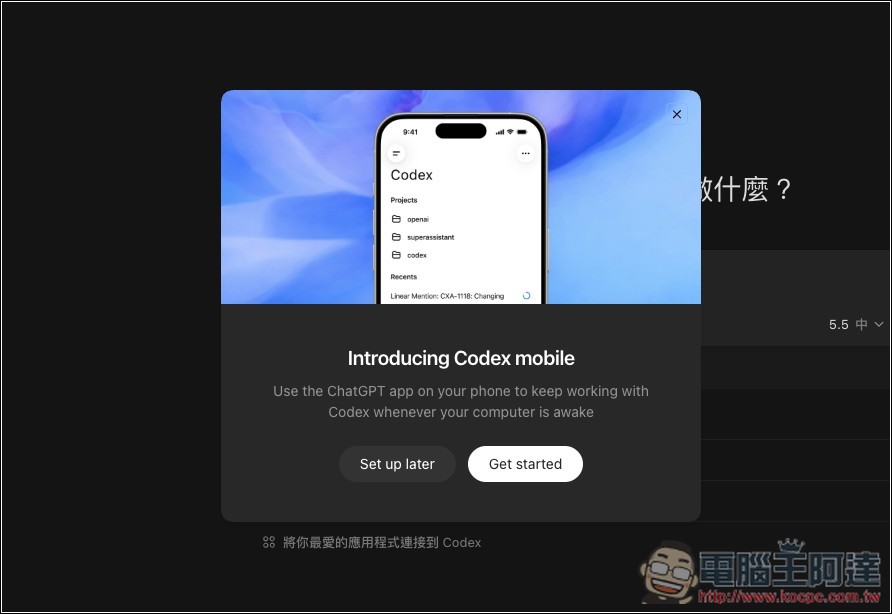
Once the update is complete, Codex should display a new feature screen supporting remote control. Click Get started:
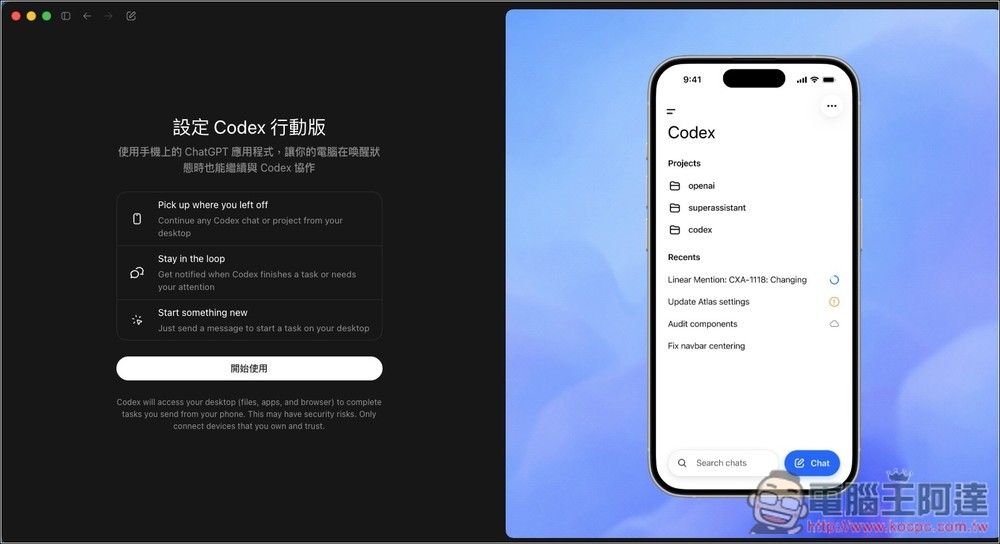
Some safety notices may appear. If there’s no issue, tap Start to begin.
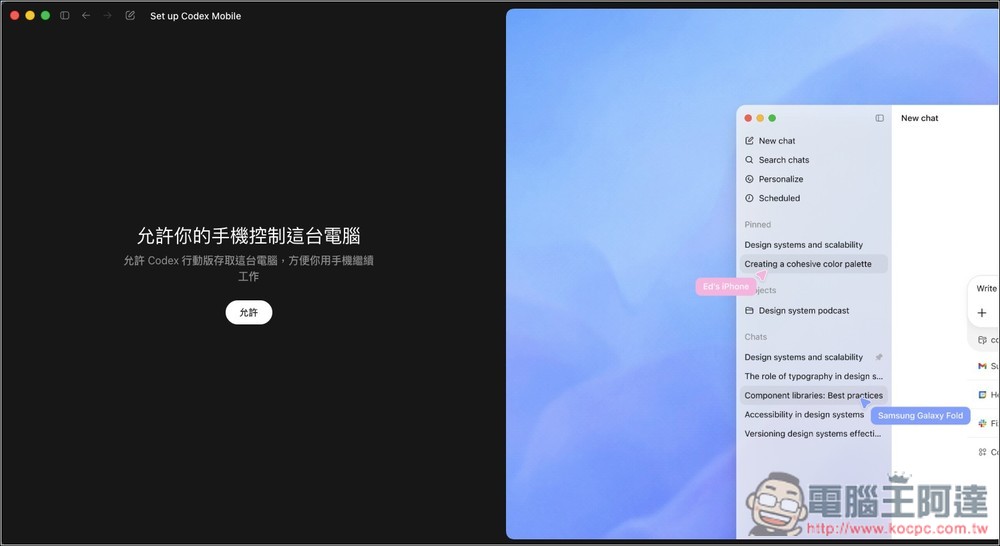
Next step, if permitted:
A QRCode will appear. If your ChatGPT really can’t find the Mac version of Codex, you can scan the QRCode with your phone camera:
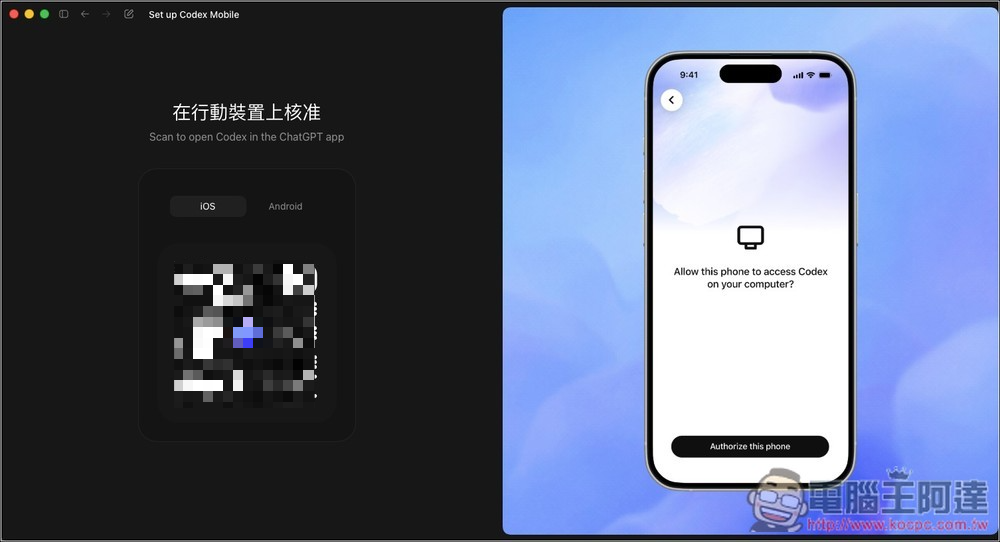
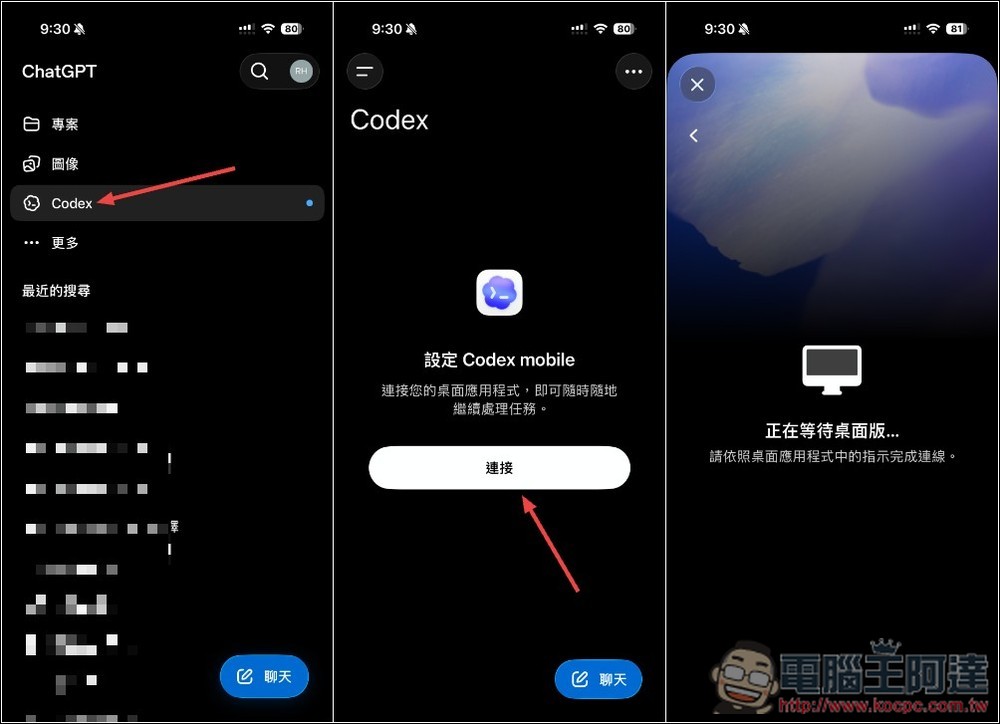
Open the mobile version of ChatGPT and you’ll see the Codex option on the left. Click on it to start connecting to the desktop application:
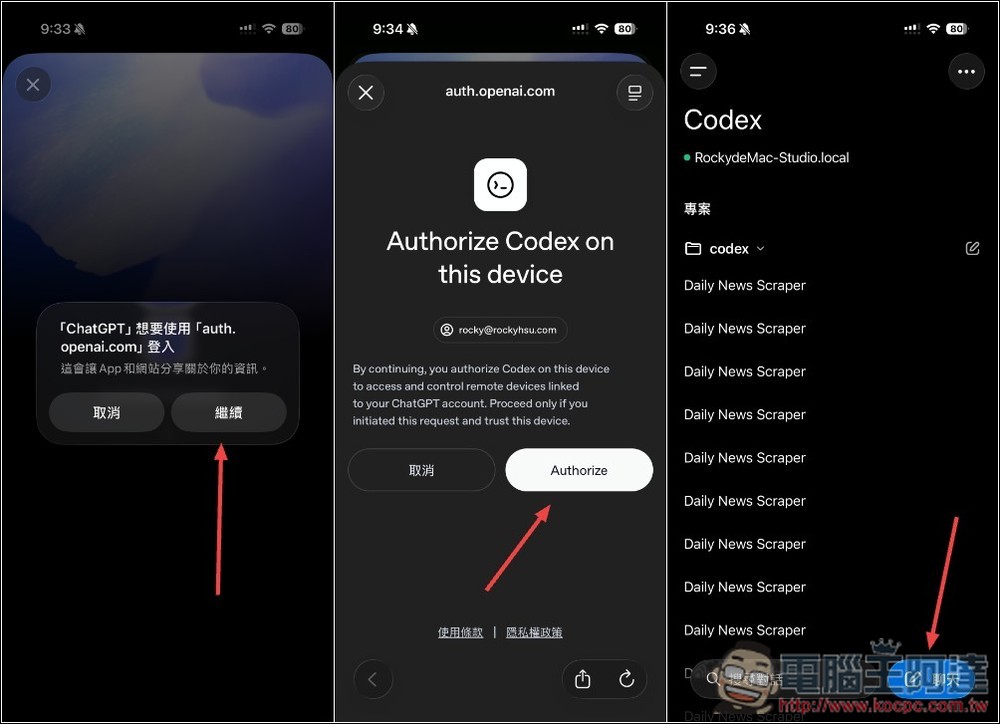
Follow the on-screen prompts to log in to your OpenAI account and click Authorize. The pairing will then be complete! Your screen will display all projects and chat history from the Mac version of Codex.
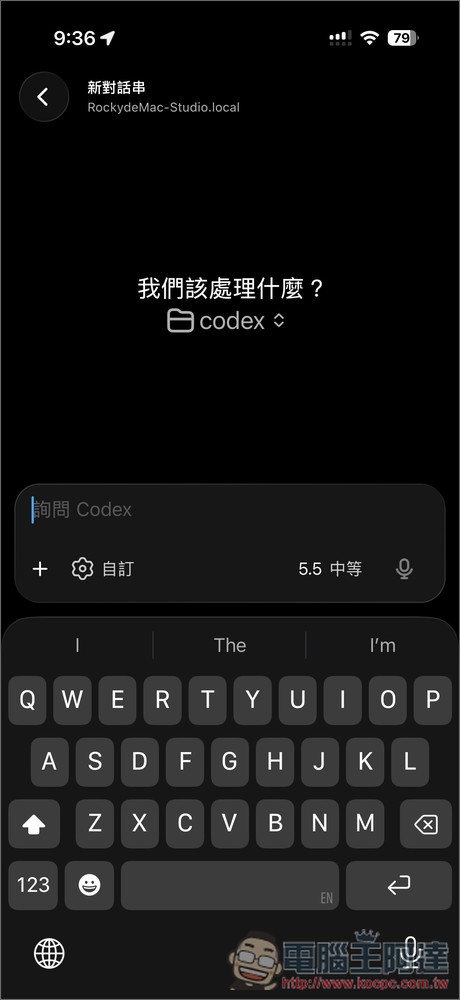
Of course, you can also start a new chat:
According to OpenAI, Codex in the ChatGPT mobile app is a full-featured mobile experience that lets you get work done with Codex. When connecting to any machine running Codex—whether it’s a laptop, Mac mini, or a managed remote environment—it loads the real-time state of that environment.
Files, credentials, permissions, and local settings used during the process are naturally kept on the machine where Codex is running. Updates are sent back to your phone in real time, including screenshots, terminal output, diff comparisons, and test results, as well as items requiring approval.
Codex uses a secure relay mechanism that allows your trusted computer to stay connected to authorized devices like phones without being directly exposed to the public internet. This means you can log into ChatGPT on another device to check your ongoing Codex work status, send commands from your phone, approve actions, or track progress. Of course, each device requires separate authorization.
Codex in the ChatGPT mobile app is currently available in preview on iOS and Android, covering all plans including Free and Go. For the Windows version, OpenAI has also announced an upcoming release, so it shouldn’t be too long of a wait.
Source: KOCPC Chinese