


Threads is rolling out a brand-new “Live Chat” feature that allows users to join public group chats during major cultural events and interact in real time with others who share their interests. Whether it’s an album release, a sporting event, or any trending topic, Live Chat offers a more direct and immersive way to connect. This feature builds on Threads’ existing social interaction design and opens up new possibilities for real-time communication between creators and fans.
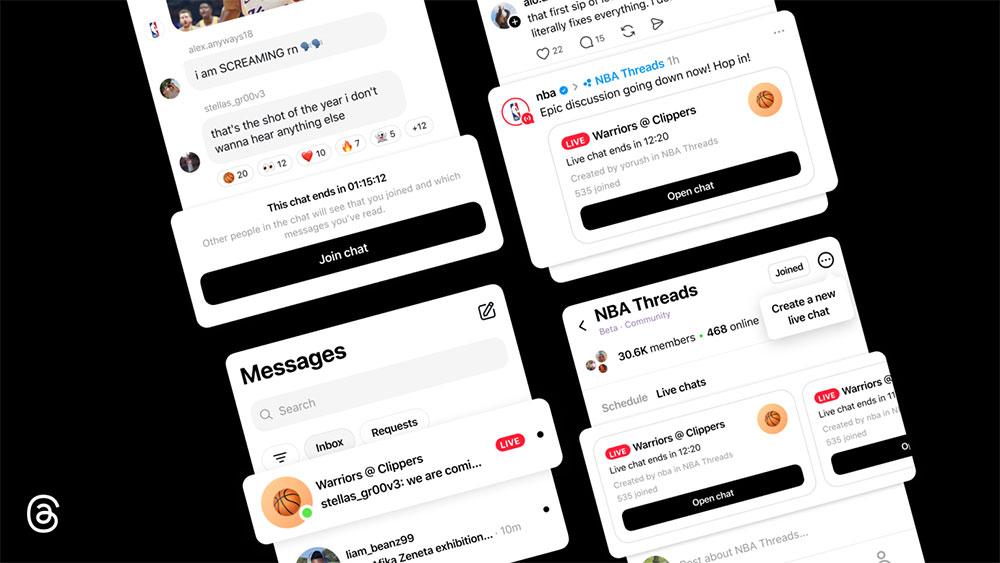
Threads Gets Real-Time Chat Feature, Allowing Users to Join Group Chats During Live Streams
Compared to typical group chats, live chat places greater emphasis on a sense of “here-and-now” engagement. It’s designed specifically for events as they unfold; the interface shows which users are currently online, while interactive elements such as live polls, countdowns, and typing indicators give the overall conversation a more dynamic rhythm. For sports fans, the live score feature helps keep the chat in sync with the game, ensuring discussions don’t fall behind the action.
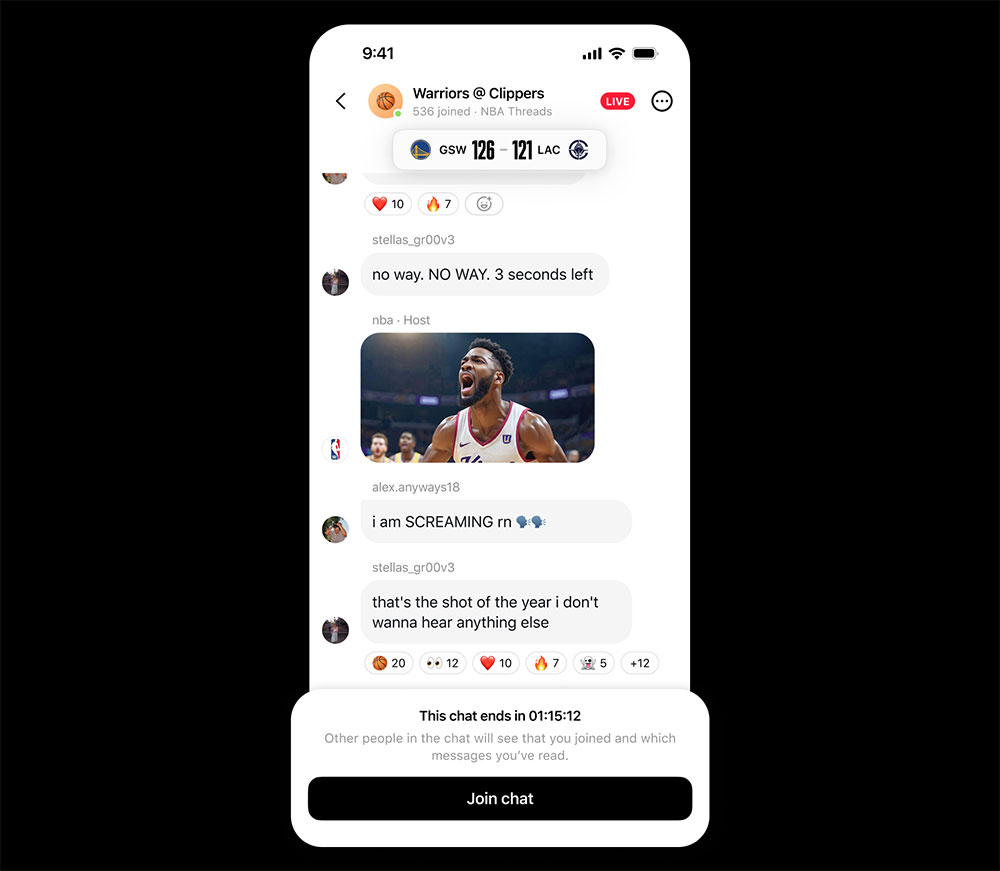
The NBAThreads community will be the first to launch live chat during the playoffs, hosted by community leaders and media personalities, including Malika Andrews, Rachel Nichols, Trysta Krick, David Rushing, and Lexis Mickens. They will lead discussions during live game broadcasts, allowing fans to join in lively, real-time conversations while watching the games.
How to Find and Join Public Group Chats
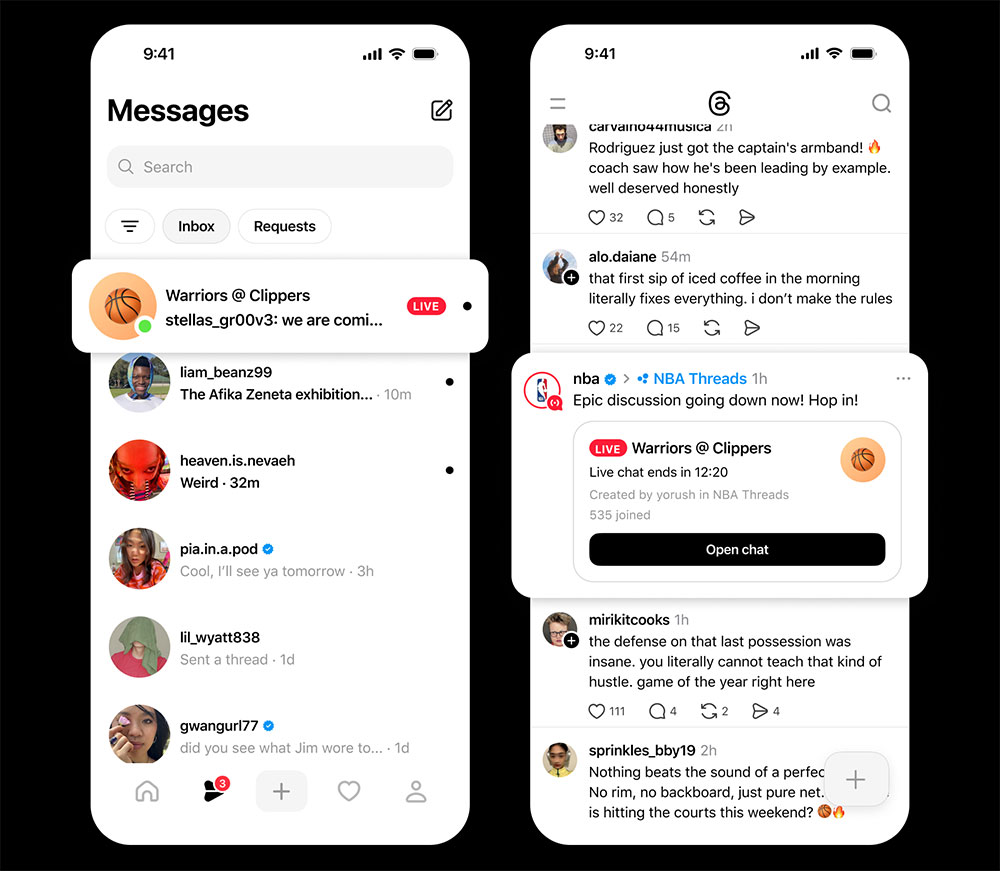
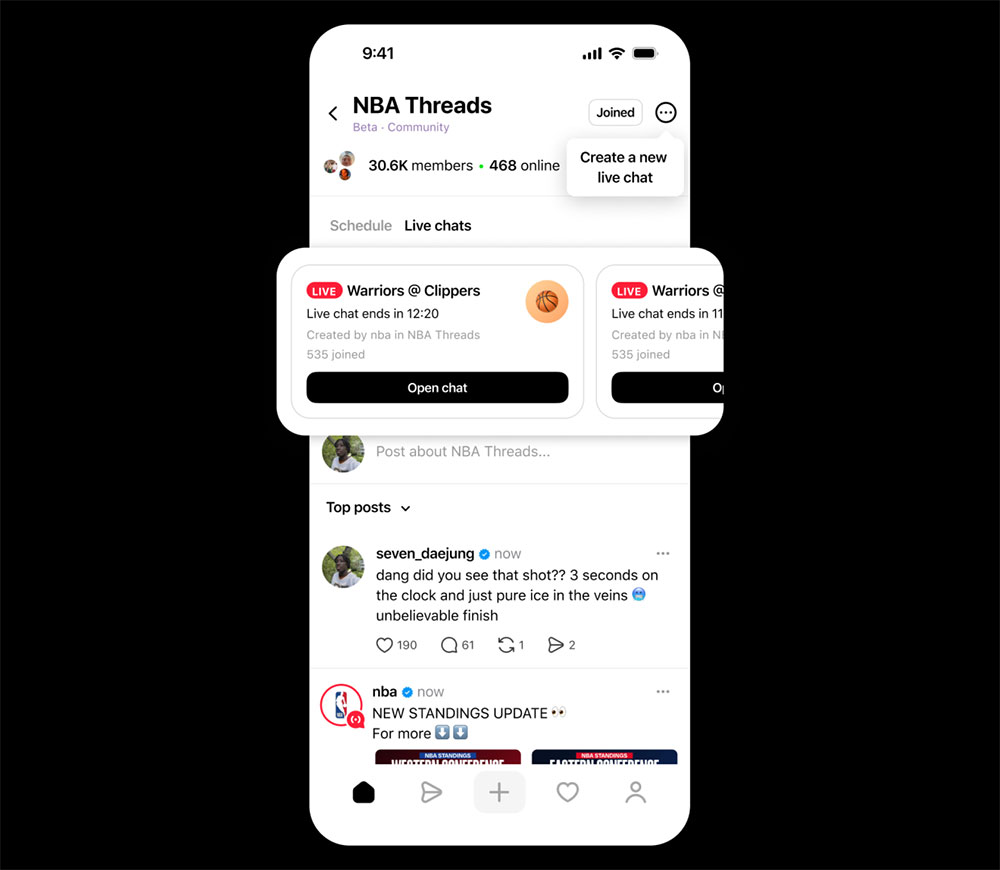
Users can see ongoing live chats at the top of their NBAThreads feed and can also access chat links through posts shared on their home feed. Live chat features for other communities will be rolled out gradually over the coming months. When a host is online, a red “Online” badge will appear around their profile picture for easy identification. Once in a chat, users can send text messages, photos, videos, and links, and can also respond quickly with emojis. Even when a chat room is full, users can still view the conversation, reply to messages, and participate in polls. After the chat ends, the complete conversation history remains publicly available for later review.
A Beginner’s Guide to Hosting
Currently, select creators and active community leaders can host live chats. They can set up an event by tapping the three-dot menu in the top-right corner of the community and selecting “Schedule a Live Chat.” Hosts can name the chat, set start and end times, and invite others to join. They can also share the live chat on their Threads feed or Instagram Stories to attract more participants.
The Threads team continues to enhance the real-time chat experience and will introduce more features in the future, including co-hosting, real-time updates during games, a lock screen widget that displays chat activity, and the ability to quote and share chat messages in Threads feeds. Instant messaging will first launch in the NBAThreads community and gradually expand to more communities. The team hopes to continue refining the feature based on early feedback, allowing users to stay closer to the important moments worth remembering together.
Source: KOCPC Chinese