


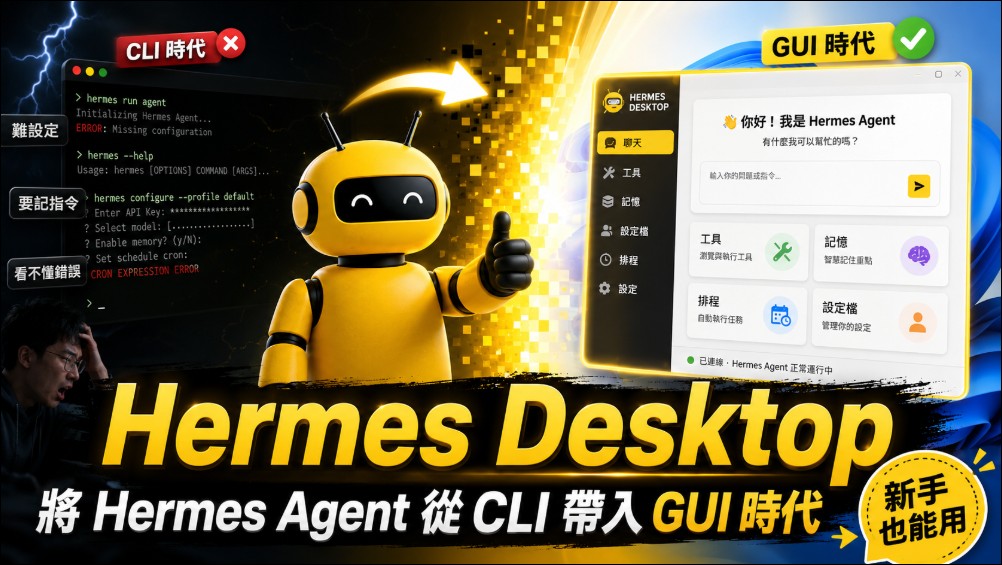
Recently, due to its stability and ability to self-evolve, open-source software AI Agent Project:Hermes Agent, which is very popular among users, but since it primarily relies on a CLI interface, there is a certain learning curve for average users when it comes to installation and use. However, a new tool recently created by developer Fathah Hermes DesktopHermes has been adapted into software that can be installed and used directly on Windows. After installation, users no longer need to enter commands in a terminal window; instead, they can perform all operations—including installing and configuring the Hermes Agent, managing dialogs, tools, and scheduled tasks—through an intuitive GUI. This is particularly useful for beginners who want to use the Hermes Agent.
What is Hermes Desktop?
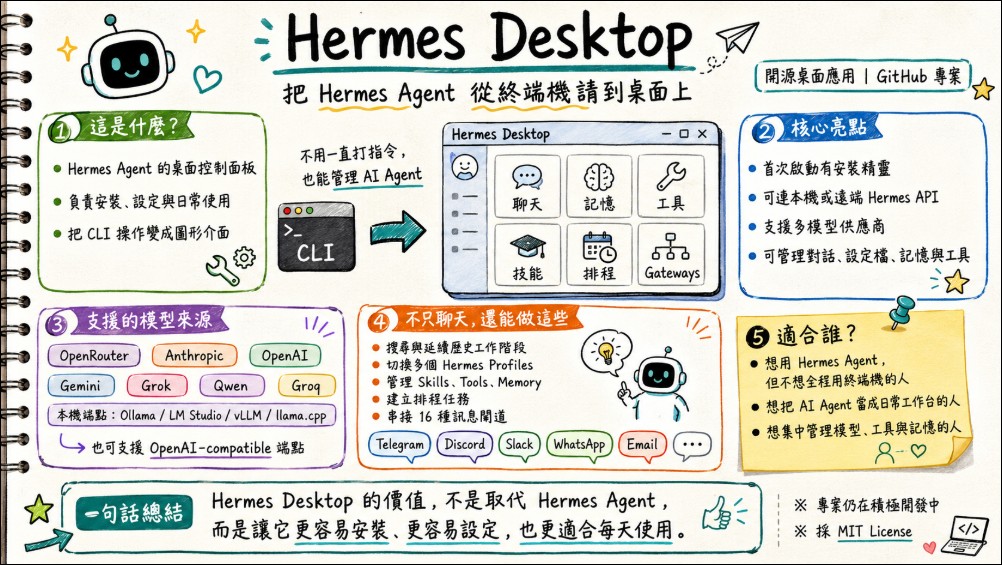
According to the README file, Hermes Desktop is a desktop companion application designed for Hermes Agent. It replaces the manual management process of the traditional CLI by integrating features such as the installation wizard, provider configuration, daily conversations, session management, profile switching, memory management, skill management, scheduled tasks, and message gateway configuration into a single graphical interface.
The project is developed using TypeScript, is licensed under the MIT License, and supports three major platforms: macOS (.dmg), Windows (.exe), and Linux (.AppImage/.deb/.rpm). The installation files for the latest version, v0.4.3, have collectively been downloaded more than 5,000 times across all platforms.
Hermes Desktop Official GitHub
Hermes Desktop Quick Installation Guide
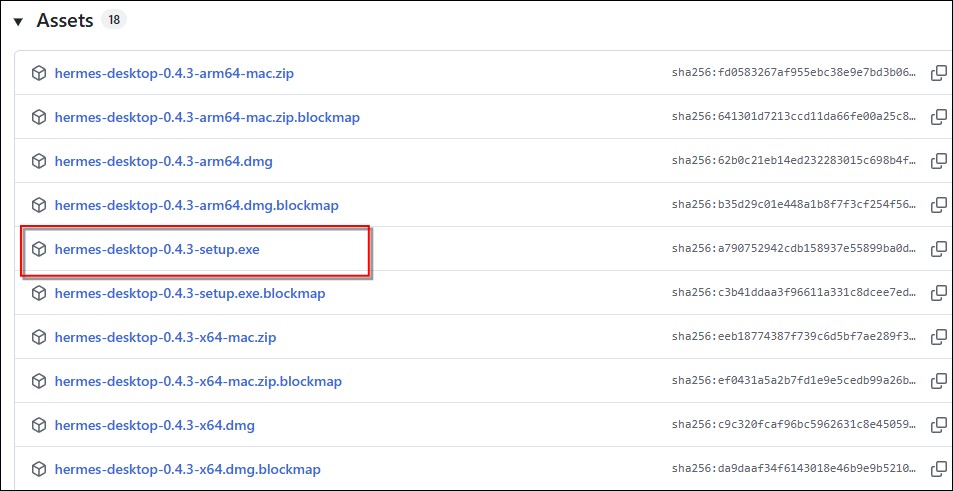
First, go to the Hermes Desktop releases page to download the latest version (currently v0.4.3), which supports Windows, Mac, and Linux. Windows users should download the executable file with the .exe extension:
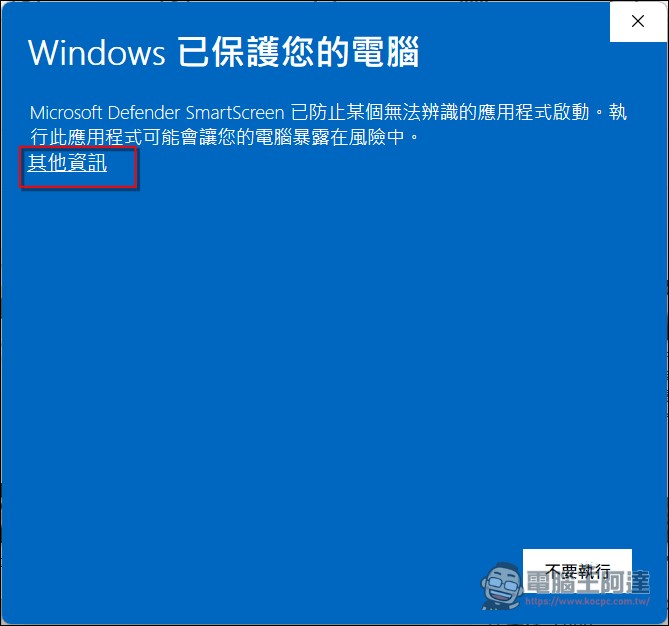
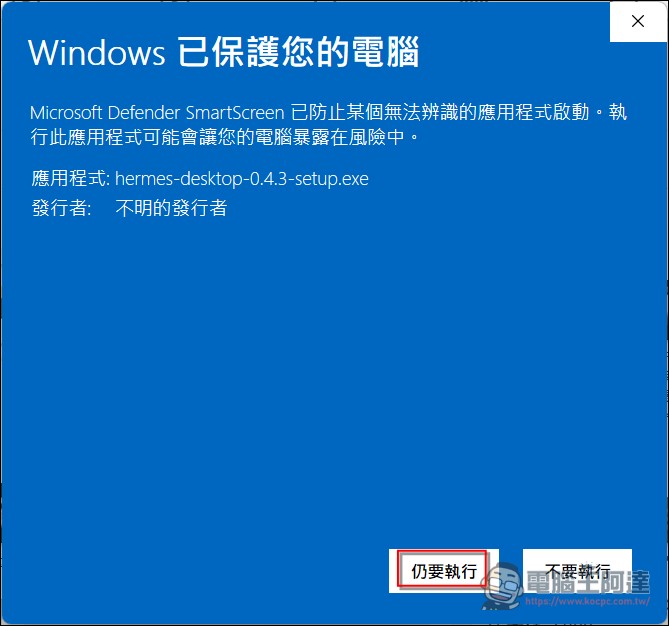
Next, run the installer. Since not enough people have installed it yet, Windows will display a warning. Click “More info” and then proceed with the installation (if you’re concerned, just don’t use it):
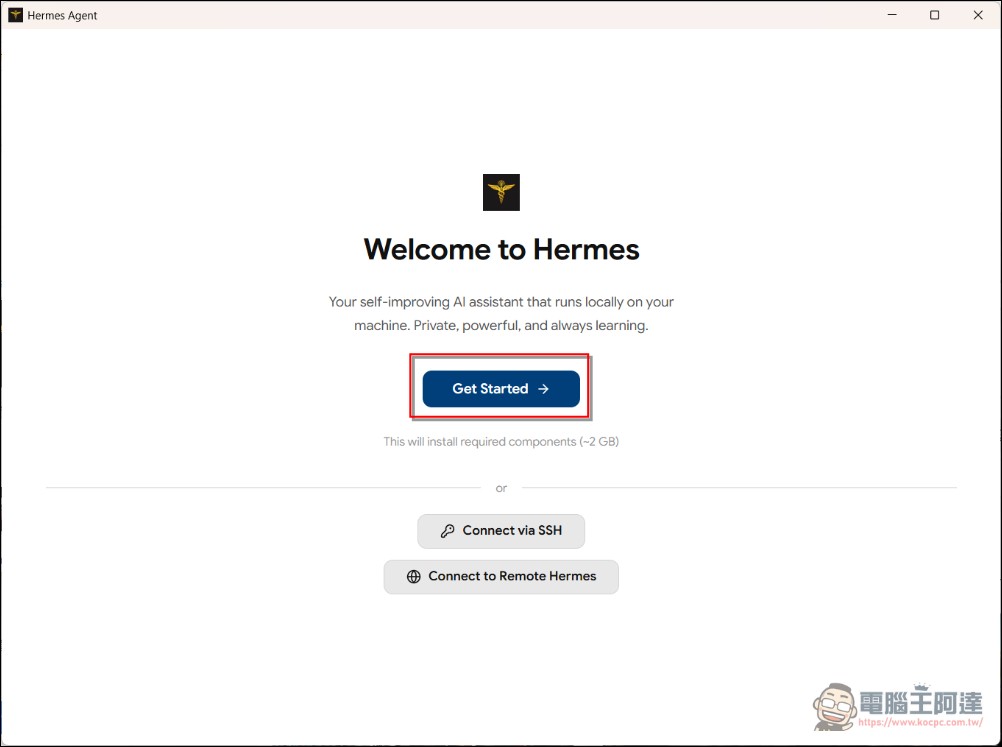
Next, begin the installation by selecting “Get Started.” As described in the project documentation, the first-time setup process has been carefully designed. The application will first ask the user whether to use local mode or remote mode (see the options below). If you select local mode, it will automatically check whether Hermes is already installed; if not, it will run the official installation script to automatically handle dependencies such as Git, uv, and Python 3.11+. For users who are already using the CLI version of Hermes, Hermes Desktop also offers “remote mode,” simply enter the URL and API key of the cloud-based Hermes API server, and you can use the desktop application as a front-end interface for a remote proxy. This is ideal for scenarios where Hermes is running on a server and you’re operating it from your desktop (i.e., using the local UI to control cloud-based Hermes):
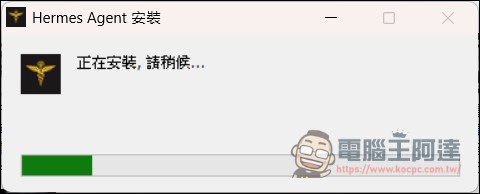
Once it finishes running, click “Continue to Setup”:
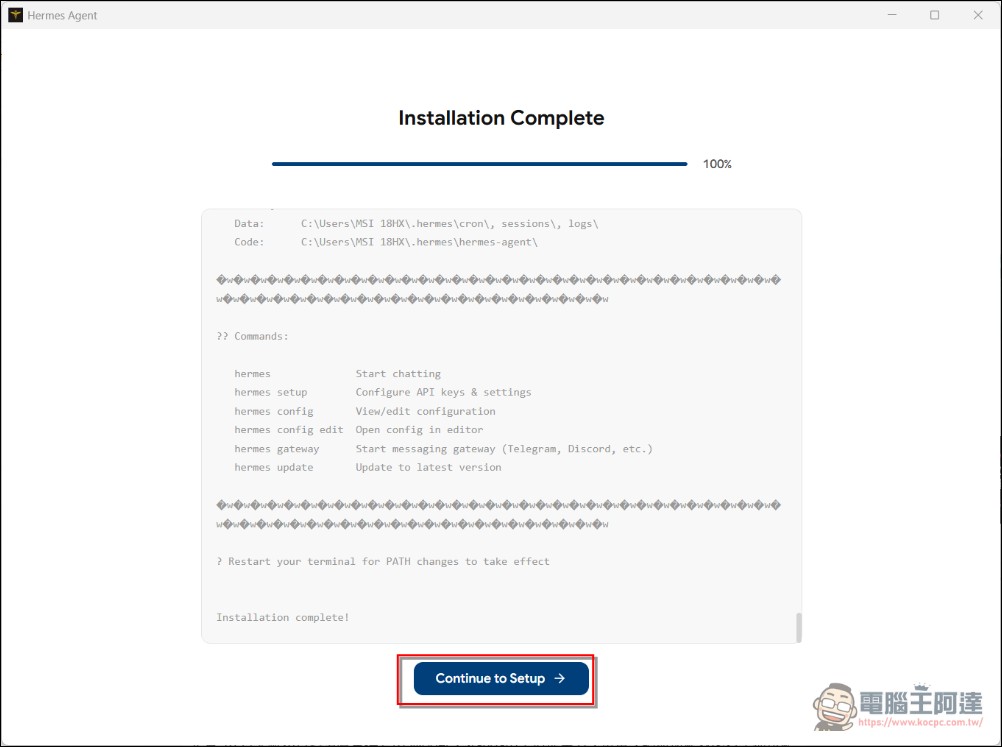
Once installation is complete, users will be directed to the provider configuration screen, where they can select the LLM provider they wish to use (such as OpenRouter, Anthropic, or OpenAI), enter their API key, and then proceed directly to the main workspace to start a conversation. The entire process does not require opening a terminal or manually editing any configuration files. When setting up the model, simply enter your own API key. If you don’t have one, simply sign up for an account on OpenRouter and enter the API key there (this is probably the easiest method); you’ll also get a higher credit limit. I’ve tested it myself, and even the local Qwen 3.6 27B runs smoothly.:
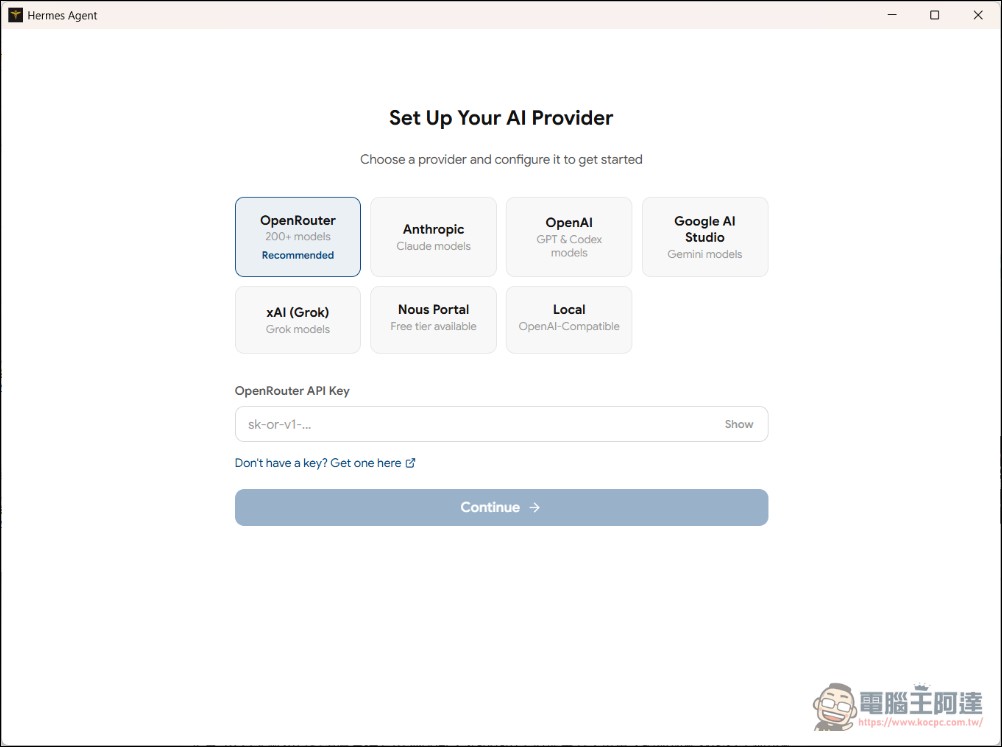
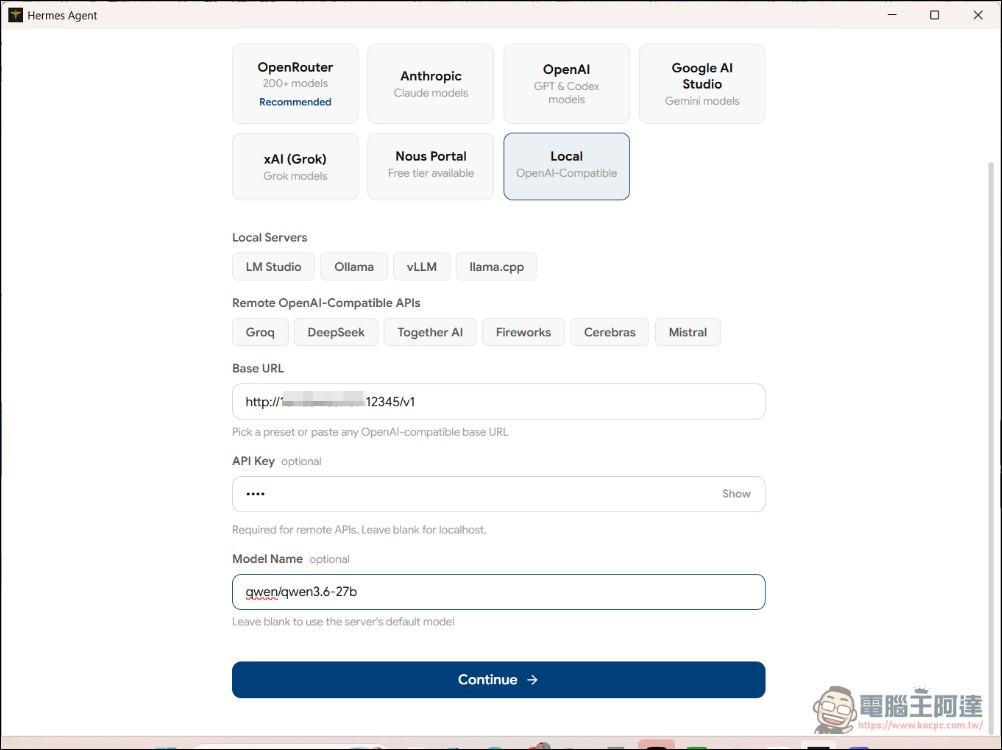
If you’re not familiar with OpenRouter, check out this article:
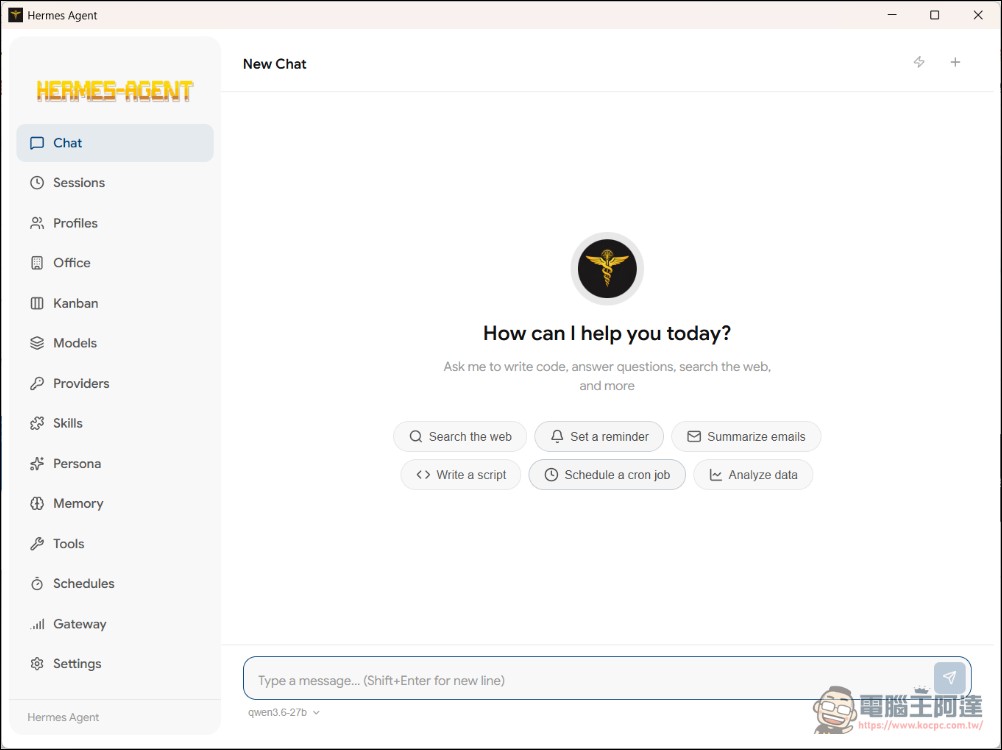
Next, a runtime interface will appear. It’s similar to Hermes, which runs the WebUI interface—it also features dialogs and various functional interfaces—but Hermes Desktop offers even more features:
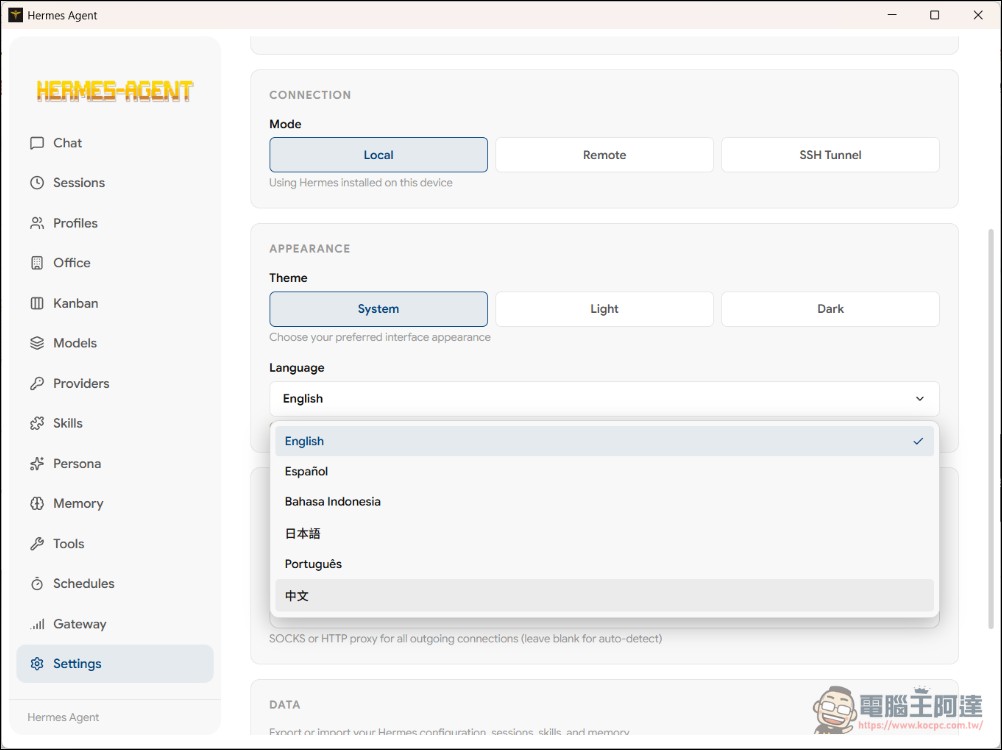
You can switch the language in SETUP, but currently only Simplified Chinese is available. We’re waiting for the community to add Traditional Chinese:
Overview of Core Features
Hermes Desktop offers a comprehensive range of features that cover nearly all the capabilities of Hermes Agent:
- Guided First-Time Setup: Upon first launch, the system automatically checks for dependencies (Git, uv, Python 3.11+); if Hermes is not yet installed, it runs the official installation script and displays a progress bar.
- Local or Remote Backend: Supports running Hermes locally (127.0.0.1:8642) or connecting to a remote Hermes API server (simply enter the URL and API key).
- Streaming Conversation UI: A comprehensive SSE chat interface that includes a tool execution progress indicator, Markdown rendering, code syntax highlighting, and real-time token usage and cost displays.
- 22 Slash Commands:
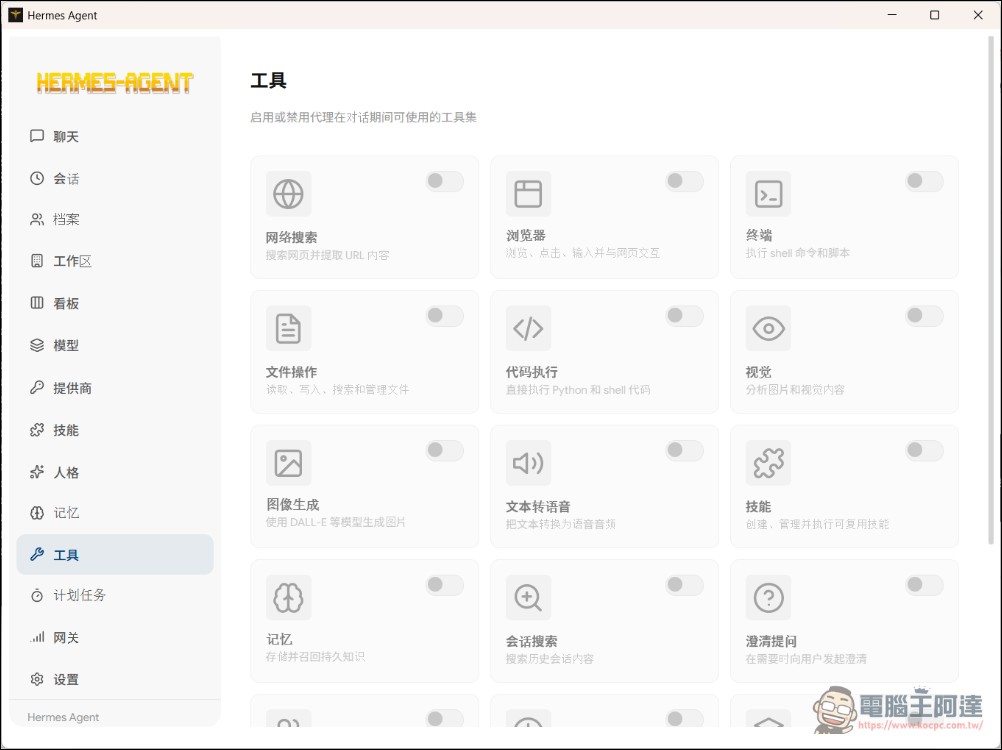
/new、/clear、/fast、/web、/image、/browse、/code、/model、/memory、/compressetc., bringing nearly all of the CLI’s capabilities into the GUI. - 14 Tool Sets: Web search, browser control, terminal operations, file management, code execution, visual analysis, image generation, text-to-speech (TTS), memory, skills, session search, task delegation, and more.
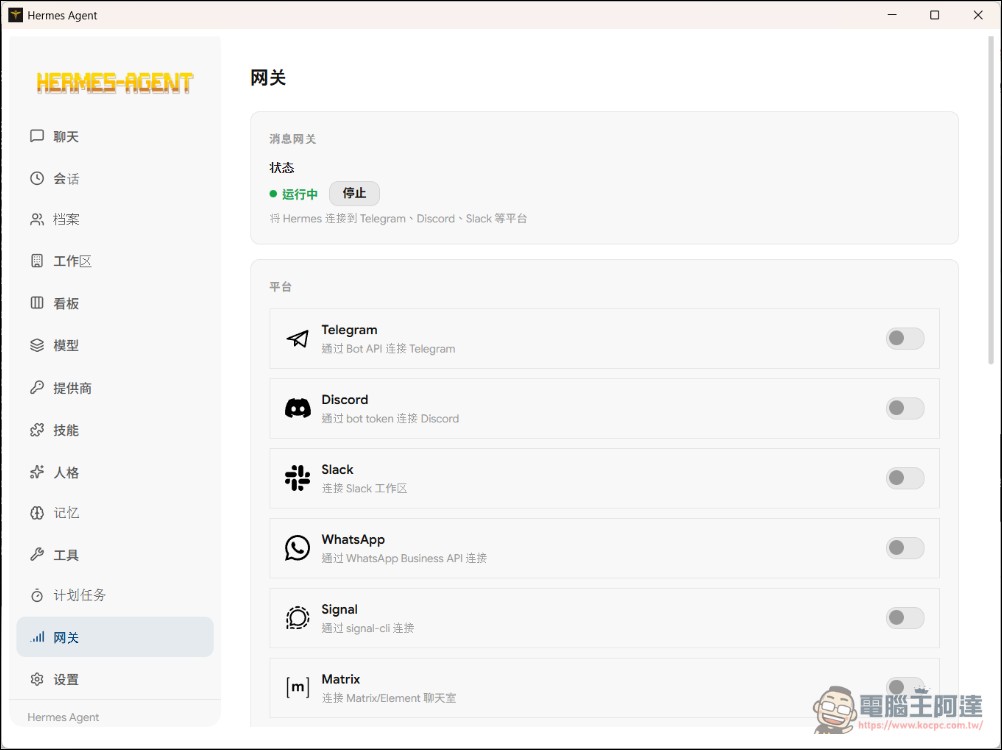
- 16 Types of Messaging Platform Gateways: Telegram, Discord, Slack, WhatsApp, Signal, Matrix, Email (IMAP/SMTP), SMS (Twilio/Vonage), iMessage, DingTalk, Feishu, WeCom, WeChat, Webhooks, Home Assistant.
- Scheduled Tasks (Cron Jobs): A graphical scheduling task builder that supports minute, hourly, daily, weekly, and custom Cron expressions, along with 15 delivery targets.
- Switch Profiles: Create, delete, and switch between different Hermes environments, each with its own independent configuration.
- Memory System: View and edit memory entries and user profile memories; supports multiple memory providers, including Honcho, Hindsight, and Mem0.
- Character Editor: Directly edit the SOUL.md profile settings for your current profile.
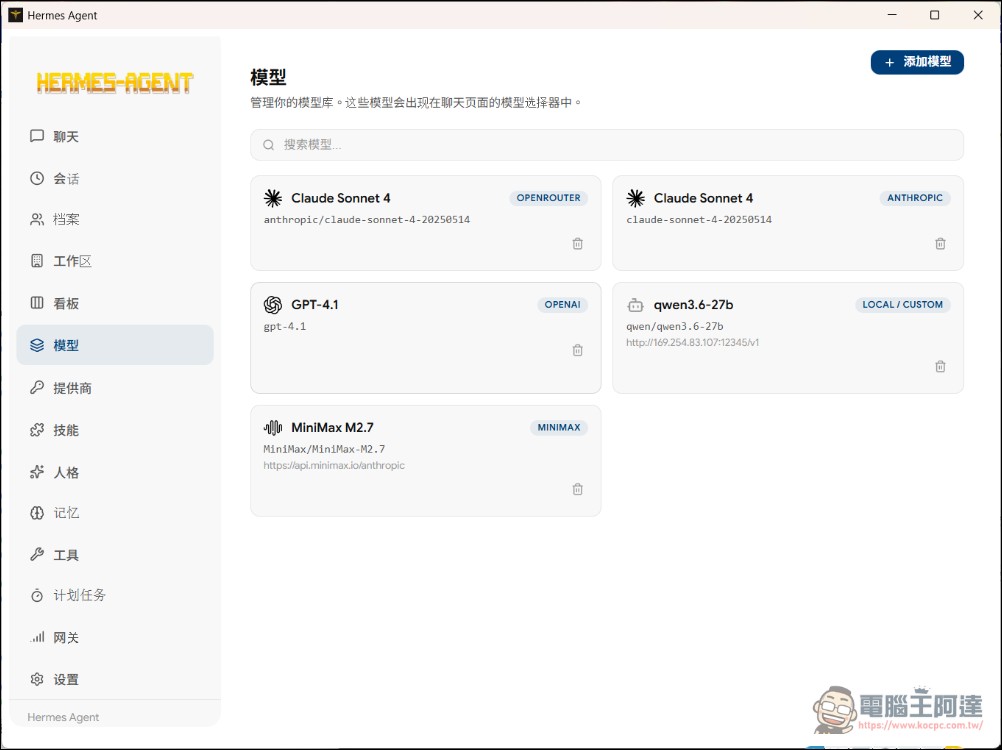
- Multi-vendor support: OpenRouter, Anthropic, OpenAI, Google Gemini, xAI Grok, Nous Portal, Qwen, MiniMax, Hugging Face, Groq, and any OpenAI-compatible local endpoints (LM Studio, Ollama, vLLM, llama.cpp). Managing models is much more intuitive than using a CLI interface.
- Backup and Import: Comprehensive data backup/restore and system diagnostic features, accessible directly from the settings page.
You can explore the remaining features on your own. In principle, they work the same way as in our previous tutorials, except that they now have a graphical interface and can run on Windows without WSL2. However, please note that you must not close the CMD window that pops up when you run a workspace or a specific feature, as these are workflows running in the background. If you have any other questions—such as how to configure messaging apps like Telegram—you can check out our previous tutorial videos:
Current Version and Future Outlook
As of this writing, the latest version of Hermes Desktop is v0.4.3 (released on May 15, 2026), and it remains in active development. The project author explicitly states in the README, “This project is in active development,” and encourages users to open an issue if they encounter any problems.
In terms of feature coverage, v0.4.3 already includes the vast majority of Hermes Agent’s core features, but there is still room for improvement. Current known limitations include: the Windows installer lacks a code signature (SmartScreen displays a warning), the Fedora RPM does not support automatic updates, and the macOS version is not notarized (requiring the use of `xattr` to bypass Gatekeeper), among others. These are common pain points for Electron applications and should gradually improve with future releases.
Meanwhile, NVIDIA has also recentlyAnnouncement Hermes Agent is set to launch on the RTX AI PC platform, further expanding Hermes’ hardware ecosystem. As the front-end interface, Hermes Desktop will open up even more possibilities for the everyday use of open-source AI agents if it can be deeply integrated with NVIDIA RTX’s native AI acceleration in the future.
Summary
Hermes Desktop is a key piece of the puzzle in the open-source AI agent ecosystem. It wraps a powerful CLI-only agent into an intuitive, easy-to-use desktop application, allowing users unfamiliar with the command line to fully leverage the automation capabilities of the Hermes Agent.
For those already using Hermes Agent, Hermes Desktop offers a more modern and intuitive user interface; for those still on the fence, it removes the biggest barrier to entry—the need to know how to use a terminal. As the project continues to evolve and community contributions grow, Hermes Desktop has the potential to become the new benchmark for open-source AI agent frontends. However, if you already have a Mac or Linux host running Hermes, there’s no need to switch, since Hermes Desktop runs alongside Windows and stops working when your computer is turned off. For now, it’s best suited for users who aren’t familiar with virtual machines or don’t own a Mac and want to give it a try.
Source: KOCPC Chinese