


Have you ever encountered this situation? You want to have an AI handle a certain process (such as product listing or customer service), but while these repetitive, routine tasks are simple for humans, getting the AI to run through the entire process on its own is surprisingly difficult. OpenAI aims to solve this problem. On June 18, 2026, OpenAI officially launched the “Record and Replay” feature in the Codex app, allowing users to simply “do it once” on their Mac for the AI to observe. Codex will then automatically package the entire process into a reusable “Skill.” This is not traditional macro recording or RPA scripting. Behind “Record and Replay” is the Computer Use model, which observes your actions, understands the intent behind each step, and then generates a structured, editable skill document. In OpenAI’s words: “Show Codex a workflow once. Reuse it as a skill.”
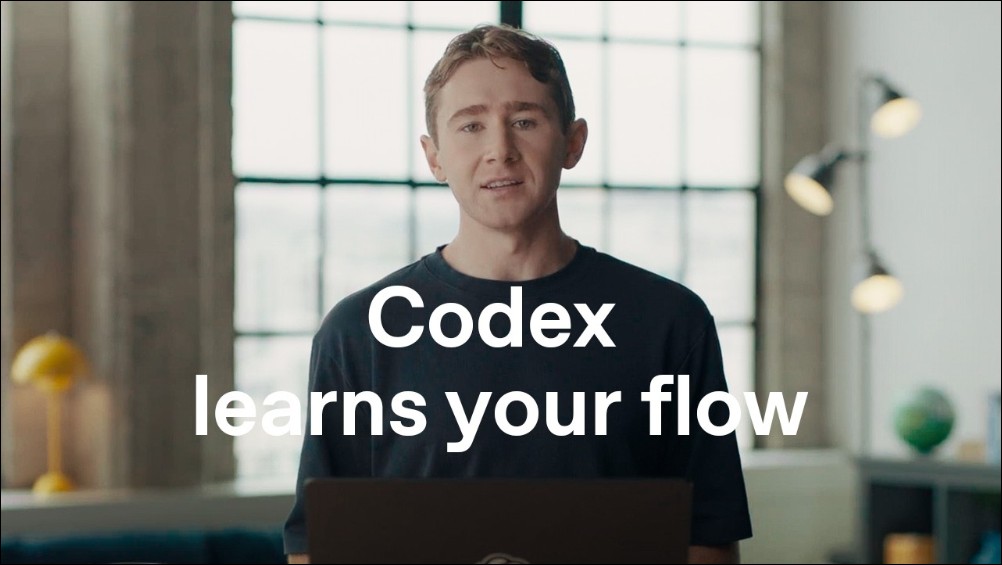
What Is Record and Replay?
OpenAI has directly highlighted the core value of this feature:
“You can now show Codex how to do something, teach it your preferences, and turn what it learns into a skill you can use again.”
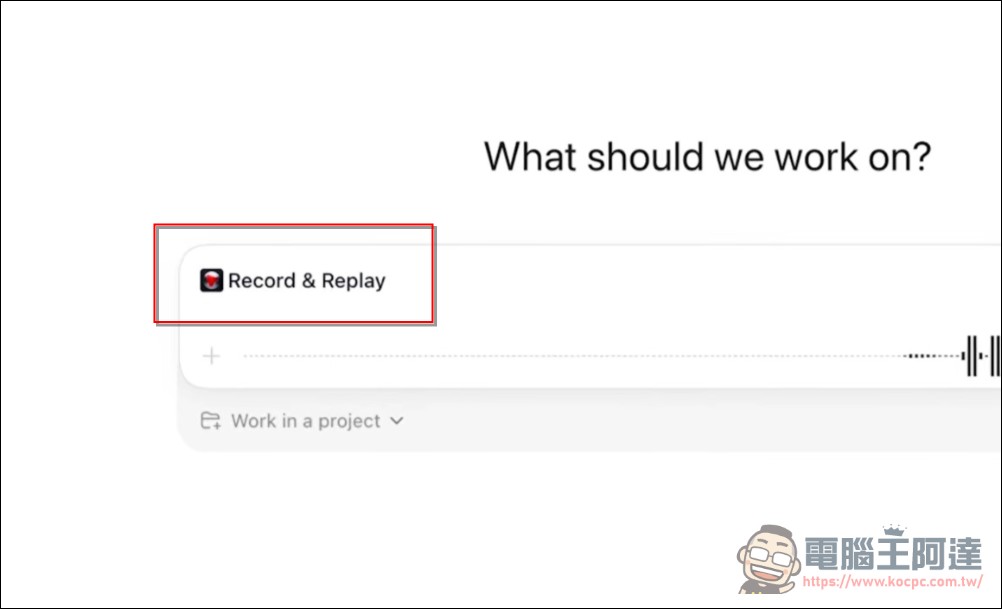
This sentence accurately describes the purpose of Record and Replay: it’s not about writing prompts to tell the AI what to do, but rather about “demonstrating” a task once so the AI can learn on its own.
Practical Example: The YouTube Video Upload Process
The video shows a real-life scenario: Every time the OpenAI team publishes a YouTube video, they have to pull metadata from the release spreadsheet, locate the corresponding media files, and fill out the same fields and settings in YouTube Studio. These steps are the same every time, but doing them manually is tedious and prone to errors.
The procedure is as follows:
- Start Recording: Open “Plugins” in the Codex app and select “Record a skill”
- Start the demonstration: After Codex requests recording permission, the user proceeds with the YouTube upload process as usual
- Fetch metadata: Extract the title and description from the distribution spreadsheet
- Upload Media: Add thumbnails and English subtitles
- Save Settings: Set the video to private and save it
- Stop Recording: Stop from the menu bar or overlay, or simply tell Codex, “I’m done.”
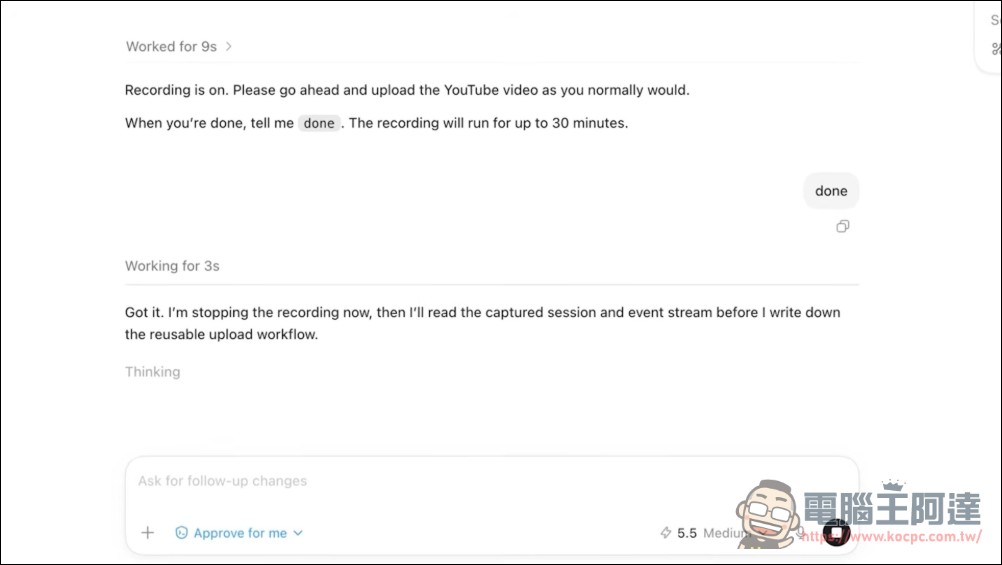
During recording, Codex observes the “intent” behind the actions rather than just the pixel paths. It understands that what you’re dragging from the spreadsheet is the “heading” rather than “the text in a specific cell,” which gives the generated skills the ability to generalize.
After recording, Codex analyzes the video and automatically generates a Skill. The video demonstrates how Codex learned the following based on the user’s workflow:
- Where is the metadata stored (location of the distribution spreadsheet)?
- Folder Structure for Uploading Asset Packages
- How to Add Subtitles, Save, and Verify Each Upload
This Skill is not a black box; according to OpenAI Developer DocumentationThe generated skill follows the standard SKILL.md format and includes use cases, required inputs, execution steps, and validation methods. Users can view and edit it directly.
AI-Driven Automation
The second half of the video demonstrates how “Replay” actually works. The user opens a new conversation thread, attaches the asset pack for the next video, and then asks Codex to process it. The result:
- Codex automatically maps asset packages to the correct columns in the spreadsheet
- Enter metadata
- Upload thumbnails and English subtitles
- Set the video to private
- Verify that all settings have been saved correctly
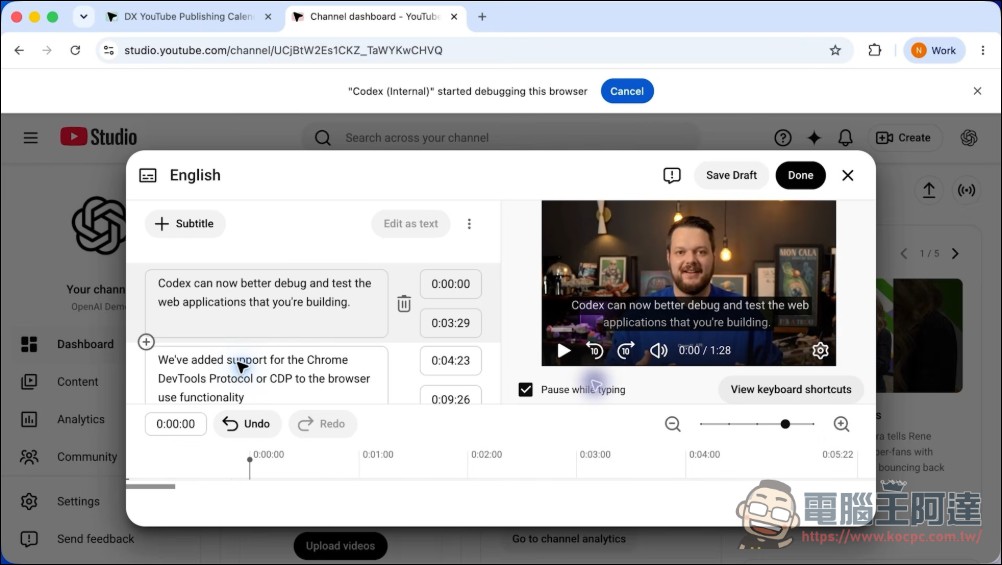
No manual user intervention is required throughout the process. Users simply need to provide “different values for this instance”—such as a new video file or a new title—and Codex will automatically handle the rest based on the skill.
Technical Architecture: Agent Skills Open Standard
Record and Replay is built on the open Agent Skills standard (agentskills.io) adopted by OpenAI. A Skill is a folder that contains:
- SKILL.md: Required; includes name, description, and instructions
- scripts/: Optional, executable script
- references/: Optional, Reference Documents
- assets/: Optional, Templates and Resources
Codex uses “progressive disclosure” to manage context: initially, it loads only the name, description, and file path for each Skill (occupying no more than 2% of the model’s context window), and only loads the complete SKILL.md instructions when a decision is made to use a particular Skill. This ensures that the context won’t become overloaded, even if a large number of Skills are installed.
There are two ways to trigger it:Explicit Call(Specify the skill directly in the prompt) andImplicit Call(Codex automatically matches skills based on the mission description.) Skills generated by Record and Replay follow the implicit invocation approach; Codex automatically determines which skill to use based on the material you provide.
Scope of Application and Limitations
Currently, Record and Replay has several limitations:
- macOS only: Windows and Linux are not currently supported
- Regional Exclusions: Currently unavailable in the European Economic Area (EEA), the United Kingdom, and Switzerland
- Computer Use must be enabled: If an organization manages Codex via requirements.toml, setting `computer_use` to `false` will also disable Record and Replay.
- Requires the Codex app: This feature is not currently supported in the CLI or IDE extensions.
When executing a Skill, Codex can complete the task using Computer Use (desktop operations), Browser Use (browser operations), connected plugins, or a combination of all three.
Comparison with Other Options
In the field of automated workflows, Record and Replay isn’t the only solution, but it takes a unique approach:
- Traditional RPA (such as UiPath and Automation Anywhere): Relying on fixed UI element selectors causes the system to break as soon as the interface changes. Record and Replay uses AI to understand the intent behind user actions, making it more tolerant of UI changes.
- Handwritten Prompt / Skill: Users need to be able to write precise commands. Record and Replay lowers the barrier to entry to “as long as you know how to do it.”
- Integration platforms such as Zapier and Make: I’m good at integrating APIs, but I’m at a loss when it comes to workflows that require interacting with desktop applications. Record and Replay fills that gap perfectly.
The core value of Record and Replay lies in “enabling people who don’t know how to code to teach AI to perform tasks.” In the past, to automate a process, you had to first break it down into steps that a machine could understand; now, all you have to do is perform the task once, and Codex will handle the breakdown and encapsulation for you.
Significance for Developers and Businesses
Skills generated by Record and Replay can be shared across teams. In other words, a workflow recorded by one person can become an automation asset for the entire department. This eliminates the predicament where no one can use a specific feature if the person responsible is not on site. This has several implications for enterprises:
- Knowledge Retention: When an employee leaves, their process knowledge doesn’t leave with them, because it’s already been encapsulated as a Skill (Editor’s note: That’s kind of scary…)
- Consistency: When all team members follow the same process, quality and procedures are consistent.
- Scalability: New hires do not need to relearn the operational details of each internal tool
In short, Record and Replay has transformed the interface for “teaching AI to perform tasks.” Whereas it used to rely on text (prompts), it now relies on actions (demonstrations). This means that the capabilities of AI agents are no longer limited by the user’s ability to express themselves in text.
Codex’s Product Strategy
OpenAI’s strategy is evident from the development trajectory of Codex: First, it established a plugin ecosystem (by March 2026, it supported over 20 third-party plugins, including Slack, Gmail, Notion, and Salesforce); then it launched role-specific plugin suites (tailored for functions such as sales and analytics); and now, with the addition of Record and Replay, it enables users to create their own skills.
This is a journey from “platforms providing tools” to “users creating tools.” OpenAI isn’t just selling AI models; it’s building an infrastructure that enables AI to learn human workflows.
Conclusion
Record and Replay is still in its early stages and has quite a few limitations (macOS only, excluding Europe), but the direction it points to is clear: the expansion of AI agents’ capabilities should not depend on users’ ability to write prompts, but rather on their ability to perform tasks. When “demonstration” replaces “description” as the primary way to teach AI, the barrier to automation will be significantly lowered.
For the average user, this means you don’t need to be a prompt engineer to have AI handle repetitive tasks for you. For businesses, it means that knowledge of internal processes can be standardized, packaged, and passed down. This is what an AI agent is truly meant to do: not to replace human thinking, but to take over repetitive tasks.
Source: KOCPC Chinese