


Nowadays, many people listen to podcasts every day in their free time and during commuting to absorb more knowledge. Earlier, the useful BetterCast podcast player was released in the App Store as a lifetime limited free event. In addition to being ad-free, with a clean interface and rich playback functions, it also has built-in AI Q&A and transcription functions, which can transcribe podcast content into verbatim transcripts, making it easier for you to organize the key points, and you can also find the answers you want through Apple Intelligence.
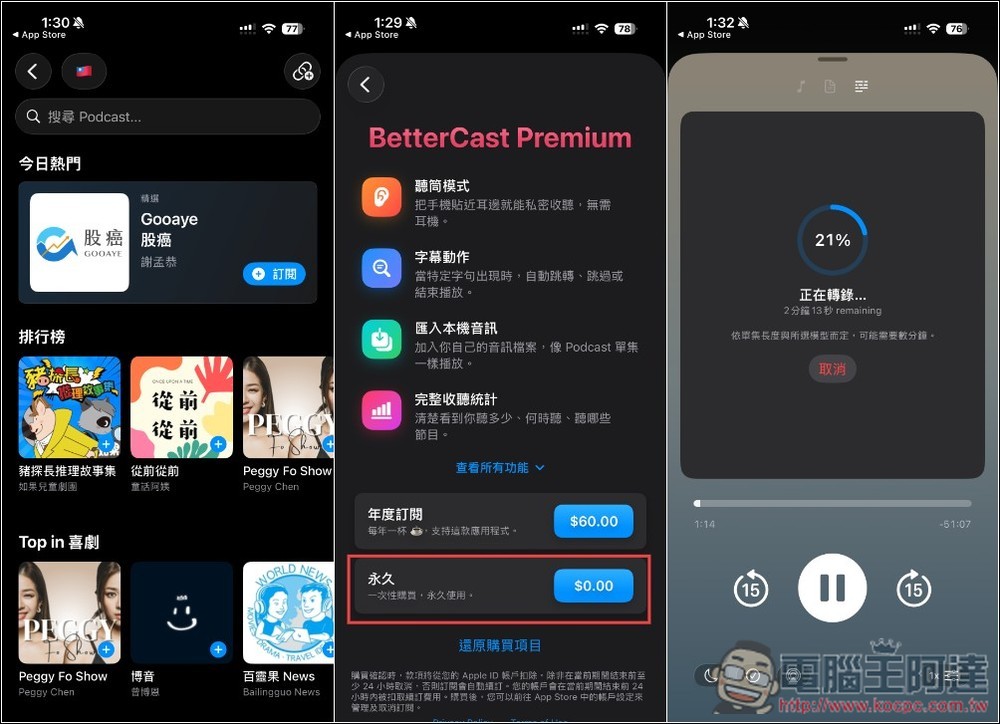
BetterCast lifetime version is free! Ad-free podcast player with built-in AI Q&A and transcription
BetterCast is an Apple device player built for serious podcast listeners, hoping to integrate listening, organizing, searching and reviewing content in the same app.
The interface is simple and does not display banners or pop-up ads. You may still hear ads placed by the program producer during playback. It supports playback speed adjustment, skip mute, chapter browsing, single episode notes and complete cover preview. It can also create personalized playlists based on keywords, themes, program length and listening status. For people who subscribe to a lot of programs, they can filter out the content they really want to listen to more quickly without having to sort through them episode by episode every day.
Another focus of this app is device-side transcription, which can convert podcasts into text and use keyword rules to skip specified paragraphs, stop playback, or skip the opening. Since transcription is mainly processed on the device, search convenience and privacy are taken into consideration; however, some smart functions still depend on device and system support. The app also provides listening time, playback statistics and storage space analysis to facilitate users to understand their listening habits.
BetterCast supports iPhone, iPad, Apple Watch and iMessage, and currently requires iOS 26 or above.
Main features
- Completely free of banners and pop-up ads
- Supports adjusting speed and automatically skipping silence
- Browse chapters, episode notes and full covers
- Generate podcast transcripts on the device
- Specific content can be automatically skipped through keyword rules
- Create playlists based on topic, duration and listening status
- Provide statistical analysis of listening time and playback
- Ability to view the storage space used by podcasts
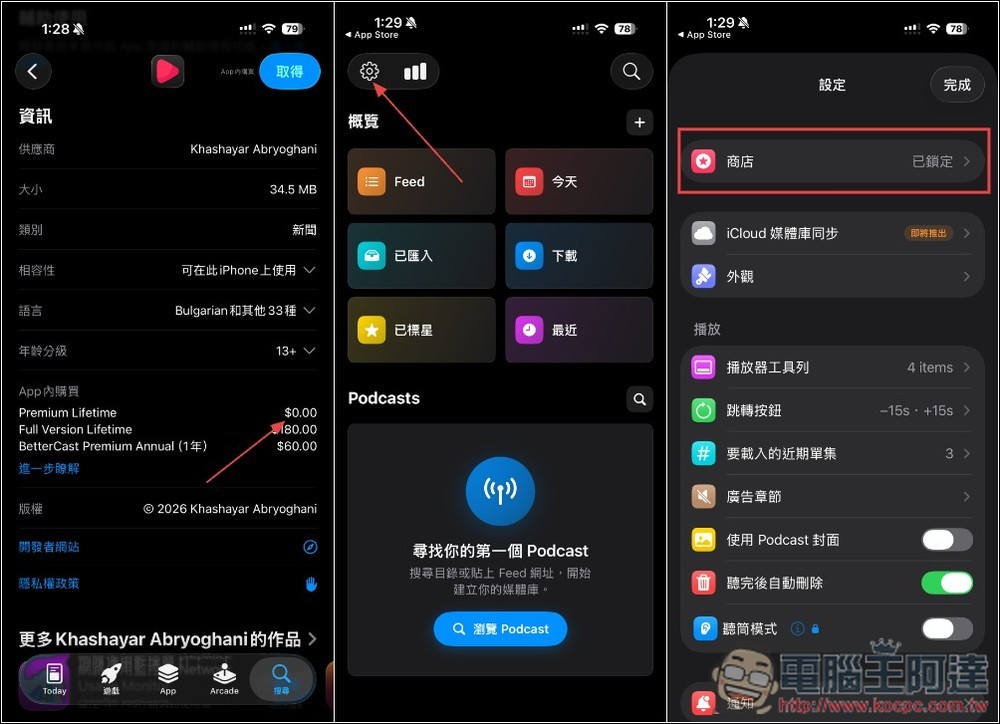
After clicking the link above to enter BetterCast’s App Store page, remember to scroll down to check the in-app purchases. If Premium Lifetime displays 0 yuan, it means it is still limited free. The developer has not stated when the limited free promotion will last. To open BetterCast, please go to the settings menu in the upper left corner and click “Store”:
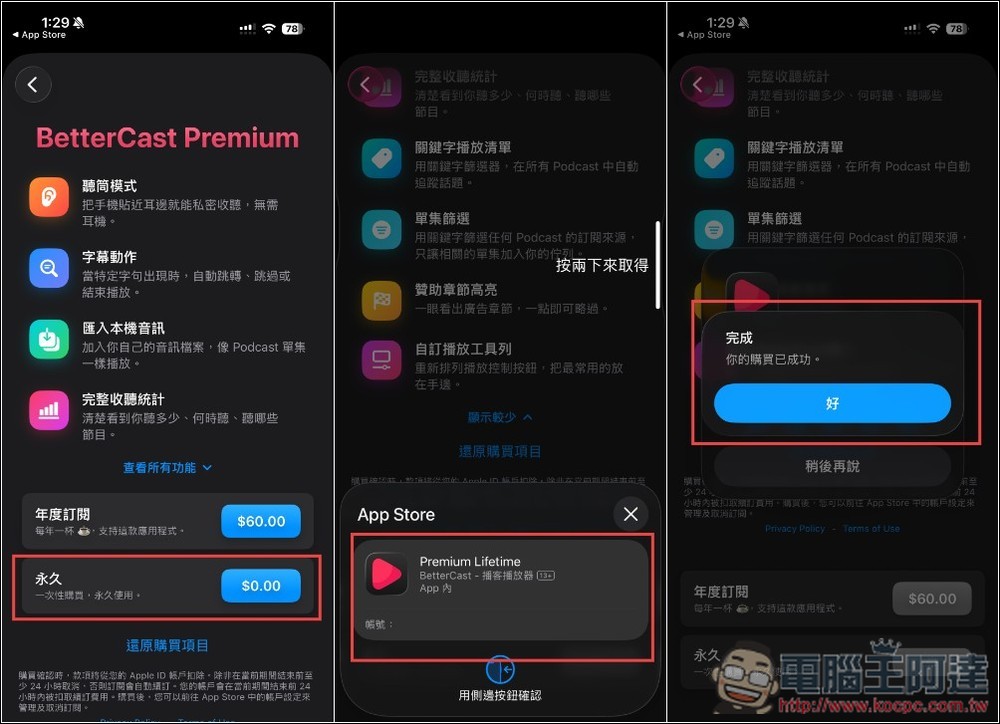
You will see a permanent discount of 0 yuan. Before “clicking twice to get it”, remember to confirm whether there is really no amount. If there is an amount, don’t click. If “Your purchase has been successful” appears, it means that the lifetime version has been upgraded:
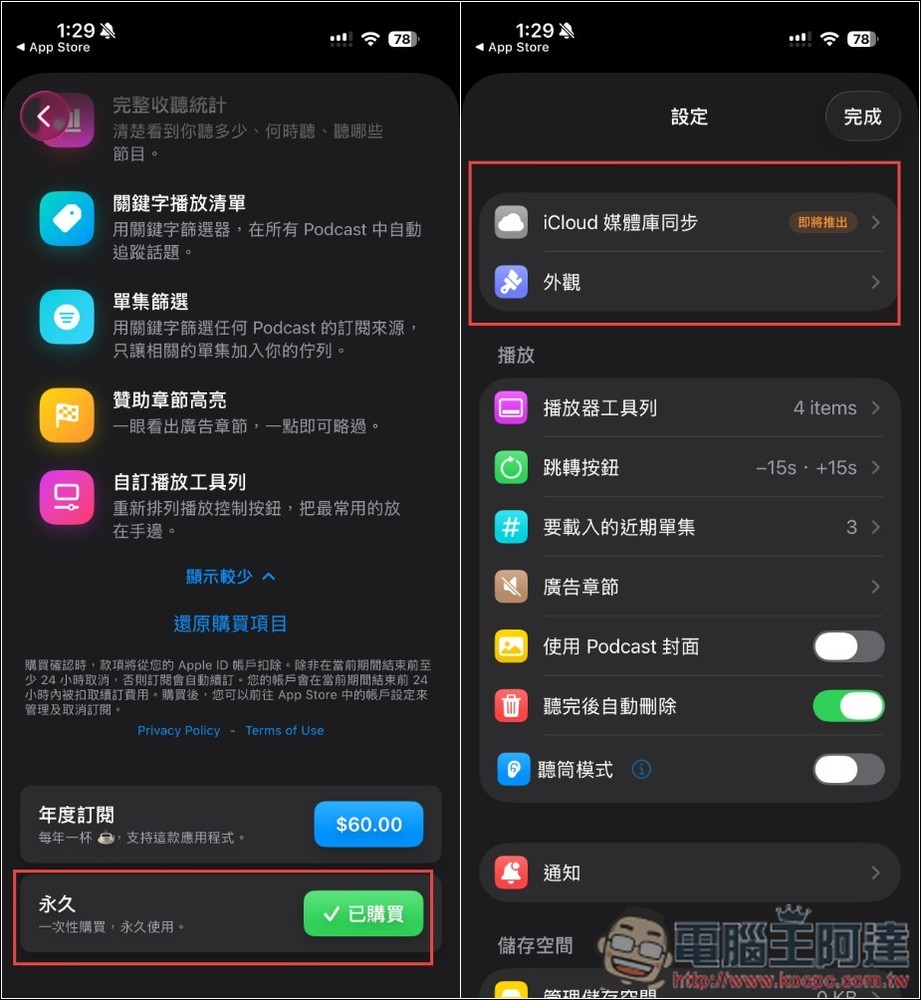
“Purchased” will also be permanently displayed, and the store above the original settings will also disappear:
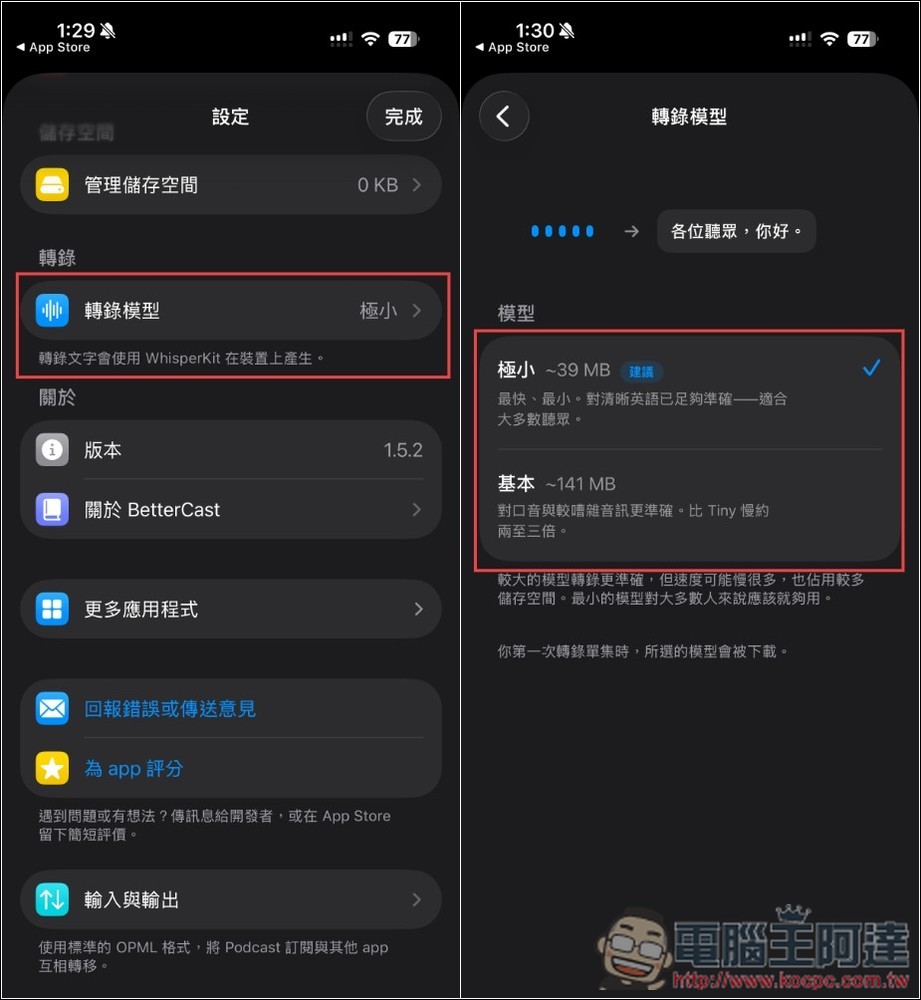
Before you start using it, you can set the transcription model you want to use. The default is minimal, and there is also a basic model to choose from. I tested the basic model and it is very good. Chinese transcription is almost correct, but the speed is a little slower than minimal:
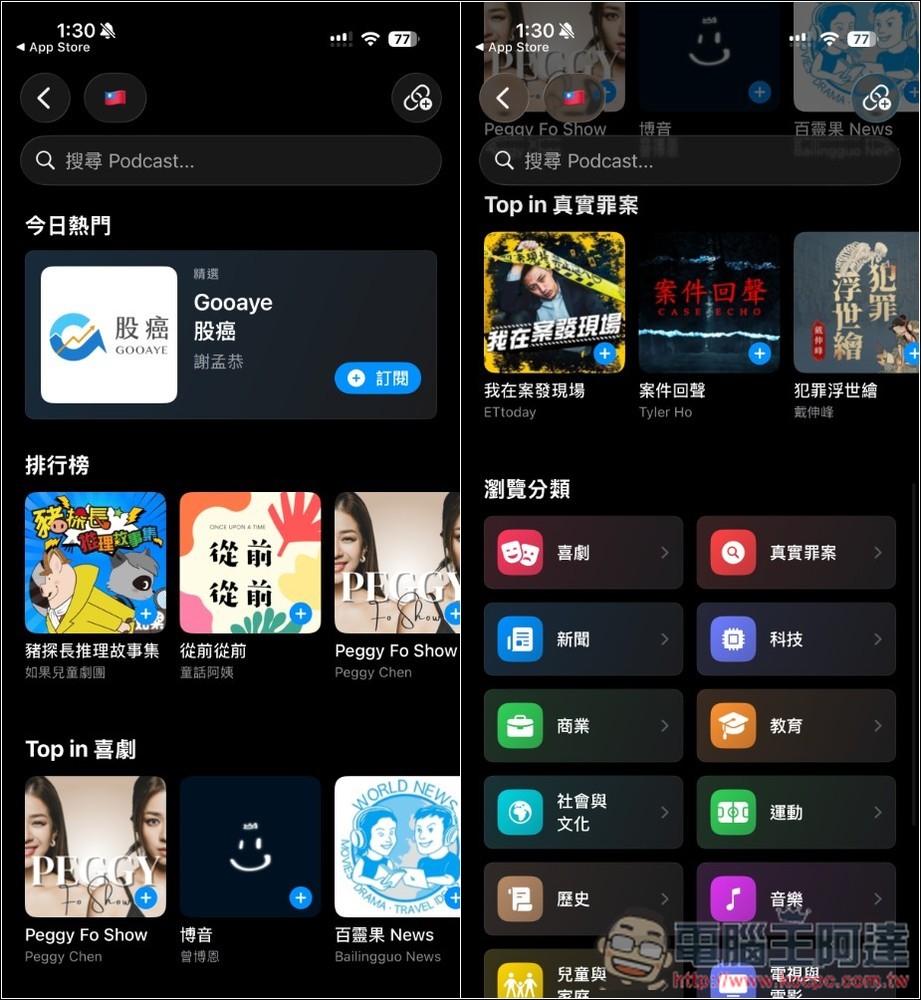
You can import the podcasts you often listen to, or use the built-in browsing function to find and subscribe to your favorite channels:
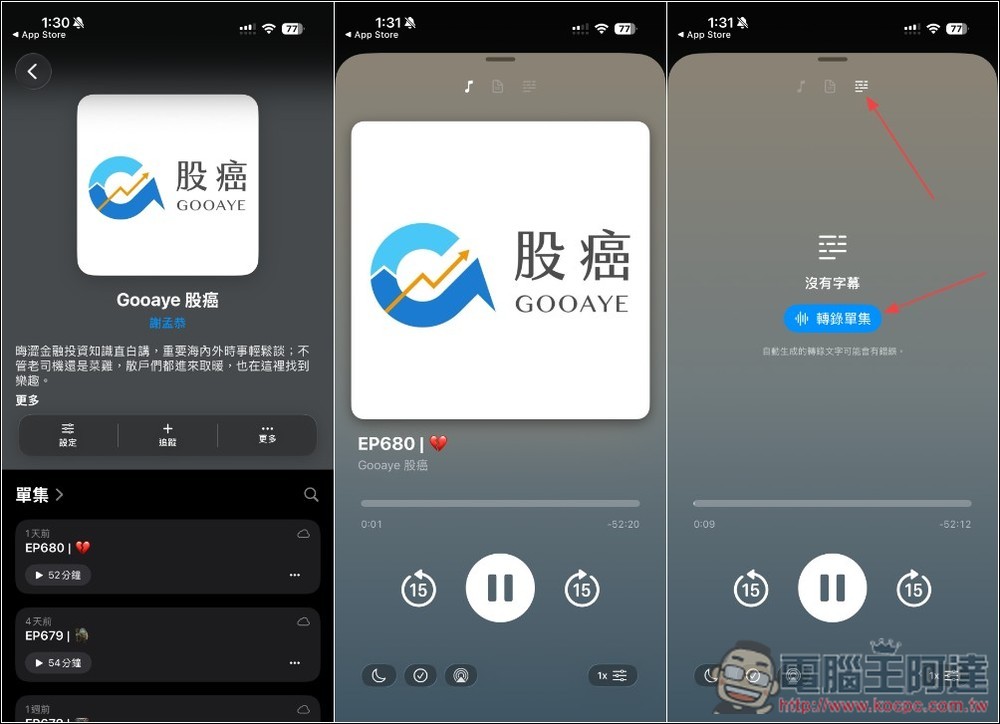
The playback interface is similar to that of most podcasts. The transcription function is located on the far right at the top. Once you click to transcribe a single episode, the process will begin:
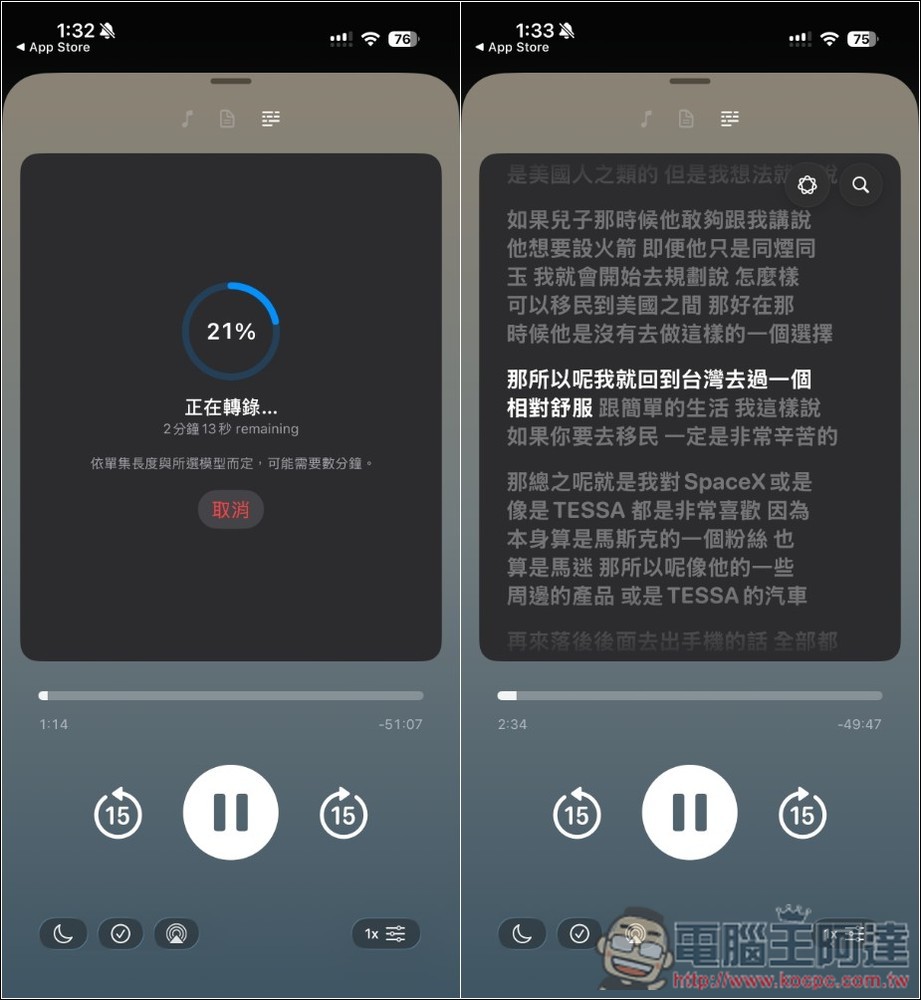
After the percentage runs out, the verbatim script will appear. Wherever the podcast talks, the verbatim script will also be marked:
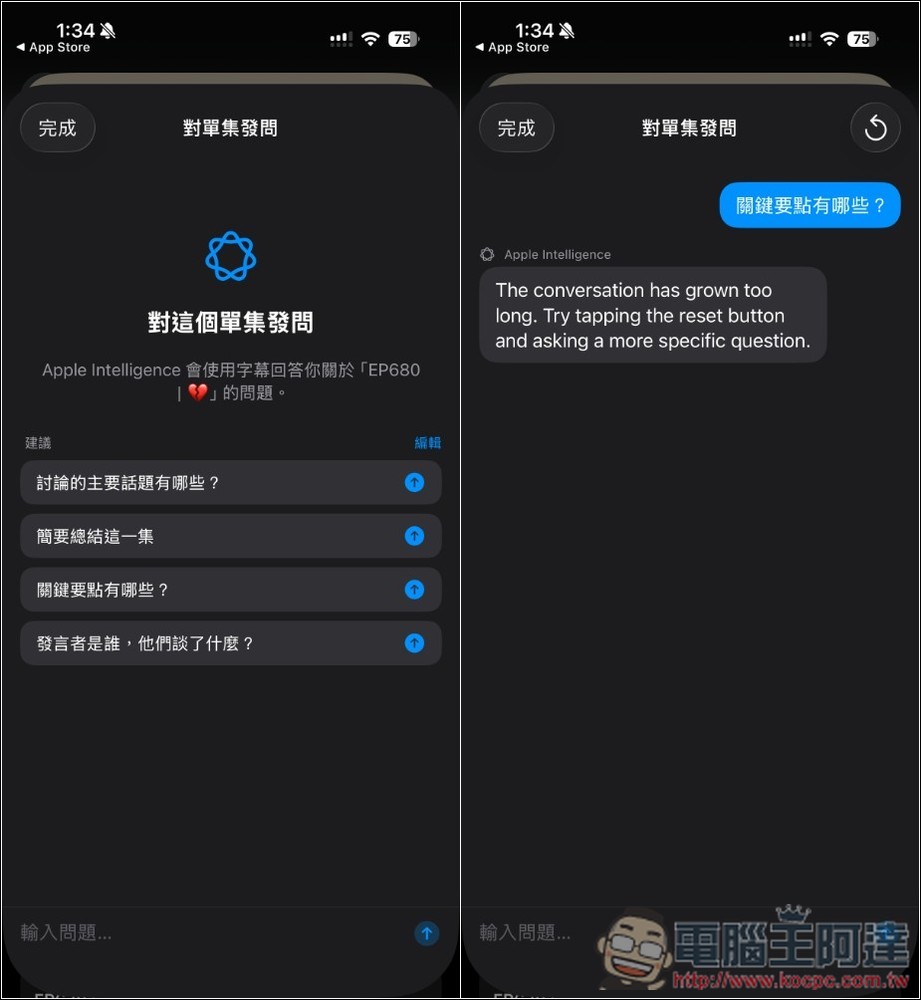
There seems to be a problem with Apple Intelligence’s questions, and the message “The conversation is too long, please reset” is displayed:
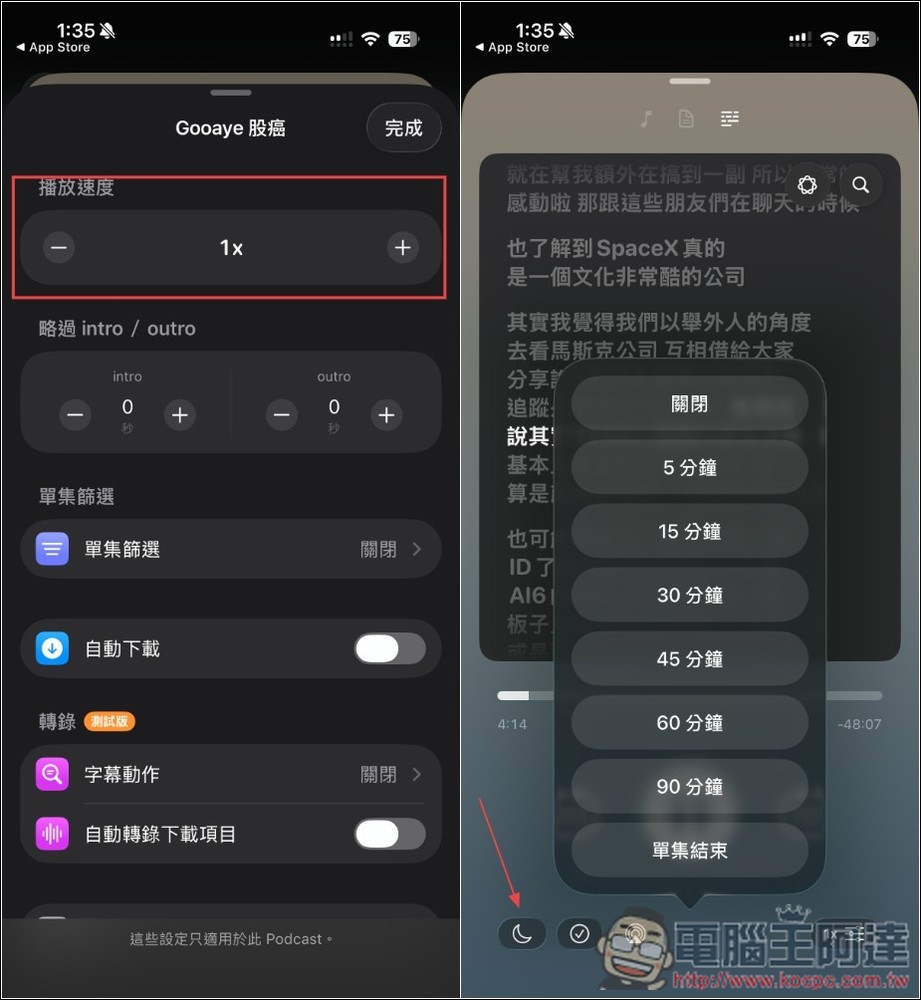
When playing a podcast, you can also adjust the playback speed, skipped parts, automatic downloads, and sleep timer:
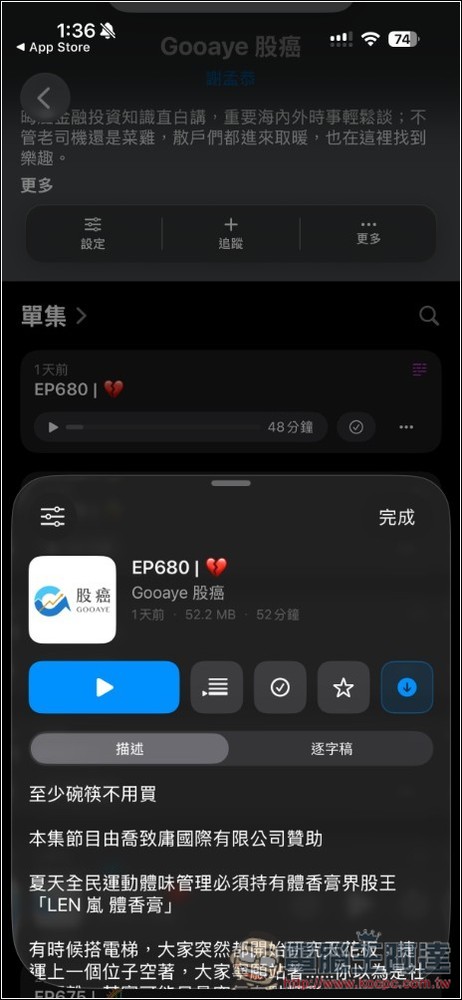
Transcribed podcasts will have additional verbatim options:
Source: KOCPC Chinese