


As the annual Black Friday arrives overseas, many apps are offering limited-time free promotions. I recently came across a pretty good iOS app called “Three Routes: Running Routes, Cycling, Hiking.” Based on your preferences (such as passing parks or quiet routes), it automatically generates three loop routes for you, and when you finish, you end up right back at the starting point, so you don’t have to run the same route every time. It even offers offline maps, which can be used after downloading even without an internet connection—very useful when abroad. It is currently running a limited-time free promotion for the lifetime version, so anyone interested shouldn’t miss it.
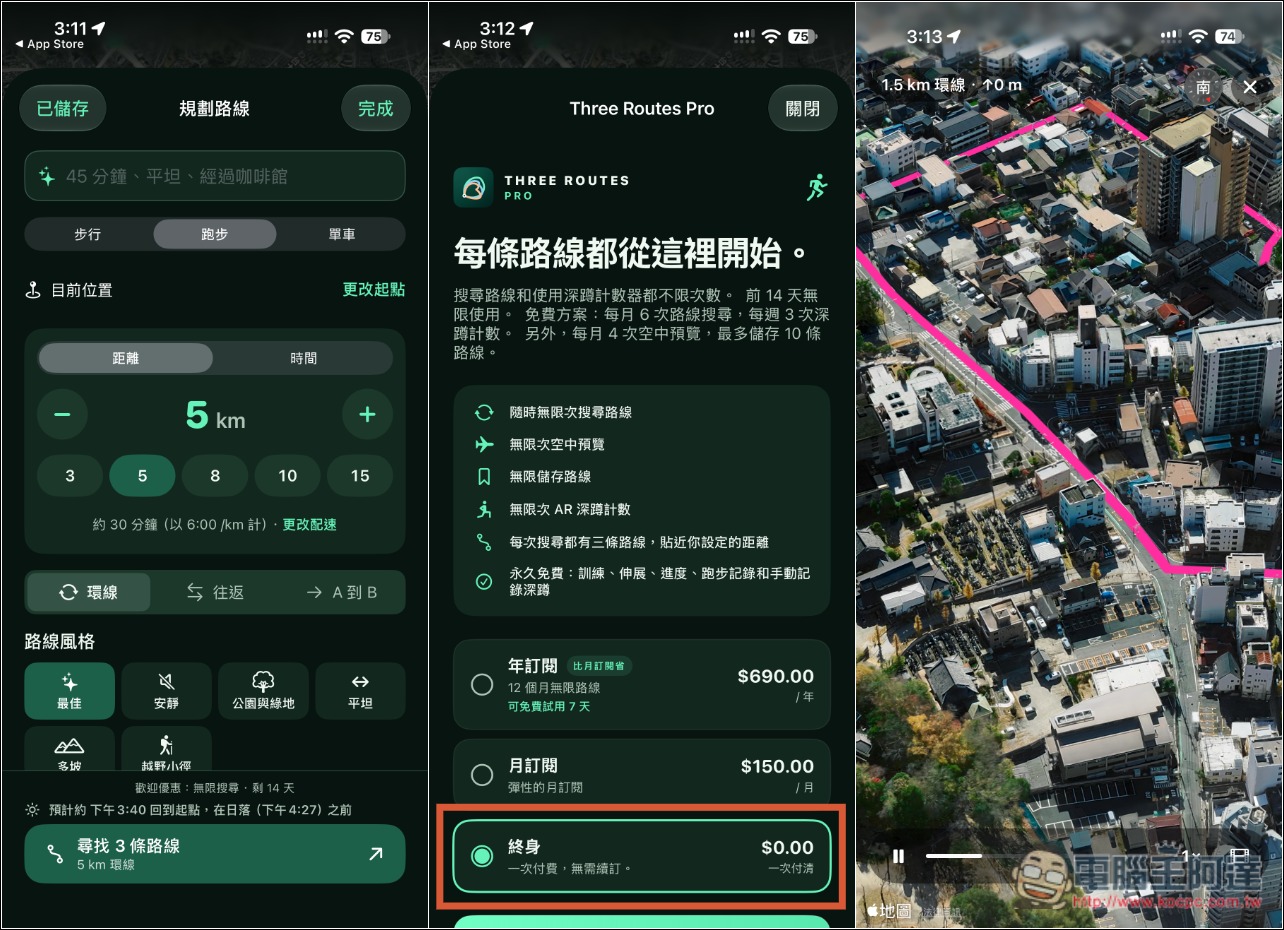
Three Routes running route app lifetime version is free for a limited time! Automatically plans loop routes and also supports offline maps and Apple Watch navigation.
Three Routes is a route-planning app launched by independent developer Steven James Good. It can be downloaded for free, while advanced features require upgrading to Pro for unlimited use. This Pro lifetime free promotion runs until November 30 (Monday), and once obtained, you can search walking, running, and cycling routes unlimited times permanently.
The difference between the Free and Pro versions is that for the first 14 days after installing the App, all features can be used an unlimited number of times. But after 14 days, the Free version only has a small number of route searches, aerial previews, and camera squat reps per cycle, and can save at most 10 routes. The Pro version offers unlimited use of everything.
Get “Three Routes: Running Routes, Cycling, Hiking”
Before getting it, it’s recommended to scroll down first and check whether the lifetime version under In-App Purchases still shows 0 yuan. If it does, that means it’s still free for a limited time. This app has a Chinese interface, so you don’t need to worry about not being able to understand it. At the beginning, there will be an introduction to its key features:
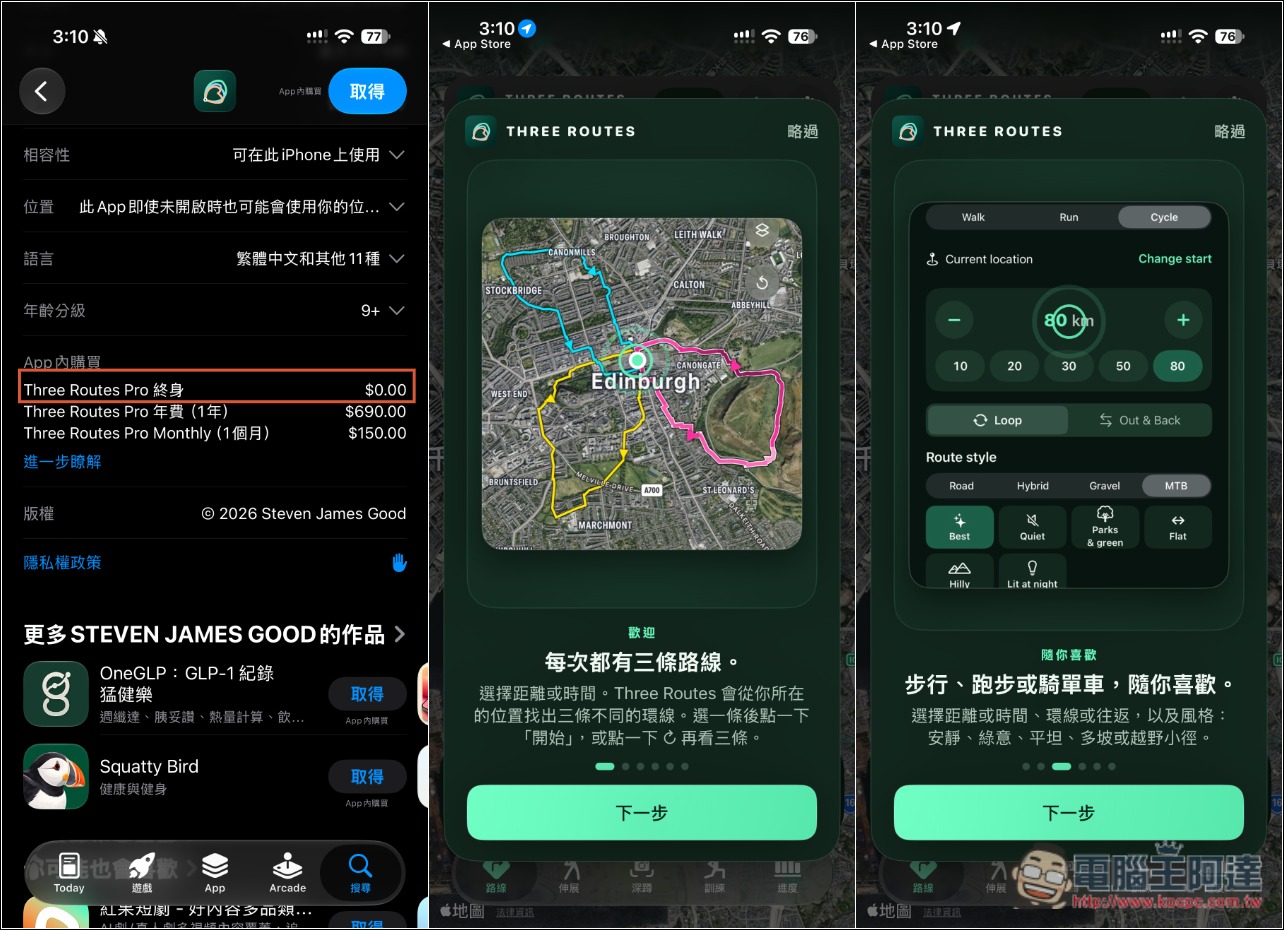
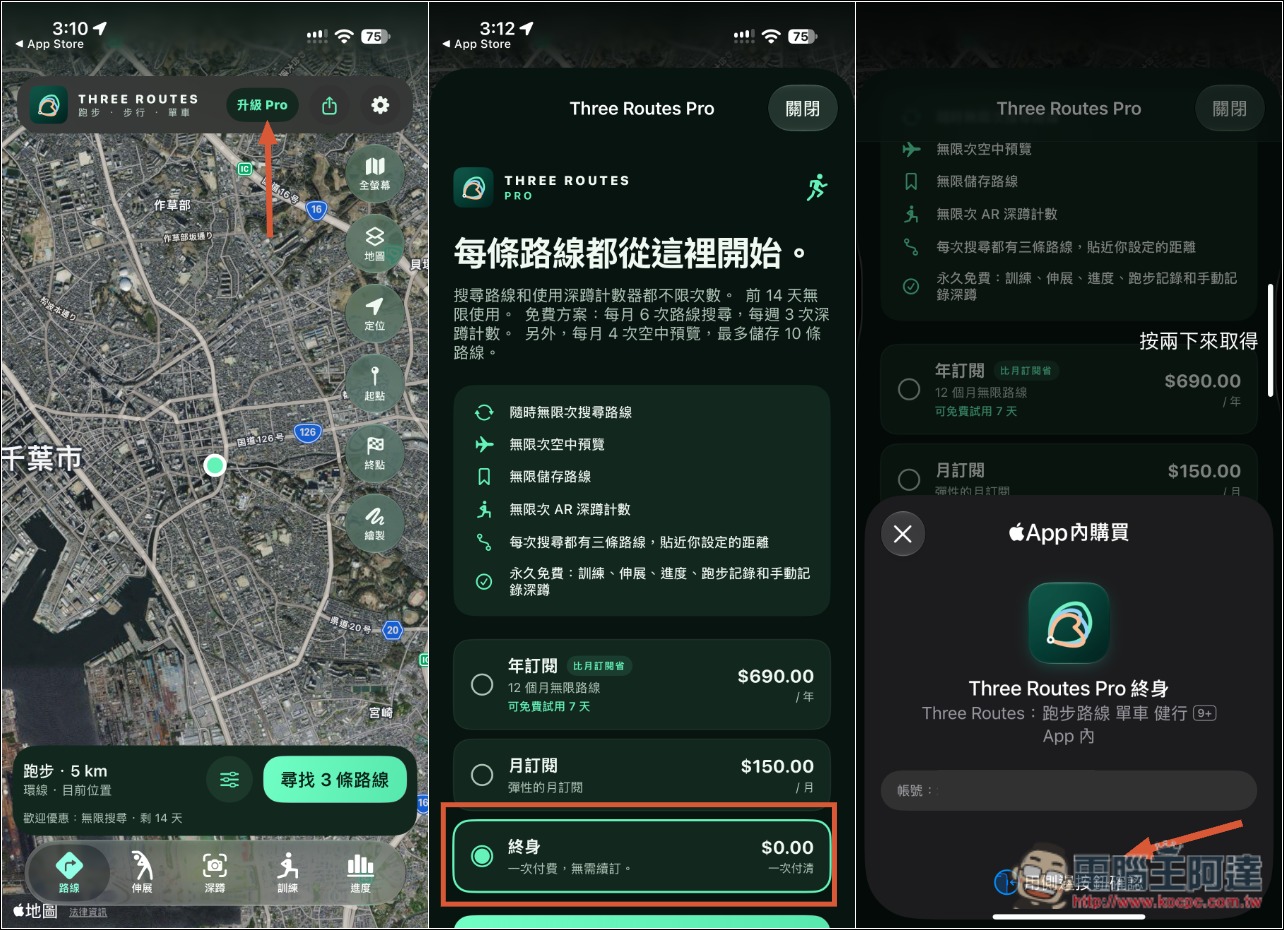
After you get to the main screen, tap “Upgrade Pro” at the top. Once the plans page opens, the lifetime version is at the very bottom. It’s currently 0. When the in-app purchase pop-up appears, remember to check that no amount is shown as well. If everything looks fine, tap Confirm, and you’re done:
Three Routes features: plan loop, A-to-B, and hand-drawn routes, and plan even without an internet connection.
Three Routes offers four route planning options:
- Loop routes: you go around from your starting point and return to the start. Each time, you’re given three different routes to choose from, which is also where the app’s name comes from.
- Round-trip routes take different paths on the outbound and return journeys, so you won’t retrace the same route.
- From A to B, tap “Destination” on the map or search for a place and it will switch over. Besides the shortest route marked “Direct,” it will also provide an alternative route that goes around from the other side and is close to the distance you set.
- Hand-drawn routes: draw directly on the map with your finger, and the route will automatically follow paths and roads. If you make a mistake, you can undo it, or redraw just one segment.
In the settings, you can use distance or time, or simply type a description of what you need, for example “45 minutes, flat, passes a coffee shop, back before dark,” and the app will plan a route based on your description.
The actual planning screen will look roughly like this, with many options. For example, for route style you can choose Best, Quiet, Parks and green spaces, Flat, Hilly, Off-road trails:
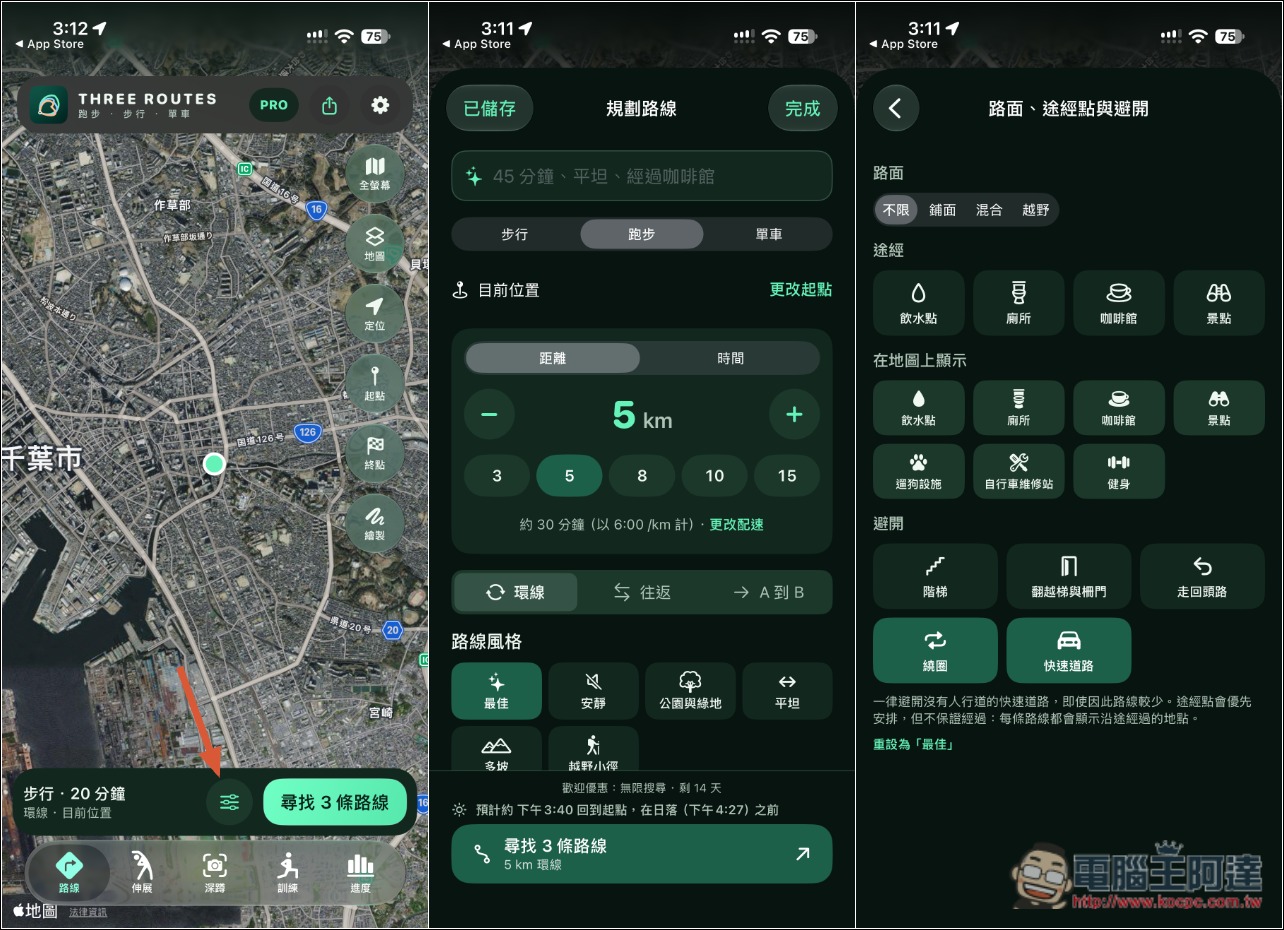
In addition to style, you can also specify the surface type or have the route pass drinking water, toilets, coffee shops, and attractions. You can also avoid places you don’t want to go, such as stairs, stiles, gates, or specified roads and areas.
There is also a night mode: after sunset, it prioritizes streets and paths with lighting and shows the proportion of the route that is lit, unlit, and untagged. However, the lighting data comes from OpenStreetMap, and the developers also warn that it may be incomplete or outdated.
Before setting off, each route shows elevation gain, elevation profile, surface type, busy roads, and stops along the way. When you drag along the elevation profile, the corresponding location is also marked on the map in sync. You can even use a 3D aerial preview to look over the entire route first and check whether you can make it back to the start before sunset—that’s pretty impressive. If you want, you can also create an aerial preview video to share with others. It also supports Apple Watch integration:
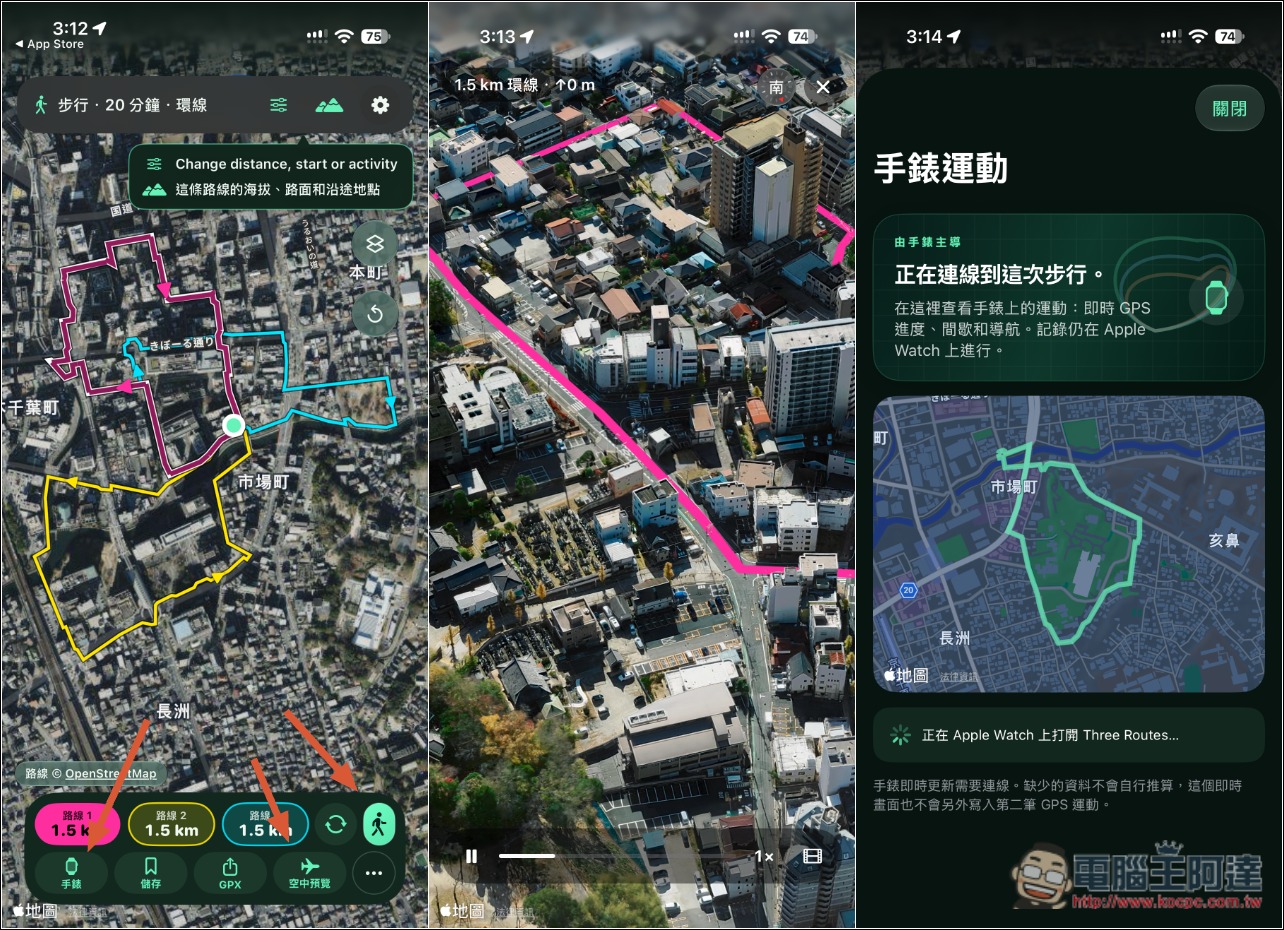
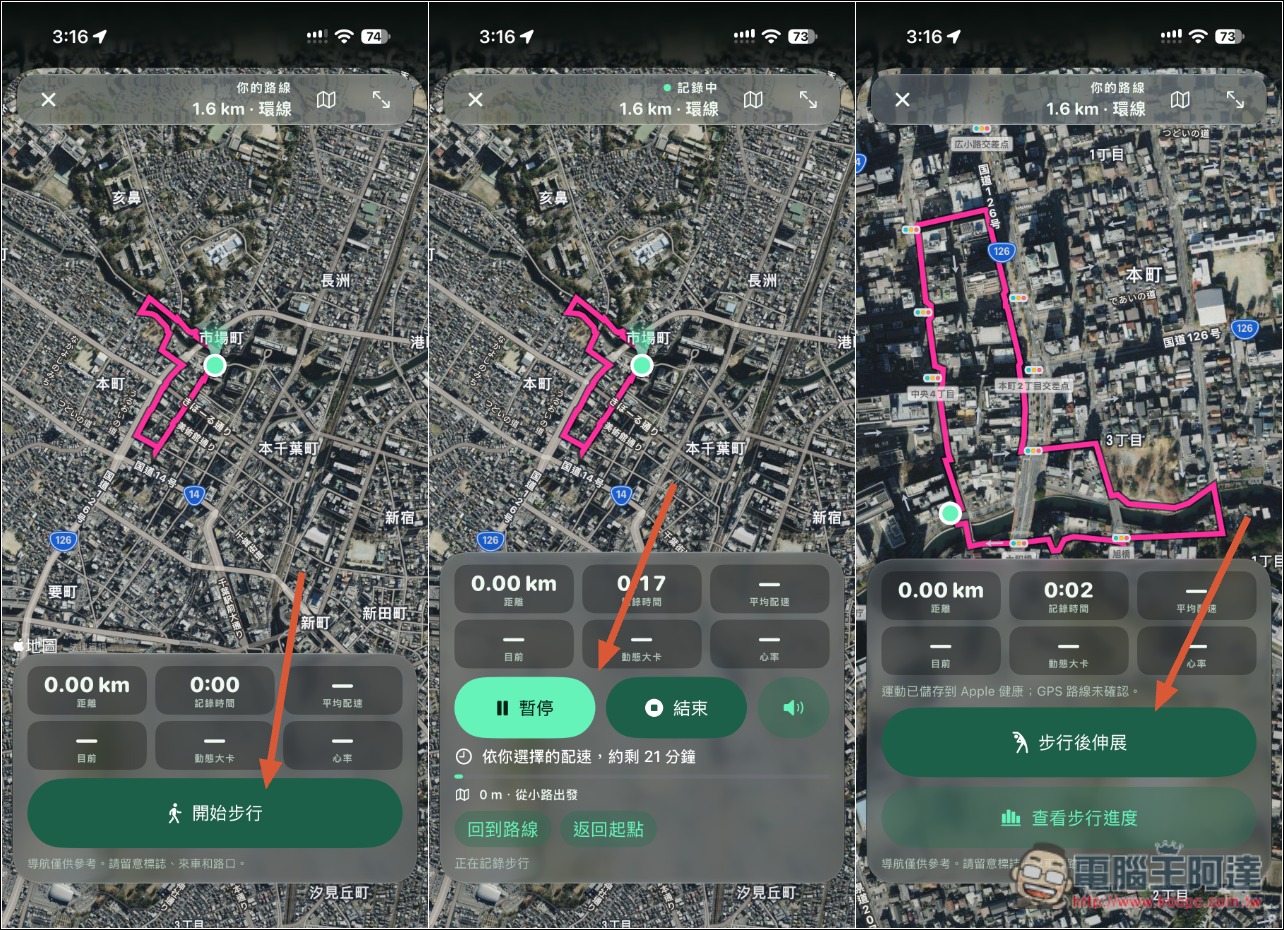
For navigation and tracking, Three Routes uses GPS to record workouts, with pause and resume functionality.
The workout screen below features voice navigation that tells you which way to go, and if you deviate from the route, it will guide you back to the original route. When you finish, simple stretching exercises are also provided:
If you’re cycling, you can also plan routes for road bikes, touring bikes, gravel bikes, or mountain bikes, and your records will show speed instead of the pace used for running.
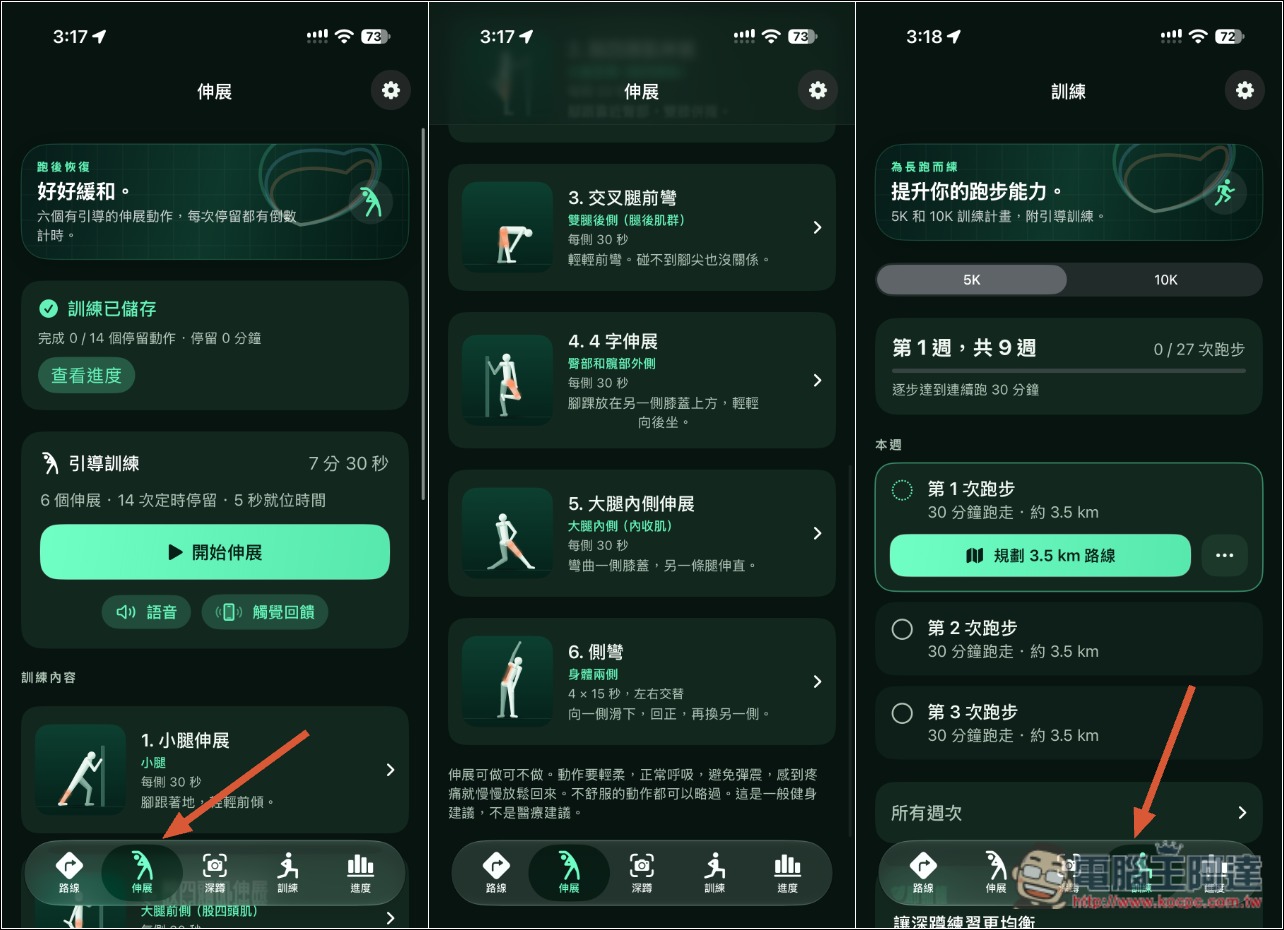
In addition to routes, Three Routes also has some built-in training features. For running, there are original 5K and 10K run-walk training plans, and you can also create your own interval workouts. After choosing today’s workout, you can find a route suited to it with one tap.
The strength section includes squat counting, which can be done automatically with the camera—all image processing happens on-device—and reps can also be recorded manually. There are also six guided stretching exercises.
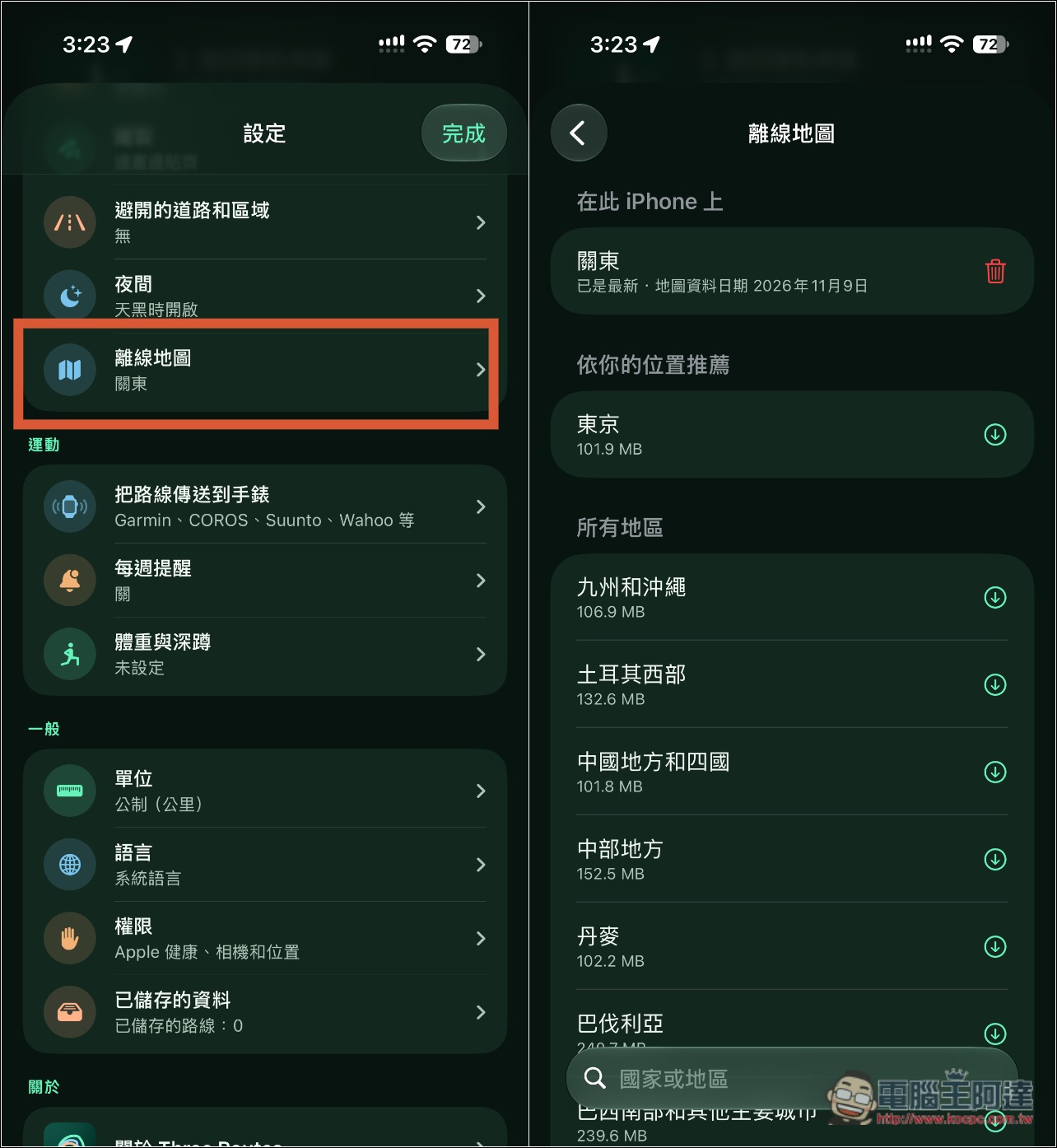
Offline maps are also a major feature of this app. It offers free offline maps for 100 regions across Europe, the Americas, Asia, Africa, and Oceania; once downloaded, you can plan routes directly on your iPhone without an internet connection. The map for your current location will download automatically the first time it is needed, and will also update automatically the next time you connect to Wi-Fi.
Source: KOCPC Chinese