


For AirPods users, you’ve probably wondered how long you’ve actually spent listening to music with them. Recently, an interesting free tool called PodHours appeared online. All you have to do is give it your exported health data, and it can analyze your cumulative AirPods listening time. If you use multiple AirPods, it lists them separately, and it even includes EarPods data. It’s completely free, analyzes everything in your browser, and requires no data uploads or installation of any tools.
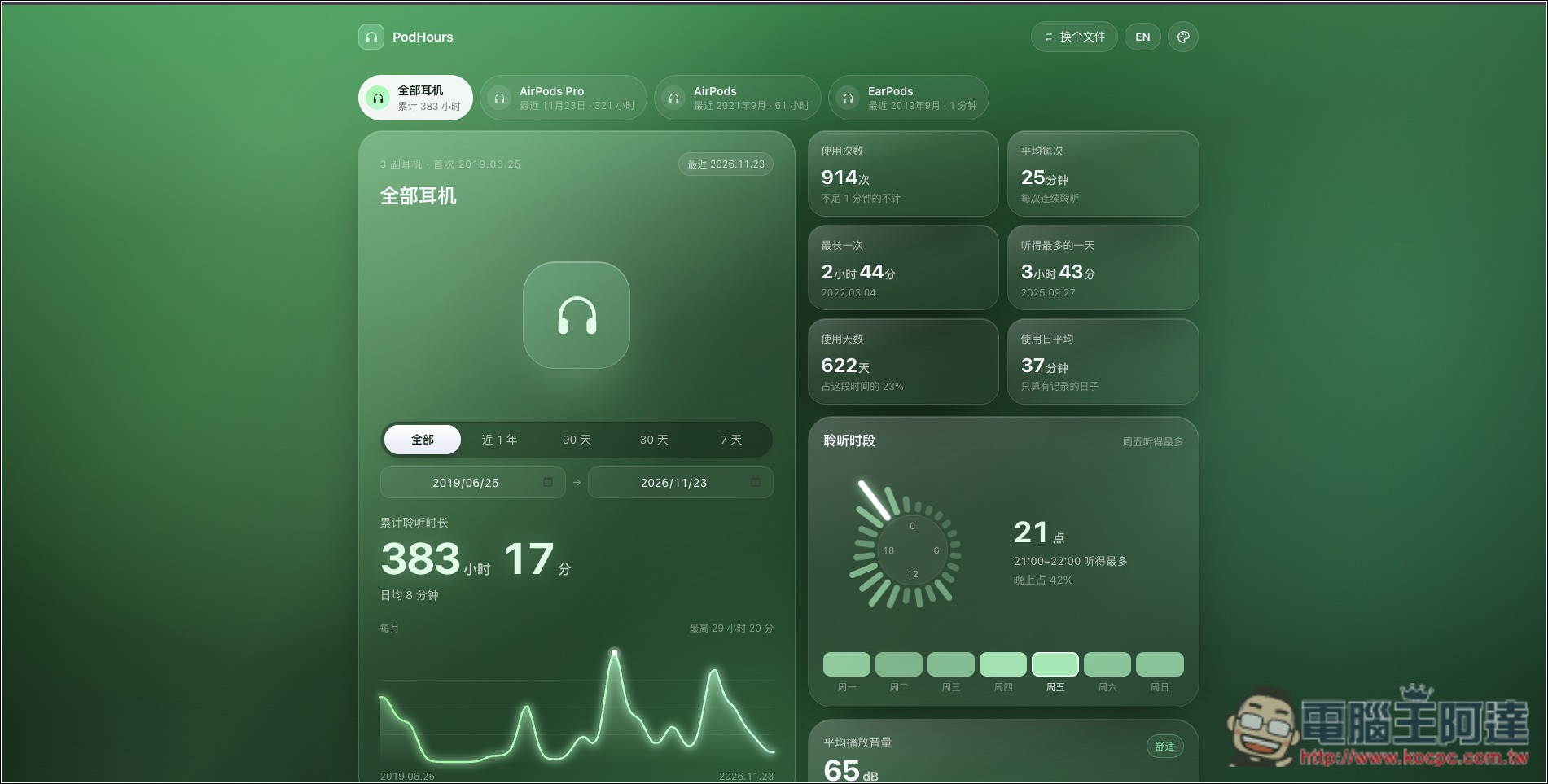
PodHours is a free headphone usage log analysis tool that lets you see cumulative listening time, average volume, and usage habits all at once.
PodHours is a free web-based headphone listening history analysis tool built specifically for Apple Health data. It converts long-term headphone listening data recorded by iPhone into easier-to-read statistical reports, helping you understand how much time you’ve spent using headphones, your average listening volume, and your usual headphone usage habits. The entire process requires no additional app installation and can be completed through a browser.
The method is quite simple: just open the Health app on your iPhone, tap the profile picture in the upper right corner, find the “Export All Health Data” feature, save the exported ZIP archive, and then select that file on the PodHours website. There is no need to manually decompress or organize the data beforehand.
It supports both ZIP and XML file formats. Officials say it can even handle health data accumulated over several years and reaching several GB in size, using a method that decompresses and scans at the same time to avoid loading a large amount of data into memory all at once.
After the analysis is complete, in addition to showing cumulative listening time, if you have used multiple headphones, you can also view statistics for each pair separately. The time range can be switched to the past year, 90 days, 30 days, 7 days, or a custom date range. It also provides information such as a listening calendar, listening time distribution, and average playback volume, so you can understand when you usually use headphones and whether you have habits of listening for long periods or at high volume.
What’s more interesting is that PodHours also has a “Listening Personality” feature, which categorizes you based on your headphone usage habits and generates a personalized shareable image, offering multiple layout designs and two image ratios, 9:16 and 1:1, making it easy to share on social platforms like Instagram and Threads. There is also a global leaderboard where you can compare cumulative listening time with other users.
Regarding privacy, the official statement says health data is parsed within the user’s browser and raw files are not sent to the server. However, if you choose to participate in the global leaderboard, some headphone listening records will be uploaded, so those concerned about personal privacy are advised to use only the local analysis feature.
Key Features
- Completely free to use: access it through your browser with no need to download or install an additional app.
- Supports Apple Health data: can directly read exported ZIP or XML files.
- Cumulative listening time statistics: see how many hours of listening each pair of headphones has accumulated to date.
- Supports analysis of multiple pairs of headphones: view usage data for each pair separately.
- Custom statistics time range: Supports the past year, 90 days, 30 days, 7 days, and custom dates.
- Visualized listening calendar: uses color intensity to show listening time on different dates.
- Listening time analysis: understand when headphones are used most during the day.
- Average playback volume statistics: displays the average headphone listening volume in decibels (dB).
- Exclusive listening persona: categorized based on individual headphone usage habits.
- Global leaderboard: You can choose whether to participate and compare listening time with other users.
- On-device data analysis: According to official documentation, health data will not be uploaded if you do not participate in leaderboards.
Before use, you need to export your health data. Open the Health app, go to the profile menu in the top right corner and scroll down, and you’ll find the “Export All Health Data” option:
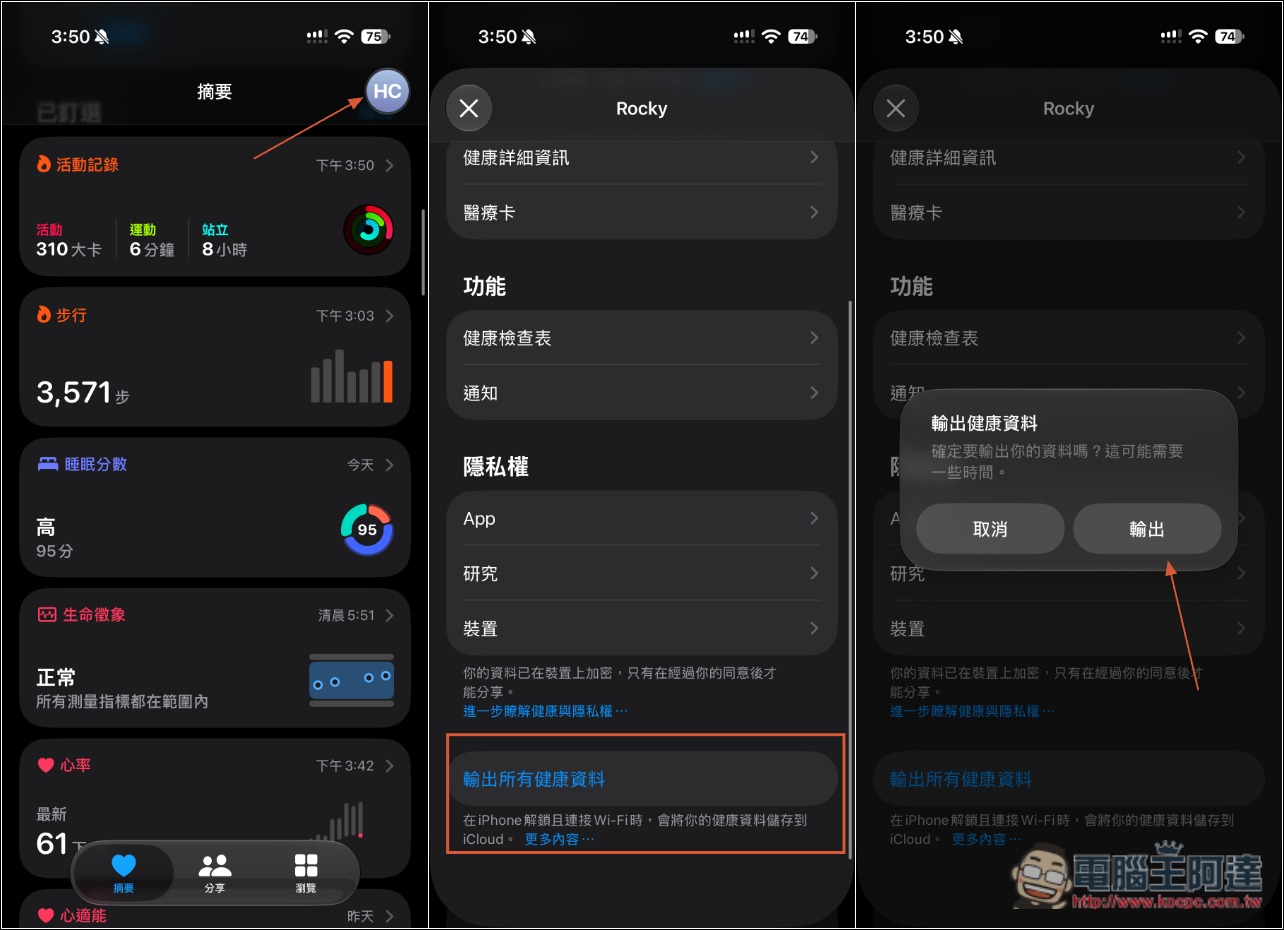
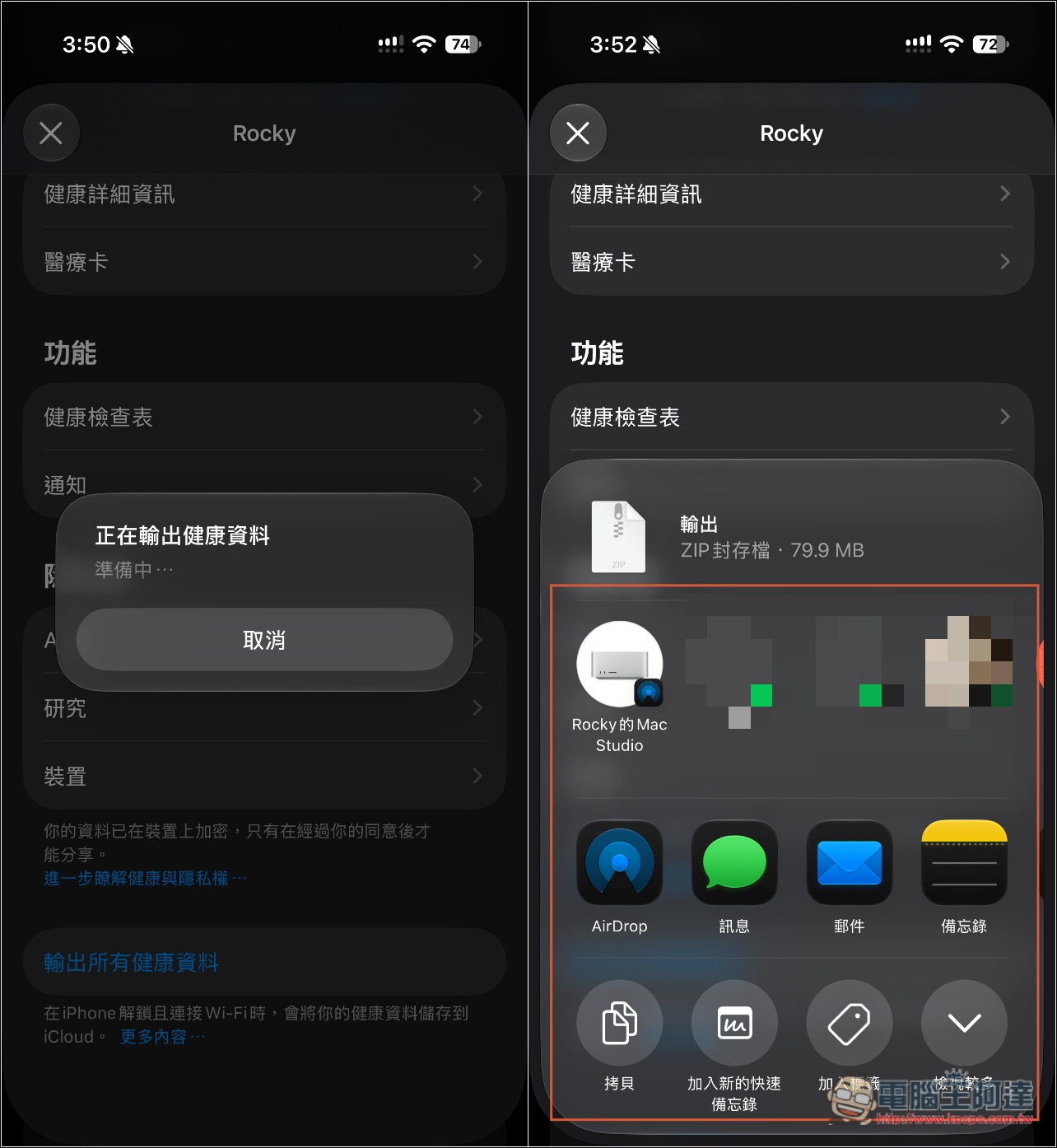
After exporting, a share menu will pop up so you can choose how to share. If you only have an iPhone, you can select Save to Files. I use a Mac, so I AirDrop it to my Mac:
Next, open the PodHours webpage, click “Select Export File” on the screen, and choose the health file you just obtained:

will begin to analyze:

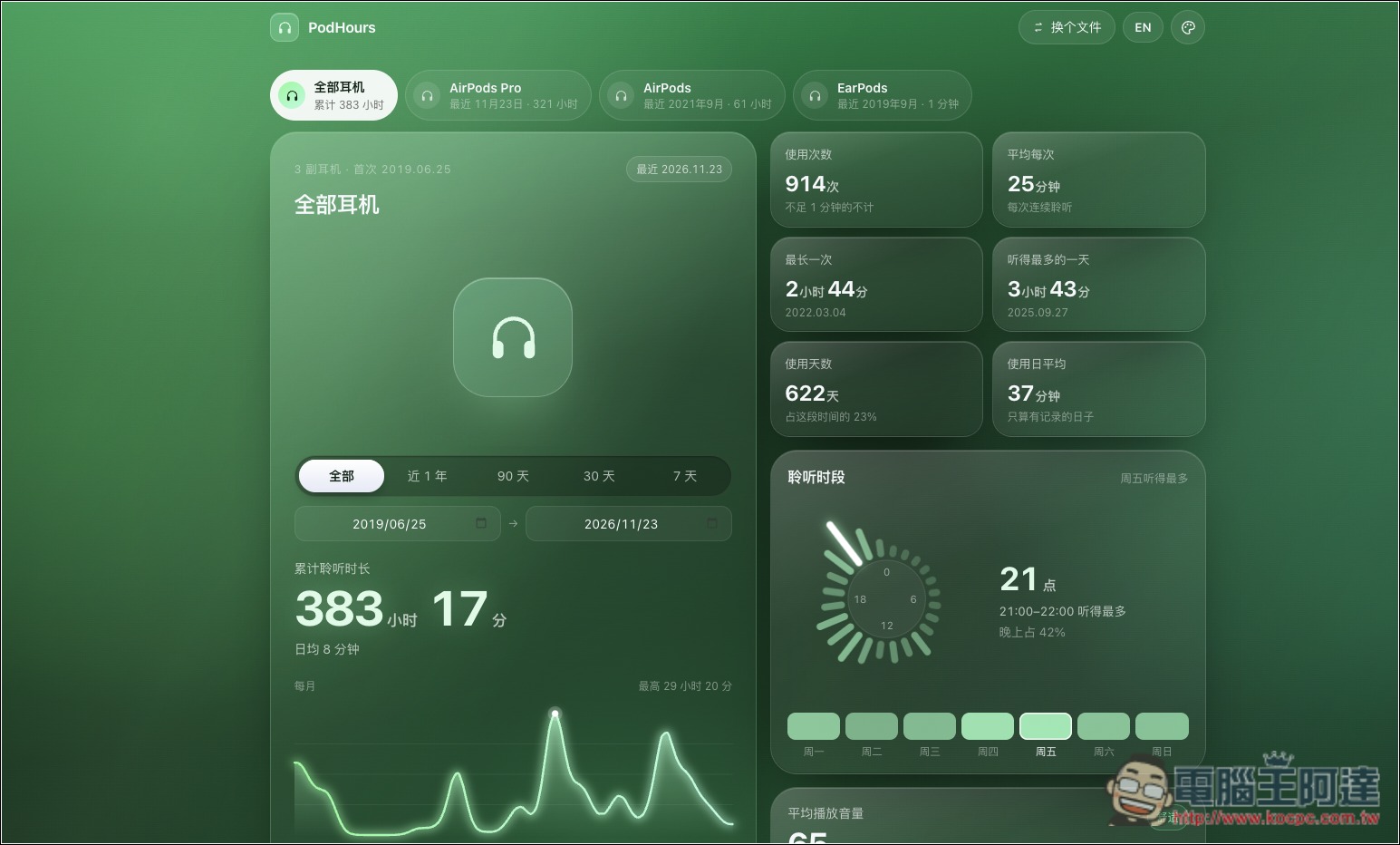
The screen will then display the results. At the top, there will be device categories for all headphones, the AirPods you’ve used, and EarPods; each will show statistics such as total usage time, number of uses, and average duration per use:
Scroll down and you’ll also find “Listening Personality”; you can share this card with friends:

The listening calendar below also lets you view monthly usage duration:

Source: KOCPC Chinese