


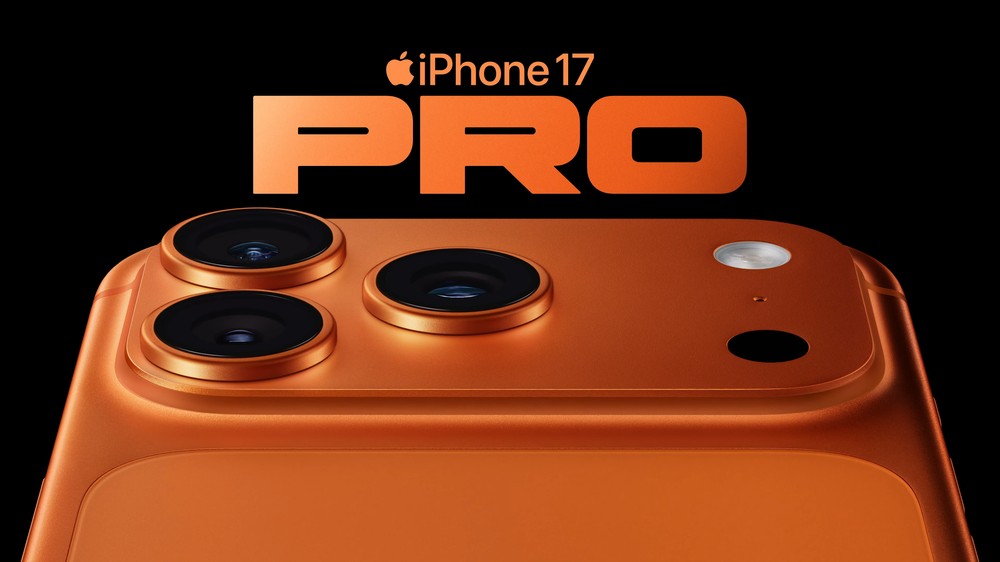
The Lunar New Year is the most important traditional festival for Chinese people. In addition to family reunion and enjoying delicious food, it is also recorded clearly. Apple specially invited professional photographer Ian Ji Yingguang to share his many years of using iPhone to teach you how to use iPhone 17 Pro Max to easily take wonderful photos full of atmosphere. Since the advent of iPhone 11, Ji Yingguang has continued to use iPhone cameras for various photography creations. He is good at using layers of light and shadow and careful composition to transform ordinary life scenes into visual works full of story. This time, he specially compiled a complete set of iPhone photography tips for various shooting situations during the Spring Festival, so that ordinary users can easily get started.
Basic settings before shooting
Before starting to shoot, Ji Yingguang recommends adjusting the basic settings of the camera first. First, enter the “Camera” option in “Settings”, and then turn on “Grids” and “Levels”, so that the grids and levels will be displayed on the camera screen, making it easy to calibrate the lens and composition, making each photo more stable and the composition more accurate. Also set the camera to “high-efficiency” image capture mode, which means using HEIC format to save photos. The key to this setting is to enable the iPhone’s “Photography Style” function, which allows you to apply various preset tonal styles when shooting, saving time on post-production color correction.
Master the light! Tips for bright style photography
During the Spring Festival, whether it is the New Year decorations at home, the delicious New Year’s Eve dinner, or the cherry blossoms blooming outdoors, bright and warm colors can best present the joyful atmosphere of the festival. Ji Yingguang recommends using the two photography styles of “gold” and “amber”. Adjusting the color palette to the upper right can effectively improve the brightness and color vividness of the photo, making the picture look brighter and more transparent.
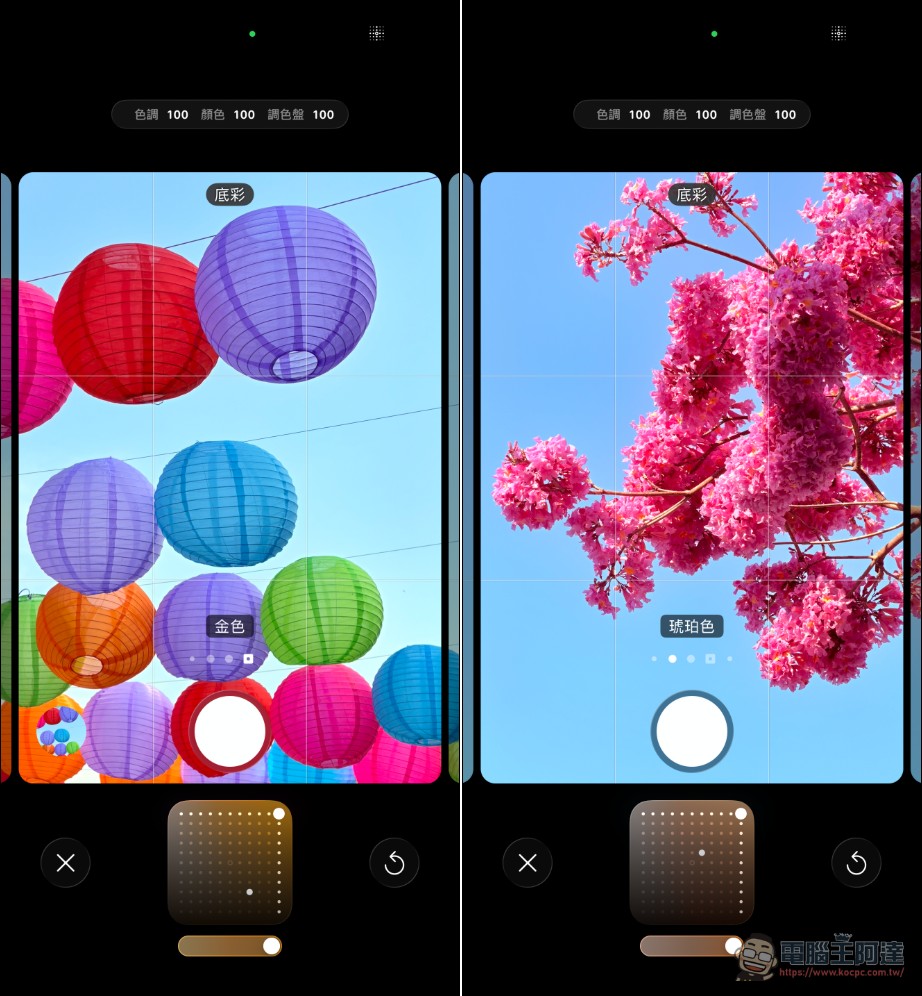
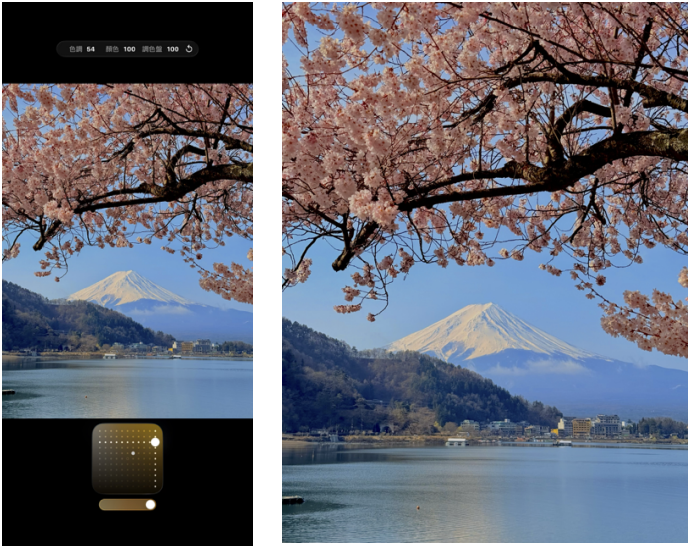
If you are admiring cherry blossoms or recording Spring Festival flowers, the “Golden” photography style can perfectly capture the delicate color of the petals, presenting a warm and bright visual effect.
Perfect presentation of sunset moments and portrait photography
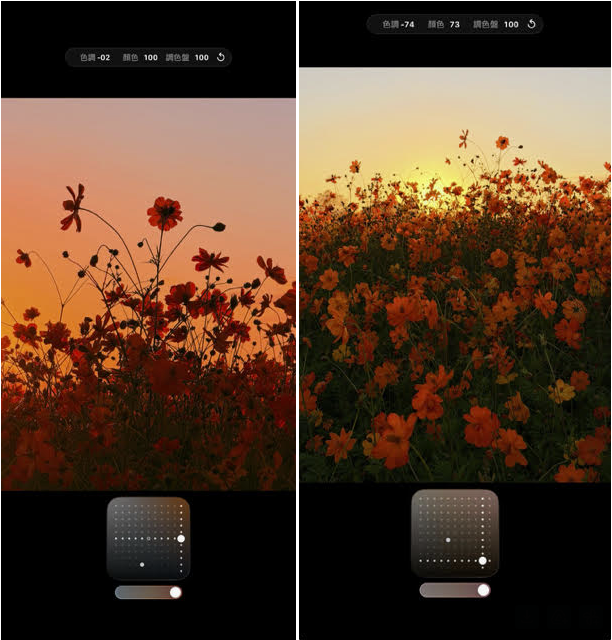
In the evening during the Spring Festival, dreamy sunsets often appear in the sky. For landscape and sunset photography, Ji Yingguang recommends using the “rose gold” photography style and adjusting the color palette to the lower right. This setting can increase the contrast and saturation of the picture, making the colors of the sunset more full and moving.
Speaking of portrait photography, this is an important part of family gatherings during the Spring Festival. Ji Yingguang provided his recipe for portrait shooting: select the “Golden” photography style, move the color palette to the lower right corner, turn on “Portrait Mode”, shoot with a 4x lens, and set the aperture to f/3.5.
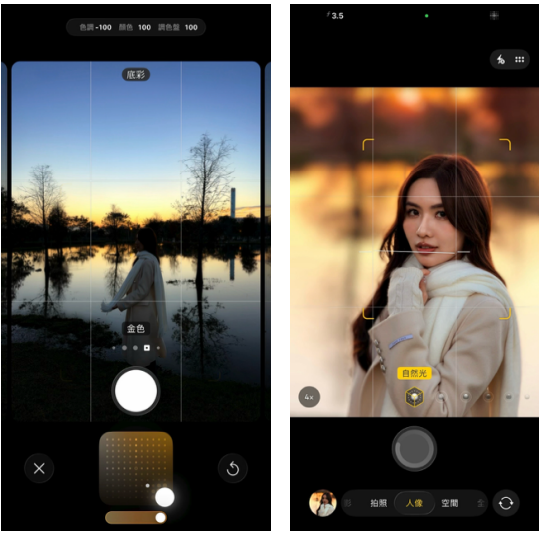
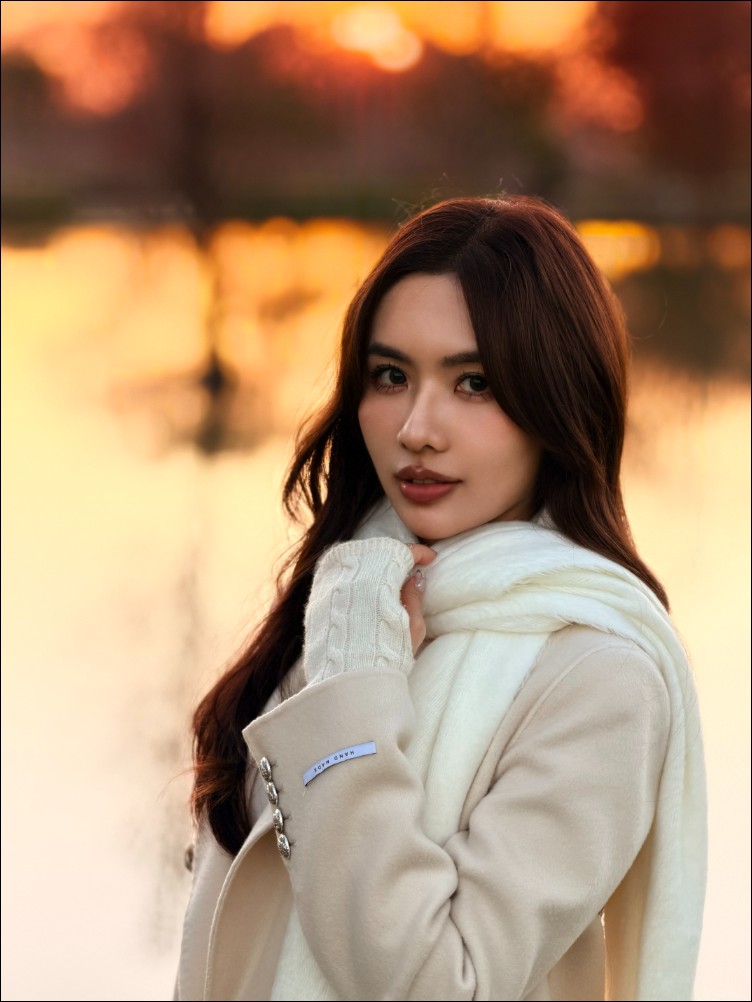
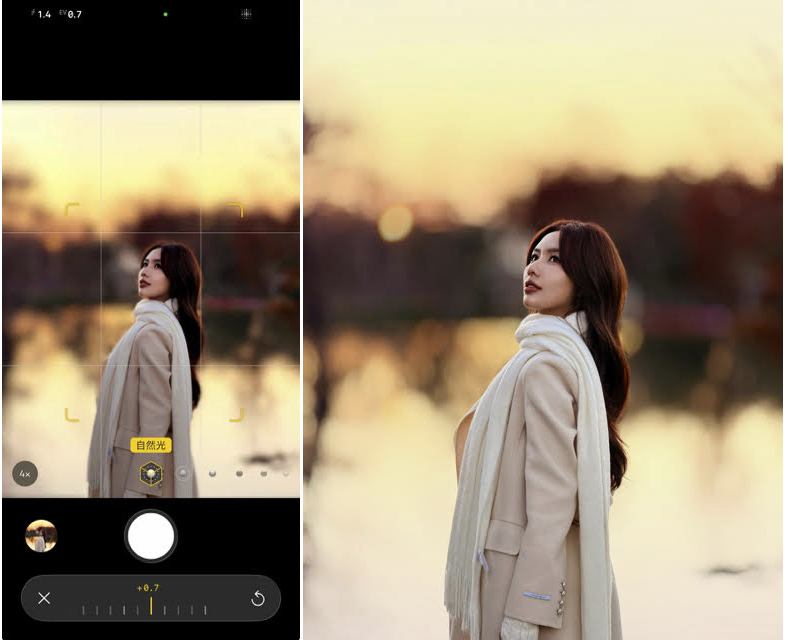
If you want to create a shallower depth of field effect and make your subject stand out more, you can increase the aperture to f/1.4 to create a professional-camera-like bokeh effect.
Advanced techniques for close-up subjects
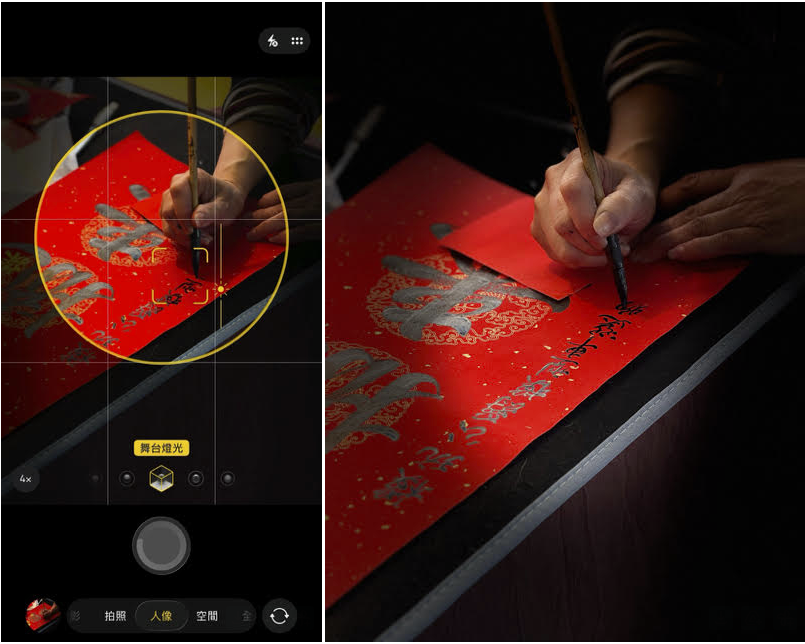
When you want to take pictures of close-up subjects such as food, small objects, or exquisite crafts, Ji Yingguang recommends turning on “Portrait Mode” and switching the light source to “Stage Lighting” mode. This light source setting allows the light to focus on the subject of the picture, creating a dramatic contrast between light and dark, making ordinary objects instantly more textured.
Recommended App: Add a film-like feel to your photos
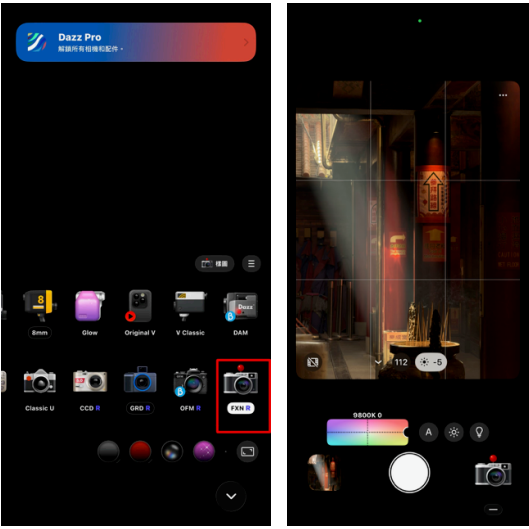
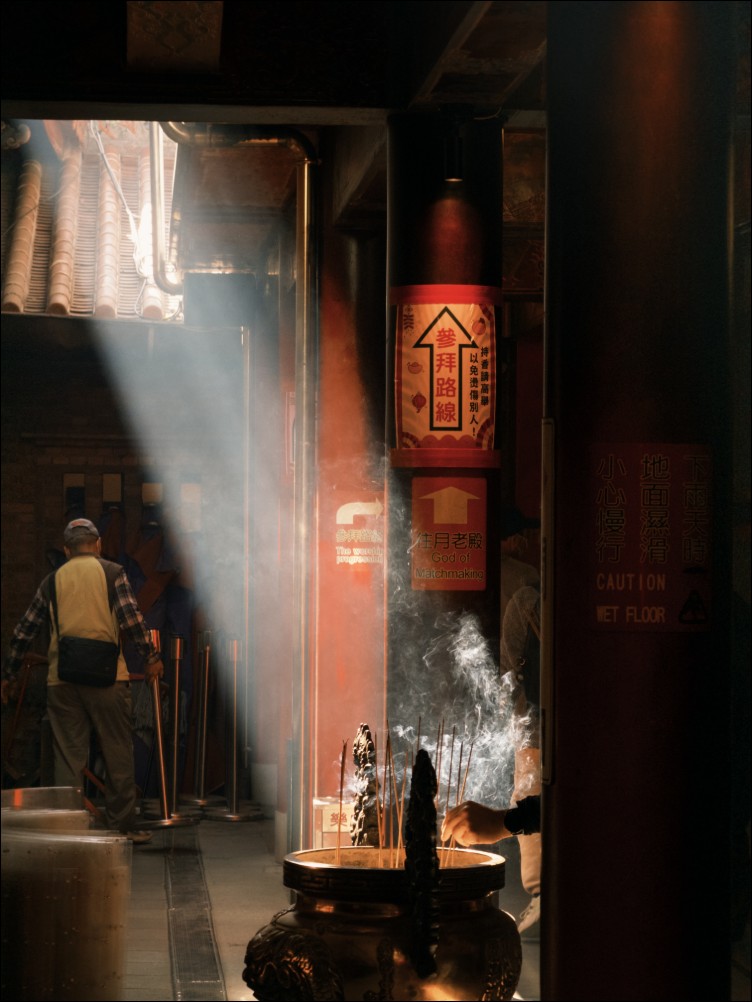
In addition to the iPhone’s built-in photography styles, Ji Yingguang also recommends two commonly used apps to help you create more personal style photo effects. The first one is “Dazz Camera”, which is an app that simulates a film camera. It has a variety of free tones built-in, including classic film styles such as Fujifilm, Ricoh, and Kodak. His most recommended filter is “FXN R”. When using it, you can adjust the white balance to the warmest and lower the exposure by about -2. This combination can create a warm tone with a retro feel.
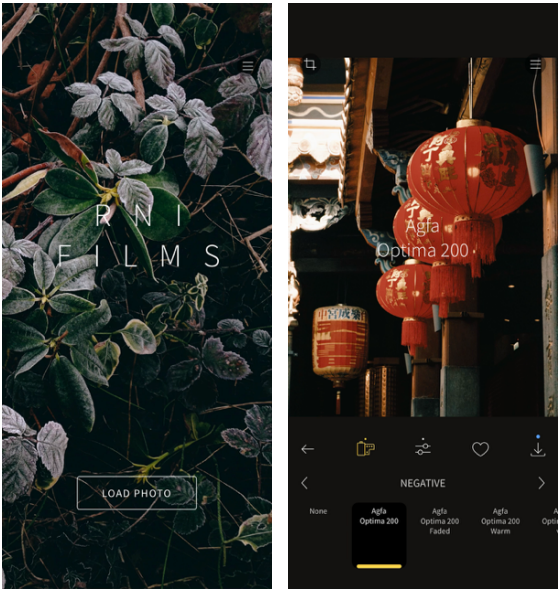
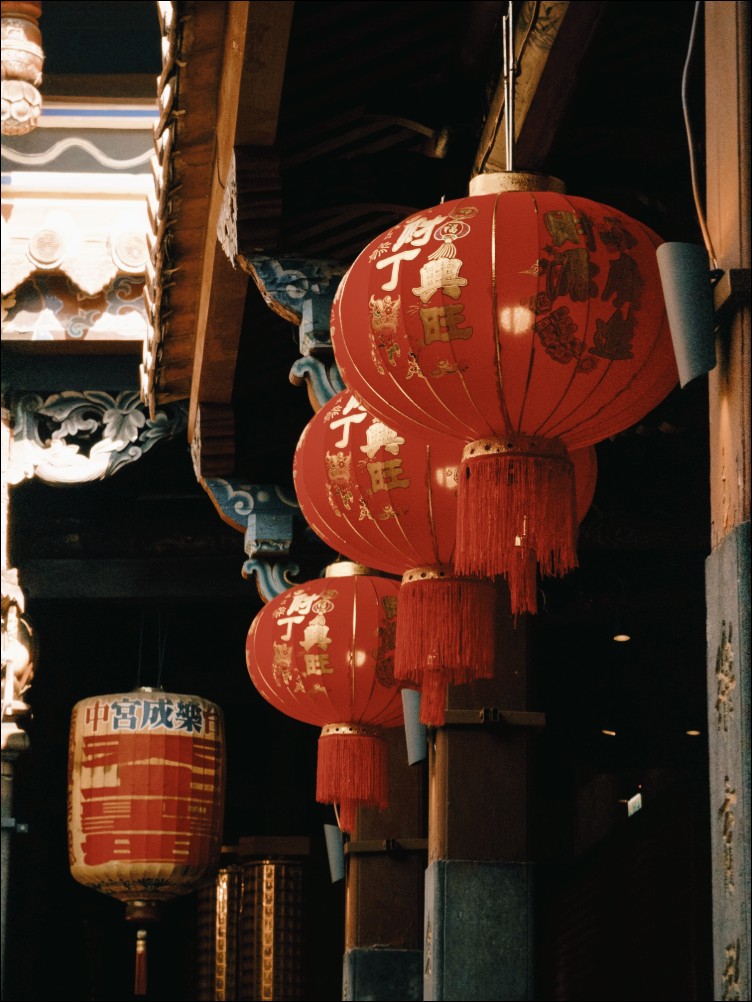
The second one is “RNI Films”, which is a professional post-production color correction software. The shades he recommends include “Agfa Optima 200” and “Agfa Optima 200 Warm”, both of which can present the soft texture of classic negatives.
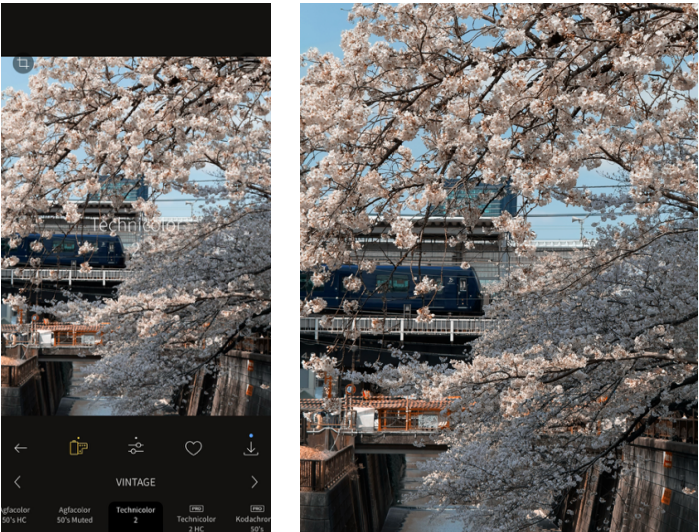
If you want to shoot Japanese style or cherry blossom themes, he especially recommends using “Technicolor 2” tones. This style can add unique color charm to your photos.
Ji Yingguang’s Spring Festival photography tips demonstrate the infinite possibilities of smartphone photography. From basic camera settings to advanced app usage, he provides a complete and practical shooting process. For ordinary users, the greatest value of these techniques is “easy to use”: there is no need for complicated post-production software or expensive professional equipment. You only need to master a few key settings and you can use your mobile phone to record precious moments in life.
With the continuous evolution of smartphone camera technology, mobile phones have become the preferred tool for most people to record their daily lives. Apple’s investment in the field of computational photography in recent years, from “Photography Style” to “Portrait Mode” and other functions, shows that they are committed to making the professional-level photography experience more accessible. Perhaps, true photography does not lie in the quality of the equipment, but in whether the photographer knows how to observe the beauty in life and record it in a suitable way. This Spring Festival, why not pick up your iPhone and use these tips to create unforgettable memories for your family!
Photo authorization: Ji Yingguang @chillinlight / Portrait authorization @xannnyx
Source: KOCPC Chinese