


Many people now use LINE’s calling feature to stay in touch with friends and family, and even for work-related matters. Sometimes you may want to record a call, which in the past could only be done through other methods (such as putting the call on speaker and using another device to record). Now you don’t have to. LINE officially announced the launch of a “Call Recording” feature. Once it is enabled in LINE Labs, when you have a one-on-one voice or video call with someone, you can directly record audio in real time; for video calls, you can even record video directly.

LINE can finally record calls! One-on-one voice calls can be recorded for up to 1 hour, and video calls can also be recorded—here’s how to enable it and the limitations at a glance.
LY Corporation recently issued a press release announcing the launch of a limited-time “Call Recording” feature in LINE Labs, which can record one-on-one voice calls and video calls. Japanese-language voice calls can also be automatically transcribed. During the testing period, all users can use it for free. According to LINE Support Center, the currently available regions are Japan, Taiwan, and Thailand. Voice calls can be recorded for up to 1 hour per session, while video calls, depending on video quality, are capped at 20 minutes or 50 minutes.
| Item | Support Status |
|---|---|
| 1-to-1 voice call | Supports recording, up to 1 hour at a time. |
| 1-on-1 video call | Video recording is available for up to 20 or 50 minutes, depending on image quality. |
| Speech-to-text | Currently, only Japanese voice calls are supported; video calls are not supported. |
| Group call | Not supported |
| Supported devices | iOS and Android mobile versions (the Japanese official listing specifies version 26.16.0 or later) |
| PC version | Neither Windows nor Mac is supported. |
| Open Area | For Japan, Taiwan, and Thailand, the country or region set in both parties’ accounts must be the same. |
| Cost | Free during the LINE Labs testing period |
There is a very important point in the table: “regional restrictions.” This does not refer to where you are, but to the country or region set for each of the two LINE accounts. For example, if your account is set to Taiwan and the other person’s account is set to Japan, you cannot record even if both of you are in Taipei. In addition, this time only 1-on-1 calls on the mobile version are supported; group calls and the Windows and Mac desktop versions are not supported.
The following is how to open it.
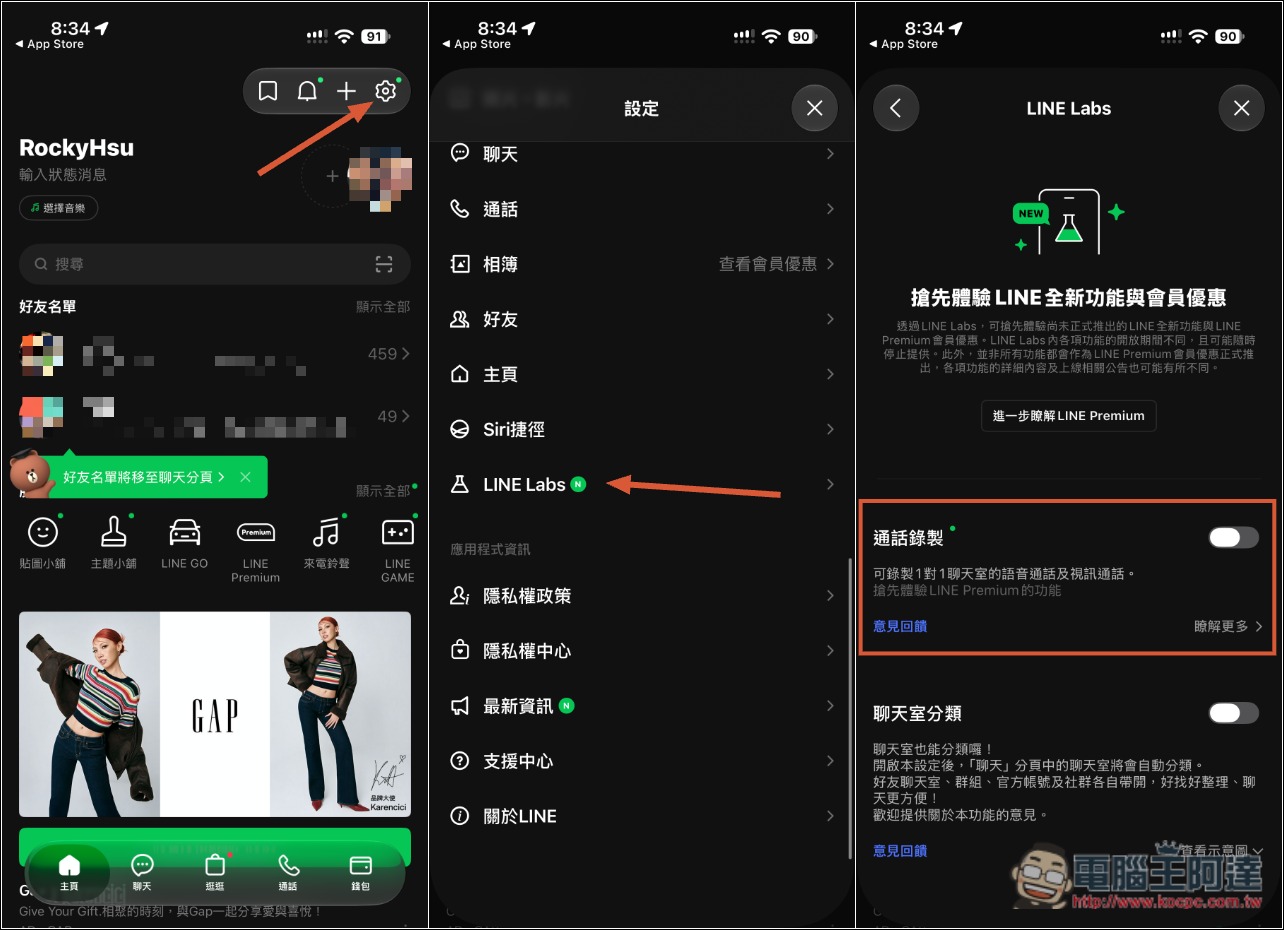
First, update LINE to the latest version. The official requirement in Japan is version 26.16.0 or later. Next, on the LINE home screen, tap the gear icon in the upper right to open Settings, find LINE Labs, and turn on the Call Recording switch—and you’re done:
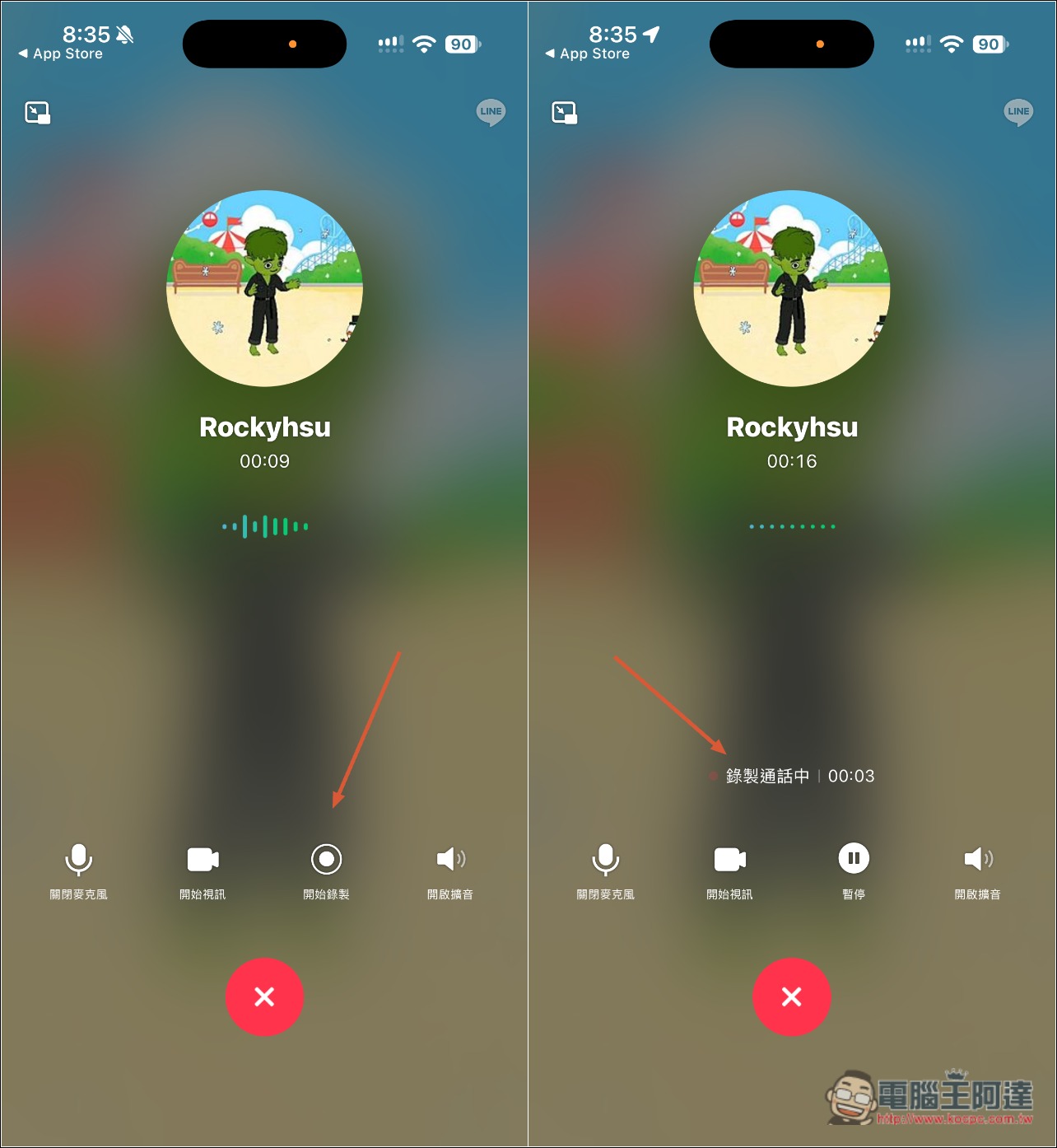
During a call, a “Start Recording” button appears at the bottom. When you press it, both you and the other party will hear an audio prompt saying “Start Recording,” so the other party knows the call is being recorded and there is no way to record secretly. The screen will also display a notice such as “Recording call.”
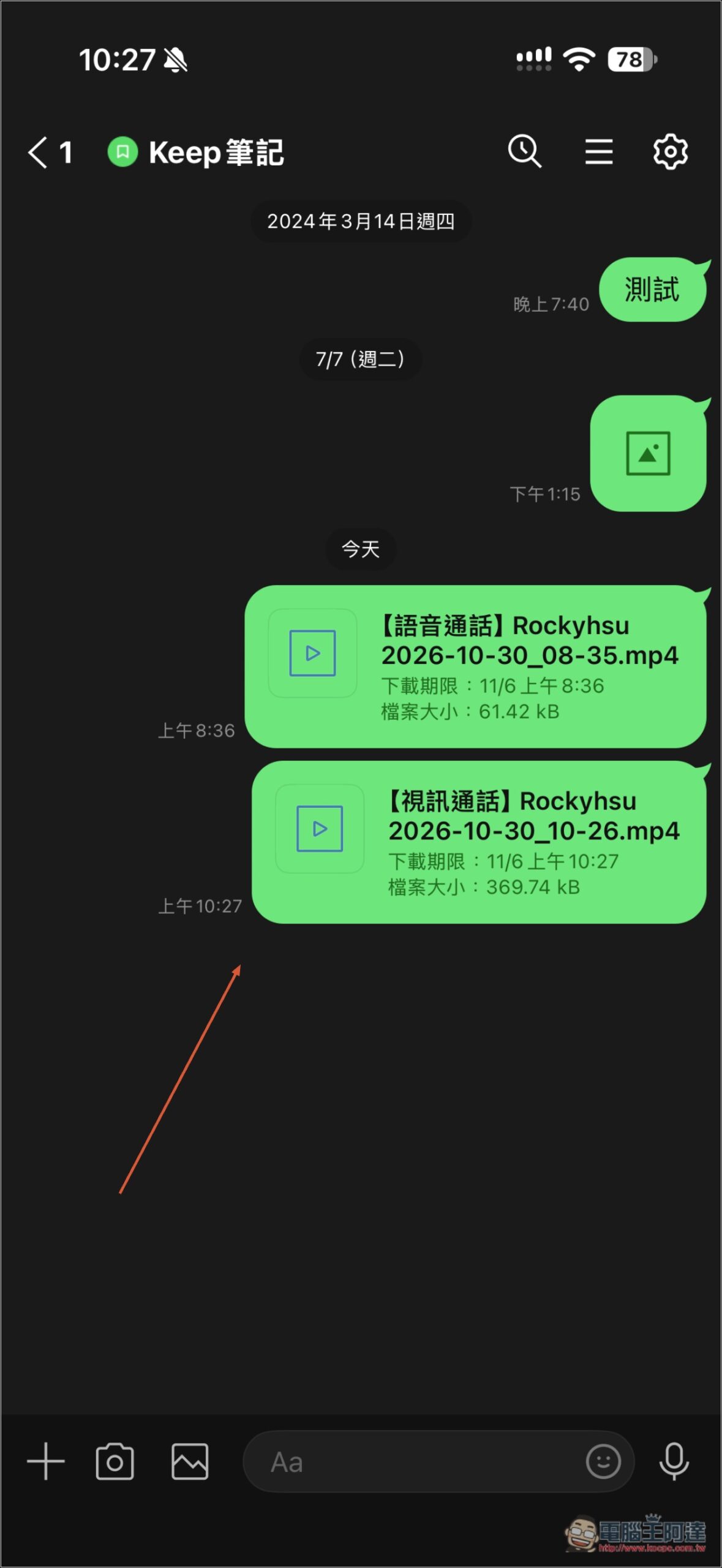
Recordings will be saved in Keep notes, and video calls will be recorded along with the video:
In addition, when saving the recording, there are also three small details you need to know first:
- If your call recording settings have “Send large files only over Wi-Fi or unmetered networks” enabled, files won’t upload automatically to Keep notes when you’re using mobile data; you’ll need to manually send them from the call recording screen.
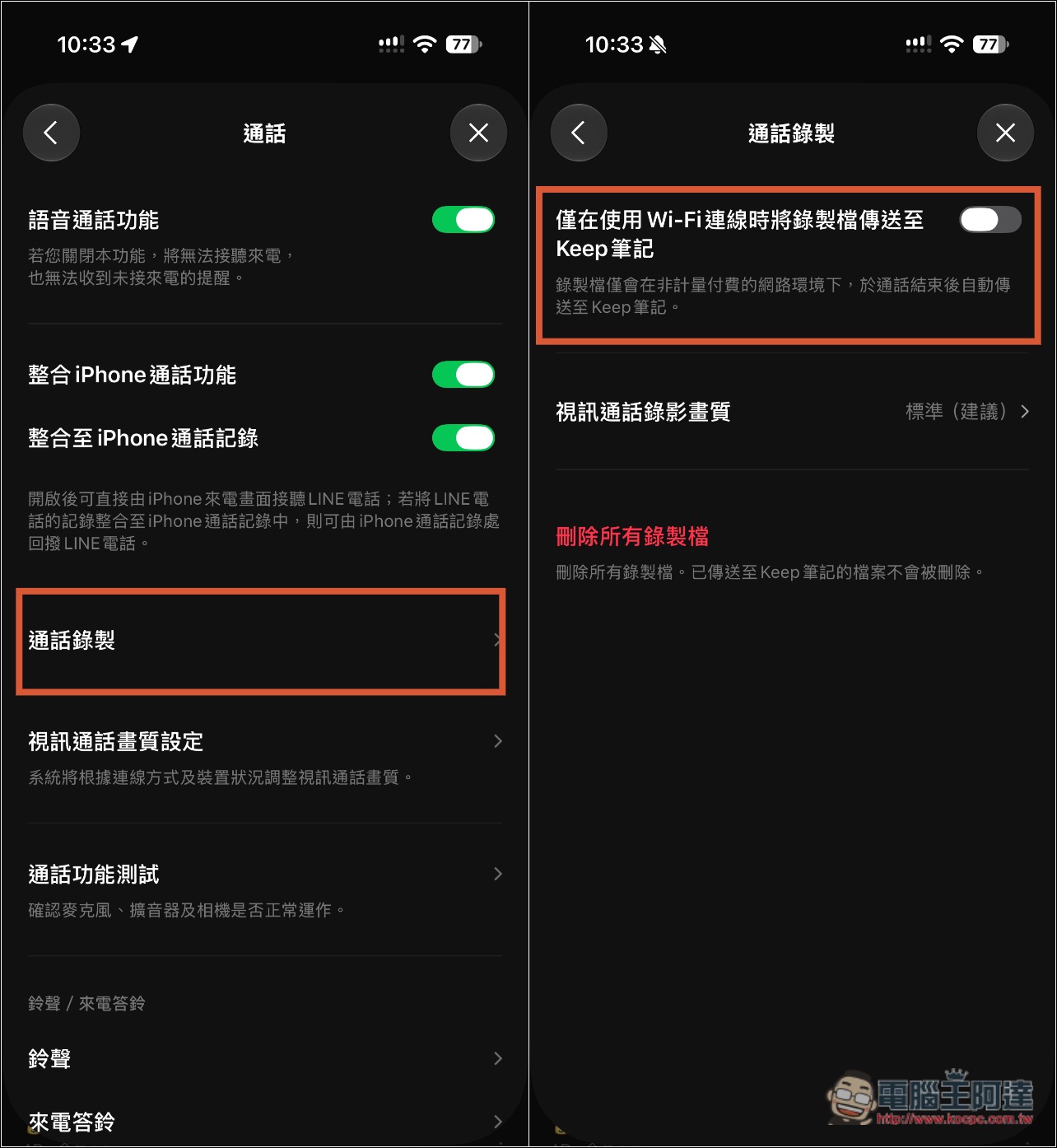
- Files that haven’t been sent to Keep Notes are only stored temporarily in the LINE app; they will disappear if you change phones or reinstall LINE.
- Files in Keep notes may also be deleted once their retention period expires if Advanced Backup is not enabled. In addition, LINE Japan also said that after the feature is turned off in LINE Labs, recording files will temporarily be unavailable and will only reappear once it is turned back on.
For Japanese voice calls, a verbatim transcript is also automatically generated while recording, and it can later be read in a dedicated viewing interface. It is not yet known whether language support will be expanded, but the likelihood is probably high.
In addition, although it is currently free to use during the LINE Labs testing period, Japanese officials have already made it clear that after this winter, this feature will officially launch and become a membership benefit of the “LYP Premium Standard Plan” and “LYP Premium with Netflix.”
If you haven’t seen this option in LINE yet, the Japanese official announcement also said it is being rolled out gradually. If it still hasn’t appeared after updating, try again in a few days.
Source: KOCPC Chinese