


I believe you’ve likely seen the PHP2Shell critical vulnerability being shared on social media or in the news over the past few days,We have also written related reports.Although everyone can sense how serious this is, most site owners don’t specifically remember which version of PHP their host is running. This article introduces a free, open-source tool that OpenAI recently released, “php2shell-checker.” By entering a URL or running a single command in the terminal, you can get a preliminary idea of whether the PHP version falls within the affected range. If you run a website, you’d better take some time in the next couple of days to check the PHP version on your host.
If you use an AI agent such as Codex, you can just give Codex the command to install the skill and then directly ask Codex to check it. Those who don’t use one can also check it themselves via terminal commands.
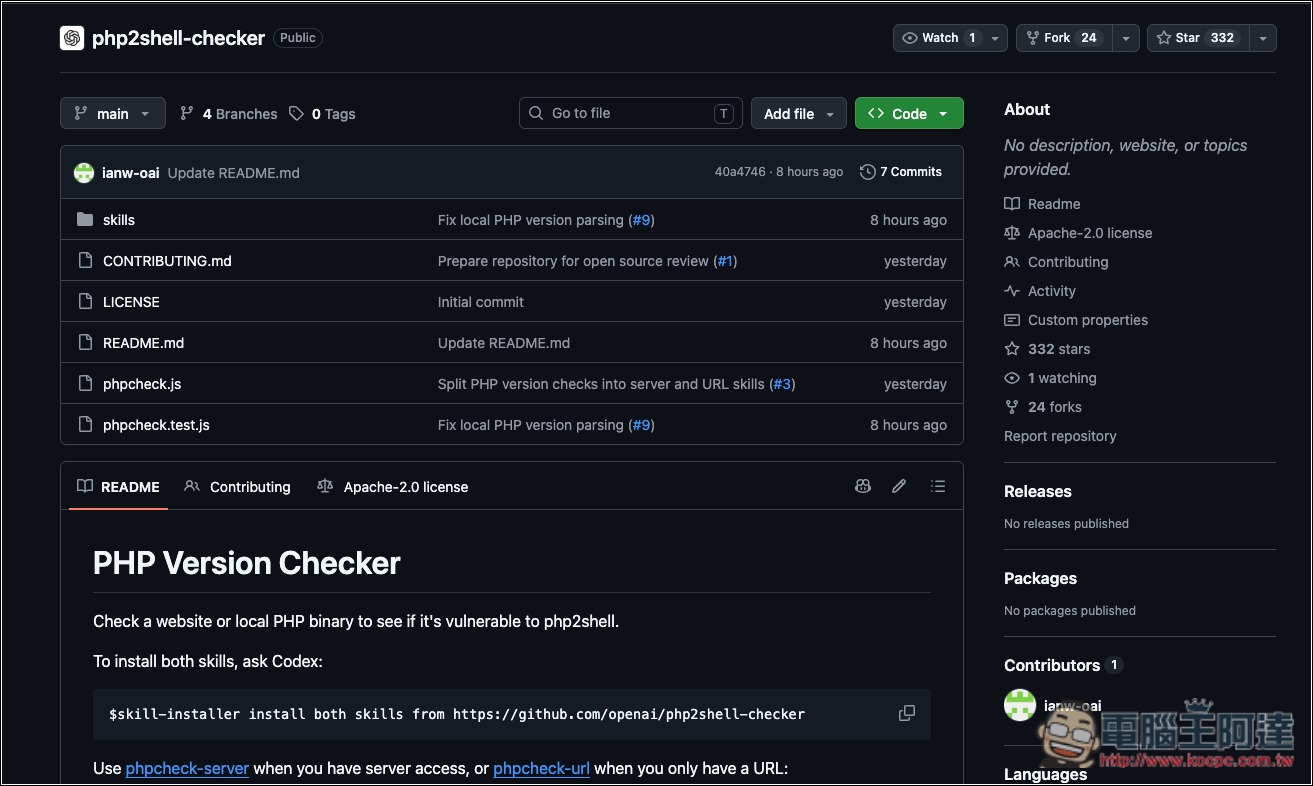
Introducing OpenAI php2shell-checker: free and open source, with checks available via URL and terminal.
The two vulnerability IDs this time are CVE-2026-109618 and CVE-2026-109619, known as “php2shell.”
The PHP security team gave both a CVSS v4.0 score of 9.2, affecting all PHP environments that provide web services externally, including PHP-FPM, Apache with mod_php, php-cgi, FrankenPHP, and LiteSpeed. PHP officially considers mod_php to carry the highest risk. The patched version was originally scheduled for release on October 22, but because information related to the vulnerability leaked early, the PHP Foundation moved the public disclosure and patching schedule forward to October 21.
The situation is not very optimistic: Cloudflare has already observed early attacks, and watchTowr has also reported attempted attacks targeting these two vulnerabilities. Security researcher Silas Cutler estimates that more than 1.3 million internet-facing hosts may be at risk from potential vulnerabilities.
If you are wondering whether your website is affected, we have packaged a Codex skill to help check. Point your Codex at this repo to guide you through it: https://t.co/XUEbOwXuQC
— OpenAI (@OpenAI) October 21, 2026
To let webmasters quickly find out whether their site falls within the affected range, OpenAI launched the php2shell-checker inspection tool. Its function is simple: it helps you confirm whether the PHP version running on a given website or host falls within the vulnerability’s affected range. Its main features are as follows:
- Free and open source, licensed under Apache 2.0.
- Only Node.js is required; there is no need to run npm install separately to install packages.
- URL mode: Read the Server and X-Powered-By headers in the website response to determine the PHP version publicly exposed by the website.
- Local mode: Run php -v directly to check the PHP version installed on your computer or server.
- Provides two Codex Skills, phpcheck-url and phpcheck-server, so you can directly ask AI to check for you.
- It will not send any exploit requests: by default it only sends HEAD requests, switching to GET only if the server responds with 405 or 501, and it does not read page content or follow redirects.
- Supports –json output and uses different exit codes to distinguish results, making it easy to integrate into automation scripts.
The last point is quite important for website administrators. Some “vulnerability detection” tools on the market actually send attack code to the target for testing. Besides potentially taking down the website, using them to test someone else’s site can also raise legal issues. php2shell-checker only looks at version numbers, so to the website it is about the same as a regular visitor opening a webpage.
Go to the php2shell-checker GitHub page.
php2shell-checker offers two checking perspectives: phpcheck-url and phpcheck-server. The former is for people who only know the URL—for example, those who want to check a website’s status for a client or friend, or site owners using shared hosting without server permissions. The latter is for administrators who can log in to the server and confirm from inside the host which version of PHP is actually running.
| Comparison items | phpcheck-url | phpcheck-server |
|---|---|---|
| Target Audience | A user with only the website URL | Administrators with server access permissions. |
| Inspection method | Read website response headers | Run php -v on the host |
| PHP version check | The version the website “claims itself” | the version actually installed, and verify whether it matches the PHP-FPM/Apache used by the website. |
| Publisher patch status | Unable to confirm | It will compare full package versions against vendor security advisories. |
| Requires server permissions. | No need. | Need |
| Result credibility | For reference only; headers may be hidden or modified. | Higher, and the official recommendation is to use this method as the standard. |
There are two ways to use it. The first is through an AI agent; I’ll use Codex as an example. Paste the command below directly into Codex to install the skill.
$skill-installer install both skills from https://github.com/openai/php2shell-checker
After the installation is complete, if you want to check using the URL, enter:
$phpcheck-url check example.com
Codex will automatically run the check script and interpret the results. When only a domain is entered, the Skill will use https by default for the connection, and after the check it will explain the results:
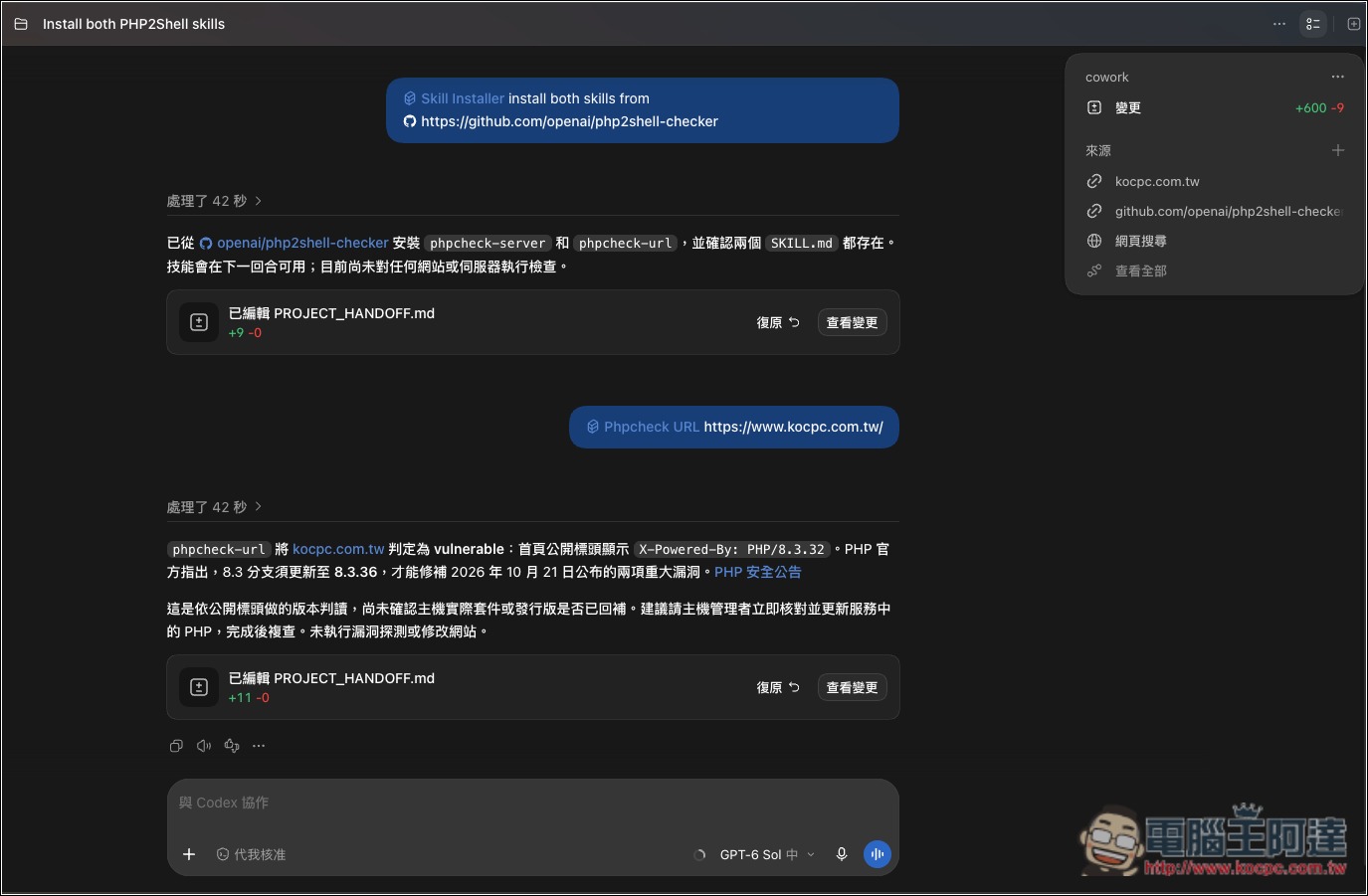
After the check is complete, the results will fall into three categories. What each one means is as follows:
| Result | End code | symbolic significance |
|---|---|---|
| OK | 0 | The PHP version is a stable release and is above the affected version threshold for that branch. |
| VULNERABLE | 1 | If the PHP version is at or below the affected version threshold, it may be affected by the vulnerability. |
| UNKNOWN | 3 | Being unable to determine does not mean it has been patched. |
If Codex is running in an environment that can access the web server—for example, if you have already connected to the host via SSH—you can use phpcheck-server instead:
$phpcheck-server check the PHP version serving my site
It reads the PHP version, checks whether the PHP actually used by the website is the same one, then compares the affected scope with the vendor’s security advisories, and finally reports the version, patch status, and whether an update is needed:
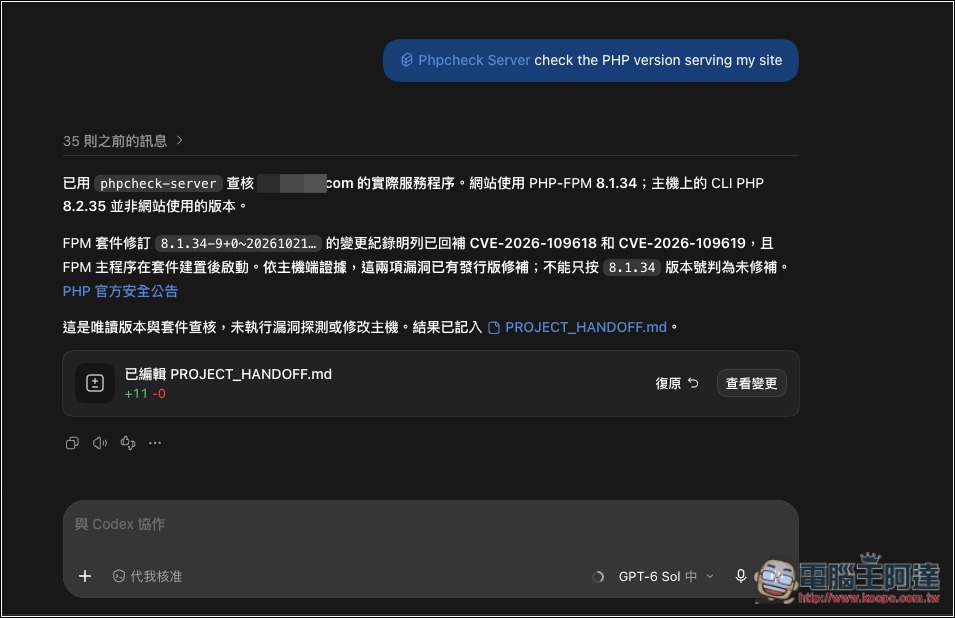
Those who aren’t using an AI agent can run it themselves using Node.js.
- First, go to the GitHub project page, click the green “Code” button, and select “Download ZIP”. Once downloaded, unzip it.
- If Node.js is not yet installed on your computer, please go to Node.js official websiteJust download and install the LTS version.
Next, open Terminal (on Windows, use PowerShell or Command Prompt; on Mac, use the Terminal app), and switch to the folder you just extracted. For example, if the folder is in Downloads, on Mac you can enter the following:
cd ~/Downloads/php2shell-checker-main
After entering the folder, if you want to check a website, enter the following line and replace the URL with your website:
node phpcheck.js "https://example.com"
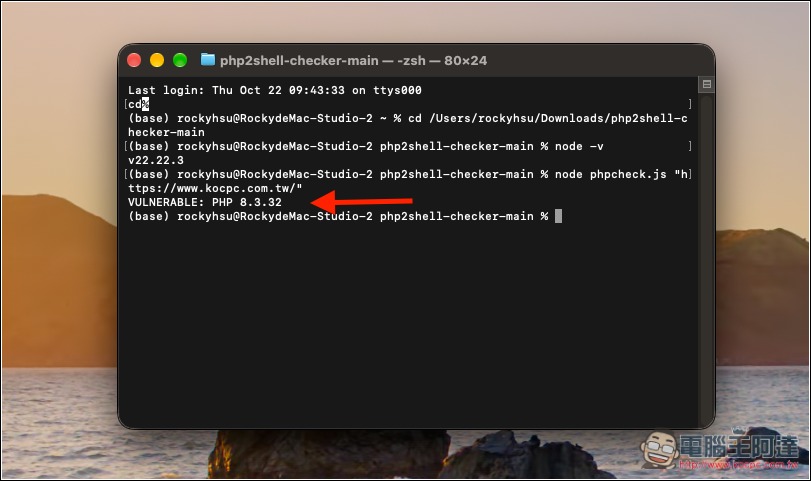
Source: KOCPC Chinese