


Most people probably know that because MacBooks are well-built and well-designed, plenty of machines have been used for over ten years with only a battery replacement and are still running fine. But as Apple has fully transitioned to M-series chips, more and more software no longer supports older Intel-based Apple computers (including Hackintoshes). Recently, however, an open-source project called “Maclator” has emerged, positioned as a “reverse Rosetta”: it allows Intel Macs or Hackintosh computers to run arm64 macOS applications.
Reverse Rosetta is here: Maclator lets older Intel Macs and Hackintoshes run arm64 apps
Apple’s Rosetta 2 lets Apple Silicon run Intel programs; Maclator does the opposite, letting x86 Intel Macs run arm64 programs. It loads arm64 Mach-O binaries and runs them with a native arm64 macOS user-mode environment, underpinned by an interpreter plus x86-64 just-in-time compilation, along with an AOT cache. System calls and Mach traps that can pass through directly are handed off to the Intel host kernel; where semantics do not match, they are emulated, while Metal calls are bridged to the Intel Mac’s own GPU.
Interpreter as the baseline; JIT compiles only once it gets hot.
Maclator’s execution core has two layers. The lower layer is an AArch64 reference interpreter covering data processing, load/store, and SIMD including FP16, serving as the baseline for semantic correctness. The upper layer is an x86-64 just-in-time compiler written with iced-x86. Cold blocks are interpreted first, and only after executing more than 24 times are they converted to native code. Block linking uses patchable slots plus a per-thread indirect branch cache. The interpreter is not just a fallback: when the JIT encounters an unimplemented instruction, it falls back to interpreting instruction by instruction. Translation results that have run once are stored in a persistent AOT cache and reused directly on the next launch, so library-heavy apps like Electron start noticeably faster the second time.
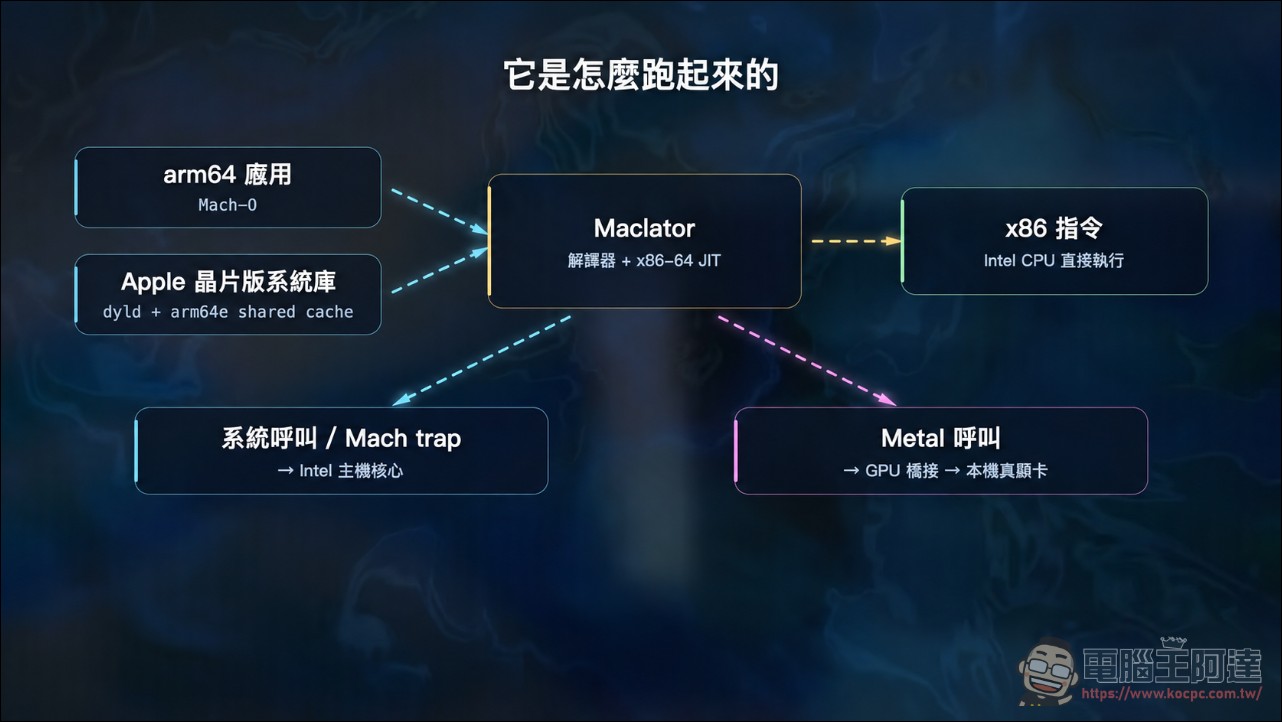
The system call layer takes a hybrid approach. When BSD system calls and Mach traps are semantically compatible, they pass straight through to the host kernel; when they aren’t, they are emulated. libdispatch’s work queues, workloops, and kevent also have their own custom emulation.[4]Child process spawning also works; arm64 Mach-O binaries will automatically relaunch with Maclator and inherit their arguments. IOKit only has a minimal shim, pretending to provide Apple Silicon-only diagnostic services, which is also the root cause of most hardware-related apps failing to run.
The legal design is quite cautious. The project itself contains no Apple binaries; the arm64 userland environment must be downloaded by users themselves from Apple’s update servers via ipsw, and licensing responsibility is their own.
Results: VS Code can type, Chromium gets hardware acceleration.
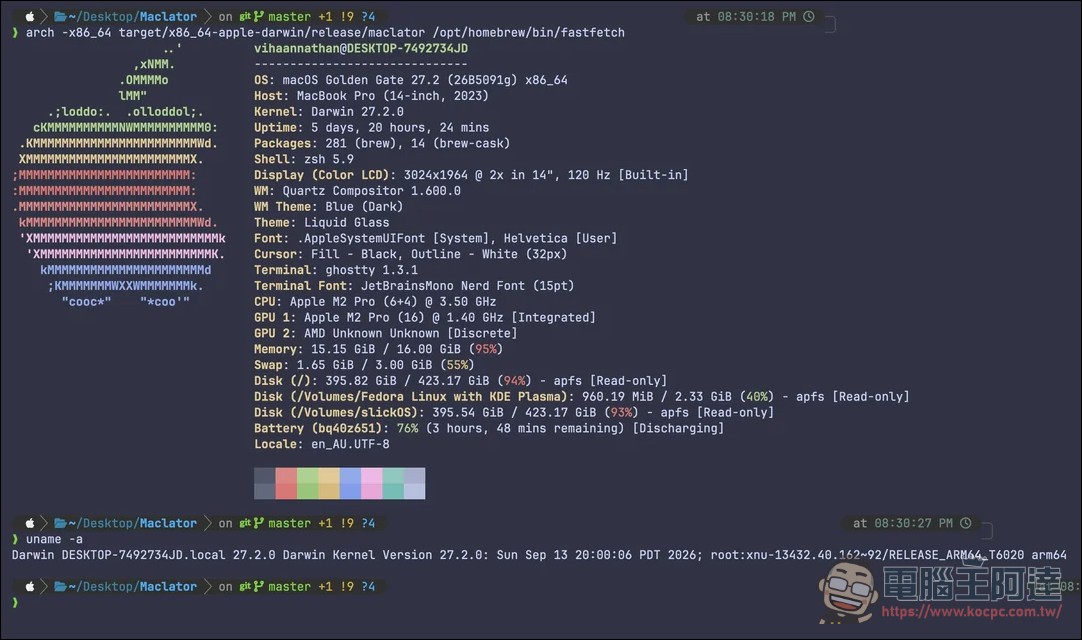
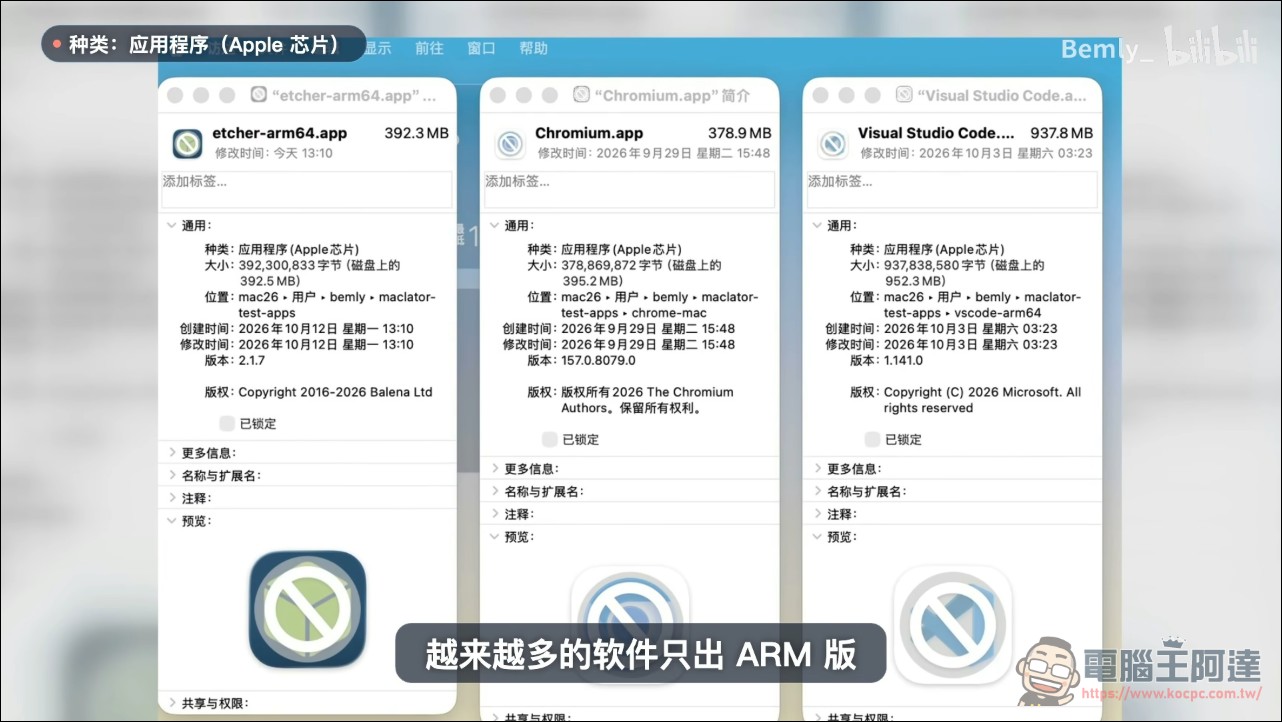
The author verified a list on an old machine with an Intel Core i5-4440 and macOS 26.7. arm64 command-line tools such as fastfetch and neatvi run, the built-in AppKit Calculator runs, VS Code 1.139 arm64 runs, and typing latency is about 40 milliseconds. The most impressive is Chromium 157 arm64 snapshot, which gets hardware acceleration from the local AMD Radeon RX 460 via ANGLE and Metal bridging, canvas at 60fps, and both WebGL and WebGPU fully working. balenaEtcher 2.1.7 launches; device access has not been tested yet.
The list of things that won’t run is also honest: audio, most IOKit hardware, sandboxed apps, Apple’s own Swift-heavy apps, and CAMetalLayer-based apps still don’t work. The author pins a note at the top of the README marking it as an experimental research project, warning that rough edges are normal when using it.
GPU bridging optimized from 10fps to 60fps
GPU bridging is the most hardcore part of this project. The approach is to inject an arm64 interception library into the guest, replace Metal device-creation calls with proxy objects, and then send commands via custom system calls to the host’s x86-64 bridge library, which executes the real Metal. The guest and host share the same address space, so vertex and buffer pointers can be passed directly without copying. The first version used plist per-message RPC; an animated canvas could only run at 10fps, with 97% of the time stuck in descriptor parsing for a single call. The second version switched to a batched fast path; the same scene jumped straight to the vsync cap of 60fps, with no dropped frames even with 400 arcs on the same screen.
The performance document records VS Code’s tuning trajectory. Initially, after a keystroke, the screen took 600 to 1,400 milliseconds to update; now it is down to about 100 milliseconds, key dispatch is about 39 milliseconds, and cold start to idle has shrunk from 4.5 minutes to 80 seconds. What made this possible was native JIT for atomic operations and NEON vector instructions, precise invalidation when V8 frequently rewrites code, a larger branch cache, and AOT persistence for Electron libraries. The test machine was just a Haswell i5 with 12GB of memory, and the numbers were measured on this kind of old hardware.
From closed-source matryoshka to open source, completed in half a month.
Author Signal_Reference746 posted on r/hackintosh half a month ago. At the time, Maclator was still closed-source and could only run as a Matryoshka-style setup with Rosetta wrapping Maclator; even the GUI wouldn’t launch. The goal was to get the NetSurf browser running by the end of the year. Back then, he didn’t dare open-source it, afraid that people would clone it and find it was far from what they imagined. Two weeks later, the project was open-sourced. Someone made a GUI version that supports running multiple arm64 apps, and someone else added macOS 15 support. From the Matryoshka experiment to VS Code being usable, it took less than a month.
Reverse Rosetta (ARM64 to x86-64 Translator)
byu/Signal_Reference746 inhackintosh
The development process is well-structured as well. Installation requires an Intel Mac running macOS 26 Tahoe, plus Xcode command line tools and the Rust toolchain, about 10GB of disk space, and an initial 5.5GB download for the arm64 shared cache. The documentation is quite comprehensive: architecture, GPU bridging, performance benchmarking, and debugging each have their own separate document, and even the performance testing and JIT differential self-testing tools are included in the repository.
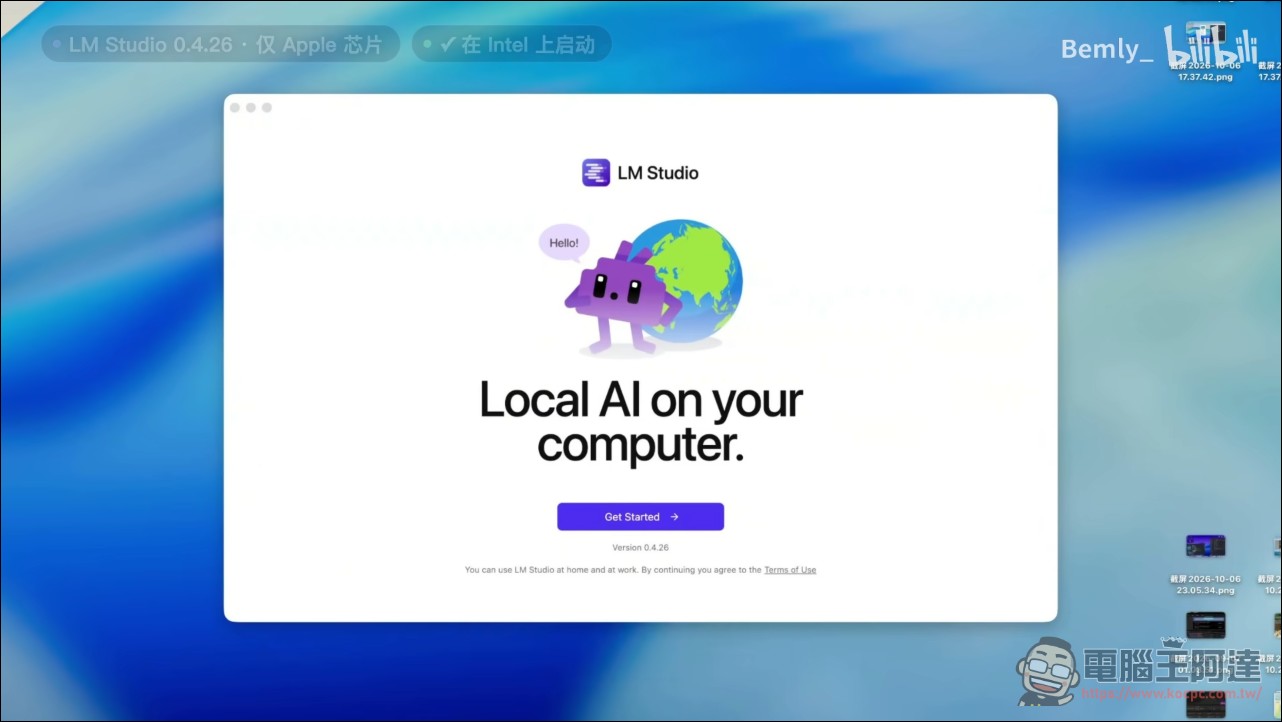
Someone on China’s Bilibili tested that LM Studio can run normally, and further progress is worth looking forward to, especially for users running Hackintosh on high-end X86 computers:
GitHub – Maclator (If you find it useful, remember to give the author a star)
Conclusion
Maclator proves reverse Rosetta isn’t wishful thinking, and the moment Chromium runs with hardware acceleration, old Intel Macs gain another algorithm for their lifespan. But it’s still a research project, and until it clears the audio and sandbox hurdles, it won’t be anyone’s daily driver. For Hackintosh and old-machine enthusiasts, starring it first and waiting is currently the most pragmatic stance.
Source: KOCPC Chinese