


At its latest Windows and Surface launch event, Microsoft unveiled an extensive lineup. While many of the software updates focused on developers, the completely redesigned search feature in Windows 11 drew particular attention from consumers. This feature has now been rolled out first to Windows Insiders, bringing a more intuitive, revolutionary experience to everyday use.
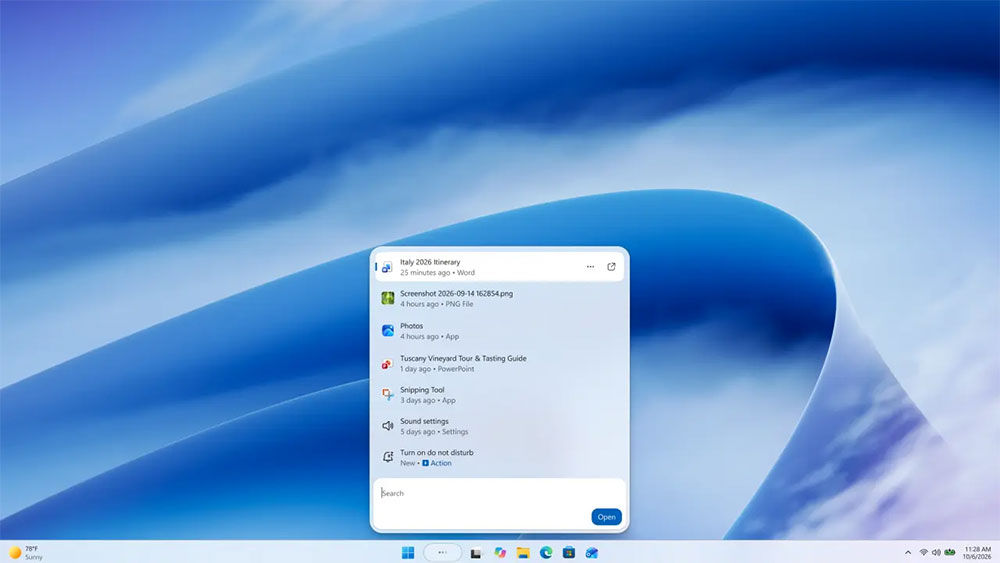
Microsoft is redesigning Windows Search to make it work like an AI agent.
This major overhaul can actually be seen as the next stage of evolution following the earlier simplification of the search interface. The new search feature uses the WinUI 3 framework, abandoning the previous large preview pane in favor of a clean, streamlined single-pane layout. Microsoft says the core goals of the new design are extreme speed, efficient use of system resources, and greatly reduced visual distraction through an optimized window layout. The design, which fully integrates search results into a single list, is more in line with modern users’ intuitive search habits.
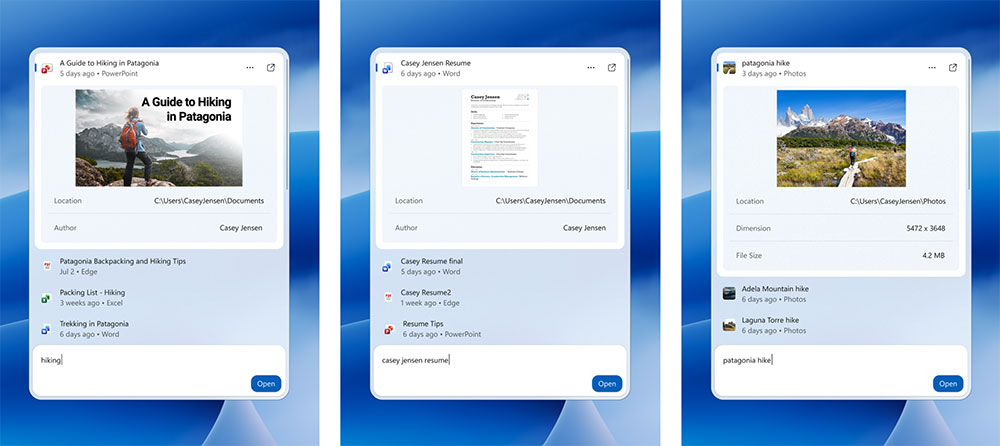
However, among the many new features, the most impressive is the all-new “inline operation” feature. AlthoughOfficial blogIt hasn’t been explicitly stated whether it relies entirely on artificial intelligence behind the scenes, but its actual operating logic is exactly the same as an AI agent. Users no longer have to click through complex menus or wait for applications to launch as they did in the past; Windows Search can now directly execute various commands, and its way of working is remarkably consistent with the AI agent in Copilot+ PC Settings.

For example, when users enter everyday commands such as “switch to dark mode,” “turn on night mode,” “turn on Bluetooth,” “dim the screen,” or “mute,” the system responds instantly. It can also handle window- and workspace-related commands, such as minimizing all windows with one click or rearranging desktop apps. This “intuitive input, directly handled” feature eliminates the hassle of clicking through layer after layer of Settings, greatly improving operating efficiency.
Moreover, Microsoft is currently actively developing deeper integration with Phone Link. In the future, users will be able to perform useful actions such as sending text messages from a connected phone directly through the Windows search bar, making cross-device interaction smoother than ever before.
The new search experience is now available in English for users in the Experimental Channel of the Windows Insider Program, on version 26340.9616 and Experimental Channel 26H1 version 28120.3181. Eligible users can get early access by going to Windows Update in Settings, entering the Windows Insider Program, and turning on Feature Flags.
Looking ahead, Microsoft not only plans to bring this powerful new search experience to the Start menu next year, but will also continue expanding the list of direct actions it supports, bringing a smarter and more convenient user experience to the Windows ecosystem.
Source: KOCPC Chinese