


After upgrading a Mac to macOS 27, many people may notice that storage space has dropped a lot. This is because the system automatically downloads local AI models. Even if you’ve never used Apple Intelligence, the AI models are still stored locally, and Apple does not provide a way to disable or delete the models.
For MacBook Air and Mac mini users with only 256GB, this may sting a little. If you’re sure you’ll never use it and want to free up more storage, an open-source tool called RemoveMacAI recently appeared on GitHub. With a single command, it can turn off Apple Intelligence, delete about 12GB of models, and stop the system from automatically fetching them back, and all changes can be reverted.
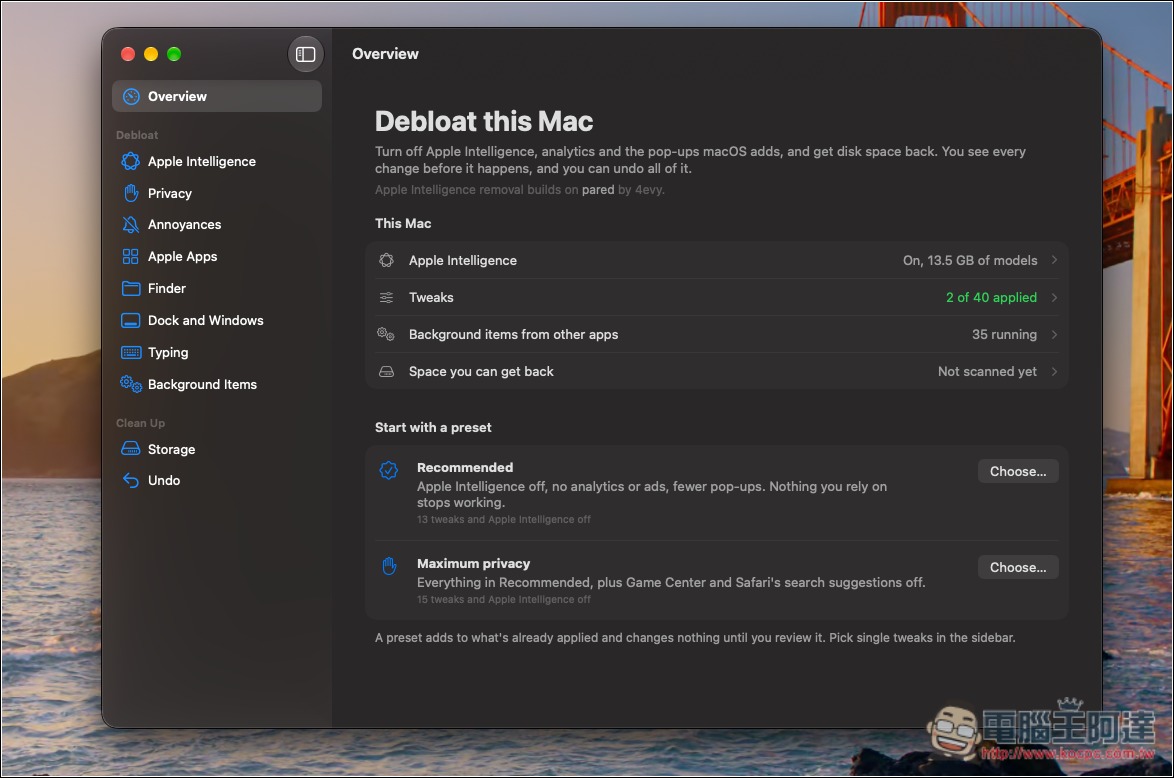
RemoveMacAI, a free open-source tool, turns off Apple Intelligence with a single command/toggle and frees up 12GB of space.
RemoveMacAI is a free, open-source tool released by independent developer Om Lahore. It supports Apple silicon Macs running macOS 27 and can disable macOS 27’s Apple Intelligence features, delete already downloaded models (about 12GB), and prevent macOS from downloading the models again.
- Turn Apple Intelligence features off: it will install a “configuration profile” that applies the restrictions Apple has set up for Apple Intelligence, and settings without a corresponding restriction option are also forcibly turned off.
- Delete local models: Remove models through Apple’s own resource service, keeping System Integrity Protection (SIP) enabled and without touching files in system folders.
- Block model downloads: point each deleted model’s download address to a closed port on the local machine.
The features that will be turned off include the following, so anyone planning to use them should take note:
- Siri (including “Hey Siri” and the menu bar icon)
- Writing Tools, Genmoji, Image Playground
- ChatGPT extensions
- Summaries of Mail, Messages, Safari, Notes, and Notifications
- Smart Reply for email, inline text predictions
- Spatial Photos, the “Clean Up” tool in Photos
- Xcode predictive code completion
Open the Apple Intelligence menu in RemoveMacAI, and you’ll find the option to turn off Apple Intelligence:
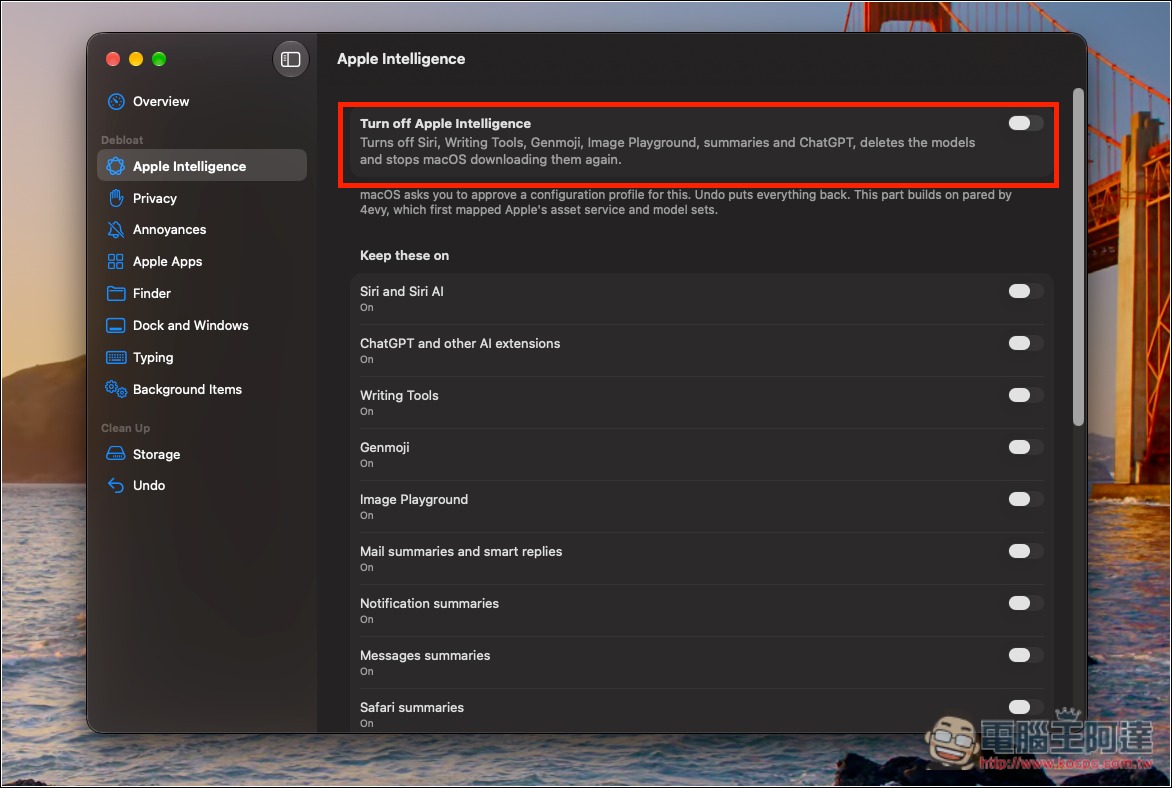
The removed models include Apple Intelligence’s foundation models, as well as the models used for image generation and Genmoji, spatial photos, the Photos Clean Up feature, and Xcode code completion.
In addition, third-party apps that use Apple’s on-device models, the Foundation Models framework, the “Use Model” action in Shortcuts, Visual Intelligence, and natural language editing in Calendar will also be affected.
However, the “Dictation” feature is unaffected because it uses a different set of settings and speech models, and RemoveMacAI will not delete these models.
Note that after a model is removed, the storage space may not appear freed immediately, because RemoveMacAI first unregisters the model through Apple’s asset service, while the actual files are deleted by macOS on its own schedule. As a result, you may still temporarily see Apple Intelligence taking up space in System Settings → General → Storage.
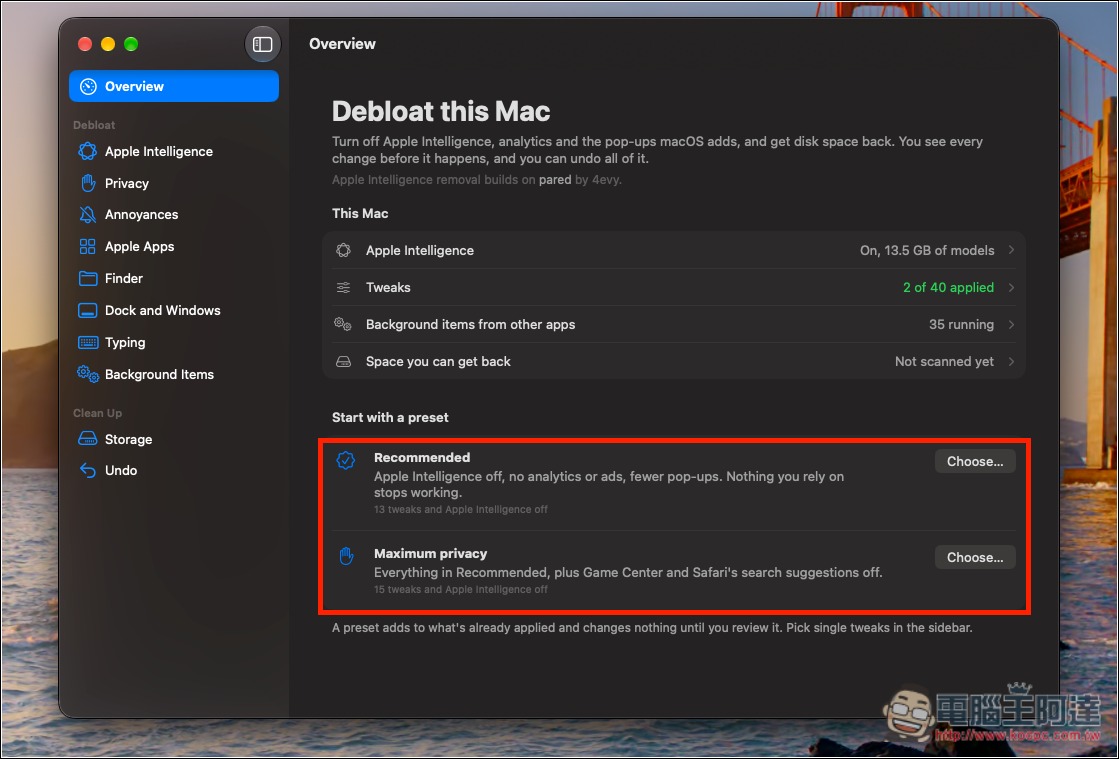
At the bottom of the homepage, there are also quick settings options, including Recommended and Maximize privacy:
The foreign outlet 9to5Mac notes that although RemoveMacAI is an open-source tool and does not require disabling SIP, it still relies on macOS profiles, restriction settings, and system services. These mechanisms are all controlled by Apple, so if Apple adjusts related settings or system behavior in the future, some RemoveMacAI features could stop working, and unexpected issues could even arise before the developer releases a compatible update.
On top of that, a growing number of third-party apps have also begun relying on Apple’s models to provide basic functionality, so turning it off could also affect how these apps work.
If you still decide to use it, RemoveMacAI’s latest v1.0.0 now includes a native Mac app, so you don’t have to work entirely through the terminal like in earlier versions. Download the app archive from the GitHub Releases page, unzip it, and move RemoveMacAI to the Applications folder, and you can open and use it.
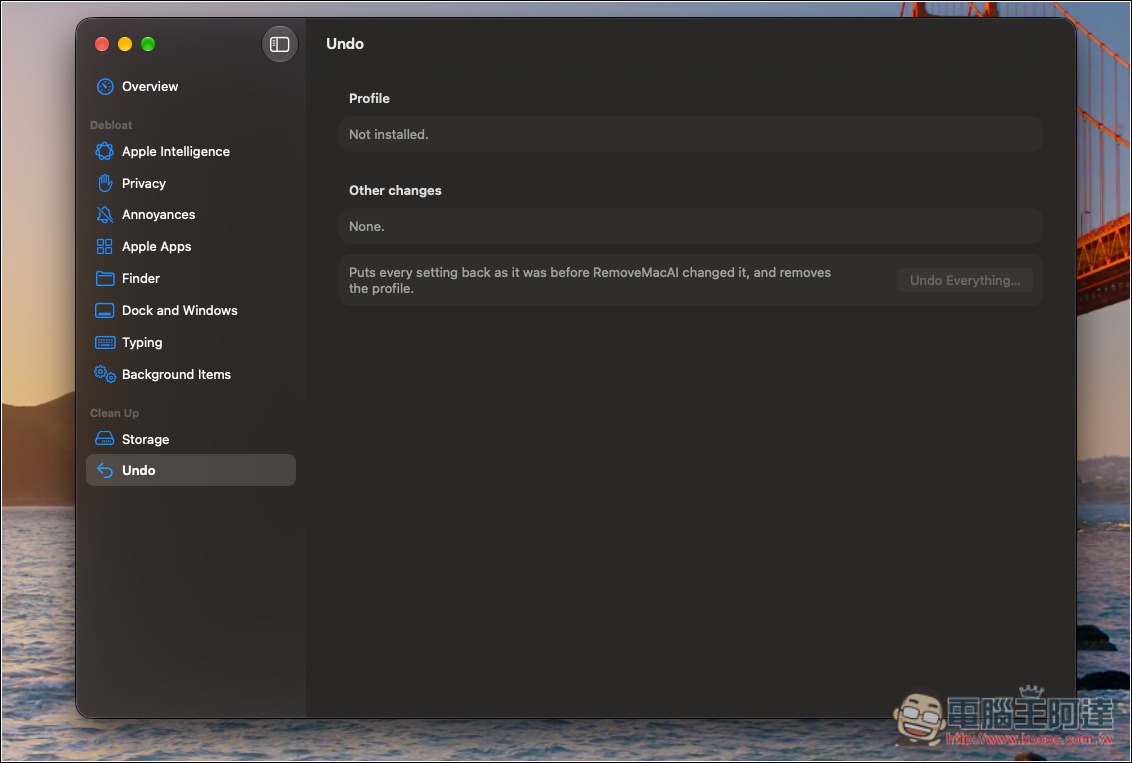
Any changes can be undone in the Undo menu:
Source: KOCPC Chinese