


Google will officially launch the Android 16 QPR3 version in March 2026, adding four major update projects: desktop mode, interface and customization, system and function optimization, repair and security… in,Desktop Mode) It can turn an Android phone into a computer and attracts the most attention.
What are the core updates of Android 16 QPR3 and which mobile phones can support it? What is Desktop Mode? Here is an analysis:
The era of turning Android phones into computers is here! With the release of Android 16 QPR3 version by Google, not only Samsung Galaxy phones and tablets can support desktop mode, but also Google Pixel 8Later mobile phones will start to be addedDesktop Mode, it is expected that more high-end Android phones and tablets can be used as computers in the future. The following is a summary video and detailed description of the latest Android 16 QPR3 version update and Desktop Mode released by Google:
1. Main update content of Android 16 QPR3 and list of updateable mobile phones:
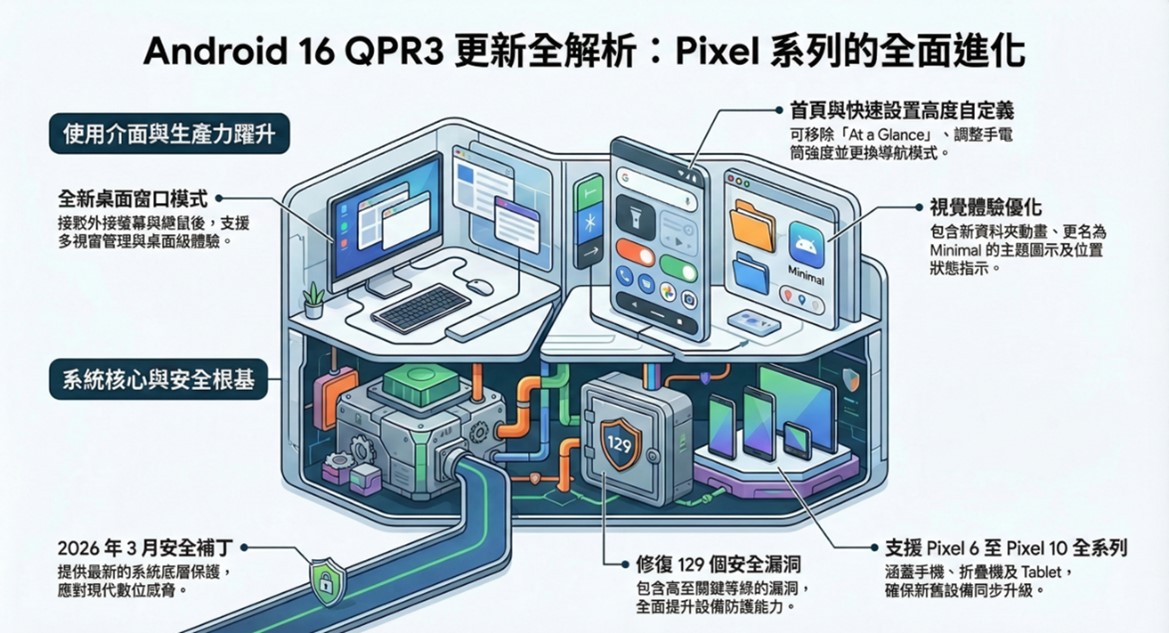
Google released the official version of Android 16 QPR3 on March 4, 2026, bringing its Pixel phones to “Desktop Mode”, removable home screen “At a Glance”, adjusting the intensity of the flashlight, updating folder animations, fixing multiple system crashes and audio errors, and the March 2026 security patch. The core update content of Android 16 QPR3 is as follows:
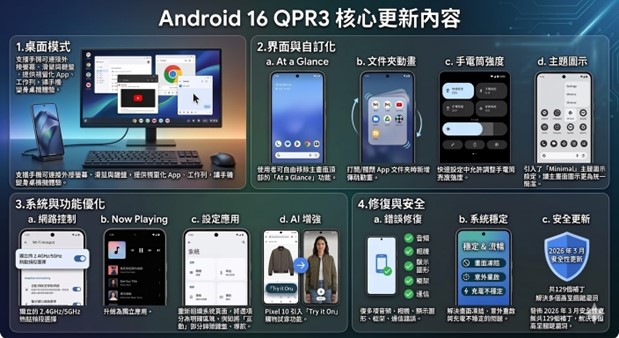
A.Desktop Mode:
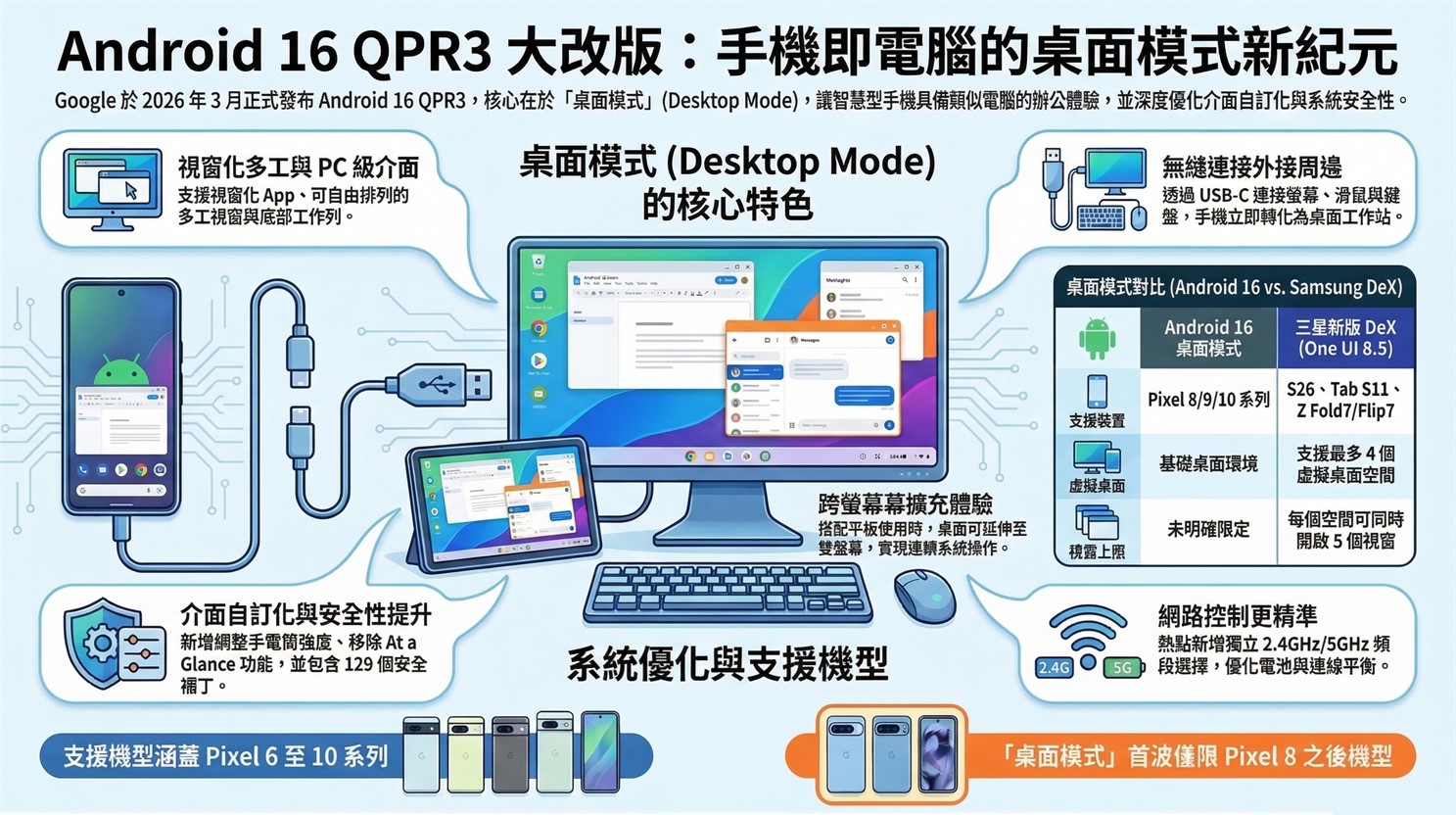
Supports mobile phones to connect to external monitors, mice, and keyboards, and provides windowed apps and taskbars to transform mobile phones into desktop experiences. The first wave of support is for the Pixel 8/9/10 series.
B.Interface and customization:
a.At a Glance:Users are free to remove the “At a Glance” function at the top of the home screen.
b. Folder animation:Added bounce animation when opening/closing App folder.
c.Flashlight intensity:The quick settings allow you to adjust the flashlight brightness intensity.
d.Theme icon:The “Minimal” theme icon setting has been introduced to make the main screen icons more unified and concise.
C. System and function optimization:
a.Network control:Added independent 2.4GHz/5GHz hotspot frequency band selection, and split “Adaptive Connection” into “Automatic Switch to Mobile Network” and “Battery Optimized Network Selection”.
b.Now Playing: Upgrade to standalone application.
c. Setting application: Reorganize the system page and divide the options into clear sections, such as classifying the “Interaction” section into keyboard and navigation.
d.AI enhancement: Pixel 10 introduces the “Try it On” shopping and trial function.
D. Repair and security:
a. Multiple audio, camera, display graphics, frame, and communication errors.
b. Solve the problems of screen freeze, unexpected restart and unstable charging.
c. Released a total of 129 patches in the March 2026 security update to resolve multiple critical vulnerabilities.
E. Applicable models:
Android 16 QPR3 is available on Pixel 6, 6 Pro, 6a, 7, 7 Pro, 7a, Tablet, Fold, 8, 8 Pro, 8a, 9, 9 Pro, 9 Pro XL, 9 Pro Fold, 9a, Pixel 10, Pixel 10 Pro, Pixel 10 Pro XL, Pixel 10 Pro Fold, and Pixel 10a.
However, the first wave of Desktop Mode is only available for the Pixel 8/9/10 series.
2.What is Desktop Mode?
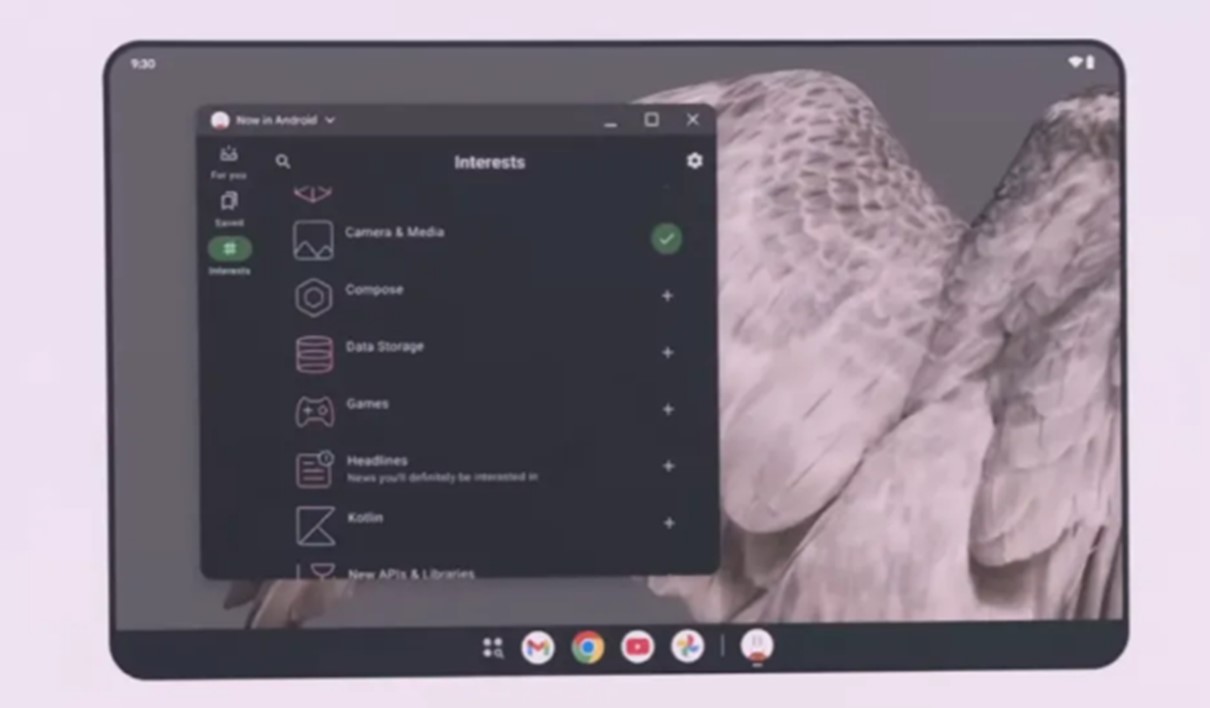
[Desktop Mode] is a new feature launched by Google in the Android 16 QPR3 version. This feature was developed in cooperation with Samsung (similar to Samsung DeX mode), allowing designated mobile phones and tablets to connect to an external screen and transform into a computer-like office interface. This feature supports features such as windowed apps, free arrangement of multiple tasks, and task columns.
【Desktop Mode】The key functions and features are as follows:
A.PC interface experience:
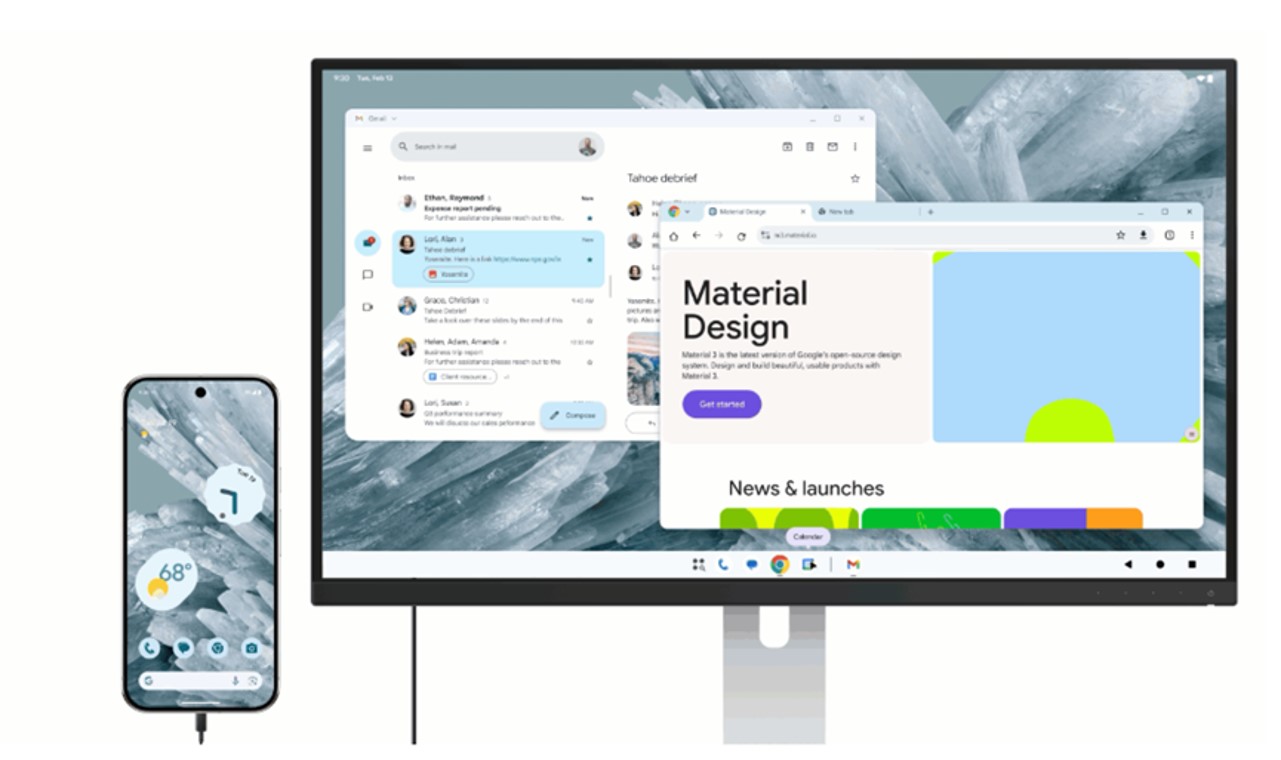
When a mobile phone that supports this feature is connected to an external screen using a UBS-Type-C+HDMI transmission cable, it will provide a desktop similar to Windows or Chrome OS, with windowed app display, multiple windows that can be arranged in any way, and a bottom taskbar that can quickly launch programs. By using Bluetooth to connect a wireless mouse and a wireless Bluetooth keyboard, you can turn your phone into a computer!
B. Support multi-tasking and obtain an expanded experience similar to dual screens:
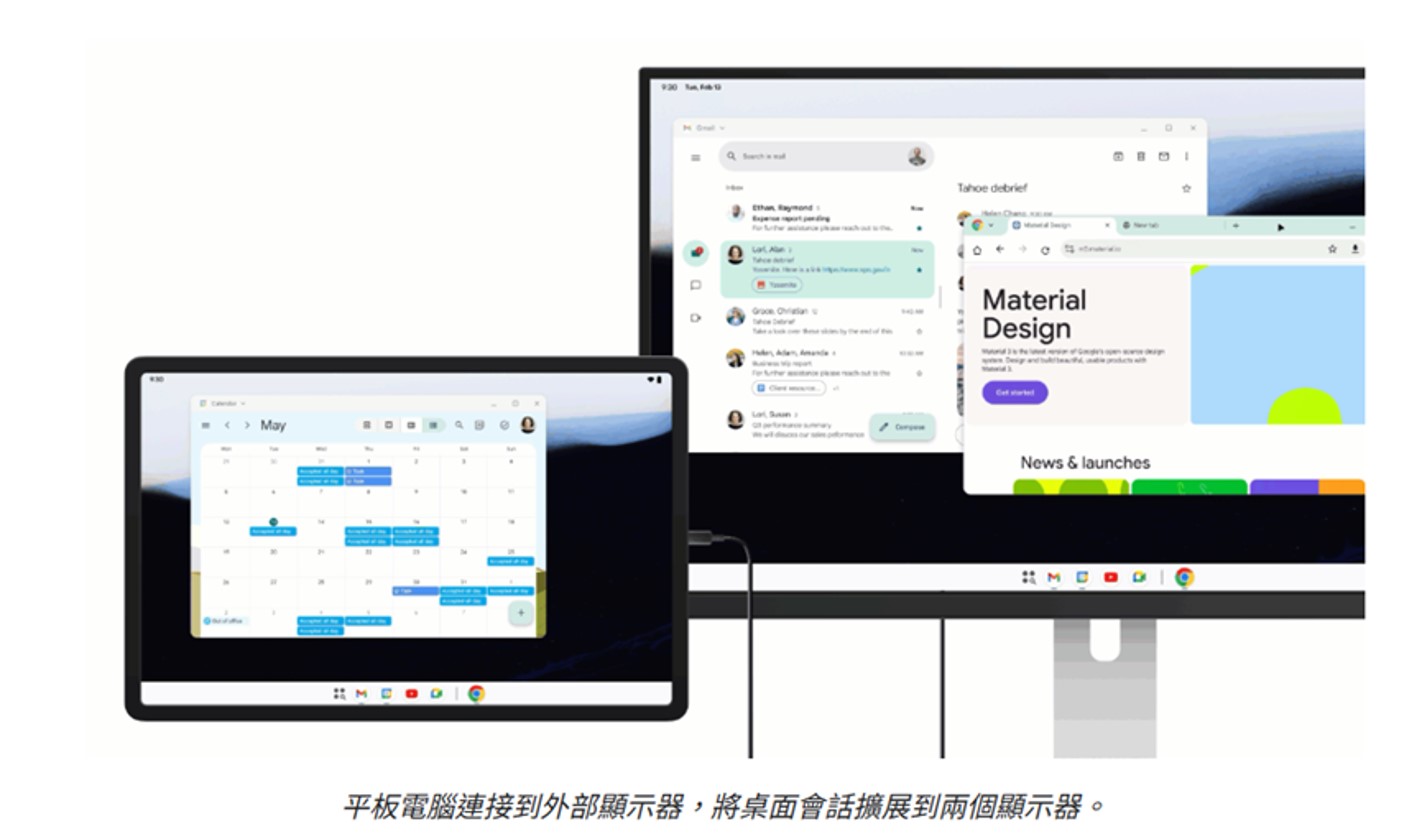
Multiple application windows can be opened and dragged at the same time to improve office efficiency. When used with select Android tablets, when connected to an external monitor, your desktop work session expands across two monitors, unlocking a wider workspace. At this point, the two monitors act as one continuous system, and application windows, content, and cursors can move freely between the two monitors.
C. Applicable models:
The first wave of supported devices for Android 16 desktop mode is the Google Pixel 8/9/10 series.
Samsung mobile phones and tablets can use the original DeX mode to use desktop mode. Currently, models that support DeX mode include Galaxy S9, S10, S20, S21, S22, S23, S24, S25, S26 and later Galaxy Z Fold/Flip folding series.. and other mobile phone models, andGalaxy Tab S4, S5e, S6, S7, S8, S9, S10, S11 and later tablet models.
Samsung Galaxy S26 series, Galaxy Tab S11 series and Galaxy Z Fold7/Flip7 foldable machines can support up to 4 virtual desktop spaces through the latest version of One UI 8.5 DeX mode. Each space can open 5 application windows at the same time. This is a feature not available in Pixel Android 16 desktop mode.。
Source: KOCPC Chinese