


On August 31, MSI unveiled the new 15.6-inch Full HD portable monitor “PRO MP161E6T,” the latest addition to the PRO series portable display family. From the earlier PRO MP161 E2U to the subsequent PRO MP165 E6, the PRO series has built a solid reputation in the portable monitor market thanks to its slim and lightweight design and practical port configuration. The new PRO MP161E6T carries forward these strengths while adding 10-point touch functionality, elevating the portable display from a mere “second screen” to an interactive touch device. Driven by remote work and hybrid office trends in recent years, demand for portable monitors has continued to grow—evolving from the initial basic use case of “an extra screen for viewing data” to a wider range of applications such as touch interaction, orientation switching between landscape and portrait, and stand mounting.
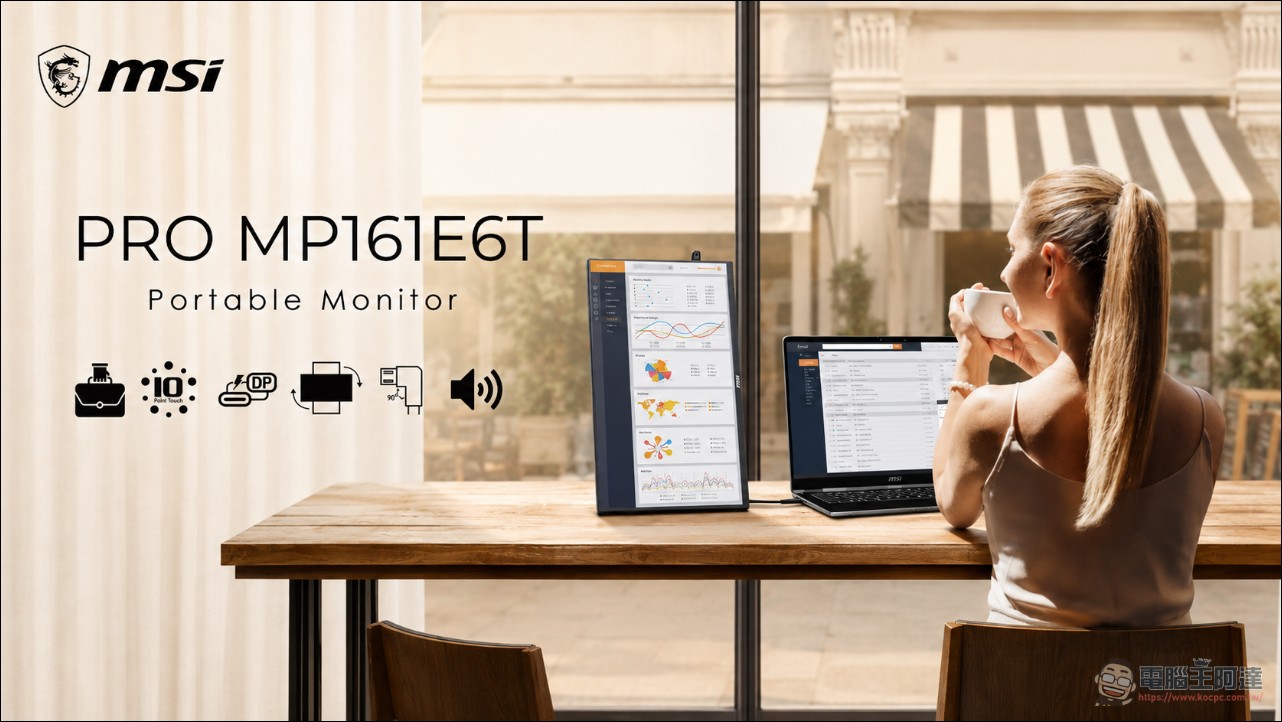
Lin Liwei, MSI Product Marketing Manager, stated: “As hybrid work, mobile work, and cross-device applications gradually become mainstream, consumer expectations for portable monitors have shifted from simply seeking slim and lightweight designs to valuing interactivity and flexibility. The PRO MP161E6T continues the PRO series’ design philosophy of combining portability with efficiency, and with the addition of 10-point touch functionality, users can enjoy a more intuitive and smoother experience across diverse scenarios such as business presentations, creative design, education, and everyday entertainment.”
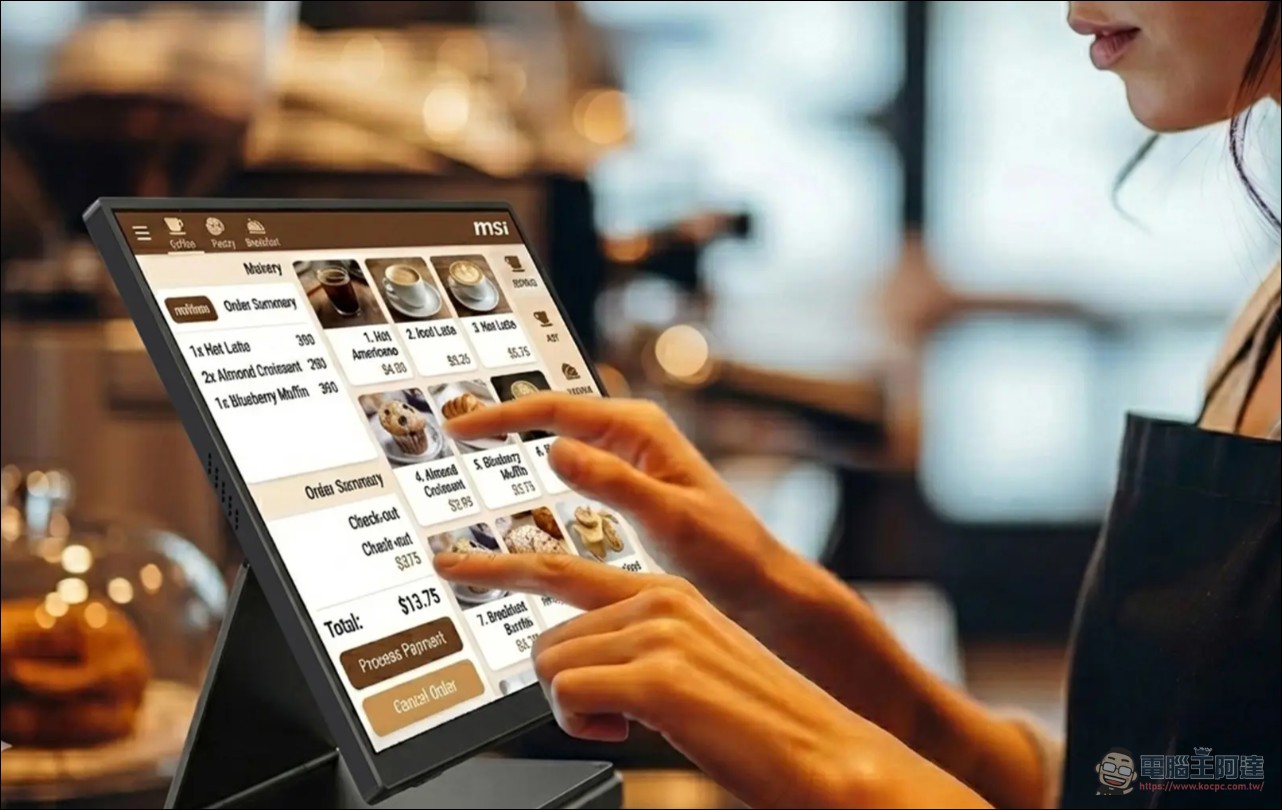
PRO MP161E6T Slim Body with Touch Controls
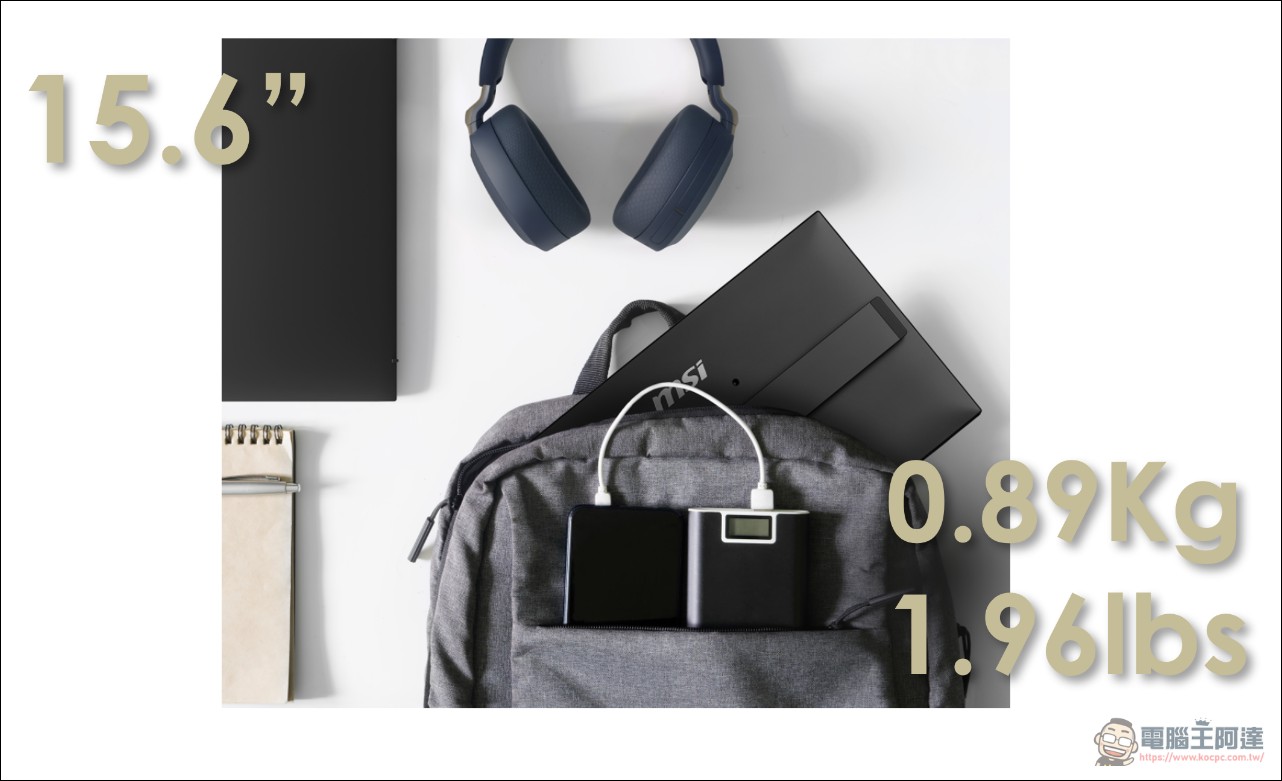
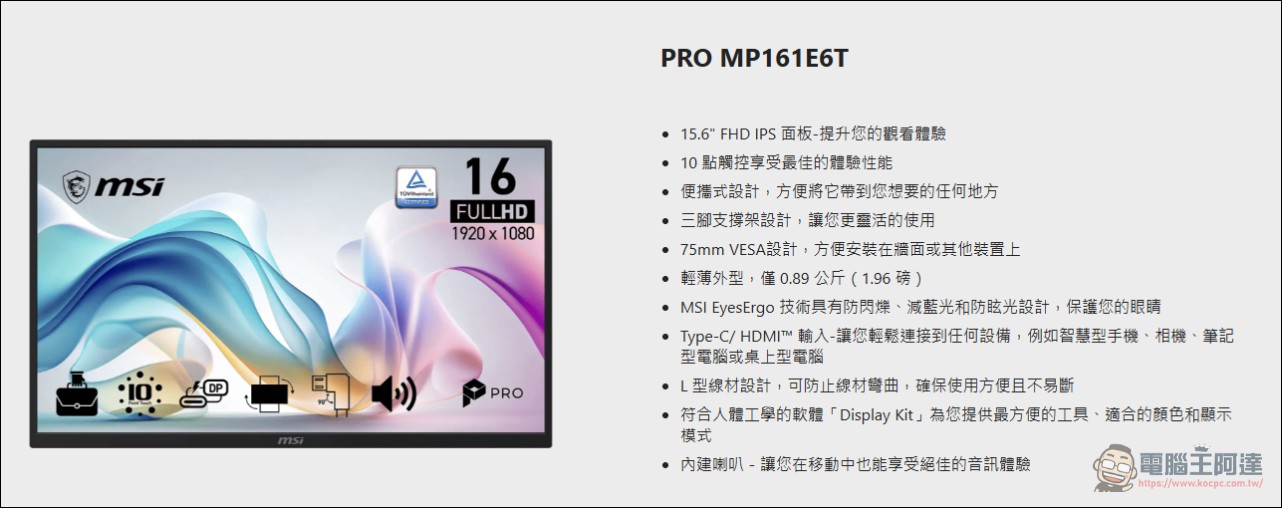
The PRO MP161E6T weighs 0.89 kg (about 1.96 lbs) and features a 15.6-inch IPS panel with a 1920×1080 resolution. The IPS panel provides wide viewing angles, making it suitable for simultaneous viewing by multiple people or use at different angles. The screen supports 10-point capacitive touch and recognizes multi-touch gestures such as two-finger zoom and pinch, allowing direct operation on the screen during quick document editing, electronic signatures, and presentations without needing a mouse or trackpad.
There is a limitation to the touch functionality: it works normally on Android devices, but iOS devices do not support it. For consumers who primarily use iPhone or iPad, this touch feature won’t come into play, so it’s worth noting before making a purchase. Touch screens are especially useful in several scenarios: business professionals can directly circle key points on the screen during presentations, designers can use a stylus or finger to annotate changes on the screen, and educators can have students interact directly with the screen in small classes. For users who frequently need to present content in meetings or handle document approvals, the touch feature can indeed reduce the awkwardness of “pointing at the screen and talking for a long time.”
Port configuration and transmission specifications
The PRO MP161E6T features a full set of connection ports on the side. For video input, it includes a Mini-HDMI 1.4b port supporting Full HD@60Hz signal input. It also comes with two USB Type-C ports that support DP Alt Mode video transmission, with one handling power input and the other capable of delivering power to other devices. A single USB Type-C cable can transmit both power and video signals simultaneously, so no additional power cable is needed, reducing cable clutter on your desk.
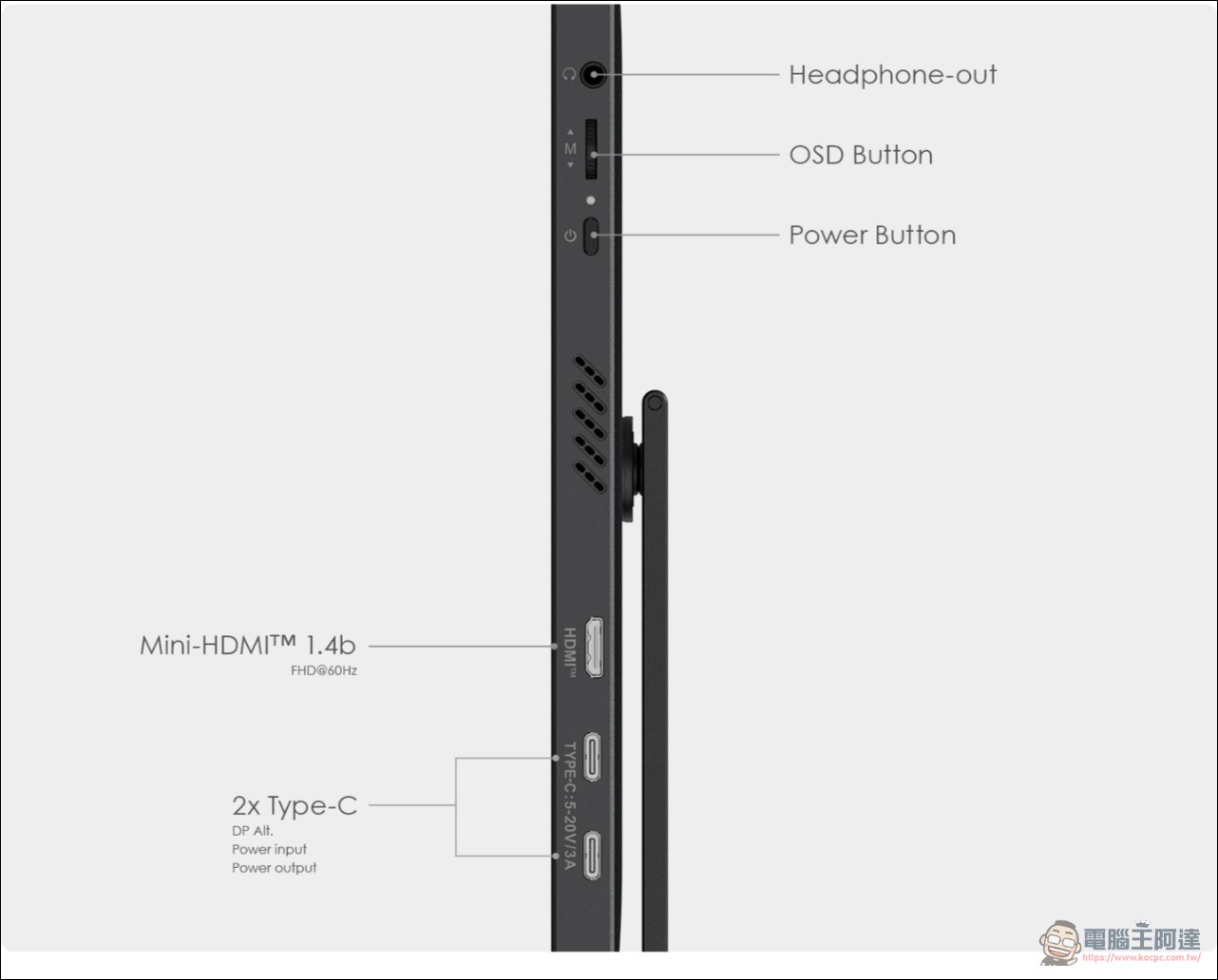
The product includes one L-shaped USB Type-C cable and one L-shaped HDMI cable. The L-shaped connector design allows the cables to bend immediately after exiting the monitor’s side, so they don’t protrude, making it easy to route cables in tight spaces. The monitor’s side also retains a headphone output and OSD menu buttons. The PRO MP161E6T supports connections to multiple devices including phones, laptops, cameras, and game consoles, with plug-and-play functionality that requires no driver installation. For users of MacBook or other thin-and-light laptops with only Type-C ports, connecting via Type-C allows direct use without needing an additional adapter.
Bracket Design and Installation Method
The monitor features a built-in adjustable stand that lets you adjust the viewing angle as needed, supporting both portrait and landscape orientations. Portrait mode is suitable for reading long documents or browsing web pages, while landscape mode is ideal for watching videos or giving presentations. The bottom has a 1/4-inch camera tripod screw hole, allowing it to be mounted on a standard camera tripod. This is especially useful for users who need to adjust the screen height or use it as a monitoring display during outdoor shoots.
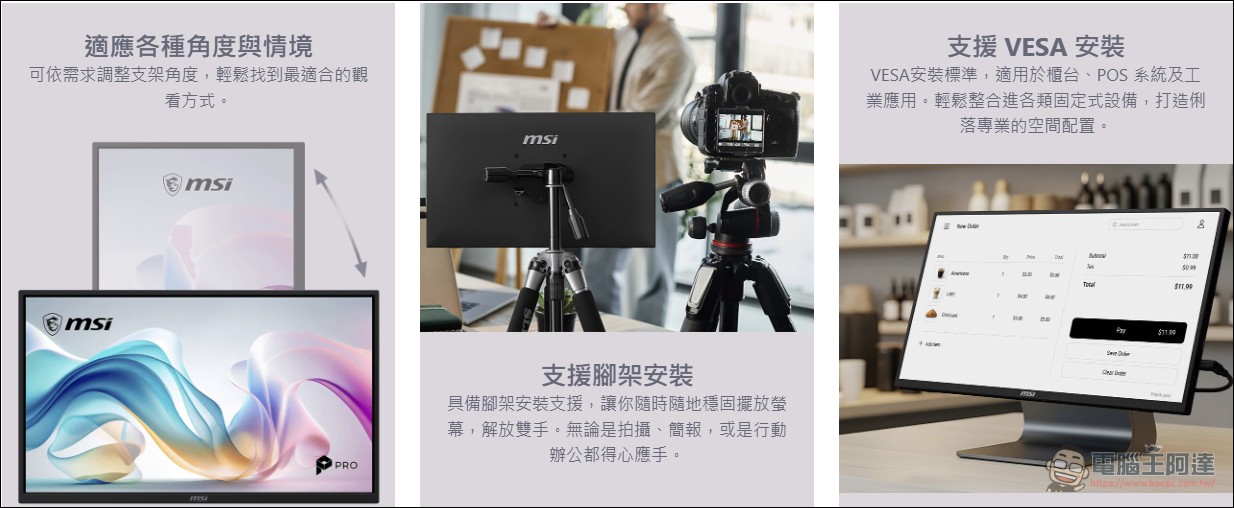
It also supports the 75mm VESA wall-mount standard, so it can be locked onto a standard VESA bracket or wall mount, making it suitable for countertop displays, POS systems, or industrial applications. Multiple mounting options mean this monitor’s uses go far beyond personal portable setups. Photographers can use it as an external monitor, streamers as a chat interaction window, and businesses as a POS secondary screen or information display.
Eye-care technology and built-in speakers
The PRO MP161E6T features MSI EyesErgo eye-care technology, which includes three functions: anti-flicker, low blue light, and anti-glare. Anti-flicker technology uses DC dimming to eliminate screen flicker, low blue light mode filters harmful blue light wavelengths, and the anti-glare coating reduces ambient light reflection. Together, these three reduce eye fatigue during prolonged use.
The monitor features built-in dual speakers, so you can join online meetings or watch videos without needing external audio equipment. While the sound quality and volume of the built-in speakers can’t match those of standalone speakers, they save you the trouble of carrying extra audio gear when you’re on the go. MSI’s exclusive Display Kit software offers a variety of color modes and reading tools, letting you switch display settings based on your usage scenario.
Pricing and availability information.
PRO MP161E6T is priced at NT$3,588 and is now available at retail channels across Taiwan, with a dedicated carrying case included in the box. At this price point, it offers solid competitiveness in the 15.6-inch touch portable monitor market, making it a worthwhile option for business users, creative professionals, and students who need touch input as a portable secondary screen. Currently, 15.6-inch portable monitors on the market range from NT$2,000 to NT$6,000, with touch-enabled models typically commanding a higher premium. The PRO MP161E6T delivers touch capability, dual Type-C ports, built-in speakers, and stand mounting support at NT$3,588, offering a very complete feature set among peers in its class.
PRO MP161E6T Product Page
Source: KOCPC Chinese