


Yesterday, the Google Antigravity team officially released the Remote Control feature, letting developers connect through any modern browser to control Agent sessions running on other machines. The feature is rolling out starting with Google AI Ultra subscribers and will gradually open up to all users. Antigravity is Google’s AI software development platform, built with Gemini models, capable of handling long-running tasks like refactoring, testing, and diagnosing build errors. Previously, after developers launched such tasks, they could only sit in front of their computers watching logs, or walk away and “wait blindly,” with no way to know whether something was stuck or needed user input. Remote Control was created precisely to solve that pain point.
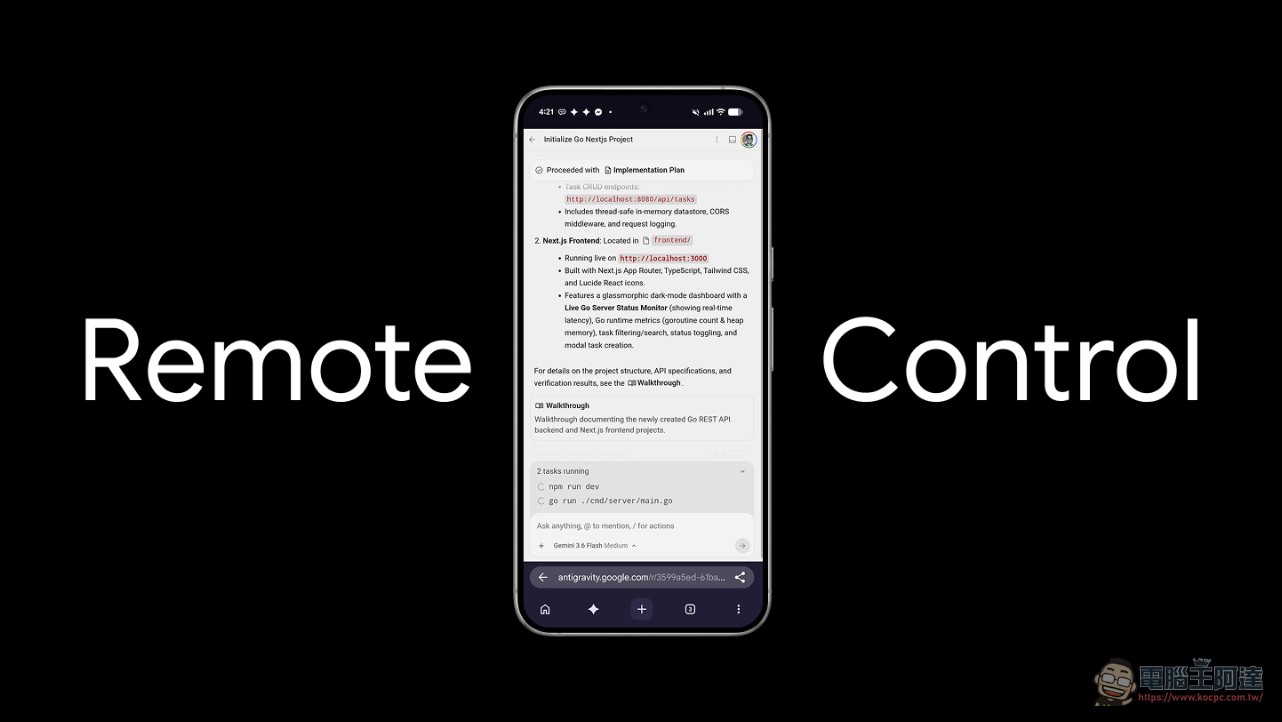
Remote Control Feature Highlights: Browser as Console
Remote Control’s core design is “browser-first,” with no need to install a dedicated iOS or Android app. After developers log into the Remote Control dashboard from any web browser, they can add the webpage to their home screen on mobile devices to receive push notifications.
Remote Control is here!
Take Antigravity with you anywhere. Access your active sessions from any modern supported browser or mobile device across iOS and Android. Rolling out to all users starting today, beginning with Ultra subscribers. pic.twitter.com/jFWesFCxrV
— Google Antigravity (@antigravity) August 21, 2026
The official listed four core advantages:
- Multi-instance managementDistribute different tasks across different machines (e.g., the laptop handles UI development, while the cloud environment handles server-side work), and manage them by switching between them from a single browser tab.
- Breaking away from desk-bound workStart complex tasks and walk away—monitor progress, review changes, and run commands anytime from your phone or other devices.
- Preserve the local environment.No need to rebuild the development environment on another machine—when you reconnect to the session, all files, workspaces, build tools, and environment variables are still there.
- Proactive push notificationWhen the Agent completes a turn and requires user input, the system sends a push notification to the phone.
For the connection mechanism, users need to log in with the same Google account used for the desktop application, plus a one-time signature verification from the host-side headless daemon. The host must remain powered on and connected; if the client’s network briefly disconnects, the system will automatically reconnect, and background Agent tasks will not be interrupted.
Technical Details: Connection Mechanism and Security Design
The operating principle of Remote Control is not copying the session to another device for execution, but rather allowing a second device to join the same session already open on the desktop. According to the official documentation, the connection requires two levels of authentication: first, sign in with the same Google account used for the desktop app, then complete a one-time signature verification of the headless daemon on the host side. The host must remain powered on and connected to the network. If the client device’s network briefly disconnects, the system will automatically attempt to reconnect, and Agent tasks and Shell commands running on the host will not be affected. This means developers can check progress in environments like the subway or with unstable network connections without worrying about task interruption.
On the security front, all files, workspaces, build tools, credentials, and environment variables remain on the original host and are not synced to client devices. The Remote Control dashboard serves as a “secure workspace window” rather than a full remote desktop mirror.
Comparison with Claude Code remote control
Coincidentally, Anthropic also updated Claude Code’s mobile remote control feature the same week, adding device cards and a local-only connection mechanism. The two major agent platforms rolled out features to “control your coding agent from elsewhere” within less than 24 hours of each other—same direction, but different approaches.
- Access methodAntigravity is browser-first, requiring no app installation; Claude Code uses native iOS/Android apps.
- Multi-machine managementAntigravity explicitly supports managing multiple machines simultaneously; Claude Code presents them in device card format.
- Connection architectureAntigravity uses Google account verification plus a host-side daemon; after its August 2026 update, Claude Code adopts local-only connections, with no cloud relay.
- Push notificationBoth support it, but Antigravity emphasizes proactive push notifications when the Agent completes a turn; Claude Code syncs the status within seconds after the session ends.
Additionally, Cursor also launched a first-party iOS app paired with a cloud Agent in June 2026. Remote and mobile access to Coding Agents has become standard across major platforms, no longer serving as a differentiator for any single vendor.
How to use
Users who want to experience Remote Control need to first download Antigravity 2.0. To enable it, turn on the Remote Control option in the app’s settings (located in the “App” section, not on the “Account” page). Once enabled, you can connect by logging into the same Google account from any browser.
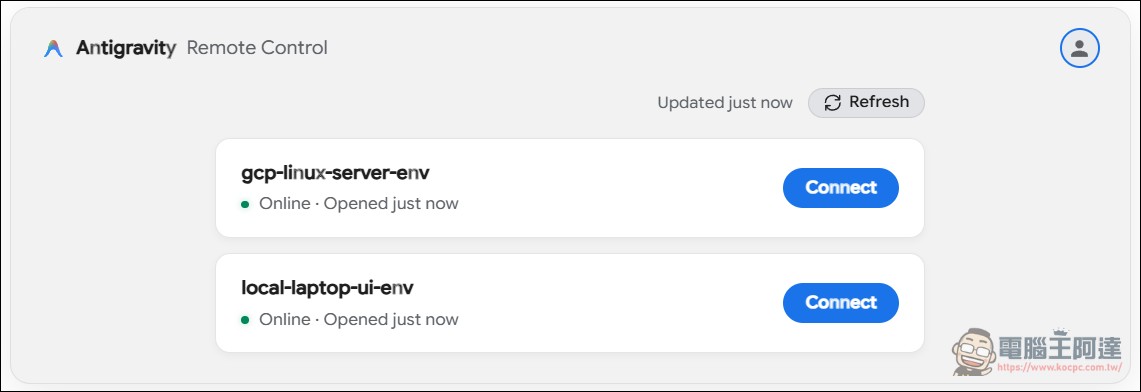
Currently, this feature is rolling out starting with Google AI Ultra subscribers, and will gradually be made available to all users. For developers who frequently need to run long-running Agent tasks, this feature means that “stepping away from the computer” no longer means “losing control.”
Agent remote control becomes standard equipment
From a broader industry trend perspective, the release of Remote Control marks a turning point in the Coding Agent space. Within just one week, Google and Anthropic both rolled out remote control features, Cursor had already launched its iOS app back in June, and even community developers have built their own open-source mobile companion apps like Antimatter.
This means that monitoring and controlling AI Agents anytime, anywhere has shifted from a nice-to-have feature to a basic requirement. When an Agent’s task scope expands from “writing a line of code” to “refactoring an entire subsystem, executing the full test suite, and diagnosing build errors,” developers can’t just sit at their computers waiting. What remote control solves is precisely the fundamental contradiction between an Agent’s working time and human attention. For developers in Taiwan, the practical value of this feature is that you can check the Agent’s refactoring progress on your phone while commuting, or review changes immediately after receiving a push notification during lunch—without having to wait until you’re back at your desk to discover that the Agent has already been waiting for you for half an hour.