


Gemini in Chrome has been available on desktop, iPhone, and iPad for a while now, yet its own Android platform has been left waiting—something that has likely frustrated many Android users. The good news is that Google finally announced earlier that Gemini in Chrome is officially rolling out on Android. However, as usual, it’s not a global rollout and is currently limited to users in the US. And as previously revealed, the Auto Browse agent feature is also coming to Android at the same time.
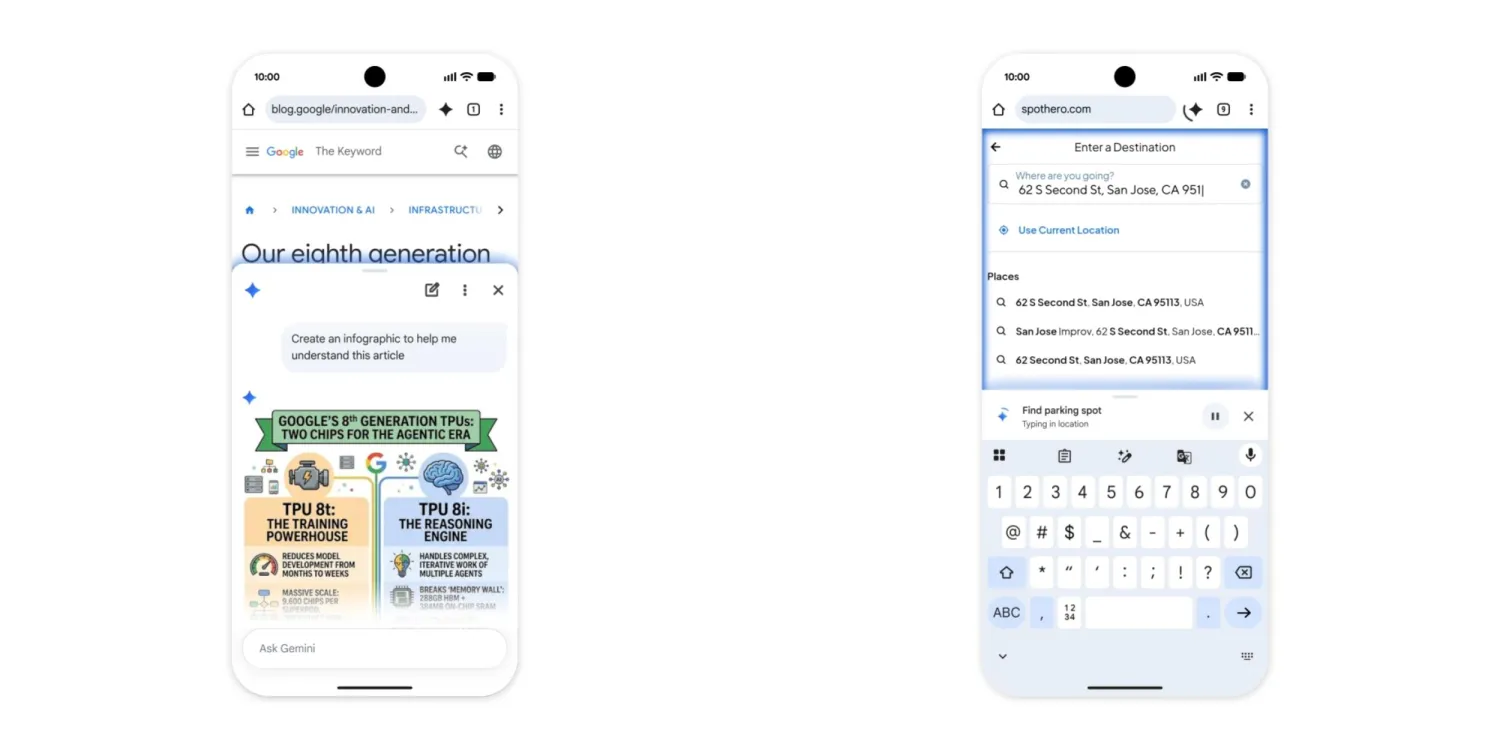
Image source:9to5google
Gemini in Chrome launches on Android! Now rolling out to users across the US — paid subscribers can even have AI automatically book parking spots for you.
Back in May of this year, Google announced that Gemini in Chrome would be launching on Android, with a projected release date of late June. Now July has come and gone, and it’s still nowhere to be seen. I have to say, Google’s AI updates have been moving a bit slowly lately. Now that we’re past mid-August,The official blog has finally made the announcement.It has officially launched in the US, and now any Android user in the US who meets the conditions can use Gemini in Chrome.
There are two ways to enable it: you can click the Gemini icon directly on the Chrome toolbar, or select “Ask Gemini” from the three-dot menu. If you don’t see that button on the toolbar, you can also switch it to Gemini via “three-dot menu → Settings → Appearance → Toolbar shortcut”. The interface works the same as the desktop version, except on mobile it becomes a panel that slides out from the bottom of the screen, and it can be pinned to the bottom edge so you can ask questions while scrolling down the page. You can use Gemini to quickly get summaries of long articles, ask questions about the page you’re currently viewing, or turn difficult content into plain language:
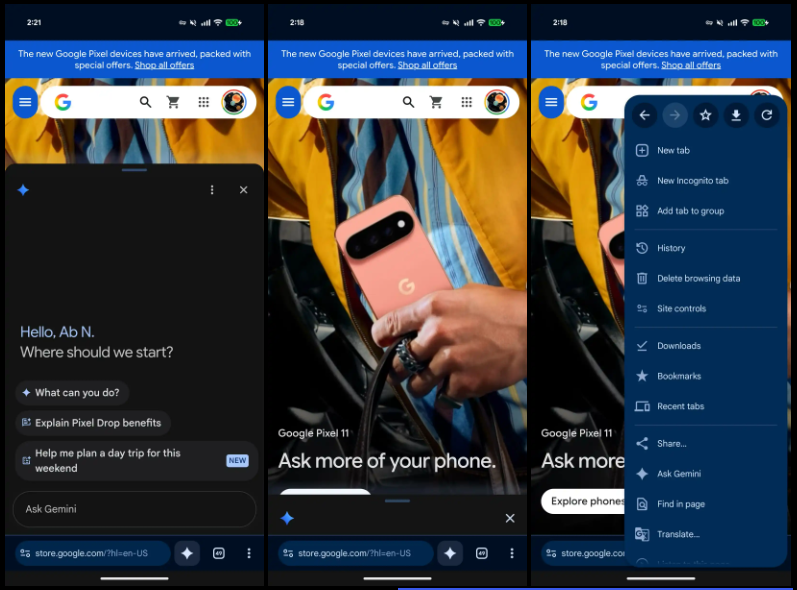
Image source:9to5google
The content of the currently open tab will be sent to Gemini as context, so you don’t need to copy and paste it first—just ask “What is this about?” Of course, if you don’t want Gemini to read the current page, you can stop sharing that page at any time:
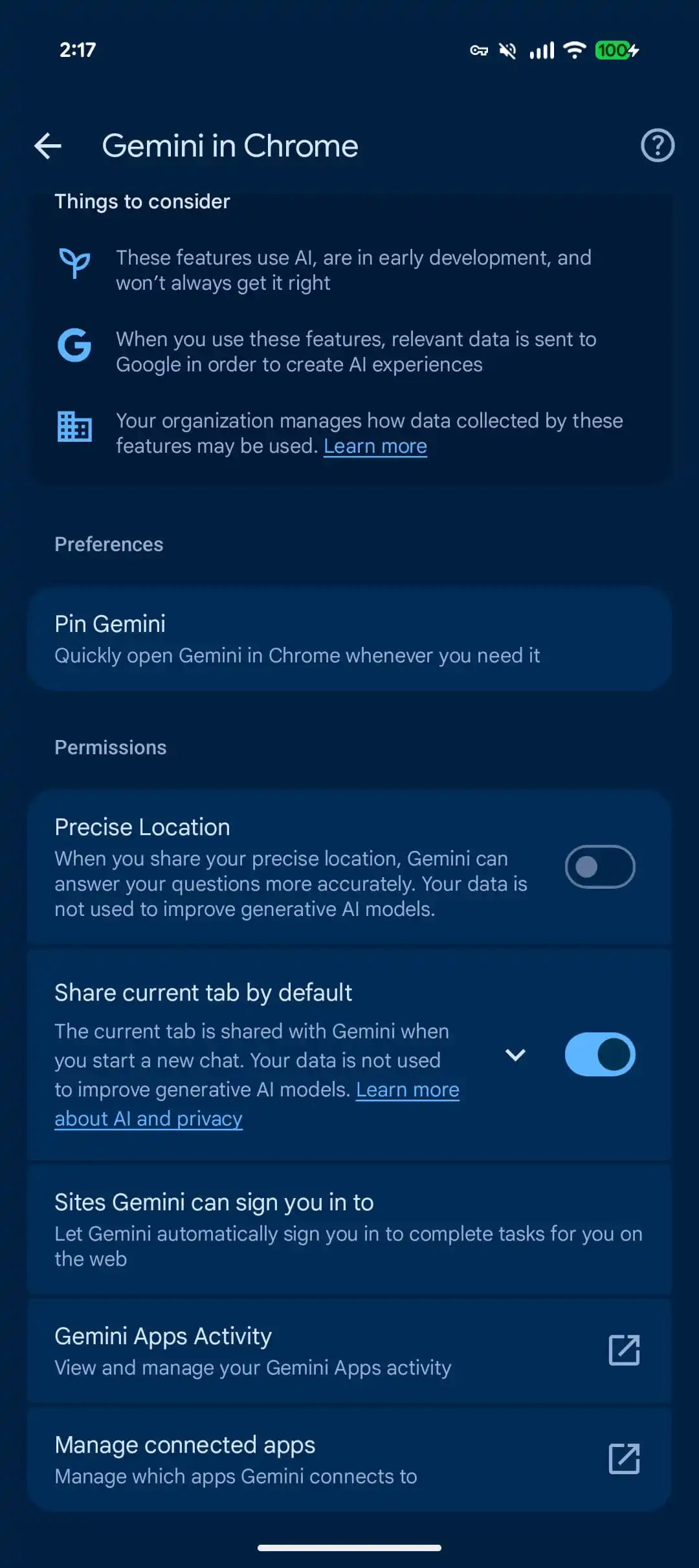
Image source:9to5google
You can also directly edit/generate images through Nano Banana in Gemini in Chrome. Google’s example is turning an entire page of dense text into an infographic, or, while browsing a rental site, changing a room photo to your desired decor layout.
Besides answering questions, it can also integrate with Google’s own services. For example, when you see an event page, you can directly ask it to add the time to Google Calendar; when you see a recipe, you can have it organize the ingredient list and save it to Keep, and you can also ask it to go back and search Gmail for a specific email.
Auto Browse is an exclusive feature for Google AI Pro and Google AI Ultra users. It’s Chrome’s AI agent feature, powered by Gemini, that lets you have it actually operate web pages: scrolling, clicking, and typing text on its own, while the panel shows step by step what it’s doing in real time. You can have it help find parking spots on the SpotHero platform for a spot near a concert venue, modify recurring orders on the pet supplies e-commerce site Chewy, or handle tedious tasks like price comparison and searching for flights and hotels that would normally require checking back and forth across multiple websites.
Finally, note that Gemini in Chrome has threshold restrictions: phones must run Android 12 or higher, have at least 4GB of RAM, have the system language set to English, and the account holder must be at least 18 years old.
Source: KOCPC Chinese