


When Microsoft launched Windows 11, it successfully attracted a lot of attention with its new visual design and modern features. However, as the time of use increases, problems such as unfriendly interface design, over-emphasis on commercial operations, and neglect of user privacy gradually surface. These continuously stacked redundant functions highlight the reality that Microsoft is gradually sacrificing user experience in the pursuit of its own interests.
5 Windows features no one wants
Windows Recall
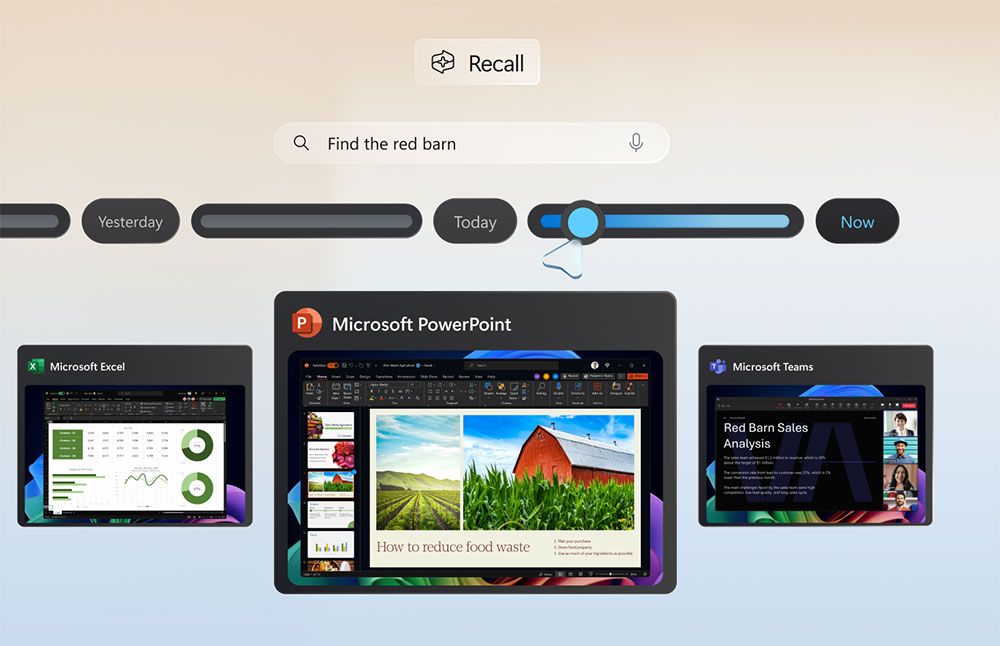
Microsoft describes “Recall” as the computer’s “image memory”. Its core design is to automatically capture the desktop screen every five seconds, allowing native AI to index text and images, making it easier for users to search for content in the future. However, this feature is essentially more like an operating system-level keylogger, just with a visual wrapper.
No user would want a tool built into their computer that completely undermines the promise of privacy and turns daily operations into a centralized surveillance database. Recall was originally expected to be enabled by default on new Copilot+ units, but was forced to withdraw after a backlash. It captures everything, including ephemeral Signal messages, private work emails, banking information, medical information and even passwords, and stores them locally permanently.
In the face of external doubts, Microsoft had to urgently adjust its strategy and postponed the launch of Recall many times in order to redesign its architecture. The company finally gave up on the mandatory enablement method, changed Recall to an optional feature in the Windows installation process, and allowed users to completely remove it. In addition, Microsoft has also added Windows Hello biometric encryption and moved screenshot processing to a virtualized secure area to reduce the risk of data being maliciously attacked.
Start menu “Recommended”
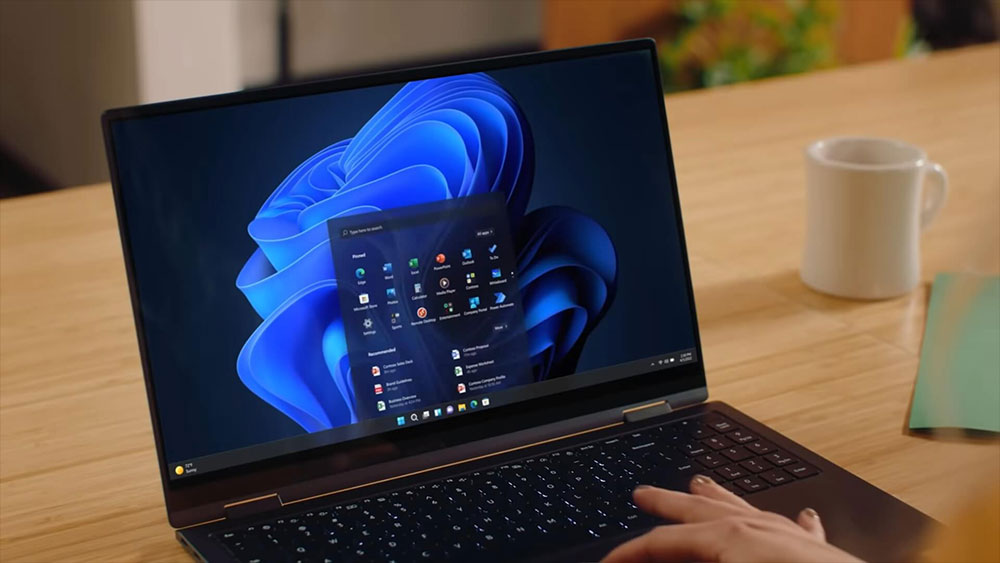
The Start Menu was originally a private space for users to place frequently used applications and files. However, in Windows 11, Microsoft uses the “Recommended” section to push ads for third-party applications that you have never purchased or even searched for. It is indeed difficult to understand that the most core navigation tool in a paid operating system has been turned into a profit channel.
This important work entrance has now been transformed into a digital advertising billboard. In the name of “helping discover high-quality software,” Microsoft is actually exposing products for a small number of cooperative developers. The result is: the space that should be used to improve efficiency is occupied by unsolicited promotional content. In addition, the new Windows 11 installation will also pre-install third-party shortcuts for TikTok, Instagram, WhatsApp, Spotify, etc., clearly showing that Microsoft is willing to give the most prominent position to the highest bidder.
For users who just want to quickly launch their own programs, the Start menu is no longer a simple tool, but a minefield where sponsored software must be carefully avoided.
Copilot exclusive keyboard buttons
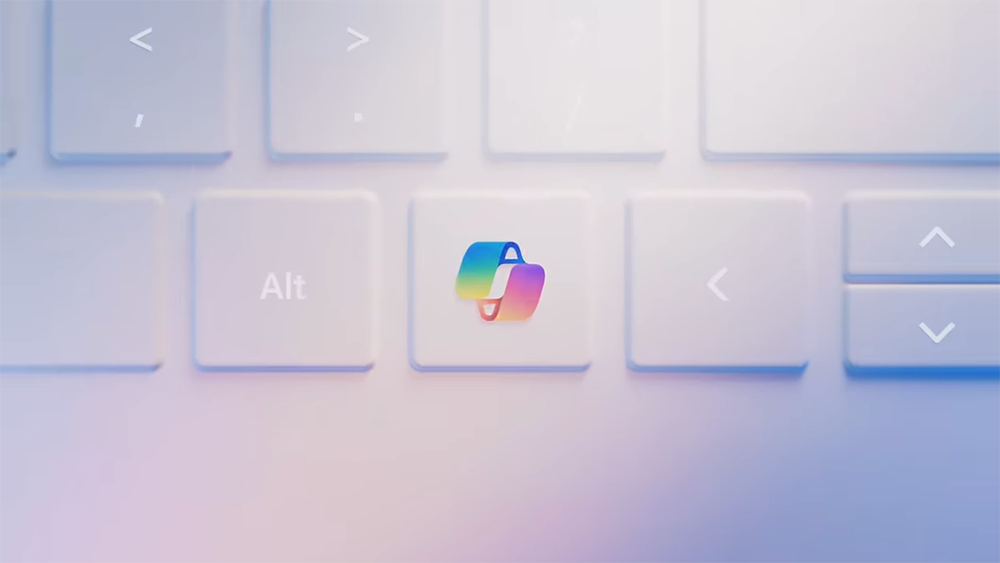
In order to allow artificial intelligence to penetrate every Windows PC, Microsoft has forced the introduction of a new hardware specification: replacing the decades-old right Ctrl or Menu key with a dedicated “Copilot” key. This crude change to the keyboard layout, just to promote a chatbot, is unacceptable.
For millions of office workers, developers, and experienced users, the right Ctrl key is the foundation of deep muscle memory. Today, it has been replaced by Copilot, resulting in many daily shortcut operations, such as pressing Ctrl+P with one hand to print a document, or using Ctrl and the arrow keys to quickly browse text, may be interrupted by the sudden Copilot window, disrupting the work rhythm.
I had to rely on Microsoft’s own PowerToys to block this weird key combination and manually remap it back to the right Ctrl. Unfortunately, this method is not always reliable, after all, the behavior of Windows is not always stable. If I could avoid using this key entirely, I would. I believe many users have the same frustration.
You must log in to a Microsoft account
Setting up a new computer used to be easy: you could choose to log in with a Microsoft account or create an offline, local account. This approach is direct, transparent, and respects the user’s control over the degree of connectivity between their device and the cloud. However, in Windows 11, Microsoft has deliberately raised the setting threshold. Without the Internet and a Microsoft account, you cannot even complete the initial settings. This is equivalent to “detaining” the hardware you purchased until you hand over your digital identity.
Nowadays, if you want to truly use your computer locally, you have to rely on some obscure command line tricks, such as pressing Shift + F10 and typing “oobe\bypassnro” to bypass network requirements. What’s even more worrying is that Microsoft is gradually blocking these last escape routes through updates.
These design choices clearly reflect a shift in Microsoft’s strategy: Windows is no longer viewed as a standalone operating system owned by users, but is being reshaped into a gateway for subscription revenue, data collection, and driving OneDrive, Microsoft 365, and various AI tools. User control is being systematically eroded.

Ignore default browser selection
You can set Chrome, Firefox, or Brave as your default browser, but Windows still ignores your choice and any web search triggered from the system taskbar will force Microsoft Edge to open and use Bing as the search engine, completely bypassing the preferences you set in the system. When you type in the Start menu or click on the News widget, Windows intercepts your actions and directs you to Microsoft’s own services, essentially locking you into its closed ecosystem.
What’s worse is that instead of respecting users’ choices, Microsoft has further tightened restrictions. One Windows 11 update even deliberately prevented third-party applications from handling certain protocols, rendering tools that could have bypassed the restrictions useless. Although new tools like MSEdgeRedirect have since emerged to try to redirect these commands, users are still forced into a never-ending game of cat and mouse just to get the system to behave the way they want it to.
Source: KOCPC Chinese