


There are many tools online that can download YouTube MP4 videos and MP3 music, for example:CNVMP3、TurboScribe、Seekin、SLICEYTAlthough they are quite easy to use, you still need to open the tool to get the YouTube download link. If you’re using a computer, there’s a more convenient “Tubly Downloader” extension. After installation, the download button will appear directly below YouTube videos. Videos support up to 8K quality, and you can also download MP3 music. If you need it, give it a try.
The only thing to note is that due to Chrome Web Store policy, this type of extension cannot pass review, so it must be installed manually. Those concerned about security are advised to skip it.
ReminderBefore using, please verify that the content on YouTube or other websites has proper legal authorization, such as: self-uploaded works, Creative Commons licensed content, or public domain material. If it is copyrighted music or audiovisual works, downloading or converting without the rights holder’s consent may involve copyright risks and may also violate the original platform’s terms of service.
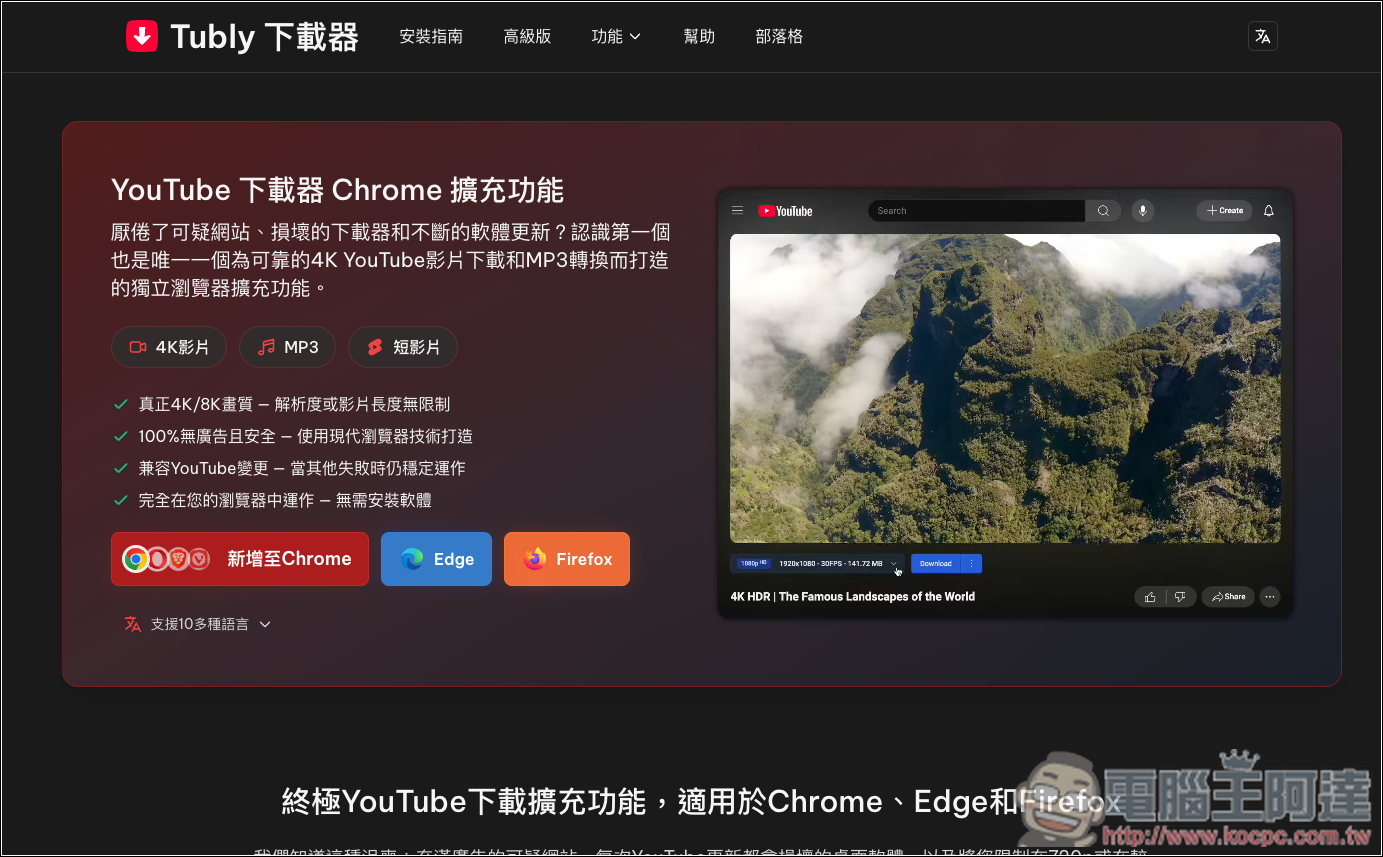
“Tubly Downloader” Extension Introduction and Usage Guide
“Tubly Downloader” is a browser extension designed specifically for downloading YouTube videos and music. It is built to be lightweight, secure, and efficient, with support for most modern browsers (including Chrome, Edge, Firefox, etc.), allowing users to download their favorite video and audio content directly on the YouTube page with a simple one-click operation. No need to open any additional tools.
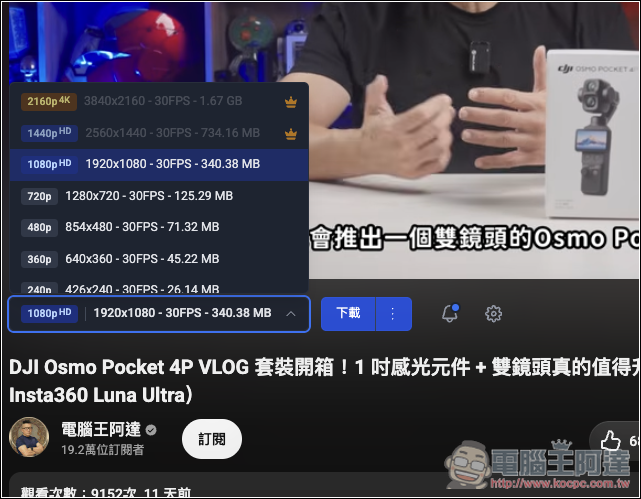
However, this extension isn’t completely free. The free version allows unlimited 480p video downloads, while 1080p and MP3 music have daily quotas; once exceeded, you have to wait until the next day to download for free. Video resolutions above 2K are restricted to paid members only.
Main features
- Supports downloading ultra-high-resolution videos up to 4K and even 8K.
- Built-in high-quality 320kbps MP3 conversion lets you instantly extract a video’s audio track without needing third-party software.
- A dedicated download button has been designed specifically for the YouTube Shorts page, letting you easily save popular content in high quality to your device while swiping through short videos.
- Directly integrates natively with the browser interface.
- Promotes support for private and members-only content.
Visit the Tubly official website.
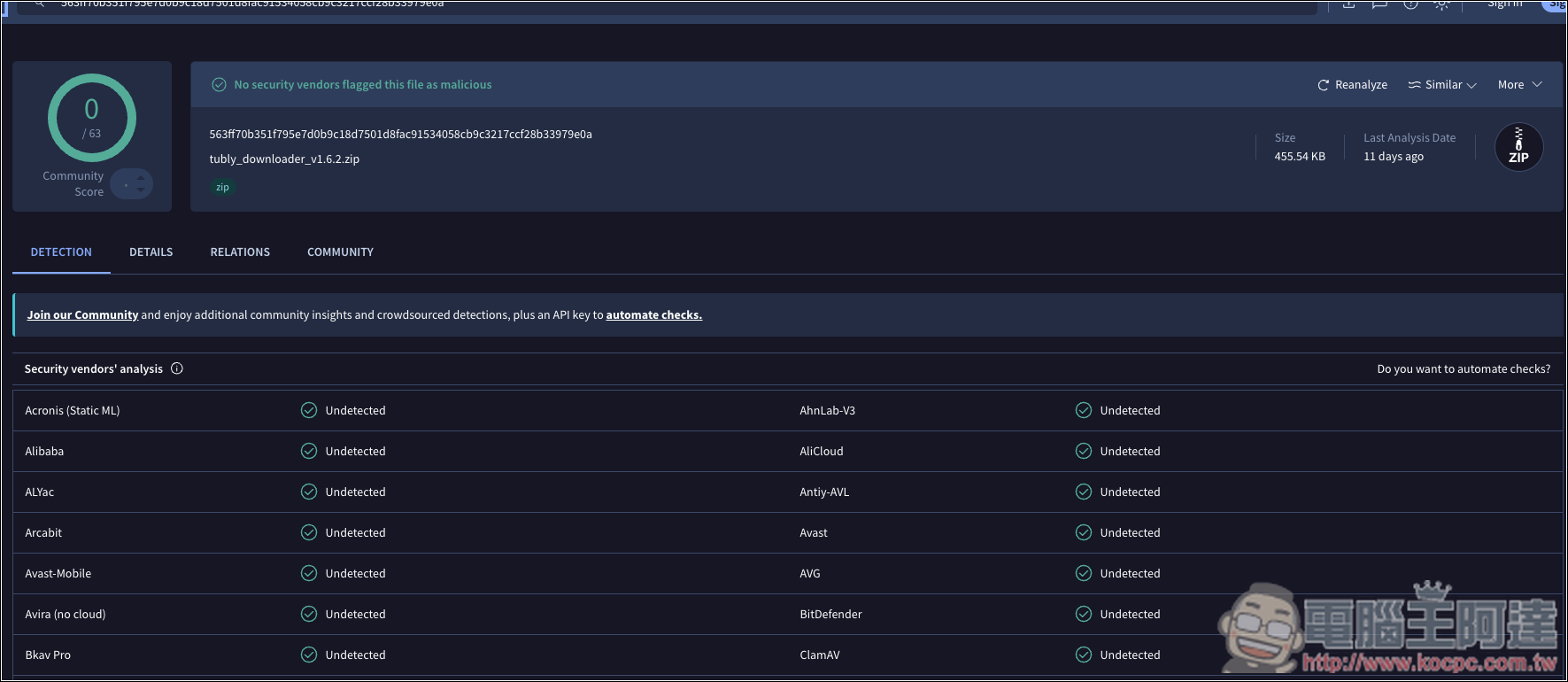
To confirm whether the extension installation file is safe, I first checked it with four tools. Three were online virus scanners: VirusTotal, Internxt, and Kaspersky Threat Intelligence Portal, all of which returned no issues. The fourth was Codex, which also reported no obvious trojans, cryptominers, keyloggers, or arbitrary executables. However, because it has highly sensitive permissions and some of its behavior is determined by Tubly’s servers, it’s not recommended to install it in your primary Chrome profile where you’re logged in.
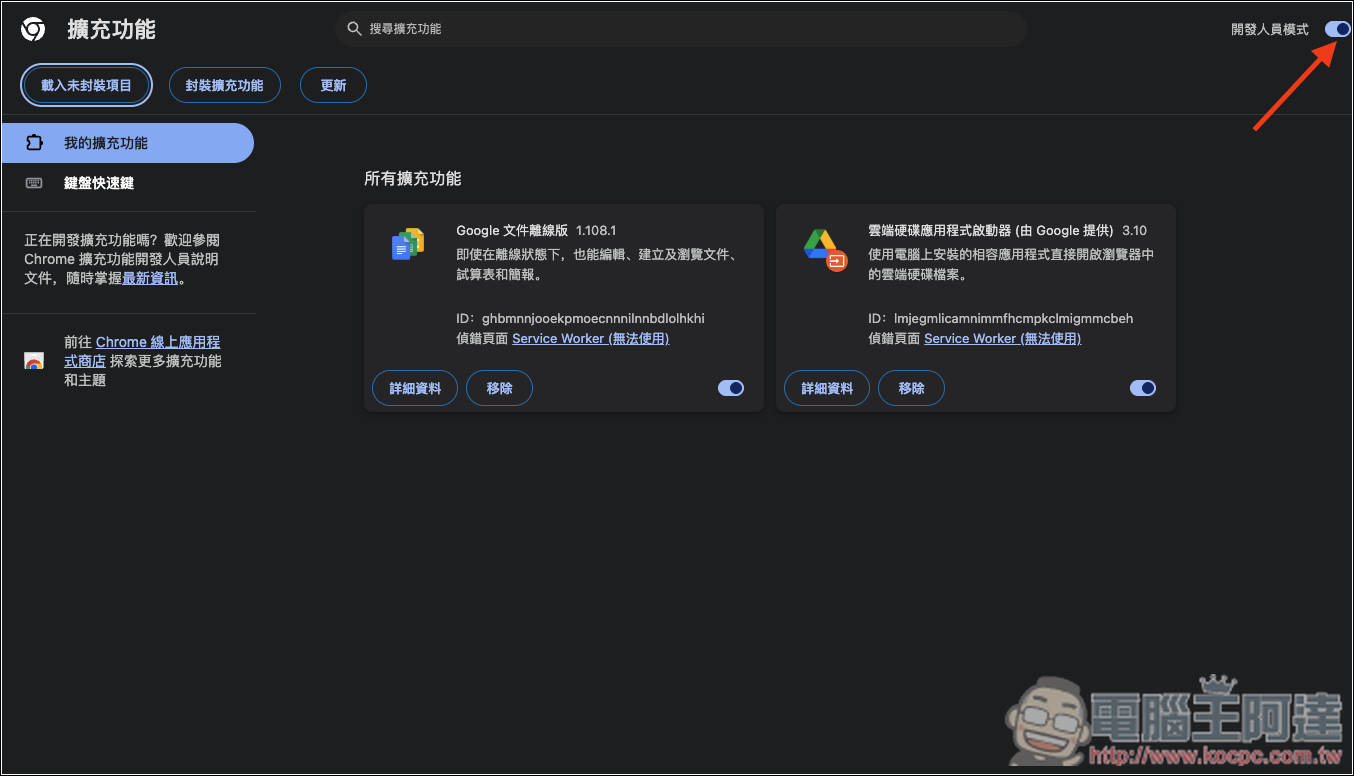
Here I’ll use Chrome as an example. First, you need to turn on “Developer mode” for extensions.
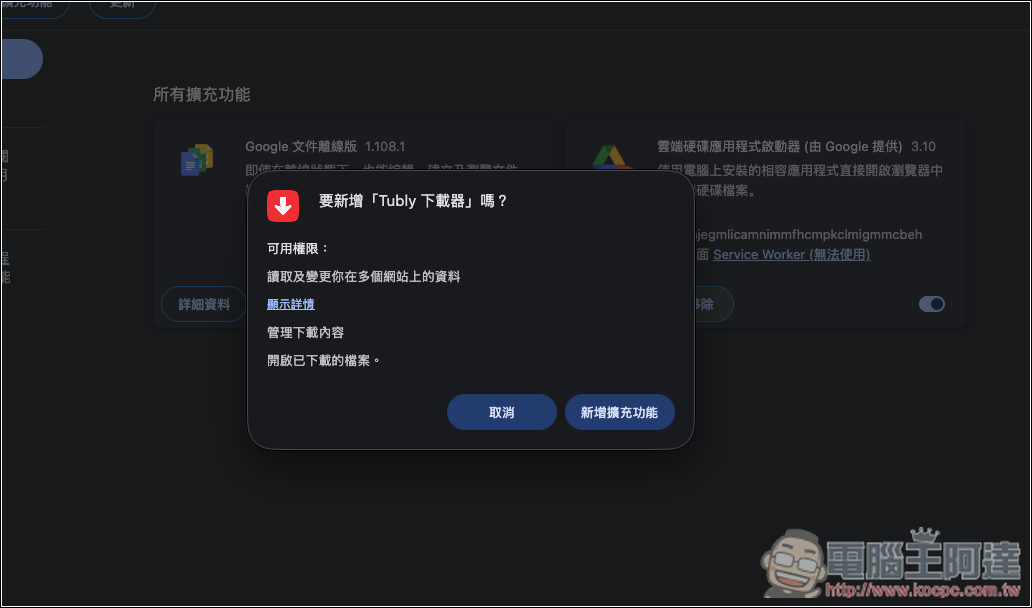
Next, drag the Tubly downloader file you just downloaded and extracted into Chrome. A prompt will appear asking if you want to add it. Click “Add extension”:
Once the Ready to Get Started page appears, it’s done and ready to use:
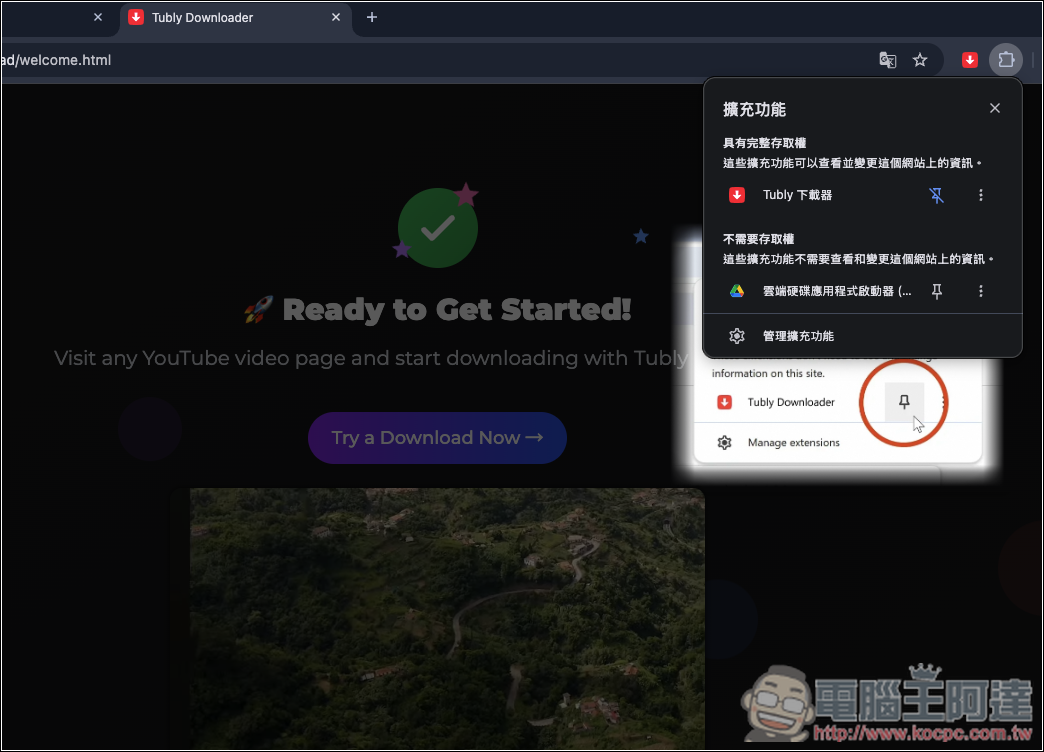
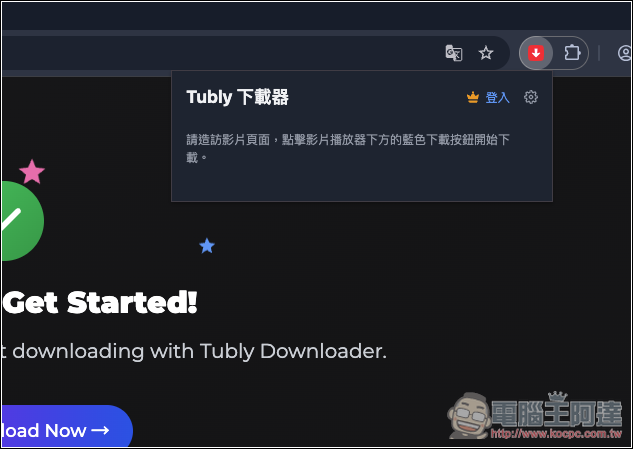
Click the extension icon to log into your member account. For the free version, there’s no need to log in—just start using it directly.
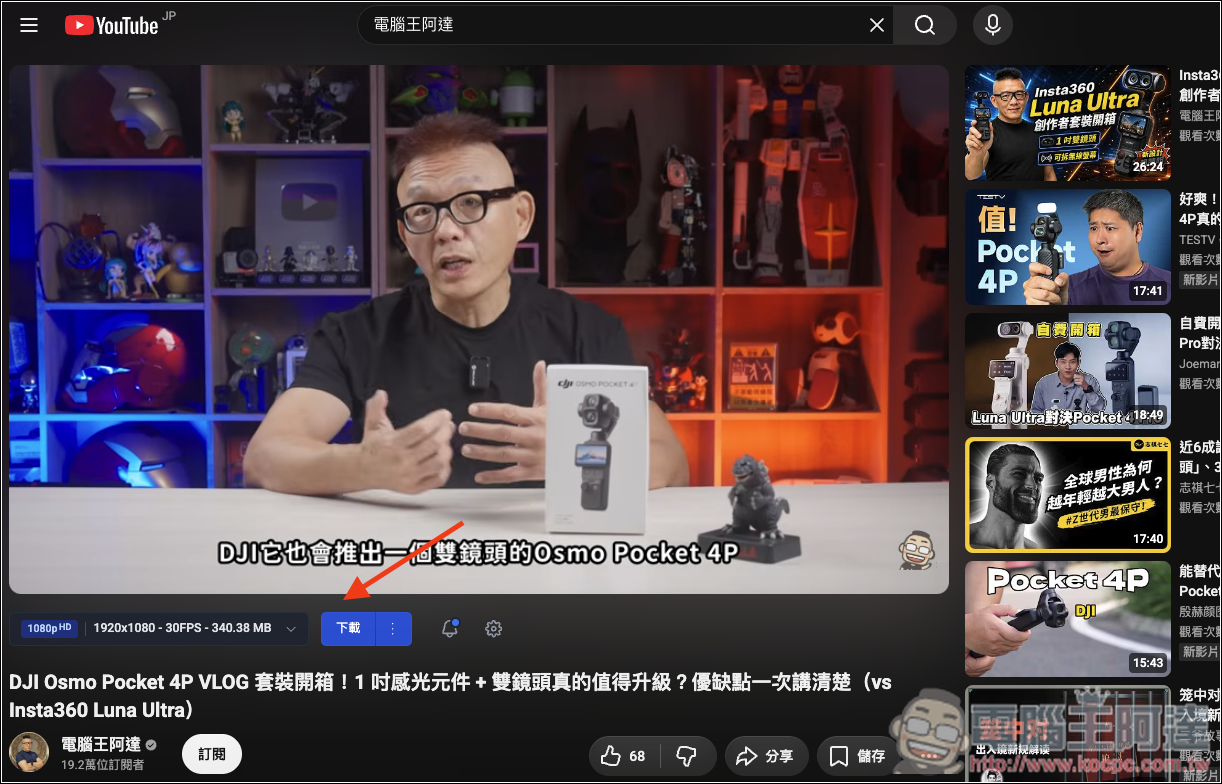
When you open the YouTube video you want to download, you’ll see an extra download button below, with format options on the left:
In the free version, I tested that you can download one 1080p or 720p video per day, while 480p and below is unlimited.
Scroll down to find the music option, which has both high-quality and low-quality versions. Music also allows only one free download per day:
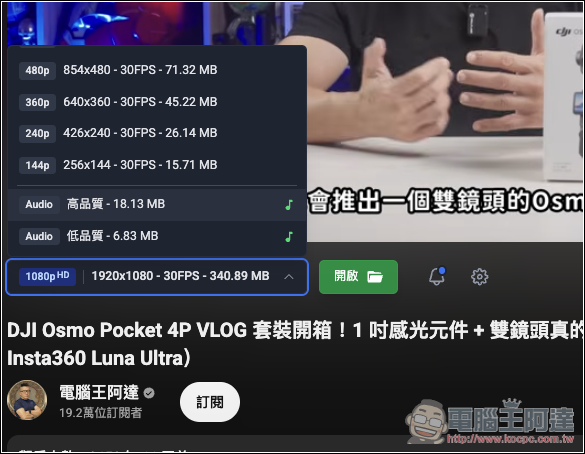
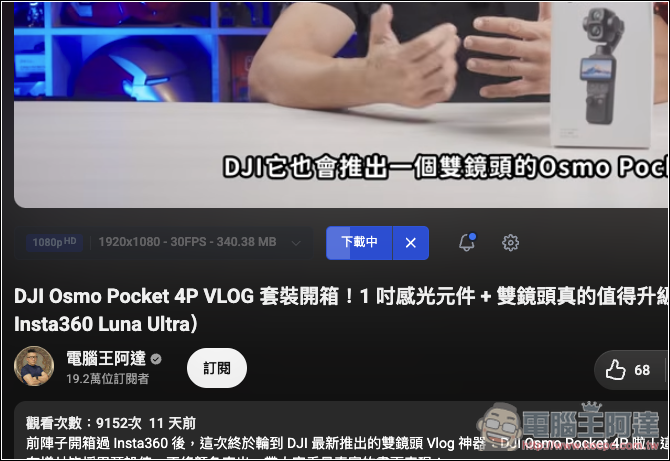
After selecting the format and pressing the download button, it starts processing, and the processing and download speed is very fast—it completes in just a few seconds:
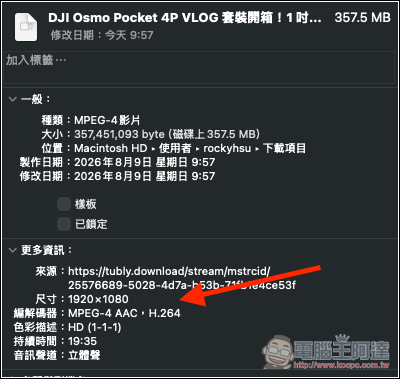
Check that the video is indeed at 1080p:
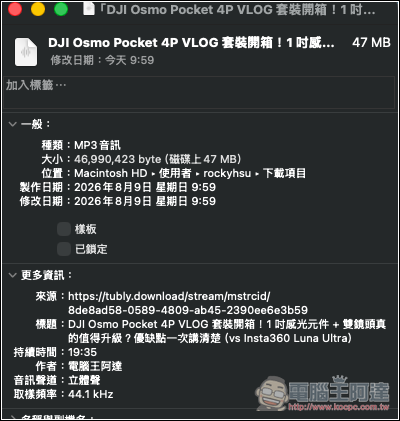
MP3 music is no problem either:
Source: KOCPC Chinese