


Over the years, Google has occasionally quietly removed features from Android that actually worked well without much warning. I have been using Android since the Ice Cream Sandwich era, and I have watched Google cut off more than a dozen applications and features that I once loved very much. Here are 5 features that were terminated by Google. Most of the alternatives they later introduced were unsatisfactory.
5 Android features that were sadly abandoned by Google
Miracast: Wireless screen mirroring without an Internet connection
Miracast is an open wireless display standard developed by the Wi‑Fi Alliance and officially debuted in Android 4.2 (Jelly Bean) under the name “Wireless Display”. It connects via Wi‑Fi Direct, allowing Android devices to mirror images directly to a compatible TV or projector. No router, shared network, or even any network connection is required. Just enable wireless display in settings and select the device to start projecting immediately.
However, in 2015, Google chose to abandon Miracast when it launched Android 6.0 Marshmallow and fully switched to its own Google Cast protocol. Unlike Miracast’s point-to-point direct connection, Google Cast requires the phone and TV to be connected to the same Wi‑Fi network to be used. What’s even more troublesome is that Google Cast relies on a stable network connection, because the delivery of applications such as YouTube and Netflix actually streams content directly from the Internet by the receiving end rather than mirroring the phone screen.
Try Google Cast in a hotel, conference room, or any unfamiliar network environment, and you’ll immediately realize how annoying its limitations are. In comparison, Miracast’s direct connection method is more reliable in these situations, because the mobile phone can communicate directly with the screen, regardless of network conditions. Fortunately, some Android mobile phone brands (such as Samsung) still retain Miracast support through functions such as Smart View, and most modern smart TVs still have this technology built-in.
Google Now on Tap: Provide instant context to anything on your screen
Google Now on Tap works almost like a feature straight out of a science fiction work. As long as you press and hold the home button, the system will instantly analyze the text and images on the screen and pop up relevant information in the form of cards. For example, when a restaurant name appears in an email, it will automatically display ratings, business hours, and directions; when a chat message mentions a movie, it will immediately provide movie reviews and screenings. You don’t need to select text, enter keywords, or even think about what you’re searching for.
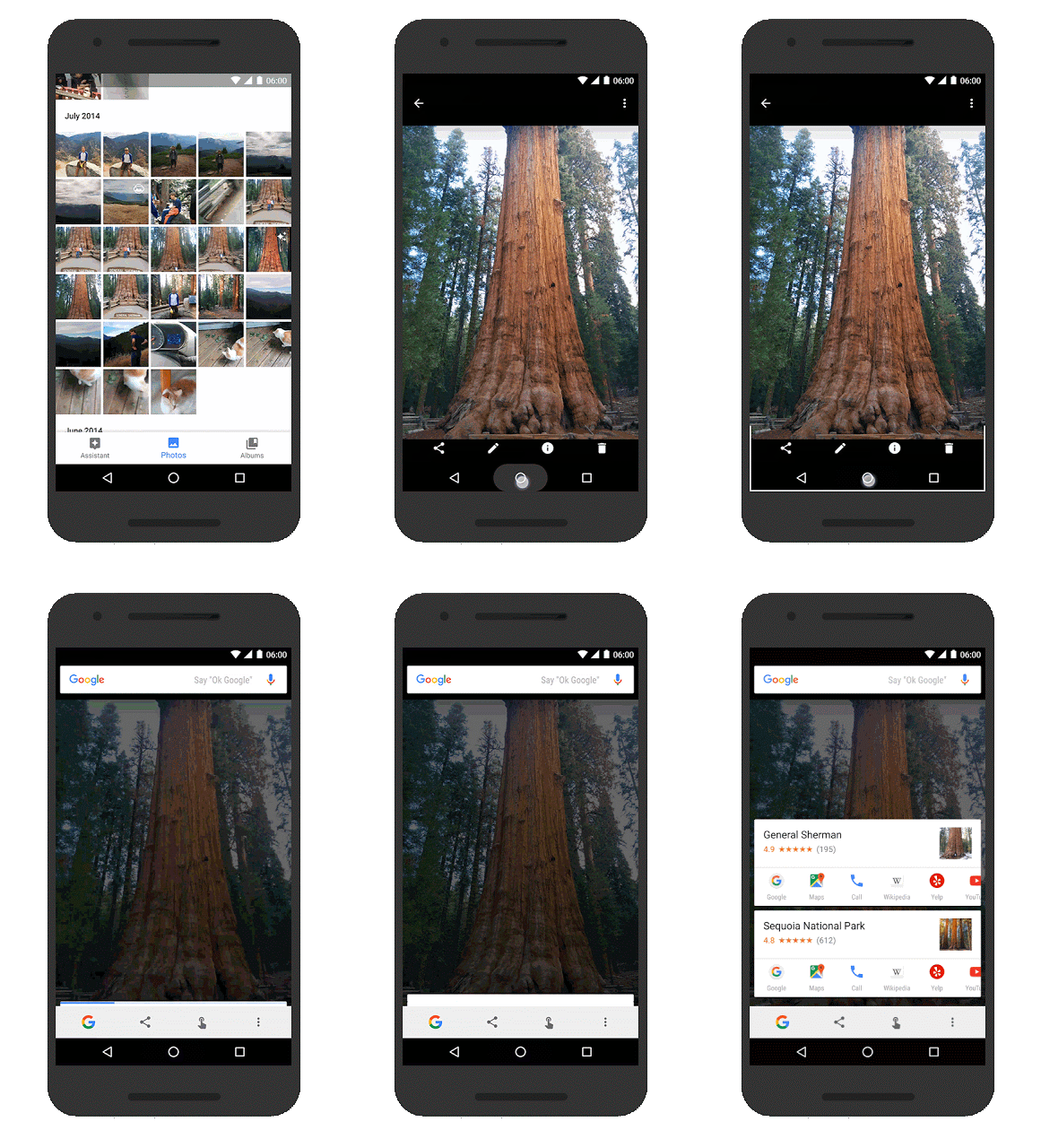
This feature debuted in 2015 with Android 6.0 Marshmallow, and if I remember correctly, it was officially phased out in 2017 with Android 8.0 Oreo, with Google Voice Assistant taking over. Over the next seven years, the closest alternative to Android was the “What’s on my screen?” prompt in Google Voice Assistant, but it was buried behind multiple layers of menus and was not widely used.
Until early 2024, Circle Search was considered the spiritual successor to Google Now on Tap. However, it still lacks the core charm of the year: initiative. The current system does not actively analyze the entire screen, but requires you to manually circle or click on the content you want to search for. This does make the search results more accurate, but I always believe that if modern AI technology is applied to the Now on Tap back then, it can also achieve the same level of reliability.
Android Beam: Seamless sharing between devices
Android Beam was once one of the most intuitive and fun ways to share between Android devices. You only need to stick two mobile phones back to back and confirm the on-screen prompts to quickly exchange contacts, website addresses, photos, application links and other information. NFC is responsible for establishing the initial connection, and when the transmission content exceeds the size of the contact card, the system will automatically switch to Bluetooth to complete subsequent transmissions.
Google introduced this feature with Android 4.0 Ice Cream Sandwich in 2011, but it was eventually removed completely in Android 14. The official reason is that there is a security vulnerability that could allow malicious APKs to be transmitted silently via NFC. Although I think patching the vulnerability would be a more ideal approach, Google ultimately chose to replace it with a new data sharing protocol called Nearby Share, which is now “Quick Share”.
Today’s “Quick Share” is indeed powerful. It transfers data via Wi‑Fi Direct, supports longer distances and larger files, and works across Android, ChromeOS, Windows, and is even compatible with Apple’s AirDrop. However, I still can’t help but wonder: Since these functions can be achieved, why can’t we retain NFC’s intuitive pairing method of “touch and go”? The current process requires opening the sharing menu, clicking “Quick Share”, and waiting for the device to appear. It is not as natural and fast as it used to be.
Notification scroll: scrolling notification reminder in status bar
Smartphone notifications haven’t always been the noisy, distraction-intrusive thing they are now, especially before Android 5.0 Lollipop. At that time, we were using a “notification bar”. A line of slowly scrolling text on the status bar could provide a sufficient preview of notifications without interrupting you. Starting from Android 1.0, the notification bar has been the default design until Google decided to abandon it and use a more “modern” notification banner, which is now the common heads-up notification.
Now, the status bar no longer displays a concise line of text. Instead, a card slides down from the top of the screen to display the complete notification content, with action buttons for quick reply or close. This method is indeed more practical, and it makes sense to increase visibility for reminders such as incoming calls that need to be dealt with immediately. However, this design is also one of the main reasons why smartphones have become so annoying. To some extent, it is a step back.
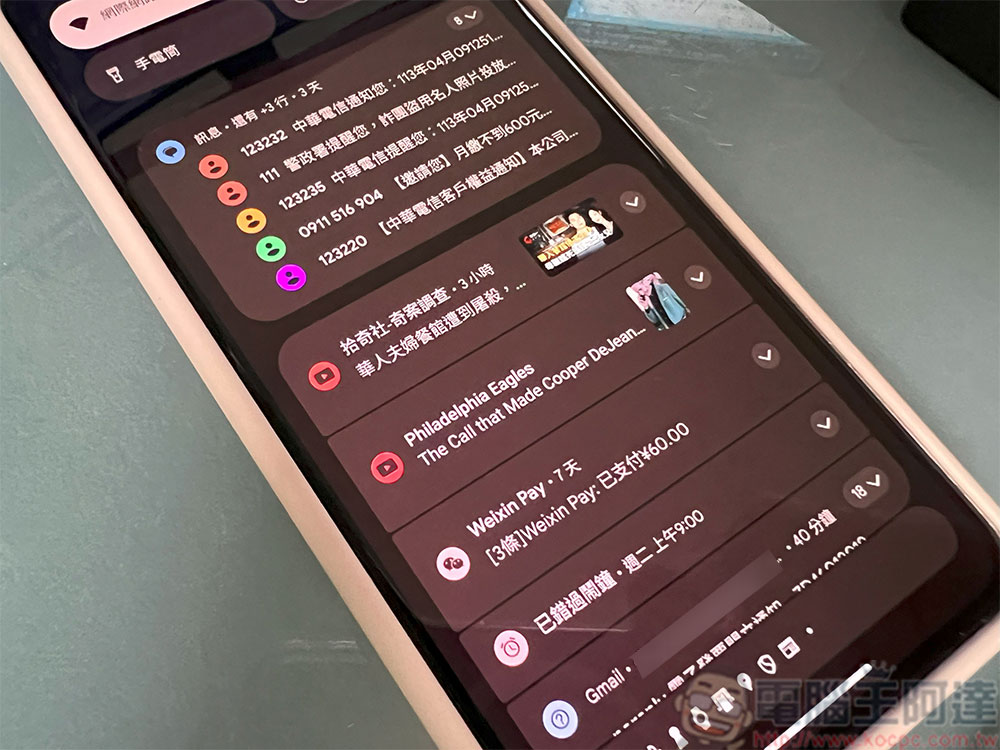
The idea of scrolling notification bars is to maintain immersion: allowing you to “see necessary information without being interrupted.” A pop-up banner is the complete opposite, it overlays directly on top of the content, forcing you to react immediately. It would be a more ideal compromise if we could freely switch between banners and scrolling notifications, but the reality is that we can only choose between two extremes. Either endure the banners that frequently interrupt, or turn on Do Not Disturb mode and risk missing important notifications. To me, this is not a satisfactory option.
Lock screen gadget: access emergency information without unlocking your phone
Android 4.2 Jelly Bean was the first to introduce lock screen gadgets back in 2012, a full decade before Apple. At that time, you could place any gadget directly on the lock screen, such as calendar, weather, music control, to-do list, etc., and even swipe left or right to switch without unlocking the phone. My favorite is DashClock, a small tool that can display the next alarm, weather, unread messages and missed calls at the same time in a simple interface.
This feature existed stably for about 2 years until Google removed it in 2014 when it launched Android 5.0 Lollipop. One of the official reasons is security concerns, since others can see some of your personal information without unlocking it, but in my opinion, these security tradeoffs should be left to the user, as long as the risks are clearly communicated.
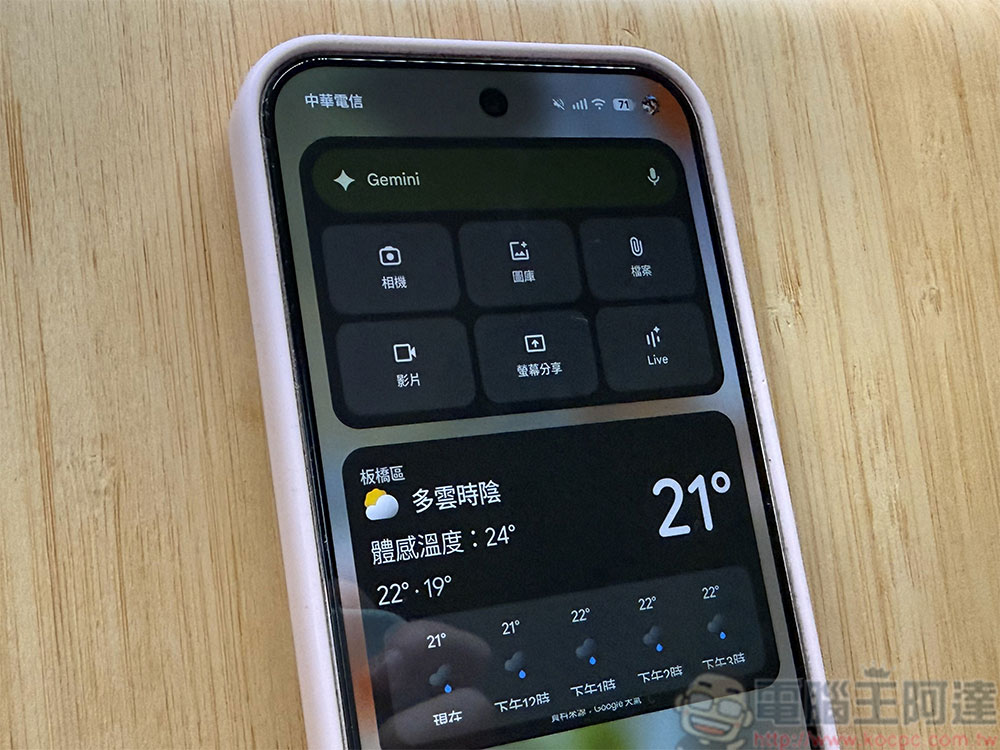
And it turns out that this is not a worry: Google has brought the lock screen gadget back to Pixel phones in Android 16. However, the implementation method this time is even less ideal, because all the gadgets are stacked vertically, lacking flexibility and readability. It can even be said that what really prompted Google to take action was Apple’s launch of the lock screen gadget in iOS 16. Ironically, Google ended up catching up with a feature it pioneered ten years ago. They really should have more confidence in their design.
There is no doubt that today’s Android system is much more mature than it was ten years ago, but “overall better” does not mean that every product decision is in the right direction. The five aforementioned features themselves worked well, were intuitive, practical, and even industry-leading at some points. However, Google ultimately chose to remove them, and subsequent alternatives never fully filled in the discarded advantages.
Source: KOCPC Chinese