


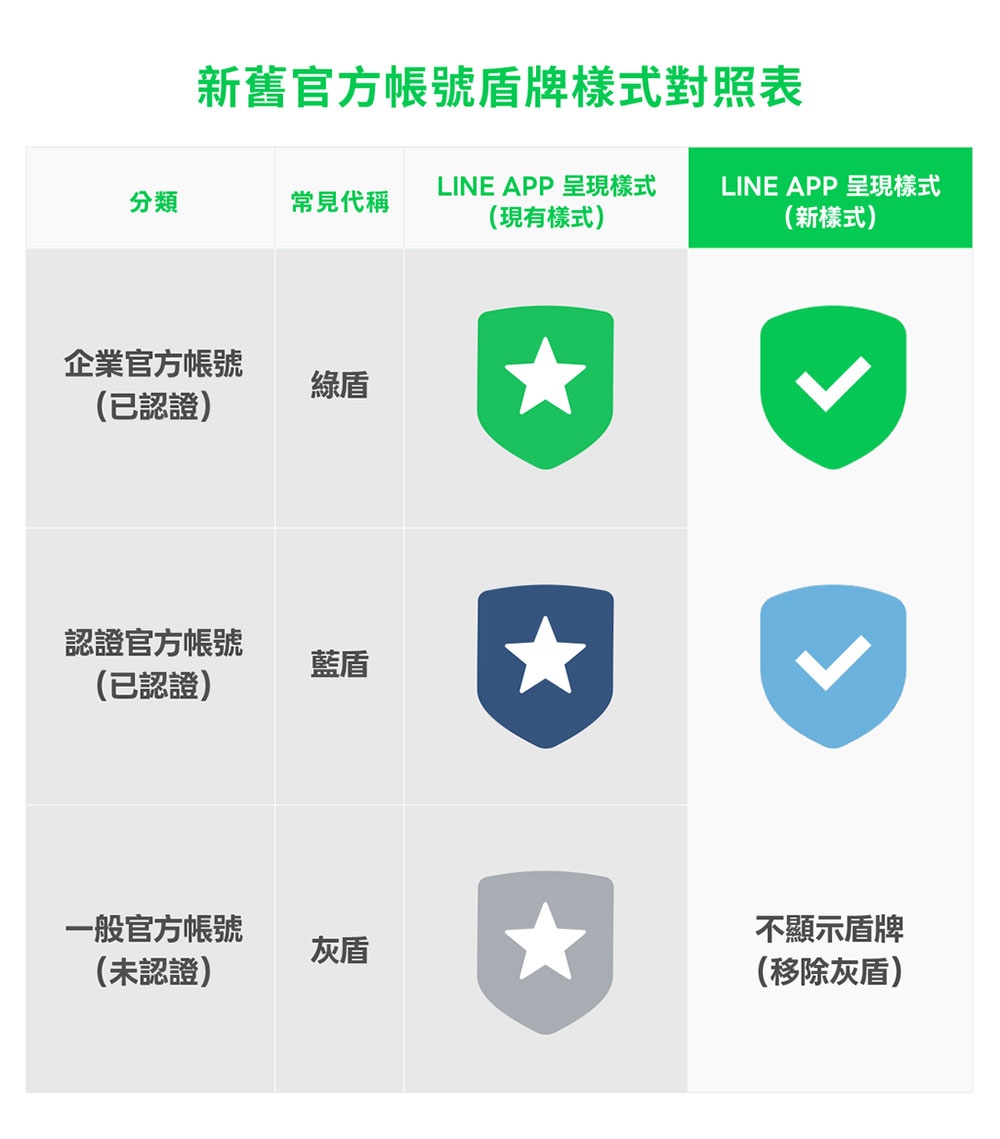
In the past, the authentication system for LINE official accounts included green, blue and gray shields, with the gray shield representing “unverified official accounts”. However, many users report that the gray shield can easily cause confusion, and even mistakenly believe that as long as there is a shield, it is a safe account. In order to make the certification status more clear, LINE has decided to completely remove the gray shield and readjust the way the certification badge is presented.
LINE official account certification has been revised and upgraded to make it easier to recognize and teach you how to identify genuine accounts.
Starting from April 2026, LINE will comprehensively upgrade the “Authentication Shield” system for official accounts, allowing all users to more quickly and intuitively identify the authenticity of their accounts in daily use, reducing the risk of being deceived, and improving their sense of security when interacting with brands.
In the future, as long as it is a “certified official account” that has passed LINE’s official review, a more recognizable green or blue shield badge will be displayed next to the account name. These two colors represent that the account has passed official review and has higher credibility. It is suitable for shopping, making reservations, inquiring about services, or receiving brand information. In contrast, the “grey shield” that was common in the past will no longer be used. Unverified official accounts will not display any shield. In other words, if there is no shield mark next to the account name, it is a “general official account (unverified)”. This change makes certification status clear at a glance:
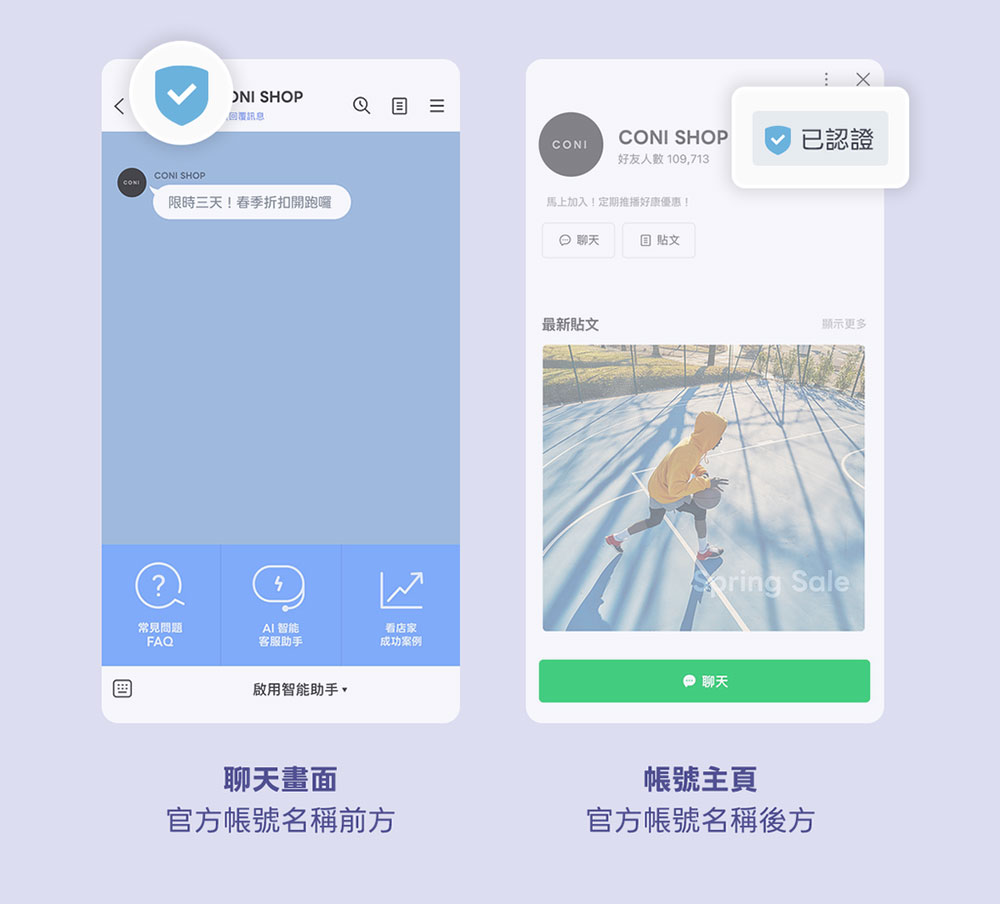
In order to make it easier for everyone to identify in daily use, LINE has also organized two places that are easiest to check. Whether you are joining an account for the first time, or are shopping or checking customer service, you can quickly identify through these two places:
- Chat screen
When opening a chat window with an official account, you can immediately confirm whether it is a verified account by simply looking for a green or blue shield in front of the account name. - Official account homepage
After clicking on the account’s homepage, the certification badge will be clearly displayed in a prominent position, making it easier for you to confirm again.
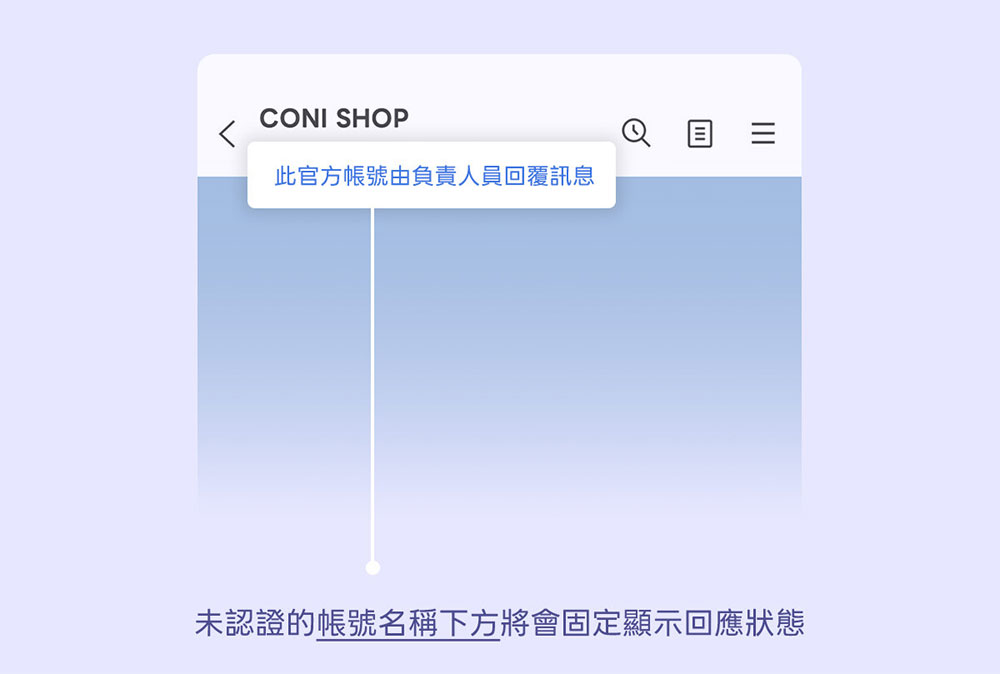
In addition to the certification shield, LINE has also simultaneously adjusted the presentation method of uncertified official accounts to avoid confusion with general personal accounts. A status message will be permanently displayed below the name of an unverified official account, for example:
- “The official account is automatically replying to messages”
- “The official account may not be able to reply immediately”
These status texts cannot be turned off or hidden. The purpose is to allow users to clearly identify “This is not a personal account, but an uncertified official account.” If what you see has no shield at all and does not have these status texts, then it is not an official account, but a personal account of an ordinary user.
Recently, some fraudulent accounts have added words such as “certified”, “official”, and “genuine” to their names or status text in an attempt to confuse the public. LINE specifically reminds that the real certification badge will only appear next to the account name and is automatically displayed by the system. It cannot be added by yourself. If all you see is that the account itself is marked “Verified” in the text, but there is no shield badge, then you should be more vigilant to avoid being deceived.
Source: KOCPC Chinese