


since Windows 10 After officially ending support in October 2025,MicrosoftI have been hoping that the remaining users will quickly upgrade to Windows 11, to avoid exposure to information security risks. Of course, you can also choose to join the ESU extended security update paid plan, but this requires additional payment, which I believe many people will not be willing to do. In order to make it easier for users to upgrade, Microsoft has also launched many tools, such as the recent small upgrade tool for the 25H2 version. The entire process is much smoother than in the past.
Just because it can be upgraded smoothly does not mean that everything is fine. Recently, a foreign netizen shared his own case. After he directly upgraded from Windows 10 to Windows 11, everything was normal and the system ran smoothly. However, he did not expect to find that his NVMe SSD speed was directly reduced to less than one-third of the original speed through a benchmark test, which was a huge difference.
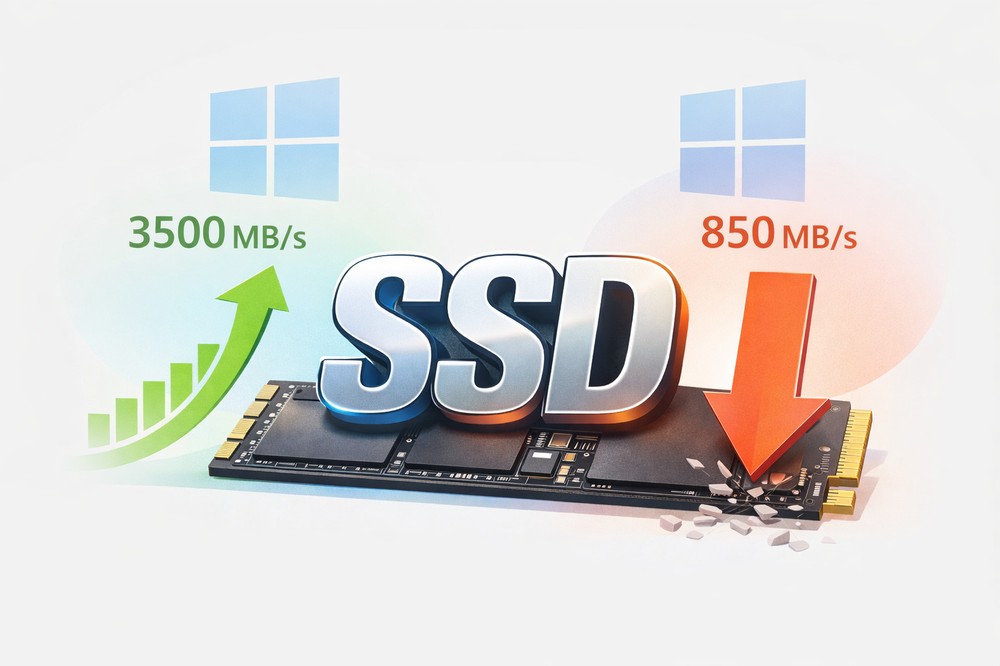
After upgrading from Win10 to Win11, a foreign netizen’s SSD speed was directly cut by 4 times, and it took reinstalling the driver to save it.
According to a report by foreign media Neowin, a Facebook user Dabeedski Da Rozaski said that after upgrading his computer to Windows 11, he found that it felt strange, so he ran it with the hard drive speed test tool CrystalDiskMark 9.0.2, and the result made him dumbfounded.
His SSD is a Samsung 970 Evo, which is an NVMe PCIe Gen 3 M.2 SSD. According to official data, the sequential read speed can reach up to 3,400 MB/s and the sequential write speed is 2,500 MB/s. But after he upgraded to Windows 11, CrystalDiskMark showed that the sequential read speed was only 896.67 MB/s, and the sequential write speed was only 858.70 MB/s, which was less than one-third of the official speed.
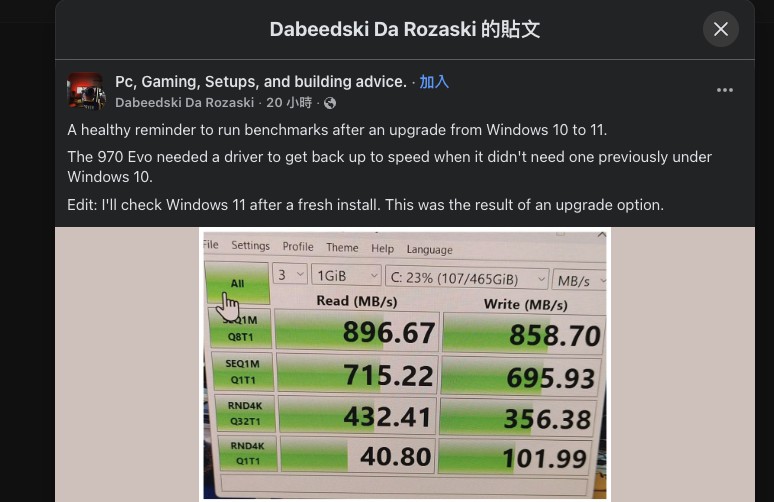
What’s even more strange is that he had no problems using Windows 10 before, but this problem only occurred after upgrading to Windows 11. He himself said that if he hadn’t just gotten used to running benchmark tests after upgrading, he might not have discovered that the performance of his SSD was reduced by half.
Fortunately, the solution to this problem is very simple, and there is no need to reinstall the system. He then tried to reinstall Samsung’s official NVMe driver, and the result was fine.
After he reinstalled the driver and ran CrystalDiskMark again, the data returned to normal. Sequential reading jumped from the original 896.67 MB/s to 3,548.81 MB/s, and sequential writing also dropped from 858.70 MB/s to 2,467.23 MB/s. This means that reading is nearly 4 times faster and writing is nearly 3 times faster, returning to the level officially indicated by Samsung:
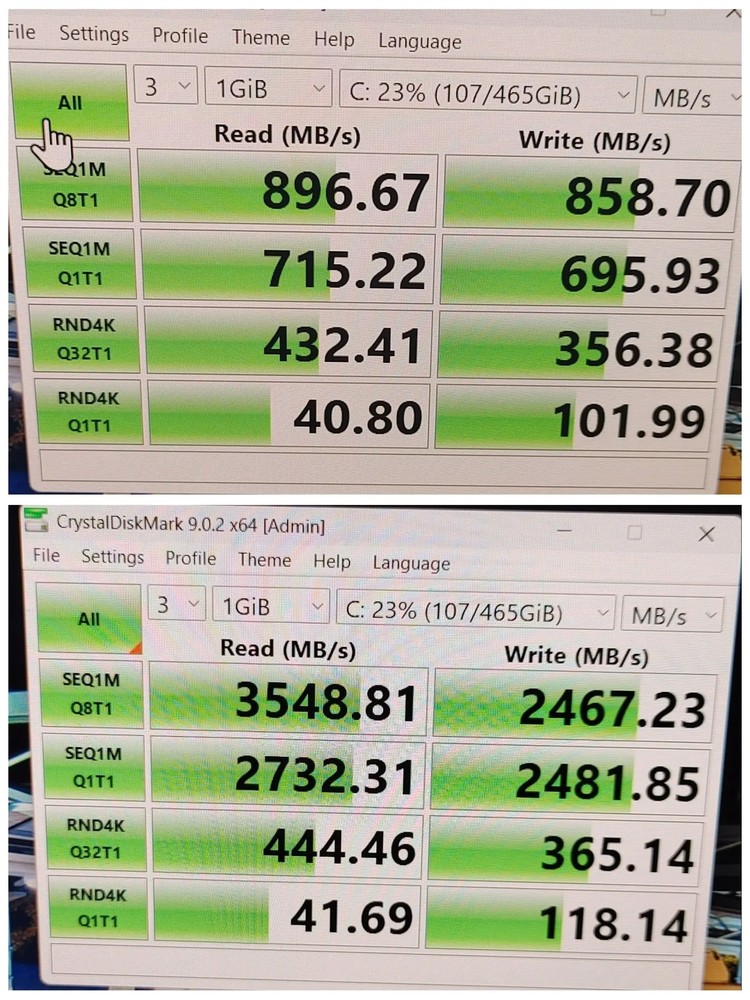
Image source:Facebook
But the strange thing is that the difference in random 4K performance is not obvious in this test. For example, the reading of RND4K Q1T1 only changed from 40.80 MB/s to 41.69 MB/s, and the writing also increased from 101.99 MB/s to 118.14 MB/s. Foreign media Neowin speculates that the gap will become more obvious when data needs to be written to the SLC cache inside the SSD under heavier loads.
Even so, the sequential reading and writing has been dropped so much, it will still have a big impact on the smoothness of daily use.

Image source: Neowin
As for why this situation occurs, the actual reason is not yet known. It may be due to the “direct upgrade” process.
Now when upgrading from Windows 10 to Windows 11, the underlying program code has been quite different (the program code of Windows 10 22H2 is relatively close to Windows 11 22H2 / 23H2). Therefore, during this cross-version upgrade process, the originally installed manufacturer driver may not be successfully retained, and the system will automatically fallback back to using Windows’ built-in universal NVMe driver.
Windows has a built-in universal NVMe driver, and most NVMe SSDs can be used directly without installing anything else. However, universal drivers give priority to compatibility, so the performance will not be adjusted to the best.
Source: KOCPC Chinese