


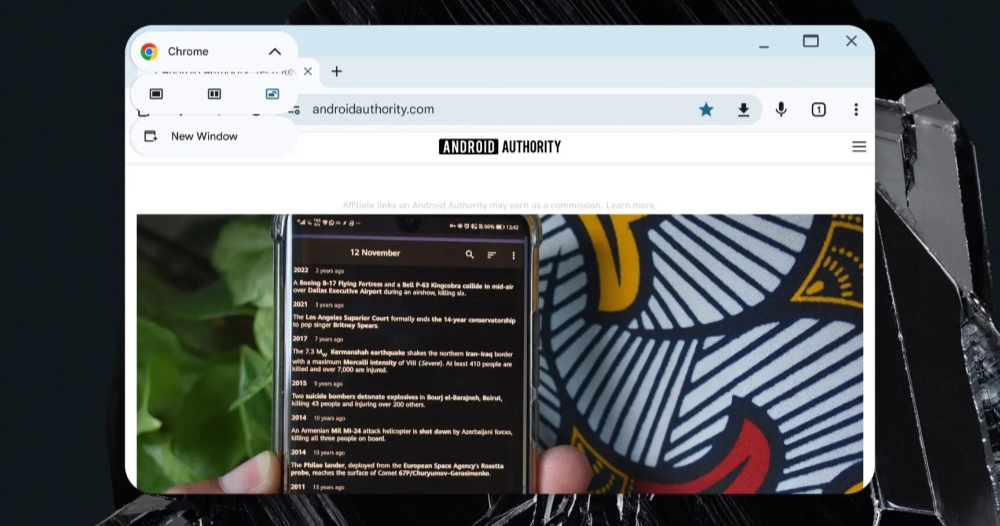
In the “Desktop windowing on Android Tablets” test, which has been launched as a developer preview since September, the most eye-catching feature is that it can instantly transform the interface of an Android tablet into a window interface just like using a Windows laptop. With the exposure of the “Android-on-laptop” plan that Chrome OS notebook devices may switch to Android systems. Now it seems that Google is really preparing to make the Android system extremely close to the Windows desktop system. Continue reading Android’s latest multitasking mode looks just like a Windows system window.
▲Image source: Android Authority
Android’s latest multitasking mode looks just like a Windows system window
In the “Desktop windowing on Android Tablets” test, which has been launched as a developer preview since September, the most eye-catching feature is that it can instantly transform the interface of an Android tablet into a window interface just like using a Windows laptop – and it also supports shortcut key operations, making it feel like using a regular desktop system!

▲Image source: Google
With the exposure of the “Android-on-laptop” plan that Chrome OS notebook devices may switch to Android systems. Now it seems that Google It can be considered as not acting anymore. We are really preparing to make the Android system extremely close to the Windows desktop system.
In the latest Android 15 QPR1 Beta 2 update, it not only introduces new features, but also brings many very familiar interfaces on PC desktops and laptops to the Pixel Tablet interface.
▲Image source: Android Authority
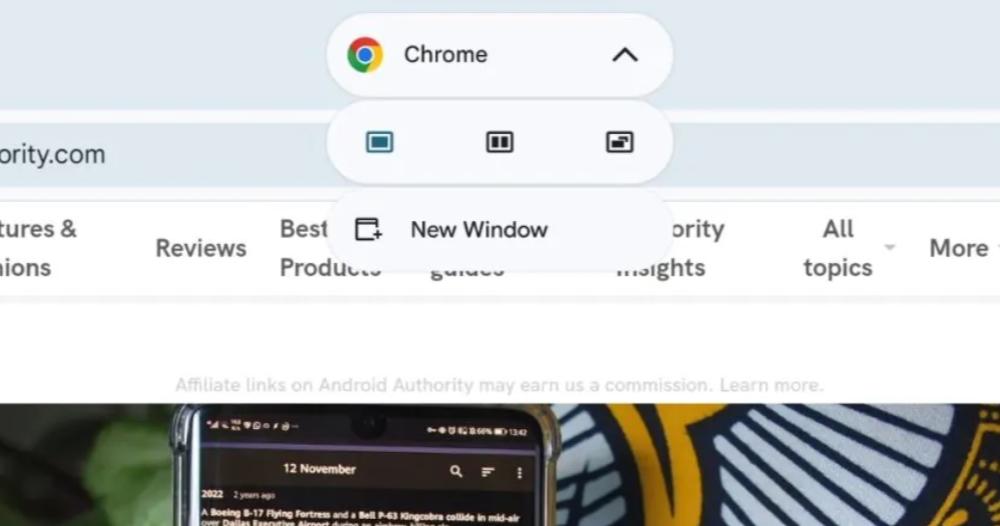
At this stage, Desktop Windowing is mainly prepared for large-screen devices, that is, Android tablet devices. In terms of experience alone, it feels almost like using a desktop system window – you can “pull down” the app into window mode through the gray horizontal bar at the top similar to the system bar on Android phones.
The window mode is also the same as the Windows system (well, actually Chrome OS is the same). There is a full screen (that is, restoring the normal App display mode) and an “X” close window button in the upper right corner.
▲Image source: Android Authority
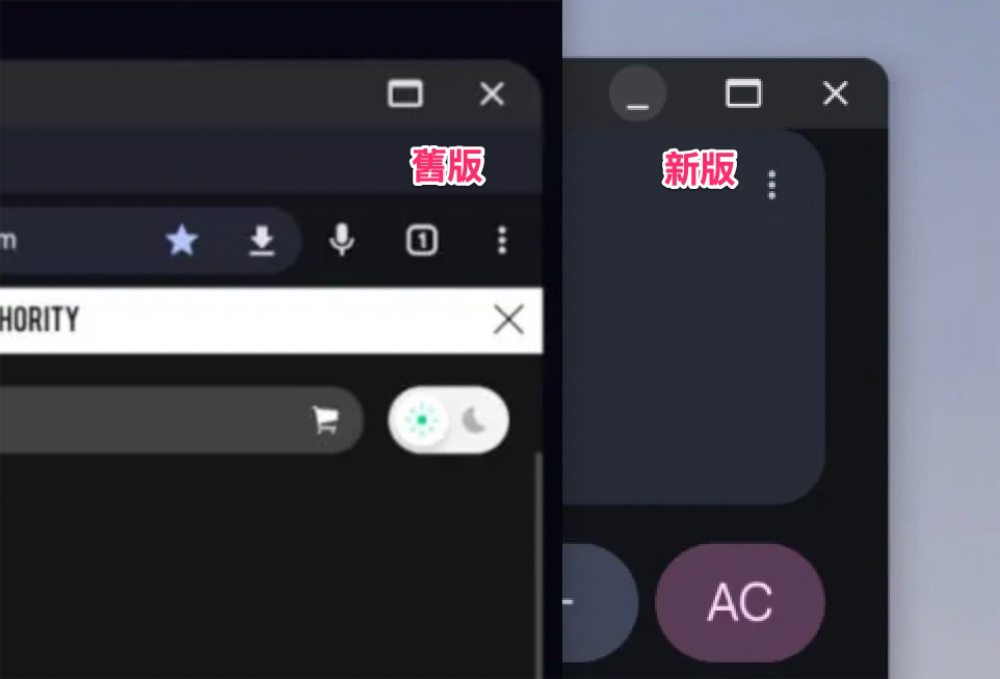
Interestingly, after the foreign media Android Authority updated to the latest test version, it discovered that Android’s desktop windowing experience silently changed the quick button function in the upper right corner to be basically the same as Windows and Chrome OS (even the order is also).
On the left side of the full-screen frame button, a “_” underline button that can be minimized has been added – when minimized, the Dock shortcut bar at the bottom will also change to a darker gray and become shorter at the bottom of the app (I feel like this will be adjusted again).
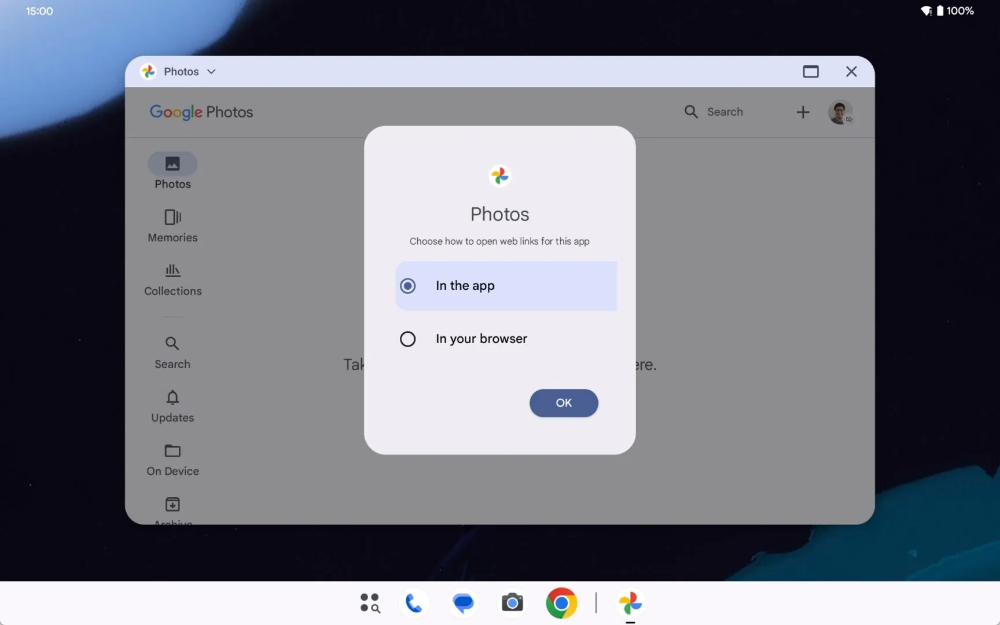
In addition, this update also brings a menu that will ask if you want to open a browser when opening specific services.
▲Image source: Android Authority
Speaking of which, since the default window function buttons of Chrome OS have been the same as those of Windows for a long time, I always feel that there is no need to make any differences in the original design of the Android desktop window multitasking function?
However, coupled with the recent rumors of “Android-on-laptop”, it seems that Google is probably showing an attitude of simply not showing up and letting everyone see what the future Chromebook laptop devices may look like if they switch to Android systems, right?
Quote sources:Android Authority|
Further reading:
The Beauty of Efficiency, Interview with Apple iPhone 16 Series Product Design Original Factory
Source: KOCPC Chinese