


As early as May 15, 2021, overseas reverse engineering developer Alessandro Paluzzi discovered through decompilation that Instagram was testingPost from desktop browserfunction. However, just yesterday, Instagram officially announced that all users can post posts, including pictures and short videos of less than 1 minute, through desktop browsers (Windows & macOS).
Instagram Tutorial on posting pictures on the web version
Now when you use Instagram web version, you will see a new post “+” button in the top right menu.
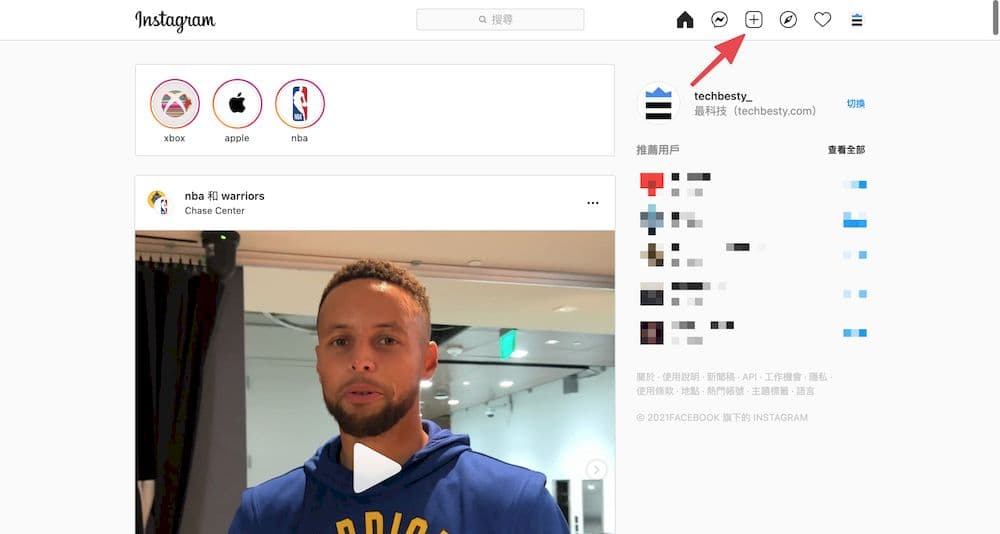
You can directly click the Post “+” button to start the “Select from Computer” document upload.
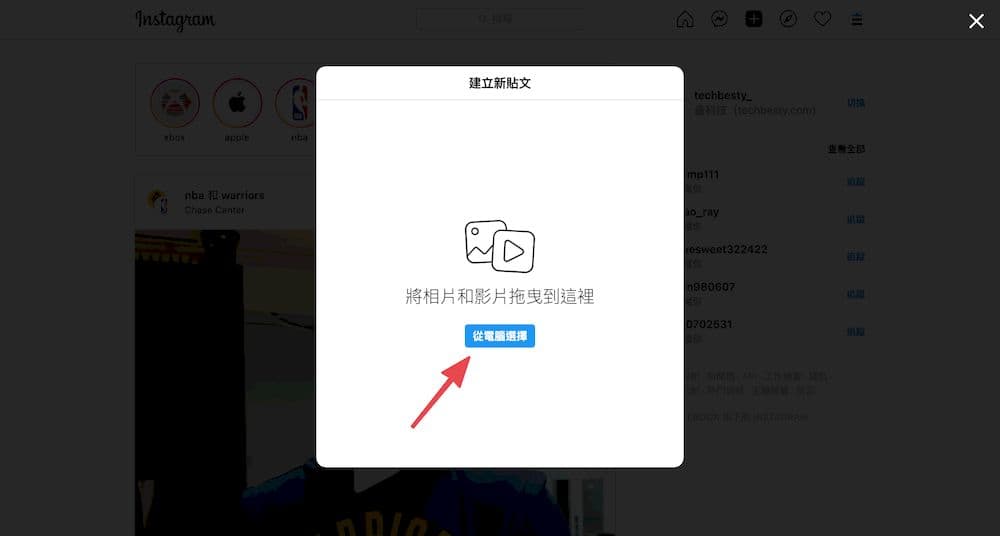
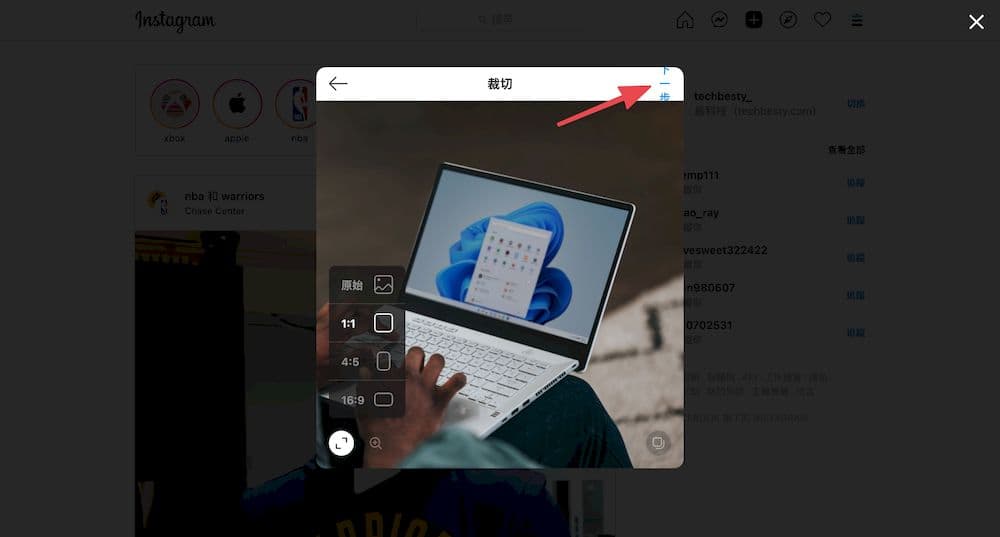
After the image is uploaded, crop the image. You can choose to upload a single image, multiple images, or images and videos together. Instagram provides simple editing functions, including setting aspect ratio, image scaling, sorting, and changing the display area. Click “Next” after completing the settings.
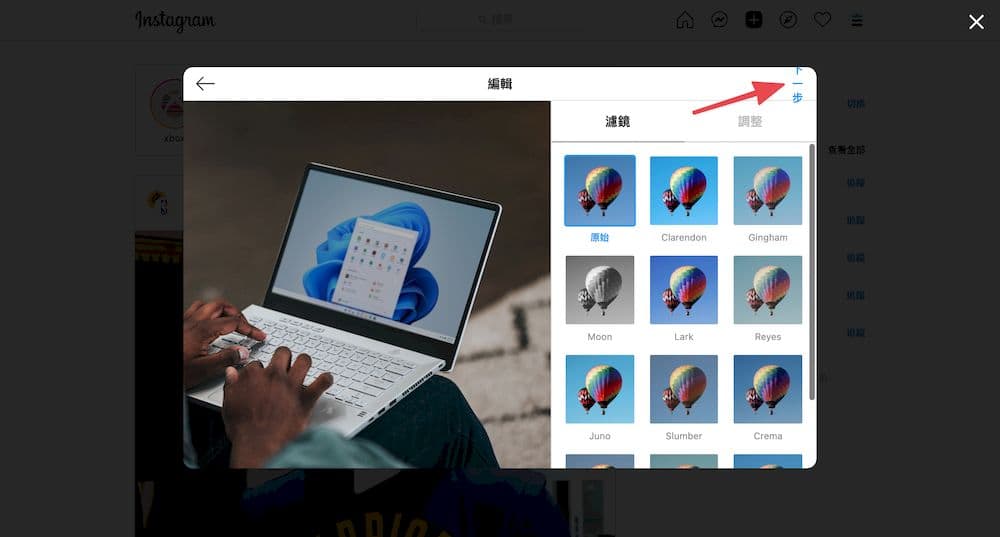
After the image is cropped, edit the image. You can add filters to the image, adjust brightness, contrast, saturation, color temperature, fade and vignetting. If you want to return to the original version, click “Reset”. After completing the editing, click “Next”.
Finally, add a copy description to your post, tag the user, add tags, location and other advanced settings. After completion, click “Share” to successfully post the picture.
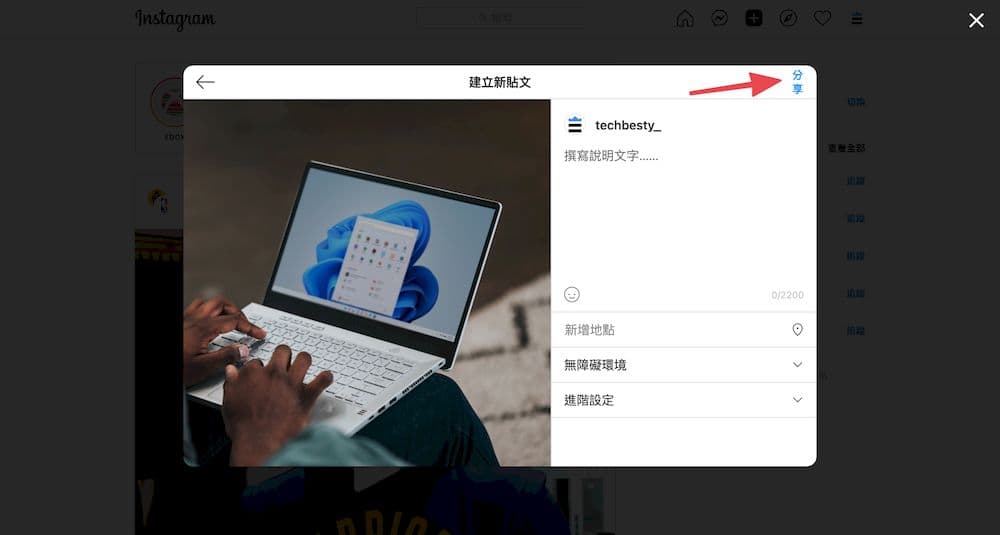
Instagram Web version releases video tutorials
You can directly click on the top right menu to see the new post “+” button.
Click “Select from computer” in the post window, and then select the video you want to post.
Compared with publishing photos, the cropping function for publishing videos only provides aspect ratio settings, the function of adding new documents, and changing the display area. After completing the settings, click “Next”.

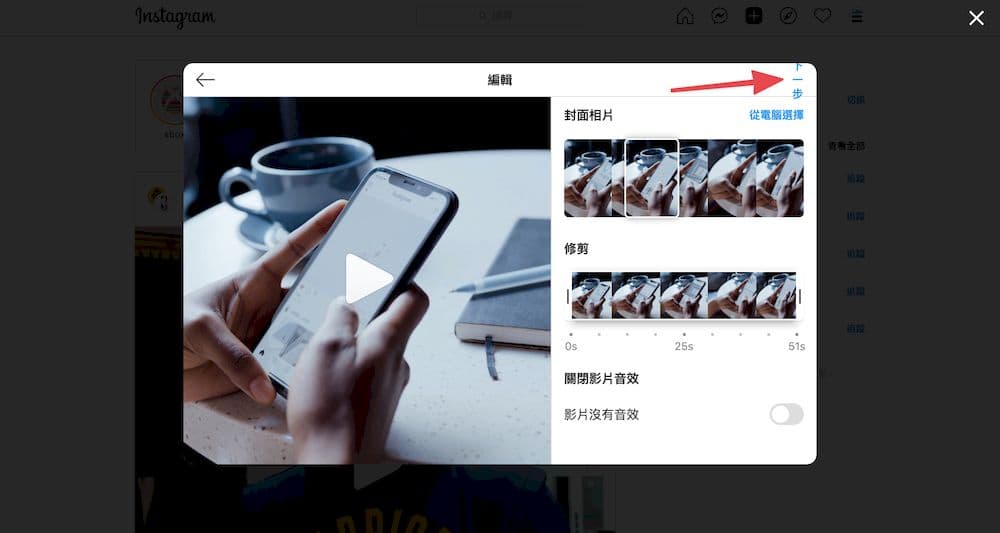
In the video editing interface, you can capture a video frame as a cover photo, or select an image from your computer to upload. In addition, you can simply trim the video and turn off the video sound effects. Click “Next” after completing the editing.
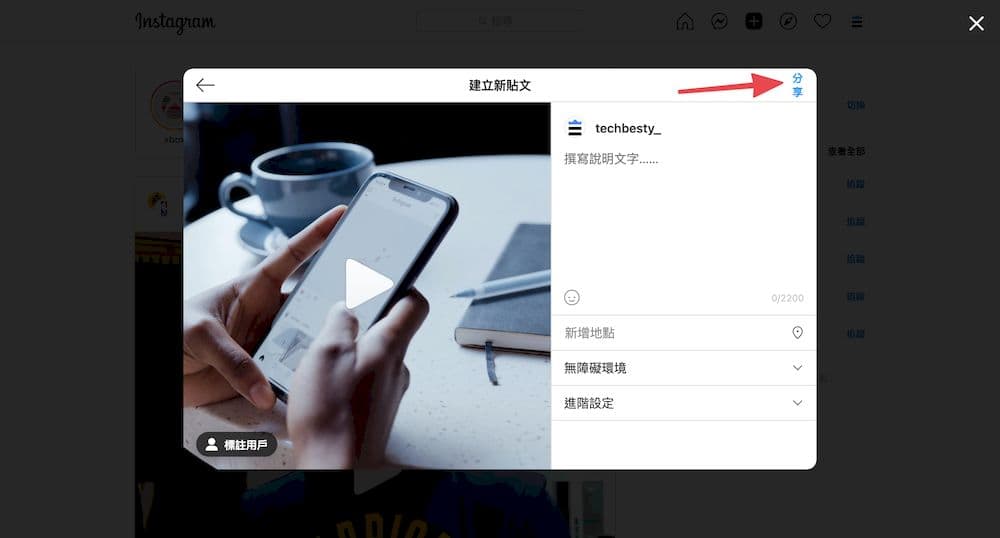
Before posting, you can tag the user, add copy, add tags, location and other settings. Once completed, select “Share” to successfully post the video.
total Knot
Instagram The launch of the web posting function undoubtedly meets the long-term expectations of the majority of netizens. but,Instagram While the web version supports the new function of posting,IG The mobile app is also starting to be tested “Collabs” post accessibility feature, which allows two creators to co-author, which can also improve IG interactions between users.
Source: KOCPC Chinese