


As mobile phones are used longer, more and more contacts, messages, applications, shortcuts, etc. are installed and stored in the mobile phone. Since the system still does not provide a tool that can search across systems, it is sometimes not easy to find a certain target. Fortunately, there is now a free Android app called “Pixel Search” to solve this problem.
Free search tool “Pixel Search” to realize cross-system search in Android
Despite its many advanced features and AI integration, Android still doesn’t offer a native search tool like Spotlight on iOS. On Pixel phones, the Pixel Launcher’s search function largely fills this gap, allowing you to search installed apps, shortcuts, and data on the device, but on non-Pixel devices, you may not have a similar unified search tool.
Although Pixel Search There was a hiatus from updates for a while, but the app is now active again. Nearly two years later, developers are updating Pixel Search with much-needed new features and changes. Pixel Search 2.0 brings a new design, more gadget customization options, and more importantly, support for custom search engines and URLs. It will also add a contextual pop-up window. When searching for a contact or address, long-pressing the result will immediately pop up related operations, such as making a call, sending a message, or navigating.
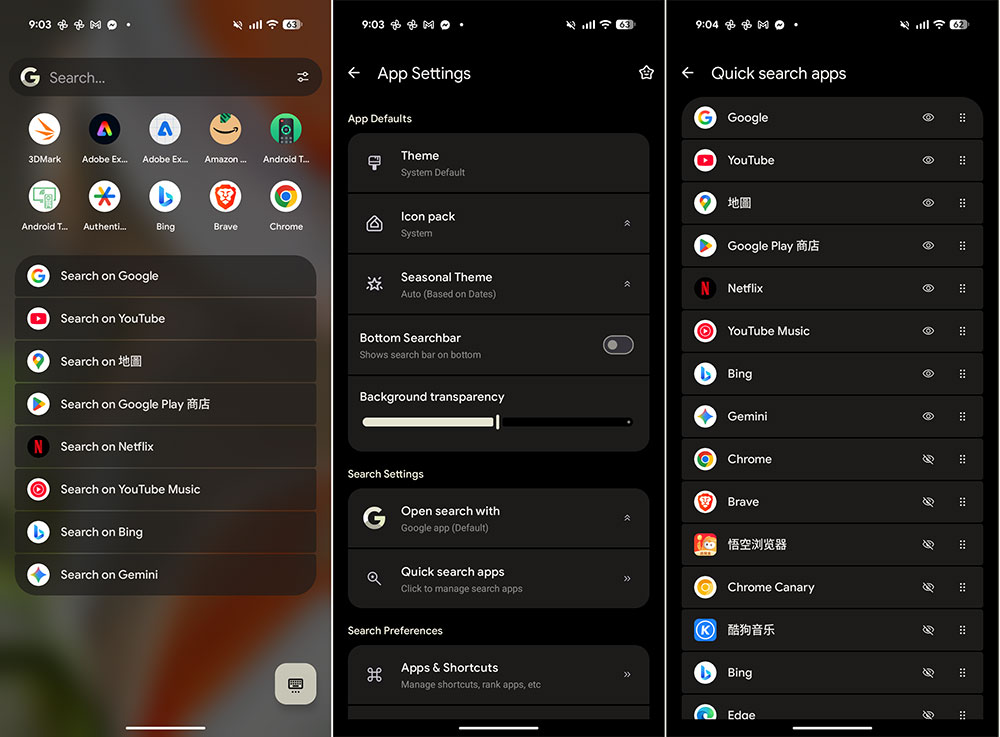
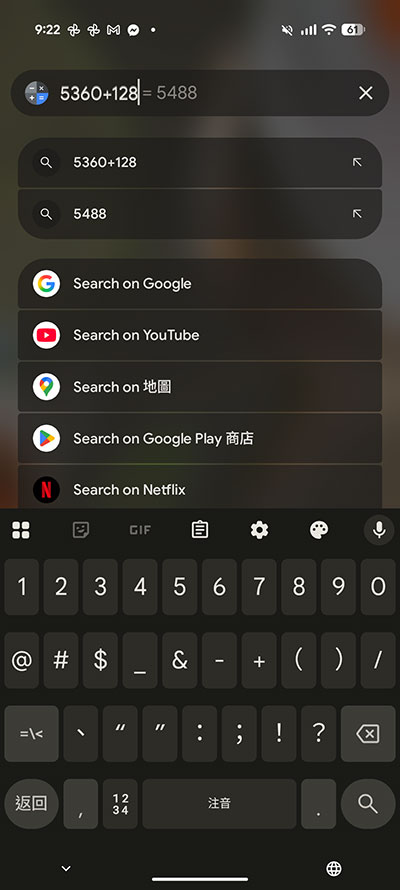
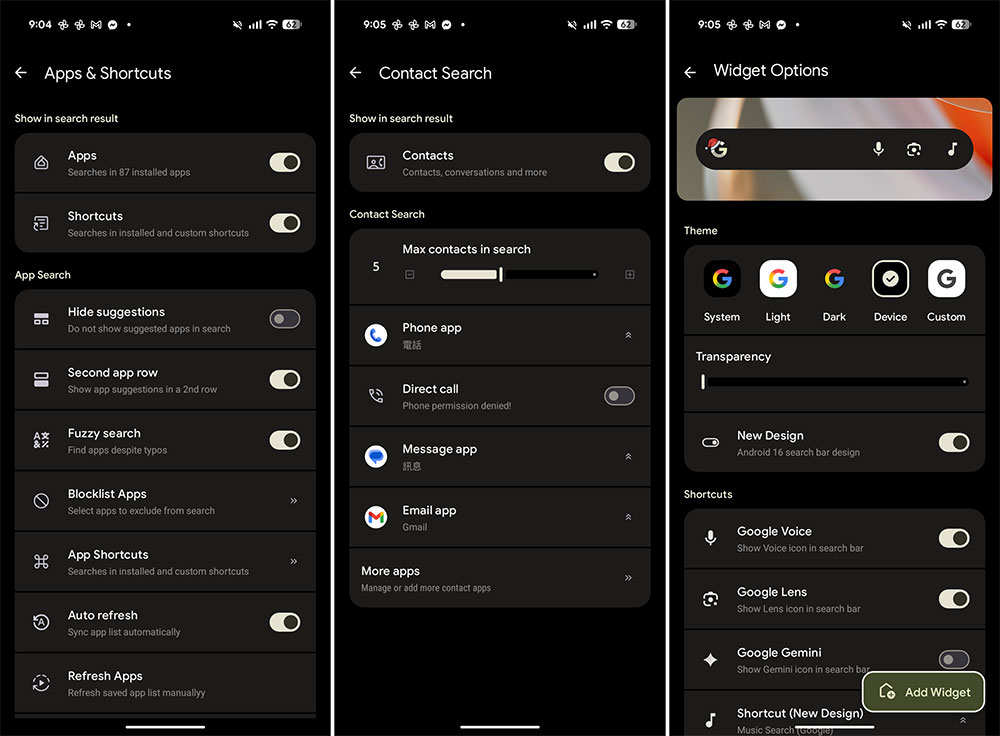
Pixel Search v2.1 is already rolling out, adding fuzzy search support, faster app indexing, and Perplexity AI as a built-in search engine option. The home screen widget has also been significantly upgraded and can now double as a computer, allowing for quick calculations without even having to open the app. Pixel Search saves you hundreds of unnecessary clicks and gets you done faster. For example, if you want to start a Whatsapp conversation with a contact, you can open Pixel Search, enter the person’s name, and then click the Whatsapp icon next to it to enter the chat directly. This is faster than opening Whatsapp, clicking the search bar, searching for the contact, and then clicking the person’s name. Likewise, if you need directions to a location, you can enter the name of the destination in Pixel Search and click Google Maps directly.
Nearly every aspect of Pixel Search is customizable. From the number of web results displayed, to the order of search providers, to the default applications for PDFs, ZIP files, and other file types. You can also adjust the background transparency of the app, change the position of the search bar, and add a search tile to the quick settings panel for quick access anytime, anywhere. Surprisingly, despite being feature-rich and solving a major pain point for Android, Pixel Search is still completely free to use.
Google itself is gradually abandoning the home screen search function built into the Pixel Launcher and replacing it with a search experience driven by Google apps. This is to allow users to use AI mode faster. The problem is that this Google app-driven search experience is clearly a step backwards. It can’t search device settings, contacts, messages, and app shortcuts, and it’s nowhere near as fast as the Pixel Launcher. This change is unlikely to be reversed as Google attempts to push its AI model forward. Fortunately, Pixel Search gives Pixel users another way to get back to that fast and unified search experience.
Source: KOCPC Chinese