


Flight tracking apps are a popular tool for understanding air traffic conditions, whether you’re getting ready to fly or a friend or relative is on board, you can use them to confirm the current status of your flight. But if you are an iPhone user, you don’t need to seek third-party applications to track it. This time we will teach you to use iOS’s built-in convenient functions to achieve it.
How to track flights using iPhone’s built-in tools?
iOS can track flights thanks to data detectors that Apple has integrated into the system over the years. Data detectors can recognize time, date and location and, if appropriate, convert these into clickable links. If you want to track flights on iPhone, you can do it in two ways: Messages and Spotlight search.
Track your flight in Messages
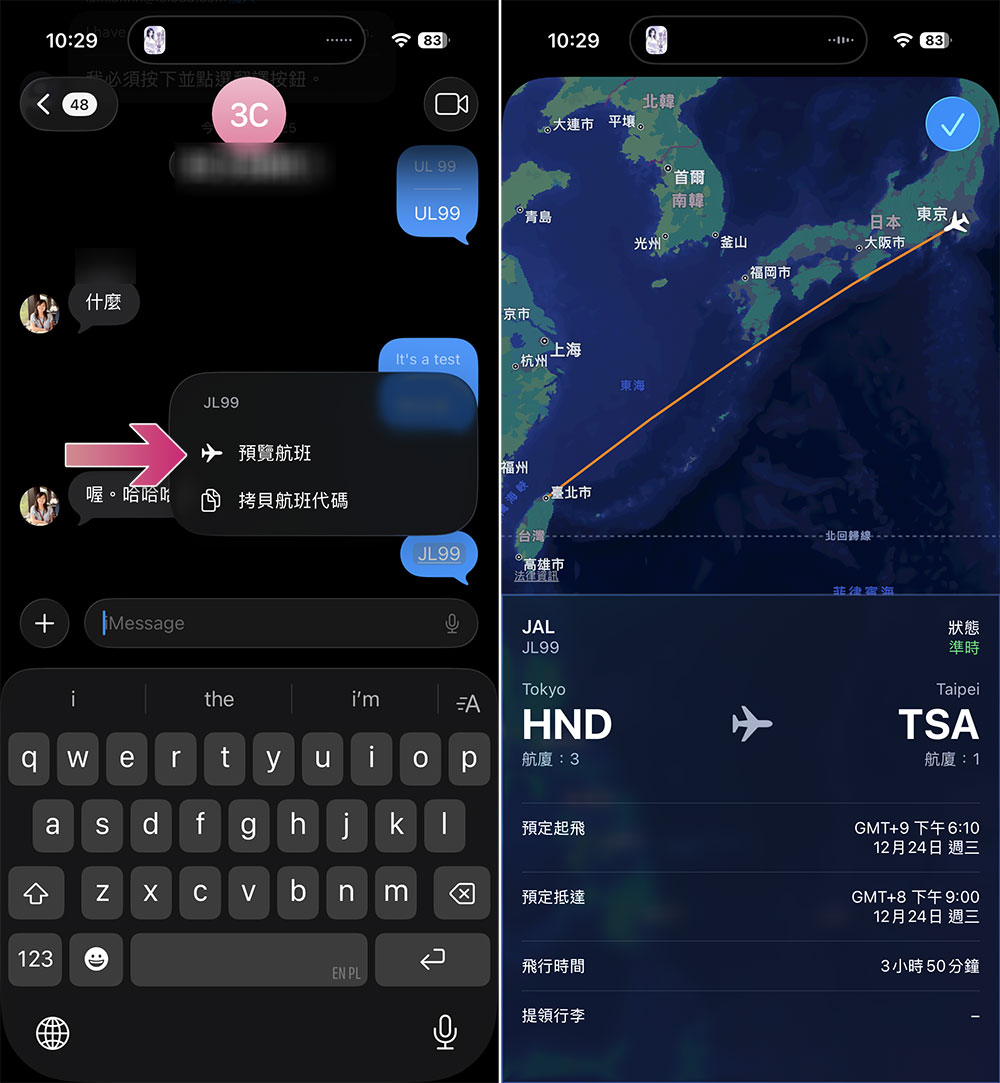
If someone sends you a flight number in a message, you can just press and hold the underlined flight number and select “Preview Flight” to instantly see where the flight is currently on the map. You can also click Preview Flight to learn more. The options provide departure and arrival times, delays, and some airport baggage claim details. You can also find links to the airline website and Apple Maps at the bottom of the information card. To increase the chances of iOS detecting the flight number, it is best to include the airline name and number, such as “JAL JL99”.
Search and track flights with Spotlight
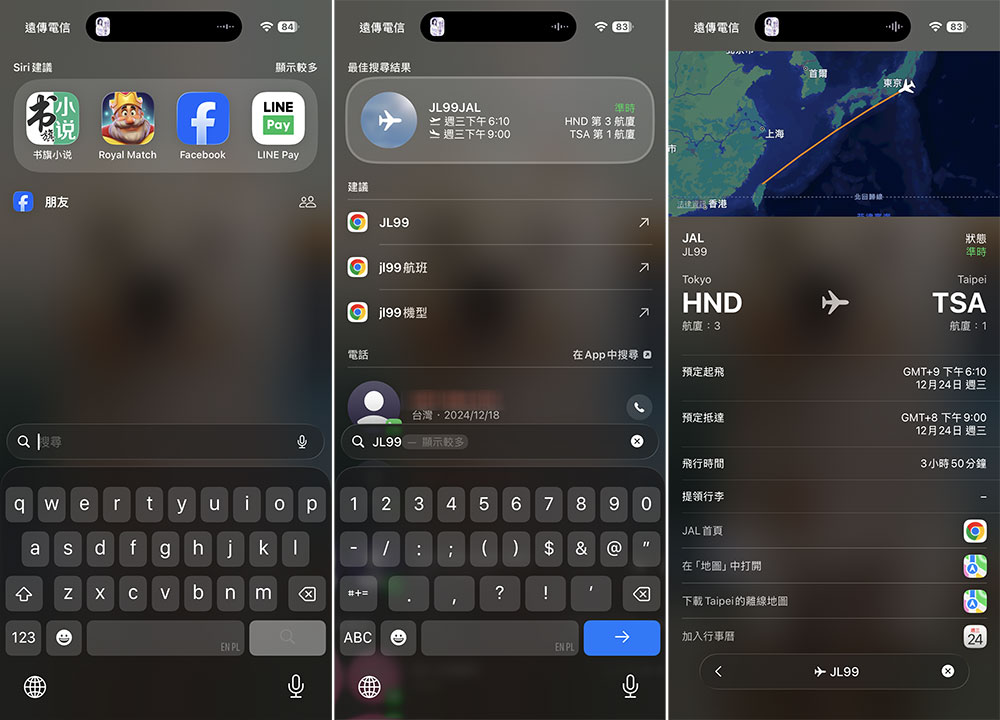
In addition to messages, you can track flights in Spotlight search. Swipe down from the top of the iPhone screen’s home screen, then swipe again to display the search field. Enter the flight number in the field to obtain departure and arrival information. Click on the information card displayed at the top to get more relevant information about the flight. This method also works on iPads and Macs that have Spotlight search capabilities.
With the above built-in functions, you don’t need to download and install third-party applications or go to the official websites of various airlines to view information in order to track a single flight information, which is more convenient and intuitive. Make good use of the built-in functions to bring more convenience to your life, give it a try next time you fly!
Source: KOCPC Chinese