


Have you ever had this kind of experience? I obviously receivedpackNotified of the arrival of the goods, you excitedly walked into the supermarket, only to find at the counter that you forgot your ID at home, so you could only turn around silently and run again? Such daily troubles are changing because of a new digital policy. With the promotion of the Ministry of Digital Development “Digital voucher wallet」,Supermarket pickupThe process is quietly evolving, which not only eliminates the trouble of searching for documents, but also makes identity verification more accurate and more privacy-protected. From the actual usage scenarios to the design concepts behind it, why this service can take into account both convenience and safety is becoming a change that cannot be ignored in our daily lives.
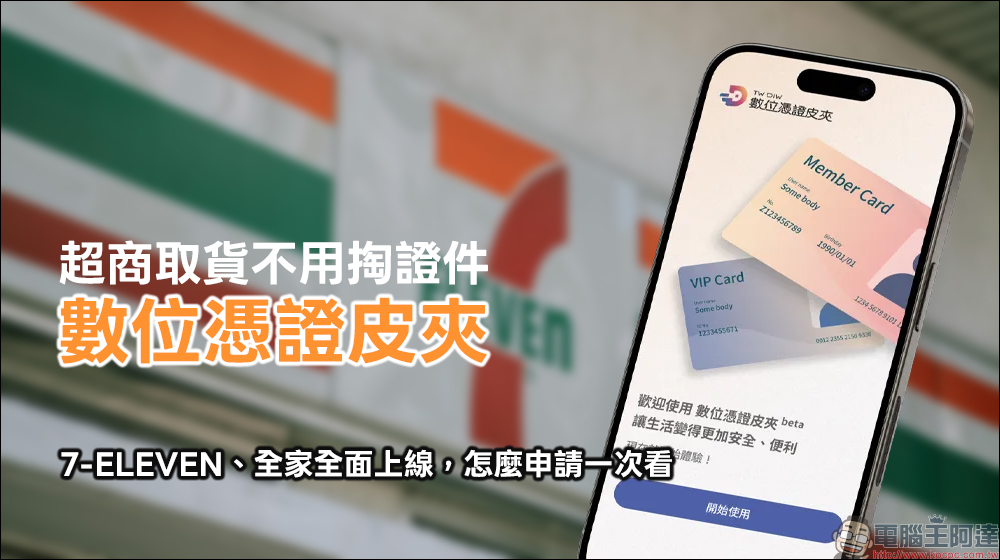
No need to bring out ID when picking up goods from supermarkets! Digital voucher wallets are fully online at 7-ELEVEN and FamilyMart. How to apply for one-time viewing (tutorial)
In Taiwan, supermarkets are no longer just a place to buy drinks and pay bills, but also a logistics relay station for everyone. Whether it is online shopping, group buying, or second-hand trading, a large number of packages flow through supermarkets almost every day. However, the easiest thing to get stuck in the pick-up process is often not the queue, but the “documents”.
Many people have had similar experiences. The package has arrived, but because they forgot to bring their ID card or health insurance card, they have no choice but to leave, which may even affect subsequent itinerary arrangements. This situation may seem trivial, but it accumulates into a huge waste of time and efficiency, and also requires supermarket staff to spend more effort to help confirm identities. It is against this background that the “digital voucher wallet” policy promoted by the Ministry of Digital Development has begun to play a key role in physical life scenarios.
What is a digital voucher wallet? Understand the core concepts at once
To put it simply, the digital certificate wallet transforms identity verification that used to require physical documents into digital certificates that are controlled by the user and stored securely in the mobile phone.
The core design concept of this service comes from the “principle of least disclosure”. In other words, when performing identity verification, only the minimum information required to complete the service is provided instead of handing over all personal data at once. For example, if you just want to confirm whether the recipient is the person you are picking up, the system may only need to display the name and part of the identification code, rather than fully displaying all the content on the ID card.
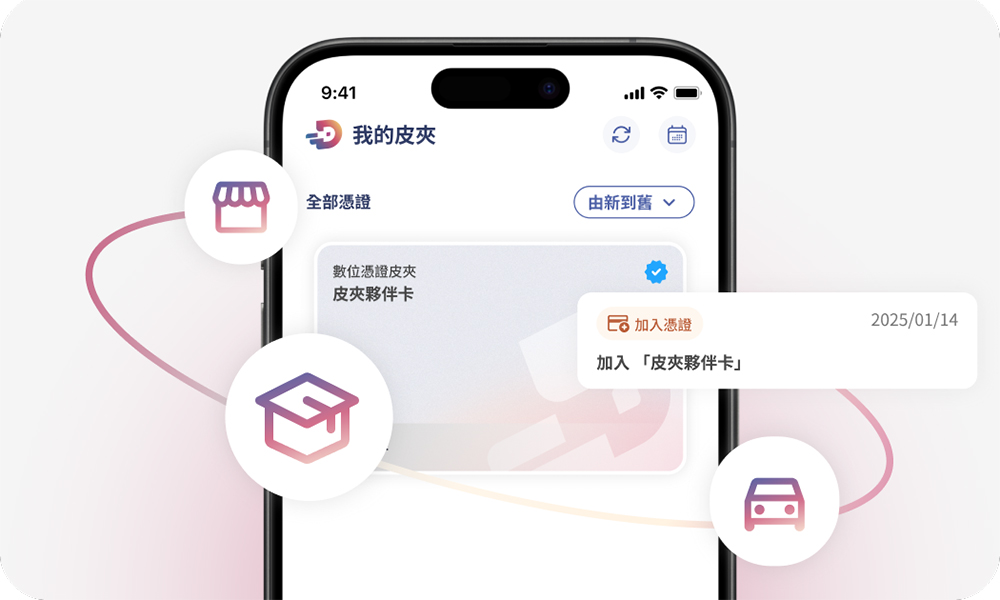
This design not only improves convenience, but also significantly reduces the risk of excessive collection or misuse of personal information. It is a very important development for users who have long been concerned about privacy protection.
Your mobile phone is your credential library, easily create your wallet in 5 steps
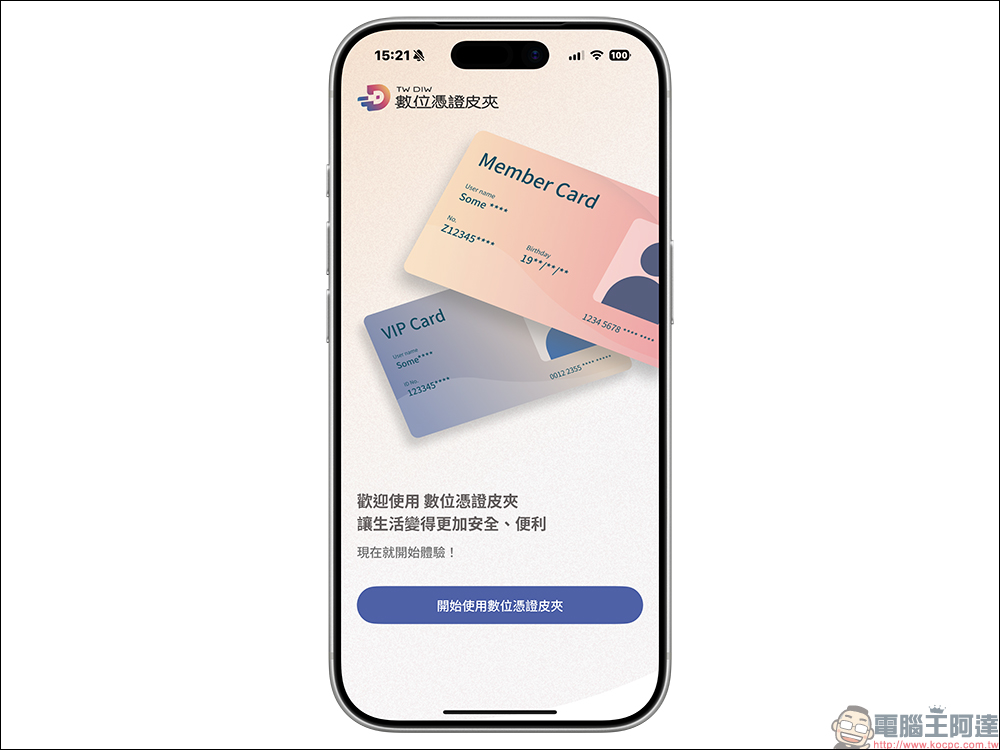
The design of the Digital Voucher Wallet App is not only for technology experts, but also hopes that ordinary people can get started quickly. The overall establishment process can be roughly divided into the following stages. First, the user goes to App Store(iOS)or Google Play Store (Android)Download and open the Digital Voucher Wallet App. After clicking to start using it, the system will guide you to the first-time setup process.
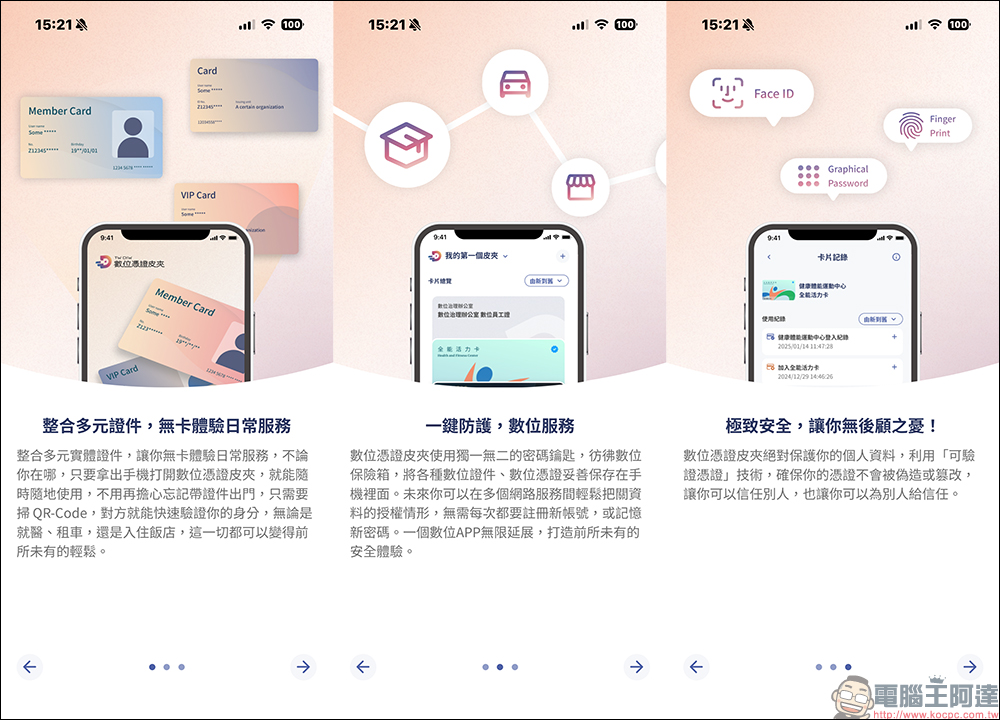
Next, the App will introduce the main functional highlights in the form of pictures and texts, including integrating multiple IDs, reducing the burden of carrying, and providing a safer protection mechanism in digital services.
After confirming the terms of use and personal data privacy policy, users need to set up a login method. The system will support biometrics, numeric passwords or graphic passwords based on the phone’s own security settings. If the phone has not yet been locked, you can also create a unique wallet password at this stage to ensure that only you can access the voucher content.
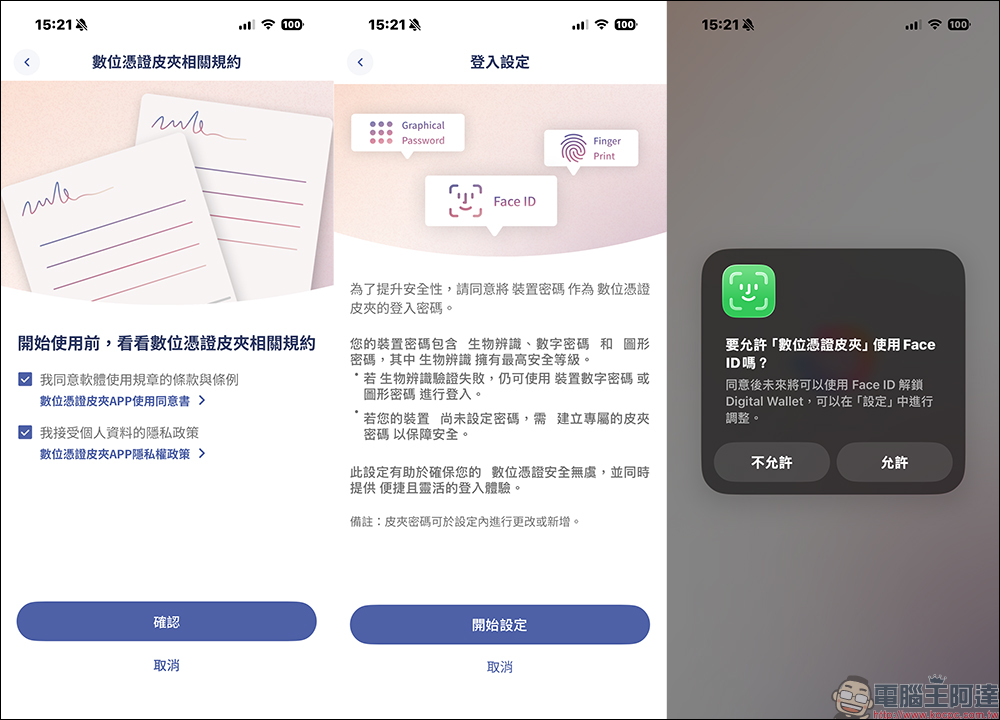
After completing the above steps, the digital voucher wallet will be officially created. Then you can add various digital vouchers according to your needs and use them in real life scenarios. The Digital Voucher Wallet App can store your digital vouchers directly in your mobile phone, and only you can view, use and remove them.
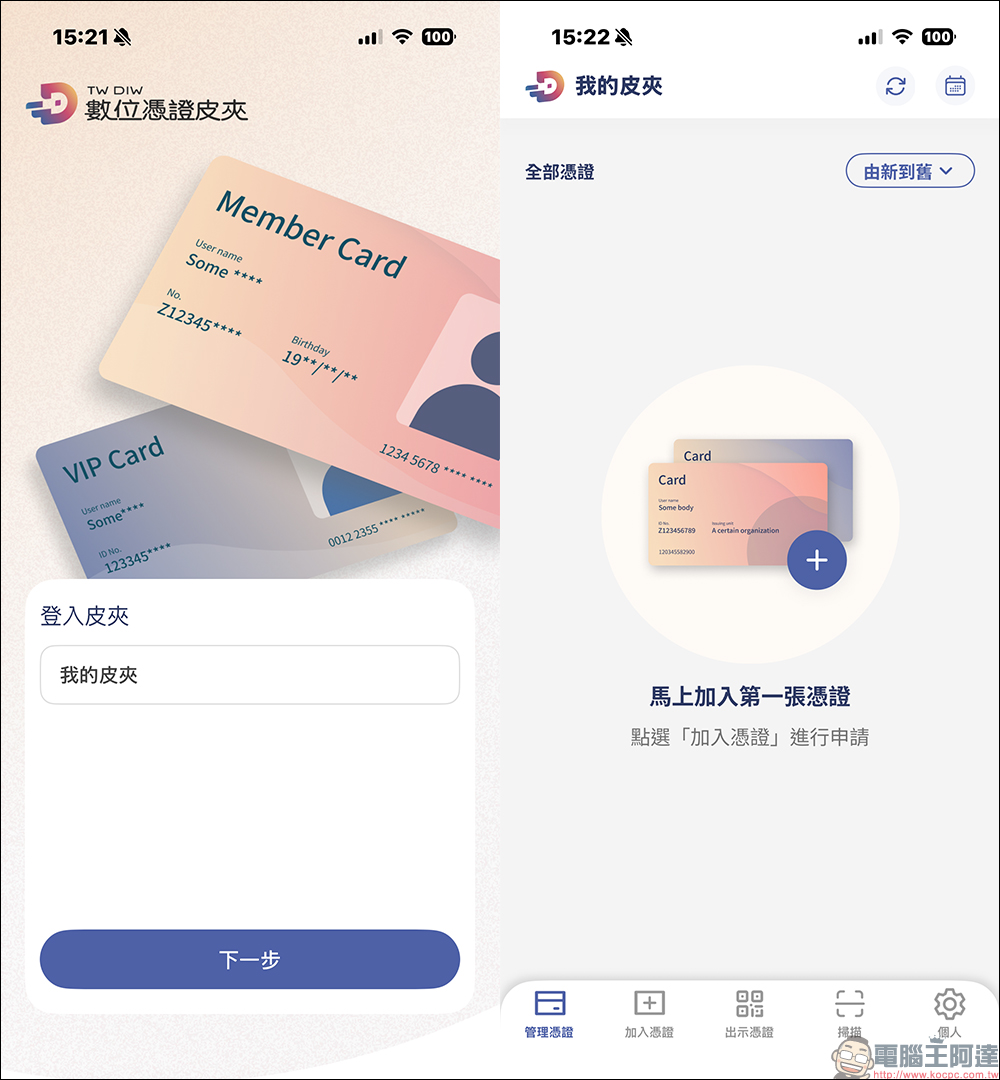
How to apply for a digital voucher wallet? Currently open certificates are sorted out at once
The question that many people are most concerned about before actually using it is, what kind of certificates can be stored in the digital certificate wallet? Judging from the current progress of the policy, what the general public can now apply to join is mainly the “electronic phone number card” provided by the three major telecom operators, which completes identity verification through the telecom phone number and serves as the first basic voucher for the digital voucher wallet.
Currently supported telecom operators include Chunghwa Telecom, Taiwan Mobile and Far EasTone Telecommunications. Since the door number itself is highly identifiable, it became the first type of voucher to be introduced into the digital voucher wallet, and was later regarded as an important basis for expanding other vouchers.
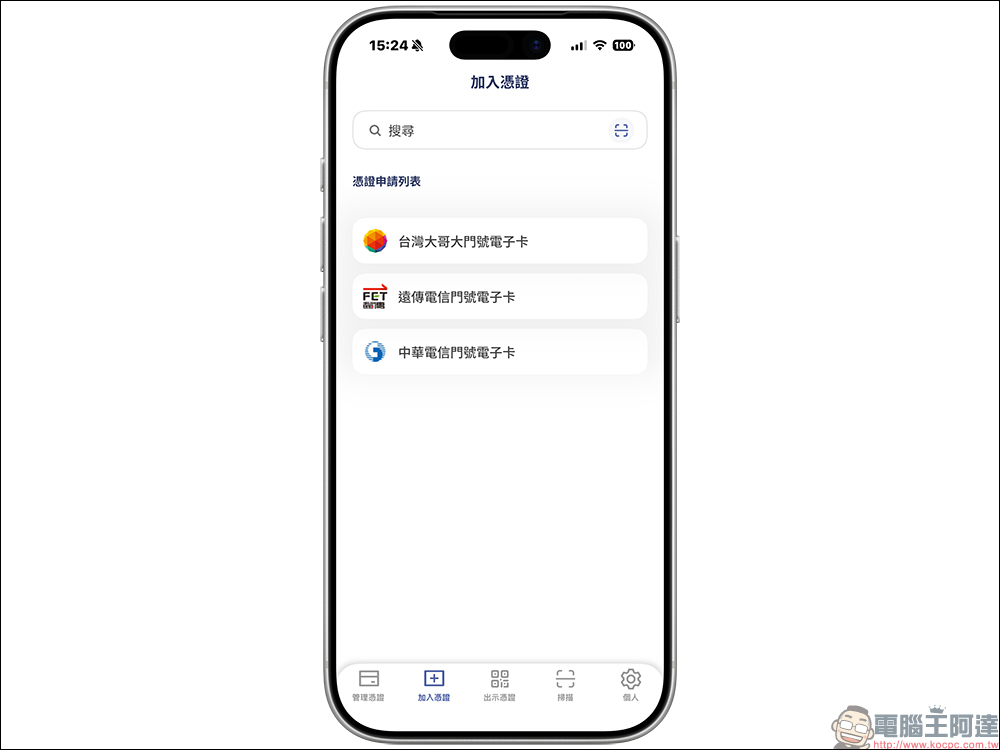
Chunghwa Telecom application method
Chunghwa Telecom users only need to download and open the Digital Voucher Wallet App, enter the main screen, click “Add Voucher” in the toolbar below, then select “Chunghwa Telecom Phone Number Electronic Card”, and follow the instructions on the screen to complete the step-by-step operation.
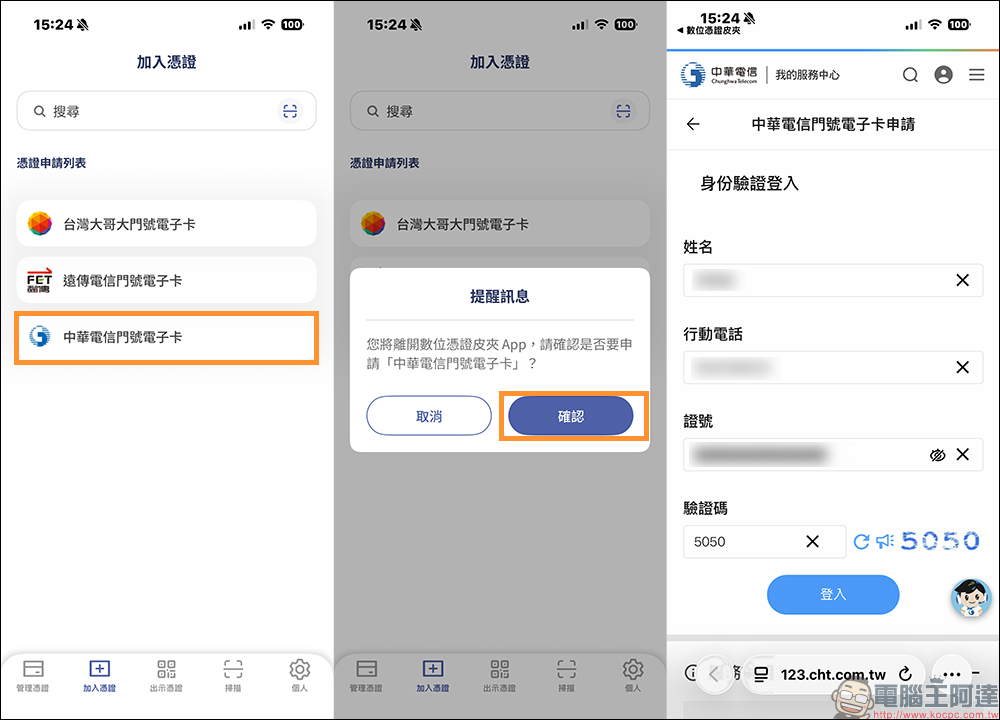
It is important to note that during the application process, the system will ask you to turn off Wi-Fi and use the mobile network for verification. This is to ensure that the account number is consistent with the actual user. It is part of the normal process. As long as you follow the instructions, you can successfully complete the setup.
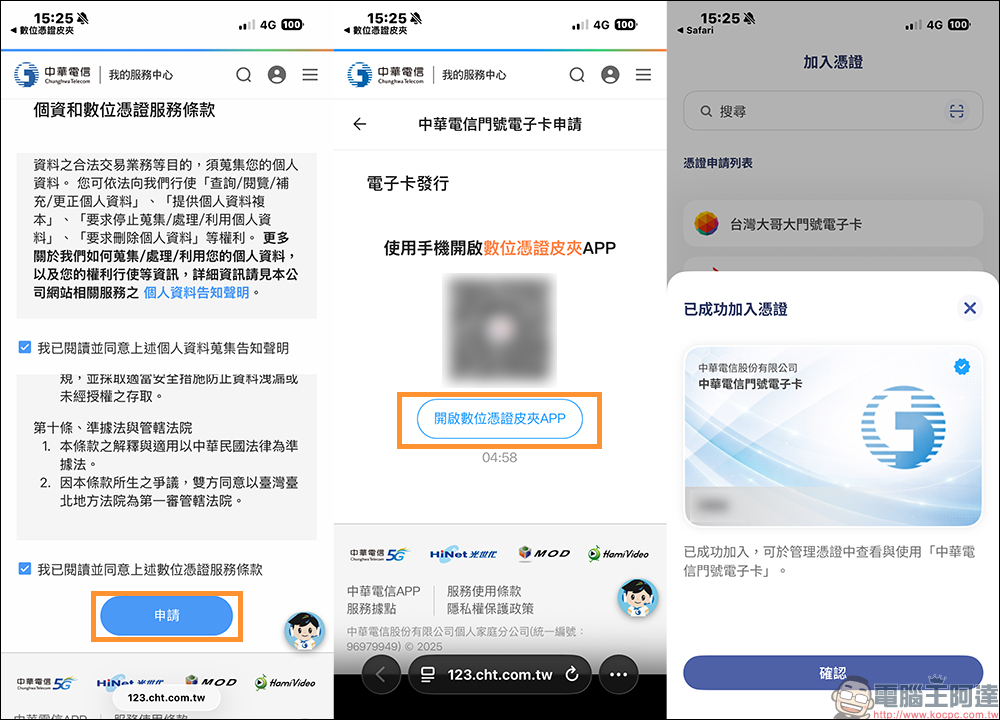
After completion, you can see the added certificate in the management certificate of Digital Certificate Wallet App.
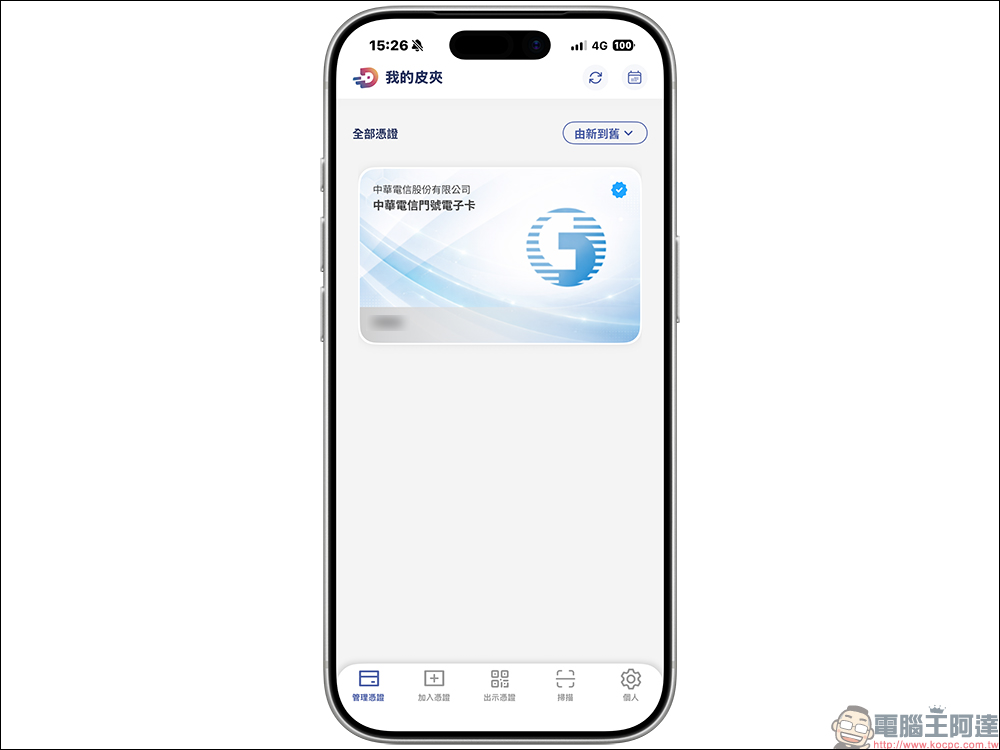
Far EasTone Telecommunications Application Method
The application process for Far EasTone Telecom users is very similar to that of Chunghwa Telecom. They also use the “Add Voucher” function in the toolbar in the Digital Voucher Wallet App to select the Far EasTone Telecom phone number electronic card and follow the on-screen instructions to complete the operation.
The overall process design is quite intuitive. Even users who are new to digital voucher wallets can complete the voucher binding without much extra fuss.
How to apply for Taiwan Mobile
The application process for Taiwan Mobile is slightly different, mainly integrating through Taiwan Mobile’s own official app. Users need to first open the Taiwan Mobile App, log in to the account they want to bind, and select “Bind Digital Wallet” in recommended services or related functions.
Then follow the system instructions to confirm personal information and download the certificate to complete the binding process. It is also necessary to use the mobile network to operate to ensure the security and accuracy of phone number verification.
FamilyMart responds simultaneously and is immediately available in 4,400 stores
FamilyMart also announced simultaneously that it would join the ranks of digital voucher wallets. In recent years, FamilyMart has actively strengthened its package pickup experience, focusing on functions such as multiple package quick pickup, package reservation self-pickup, and package delivery and purchase, gradually moving towards a one-stop service.
This time, FamilyMart announced that approximately 4,400 stores across Taiwan will support digital voucher wallets from now on. As long as it is a 0 yuan package that has been paid for, consumers can present the exclusive QR Code in the digital voucher wallet when picking up the goods, and the store clerk will scan it and complete the identity authentication, and then they can collect the package.
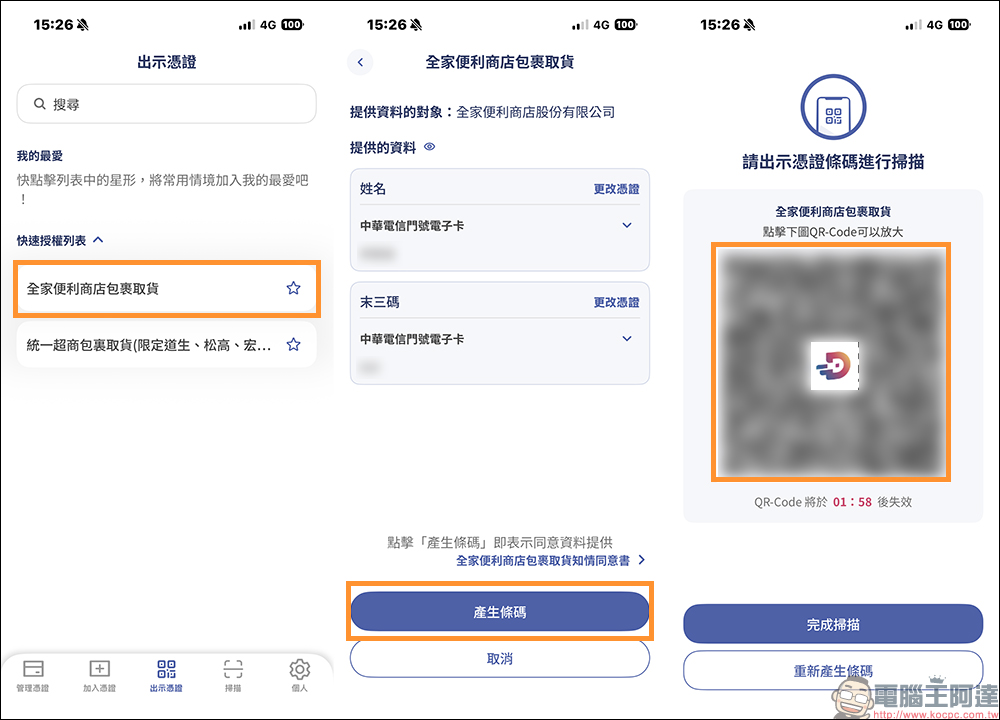
Three steps to pick up your FamilyMart digital voucher wallet:
- Open the Digital Voucher Wallet App, click “FamilyMart Package Pickup” under “Show Voucher”, and complete identity authentication.
- Click “Generate Barcode”
- Show the personal QR Code in your digital voucher wallet to the store clerk when picking up your order. After scanning, the clerk obtains the necessary identity information and can deliver the package after confirming it is correct.
FamilyMart’s Digital Finance Department pointed out that package-related functions have become a highly used service in the membership app, and the package area is used an average of more than 400,000 times per month. After the introduction of digital voucher wallets, it can not only reduce the time of manual comparison of documents, but also reduce the risk of human judgment errors, which is a positive improvement for consumers and store personnel.
From the user’s perspective, the pickup process is simplified into a few intuitive actions, reducing the anxiety of rummaging through bags to find documents and increasing trust in the security of personal information. This is the key to the true integration of digital services into life.
7-ELEVEn imports first, greatly simplifying the pick-up process
Not only FamilyMart convenience stores, in order to truly implement the policy, 7-ELEVEn has also become one of the first channels to respond to digital voucher wallets. Since the beginning of December, 7-ELEVEn has been trialling related services in nearly 400 stores across Taiwan, and for the first time, “store parcel pickup” has been included in the application scenario.
As the system operation gradually matures, 7-ELEVEn announced that starting from December 24, the service will be officially expanded to more than 7,200 stores across Taiwan. When picking up packages, consumers no longer need to show physical documents. They only need to bring their smartphones, open the Digital Voucher Wallet App, and present the QR Code bound to their personal vouchers. After scanning, they can complete the identity verification and pickup process. The whole process not only saves time, but also makes counter operations smoother. For stores during peak hours, the actual benefits are quite obvious.
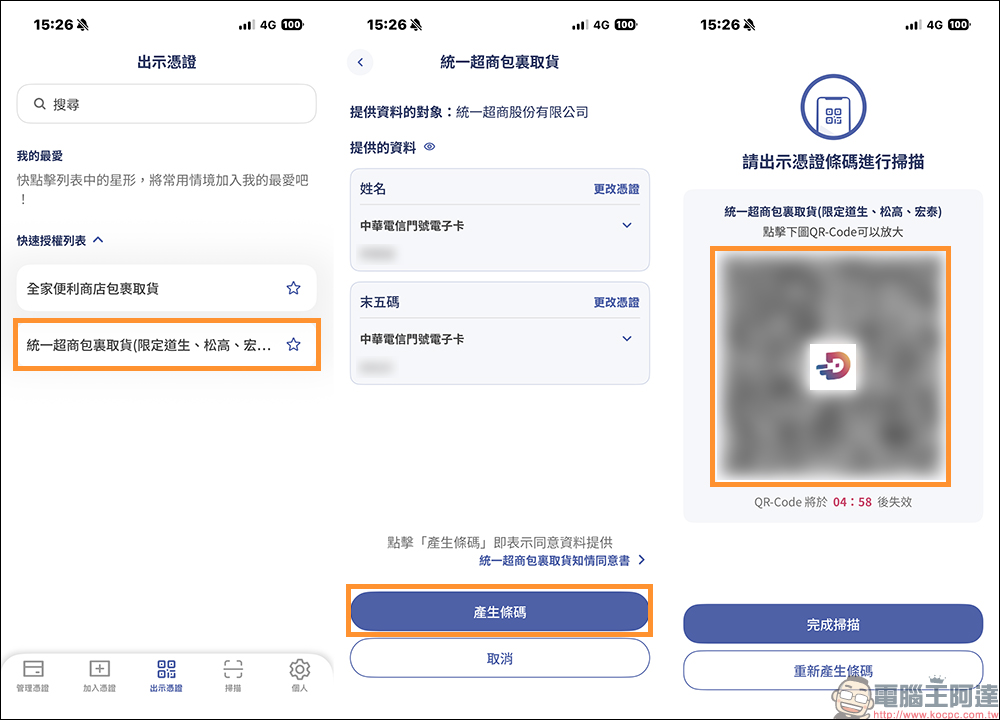
Used together with OPENPOINT, the pickup barcode is integrated once
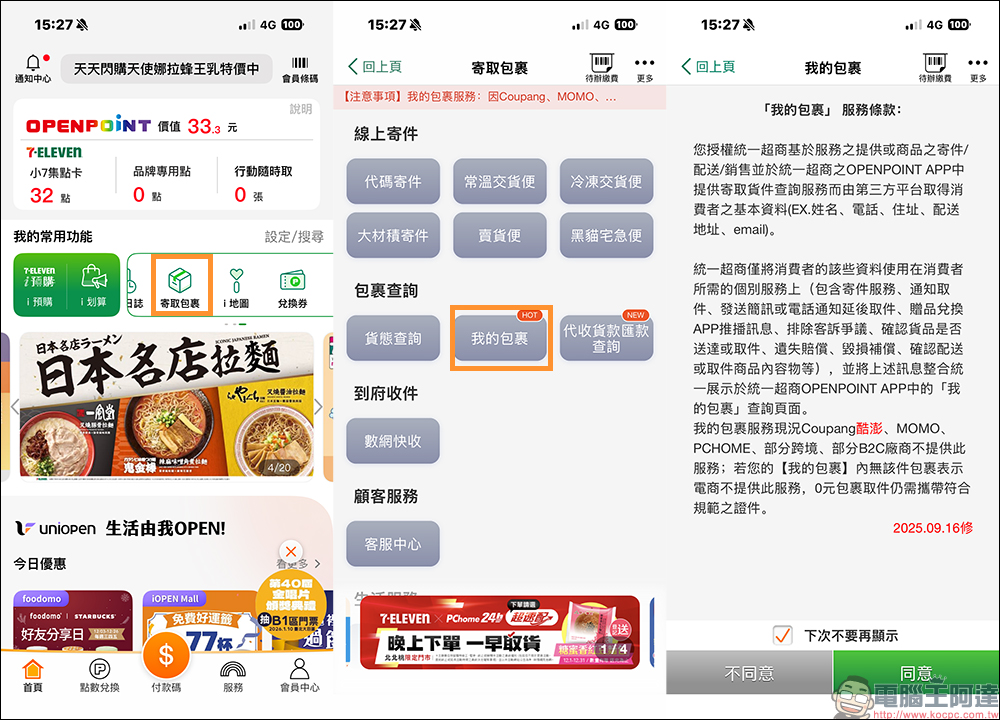
In the application scenario of 7-ELEVEn, OPENPOINT App still plays an important role. As long as consumers become OPENPOINT members, they can complete package import and pickup inquiries through the package delivery function in the App.
When the system confirms that the phone number is consistent with the member account, it can generate a “0 yuan authentication barcode” and then use it with the digital voucher wallet to complete identity verification. This dual design not only maintains the original membership mechanism, but also smoothly connects to the new digital voucher policy, so that users do not have to re-learn an unfamiliar process.
Conclusion
From the daily trouble of forgetting to bring your ID to the smooth experience of completing identity verification with your mobile phone, the digital voucher wallet is not only a technological upgrade, but also a change in living habits. As policies, access and usage scenarios are gradually put in place, such digital tools are gradually becoming a natural part of our lives.
Digital Voucher Wallet App Download:
iOS version (App Store)|Android version (Google Play Store)
Further reading:
Source: KOCPC Chinese