


Have you ever doubted it? I confirmed it again and again the night before. iPhone The alarm clock has been set, but the next day you sleep until you wake up naturally, and your important trip is immediately wasted? Recently, more and more iPhone users are sharing similar experiences in communities and forums. Some people have missed flights, some have been late for work, and even affected important moments in their lives.
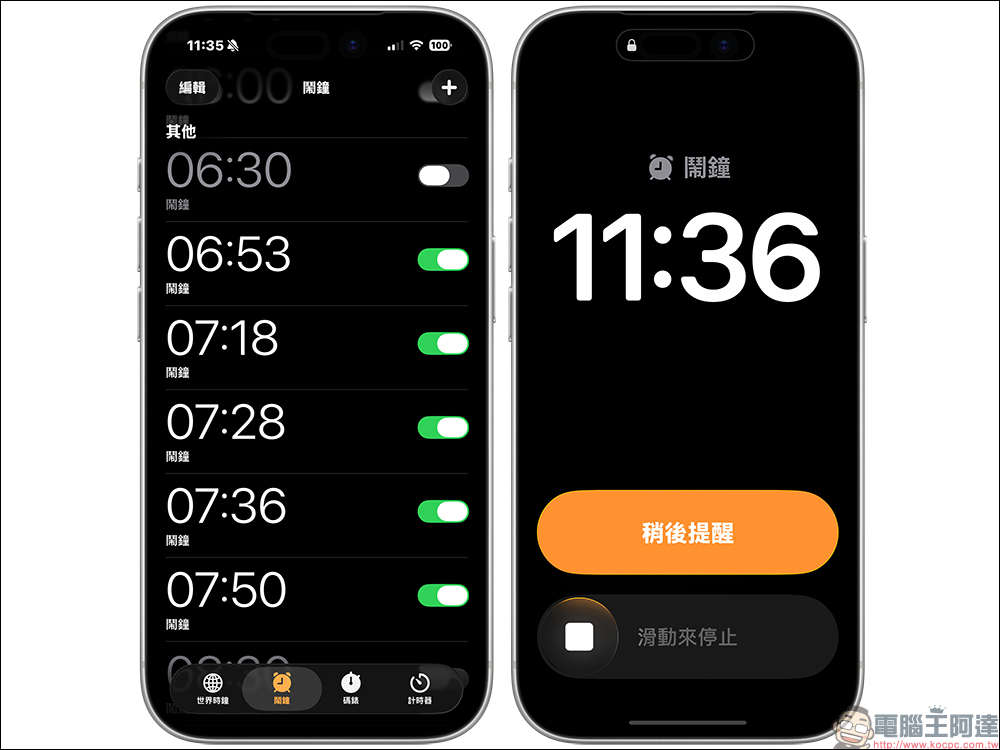
What’s even weirder is that after waking up, I foundAlarm clockIn fact, it is “still ringing”, but the entire phone has no sound at all. Is this a system abnormality, or is the user accidentally touching the setting? After many Apple fans started comparing settings on their own, they accidentally discovered an iPhone feature that had been ignored for a long time. This function, originally designed for thoughtfulness, has quietly changed your trust in the alarm clock under certain circumstances.
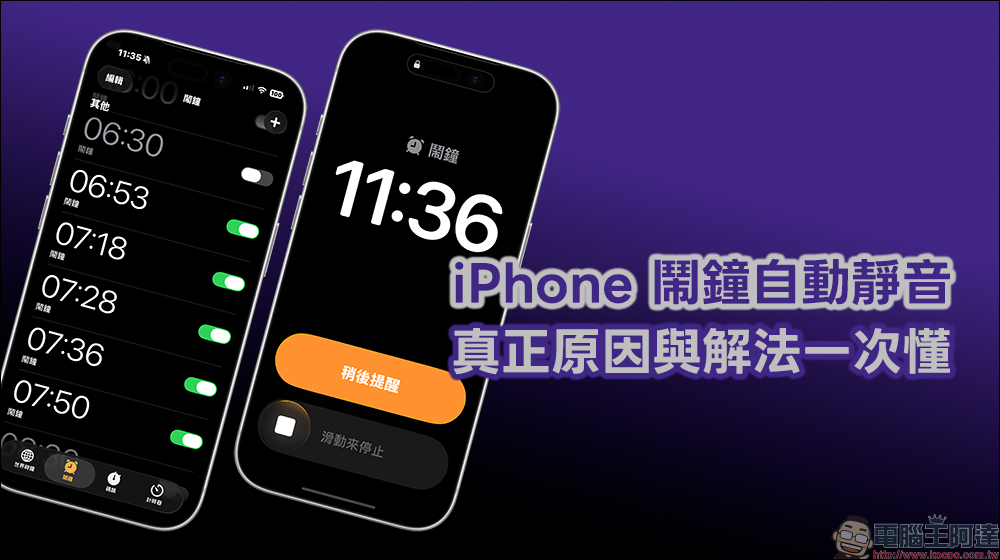
A must-see for fruit fans! The real reason and solution for the iPhone alarm automatically muting
Recently, on foreign social platforms, a video sharing one’s own experience sparked a lot of discussion. The photographer said that before setting off for the early morning flight, she had set the wake-up time in the built-in alarm clock on her iPhone and confirmed again and again that there was no problem. However, when I opened my eyes the next day, it was already far past the scheduled departure time, and the plane had of course already taken off.
The most tingling thing was that she found that the screen of her phone showed that the alarm clock was still ringing, but the whole room was quiet and there was no sound, as if someone had pressed the mute button on the alarm clock. This state even lasted for nearly 2 hours, but the phone did not send a reminder at all.
After the video was exposed, it immediately resonated with a large number of iPhone users, and the message area was flooded with people sharing similar experiences. Some netizens said that they missed an important exam because their alarm clock did not go off. Some people were late on the first day of their new job because of this. Some even missed their shift time and were misunderstood by their supervisors as having a bad attitude.
Many comments mentioned a common sentiment, “I always thought I was sleeping too much”, and some people said, “It turns out I’m not the only one who encountered this. I really thought I remembered the time wrongly.” This kind of experience has actually appeared sporadically in Apple’s official discussion forum for a long time, but in the past it was mostly classified as a personal situation and did not attract much attention.
It was not until recently that there were more and more cases that Apple fans began to carefully compare the settings and try to find common points of the problems. Some people have discovered that this kind of alarm muting situation almost always occurs on iPhone models that support Face ID, and it mostly occurs when a face or movement is detected on the screen.
The real key: Face ID’s screen gaze awareness
After actual testing by multiple users, the problem gradually pointed to the “screen gaze awareness” function in Face ID settings. This feature was originally designed to improve the user experience. When the system determines that the user is looking at the screen, it will automatically reduce the notification volume to avoid being surprised by sudden loud notifications when looking at the phone.
According to Apple’s official description, “Screen Gaze Awareness” is a smart feature that combines sensing technology. As long as it is an iPhone or iPad that supports Face ID, the system can determine whether the user is looking at the screen and automatically adjust the device behavior based on this status. Even if Face ID is not set up, the device can still operate this feature through the TrueDepth-sensing camera.
In practical applications, when the system detects that you are looking at the screen, the screen will remain on and will not dim automatically, making it easier to continue reading content. At the same time, the volume of prompts and notifications will also be automatically reduced to avoid too abrupt sounds when using the device, making the overall user experience more natural and uninterruptive.
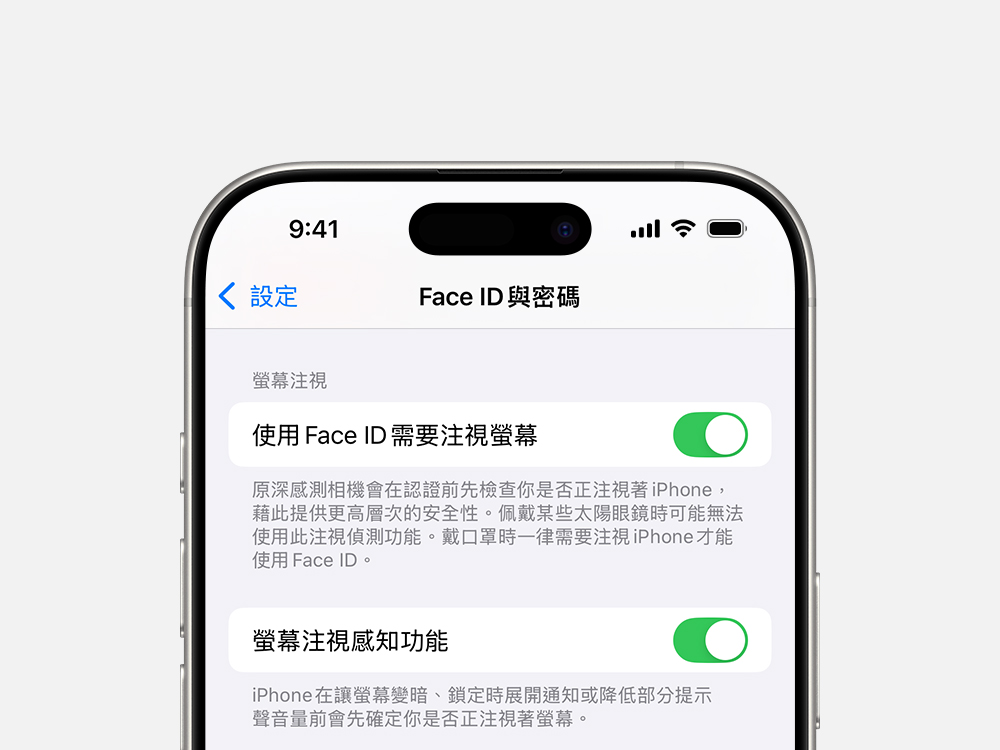
But the problem is that when the alarm sounds, if the phone detects faces or small movements, the system may mistakenly think that the user has woken up and is checking the screen, and then actively lowers the alarm volume. In some cases, this volume adjustment range is even so low that it is almost equivalent to mute, causing the alarm to continue ringing but no sound to be heard at all.
How to turn off iPhone screen gaze detection? Organize the setting steps at once
If you have ever encountered an alarm that didn’t go off, or don’t want to take the risk anymore, it is recommended that you check this setting directly. The shutdown method is quite simple, just follow the following path.
First, open the iPhone’s “Settings”, then enter “Face ID and Password”, enter the unlock password, find “Screen Gaze Awareness” and turn off this option.
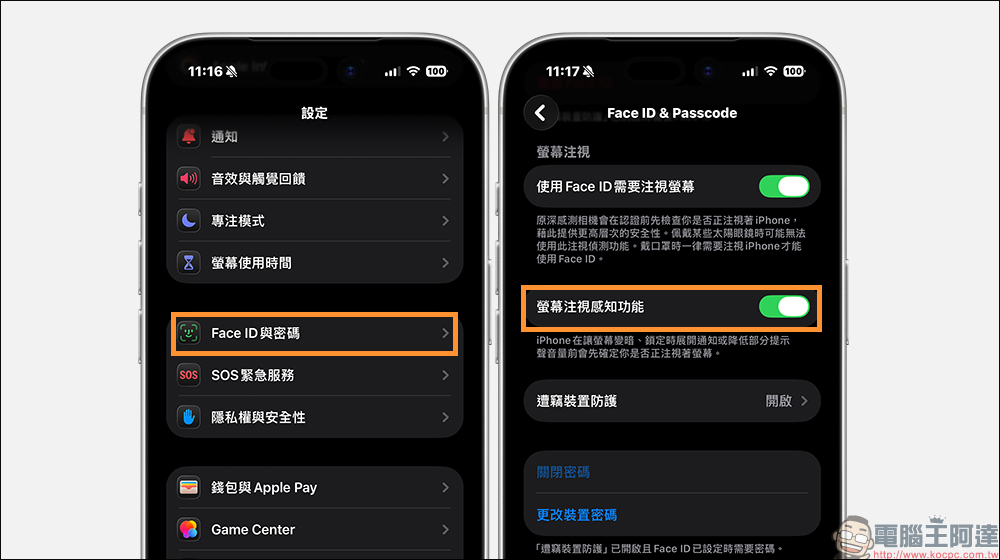
Turning it off will not affect Face ID unlocking itself, but only disables the system’s ability to automatically determine the gaze state to adjust the volume. For people who rely heavily on alarm clocks to wake up, it is more reassuring.
Conclusion
Although there are still some users who say they have never encountered related problems, judging from the number of actual cases, this is no longer a single incidental situation. For people who rely on their iPhone alarm clock to wake up every day, spending a few minutes checking the settings is far more cost-effective than being upset afterwards.
Before the system update provides clear corrections, proactively adjust the functions that may affect the behavior of the alarm clock, which can at least reduce the risk of oversleeping again. After all, the cost of missing a flight or an exam often far exceeds a set option.
Further reading:
Source: KOCPC Chinese