


many people know iPhone The auxiliary usage function is very powerful, but in fact, it is hidden in the settings.Live subtitles” is the real hidden treasure. This function can convert the sounds in the app, video voices, and even real-person conversations around you into text and display it directly on the screen. For users who often watch videos without subtitles, cannot hear the other party clearly, need to sort out the contents of a meeting, or want to practice English at the same time, the practicality is beyond expectations. With a simple setting once, whether you start a video, listen to a podcast, or make a call through a third-party app, your iPhone can instantly turn your voice into text, saving time and convenience.
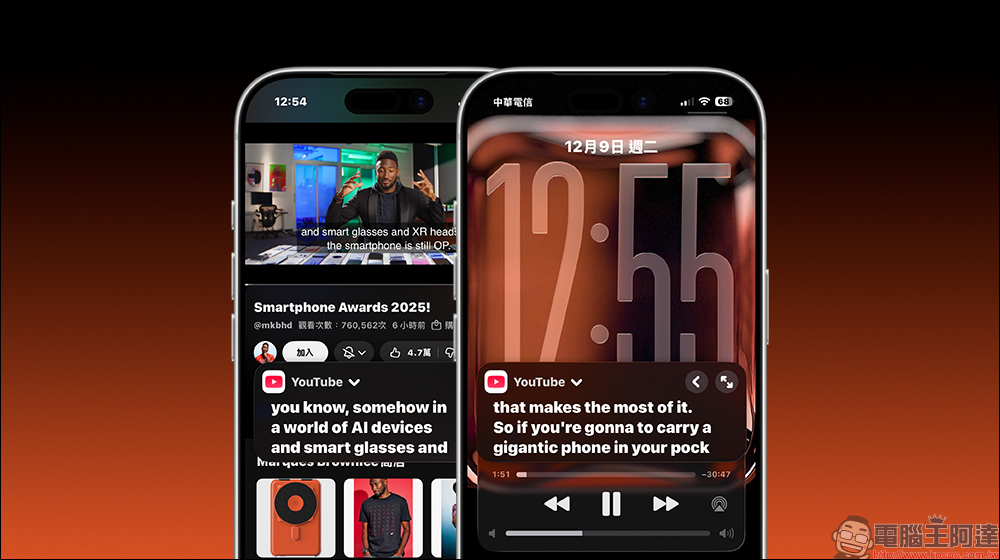
Instant subtitles for iPhone are super easy to use! All apps can change subtitles. Not only can you not hear clearly, but you can also save videos without subtitles (complete tutorial)
If you think past iPhonescreen textThe function is only available in specific apps, so you must not have experienced the “real-time subtitles” added in recent years. In fact, as early as iOS 16, as long as the phone you have is an iPhone 11 or later, you can use this feature to convert audio in any app into text. This capability is not only applicable to video or music playback. Even FaceTime voices, conversation sounds of people around you, online courses, and even live broadcast content can be automatically transcribed by the iPhone, making it very suitable for a variety of user groups.
For example, some videos have no subtitles, you cannot understand a sentence or two when listening to a podcast, or you want to write down information during a meeting. In these situations, you previously had to manually copy notes. Now enable real-time subtitles, and your iPhone will act like a personal assistant to help you record the content completely. Whether it is Chinese or English, it can be transcribed instantly, which is a big help for users who want to learn foreign languages, because when seeing subtitles, the brain can compare the pronunciation and text at the same time, making learning much more efficient.
How to turn on real-time subtitles on iPhone?
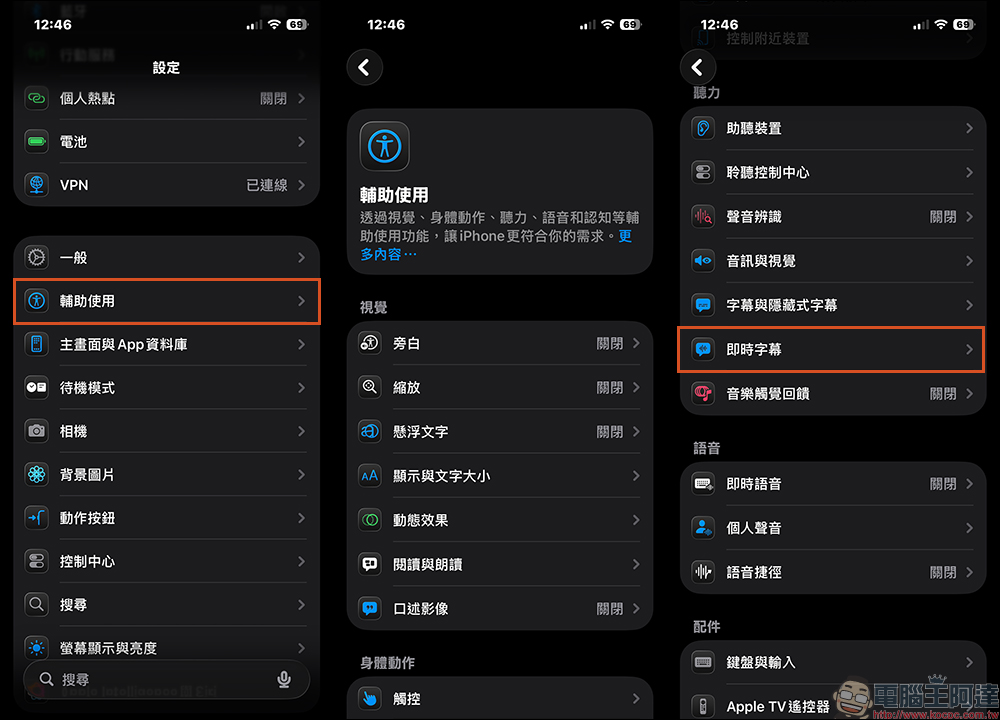
In fact, the path is very simple. Just open the settings first, enter the “Accessibility” option, and you will see the “Live Subtitles” function page.
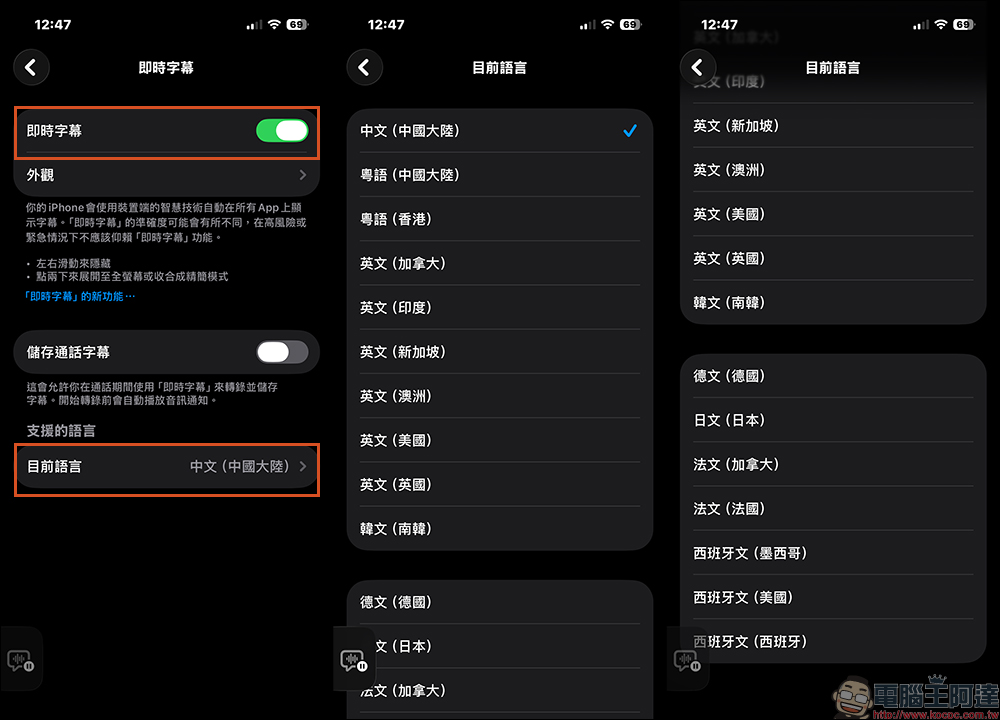
After clicking in and turning on the function switch, the system will remind you that real-time subtitles will process the voice on the device and will not upload the content, which means you don’t have to worry too much about privacy. However, the currently supported languages are Simplified Chinese, Traditional Chinese (Cantonese), and English, Korean, Japanese, German, French, and Spanish. Taiwan’s Traditional Chinese is not yet supported.
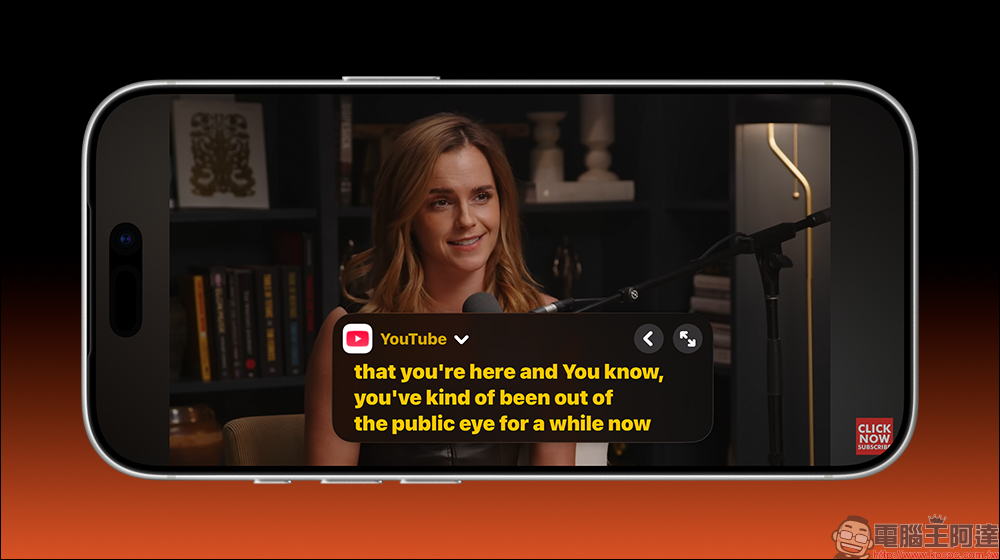
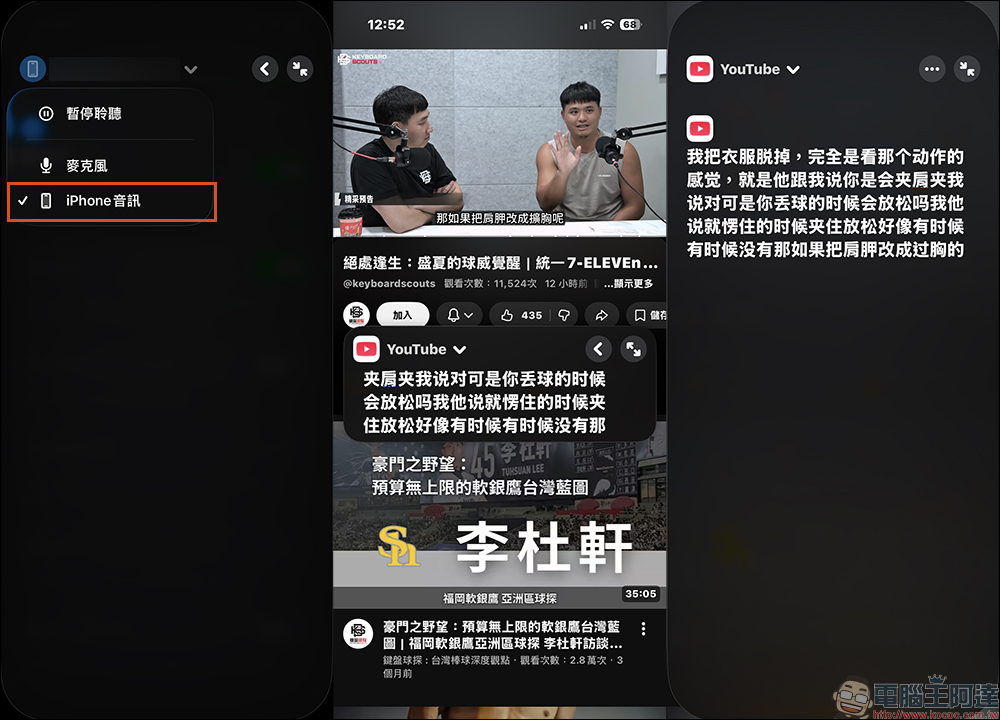
After opening it, you will see a small draggable window that displays the voice text currently being recognized and can be resized or moved to any position on the screen without affecting your original operations. In addition, the listening options are divided into two types: “Microphone” and “iPhone Audio”.
If you want to record the sound of the video played by iPhone, you must remember to switch to “iPhone Audio” to achieve more real-time and accurate real-time subtitles. In addition, if it is a live meeting or course that needs to be converted into real-time subtitles, use the “microphone” to listen to the content.
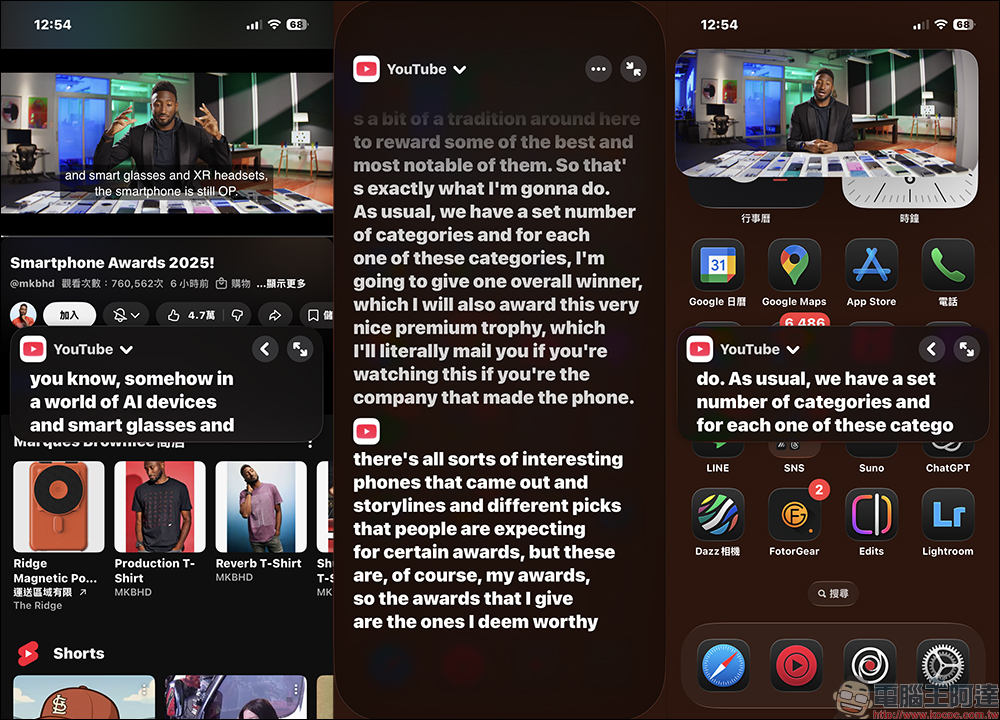
iPhone instant subtitles can be placed anywhere on the screen and can be displayed normally even on the iPhone home screen.
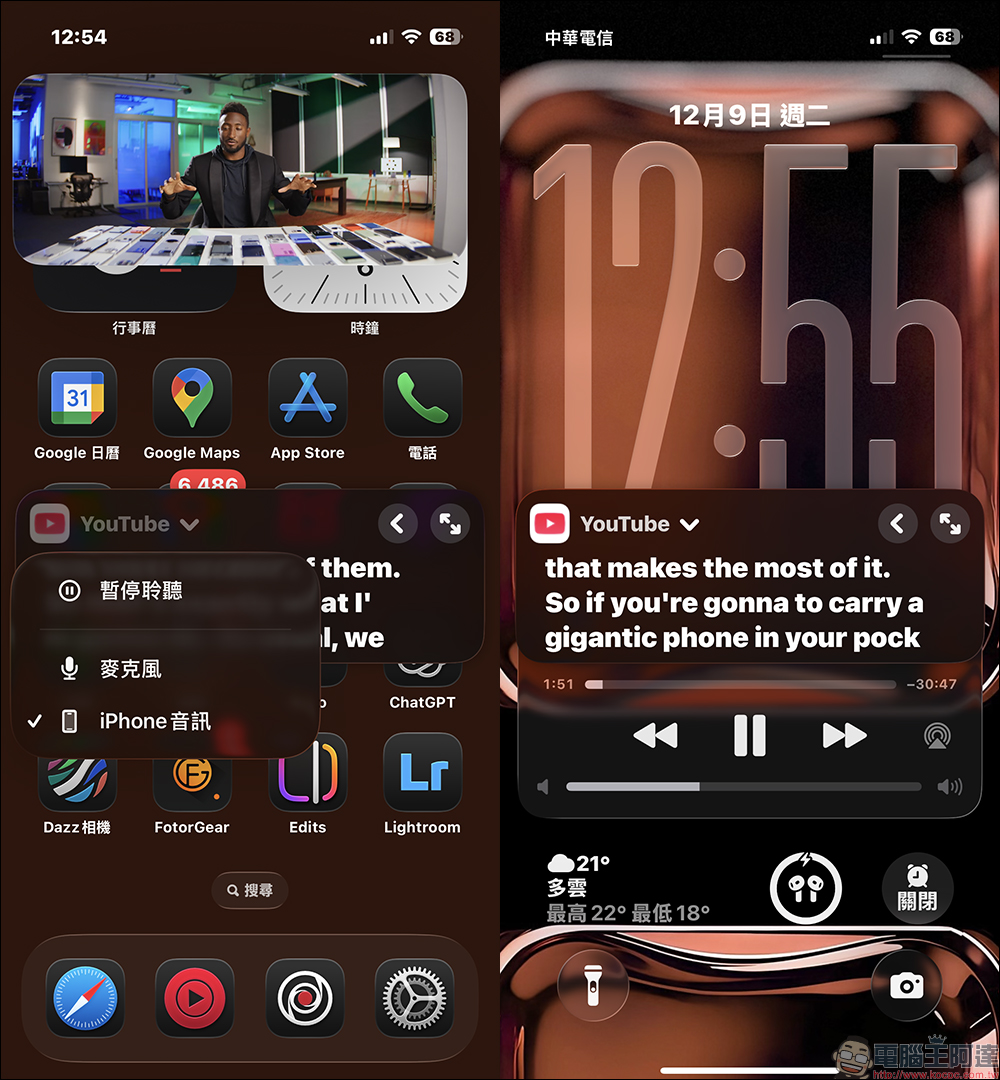
Even if the iPhone is locked, real-time subtitles will continue to be provided as long as the video continues to play. This is very suitable for use when the current environmental conditions do not allow for video playback, but you still want to care about the video content. If you want to pause real-time subtitles, click “Pause Listening” in the function menu.
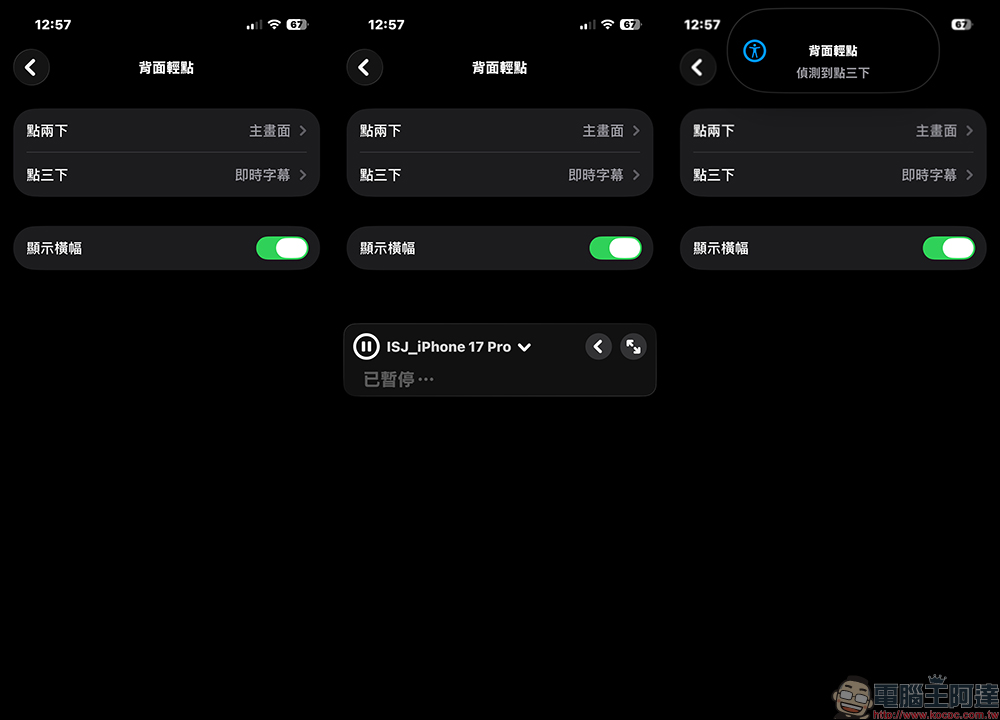
How to quickly turn on and off real-time subtitles?
There are actually two ways to enable live subtitles on iPhone. The first is to turn it on manually, that is, enter the real-time subtitles page from the auxiliary user interface, and then enable voice recognition. The second one is more convenient. You can set it as a “back tap” quick opening method. For example, double or triple tap can quickly pop up the real-time subtitles window. In this way, whether you are watching videos, learning English, or having a meeting, as long as you need subtitle content, tap to wake it up and you can use it immediately. This method is more time-consuming than resetting the settings each time, and is also closer to the actual use situation.
Customize the appearance of live subtitles
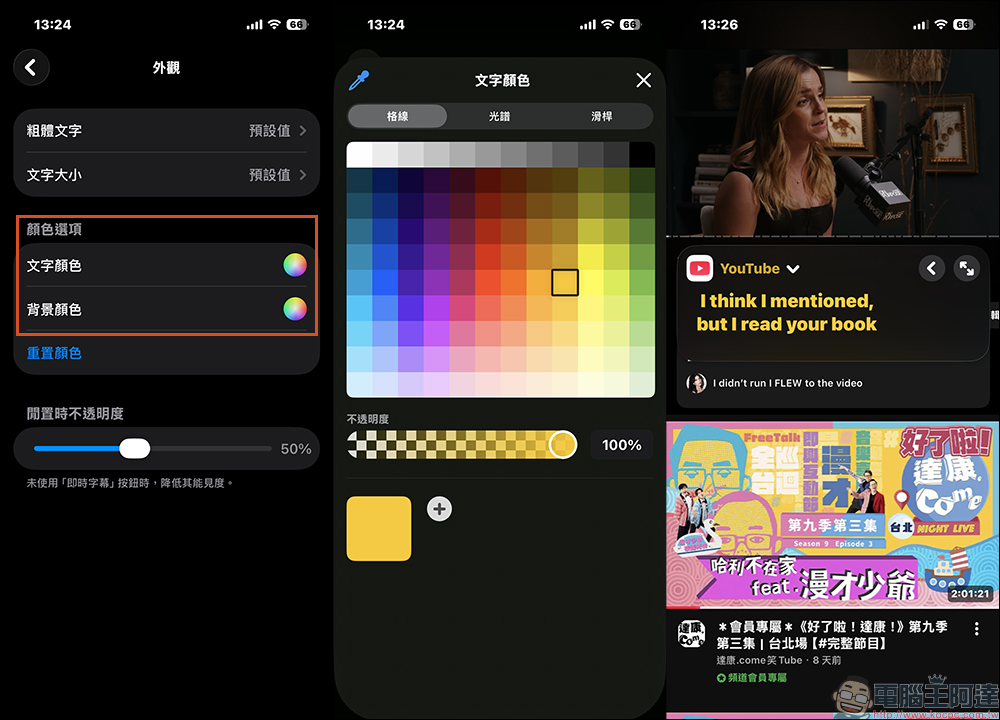
The default iPhone live subtitles have a black background with white text. If you want to change the appearance of live subtitles, select “Appearance” on the “Live Subtitles” page, and you can select bold text and text size, and you can also change the text color and background color in the color options. In addition, the real-time subtitle function can also set the opacity in the idle state, which can reduce visibility and reduce line of sight interference when this function is not used.
Conclusion
In actual use, the response speed of real-time subtitles is quite fast. The text will appear in about an instant after finishing a sentence, and the recognition accuracy is higher than expected. However, if the environment is very noisy or the speaker has a strong accent, the subtitles may still take a little time to adjust. For most general users or students, the accuracy is quite sufficient, especially when used to understand English content.
Finally, I would like to remind everyone that although real-time subtitles are powerful, text misjudgment may still occur, especially in situations where multiple people are speaking at the same time or the environment is noisy. At this time, you can move the phone slightly closer to the speaker, or adjust the position to make the microphone pick up the sound more clearly, and the accuracy of the subtitles will be significantly improved.
Further reading:
Source: KOCPC Chinese