


Quite a lot recently iPhone Users reported on the social platform that the network was normal and the signal was full, but as soon as they used it LINE There is either no sound at all during the call, or the sound suddenly goes silent for about 10 seconds after the call. No matter how you reopen the app, log in again, or even reinstall LINE, you can’t solve the problem. This wave of seemingly “LINE crashes” actually has another reason behind it, and the problem is not with LINE itself, but with another software that many people have installed on their phones. Whoscall App related.
With the actual testing and cross-comparison by more netizens, the key functions that really affect call stability have gradually come to light, and Whoscall officials have officially come forward to explain and release corrections and updates. This article will sort out the ins and outs of the incident, functional principles, and the most complete solution at present to help you quickly troubleshootcallAbnormal conditions.
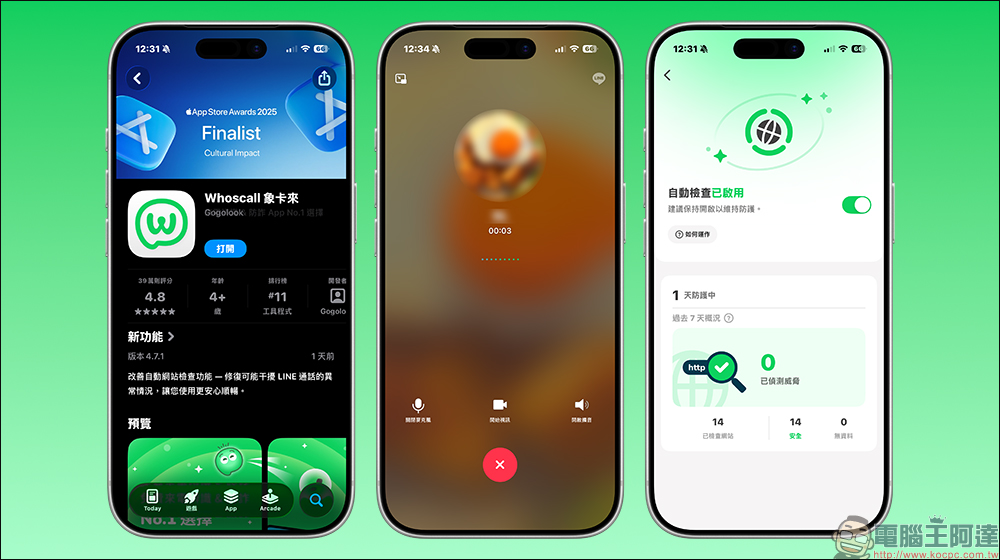
iOS users have no sound during LINE calls? It may be caused by the Whoscall function, which has been corrected in recent updates.
In the past few days, on social platforms and communication software discussion forums, many iPhone users have reported encountering the same situation. As long as they use LINE to make a voice or video call, the other party cannot hear the sound at all, or the sound suddenly disappears about 10 seconds after the call is connected. The picture is still there and the call is not interrupted, but the two parties cannot hear each other.
At first, most people intuitively thought that there was a problem with LINE. They tried closing the app and reopening it, logging out of their account and logging in again, or even directly deleting LINE and then reinstalling it. However, the results were almost the same and the problem still existed. Some users have also checked the microphone permissions, Bluetooth devices, and even restarted their phones multiple times, but they still cannot resume normal calls, which is quite disturbing.
Since LINE is almost the main tool for daily communication among Taiwanese, this type of call anomaly immediately caused a lot of discussion, and some people even worried about whether it was a compatibility issue after the system update.
The key to the problem is exposed, Whoscall website inspection becomes the biggest suspect
As the number of discussion threads increased, sharp-eyed netizens discovered one thing in common. Almost all users who encountered the problem of no sound in LINE calls and 10-second silent calls had Whoscall installed on their phones and had turned on a feature called “Website Check.”
Some netizens have actually tested that as long as they first turn off the website check function in Whoscall settings, and then restart the phone, LINE calls can immediately return to normal. As soon as this method spread, it was successfully verified by a large number of users in a short period of time, and the focus of the incident officially shifted from LINE to Whoscall.
In other words, this wave of call disasters was not caused by LINE itself, but by a certain function of Whoscall that indirectly affected LINE’s call connections under certain circumstances.
Whoscall officially responds and releases updates and corrections
After a large number of users reported it, Whoscall officially confirmed that there is indeed an abnormality in the website check function, which may cause iOS users to be unable to make normal calls when using LINE.
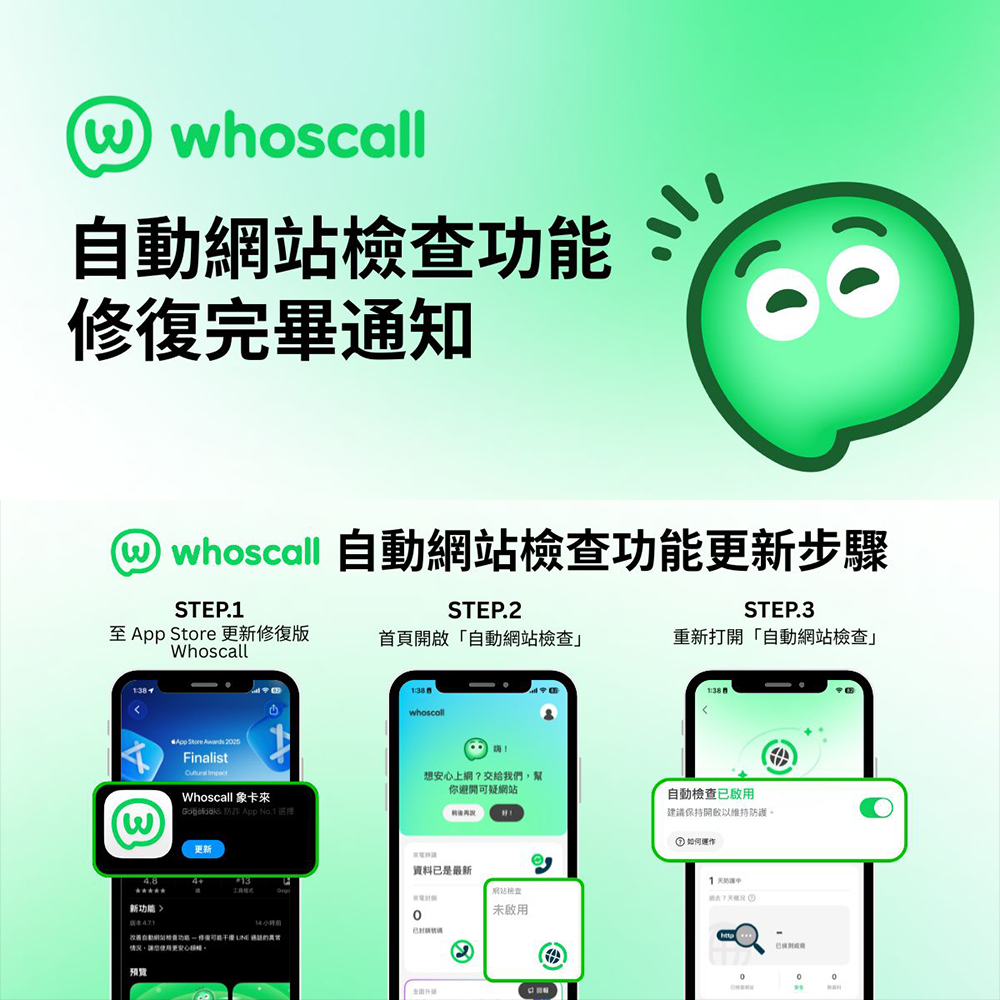
To this end, the official has released a new version of the App update, version number 4.7.1. The focus is on corrections and stability improvements to the website check function. The goal is to allow users to turn on the anti-fraud function without affecting the normal operation of other communication apps.
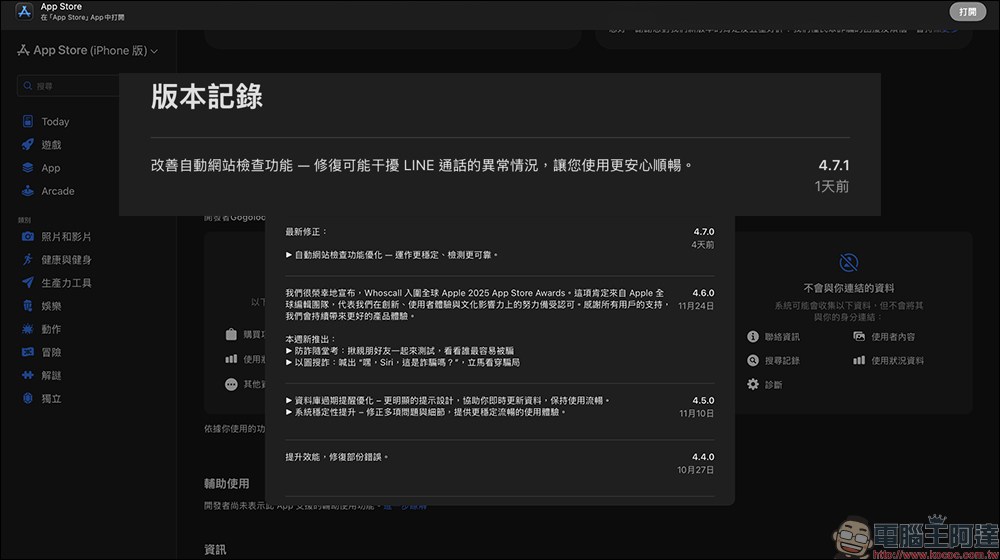
Whoscall officials also stated that as long as they update the app to the latest version, re-enable the website check function and complete relevant settings, most users can return to their normal LINE calling experience.
What exactly is the Whoscall website checking feature doing?
In order to clarify the source of the problem, you must first understand what the “Website Check” feature of Whoscall itself is.
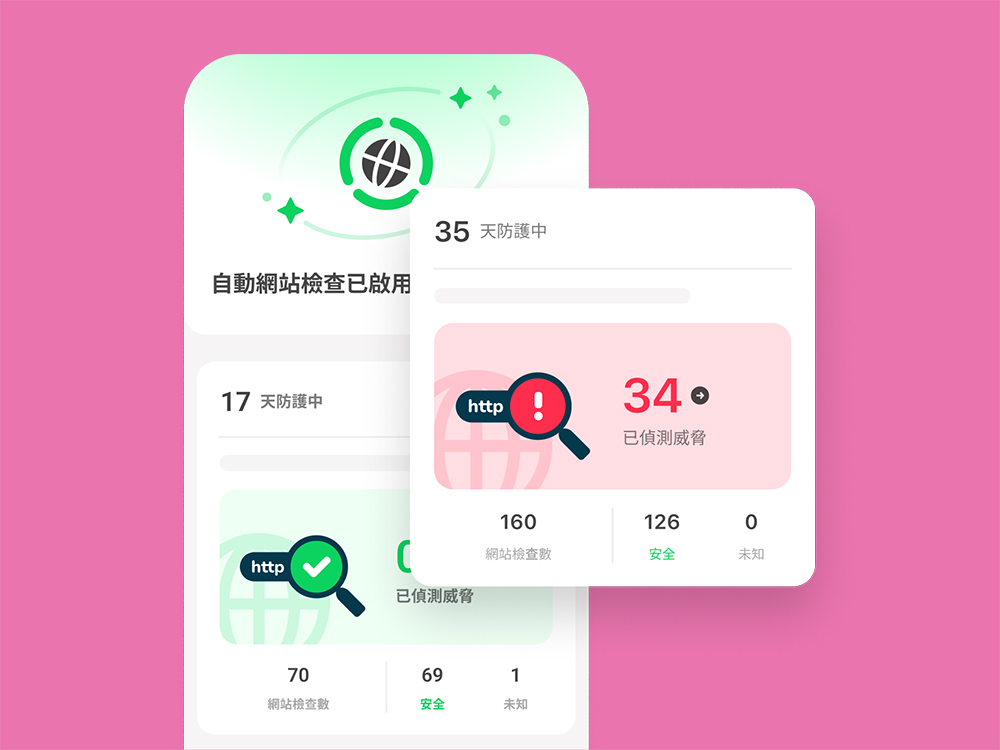
This feature is mainly used to prevent fraud. When a user clicks or pastes a URL, the system will immediately send the URL to a large fraud website database and AI model to determine whether the link is safe, and mark it as safe, suspicious, or high-risk. If it is determined that it may involve phishing or fraud, Whoscall will pop up a warning to remind users not to continue browsing.
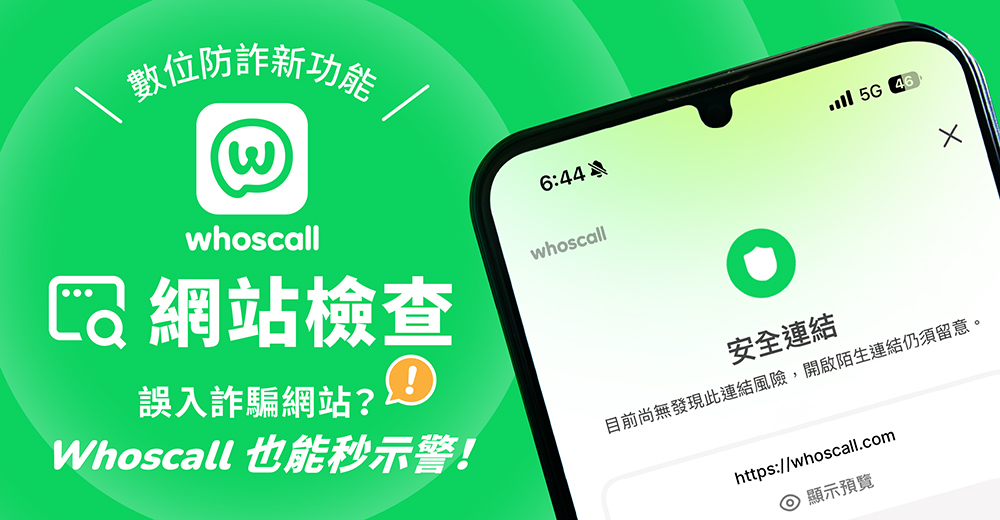
From a design perspective, this is a very practical anti-fraud feature. Especially for users who often receive unfamiliar links through text messages and messaging software, it can indeed reduce the risk of accidentally clicking on fraudulent websites.
However, on a technical level, the operation of the website inspection function involves a network connection processing process similar to VPN or packet interception. The system needs to monitor and analyze the traffic in real time to determine the security of the connection.
Why does it affect LINE calls?
The problem lies in this “connection check” process. According to current user feedback and official statements, it is speculated that the website check function has an abnormality in some versions, causing the system to misjudge or incorrectly process some real-time connection packets, and LINE calls are services that require extremely high connection stability and immediacy.
The result is that the call is still ongoing on the surface, but the voice data cannot be transmitted normally. This is why there is no sound at all during the call, or the call is suddenly muted after a period of time.
This also explains why reinstalling LINE and adjusting permissions cannot solve the problem, because the real source of interference in calls is the system-level connection check function.
What should I do if there is no sound in LINE calls now?
If you currently or have ever encountered a situation where LINE calls have no sound or calls are muted for 10 seconds, you can follow the steps below.
- Go to the App Store to make sure Whoscall is updated to the latest version.
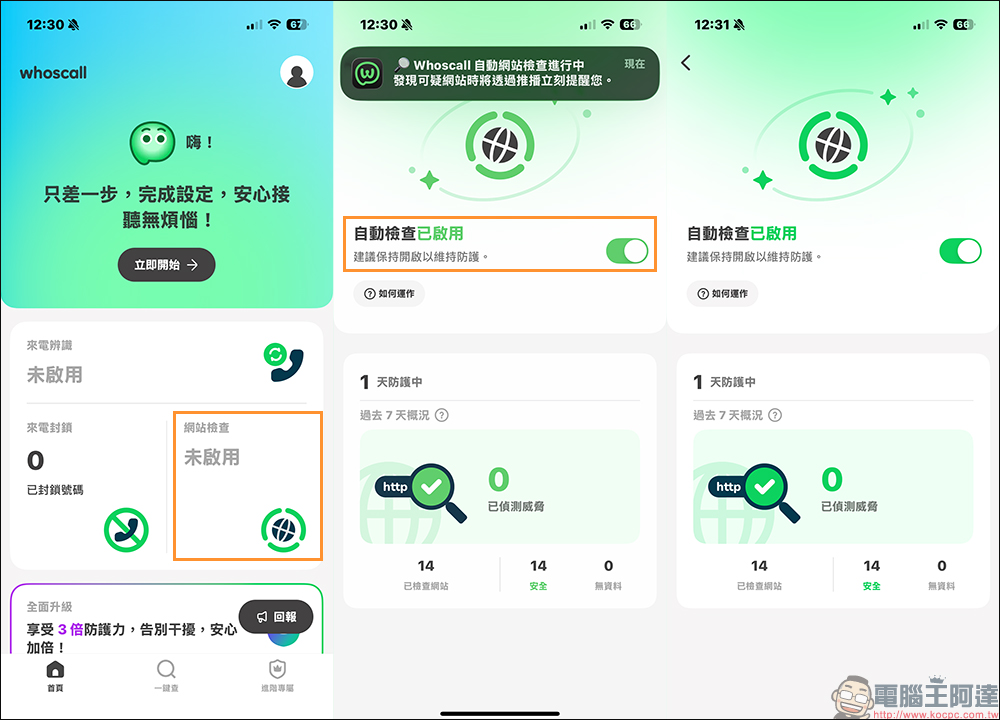
- After the update is completed, re-open Whoscall and confirm that the “Website Check” function is set normally.
- If there is still an abnormality, you can temporarily turn off the website check function and then restart the phone to test whether LINE calls are back to normal.
- Confirm that the system and App permission settings have not been abnormally modified.
After completing the update, most users can use LINE calls normally after checking the above settings, and there is no need to turn off the anti-fraud function for a long time.
Conclusion
This incident also reminds everyone that the functional interaction between different apps on mobile phones can sometimes have unexpected effects. Even if the anti-fraud function is designed for security, in the case of technical abnormalities, it may also affect the normal operation of other services.
If you are using Whoscall, it is recommended to update to the latest version as soon as possible to maintain anti-fraud protection while avoiding the trouble of no sound in LINE calls and 10-second silence on calls again. If you encounter a similar situation again in the future, you may wish to pay more attention to whether it is related to system-level functions or other resident apps. You can often find the real source of the problem faster.
Further reading:
Source: KOCPC Chinese