


If you are a Windows user, you may have triggered the sticky key intentionally or unintentionally, causing the system to pop up notifications. When you press Shift five times, your computer will beep and display a notification window. In my personal experience, this problem is usually triggered accidentally when playing games on the computer. For example, the game uses the Shift key to make the character sprint faster. At the time, I found the notification annoying and turned it off without even reading the words. But as time went by, I realized that the sticky button has a very important purpose.
What are “sticky keys” in Windows?
Sticky Key is actually an accessibility feature, mainly for people with limited mobility or who use assistive technology. Most people do not fall into these two categories. They can usually use shortcut key combinations such as Ctrl + C, Ctrl + V and Ctrl + alt + Del without hesitation. However, some people have limited dexterity and find it difficult to press multiple keys at the same time. This is where the sticky keys come in handy.

With sticky keys enabled, it essentially emulates a sustained key press, and even if the user presses the Ctrl and C keys respectively, it will still be treated as pressing Ctrl + C. This is useful for people with disabilities who are unable to use keyboard shortcuts in traditional ways. Sticky keys work with Shift, Ctrl, Alt, and Windows key combinations. To give it a try, press the Shift key 5 times to trigger the notification, then click Yes.
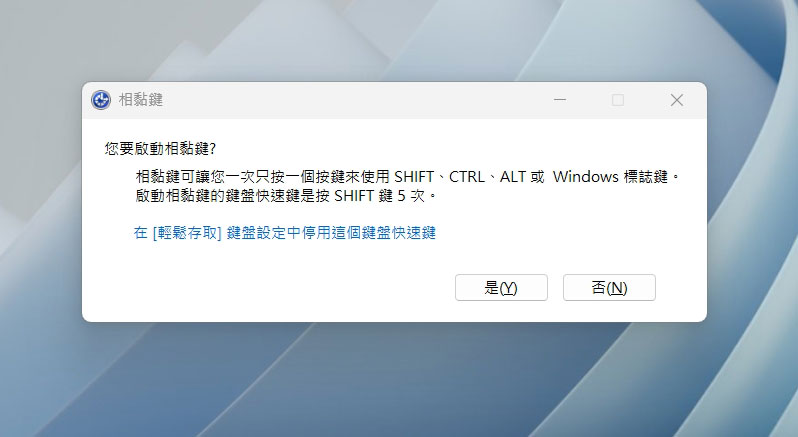
While sticky keys may not be a feature you need, it might make it less annoying the next time you accidentally trigger one. Of course, if you find it too annoying and disrupting your work rhythm, you can also choose to turn off this feature in Windows 11:
- Open the Settings app.
- Select “Bluetooth & Devices” in the left sidebar.
- Select “Keyboard”.
- Scroll down and click to enter “Keyboard Assistance Tools”.
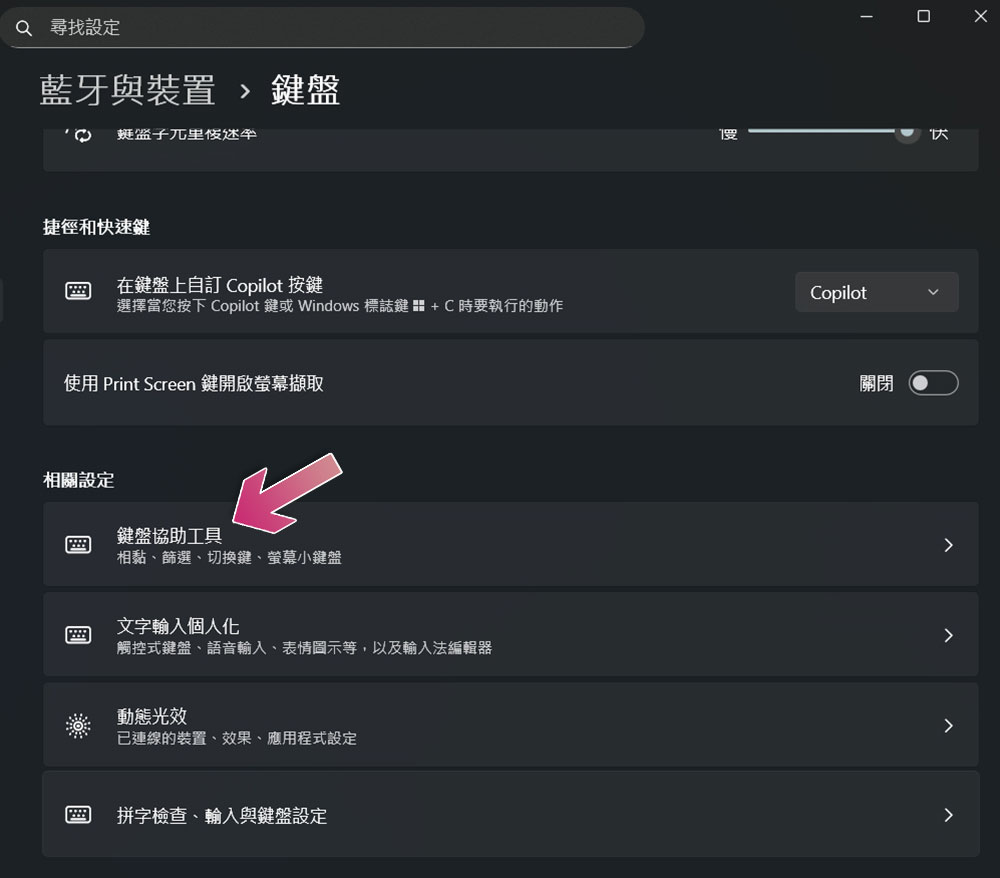
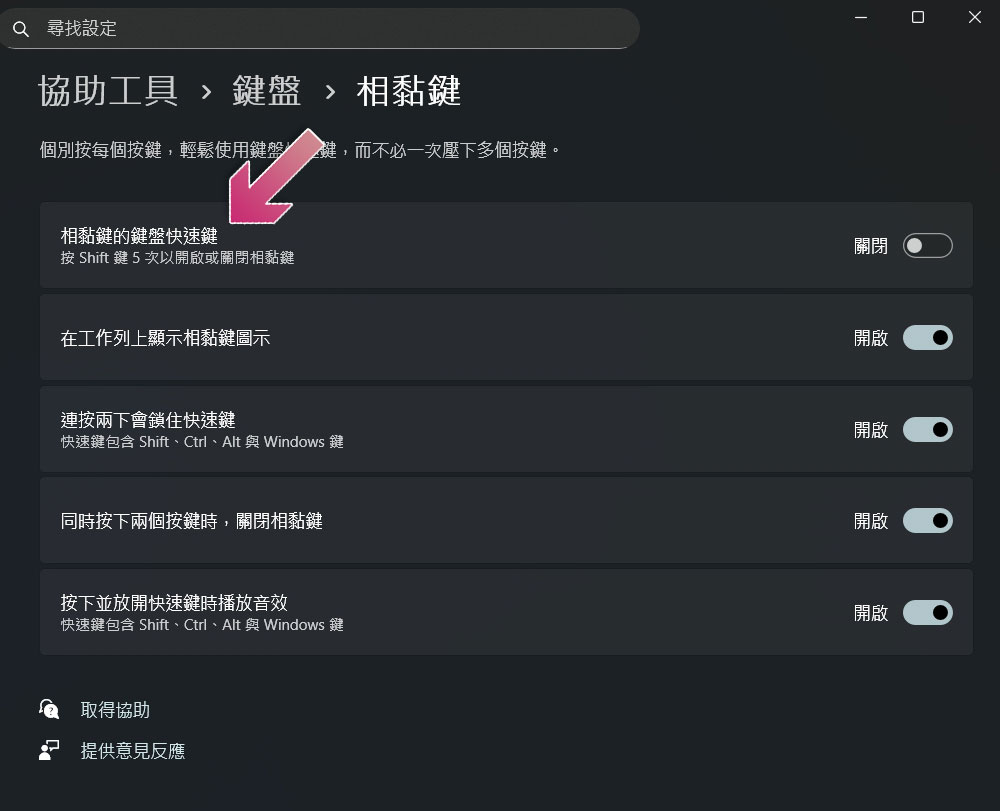
- First turn off “sticky keys”, then click the arrow behind it.
- Turn off “Keyboard shortcuts for sticky keys”.
Source: KOCPC Chinese