


If you are like me, you will start to feel nauseous, dizzy, or even drowsy after just swiping a few lines of messages while riding in the car. iOS 26 The update will probably be your most anticipated savior this year. Last year Apple launched “Vehicle dynamic tips“After that, it did improve many people’s symptoms of motion sickness while moving, but some people still feel that the effect is not complete. This year’s new version of iOS 26 offers more detailed customization functions, including color, visibility, and a new “dynamic” mode, which makes the entire screen closer to the actual body shaking, making up for the shortcomings of the past. After this actual test, I actually changed from “starting to feel dizzy when I see the message” to being able to read the entire article with peace of mind in the car.
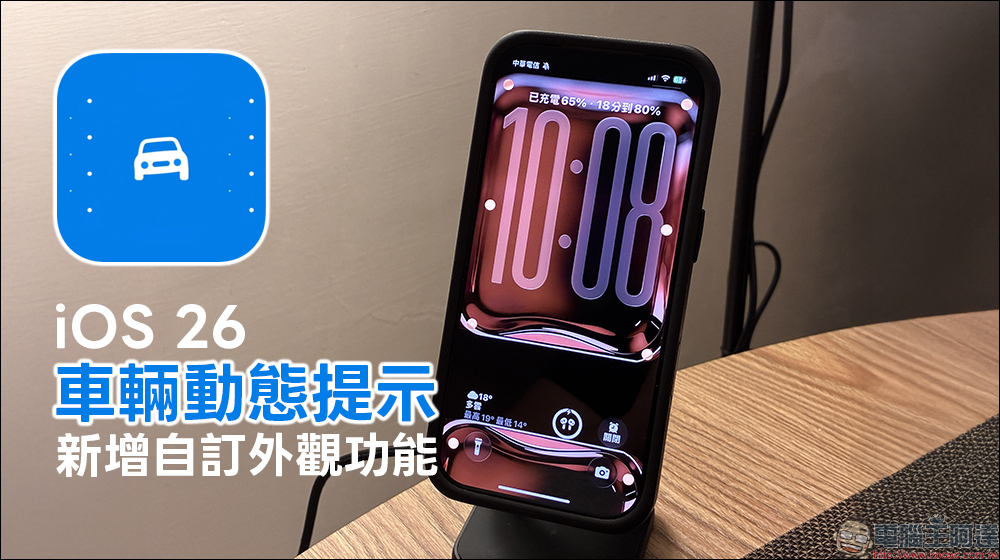
Say goodbye to reading in the car that makes you want to vomit! iOS 26 vehicle dynamic prompts add a custom appearance function, supporting 6 color options
As you grow up, have you ever suddenly found that your body has become silently fragile? When I was a kid, I didn’t feel uncomfortable reading comics, playing Game Boy, or even doing homework in the car. However, in recent years, if I just scroll through messages or browse videos on my phone for a few seconds in the back seat, my stomach will start to turn, my head will feel stuffy, and I will even feel that the words in front of me are dancing. That feeling of powerlessness that “I want to look at my phone but my body doesn’t allow it” is really frustrating.
Fortunately, Apple has begun to launch auxiliary designs for motion sickness users in the past two years. This year, iOS 26 has focused on strengthening it, upgrading the original “vehicle dynamic prompt” function to a more detailed level that is closer to user needs. For people like me who can’t stop looking at their phones in the car, this update really feels like being understood and saved.
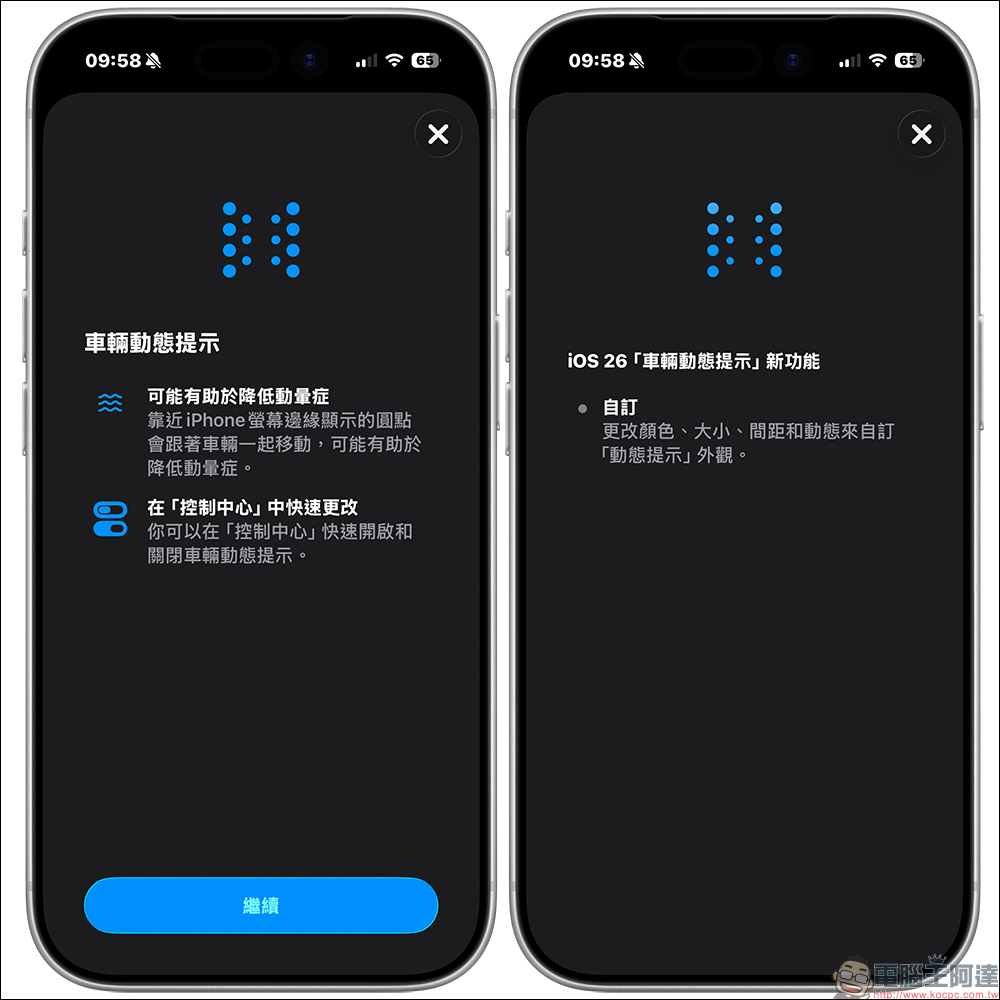
What are vehicle dynamics tips? Why it can reduce motion sickness
Let’s talk about the principle first. Most motion sickness is actually caused by the out-of-sync between what the eyes see and what the body feels. For example, if you are scrolling on your phone in a car and your eyes are staring at a still picture, but your body knows that the car is shaking, inconsistent information from the two sides will cause confusion in the brain, leading to dizziness, nausea and other discomforts.
The vehicle dynamic prompt introduced by Apple is to add some small dots at the edge of the screen. These small dots will move synchronously with the direction and shaking of the vehicle, which is equivalent to adding a “sense of motion” to the brain, reunifying the information seen by the eyes and the information felt by the body. When it was first launched last year, it was well received by many users, including iPhone, iPad, and even later macOS Tahoe 26 also supported it.
However, not everyone experiences motion sickness to the same extent. Although I think it has improved, occasionally I still feel like “something is weird” when the road conditions are shaky or when traveling for long distances. Until I discovered that iOS 26 makes this system more customized, the difference instantly became super obvious.
The new customization function of iOS 26 truly makes up for everyone’s differences
This update focuses on one thing: “allowing each user to adjust according to their own sensitivity.” This sounds simple, but in practice it’s much different.
How to enable and customize this feature?
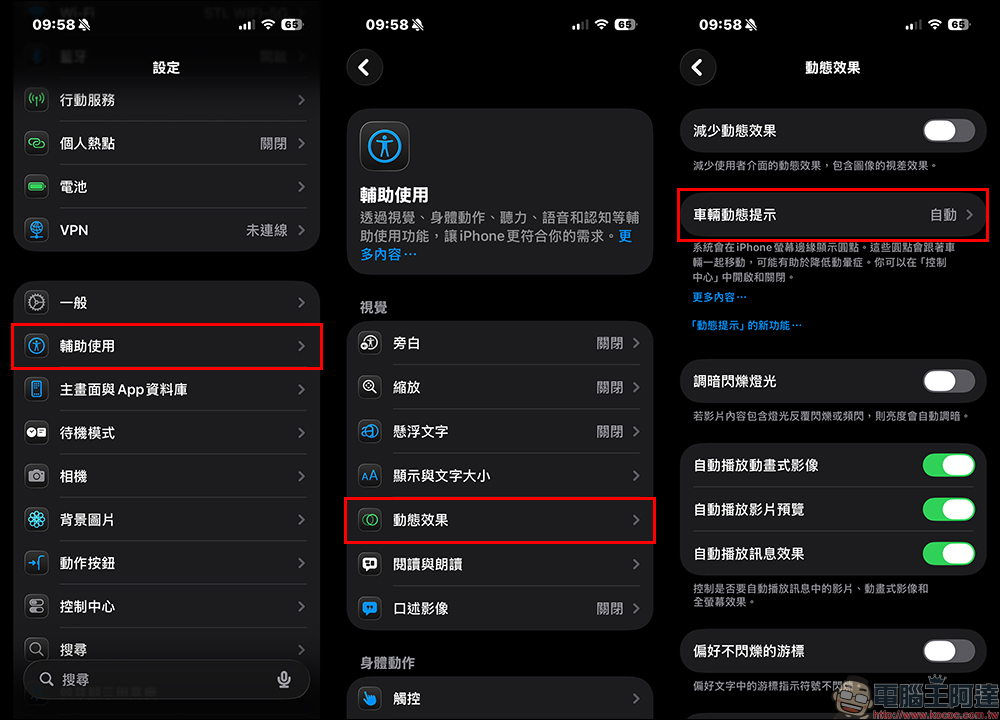
Previously we hadBrief introductionThrough the “Vehicle Dynamic Alert” function, this function can now be further customized. First, find “Assisted Usage” in the system “Settings”, then select “Vehicle Dynamic Tips” in “Dynamic Effects”:
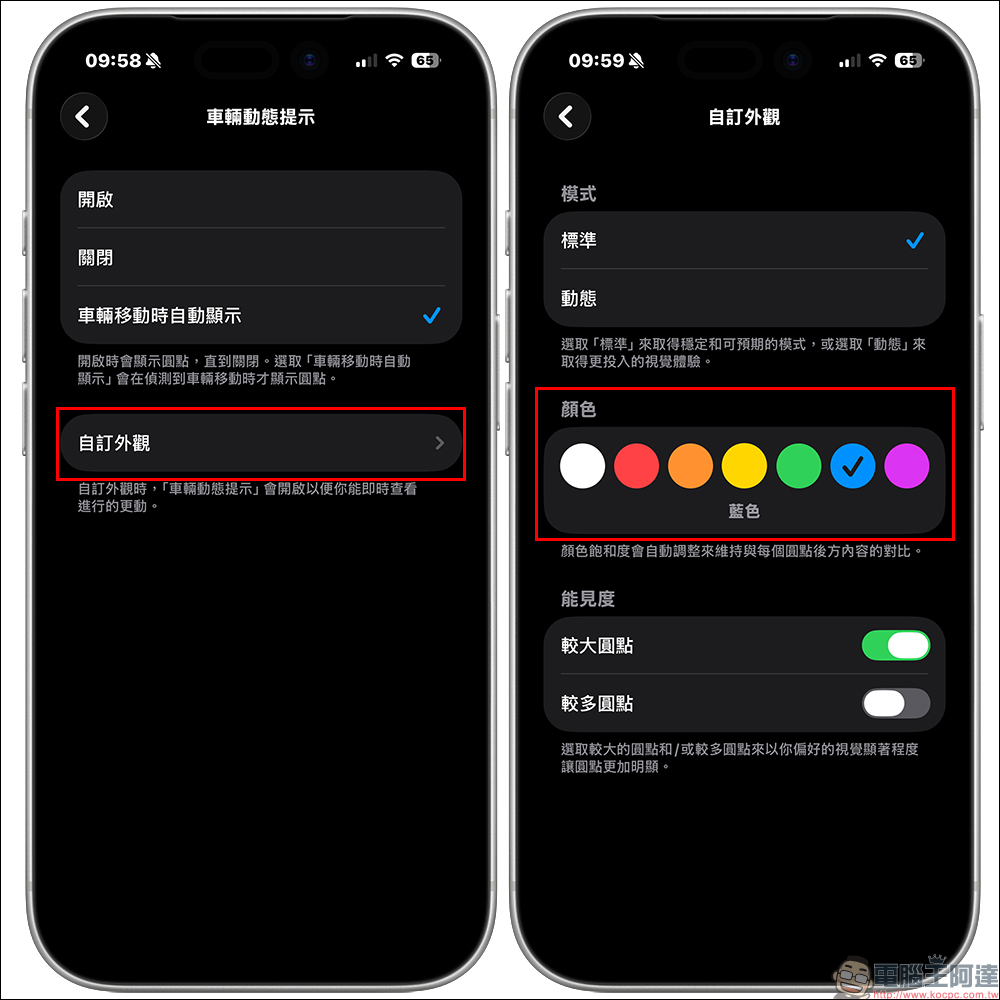
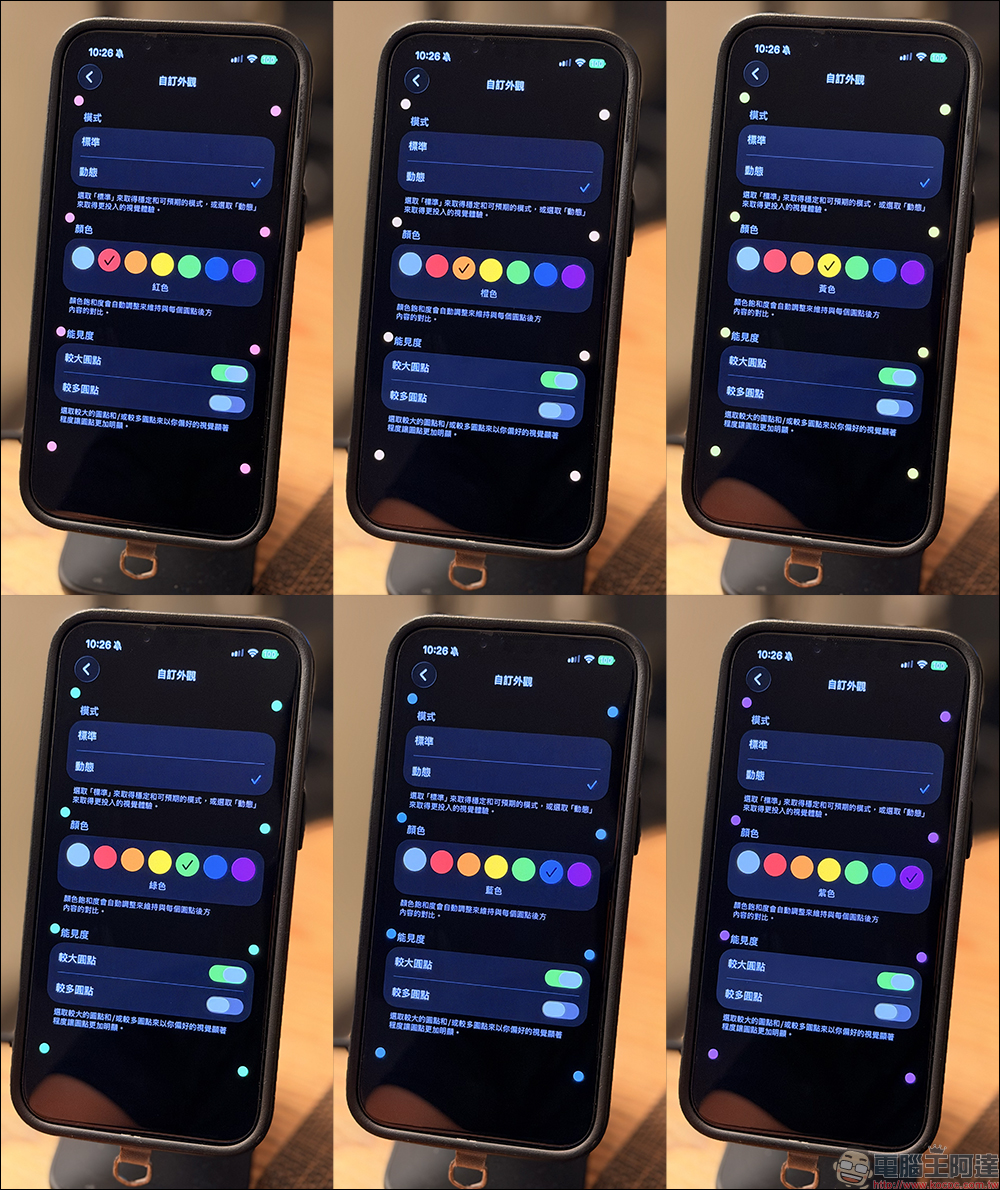
On the vehicle dynamic prompt setting page, in addition to manually turning it on and off, you can also choose a customized turning method of “automatically display when the vehicle is moving”. Now you can also choose “Customize Appearance” below, and the mode can be “Standard” or “Dynamic”, the latter can achieve a more immersive visual experience. In addition to the default “grayscale”, the appearance color currently supports a total of 6 color options: “red”, “orange”, “yellow”, “green”, “blue” and “purple”.
In addition, in terms of visibility, the personal preference options of “larger dots” and “more origins” can be turned on to make the dots more obvious and reduce the chance of causing dizziness when the vehicle is moving.
The following is the display effect of the vehicle dynamic prompt function in different colors. The dot size has “larger dots” turned on.
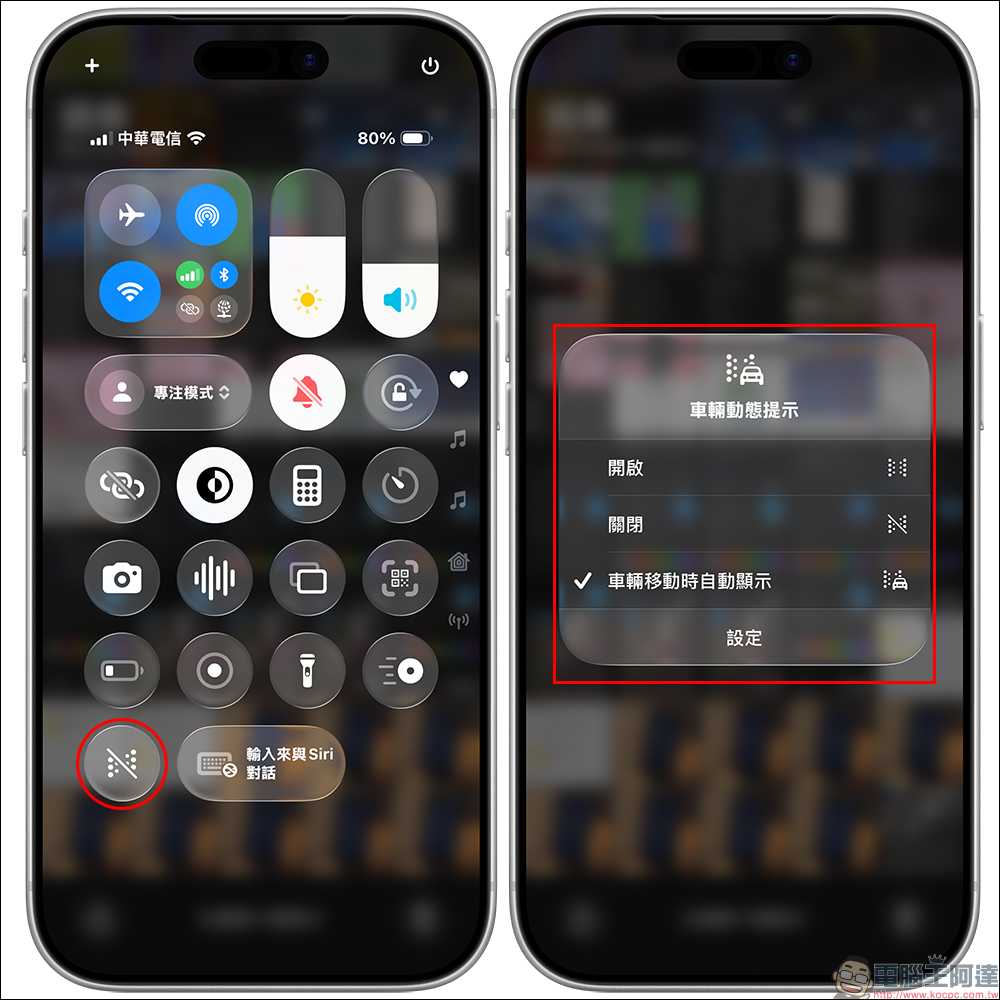
After the settings are completed, users can quickly turn on the “Vehicle Dynamic Alert” function in the drop-down menu, or click “Settings” to quickly go to advanced settings.
Conclusion
In fact, this function is not only for “people who are prone to motion sickness”, but also for those who “have to reply to messages and handle work in the car.” When commuting, taking Uber to work, or traveling by bus, many people simply cannot avoid swiping their phones.
The upgrade to iOS 26 makes this easier and less painful, and can also reduce the discomfort and stress caused by motion sickness while moving. For modern people, this is a very practical improvement, rather than a flashy but unused feature.
Further reading:
Source: KOCPC Chinese