


Want to test mobile phoneChargePower, but no professional instrument? Now ordinary people can view real-time power data just like tech bloggers. POWER-Z App has recently been officially launched on the App Store after being the first to be launched on the Google Play Store. It allows iPhone and Android users to directly monitor power changes during wired and wireless charging without additional equipment, and can also view battery health, capacity and real-time information. As long as you keep the app running in the foreground, the system will automatically calculate and present clear and easy-to-understand chart data, making your phone charging information so transparent for the first time. Whether you want to confirmfast chargeWhether you are really running out of battery, or you just want to observe daily battery consumption, you can use this app to get a more comprehensive understanding of your phone’s status.
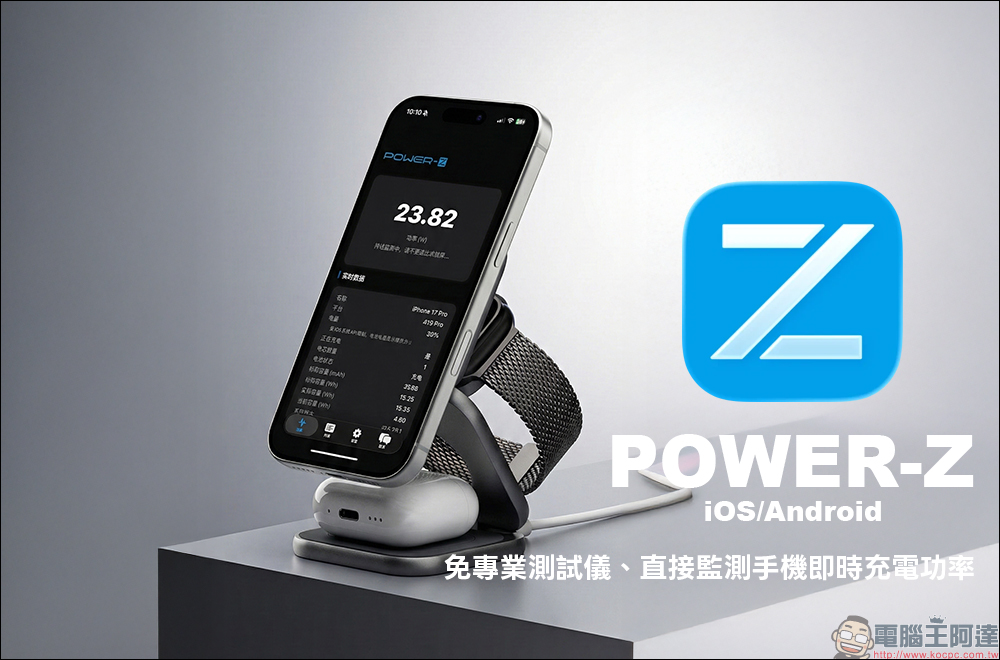
POWER-Z App officially launched on the App Store: no need for professional tester, direct monitoring of real-time charging power of mobile phone (iOS/Android dual platform support)
Smartphones are becoming more and more powerful, and while their performance is improving, people are also paying more and more attention to charging speed, battery health, and power consumption performance. In the past, if you wanted to know whether the charging power of your mobile phone really reached the official upper limit, you usually needed to use a professionaltestThe instrument and operation method are not only complicated, but also not accessible to everyone.
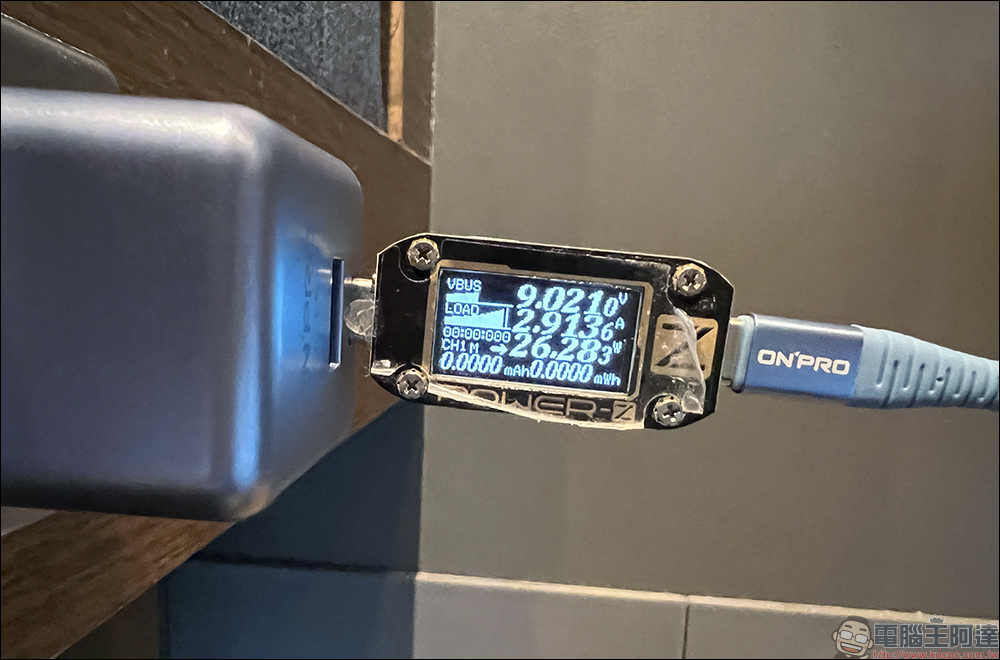
Today, the POWER Z App is officially available for download on iOS and Android platforms, allowing everyone to check the instant charging status of their mobile phones in the simplest way. This app was originally mainly used with professional POWER Z testers, but now it directly opens the “software version of power display” to general users. As long as the mobile phone can install the App, no additional accessories are needed, and the power changes during charging can be grasped. It is very suitable for users who like to study data or want to better understand the battery condition of their mobile phones.
The most attractive thing is that it has successfully condensed the data visualization function that used to belong to engineers and professional players into an information panel that ordinary people can understand immediately. Open the app, and data such as charging power, battery capacity, battery temperature, and battery status will appear on the screen, allowing you to better understand your phone in daily use.
How to use POWER-Z App?
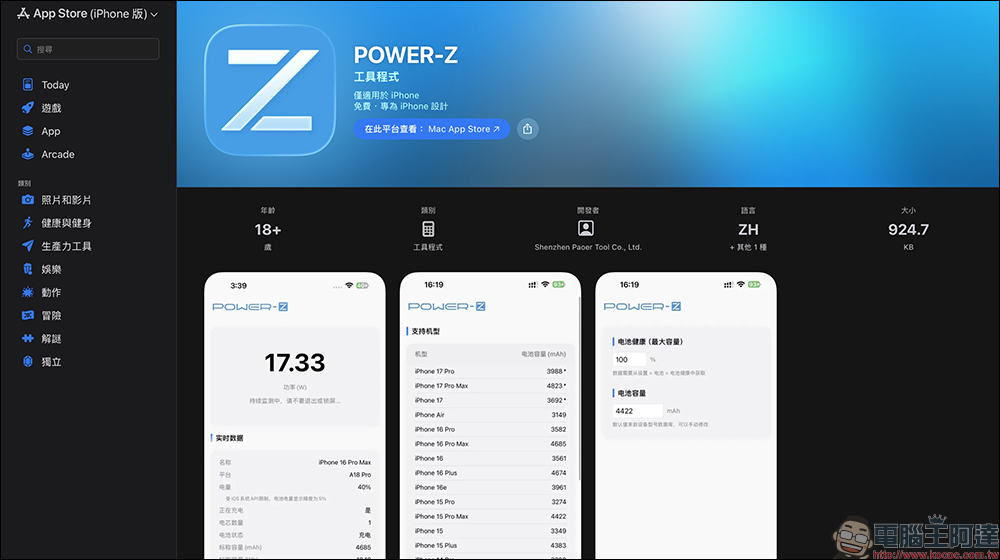
The POWER Z App is now officially available on the iPhone App Store, and Android can also be downloaded through the Google Play Store. The operation method is very simple. First, open the POWER Z App to start charging, such as placing MagSafe wireless charging or plugging in wired charging. After just starting charging, you can see the average power data after waiting for a while. During the test period, make sure that the screen remains in the App screen and cannot exit or lock the screen.
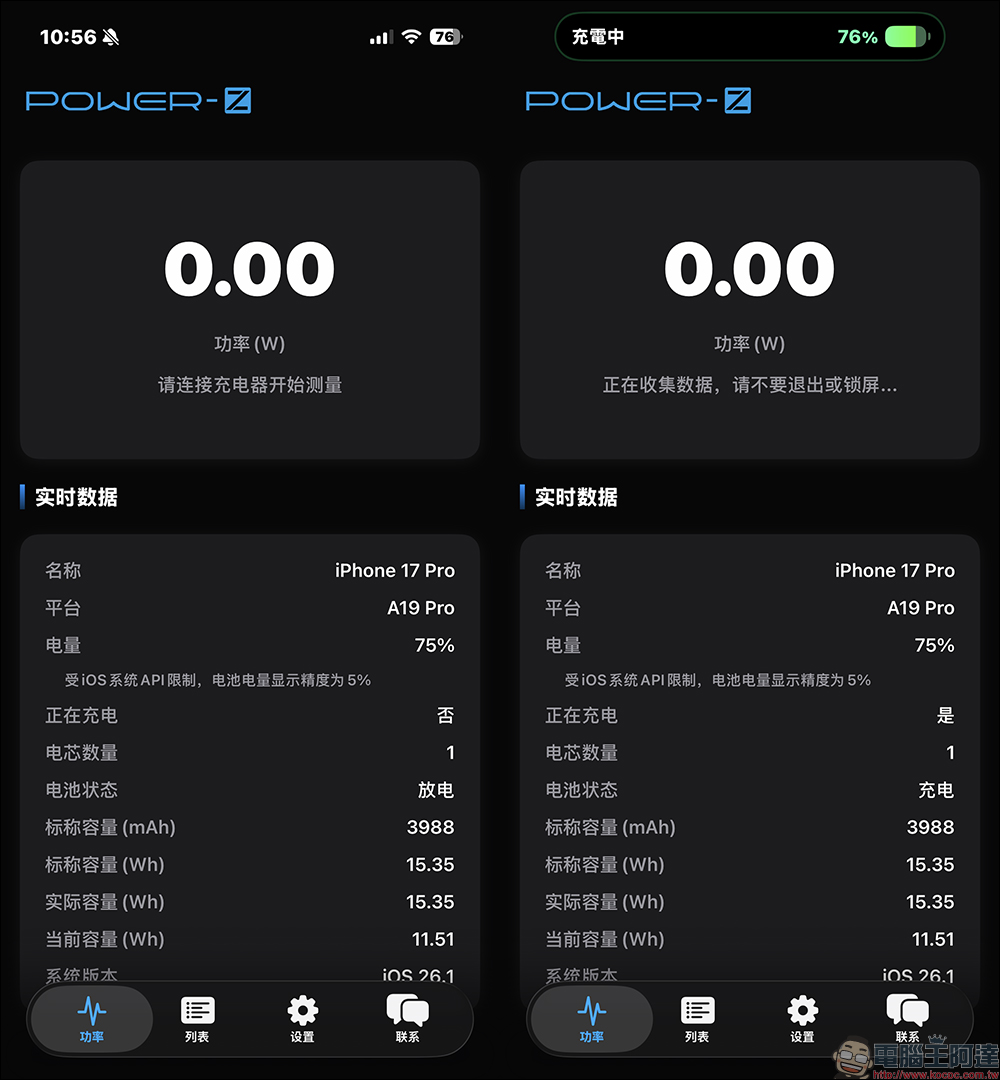
If it is an iPhone, the data will appear one after another after a few minutes, and the Android display speed will be more immediate.
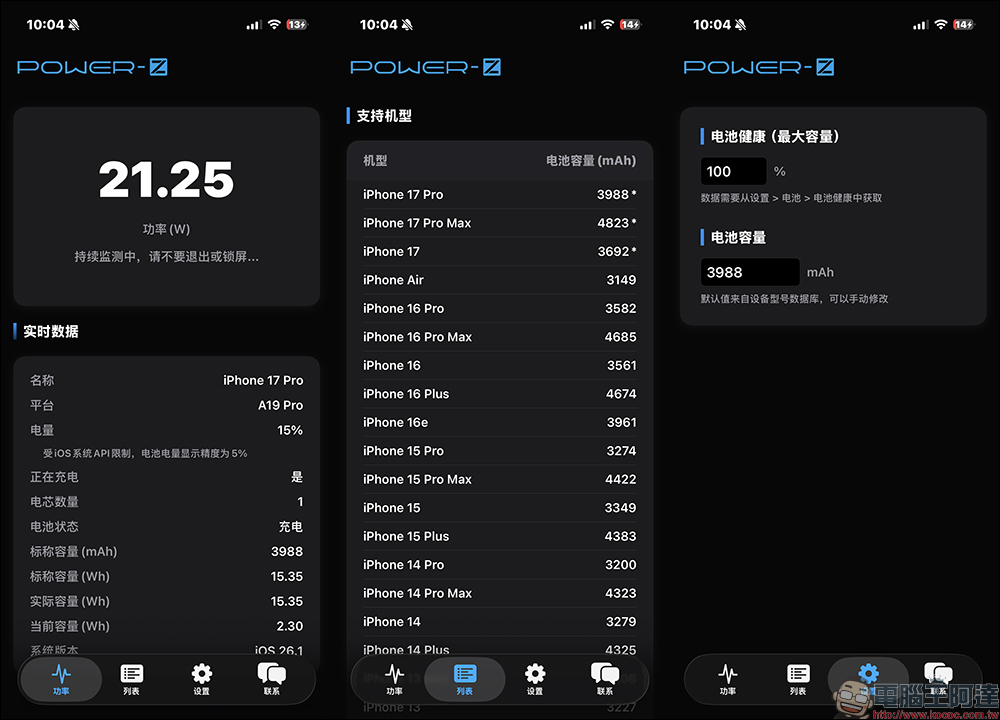
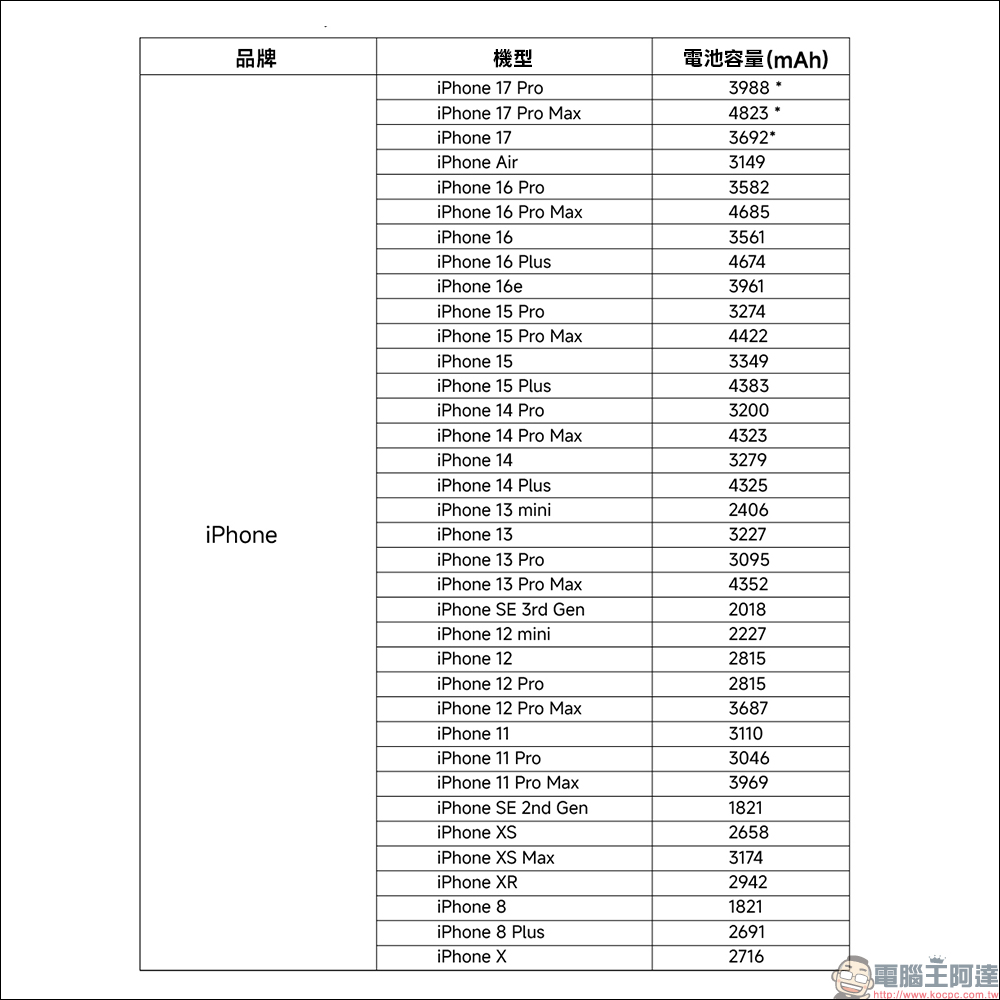
Taking the iOS version that has just been launched as an example, it currently supports the following iPhone models:
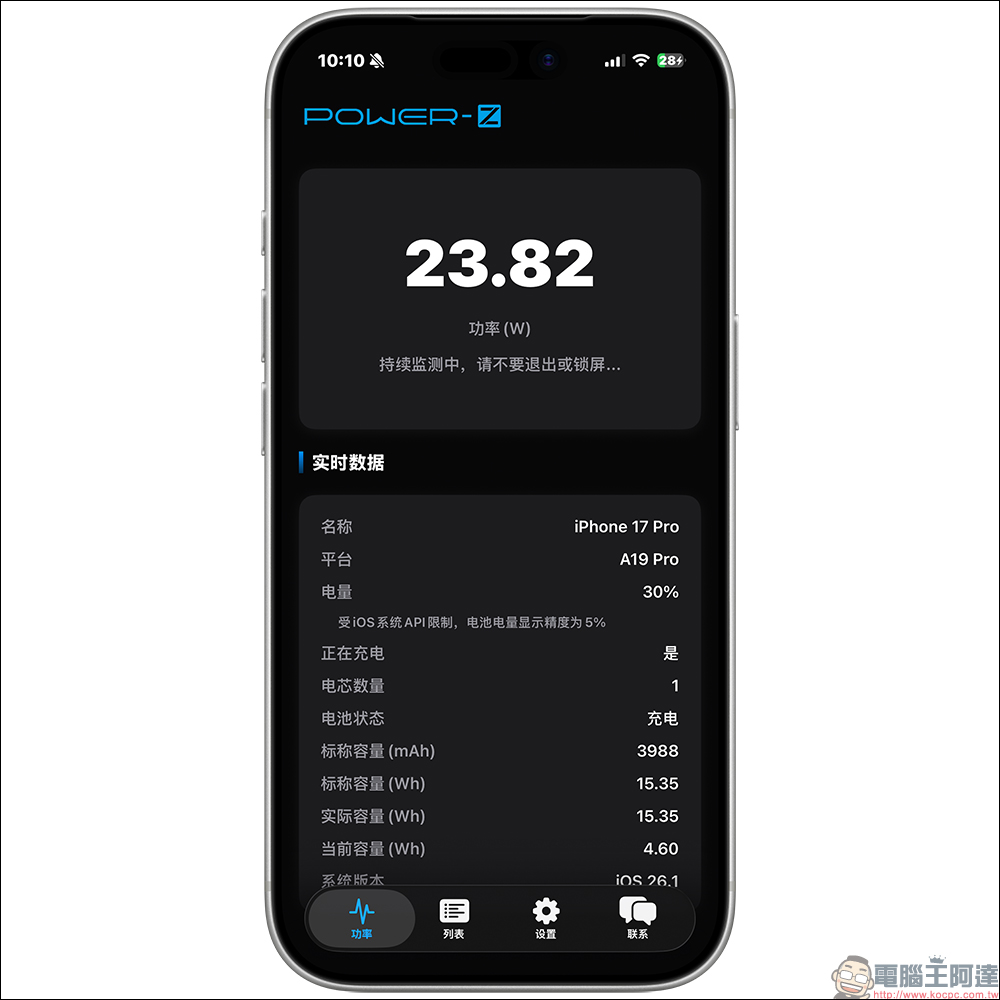
The author actually measured that the iPhone 17 Pro can reach a maximum charging power of nearly 24W when paired with a Qi25 wireless charger.
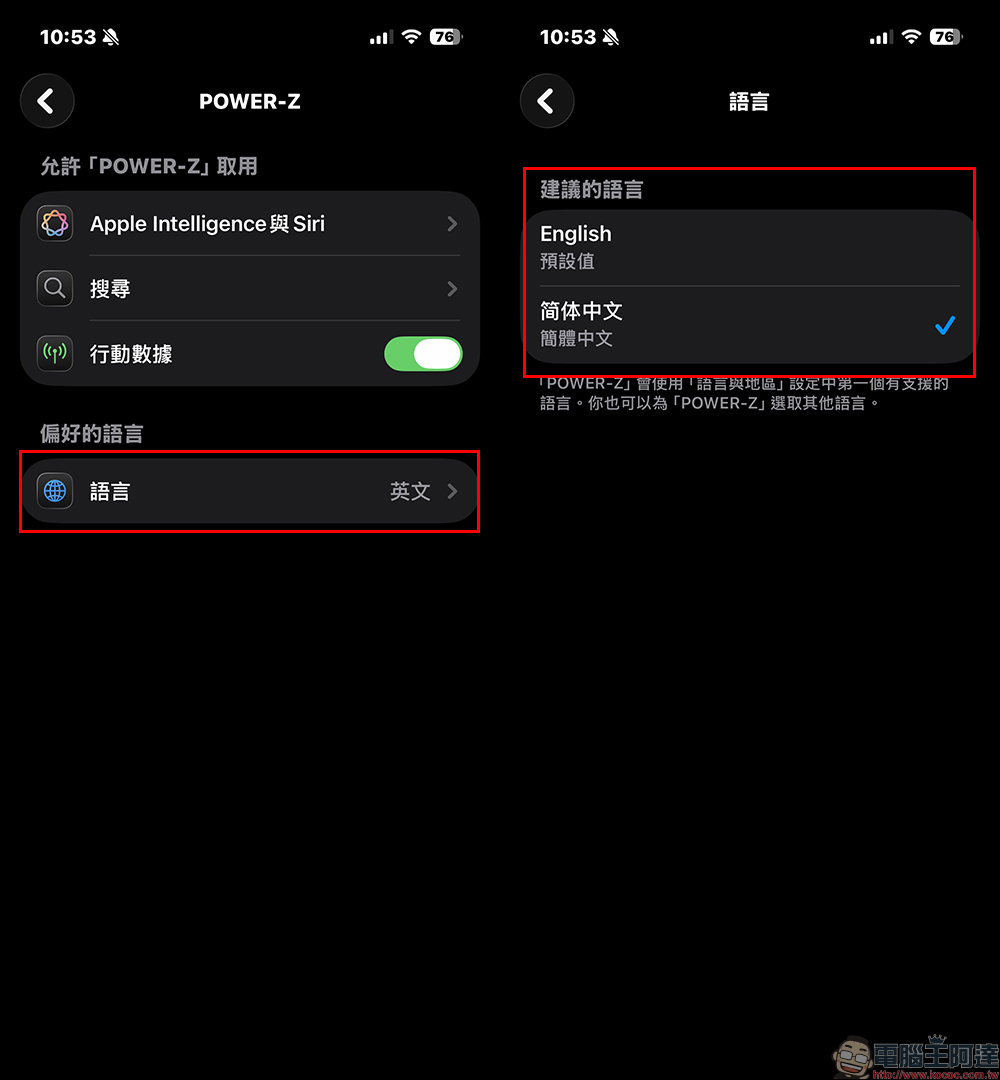
After the POWER-Z App is opened, the default language will be English. If you want to switch to Chinese, taking the iOS version as an example, you need to go to the system “Settings” first, select “App” and find “POWER-Z”:
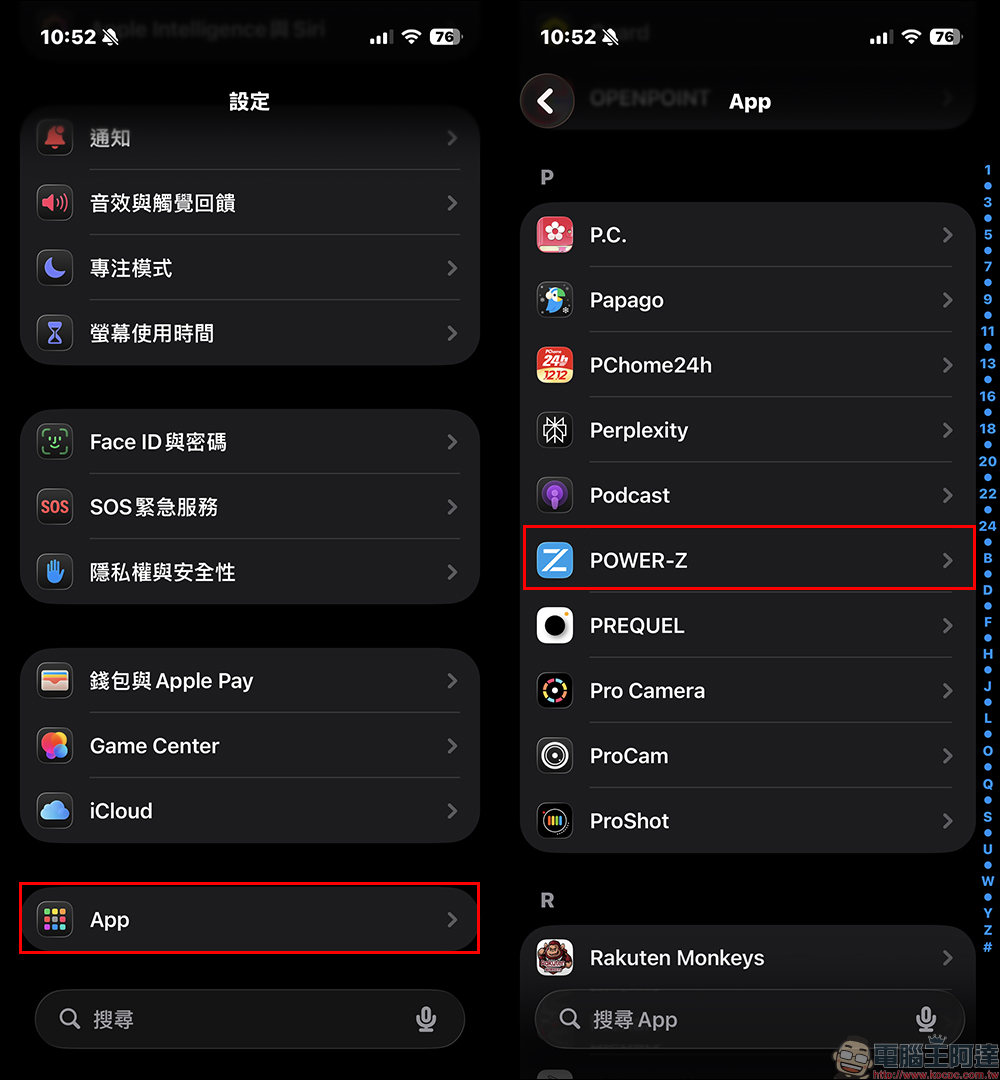
Then on the preferred language page, you can select Simplified Chinese. Although Traditional Chinese is not currently supported, it is still useful for users who prefer Chinese.
Conclusion
The launch of POWER Z App can be regarded as officially opening the information that could only be seen by professional meters in the past to ordinary consumers. Whether you’re an Android player or an iPhone user, it’s easier to keep track of the charging status. Although iOS must calculate it through an algorithm due to system limitations, it can still provide practical average power information. If you attach great importance to mobile phone battery life, fast charging efficiency, and battery health, this app is definitely worth downloading and trying.
POWER-Z App download:
iOS version (App Store)|Android version (Google Play Store)
Further reading:
Source: KOCPC Chinese