


Go abroadtravelSometimes, many people like to think of which airlines they have flown and how many flight sectors they have flown.travelpart of the record. If you are used to sharing your journey on social media, you must have seen the recently popular virtual boarding pass. This feature actually comes from Flighty, a flight tracking app App, not only has a beautiful interface and complete functions, but it can also automatically help you organize everythingflightInformation, even delays can be predicted in advance. The best thing is that the virtual boarding pass function is currently completely free, and you can create your own souvenir travel photo in just a few steps. Whether you are a traveler who goes abroad several times a year or a light traveler who flies only once in a while, Flighty can make your flight records more interesting and complete.
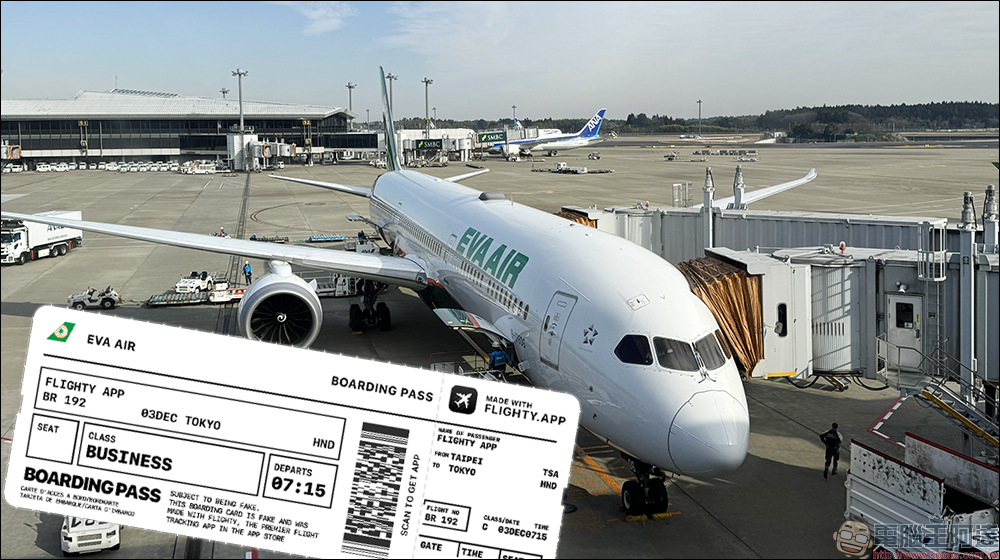
Want to collect your overseas memories? It’s super easy to create your own virtual boarding pass for free with Flighty App
In the travel era of information explosion, what travelers fear most is flight emergencies. Apps of different airlines have different functions and notification times, making it easy to miss important information. At this time, an app that can automatically integrate flights, synchronize itineraries, and push status in real time becomes very useful. With its minimalist design, smart predictions and powerful integration capabilities, Flighty has always been regarded as the “best flight tracking tool” among international travelers and Apple users. What’s more, the recently launched virtual boarding pass function has become popular in the community and has once again sparked a download craze.
The biggest advantage of Flighty is that it is not just a “flight query tool”, but more like your personal flight manager. It automatically grabs flight information from your email or itinerary, eliminating the need to manually enter flight numbers, times or terminal details. Once a trip is added, all information will be presented in a timeline, from departure point, destination, weather, airport map to flight time, all at a glance.
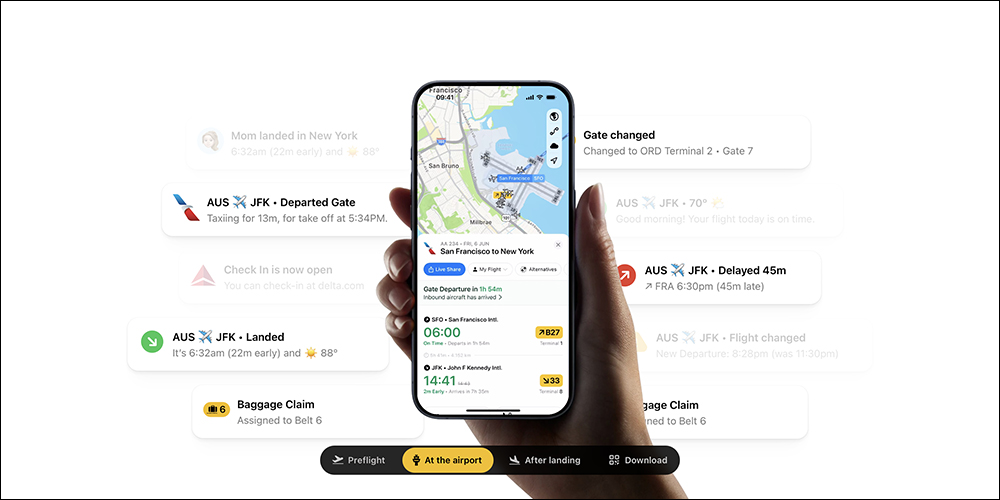
▲Picture source:Flighty
Flighty’s most appreciated feature is its delay prediction system. Through machine learning and a large amount of historical data, Flighty can predict in advance whether a flight may be delayed. Many users have even shared that Flighty reminds them earlier than the airlines. For connecting passengers and business people with tight itineraries, this kind of advance prediction is very practical and can avoid the risk of missing connecting flights.
How to use Flighty to create a virtual boarding pass for free?
The “virtual boarding pass” that has appeared frequently on the community recently has a full design and looks like a textured card between a commemorative ticket and a boarding pass. It is officially produced by Flighty. This function is currently completely free. Travelers can create their own virtual boarding pass template with just a few clicks of their fingers, as a souvenir of their trip or to share on social platforms. To create a virtual boarding pass, you only need the following steps.
Step 1. Add flight information
Open Flighty App and first enter the flight you want to record. After entering the flight number, the App will automatically bring up details such as departure, arrival, airline, and airport information. When the flight is added, click on the flight date to enter the detailed page.
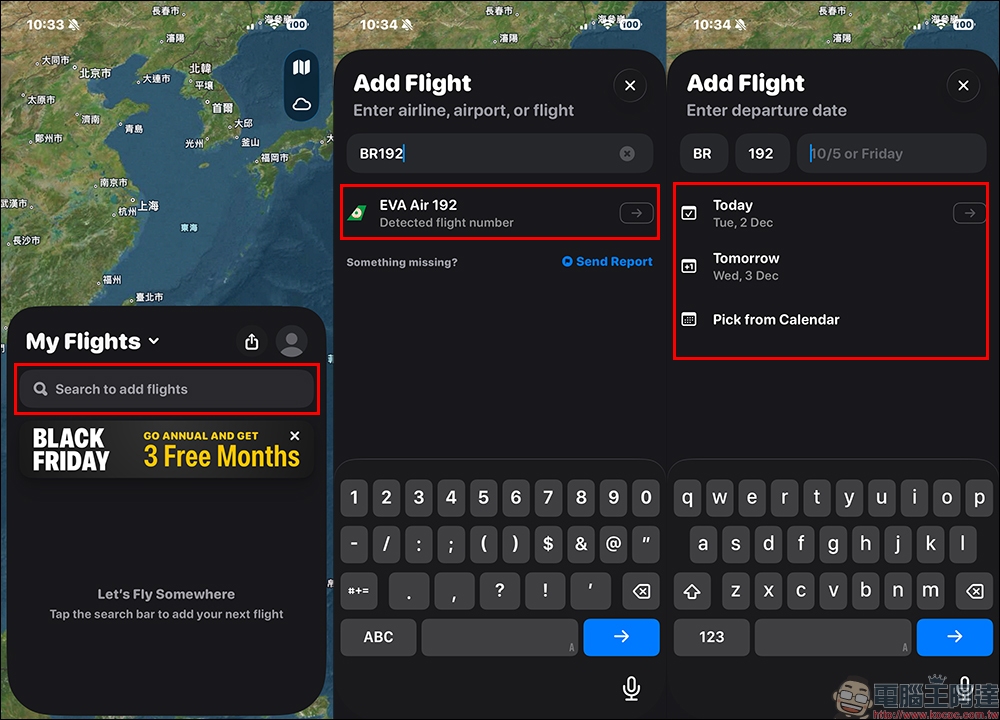
Step 2. Edit flight information
Then click on the flight information and find the “Booking Code” field.
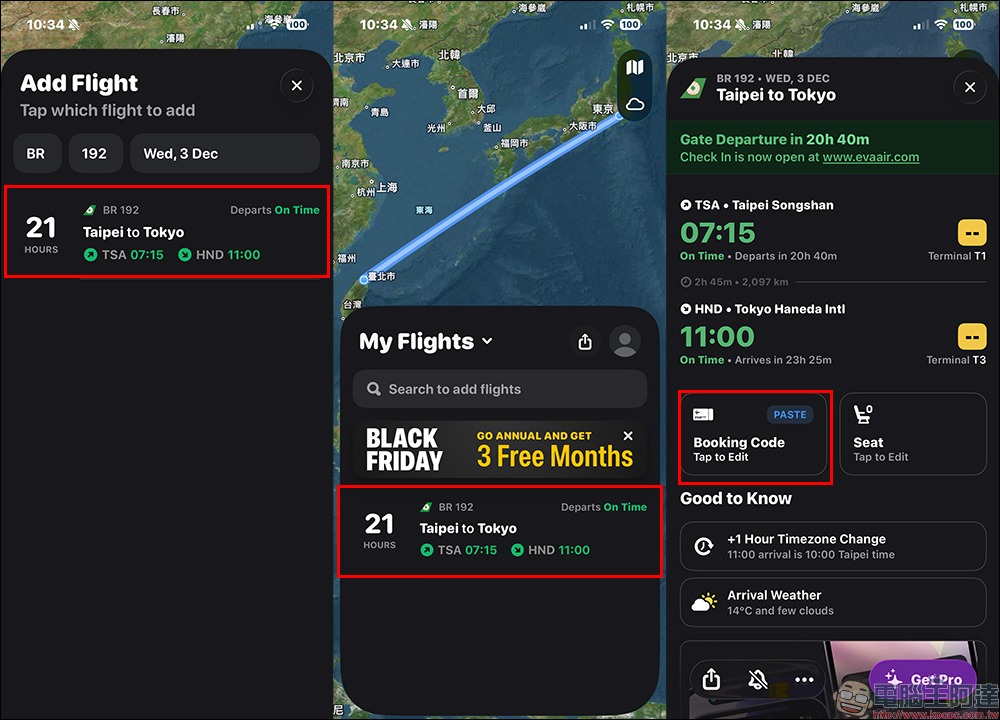
After clicking in, you will see the common information fields on the boarding pass, such as reservation code, seat number, cabin, etc. Simply fill in your information. The more complete the information, the more beautiful the generated virtual boarding pass will be.
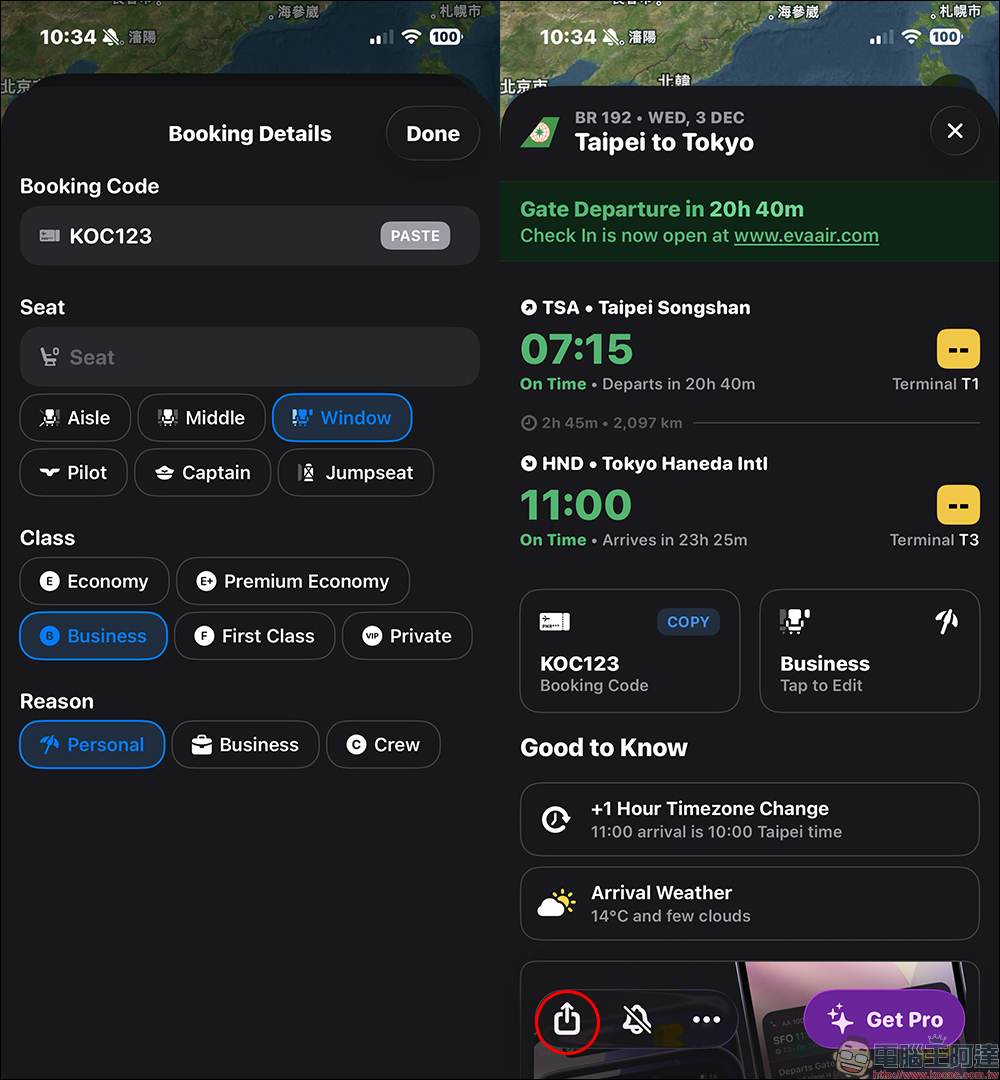
Step 3. Select virtual boarding pass
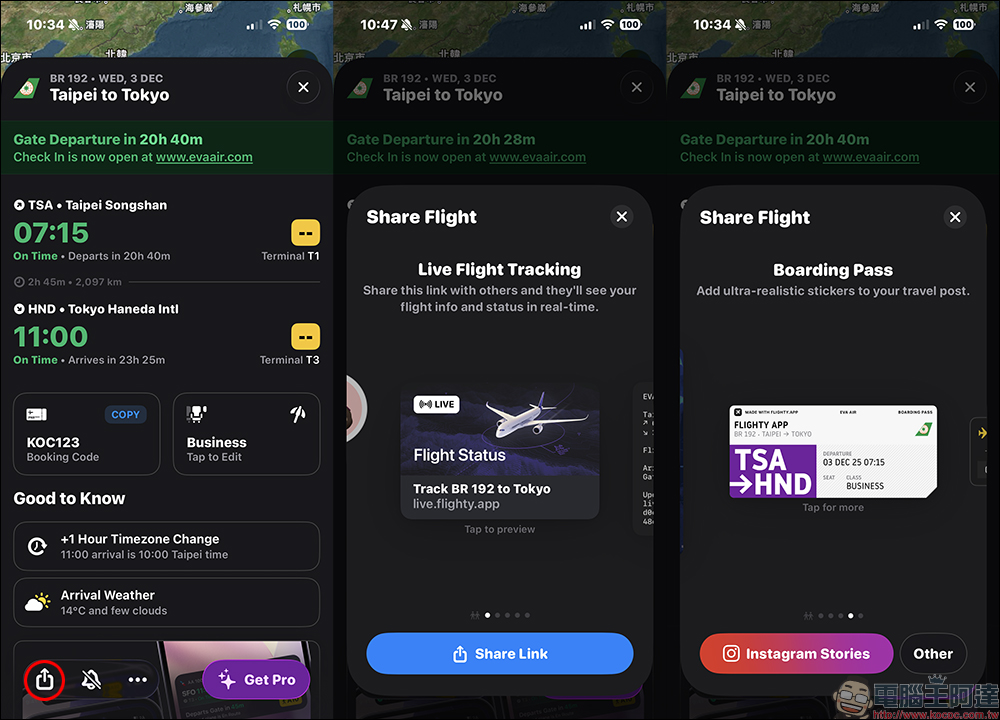
After returning to the flight homepage, click “Share” in the lower left corner and swipe right to see the “Boarding Pass” sharing style. Here Flighty currently provides two styles of boarding passes. You can switch to preview by clicking on the icon. They both look very simple and rich in quality.
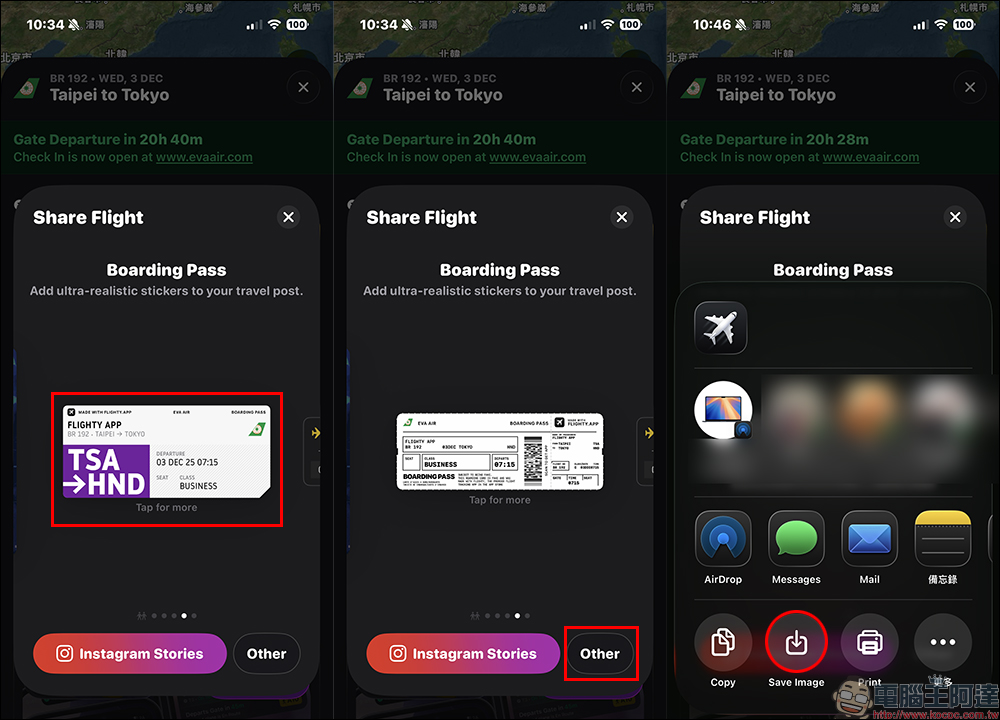
After selecting the style you like, click “Other” in the lower right corner, and then click “Save Image” to save the virtual boarding pass to your phone’s photo album. It’s perfect for posting on Instagram, making a travel souvenir, or sharing with friends.
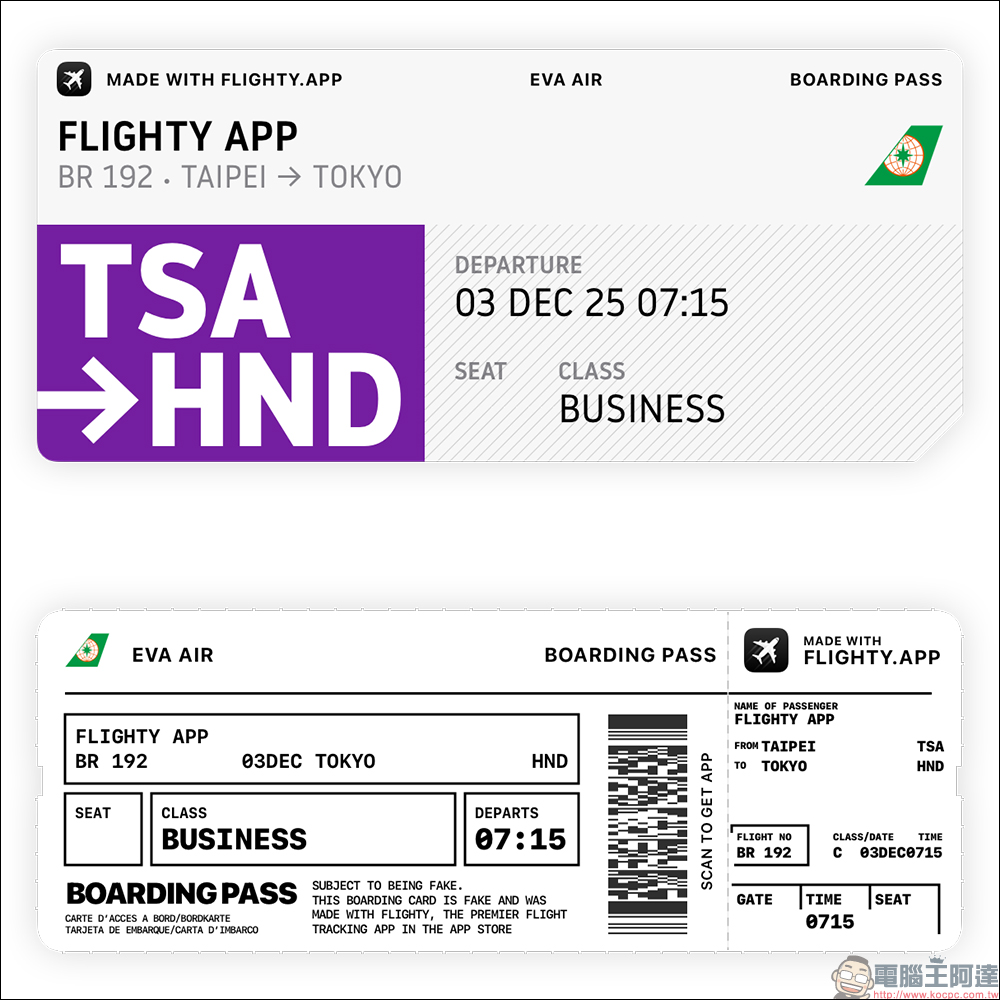
Here are the finished products for both virtual boarding passes.
Flighyy App Download:iOS(App Store)
Further reading:
Source: KOCPC Chinese