


If you have always wanted to use Photoshop But I couldn’t bear the subscription fee. I really couldn’t miss it this time. Now, as long as you install specified extensions through Google Chrome, you can use the Photoshop web version completely for free for a whole year, and you don’t need to tie a credit card, and you don’t have to worry about being automatically charged when the trial expires. The point is that the functions are not a shrunken version. Photoshop’s AI tools, background removal, picture cropping, and color adjustment can all be used, and even old computers can run smoothly. The collection time is only until December 8, 2025, so you will really miss it if you are not quick.
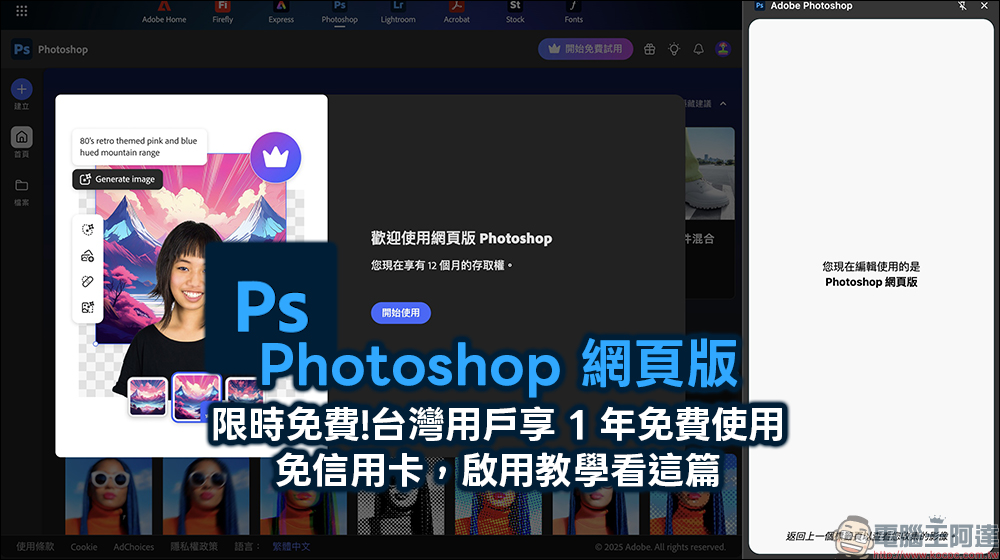
Adobe Photoshop web version launches limited-time free event, Taiwan users can enjoy 1 year of free use! (No credit card activation tutorial)
When many people think of Photoshop, their first reaction is “professional, powerful, but expensive and requires computer performance.” In the past, if you wanted to use Photoshop, you not only had to pay a subscription fee, but you also had to download an installation file of several gigabytes. If the computer hardware was not strong enough, you would have to wait a long time to open it, let alone whether you could use the AI function smoothly.
Some time ago, we also shared that we can Adobe’s best alternative all-round application “Affinity” adopts an ultra-Buddha-minded solution that is completely free and open to download.. However, if you don’t want to install applications on your computer that take up storage space, you can’t miss Adobe’s Photoshop web version this time! Recently, Adobe has launched a big promotion. As long as Chrome users install specified extensions, they can use the Photoshop web version for free for one year, and they do not need to enter a credit card. They can directly enjoy the full editing functions after receiving it. This is really rare.
The Photoshop web version launched this time focuses on “installation-free”, “lightweight” and “direct editing in the browser”. In other words, whether you are using Windows or Mac, as long as the Chrome browser has an extension plug-in installed, you can perform image editing on any web page.例如看到一张图片,只要把滑鼠移过去,就会跳出 Photoshop 按钮,一点就能直接编辑,非常直觉。
How to get Adobe Photoshop web version (Chrome) for free? Read on for step-by-step instructions
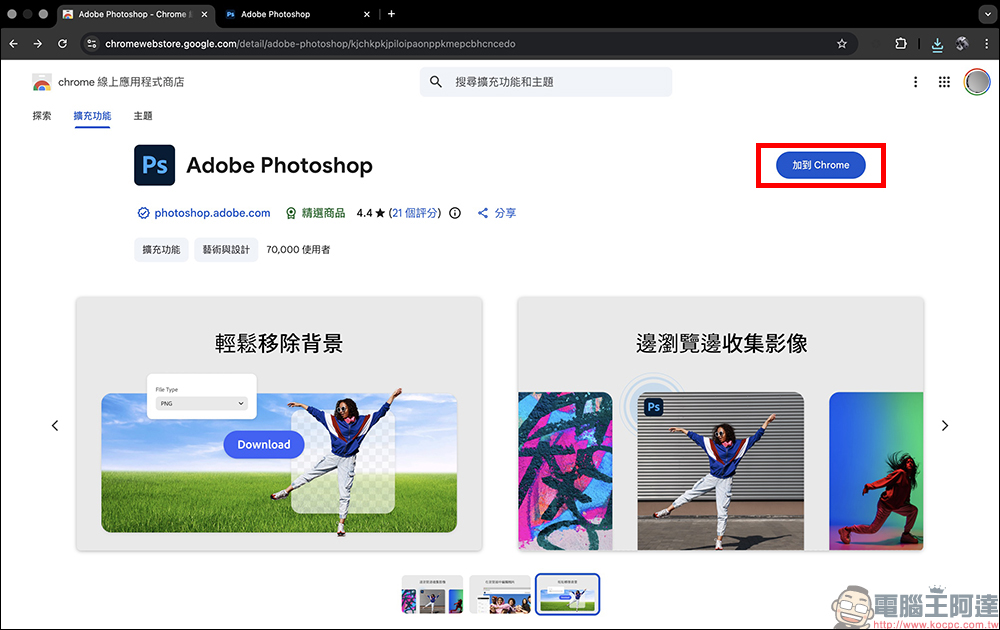
The entire collection process is also quite simple and is roughly divided into several steps. First make sure you are using the Google Chrome browser, then search and install it in the Chrome Online App Store Adobe Photoshop To extend the functionality, click “Add to Chrome”:
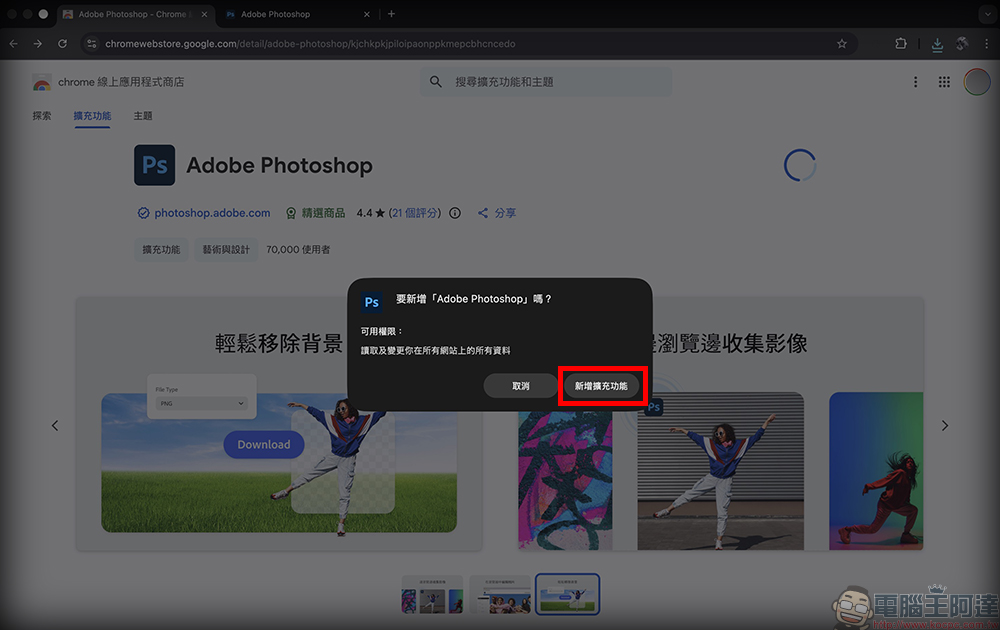
Then click “Add extension”:
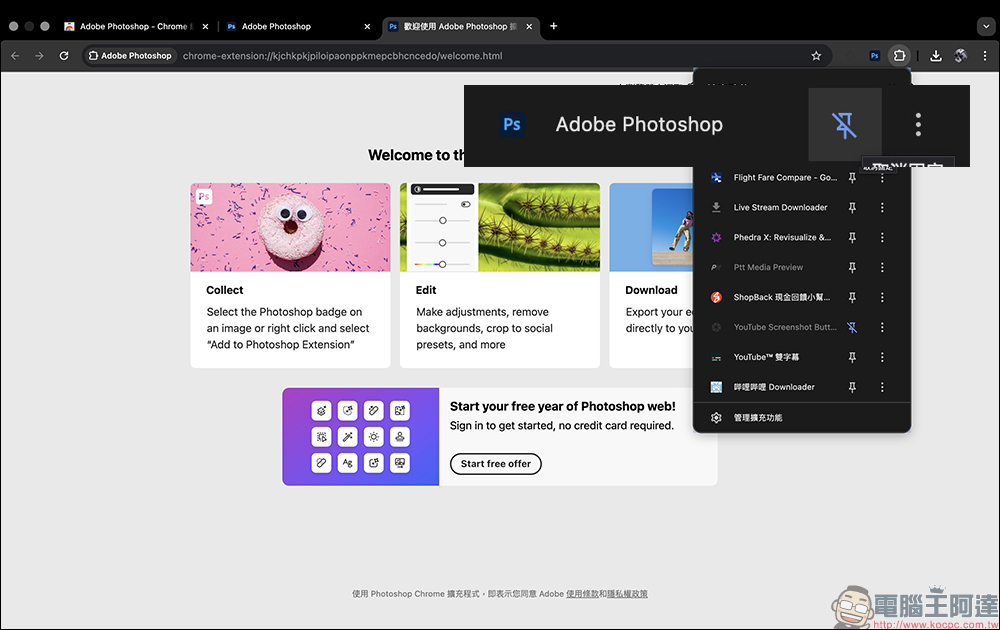
After the installation is complete, go to the puzzle icon in the upper right corner of the browser and pin Photoshop to make it easier to use in the future.
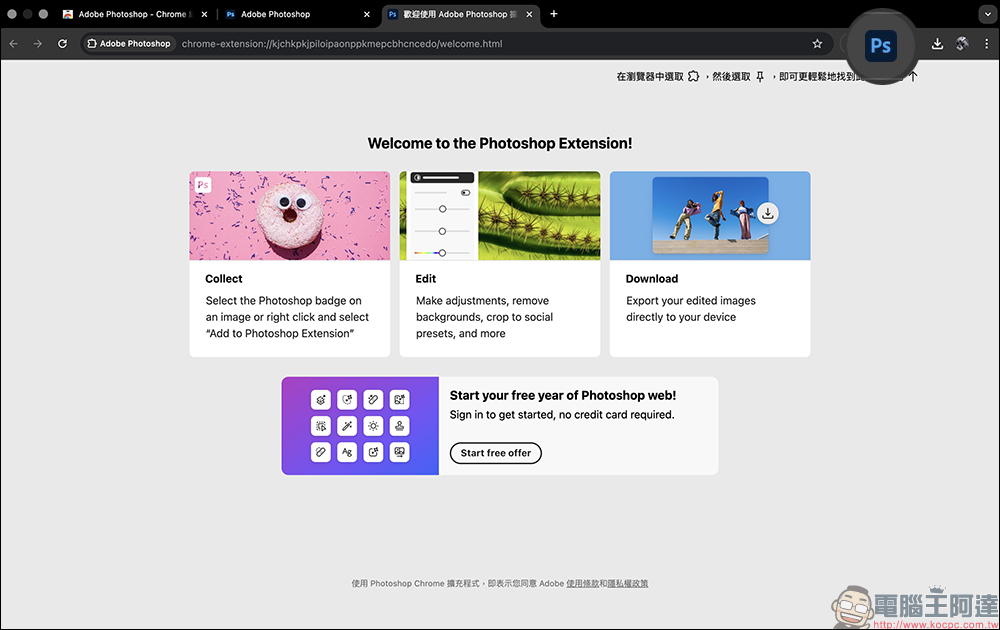
Then open the Photoshop web page (https://photoshop.adobe.com/), you will see an “Open Free Trial” button in the upper right corner of the screen. However, this is not the limited-time free 1-year (12-month) plan to be introduced this time, but a general 7-day free trial that requires filling in credit card information and subsequent payment. So don’t click on it! Next, I want to share with you how to activate the limited-time free method.
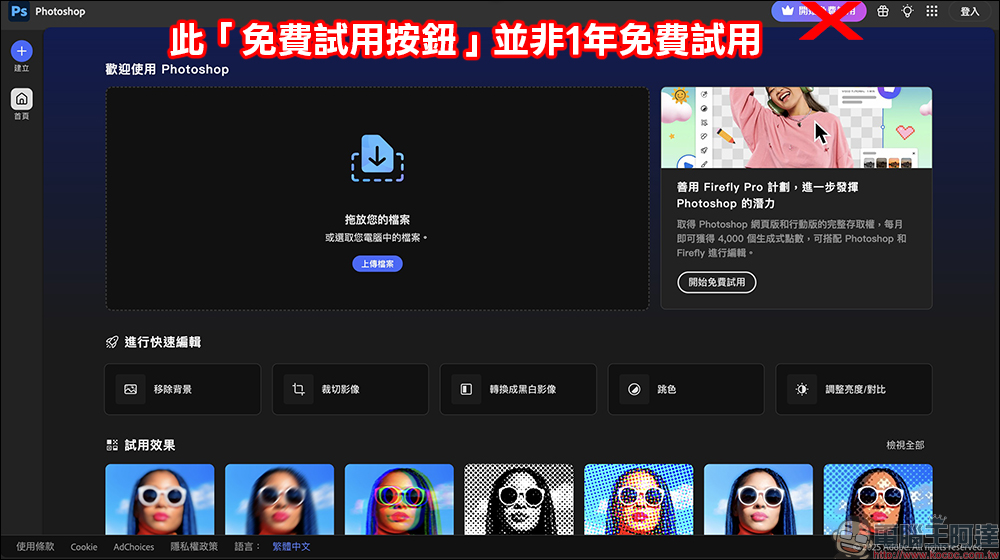
We only need to browse any web page image in Chrome, click on the image to open the preview screen, and you will see the “PS (Photoshop)” icon button in the upper left corner of the image. Click it to go to the Photoshop page.
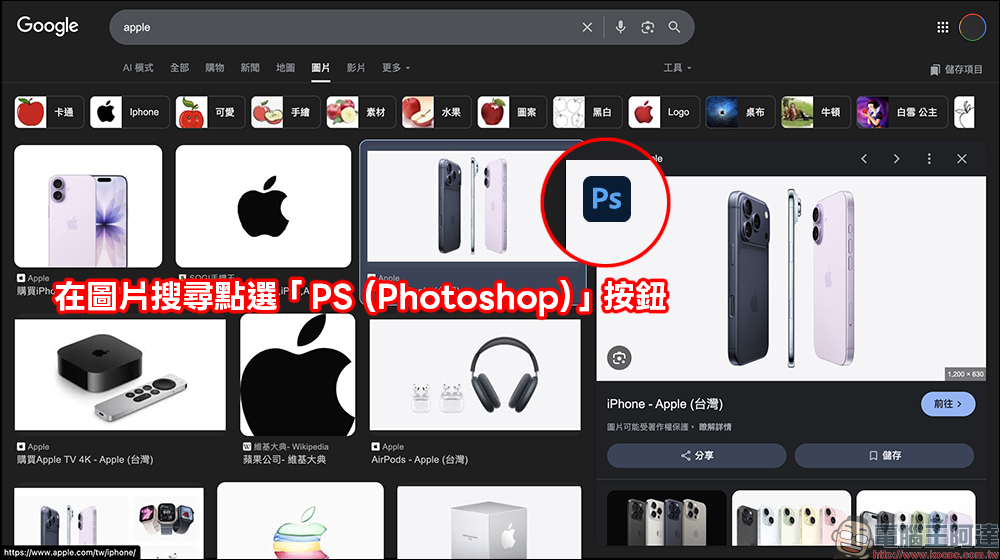
After clicking in, you will first enter a simple extended function interface, where you can perform basic operations such as brightness, saturation, crop size, etc. If you want to obtain full usage rights, just click “Open Free Trial Offer” in the lower left corner of the screen:
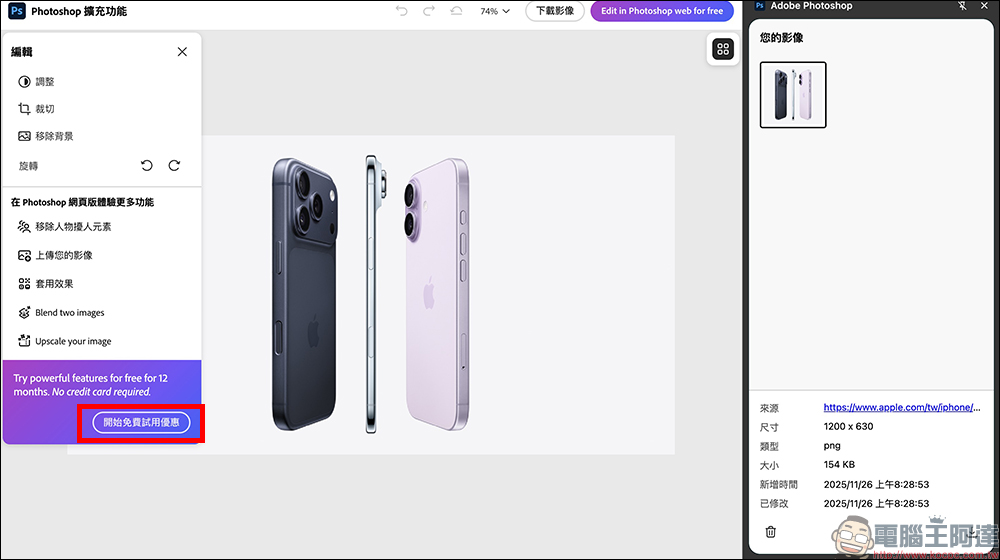
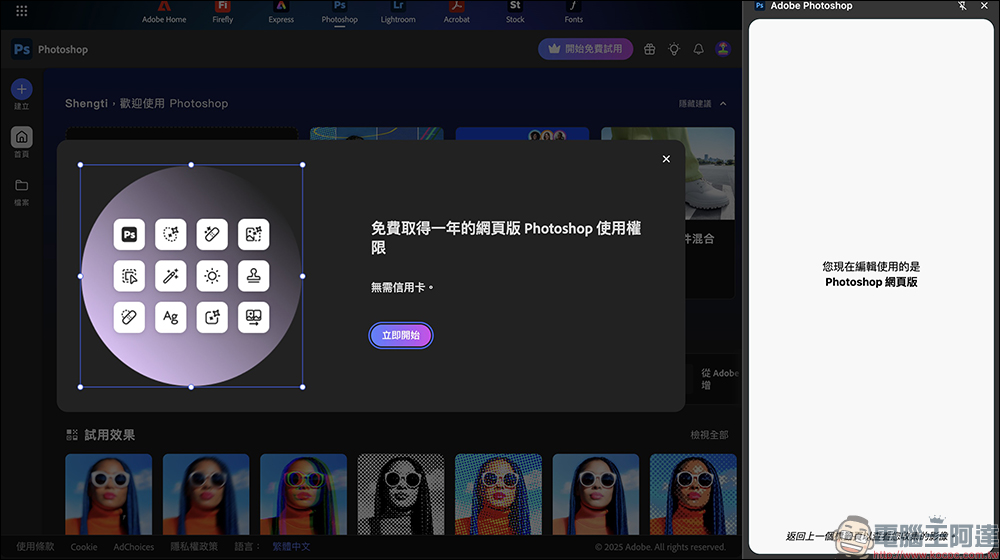
And log in to your Adobe account to switch to the full editing interface. At this time, you can see that you can get one year of free access to the web version of Photoshop, and emphasize that “no credit card is required.” And because there is no need to enter credit card information during the entire process, you don’t have to worry about being charged after expiration. Click “Start Now”:
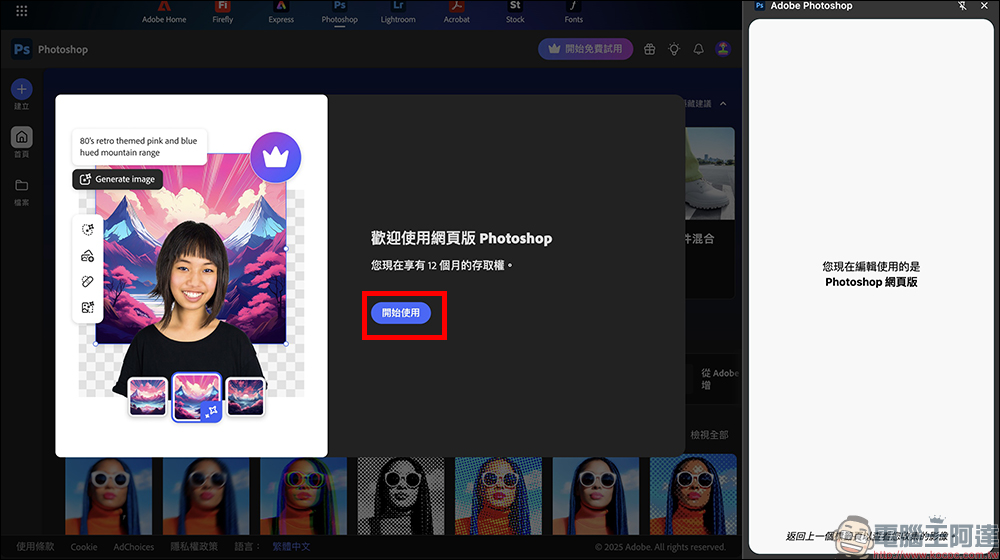
When the screen displays “You now have 12 months of access rights”, it means you have successfully obtained the limited-time free one-year offer! It should be noted that this limited-time free plan currently also includes Taiwanese users. As long as they install it within the event period, they can obtain one-year usage qualifications. The discount will only last until December 8, 2025, that is, the earlier you get it, the sooner you can enjoy it. Those who wear evening wear will still be eligible for a full year, not a countdown system.
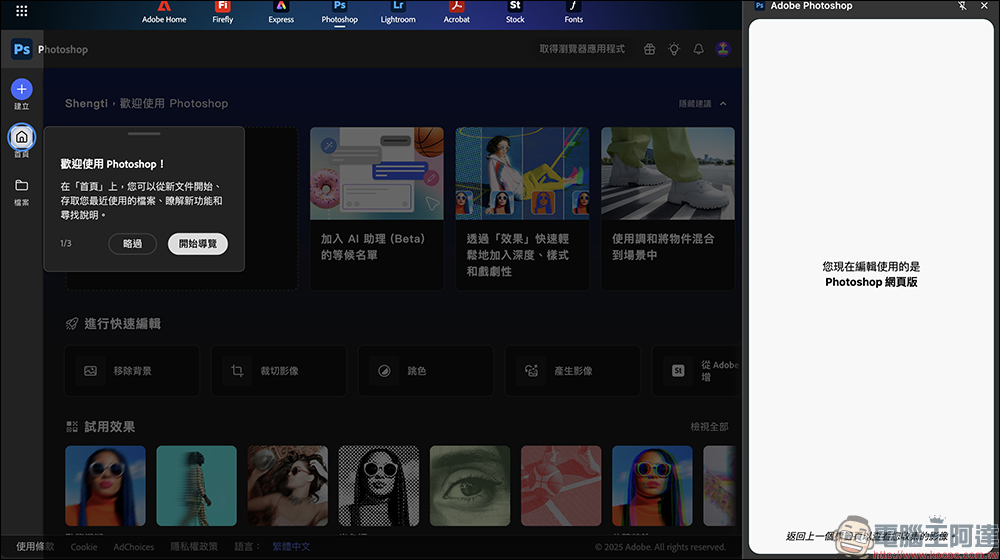
According to Adobe’s official introduction, this time the Photoshop Web version is quite complete, not only general color adjustment functions, but also background elimination, debris removal, and AI generative fill can also be used. For students and creators who are doing product photos, social content, thumbnails or report design, this function can directly help save a subscription fee and even lower the threshold for image editing.
In addition to AI tools, the Photoshop web version also provides several very practical quick tools, including quick cropping to the recommended size for Instagram, Facebook or YouTube, and also supports precise brightness, contrast, and color fine-tuning. It is a very suitable version for people who need to produce pictures quickly and cannot spend too much time opening formal Photoshop.
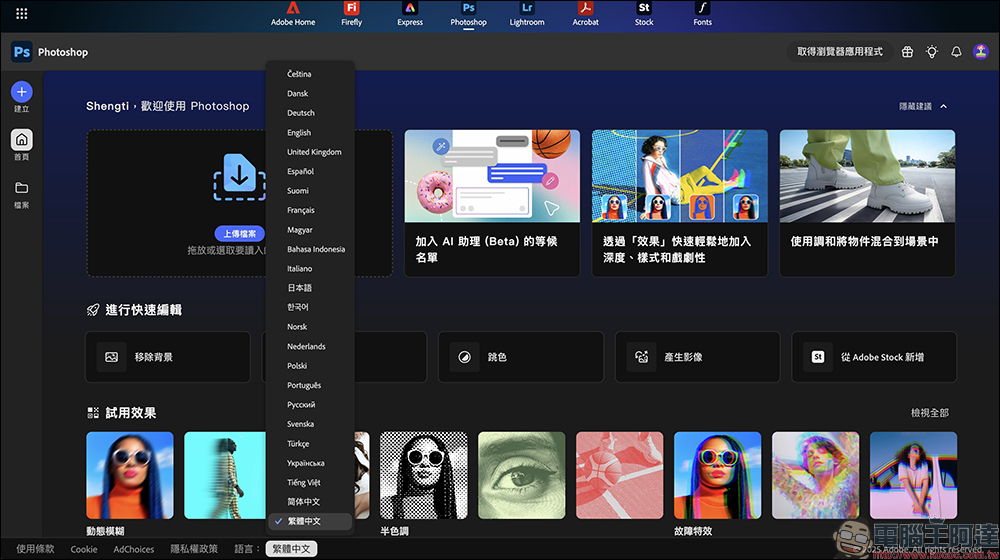
If you open the web version of Photoshop and find that the system is in English, to switch the language, just find the “Language” at the bottom of the screen and select “Traditional Chinese”.
In summary, this one-year free version of the Photoshop web version is a very rare official generous gift. For students, novice designers, social editors, and even people who want to edit travel photos, just adding a plug-in to Chrome can open up the world of Photoshop, and fully experience the latest AI functions. Such benefits are really worth installing immediately. If you have been wondering whether Photoshop is worth using, this completely free version can be said to be the best answer.
- Adobe Photoshop web version (Chrome):chrome online app store
*Tips: The limited-time free offer must be activated from the above steps. The limited-time free offer is currently announced until December 8, 2025. Whether the event time will be extended in the future is subject to the official announcement.
Further reading:
Source: KOCPC Chinese