


Adobe has continued to adjust its Creative Cloud subscription plans in recent years, causing many users to complain that they are “too much to bear.” Especially after the “Photography Plan (20GB)” that originally included Photoshop and Lightroom was officially discontinued in early 2025, although the new plan was upgraded to 1TB cloud space, the monthly fee soared to NT$704. If you are worried about how to continue using the original plan or looking for a more cost-effective alternative, there is actually a “hidden channel” that allows you to legally renew the old plan and save more than 4,000 yuan per year. The whole process does not require a VPN or a phone call, and can be solved by just “chatting”.
Adobe Photography Plan Too Expensive? Teach you this method to find the hidden solution of Photoshop+Lightroom and save more than 4,158 yuan a year!
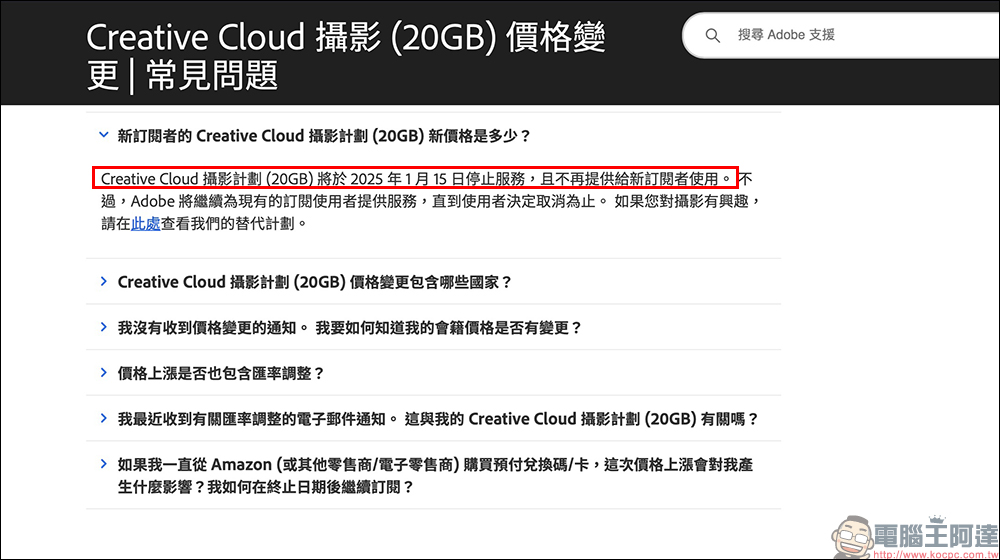
For many photographers and designers, Adobe’s Photoshop and Lightroom are almost indispensable tools for their work. However, starting in 2025, Adobe’s adjustments to the “Photography Plan (20GB)” have caused a lot of discussion. The official announcement states that the program has been officially terminated on January 15, 2025, and new user subscriptions will no longer be available. Although the new version that replaced it expanded the cloud space to 1TB, the price also increased from NT$510/month to NT$704/month. This is indeed a bit burdensome for users who don’t need much cloud space and just want to use Photoshop and Lightroom.
Currently, the “Photography Plan (1TB)” provided by Adobe’s official website includes:
- Photoshop (desktop and iPad)
- Lightroom vs. Lightroom Classic
- 1TB cloud storage space
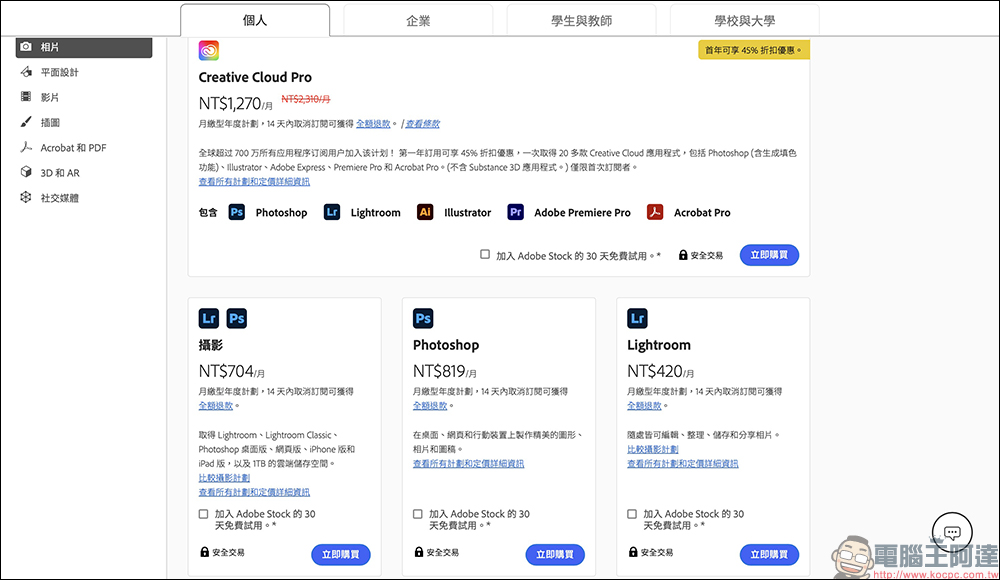
It seems like a lot of upgrades, but in fact many people don’t need such a large cloud space, because the main files of Lightroom are usually still stored locally. If you only use the basic editing functions, the price of 704 yuan per month is really high, especially after annual payment, it will cost NT$8,442, which is only 6 yuan cheaper than the monthly payment. There is almost no incentive.
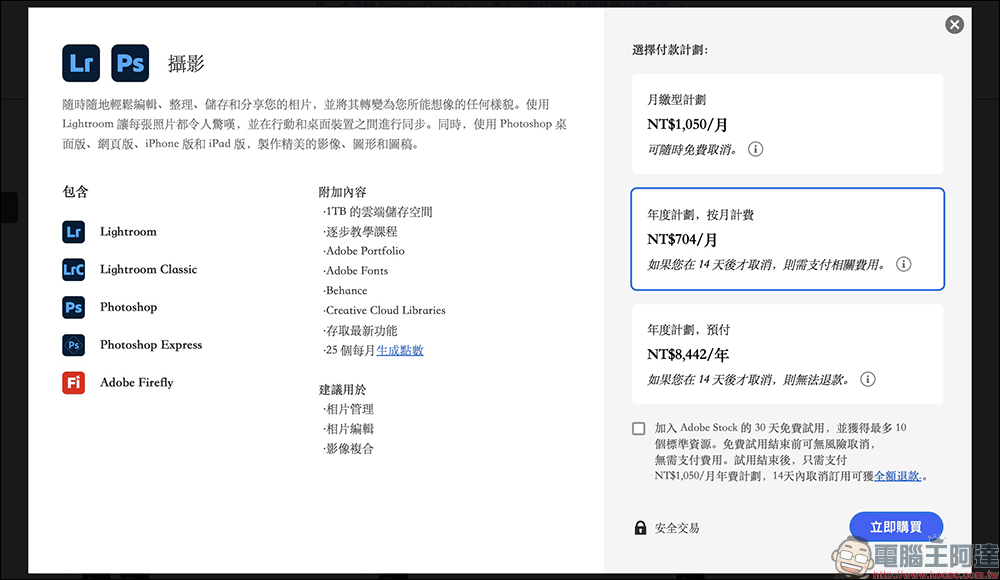
If you are not sure whether to pay for a subscription, Adobe also provides users with a Creative Cloud photography plan (including 1TB) with a “7-day free trial”. You can take advantage of these few days to use it and evaluate whether you want to continue using it in the future. If you do not use it, be sure to cancel, otherwise you will be charged NT$704/month.
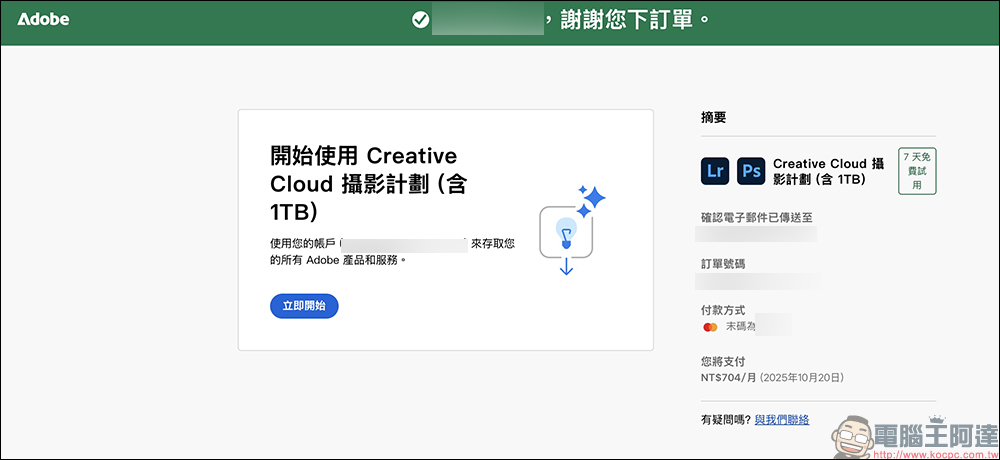
However, even though the 20GB photography plan option has been removed from Adobe’s official website, there is still a “hidden backdoor” for old users. As long as you have subscribed to the photography plan (20GB) in the past, you still have the opportunity to renew at a special price. This solution does not require any special tools or springboard VPN, nor does it require calling the customer service hotline. It can be opened by just “chatting” with customer service on the official website.
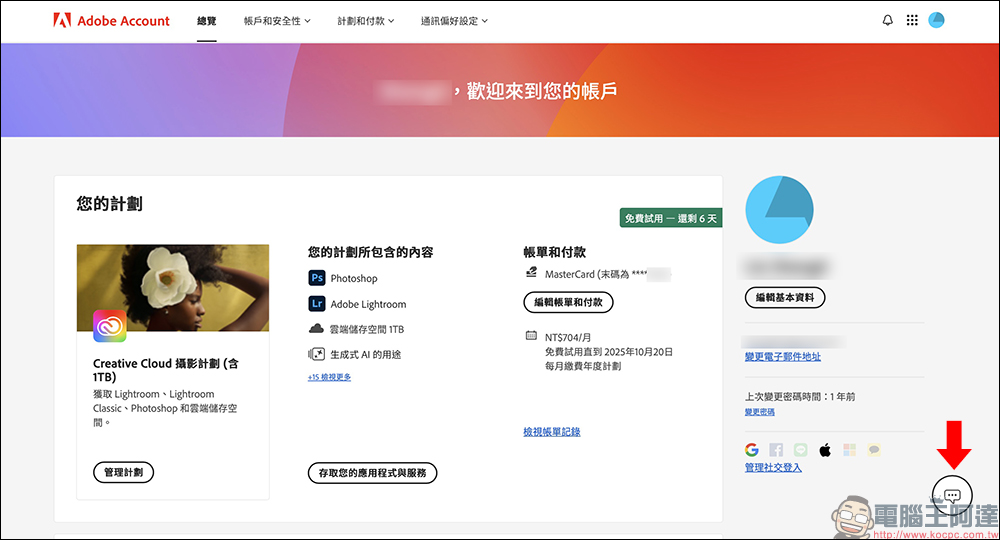
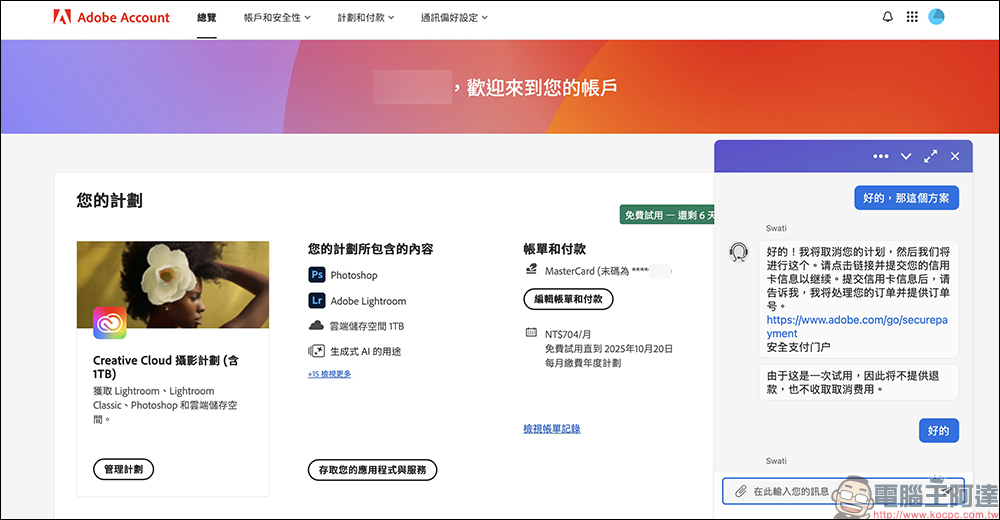
First, go to the Adobe official website to log in to the account you originally used. You can see the current plan-related information. Find the “Chat” icon in the lower right corner of the page. After clicking it, the Adobe Virtual Assistant will appear.
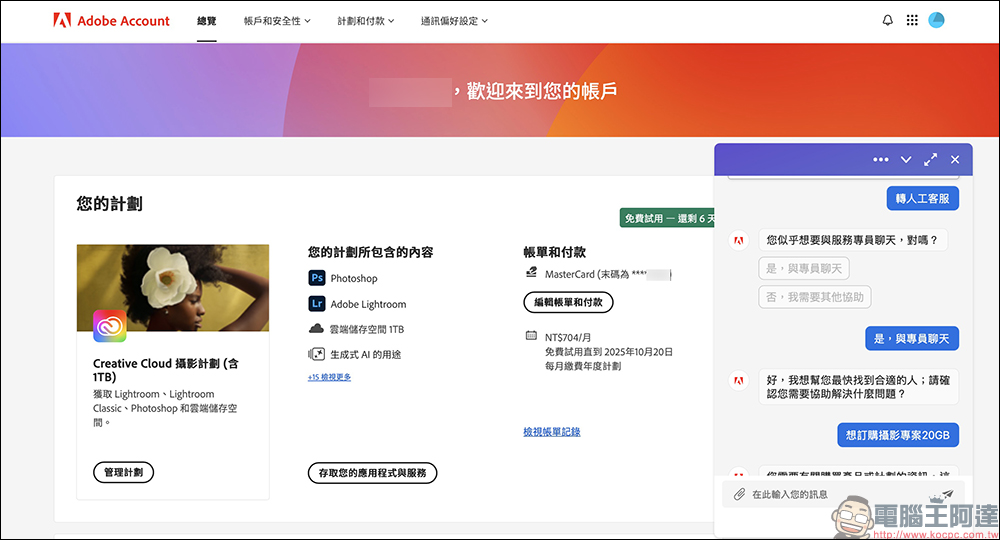
Then enter the keyword “redirect to live customer service”, and the virtual assistant will automatically reply and transfer to live customer service. However, please note that the service hours of live customer service are “Monday to Friday 9 am to 5 pm”. It is recommended to operate during this period.
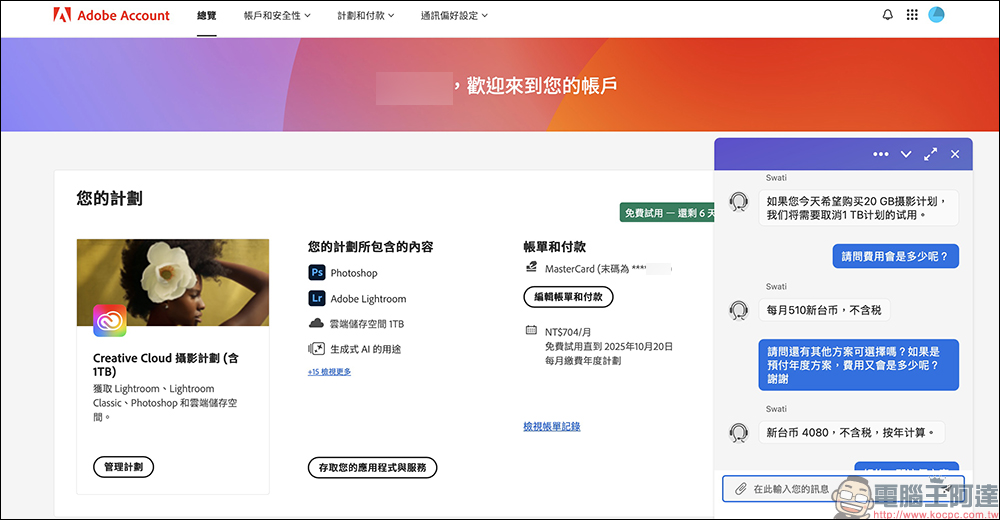
When live customer service comes online, you can directly say “The current photography plan is too expensive, is there a more favorable plan?”
If your account is like the author’s and has subscribed to a 20GB photography plan in the past, customer service will usually propose the old plan (that is, the discontinued version) originally priced at NT$510/month. Then you can ask: “Is there any annual payment plan?”
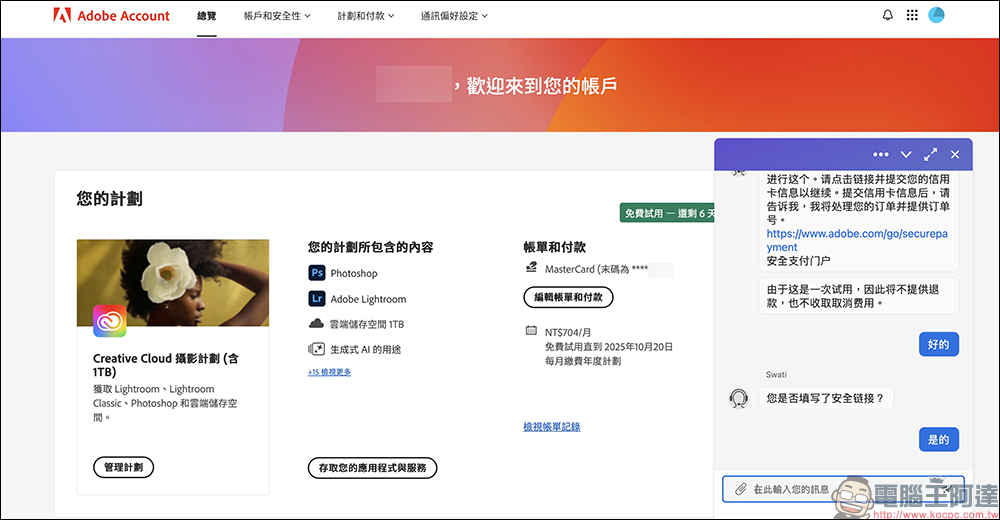
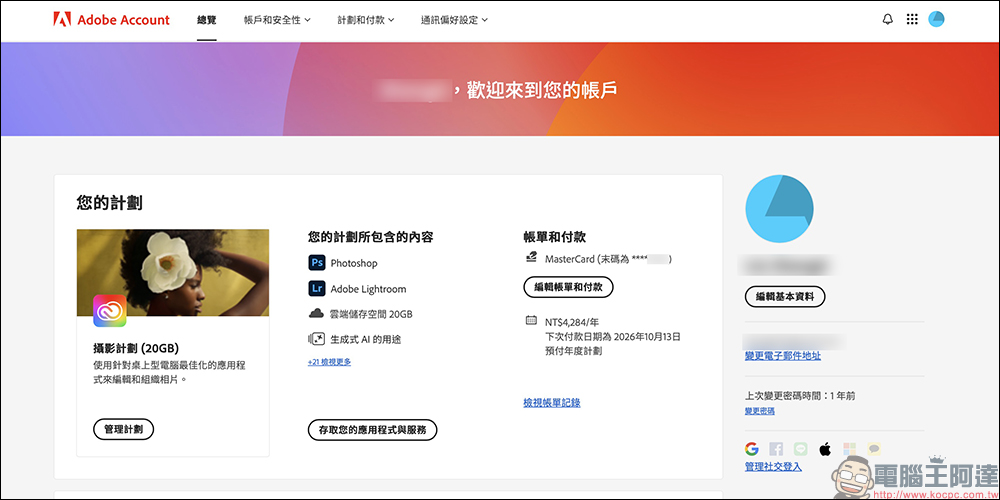
According to actual measurements, customer service will provide a link for an annual payment of NT$4,080 (before tax), which is equivalent to NT$4,284 including tax, which translates to approximately NT$357 per month, which is equivalent to saving more than NT$4,158 a year!
Customer service will provide you with a payment link, and you can complete your purchase after filling in your credit card information. After the payment is successful, the letter will clearly show “Automatic renewal every year, price may change”, but the amount is still the same for now.
In fact, this offer is mainly a “renewal option” left by Adobe for old users. Because users in some regions (including Taiwan) have reported that the new plan is too expensive, Adobe has not completely blocked the upgrade channel for original users. Instead, it allows users to renew the old plan at a more favorable price through customer service approval.
If you continue to use Photoshop and Lightroom and do not need 1TB of cloud space, then this hidden solution can be said to be the most cost-effective option at present:
- Annual fee NT$4,284 (tax included)
- Includes Photoshop, Lightroom, 20GB cloud space
- The average monthly cost is only NT$357, saving nearly 50% on the newer plan.
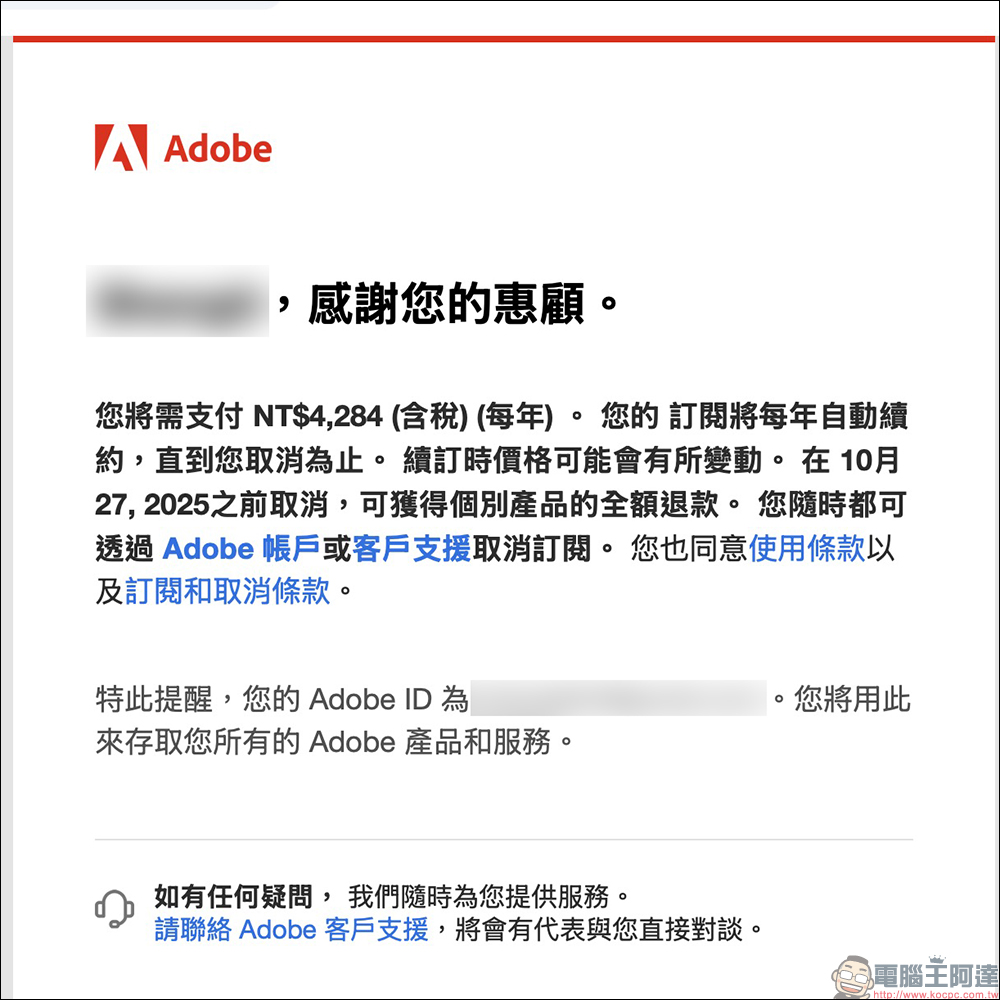
In addition, it is also recommended to keep the customer service conversation record and receipt letter after the payment is completed to ensure that you can inquire when renewing the contract in the future. For long-term users, this is not only a way to continue the familiar plan, but also a “passive anti-increase” strategy, allowing you to continue to enjoy the full Adobe Photography Plan functionality without affecting your workflow.
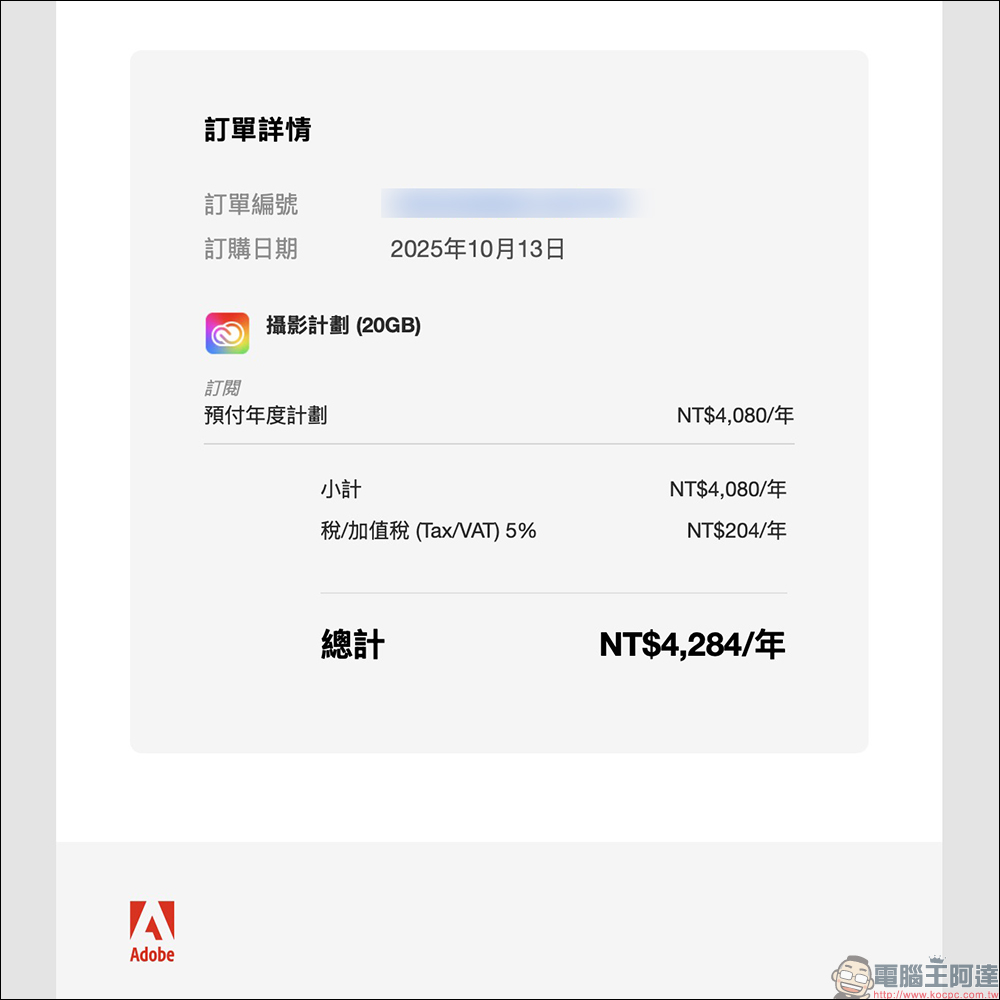
After a while, go to Adobe’s official website to confirm, and you will see that the plan has been updated!
Further reading:
Source: KOCPC Chinese