


Google’s Material 3 design changes have caused mixed reactions from users. This generation update introduced larger round buttons to implement accessibility functions and added a standardized gesture system across applications. The changes were intended to make the software more unified and user-friendly, but some of them disrupted long-standing user habits, and the phone app was one of them.
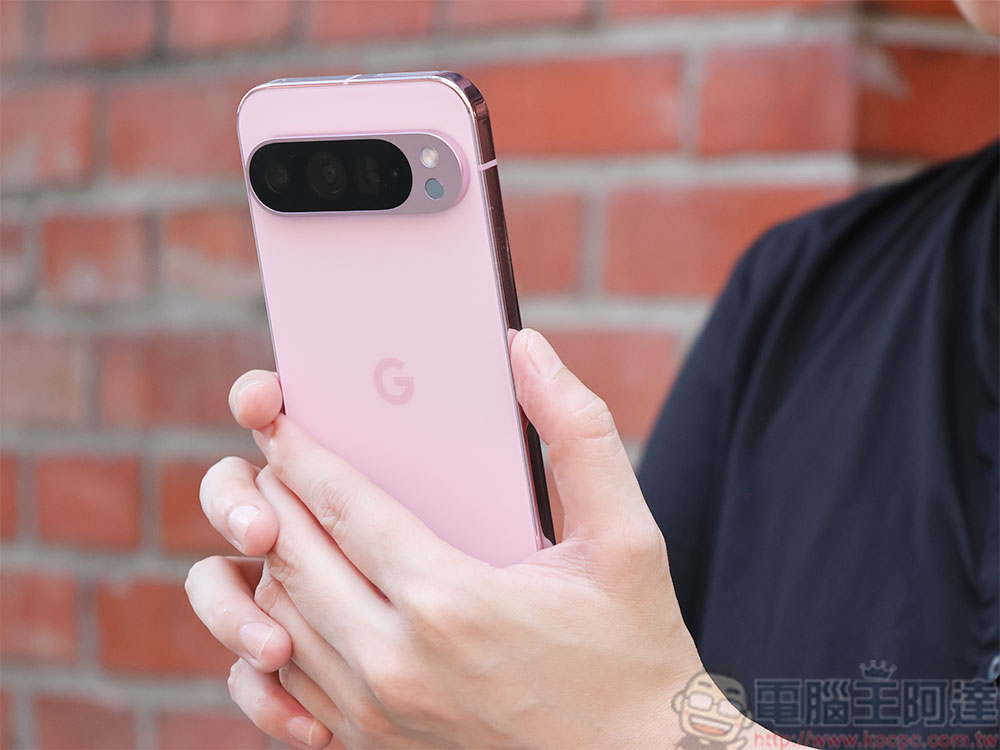
How do I change the call answering gestures in the Google Phone app?
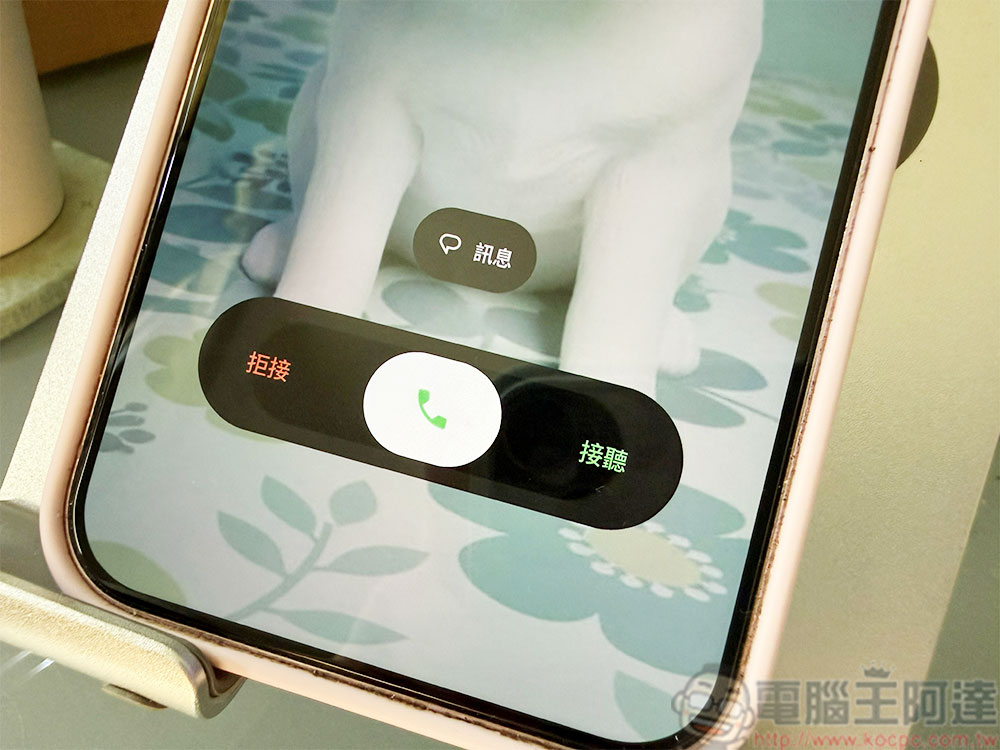
When you answer a call, you now have to swipe horizontally instead of swiping vertically or clicking the answer button in the past. Answering a call becomes harder to do when you’re doing something or holding the phone with one hand because the new method requires a more stable grip and thumb extension. The good news is that Google has left a little room for choice, allowing you to choose the gesture you are most comfortable with, and we’ll tell you how to find it below.
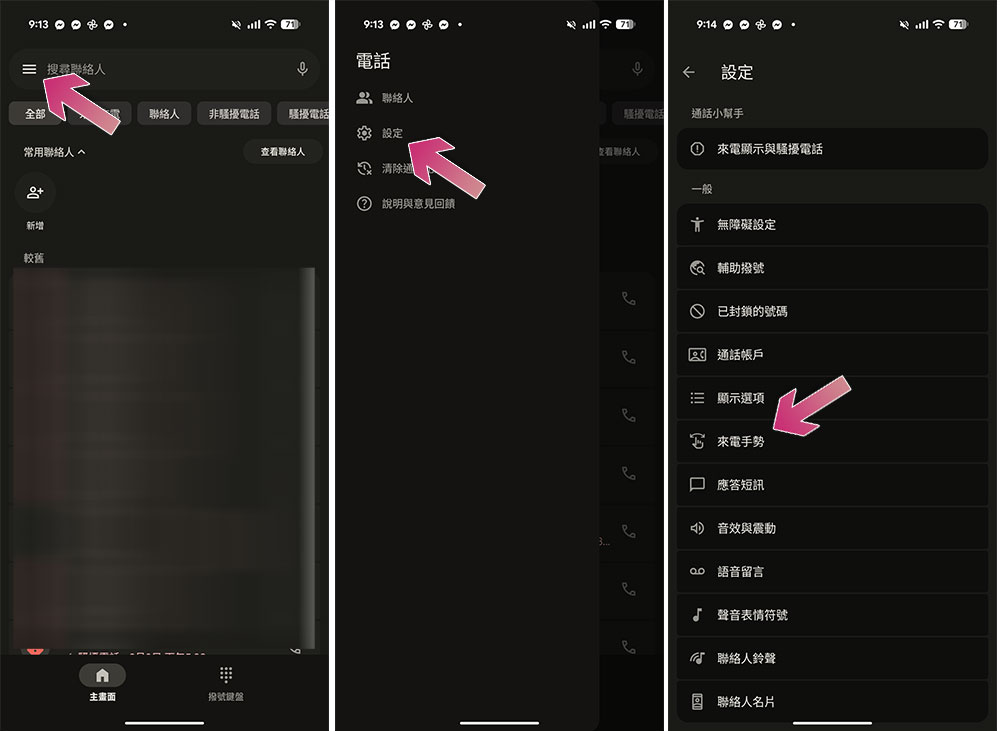
By now, you’ve probably seen the redesigned layout in the Phone app. Google has reduced the entire bottom page from three to two, and there are more changes to the UI to reduce distracting focus. The settings menu has also been moved from the three-dot icon in the upper right corner to the three horizontal lines icon on the left. Clicking it will display the settings menu, from which you can change the position of the incoming call gesture step by step.
- Open the Phone app.
- Click the menu icon in the upper left corner.
- Select “Settings”.
- Click “Incoming call gesture”.
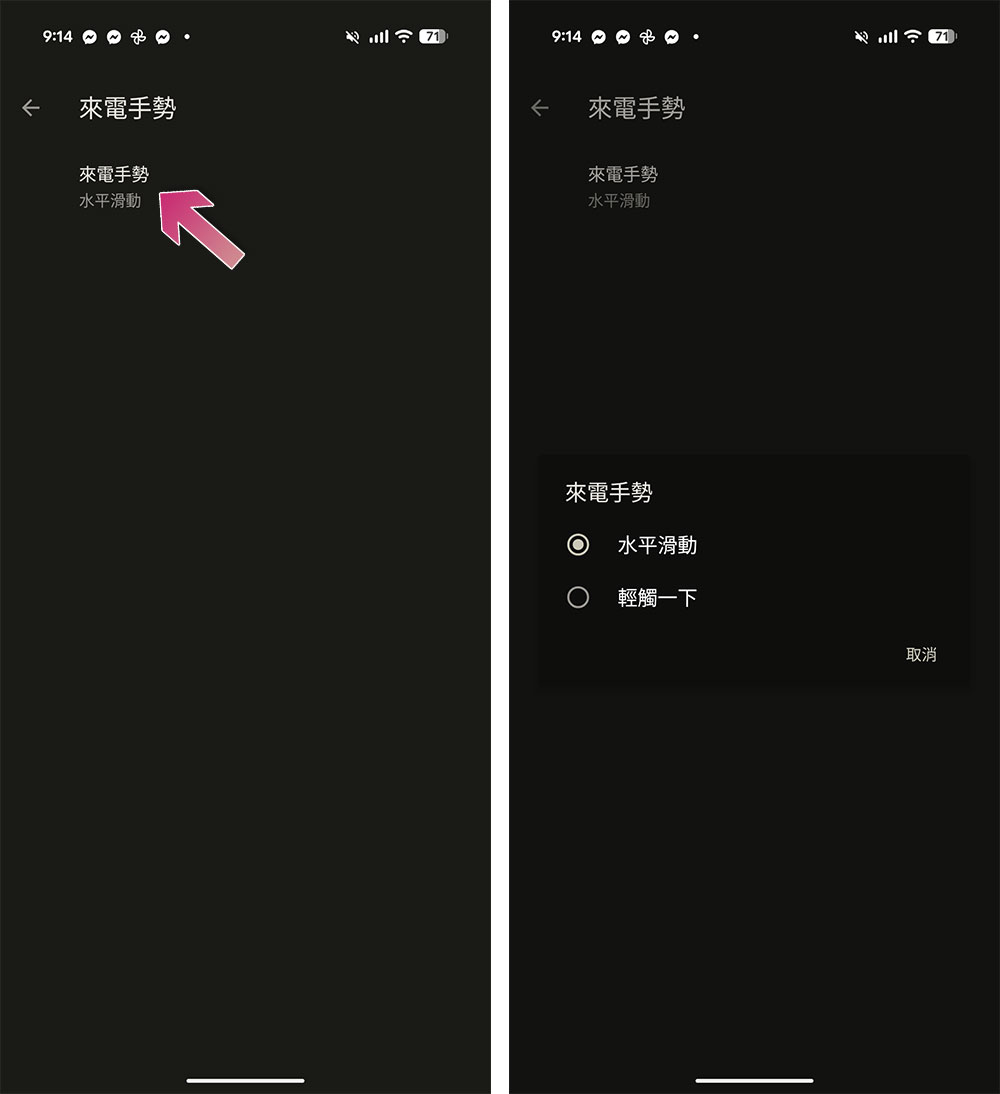
- After entering, click “Incoming Call Gesture”.
- Then change the incoming call gesture from the default “horizontal slide” to “tap.”
Unfortunately, Google doesn’t keep the vertical swipe option in settings, and the only way to get it back is to uninstall all updates to the Phone app, which will revert the app to the factory version that came with the device, or the lowest version currently available on the system. At the same time, this also means that it is planned to revert to three branches, and will also lose all the improvements that Google has added in recent updates, and will not provide the latest protection measures against unwanted calls. Your contacts or call history won’t disappear because they’re synced with your Google Account or stored in the system Contacts app.
Source: KOCPC Chinese