


iOS 26 is not just an update for the iPhone, it is also an Apple CarPlay Big makeover! This time we go directly to play and show you the actual performance of the new CarPlay interface and functions. From the shiny design of Liquid Glass to more intuitive message responses and fixed conversations, the entire user experience is closer to that of an iPhone and more in line with daily car needs. This article will fully share the multiple upgrades of iOS 26 CarPlay, as well as the detailed experience during actual operation.
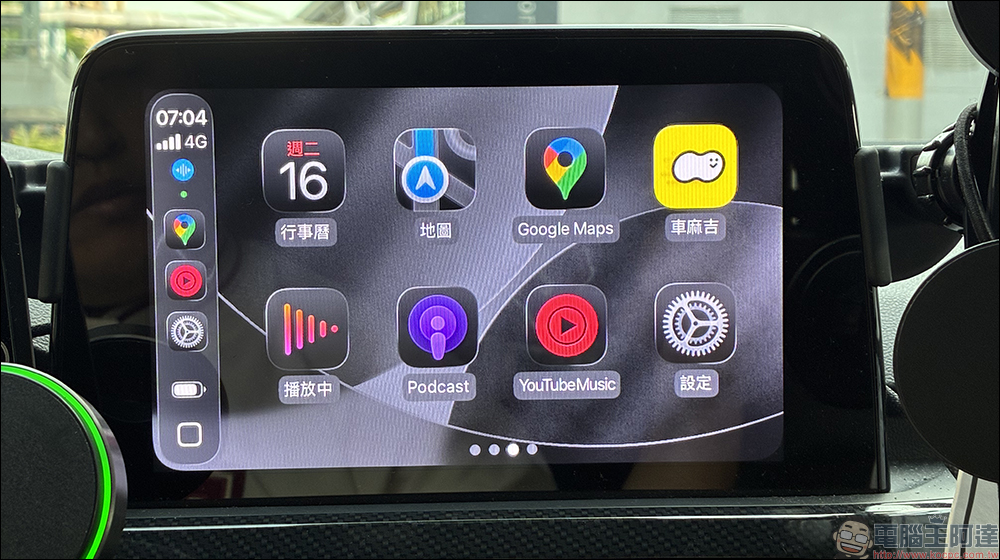
Hands-on experience with new Apple CarPlay features and interface in iOS 26
At 1 a.m. Taiwan time today (16th), Apple finally released the official version of iOS 26 update. In addition to the new interface and functions of iOS 26, CarPlay also received a major overhaul this time. In the initial stage, CarPlay was mainly changed to the new Liquid Glass interface, and useful gadgets and other upgrades were also added.
Liquid Glass new interface
After actually connecting to CarPlay, the first thing I noticed was the new Liquid Glass design. In addition to the interface becoming more rounded, the application icons becoming glossier, and the background being translucent, the entire UI is like the latest interface on the iPhone moved into a car. Compared with the flat style of the past, the new design has a more high-end feel, and the switching between day and night modes is more natural and looks more pleasing to the eye.
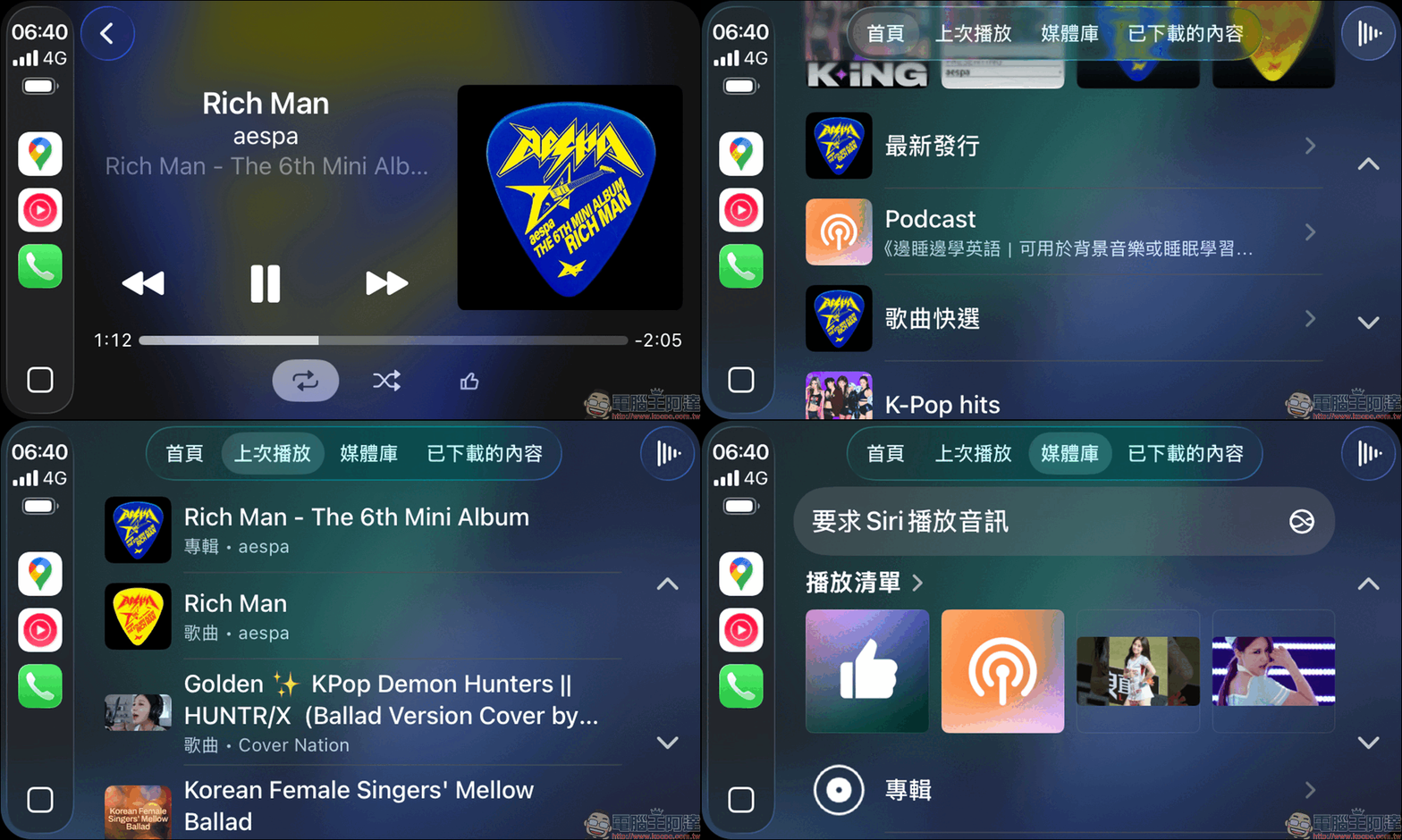
For streaming music platforms such as YouTube Music or Spotify, the playback interface has also been changed to a new Liquid Glass design.
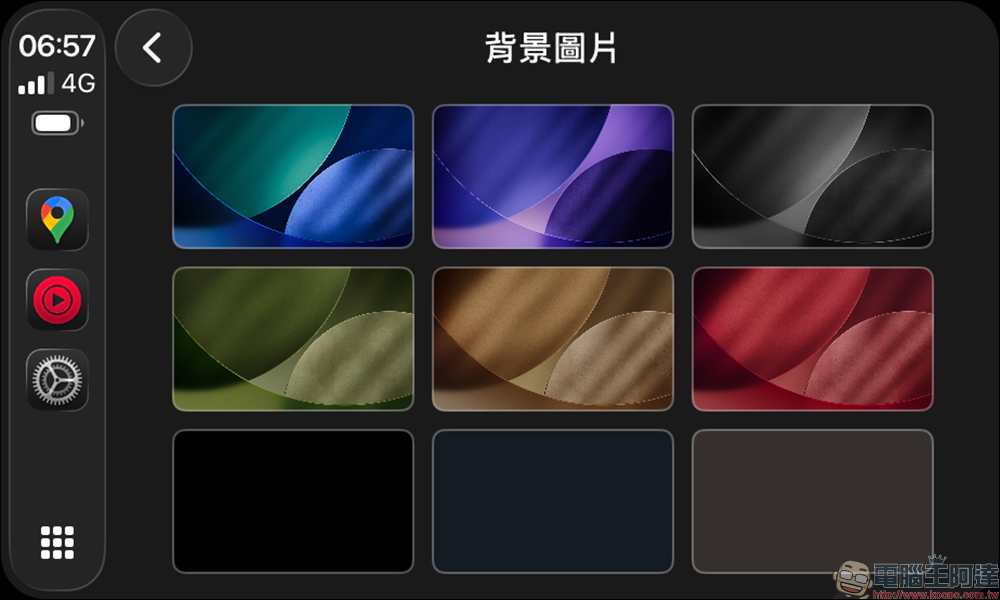
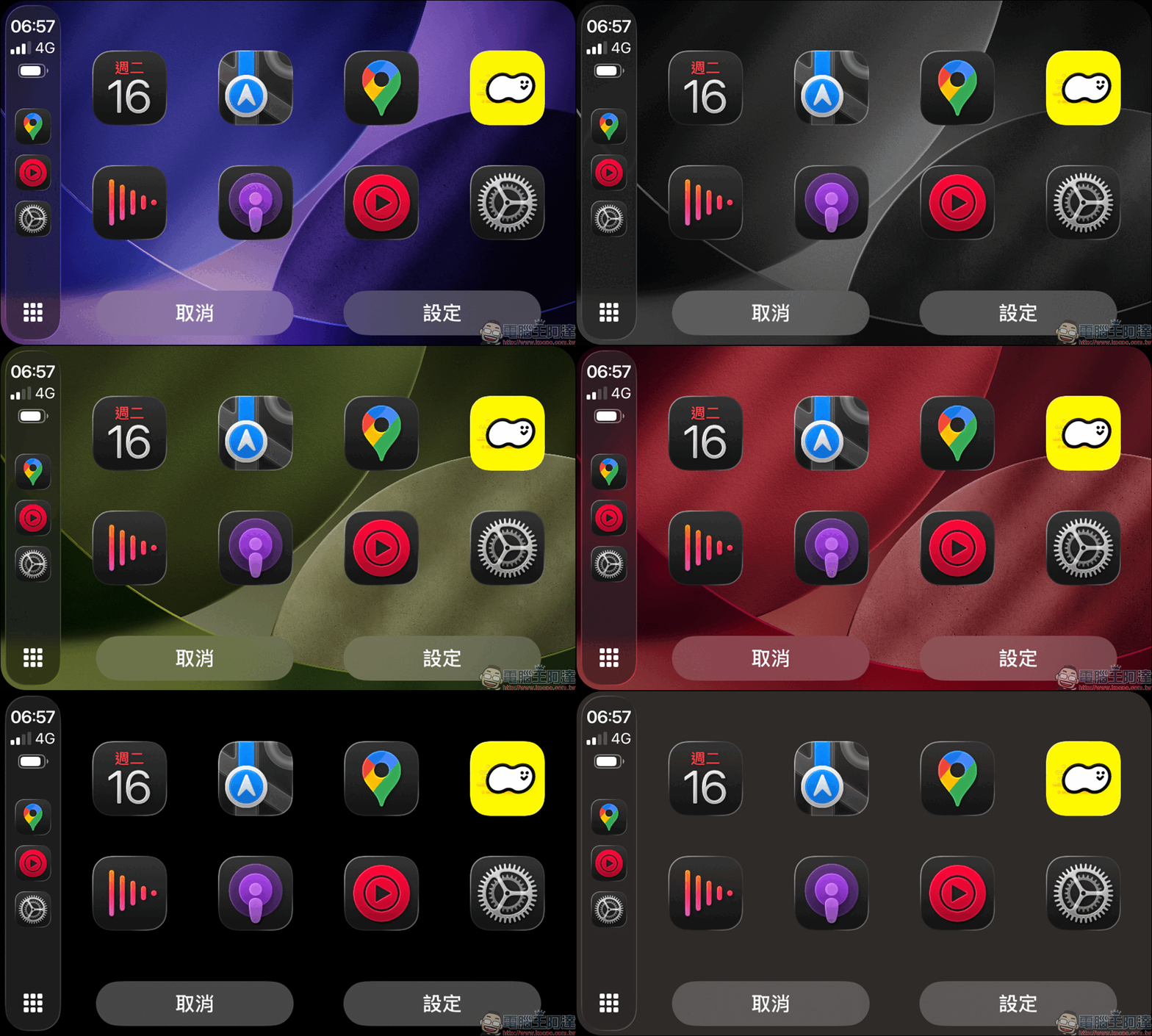
The selection of CarPlay background images is also richer than before, and with the different colors designed this time with Liquid Glass, more diverse styles can be combined.
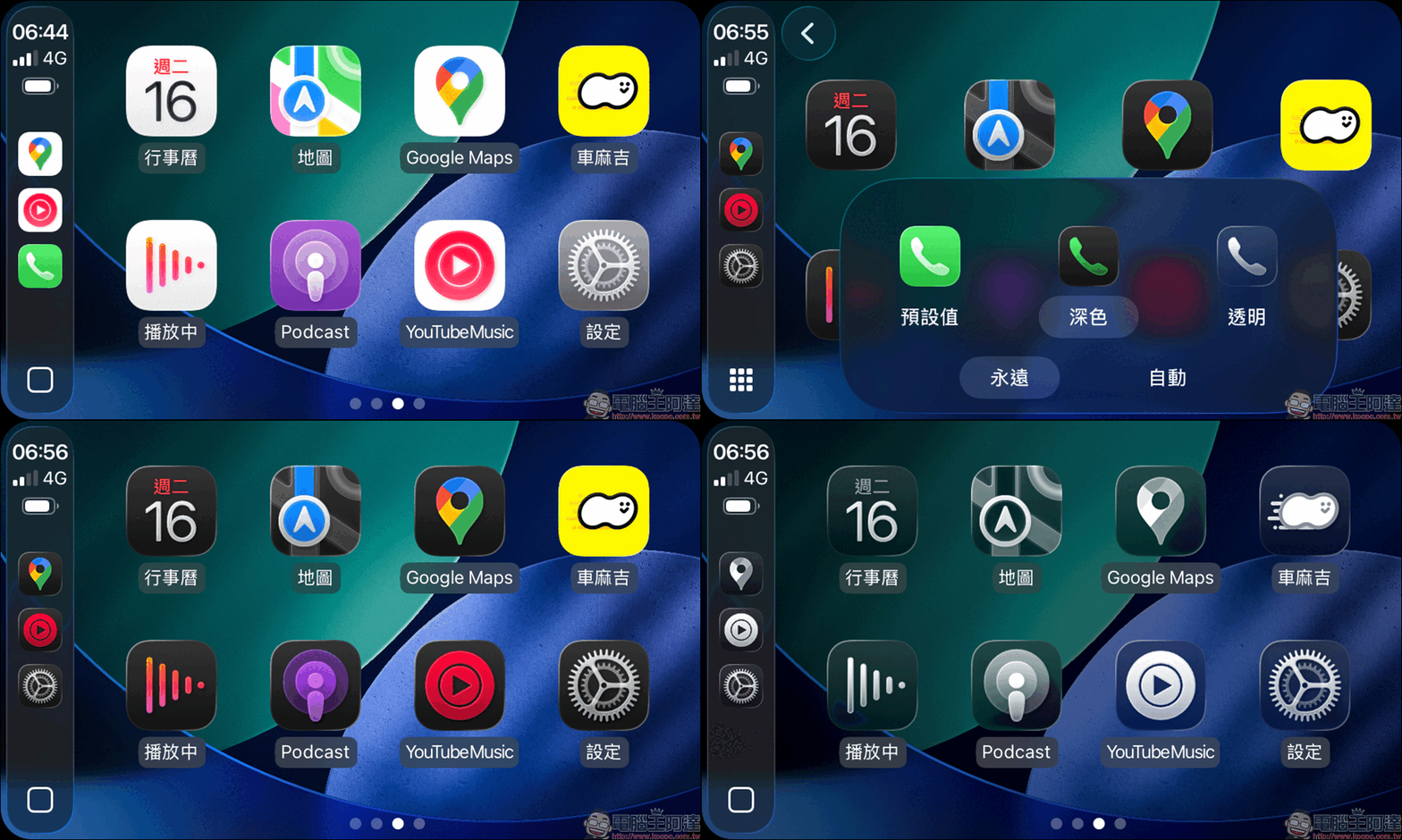
The following is the rendering effect of selecting the “dark” theme with different background images.
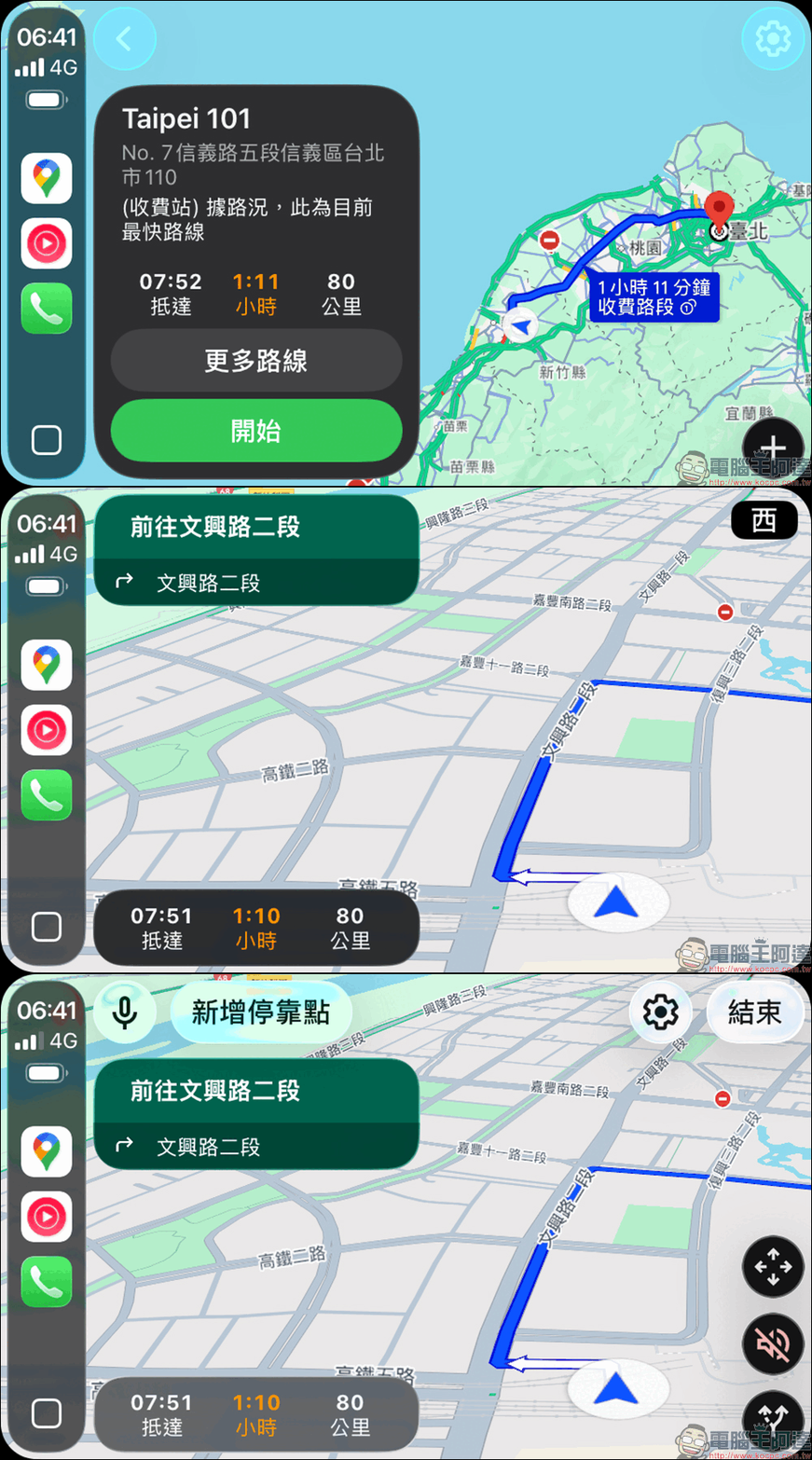
Even the map navigation of Google Maps has been updated with a new interface design, and the display effect has also changed slightly.
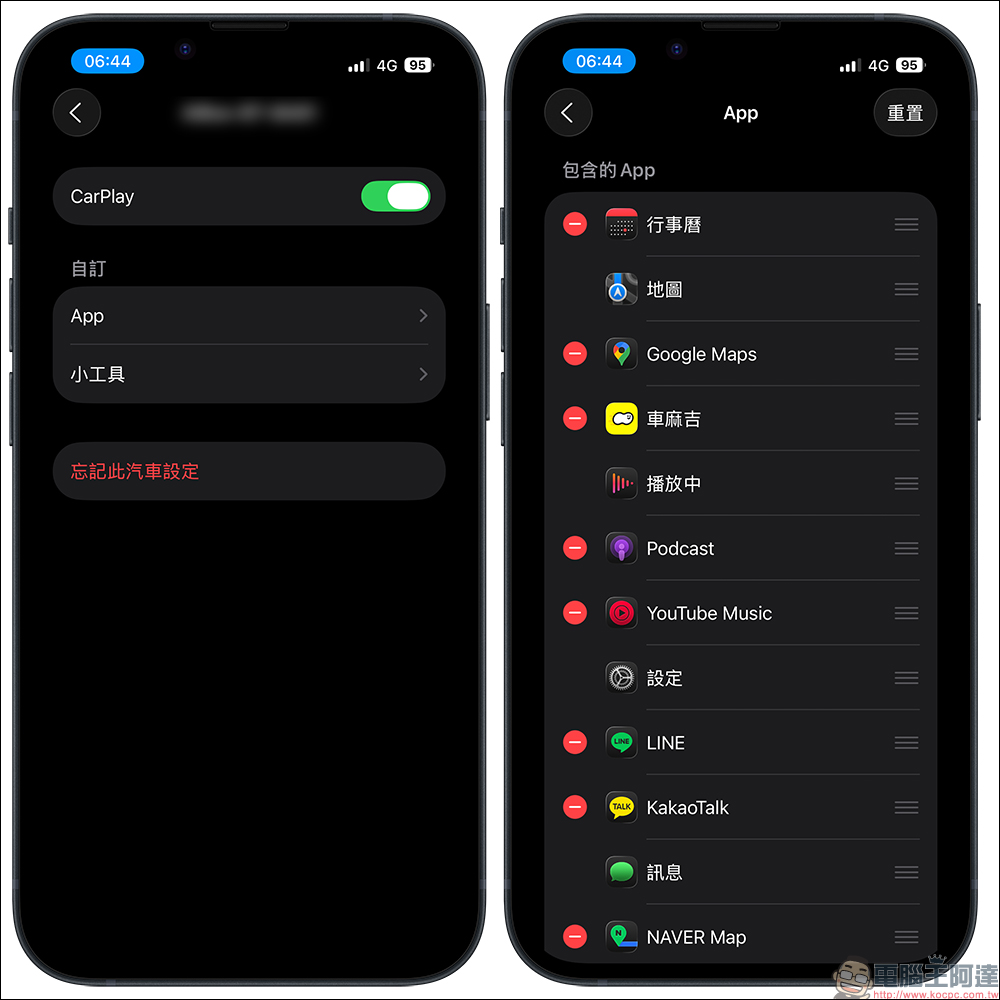
If you want to change the order of apps on the CarPlay home screen, you can open “Settings” on your iPhone, then select “General” > “CarPlay” > select the car’s device, and click “App” under the custom field. Depending on the interface of the car model, a different number of apps can be displayed on the screen. Users can adjust the arrangement of apps on the CarPlay screen by dragging them in order, or click “-” to hide the app from the CarPlay screen.
Widgets are here
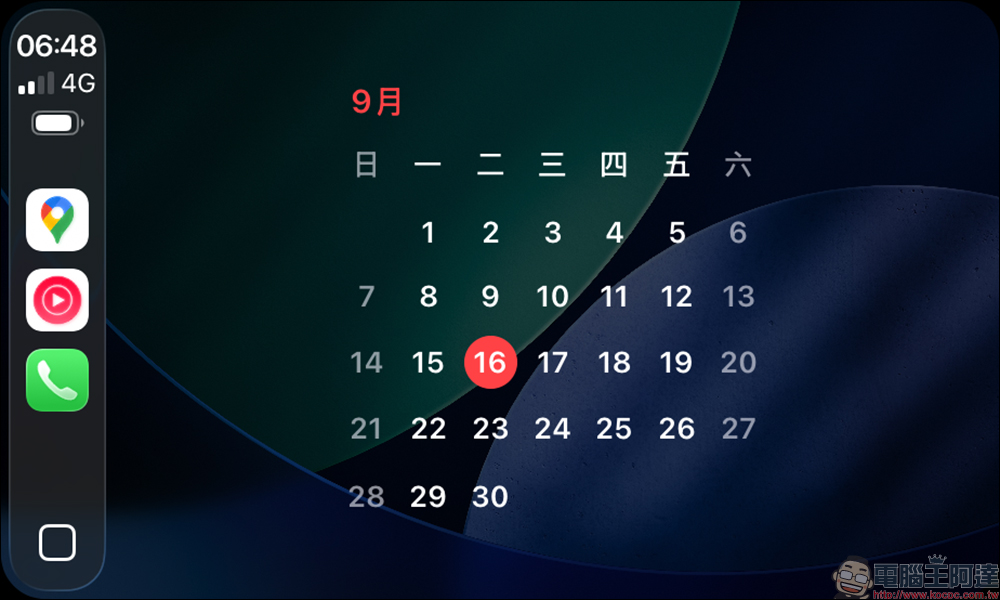
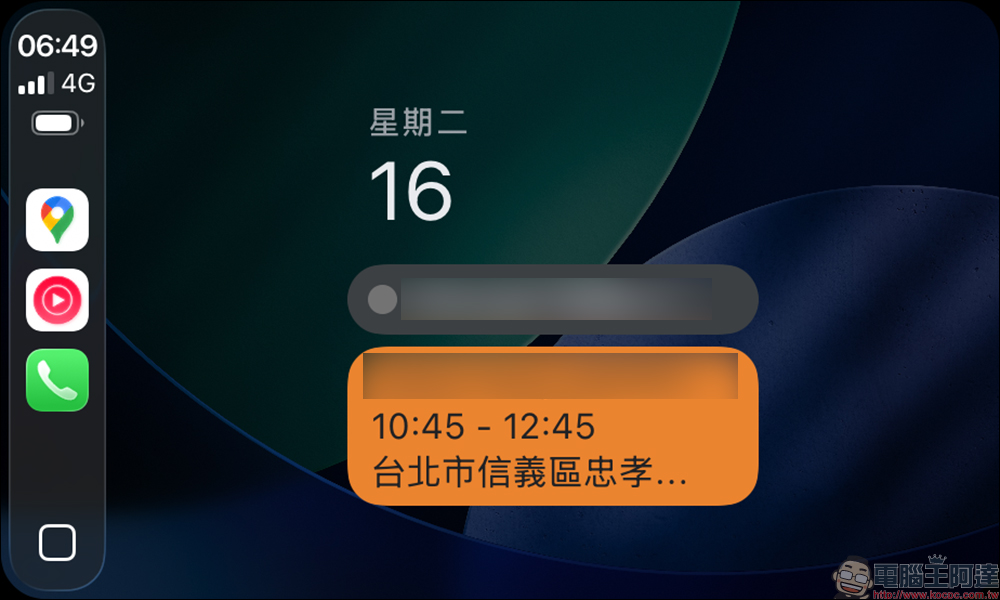
CarPlay finally gets its own Widgets! Calendar, HomeKit control, and weather can all be displayed directly. In actual play, the most convenient thing is to quickly confirm today’s itinerary or turn on and off the lights at home, making CarPlay more like a “second iPhone screen.”
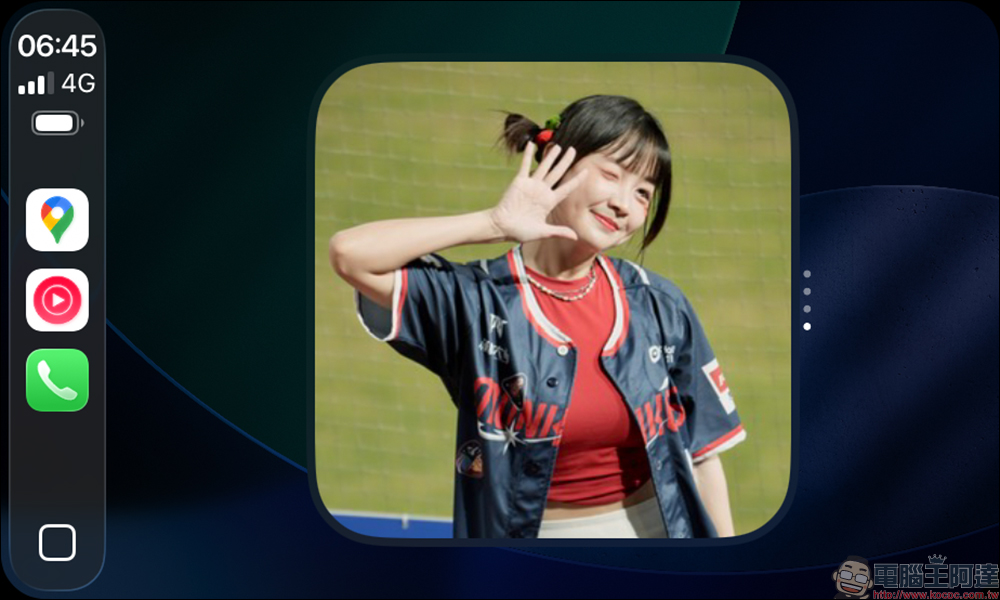
Just like iOS or iPadOS, the CarPlay version of gadgets can be presented in a more concise way as long as they are supported apps, and these gadgets are not only decorations, but also have their own functions.
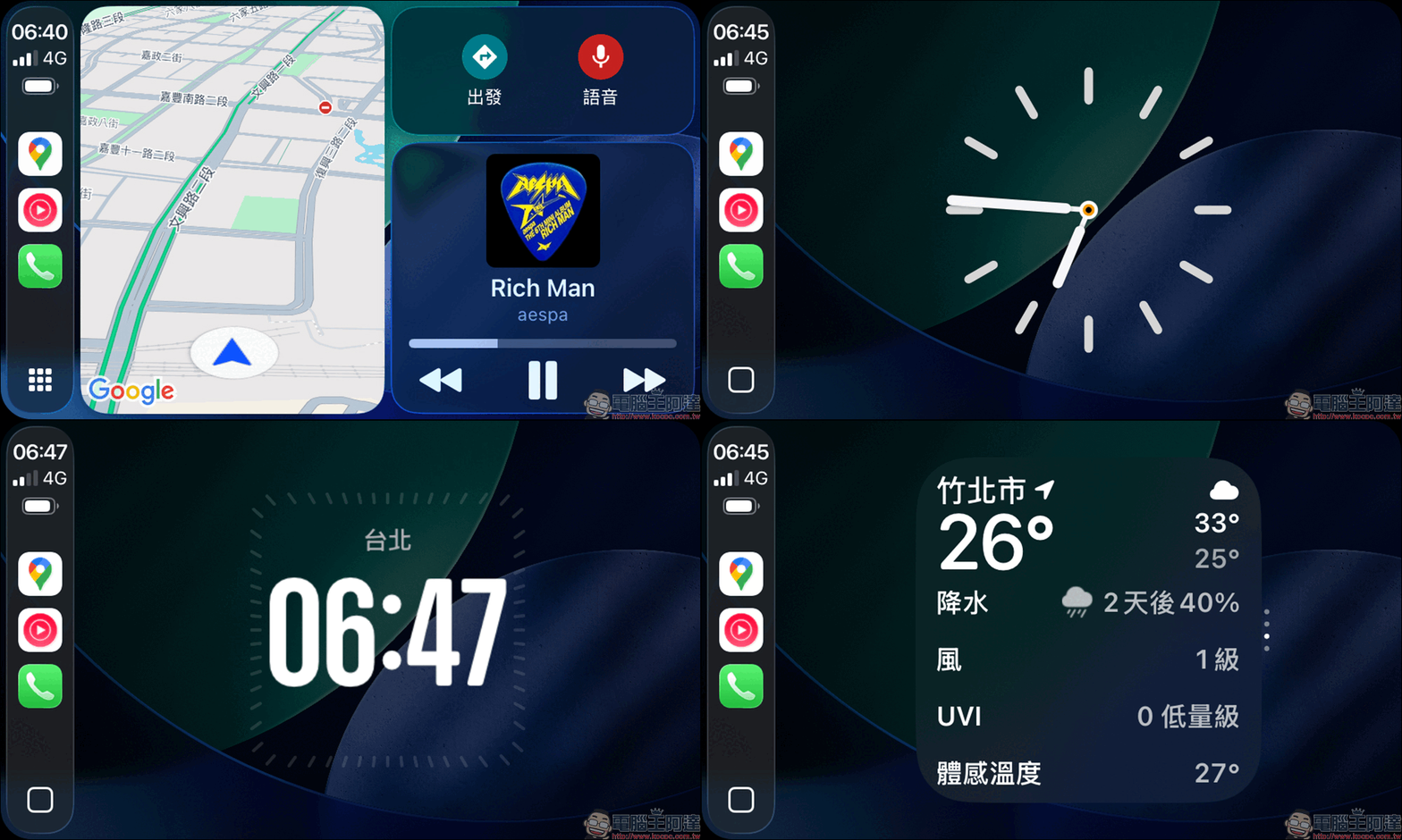
The newly added widget stack on the left side of the Dashboard is really very practical. It is very convenient whether it is to check the weather, calendar, or switch music. In addition, the real-time dynamic can automatically display the status of competitions, deliveries, or flights, so you can grasp the information while driving at a glance.
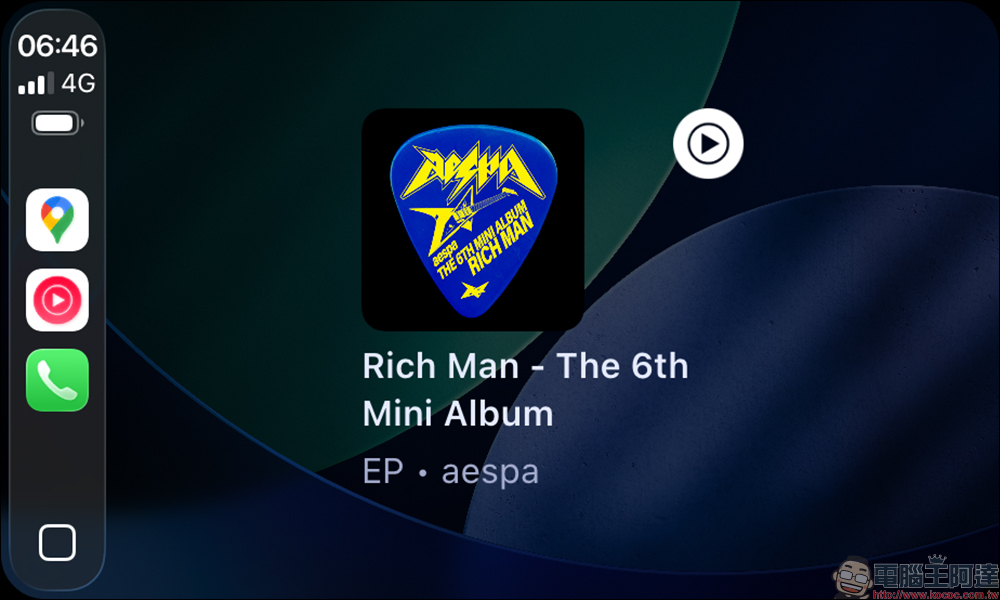
Whether it is Apple calendar or Google calendar, you can browse it more clearly on CarPlay, avoiding the safety concerns of viewing it on your mobile phone while driving.
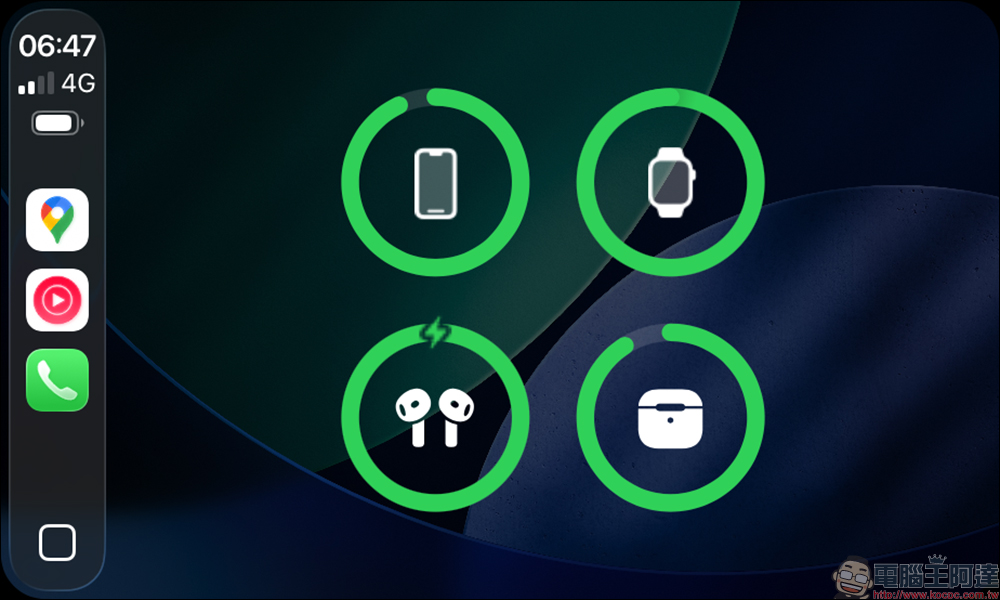
The battery level of the device can also be checked at any time through the gadget in CarPlay, so you no longer have to worry about not noticing that your AirPods, iPhone or Apple Watch are running out of battery.
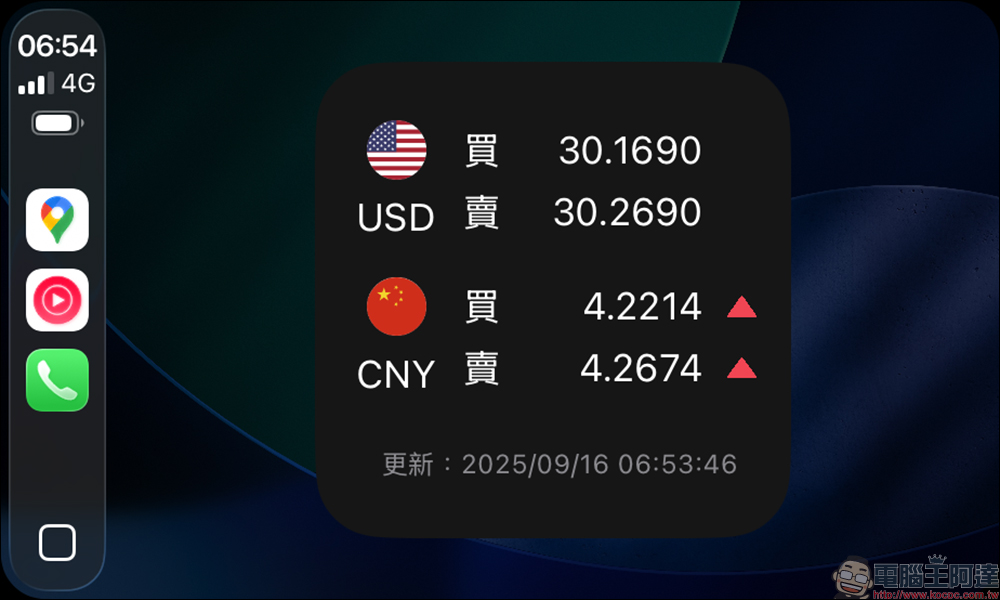
Real-time exchange rate changes can also be viewed on CarPlay.
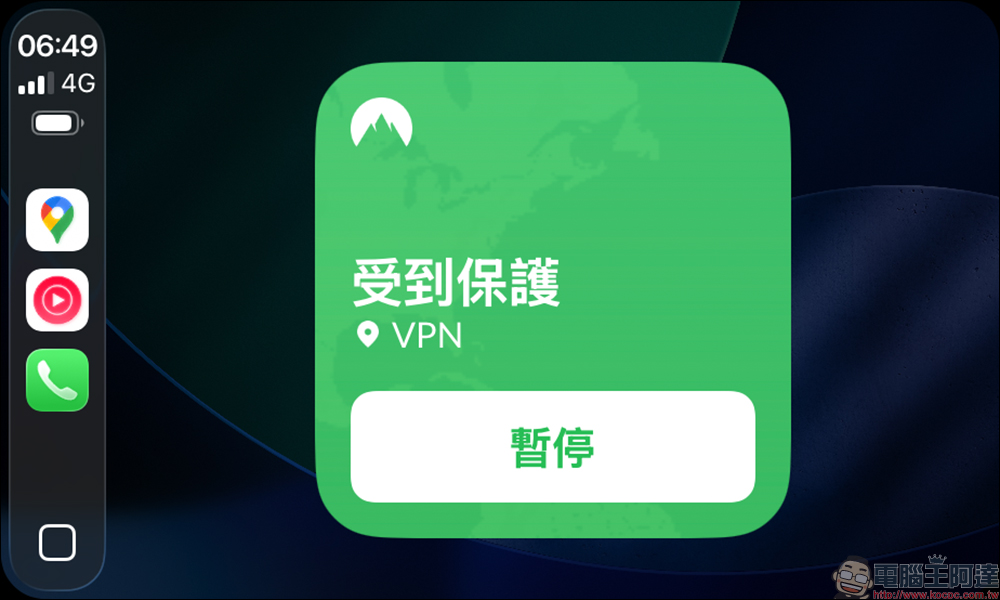
Even VPN can be turned on directly on the CarPlay side to protect users’ Internet security at any time.
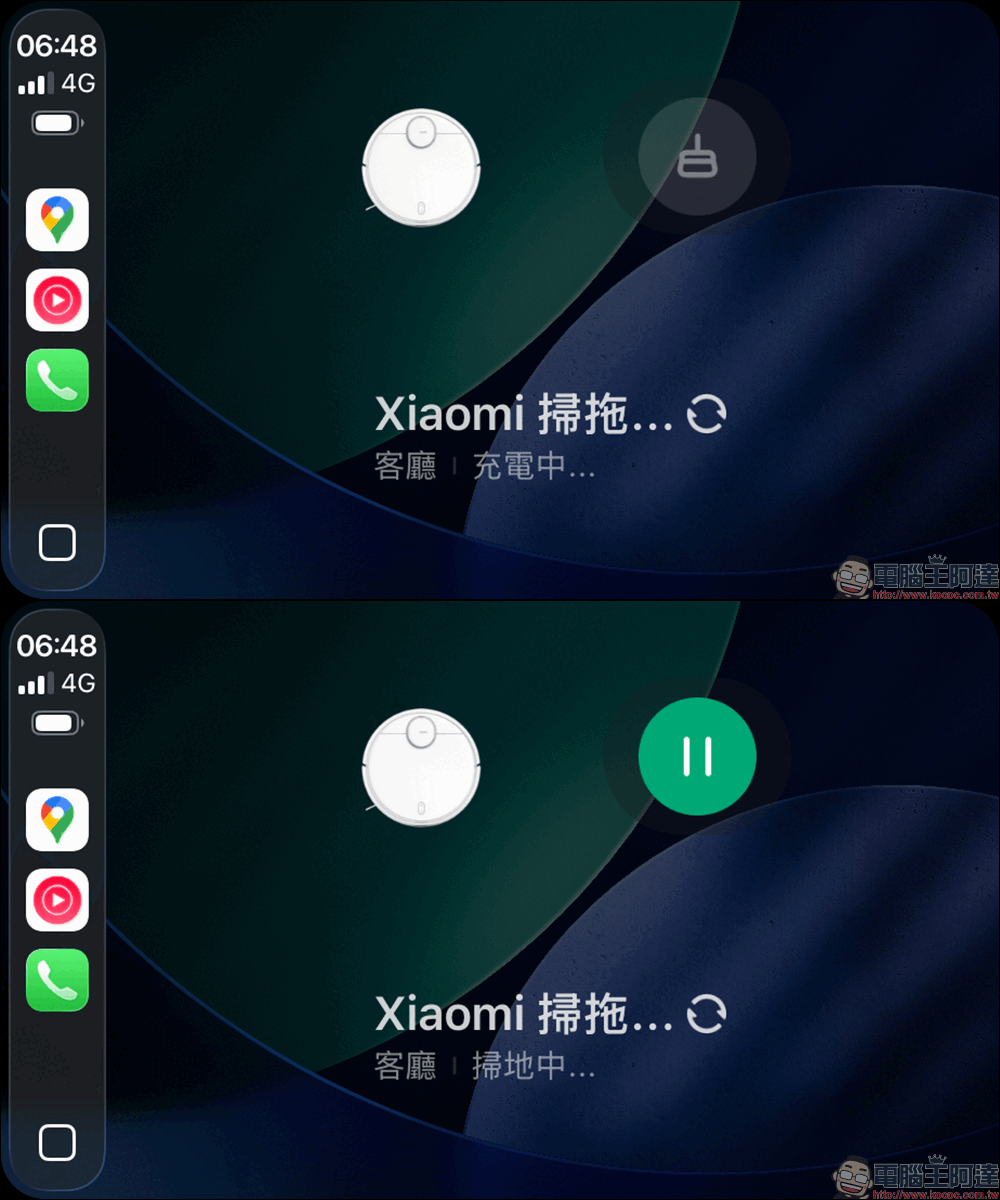
Although there are currently not many gadgets that fully integrate CarPlay, it is no problem for the Mijia App to remotely control smart appliances at home and let the sweeping and mopping robot start working before returning home.
Message App function upgrade
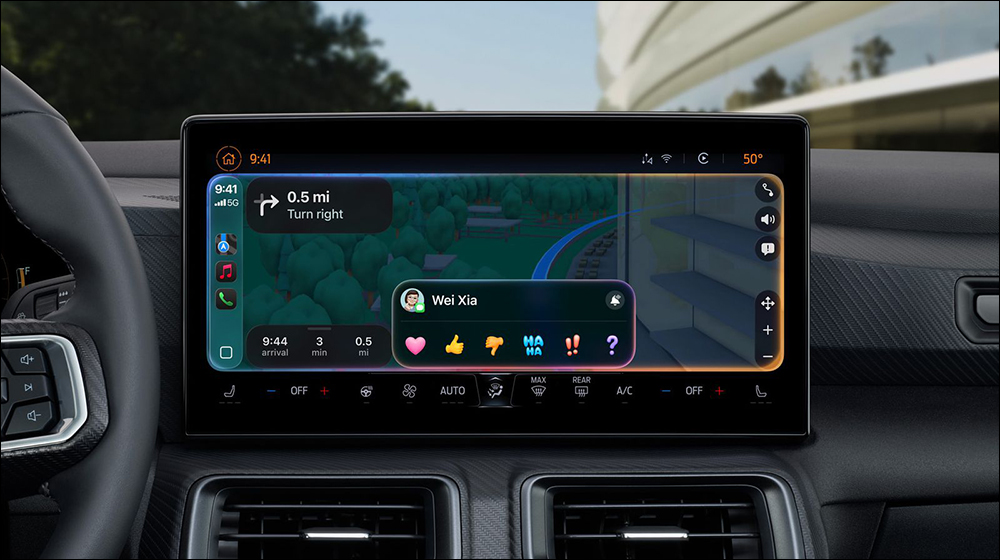
Replying to messages in the car has always been difficult in the past, but iOS 26 allows CarPlay to finally use Tapback to reply directly, such as hearts, likes, and exclamation points, super fast. After actual testing, it is really practical for situations where quick response is required but typing is inconvenient. Coupled with the support of “fixed conversations”, you don’t have to search for frequently used contacts. You can quickly enter the conversation directly in the car, which is really considerate.
Simplified call interface
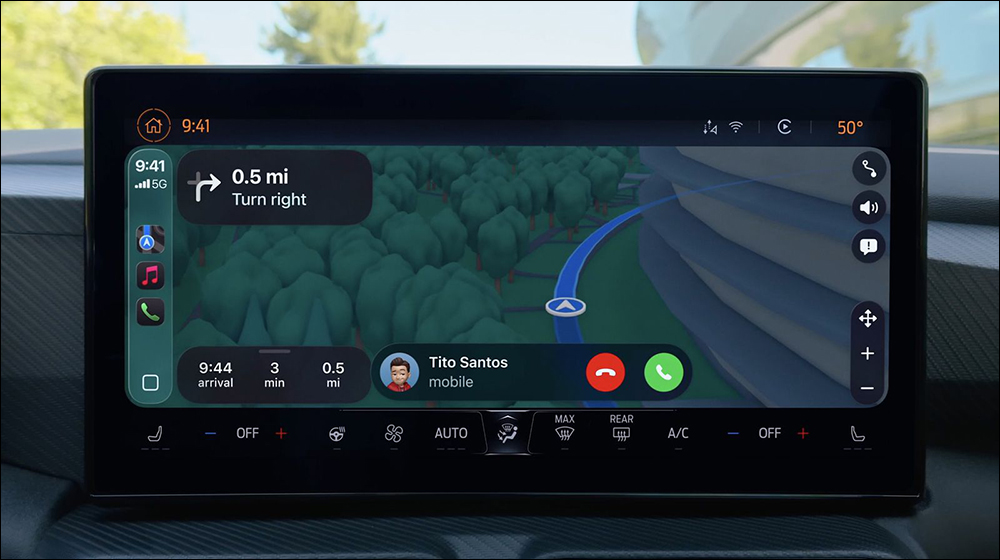
In the past, when answering a phone call, the entire screen would be obscured, navigation information would disappear instantly, and it would be very easy to panic. Now with “Simplified Caller ID”, it only takes up a small corner of the screen, and the navigation is still displayed on the screen. In actual testing, incoming calls no longer interfere with traffic information, which is a plus for long-distance driving.
Map multi-touch
Finally waited for this feature! In actual testing on supported cars, you can use two fingers to zoom or drag the map, which is as intuitive as the iPhone. In the past, you could only press the zoom in and out buttons, but now the operation is much faster, especially when you need to check nearby traffic conditions temporarily.
More complete accessibility features
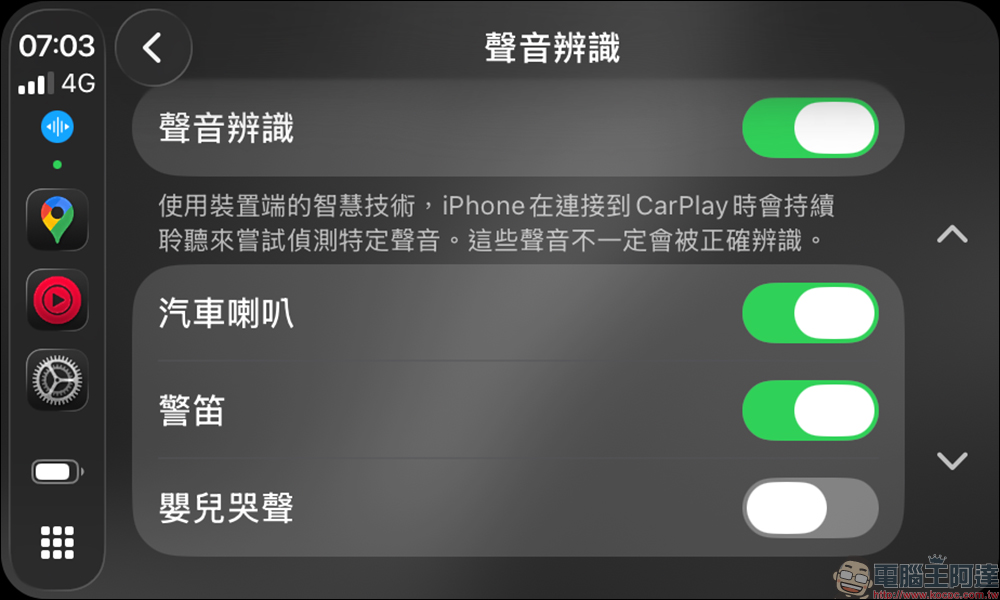
iOS 26 brings the large font function of iPhone to CarPlay, making it easy for elders or people with poor vision to understand it at a glance. In addition, “sound recognition” has been added, such as recognizing the cry of a baby in the car and alerting the driver. This is really useful for family cars.
Conclusion
The many upgrades iOS 26 brings to CarPlay make people feel that Apple wants to truly seamlessly extend the mobile phone experience into the car. Whether it is design, operational convenience or entertainment functions, it is more complete than ever. For those who are already accustomed to using CarPlay, this update is a “must upgrade” level; and for those who are still considering new car equipment, the evolution of CarPlay may become a key consideration.
The previously reported video playback function is not yet enabled, and even if it is supported in the future, it will depend on the country/region and car model. But even if the video playback function is enabled, it can only be used when the vehicle is stationary.
Personal experience
Overall, CarPlay in iOS 26 is not just a minor repair, but a comprehensive upgrade. The three most obvious highlights:
- Operation is more intuitive: Multi-touch map and Tapback reply, reducing tedious operations.
- The picture is more beautiful: Liquid Glass design makes the interface no longer look like a “car system”, but a complete Apple experience.
- More practical functions: Live Activities and Widgets make CarPlay truly the “second iPhone in the car.”
For Taiwanese drivers, these improvements can greatly improve the driving experience, especially the navigation and information aspects, which are safe and convenient.
Further reading:
正面迎戰 iPhone 17 !小米 17 系列官宣本月發表,預告將有 Xiaomi 17、17 Pro 和 17 Pro Max,首發搭載 Snapdragon 8 Elite Gen 5
Source: KOCPC Chinese