


YouTube Premium Although there is a cheaper Lite plan launched in Taiwan, Lite does not have the benefit of background playback. The representative said that he wanted to listen to background playback on his mobile phone. YouTube If so, you can still only choose YouTube Premium, which is not cheap. If you are using Android, the newly launched experimental feature of Microsoft Edge Canary can enable YouTube background playback without a Premium account.
iPhone users can use Safari to play in the background without downloading a third-party browser.

Turn on Microsoft Edge Canary’s experimental video background playback feature and you can play YouTube in the background
Recently, Microsoft Edge Canary quietly launched an experimental feature called Video Background Play, which, just like its name, can realize video background playback, and it has been tested to support YouTube. However, the function is still under testing, so the official version of Microsoft Edge cannot be used yet. You need to download the Canary version, and you may encounter some bugs during use.
However, in my tests, I had no problem listening to multiple pieces of music, and they would continue to play even if the phone’s screen dimmed or was locked.
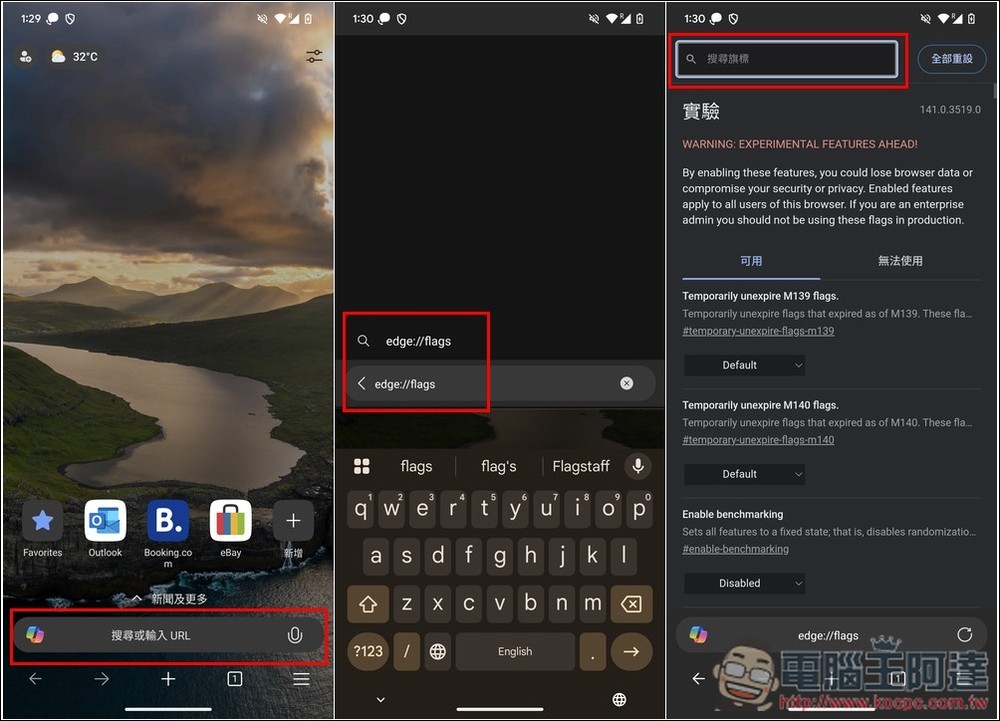
After opening the Microsoft Edge Canary App, enter edge://flags Enter the experimental features menu and enter the keyword Video Background Play above:
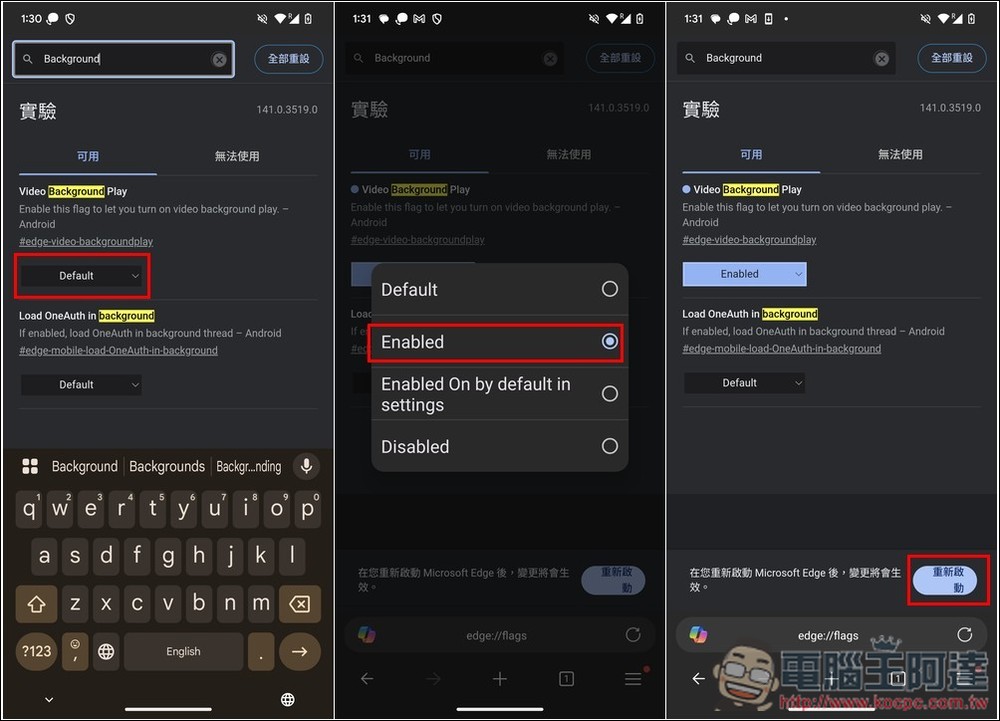
After finding Video Background Play, open the Default menu, switch to Enabled, and then press Restart Microsoft Edge Canary in the lower right corner to take effect:
After restarting, you can first try to see if YouTube can play in the background. If so, you can start using it. If that still doesn’t work, please follow the steps below.
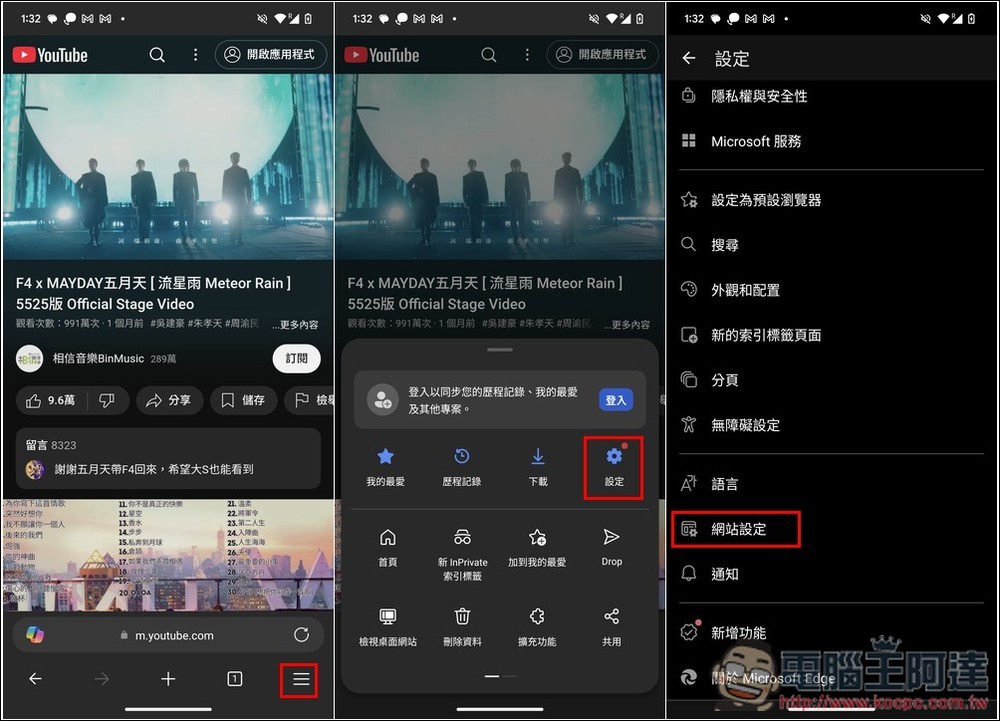
Open the three-line menu in the lower right corner, enter Settings and scroll down to find “Website Settings”:
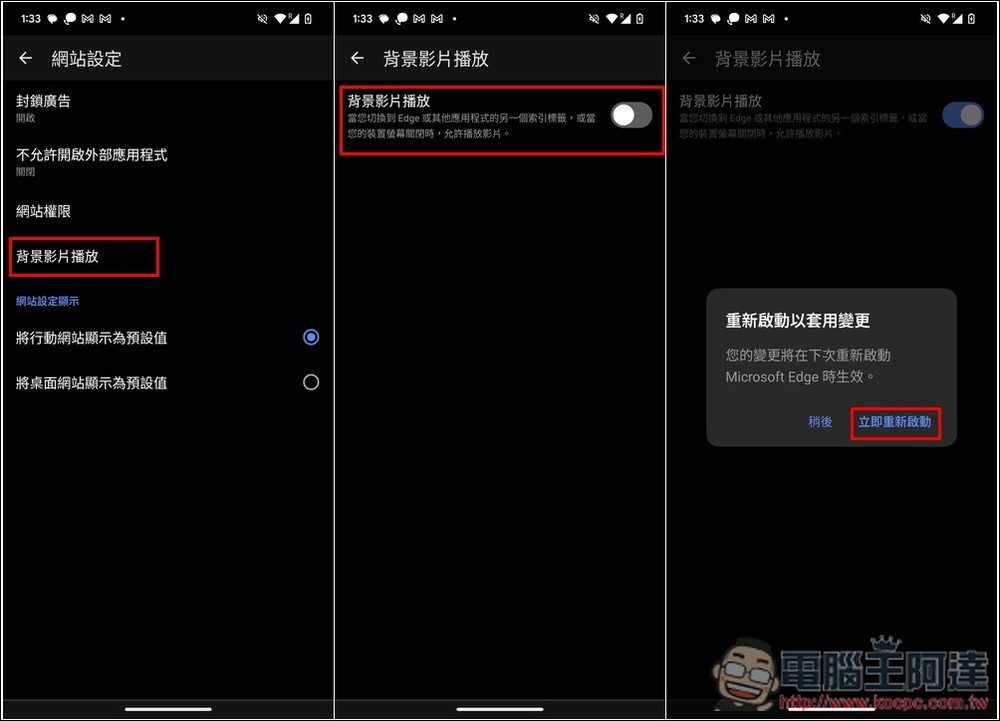
Click “Background Video Playback” and then turn on the switch. You will be asked to restart to apply the changes:
After restarting, you should be able to play YouTube videos in the background:

So, if you just want to have YouTube background playback, but feel that YouTube Premium is a bit too expensive, you can use Microsoft Edge Canary first and save NT$199. Not all of the previous experimental features of Microsoft Edge Canary will be added to the official version, so this new Video Background Play feature is also uncertain.
In addition to Microsoft Edge Canary, some third-party browsers can also play YouTube in the background, depending on your usage habits.
Source: KOCPC Chinese