


iPhone 17 The countdown to the press conference has entered. If you don’t want to miss this annual technology event, Apple’s latest updated “event invitation”The App is very useful! This update adds the main screengadgetThe function can directly display the number of days left until the event, so that you can clearly see the countdown information as soon as you turn on the phone. It is also recommended for anniversaries. The widget supports three sizes, making it easier to arrange with the main screen. Clicking on the widget can further open the app and view event details. If you want to keep up with the latest technology craze, this function is definitely an indispensable and considerate helper for Apple users.
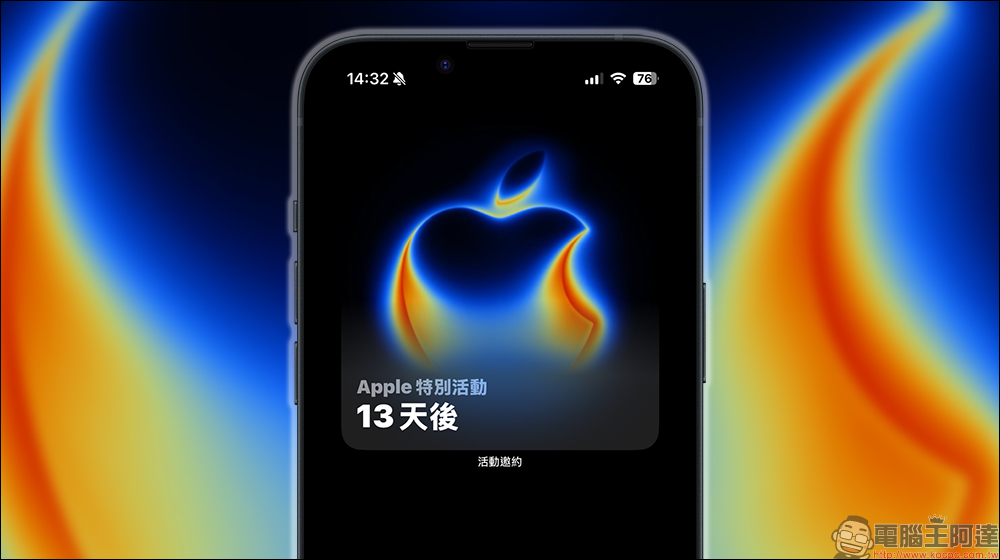
A must-have for the iPhone 17 launch event and countdown to the anniversary! Apple’s “Event Invitation” App adds a new home screen widget, so you don’t have to worry about missing all kinds of important events
Speaking of Apple’s annual events, the iPhone 17 launch event is definitely an event that many people have on their must-see list. Every September, Apple always brings a series of heavyweight new products, not just a new generation of iPhones, but also a new Apple Watch and other surprises. For Apple fans, the biggest fear is “missing the live broadcast” or “missing the first-hand information.” At this time, Apple’s own “Event Invitation” App comes in handy.
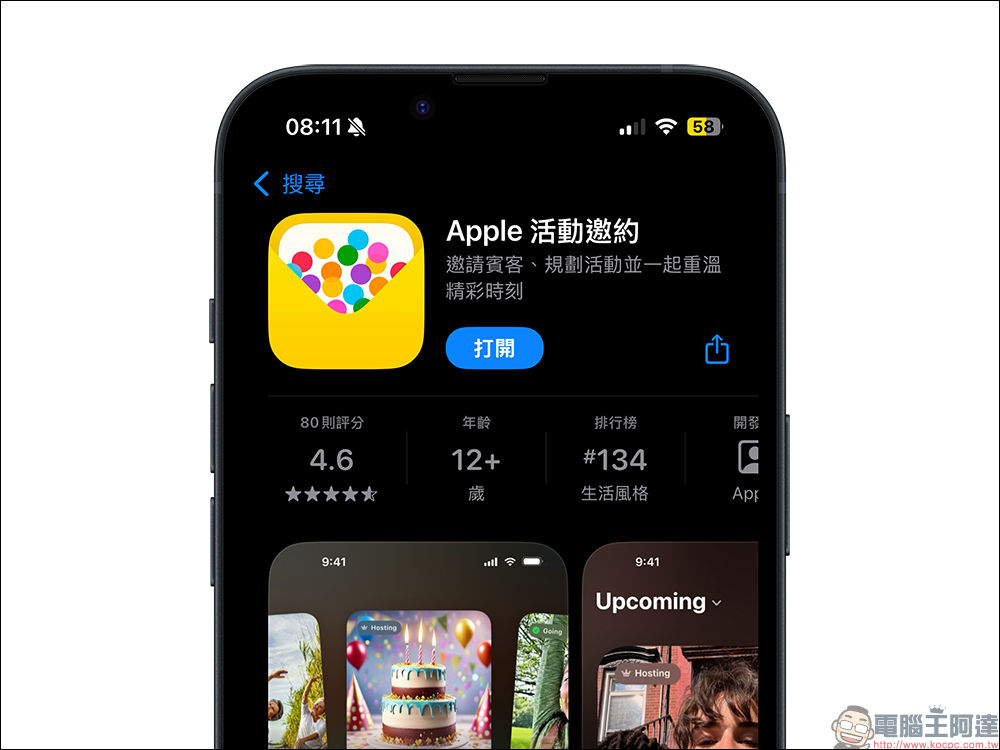
New feature of “Event Invitation” App: Home screen widget
Apple recently launched an update for the “Event Invitation” App. The biggest highlight is the addition of a new home screen widget. After the update, users can place the event countdown directly on the desktop by long-pressing the iPhone home screen, clicking “Edit” and adding a widget.
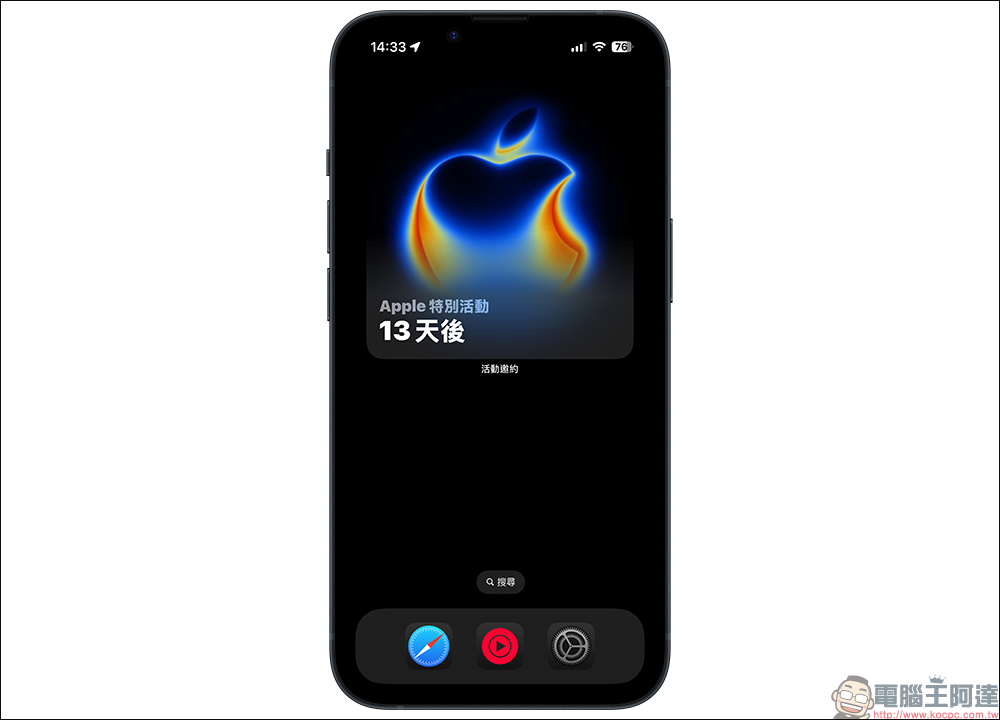
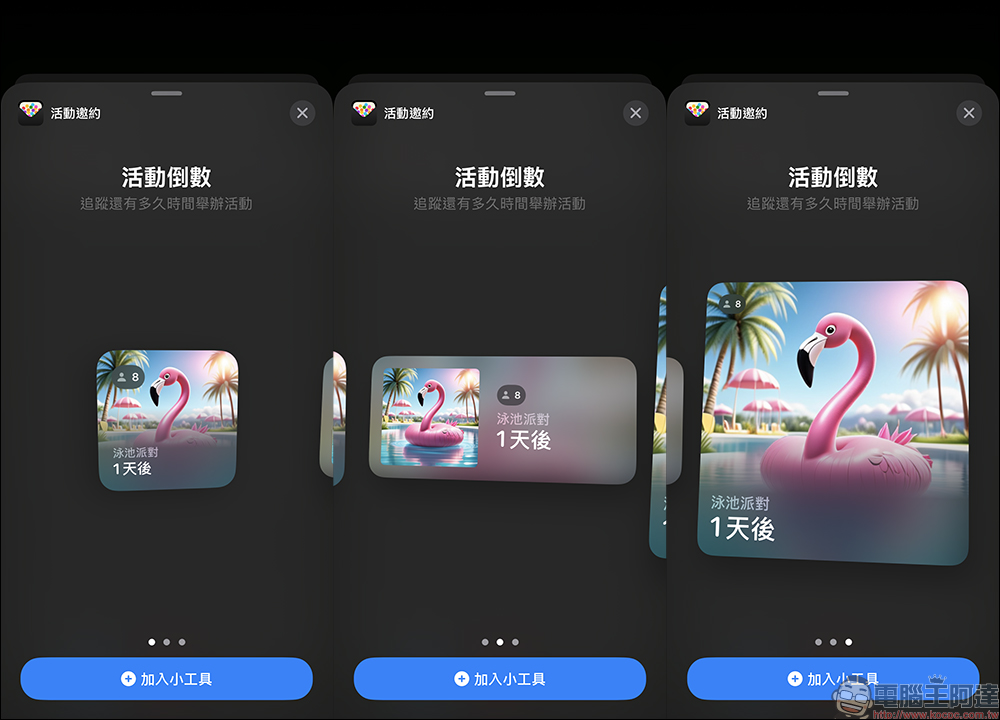
This gadget supports three sizes: small, medium and large. Although the style is the same, the layout is more flexible. The widget will display “how many days until the next event”, allowing you to grasp the countdown information at a glance without having to open the app to query.
For example, if you have created an iPhone 17 launch event in the “Event Invitation” App, the widget on the home screen will clearly display “X days left.” After clicking on the widget, it will automatically jump to the App to provide more complete event details.
What is the “Event Invitation” App?
For those who have heard of the “Event Requesting” App for the first time, they may be curious about its purpose. This app is a new service launched by Apple in February this year. It is positioned as an event planning and invitation tool. Users can create their own event invitations, customize background images, font designs, and even add details such as location guidance and weather information. This makes it not just a simple calendar reminder, but more like a digital “exclusive invitation card”, especially suitable for planning parties, gatherings or important meetings.
For example, if you want to invite friends to watch an iPhone launch live broadcast party, you can design an “exclusive invitation card” directly in the app and send it to your friends to make the event more ceremonial.
The countdown to Apple’s autumn conference is set like this
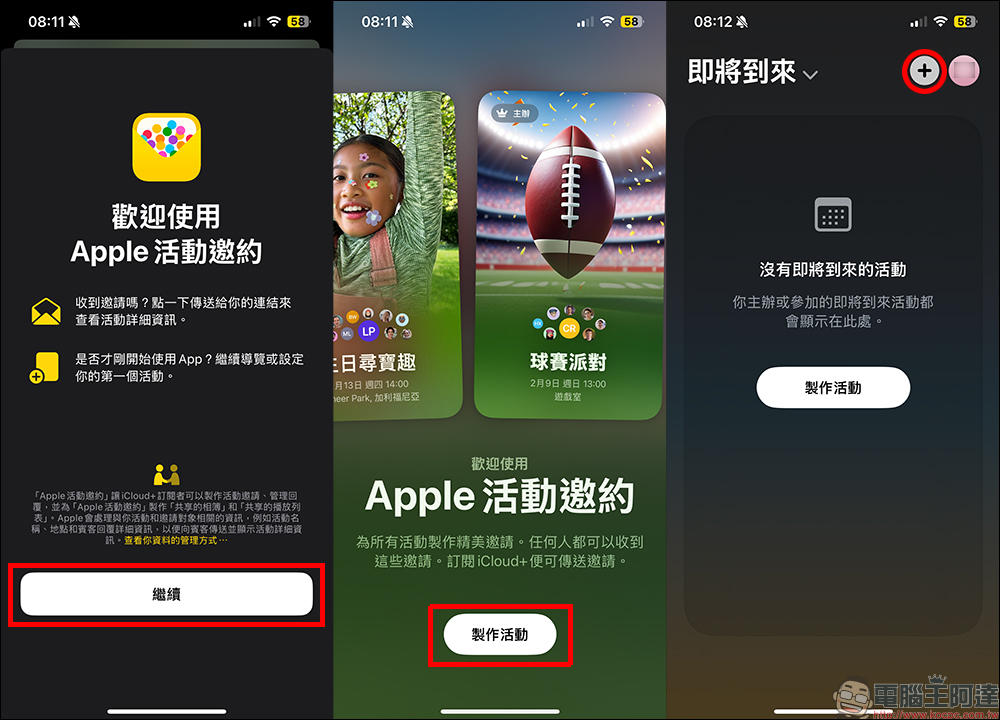
In conjunction with the recently announced Apple autumn new product launch, if you don’t want to miss this event, you can make good use of the functions of this app and easily set this event on the home screen to remind yourself. Next, I will take you step by step to quickly complete the settings. First, go to the App Store to download the “Event Invitation” app and open it. Select “Create Event” > click the “+” in the upper right corner of the screen to add an event.
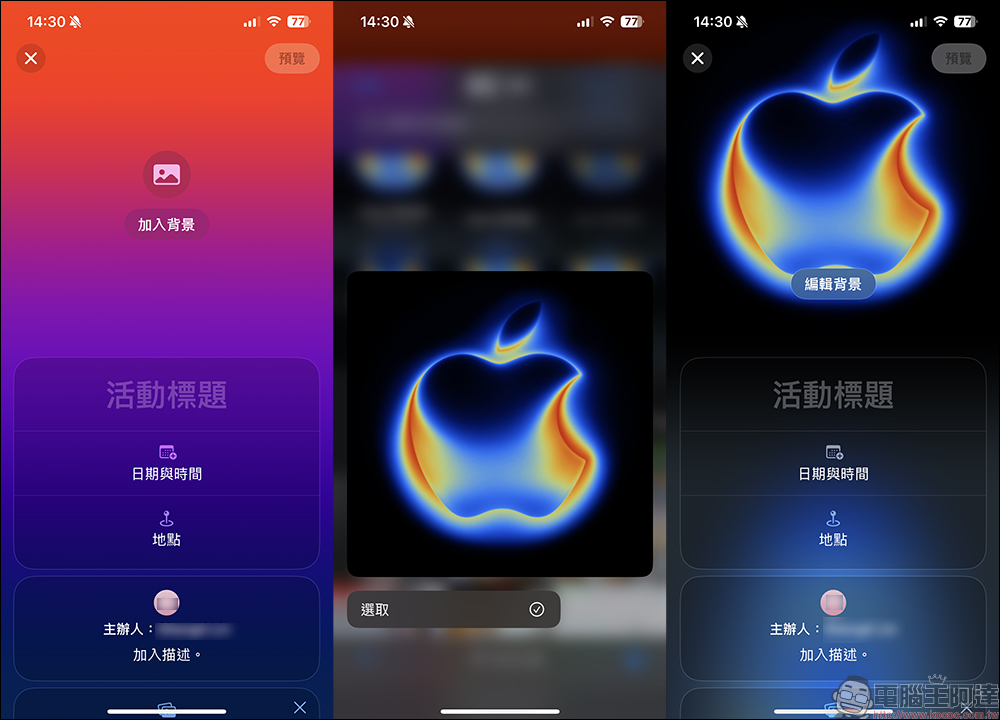
Next, select a picture as the background image, and this image will also be displayed in the main screen widget. The demonstration here uses event pictures from Apple’s official website (Click here to download), after adding the picture, start entering the event name, date, time, and location information.
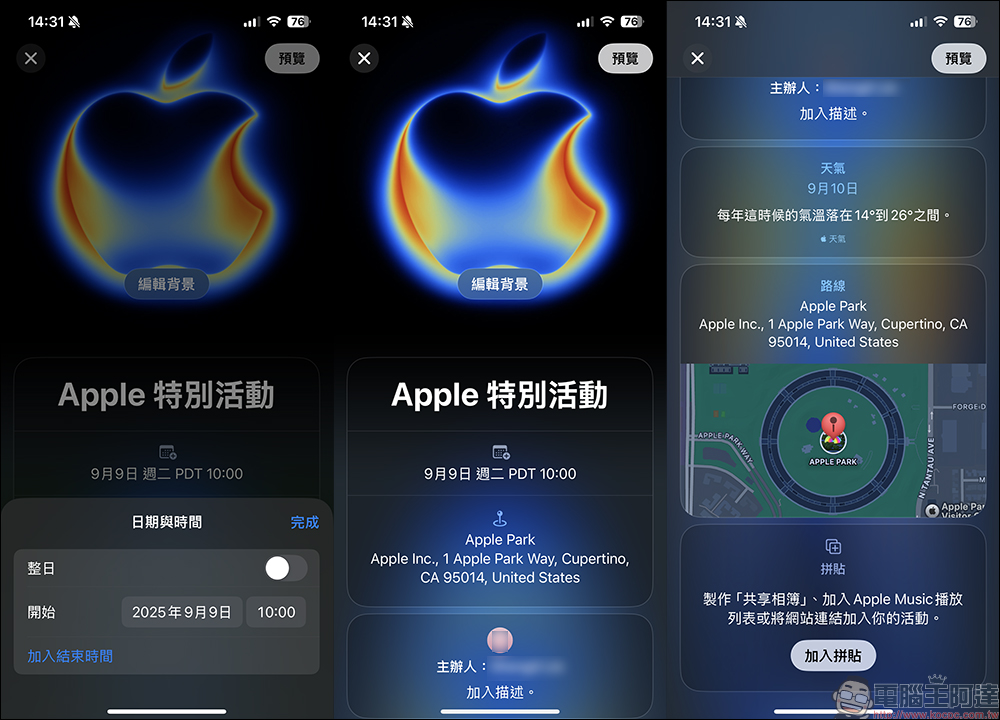
You can enter whatever you like in the name part. This is because the actual event location, Apple Park, is also set here. Therefore, the date part must be based on the local time in the United States (September 9th, 10 a.m.). If the location is set, the location information will also be displayed. If you don’t want to enter the event location here, you can actually just fill in the date and time. This will directly set the Taiwan time for the event (1 a.m. on September 10).
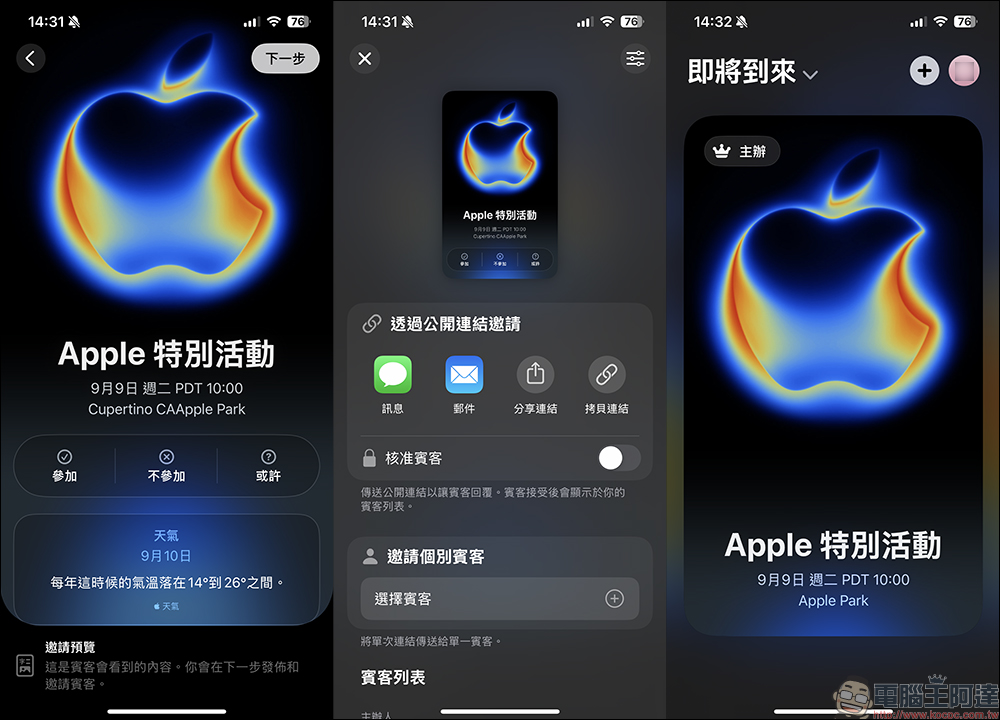
After filling in, you can click “Preview” to have a rough look at the presented activity content. If you have no problem, click “Next” to complete. The content of these activities can be edited again. If you want to modify the activity after it is created, you can adjust it at any time.
After setting up the activity, the next step is to create a “widget” on the iPhone home screen! Press and hold on a blank space on the home screen to open the editing function, select “Add Gadget” and find “Event Invitation”. The widget supports three sizes: small, medium and large. I personally recommend using the large one, so that it can occupy about 1/2 of the main screen, which is both conspicuous and beautiful!
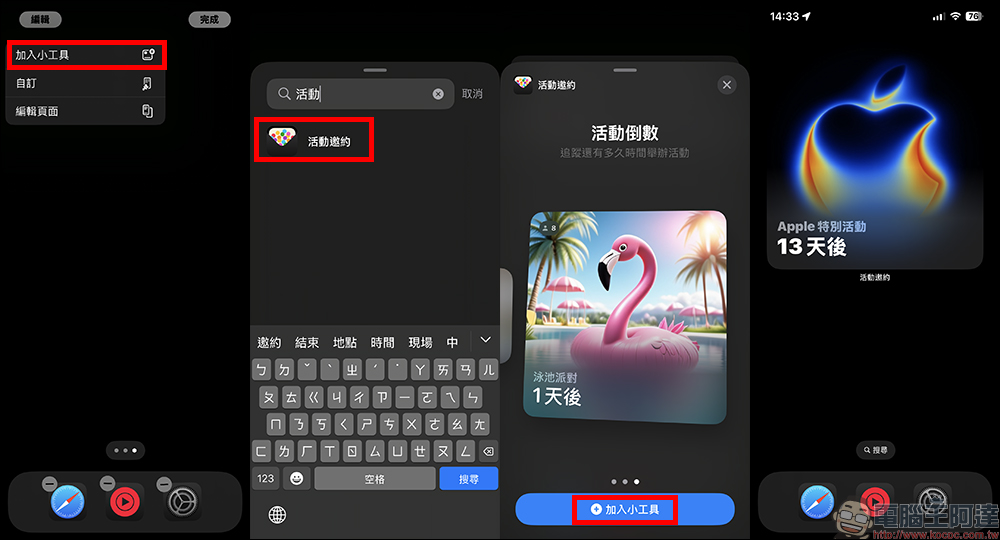
The newly added gadget functions this time are extremely considerate for Apple fans who are looking forward to iPhone 17. Just create the “iPhone 17 Launch” event in the app and set the time, and the widget will display the countdown directly. When you unlock your phone every day, you can remind yourself that “the big day is coming” without having to flip through your calendar or check the news.
More importantly, the existence of this gadget also brings a “sense of ritual.” For users who value Apple’s press conferences, every time they watch the countdown shorten, their sense of anticipation will build up. This is not only functional convenience, but also an improvement in participation.
Free to download, but requires iCloud+ for full use
Although the “Event Invitation” app itself is free to download, in order to create and send events, you need to subscribe to the iCloud+ service. iCloud+ is Apple’s paid storage upgrade plan. The lowest plan for Taiwanese users starts from NT$30 per month (the international version is about US$0.99). In addition to increased capacity, you can also get additional features such as private transfer and HomeKit secure recording. For users who already subscribe to iCloud+, there is no additional cost for using the “Event Invitation” App.
In other words, if you just want to use it to watch event countdowns, downloading the free version will meet your needs; but if you want to create and distribute exclusive event invitations, you need to upgrade iCloud+ to unlock the full functionality.
Differences from traditional calendar apps
Some people may be curious, since the iPhone already has a built-in “Calendar” App, why does it need an “Event Invitation” App?
The difference between the two lies in the presentation method and interactive experience. The calendar emphasizes time management and schedule scheduling, but “event invitation” pays more attention to the atmosphere and participation of the event. It not only reminds you that “there is an event on this day”, but also allows the event to be presented in a more designed way, and can even make the invited people feel like they really got an invitation after receiving it. For people who like to attend parties, get-togethers, or often need to hold events, the “Event Invitation” App is even more useful. In addition, if there are some important anniversaries, it is also recommended to use this method to remind yourself.
Summarize
Apple added a countdown widget to the main screen of the “Event Invitation” App. It is not only a simple functional update, but also an upgrade that improves the user experience. For Apple fans, this feature is like a “thoughtful reminder helper” so that everyone will not miss important moments like the iPhone 17 launch event in their busy daily lives.
Whether you simply want to use it to track Apple’s new product releases, or you are someone who usually holds events and parties, the “Event Invitation” App is worth a try. It can be downloaded for free from the App Store now, and its full power can be unleashed with iCloud+ service.
If you can’t wait to welcome iPhone 17, then quickly add this gadget to your home screen and let the countdown remind you every day that Apple’s annual show is coming!
Further reading:
Source: KOCPC Chinese