


Yesterday we introduced a SuperVPN Lifetime Edition Free, if you’re too late to catch it, or want to try more VPN, then there was another VPN Super Unlimited earlier: MasterVPN also launched a professional versionLimited exemptionAlthough the activity is not lifelong, it can still be used for up to one year, and it can be used unlimitedly within the year after it is obtained.
However, I would also like to remind you that the privacy policy of this VPN is very vague, and it does not seem to be specially designed for this VPN, which means it is not sure whether it will record your usage data, IP address, etc., and it has not disclosed which country it was developed. If you mind this, it is recommended to skip it and use another well-known VPN.
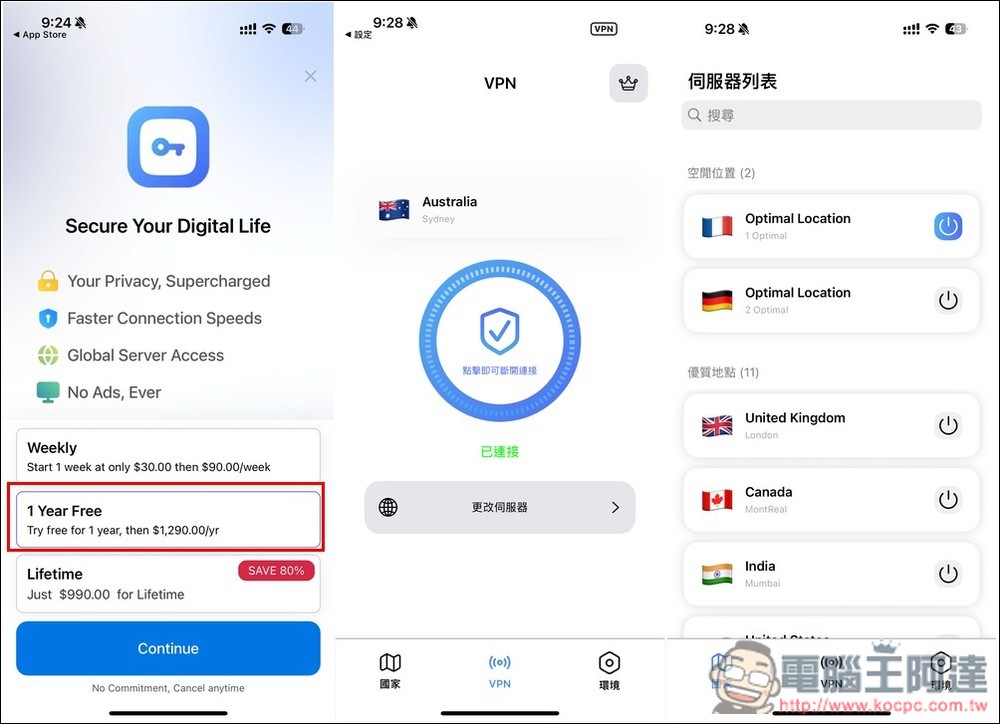
VPN Super Unlimited: MasterVPN’s professional version is free for one year! Supports Chinese, provides 11 positions
VPN Super Unlimited: MasterVPN is a VPN that provides free and paid versions. The free version has many ads and has restrictions on use. In addition, it also offers a paid lifetime version. Although the price is not expensive, I don’t recommend it. This kind of small VPN service provider is likely to disappear at any time and the quality will deteriorate. Just try it for one year.
Before I start the introduction, let me remind you that this one-year professional version is free. You need to subscribe, but you will not pay any fees. You must cancel the subscription immediately after subscribing, so that you will not be charged when the one-year period expires (you can still use the one-year professional version if you cancel). The limited free activity will end at any time, so when confirming your subscription, be sure to check whether there is any more. You can refer to the picture below.
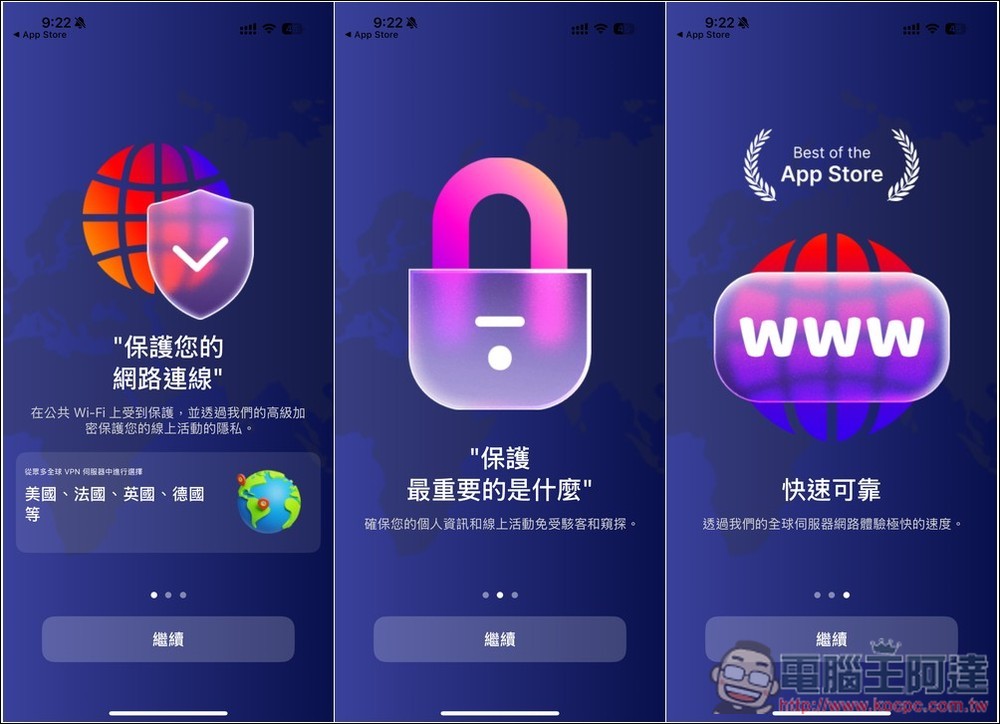
Like other VPN software, there will be an introduction after opening it. Those who are interested can take a look:
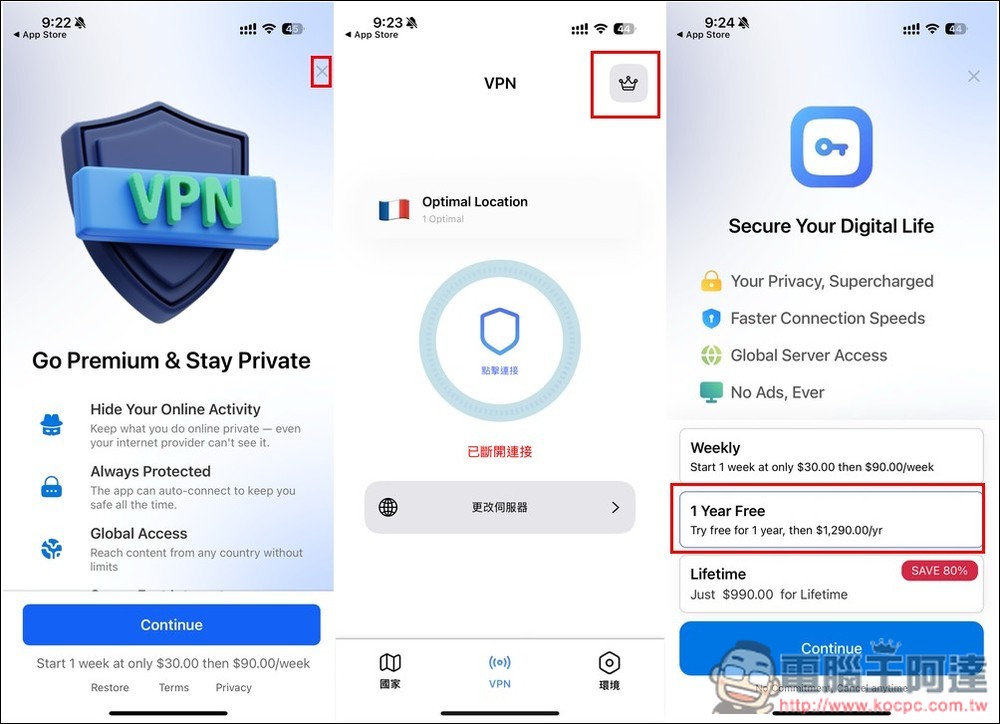
The subscription screen that will pop up next, please press the Then press Continue below:
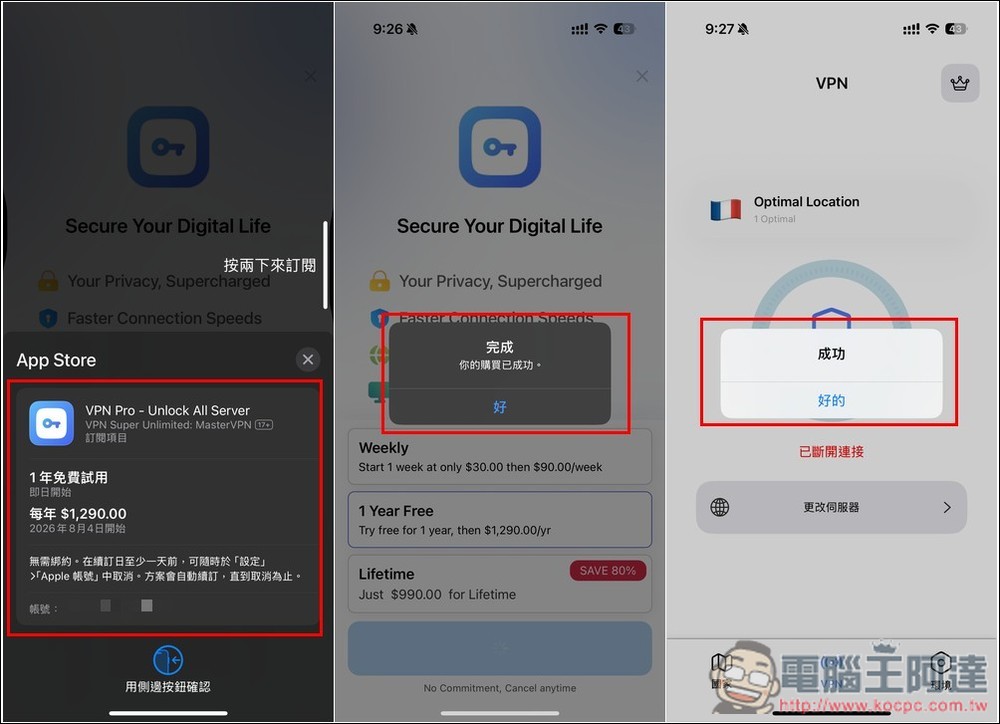
You will then enter the subscription confirmation screen. Check if “1-year free trial” is written above, and then whether the payment will start one year later. For example, I subscribed today, so the payment will start on August 4, 2026. If there is no problem, feel free to click twice to subscribe. When “Your purchase has been successful” is displayed, it means it is completed. Don’t start using it right now. Go to the iOS settings to cancel the subscription:
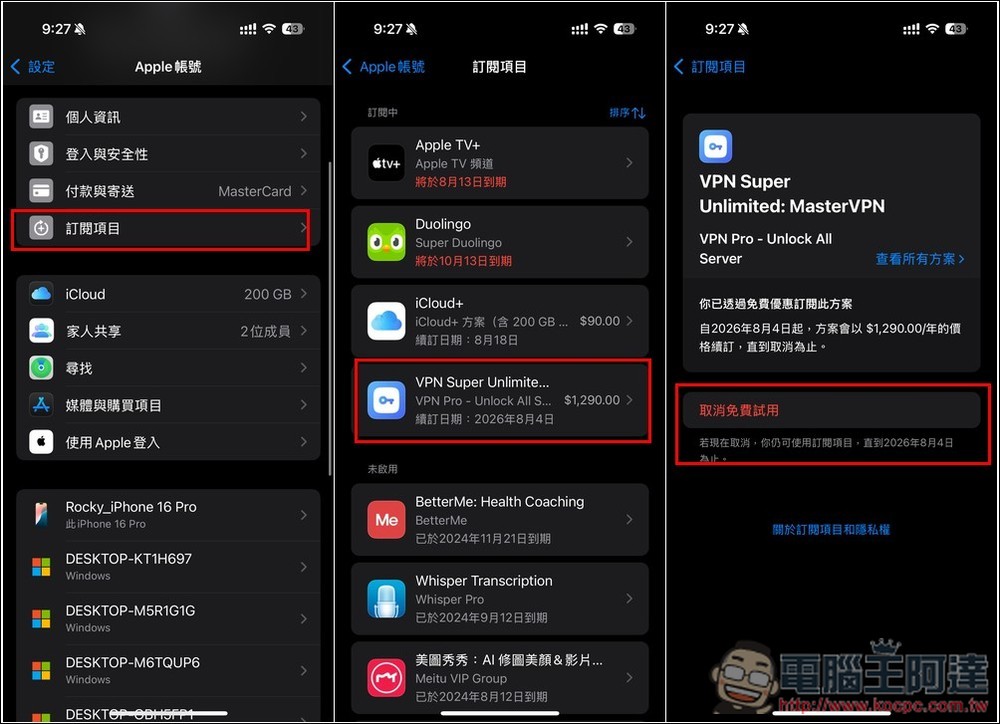
Open the iOS settings and go to your Apple account at the top. Find the subscription items. You will see the VPN Super Unlimited: MasterVPN subscription you just entered. After entering, click below to cancel the free trial. If you cancel, you can still use it for one year. Below it is written “If you cancel now, you can still use the subscription item until August 4, 2026”:
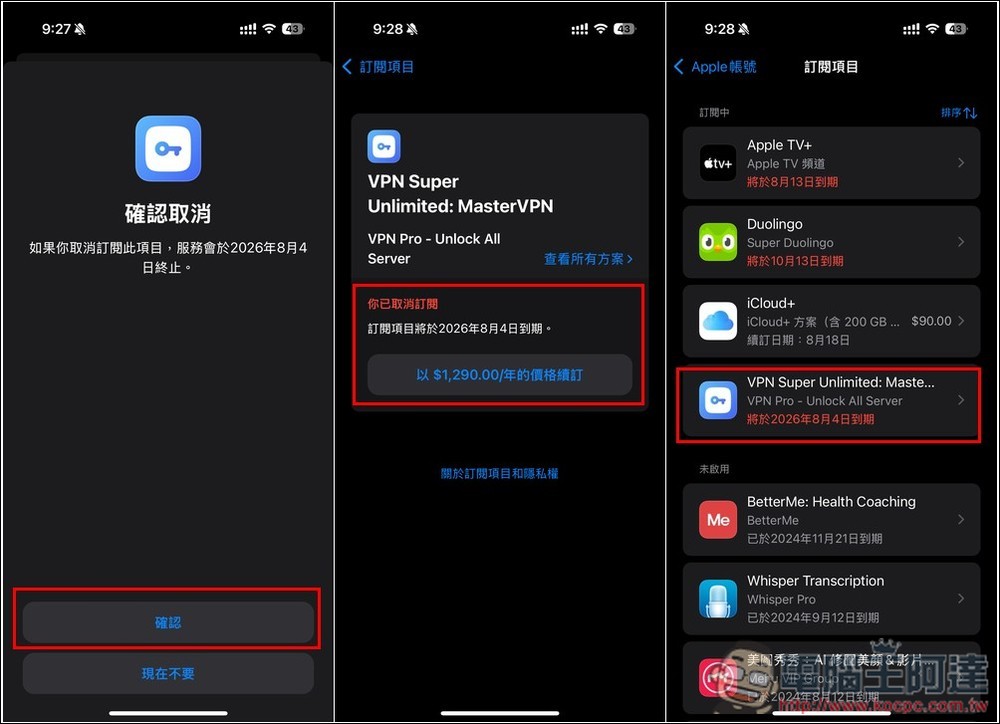
A cancellation confirmation screen will pop up. Click “Confirm” below, and then check whether “You have canceled your subscription” is displayed. If so, it means the cancellation was successful. Returning to the subscription project screen, VPN Super Unlimited: MasterVPN will also become “Expires on August 4, 2026”:
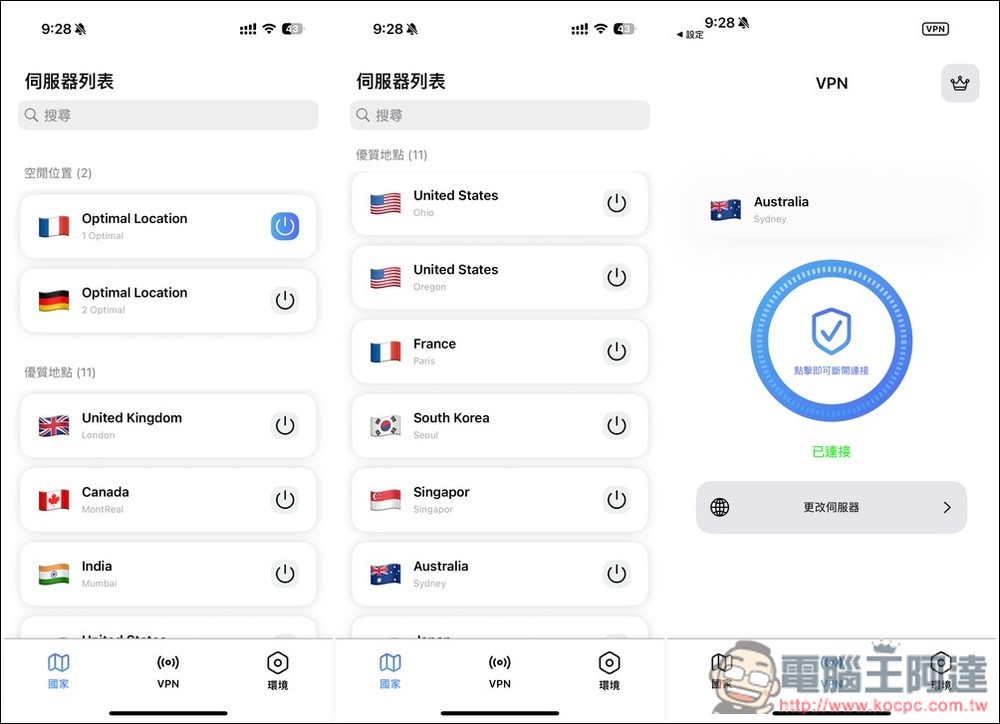
Then you can start using it. A total of 11 positions are provided, which is not too many, but the speed I tested is pretty good:
Source: KOCPC Chinese