


Are you afraid that your email will be spammed every time you register for a website? Kmail this onefreeTemporary mailboxThis tool allows you to receive emails within 24 hours without leaving any personal information. A verification letter that requires no registration and can contain attachments can be generated with one click and thrown away immediately to protect authenticity.mailboxIt will not be leaked and is very suitable for use in trial services, receiving discounts, lottery activities and other scenarios. Want to know how to use it and whether it is easy to use? Let’s explain this clearly at once!

Want to receive mail with peace of mind without fear of being sent crazy advertisements? Kmail temporary mailbox protects your real email 24 hours a day!
In this era where you have to fill out an email to buy a cup of coffee, leaving a real email address is really stressful. Apparently it was just to sign up for a trial and receive a discount code, but a bunch of advertising letters poured in from all directions, sometimes even containing suspicious links, making it hard to guard against. At this time, it’s time to send in the amazing teammate “Temporary Mailbox”!
If you have heard of services such as TempMail and 10MinuteMail before, then you should be familiar with Kmail, a temporary mailbox tool. It also focuses on “no logging in, use and throw away, privacy and security”, and is most suitable for people who use it for a short period of time, do not want to be tracked, and do not want to receive advertisements.
The temporary email address provided by Kmail is valid for 24 hours. During this period, you can freely receive emails and click on verification links. After that time, the mailbox will automatically expire and all data will be cleared, leaving no trace. The best thing is that Kmail does not require registration, has no ads, supports receiving attachments, and is extremely easy to operate. It is very suitable for signing up for unfamiliar websites, trial services, participating in events, etc.
What is Kmail? Why might you need it?
Kmail is a temporary mailbox service that focuses on simplicity, security, and can be used without logging in. As long as you open its web page, it will automatically generate a set of random email addresses for you. The whole process does not require filling in personal information, tying a mobile phone, or registering an account. It is extremely easy.
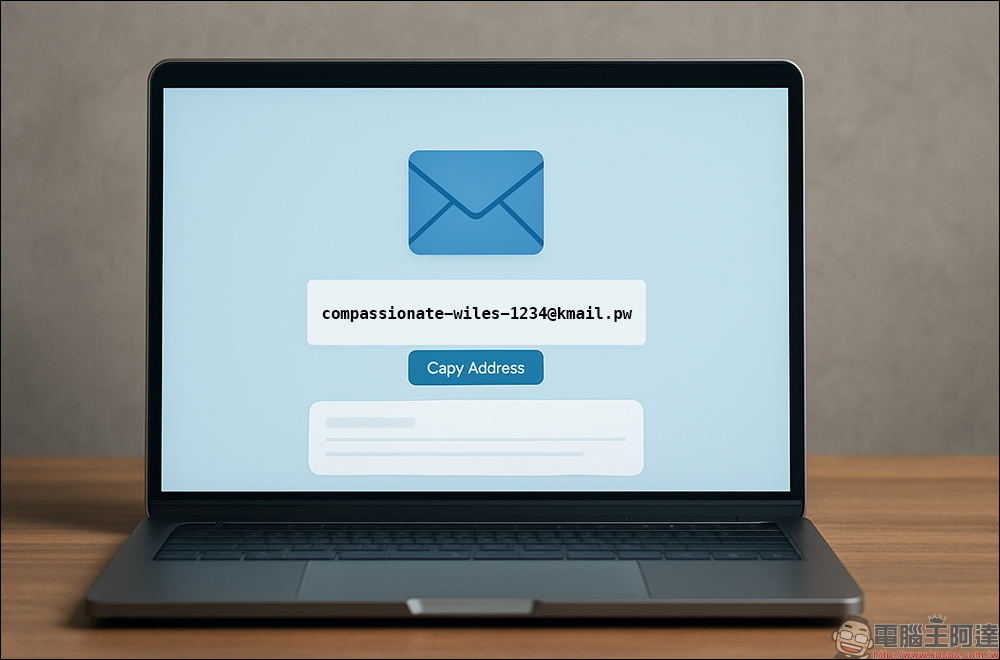
The main purpose of such a temporary mailbox is to avoid exposing your real mailbox to unfamiliar websites or applications. Like:
- Register temporary accounts for forums, online tools, trial members, etc.
- Subscribe to the trial period of the e-newsletter and the discount will be gone after you get it.
- Test mail function or receive mail test for development
- Exclusively for filling out questionnaires and lottery activities
- Protect privacy and leave no email footprints
For users who value digital footprint control and hate being promoted, this kind of temporary mailbox service is really a life helper.
Kmail is super easy to use, just 3 steps to get started
Step one: Open the web page and you will be given a set of temporary mailboxes immediately.
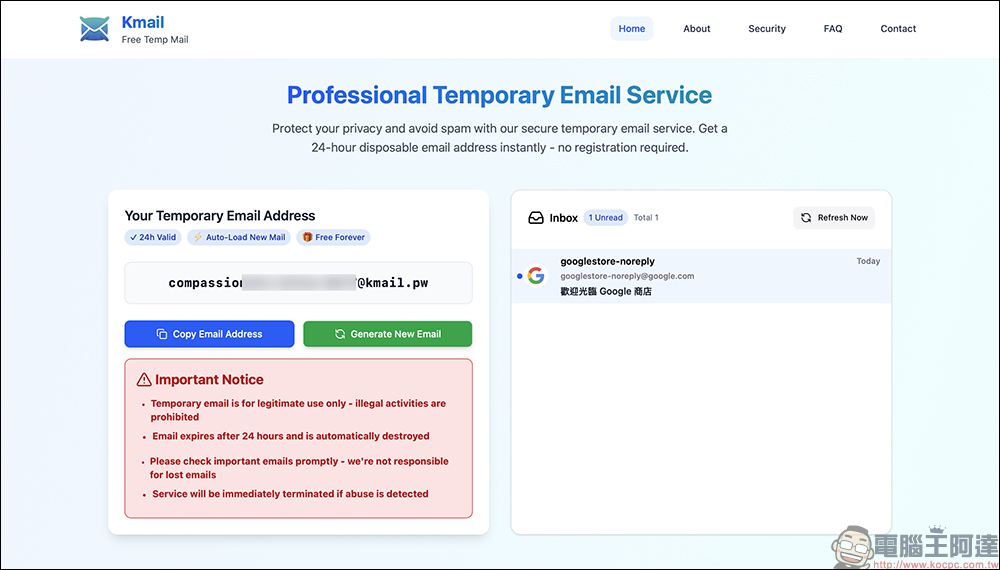
Enter Kmail After opening the website, it will automatically assign a set of temporary email addresses to you immediately. You don’t need to enter any information. Just click the “Copy Email Address” button to copy it, and you can use it directly, painlessly.
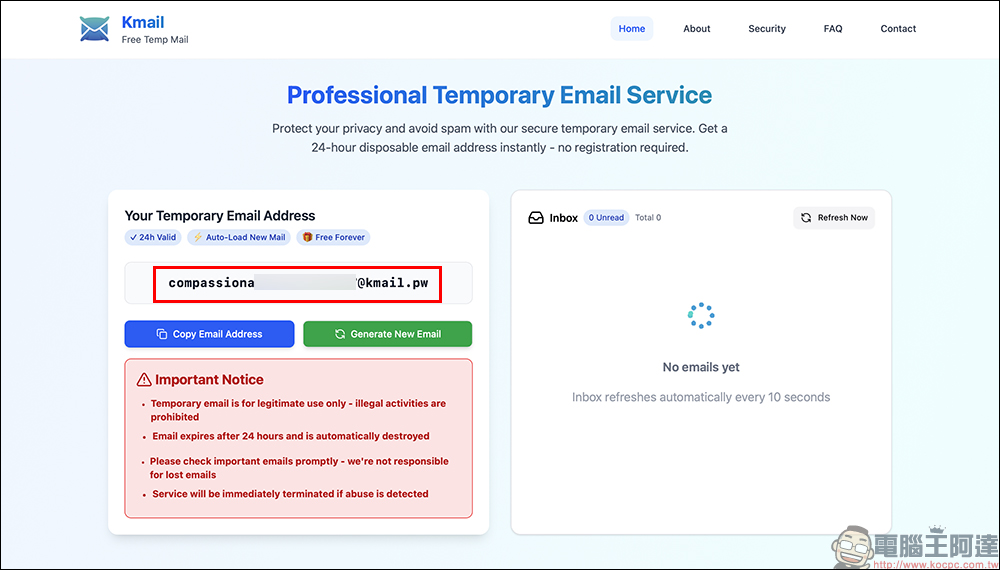
This group of mailboxes will remain valid for 24 hours, which means you can receive emails freely during this period. However, please note that this set of addresses is randomly generated by the system, and the mailbox name cannot be customized. This is different from some temporary mailbox services that can customize the name.
Step 2: Just wait for the letter to arrive, and the inbox will be updated automatically.
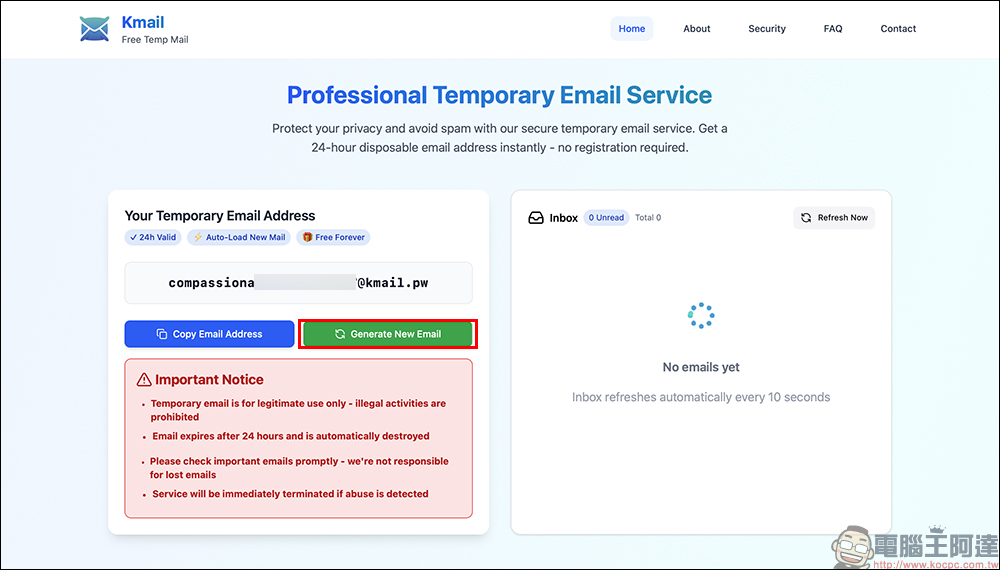
When a letter is sent to this temporary mailbox, the inbox on the right side of the Kmail webpage will be automatically updated, and the letter will usually appear within ten seconds. You can also manually click “Refresh Now” to refresh it to speed up the update.
If you feel that your current mailbox is no longer needed, you can also click “Generate New Mailbox” to get a brand new email address. But please note that after clicking, the old mailbox and letters will be deleted and cannot be replied, so please confirm whether there are any unread letters before switching.
Step 3: Reading letters is as intuitive as Gmail
After clicking on the title of the letter, you will enter the reading screen. The overall operation is no different from a normal email. You can view the sender, title, content, and even attachments. However, Kmail does not support the function of sending letters or replying, because its design purpose is to “only receive letters, not send letters” to avoid being abused to send spam letters.
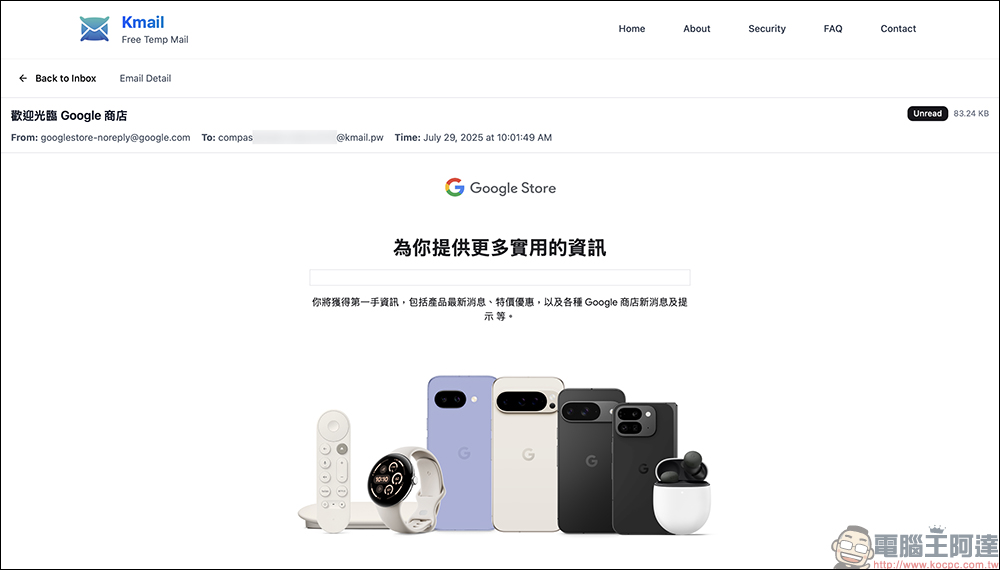
For those who just need to temporarily receive a verification letter or read a discount code, this functional design is simpler and safer.
What are the advantages and limitations of Kmail?
Of course, temporary mailboxes like Kmail have many advantages, such as:
- Completely free, no registration required
- Automatically generate temporary mailboxes and copy them with one click to use
- Emails that can contain attachments
- Letters are automatically updated and manual refresh is supported
- No ads, clean interface
- The mailbox is valid for 24 hours and is automatically deleted for peace of mind.
At the same time, there are also some shortcomings and limitations that must be clarified when using them, such as:
- Unable to customize the mailbox name (all system random numbers)
- The mailbox is only for receiving letters and does not support sending letters.
- If your mailbox is blacklisted by some services, you may not receive emails.
- Switching to a new mailbox will clear old data and cannot be backed up.
Who should use Kmail?
The following situations are perfect for using Kmail:
- I just want to register for a strange website, but I don’t want to give a real email address
- Participate in sweepstakes or trial activities and only receive the letter once
- Worried about receiving spam and scam letters, and want to isolate the risks
- Network engineers or developers who need to test the receiving function
- I just want to “pass the verification quickly” and get the registration link.
Small reminder: Not all services accept temporary mailboxes!
Nowadays, many websites will set restrictions on “temporary mailboxes”. As long as they detect that you are using tools such as TempMail and Kmail, they will directly block your registration. Therefore, actual use still needs to be adjusted according to the situation. Although Kmail is simple and easy to use, it is not a universal solution.
If you really need an account that can stably receive and send emails, it is recommended to use mainstream email platforms (such as Gmail and Outlook) to handle important matters, and it would be more ideal to use Kmail as a one-time auxiliary tool.
Conclusion
Although Kmail has simple functions, it is very practical. Especially in this era where data is easily abused, a temporary mailbox can save you a lot of risks of data leakage. When you want to try out new apps, receive discounts, or fill out questionnaires, you might as well use Kmail to help you act as a “disposable firewall” to make your digital life safer and cleaner.
Kmail temporary mailbox:https://kmail.pw/
Further reading:
用 RoboNeo 免費 AI App 把你的美食照變成超像蘋果 emoji 的 3D 圖片!(iOS/Android App)
Source: KOCPC Chinese